Sharing a Poe subscription sounds simple until a team actually tries to use it. Do you share one login, invite people to a shared point pool, use Group Chats, or keep everyone on separate accounts? The right choice depends on what your team needs to share: paid points, conversations, workflows, or the same existing Poe account.
This guide explains how Poe subscription sharing works in 2026, what the current pricing and sharing limits mean for teams, and which setup fits different use cases. It also covers when a shared browser Profile with an antidetect browser like DICloak may make more sense for teams that need controlled access to the same Poe account rather than separate accounts sharing points.
What Is Poe and Why Do Teams Use It?
Poe is an AI platform that brings many AI models, bots, and creative tools into one place. For teams, its main value is simple: different people can use different AI tools without moving between several separate services.
That makes Poe useful for teams with mixed tasks. A content marketer may need help with research and drafts, while a developer may want a stronger coding model. Another teammate may need image or video generation. Instead of choosing one AI tool for every task, Poe gives users access to models and bots built for different types of work.
What Makes Poe Different From a Single AI Chatbot?
Poe is not built around only one AI model. It provides access to models from companies such as OpenAI, Anthropic, Google, and Meta, as well as image, video, audio, and user-created bots. Users can choose a different bot when the task changes instead of relying on one assistant for everything.
This matters more in a team than it does for one casual user. For example, a marketing team may use one model to compare campaign ideas, another to improve copy, and an image model for creative work. A product or development team may use Poe in a very different way. The useful part is not simply having “more AI models.” It is being able to match the tool to the task without building a separate workflow around every AI provider.
Poe also supports group chats, where several people can join the same conversation and interact with AI models together. However, that should not be confused with sharing one paid subscription. In a group chat, the person who triggers an AI response uses their own points.
Why Would a Team Want to Share Poe?
Most teams looking to share a Poe subscription are trying to solve a cost and access problem, not simply a password problem. Several coworkers may need paid AI access, but their usage may be occasional or spread across different tasks. Common reasons include:
- Lower duplicate subscription costs: Not every teammate needs a full subscription if they only use Poe from time to time.
- Support different work tasks: One person may use Poe for SEO research, another for ad copy, and another for campaign ideas.
- Keep work separate: Team members may want access to paid Poe features without sharing the same chats or daily workflow.
- Make shared usage easier to manage: Teams need to understand how shared points are used and whether one heavy user could affect everyone else.
The real question is not simply whether several people can use Poe. It is whether Poe's pricing and sharing rules fit the way your team actually works.
How Much Does Poe Cost, and What Does Its Account-Sharing Policy Allow?
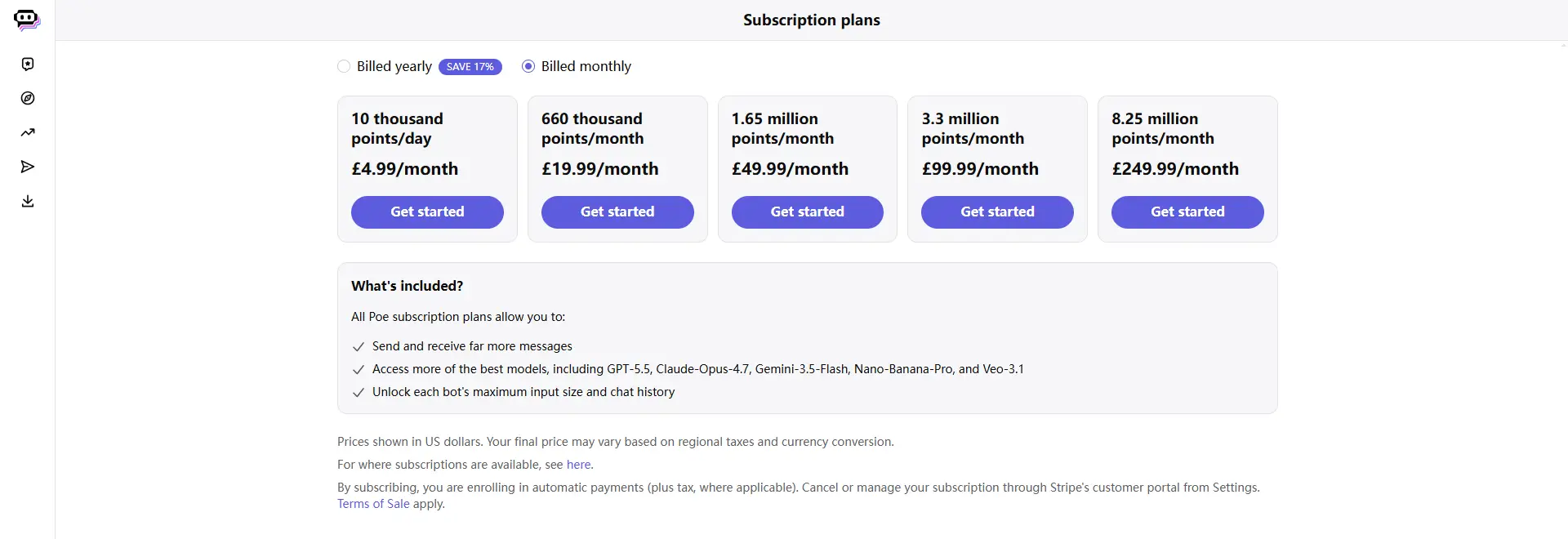
Poe subscriptions start at $4.99 per month and use a compute-point system rather than a fixed number of messages. Some paid subscriptions also support Shared Subscriptions, so teammates can use their own Poe accounts while drawing from the same paid point pool. For a team, the main question is not only how much the plan costs, but whether the available points and sharing controls fit how the team actually uses Poe.
How Does Poe Subscription Pricing Work in 2026?
Poe currently offers plans ranging from 10,000 points per day to 8.25 million points per month, with both monthly and yearly billing. The annual option is currently marked as saving 17%, while final prices may vary by region, taxes, and currency conversion.
The number of points a request uses depends on the bot and the amount of content being processed. This means two teammates can use the same Poe plan very differently. A marketer writing short ad copy may use far fewer points than a developer working with long code files or someone generating images and videos. For teams, the point allowance is usually more useful than the headline monthly price when deciding which Poe subscription fits.
Subscribers who need more capacity can also purchase extra points. Poe currently lists add-on points starting at $30 per 1 million points, which can help with occasional spikes in usage but does not change how the shared point pool is managed.
Does Poe Officially Allow Subscription Sharing?
Yes. Some Poe subscriptions are eligible for Shared Subscriptions, which let the subscriber invite a limited number of friends, family members, or teammates to use the subscription's points. Each member joins with their own registered Poe account, so the team does not need to share one common Poe username and password.
For example, three people on a small marketing team could keep separate Poe accounts while using points from the same subscription. Their account data remains separate, while the subscriber controls who belongs to the shared group and can remove members when access is no longer needed. Poe Shared Subscriptions are designed to share paid usage, not to turn several people into users of one shared Poe account.
This makes the official feature a practical starting point when the team mainly wants to share subscription capacity. It also avoids confusing subscription sharing with Group Chats or other Poe collaboration features, which solve different needs.
What Are the Limits of Poe Shared Subscriptions?
The biggest limit is that Poe does not divide the shared point pool into fixed personal quotas. A member can individually use up to 100% of the subscriber's available points, so five people sharing a plan do not automatically receive 20% each.
Poe also does not currently let the subscriber set a separate point cap for each member. If one teammate uses many point-heavy models or runs long tasks, that usage can reduce what is left for everyone else. The subscriber can review aggregate usage and remove a member, but monitoring usage is not the same as setting a hard budget for each person.
This makes Shared Subscriptions more suitable for small teams with trusted members and manageable usage. Teams with several heavy users or strict per-person budgets may find the shared pool harder to control.
What Are the Ways to Share a Poe Subscription With Your Team?
There are three practical ways to share Poe with a team, but they solve different problems. Poe Shared Subscriptions are the best fit for sharing paid points, Group Chats or shared bots are better for collaboration, and a shared browser profile is more relevant when authorized teammates need to work from the same existing Poe account environment.
Method 1: Use Poe Shared Subscriptions
If your main goal is to let several people use one pool of paid Poe points, Shared Subscriptions should be the first option to consider. Eligible subscribers can invite a limited number of members, and each person joins with their own registered Poe account instead of using the subscriber's login. Members then draw from the same point pool while keeping their account data separate.
This works well for a small team where several people need paid models but do not need the same chats or account workspace. The main trade-off is control: each member can use up to 100% of the subscriber's available points, and Poe does not divide the pool into fixed personal quotas. If your team mainly wants to share subscription value while keeping individual accounts, this is the most direct native option.
Method 2: Use Group Chats or Shared Bots for Collaboration
Not every team that wants to “share Poe” actually needs to share a subscription. If the real goal is to brainstorm together, review AI output, or keep a project discussion in one place, a Poe Group Chat may be enough. Group Chats can include up to 200 people, and the member who triggers an AI response uses their own points, so the feature supports collaboration rather than pooling one subscriber's points.
Shared bots solve another common team need. For example, a marketing lead may create a bot with a repeatable prompt or workflow and share its URL with coworkers, so everyone can use the same bot without entering one common Poe account. Poe supports sharing created bots by link, which makes this useful when the team needs the same AI workflow rather than the same subscription or chat history.
Method 3: Use an Antidetect Browser for the Same Poe Account
A different problem appears when teammates need to continue work inside the same existing Poe account and browser workspace, rather than using separate Poe accounts. This may happen with a company-managed account, a temporary contractor taking over a task, or a team that works in shifts and needs controlled access to the same browser Profile.
In that case, an antidetect browser like DICloak can be used to keep the Poe account in a dedicated browser Profile and share that Profile with selected team members. Profile sharing and team permissions let an admin decide which members can access the workspace, while sharing records and operation logs make access easier to review and revoke when a project or role changes.
Why Use DICloak to Share a Poe Account With Your Team?
An antidetect browser is most useful when your team needs to work from the same existing Poe account environment, not simply share subscription points. In that case, using DICloak can keep the Poe login inside one dedicated browser Profile while giving selected teammates controlled access to that Profile.
For a small agency, content team, or shift-based workflow, this can be more practical than repeatedly passing the Poe password between people. The useful parts are tied to how the shared account is actually managed:
- Keep the Poe account in one dedicated browser Profile: A separate Profile keeps its cookies, session data, and browser settings together, so teammates do not need to rebuild the same working environment on their own devices.
- Share the Profile only with the right people: With profile sharing and team permissions, access can be assigned to selected members and removed when a freelancer leaves, a project ends, or a teammate changes roles.
- Make shared access easier to review: Operation logs give admins a record of team-side Profile actions, which is useful when several people take turns working with the same company-managed Poe account.
This setup solves a different problem from Poe Shared Subscriptions. Poe Shared Subscriptions are better when each person should keep their own account and share a point pool, while a shared browser Profile is more relevant when authorized teammates need access to the same existing Poe workspace.
How to Share a Poe Account With Your Team Using DICloak
If your team needs to keep using the same existing Poe account, you can save that signed-in session inside one dedicated browser Profile and share the Profile with selected teammates. This keeps the login environment in one place instead of asking each person to set it up again. The setup is straightforward once the Profile and team access are ready.
Step 1: Install DICloak and Choose a Team Plan
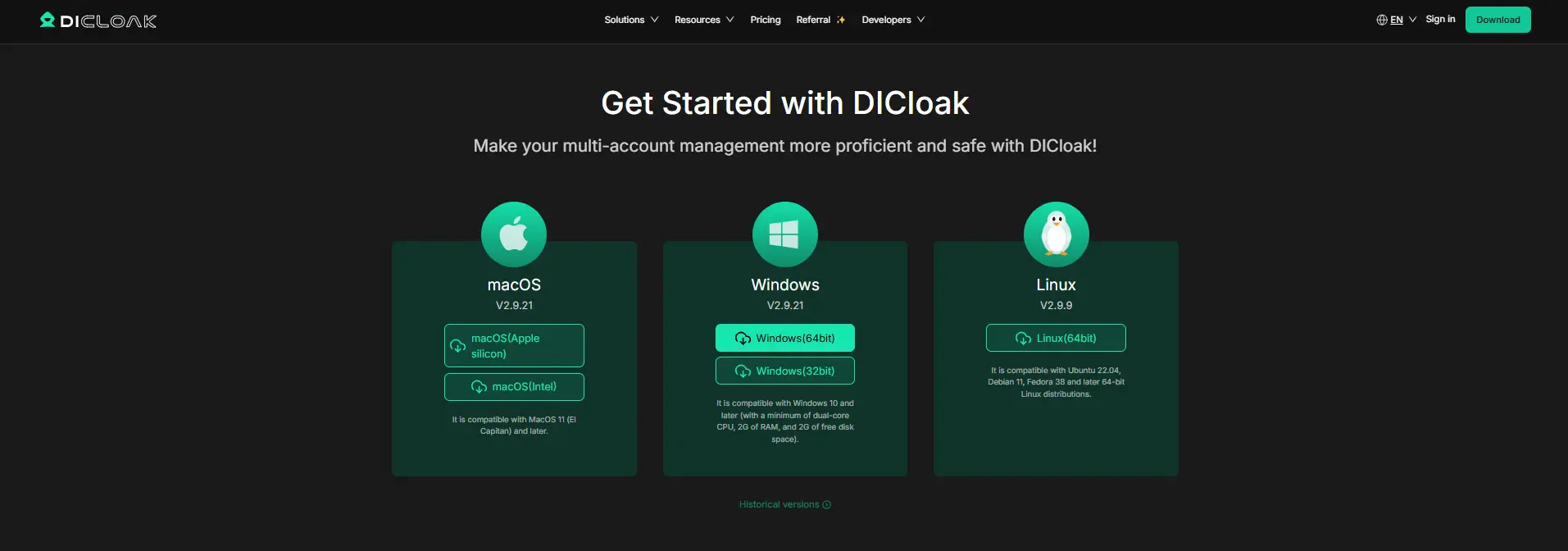
Download DICloak, create an account, and install the desktop app. Then choose a plan based on how many teammates need access and how many browser Profiles your team plans to manage.
Step 2: Create a Dedicated Browser Profile for Poe
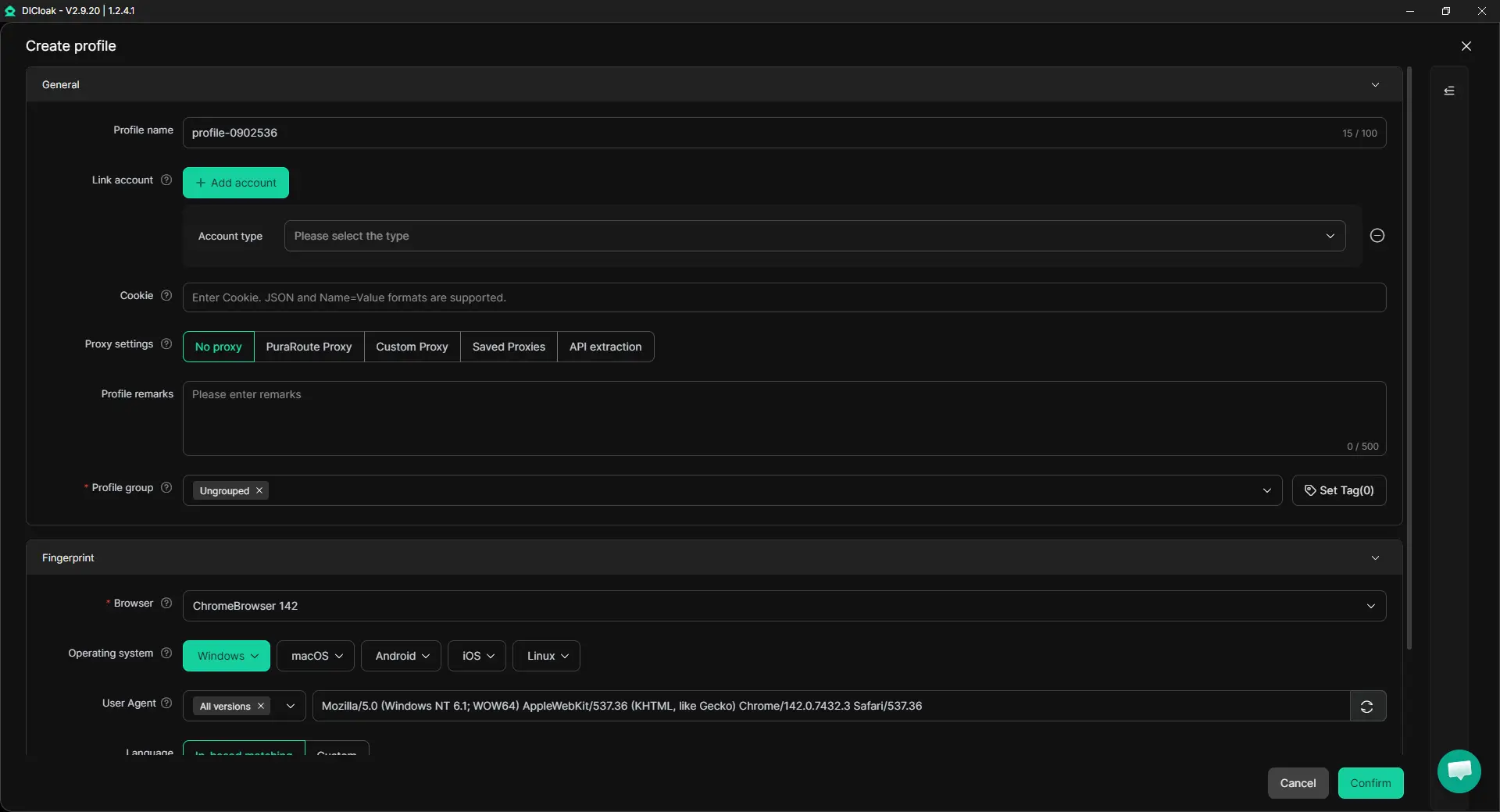
Create one browser Profile for the Poe account you want to share. The Profile keeps the login session, cookies, and browser settings together, while Multiple Sessions can help when more than one authorized teammate needs to work with the Profile and Hide Password can reduce the need to expose saved login credentials. If your workflow already uses a specific proxy, you can also configure it for that Profile.
Step 3: Sign In to Poe
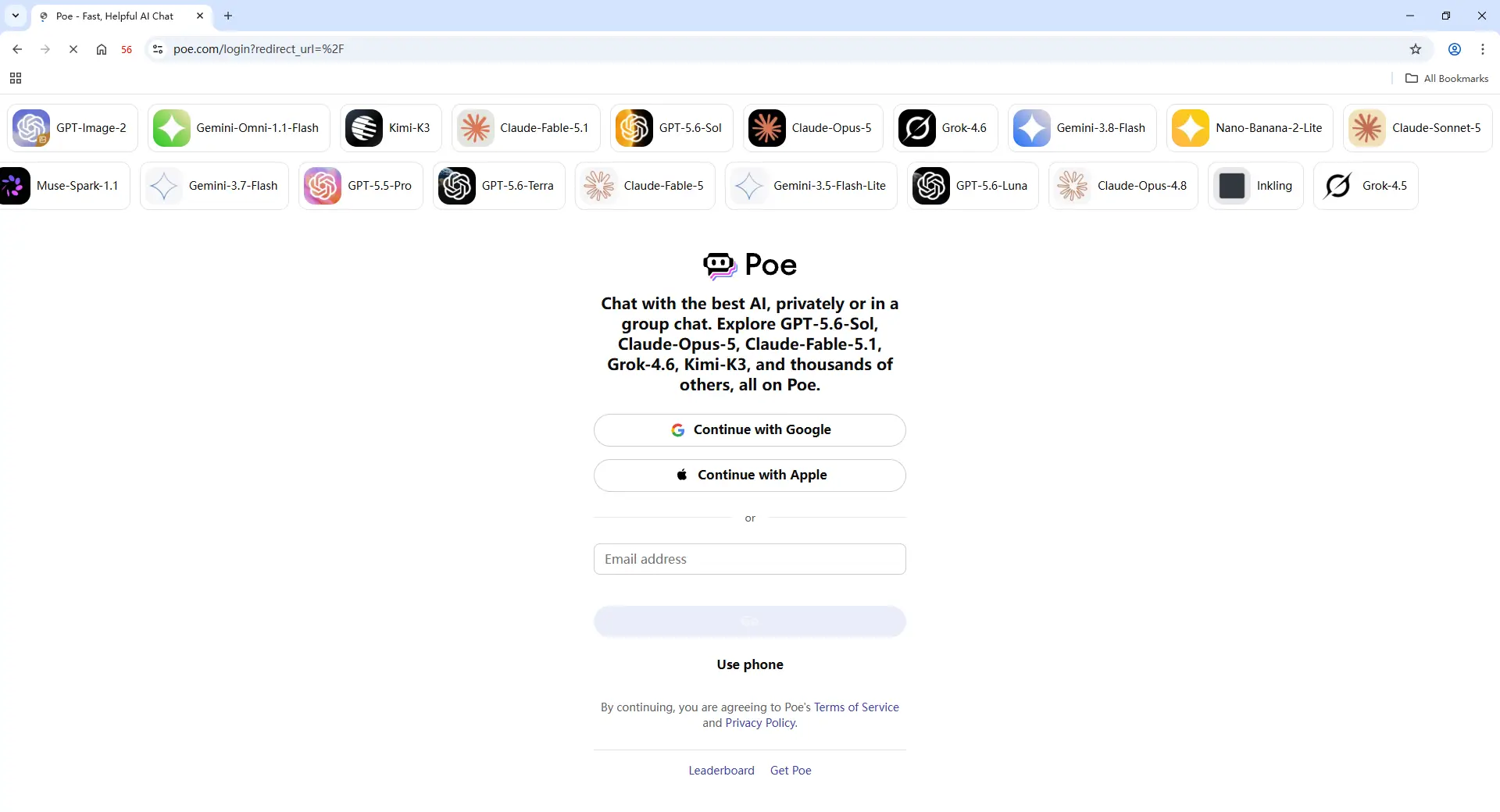
Open the new Profile and sign in to the Poe account your team uses. Once the login state is saved, authorized teammates can continue from the same browser profile instead of signing in and setting everything up again. This is especially useful when work moves between people during a project or across different shifts.
Step 4: Add Team Members and Share the Profile
Invite the teammates who actually need the Poe account, then assign the Profile through DICloak's team and Profile-sharing controls. Keep access limited to the relevant people rather than the whole team. If a freelancer finishes a project or someone changes roles, you can update or remove their Profile access.
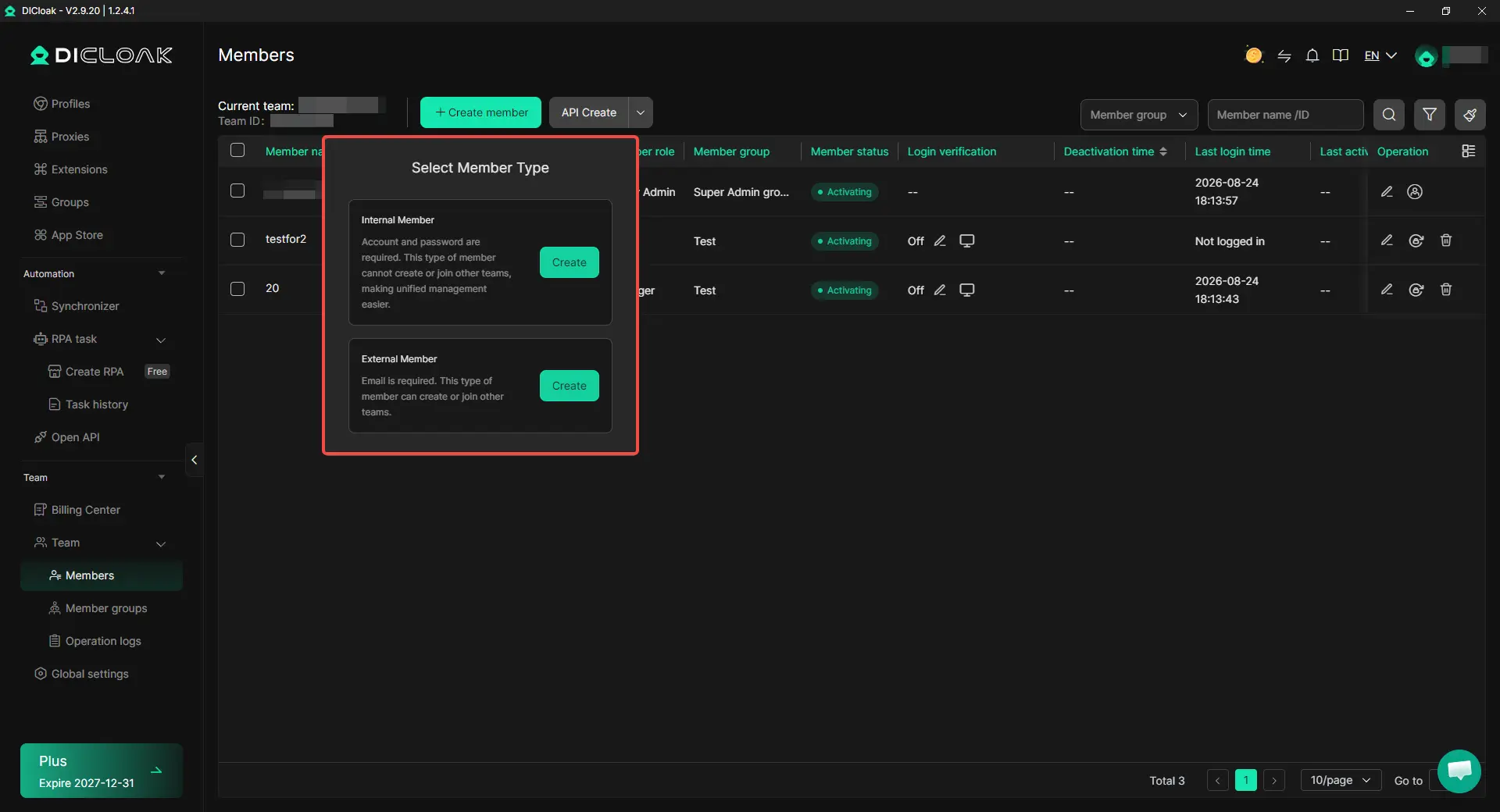
Step 5: Open the Shared Profile and Continue the Work
After access is assigned, a teammate can open the shared Profile from their own DICloak account and continue using the existing Poe profile. The team does not need to recreate the browser setup every time the account changes hands.

Frequently Asked Questions About Sharing a Poe Subscription With Your Team
Can every Poe subscription be shared with a team?
No. Poe says that some subscriptions may be eligible for Shared Subscriptions, so the option may depend on the plan or account. If your subscription supports it, you should see Invite members in Poe Settings, where you can create an invitation link for a limited number of registered Poe users.
Can I set a separate Poe point limit for each teammate?
No. Poe currently does not let the subscriber give each shared member a fixed personal quota. Once added, a member can use the shared point pool without an individual cap, so one heavy user can affect what remains for the rest of the team. If you need to stop that member from using shared points, Poe's current option is to remove them from the Shared Subscription.
Can people in a Poe Shared Subscription see each other's chats?
No. Sharing a subscription does not automatically share private conversations or account data. Poe says group members cannot access the subscriber's or other members' account data, and normal bot conversations remain private unless the user chooses to share them. This makes Shared Subscriptions better suited to teams that want to share paid usage while keeping personal Poe work separate.
What happens if the shared Poe points run out?
Group members cannot purchase extra points through the subscriber's account. Only the subscriber can add more points, so teams with several heavy users should keep an eye on overall usage instead of assuming every member can top up their own share when the pool gets low. Poe also lets subscribers review point history and purchase additional capacity when needed.
How can I remove a teammate's access to a shared Poe account?
If your team uses Poe's Shared Subscription, the subscriber can remove a member from the shared group so they can no longer use the shared points. If the team works from the same existing Poe account through an antidetect browser like DICloak, the admin can remove that teammate's Profile access through team permissions without changing access for everyone else. This is useful when a freelancer finishes a project or an employee changes roles, because access can be updated without rebuilding the shared browser setup.
Conclusion
You can share a Poe subscription with your team in 2026, but the best method depends on what you actually need to share. Poe's Shared Subscriptions are the better fit when teammates should keep their own accounts and draw from one shared point pool, while Group Chats or shared bots make more sense for collaboration around the same conversation or workflow. The main limit is that shared points are not split into fixed personal quotas, so one heavy user can reduce what is left for everyone else.
If your team instead needs several authorized people to keep working from the same existing Poe account environment, a shared browser Profile can solve that different problem. Using an antidetect browser like DICloak, teams can keep the Poe session in one Profile, share access with selected members, and update or remove that access as roles change.
 Web Proxy Tools
 Free Tools
 Cookie Plugin
 UA Generator
 MAC Address Generator
 IP Generator
 IP Address List
 2FA Code Generator
 World Clock
 Anonymous Check
 WebRTC Leak Test
 UUID Generator
 Free Web Proxy Site
 Proxy Checker
 FB Ad Checker
 AI Web Scraping
 Free SMM Tools
 Twitter Shadowban Checker
 Instagram Name Checker
 UTM Generator
 Username Generator
 AI Hashtag Generator
 LinkedIn Headline Generator
 Social Media Image Resizer