You spend two weeks setting up your automation system. Scheduled posts, auto-replies, engagement sequences — everything running while you sleep. Then one morning you check your analytics. Reach has dropped 80%. Your account is still live, but nobody is seeing your content. You just got shadow banned.
That is the part most automation guides skip. They tell you which tools to buy. They compare features, plans, and dashboards. But they rarely explain why automation gets accounts flagged. They also do not show you how to prevent it before your reach disappears.
This guide is about using marketing automation software in a smarter way. You will see which tools fit common marketing tasks. You will learn how to build workflows that do not break after one small change. Most important, you will learn how to automate social media in a way that looks natural, slow, and human.
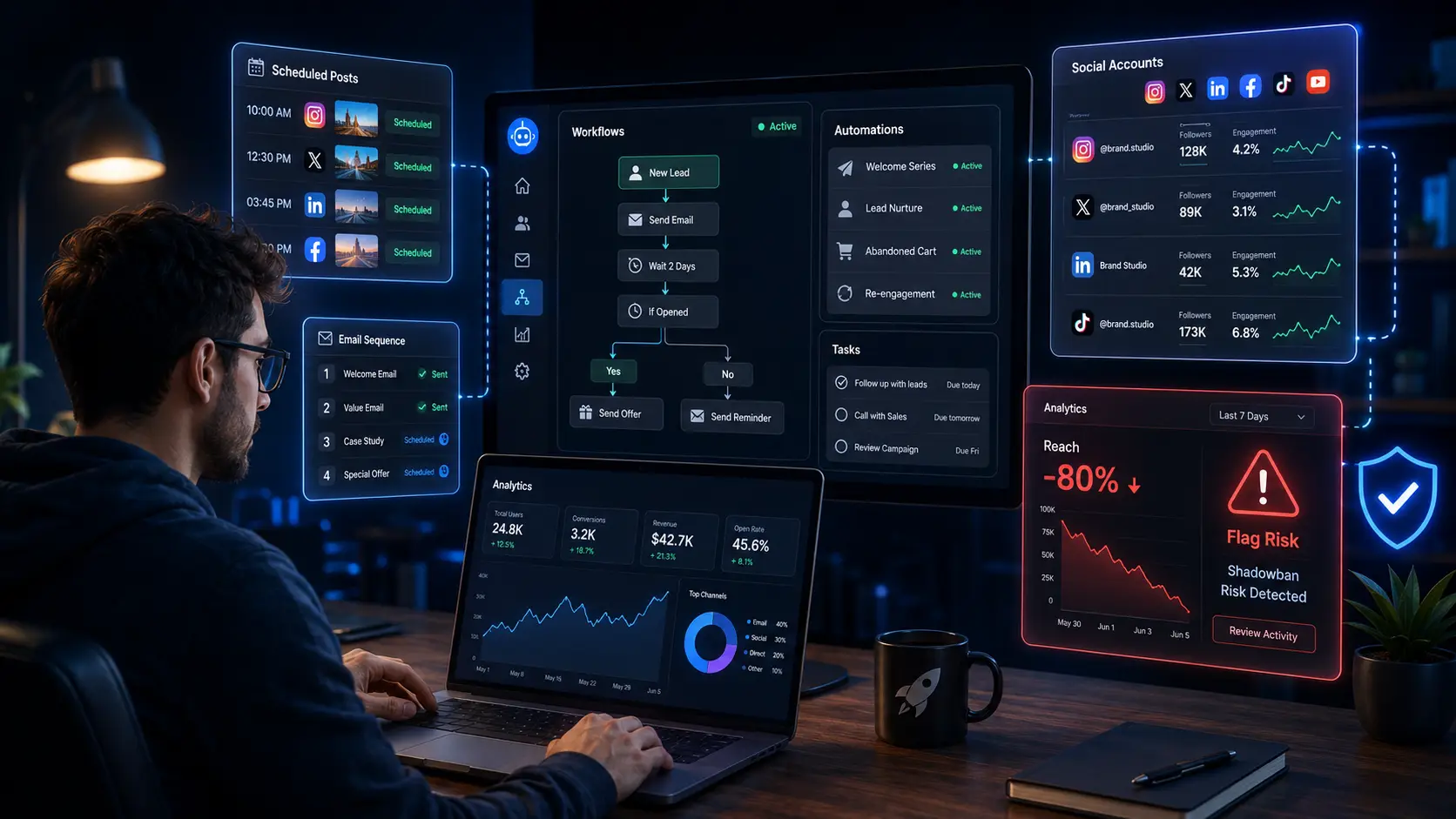
What Is Marketing Automation Software?
Marketing automation software helps you remove repeated manual work from your marketing process. But good automation should support your team, not replace real judgment, real timing, or real conversations.
What it can and cannot automate
The best way to understand automation is simple: automate the busy work, not the human trust. A tool can move a task forward. It cannot build a real relationship for you.
| Can automate |
Cannot safely automate |
| Scheduled posting |
Authentic relationship building |
| Email sequences |
Real-time crisis response |
| Lead nurturing |
Creative strategy decisions |
| Repetitive engagement tasks |
Personal replies that need context |
| Data collection |
Sensitive customer conversations |
| Reporting |
Brand voice decisions |
For example, it makes sense to schedule 20 LinkedIn posts for the next month. It also makes sense to send a follow-up email three days after someone downloads a guide. These tasks are clear and repeated.
But it is risky to let a tool fake real interest. If your account sends the same comment to hundreds of people, it stops feeling helpful. It starts looking like spam.
The difference between automating workflows and automating relationships
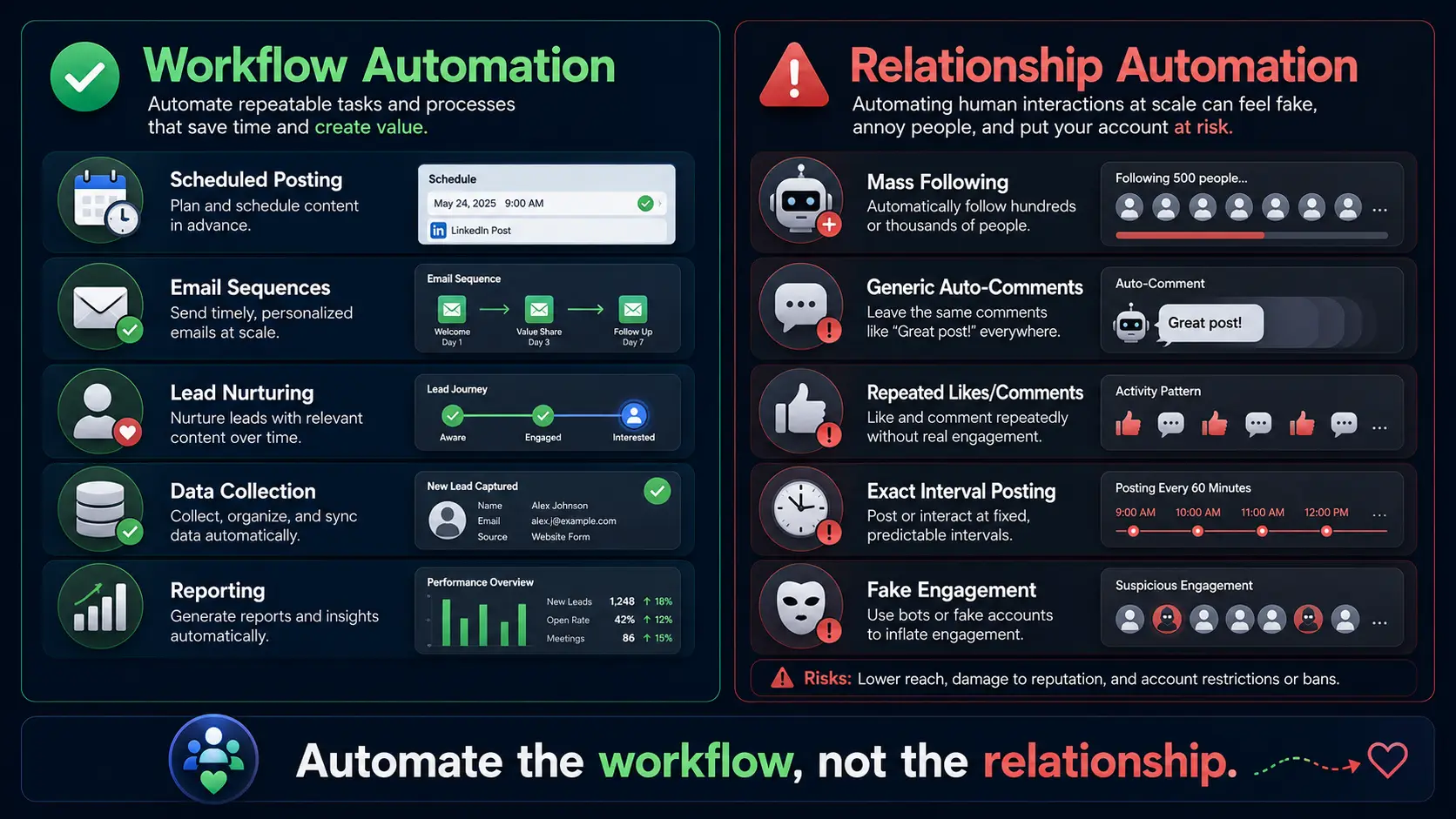
Workflow automation means scheduling, sequencing, sorting, and routing tasks. Platforms expect this. Most teams use it every day. A safe example is an email welcome sequence. Someone signs up for your newsletter. They get Email 1 right away, Email 2 two days later, and Email 3 one week later.
That kind of system saves time without pretending to be a person.
Relationship automation is different. It tries to fake human engagement. This includes mass following, mass liking, and auto-commenting generic replies. A risky example is auto-commenting “Great post!” on 500 accounts per day. That pattern is easy to detect because no real person behaves that way for long.
This is where many marketers get into trouble. They choose a tool before they understand the behavior it creates. So before comparing the best tools, you need to match each tool to the right type of task.
Best Marketing Automation Software in 2026
The best marketing automation software depends on what you want to automate. Email follow-ups, social scheduling, and multi-account work are three very different jobs.
For email and CRM automation
HubSpot is best for teams that want email, CRM, landing pages, forms, and basic sales tracking in one place. Its free tools make it easy to start, and paid plans usually start around $15–$20 per month, depending on the hub, seat, and billing setup. The biggest limitation is cost growth. Once you need advanced automation, custom reports, or more seats, the monthly price can rise fast.
ActiveCampaign is best for teams that need advanced email sequences and behavior-based triggers. For example, you can send one email to people who clicked a pricing page and a different email to people who only opened a blog post. Plans start around $15 per month. The main limit is the learning curve. It is powerful, but small teams may need time to set up clean automations.
For social media scheduling
Buffer is best for creators, startups, and small teams that need simple social media scheduling. Its free plan supports up to 3 channels, and paid plans start at about $5–$6 per month per channel. The biggest limitation is depth. Buffer is clean and easy, but it is not built for heavy approval flows, deep reporting, or complex team structures.
Hootsuite is better for larger teams that need stronger analytics, inbox tools, and multi-channel reporting. Paid plans start around $99 per user per month, so it fits teams with a bigger budget. The main limitation is price. For a solo marketer, it may feel too heavy.
Both tools handle scheduling well. But they do not solve a harder problem: managing many social media accounts as separate identities.
For multi-account social media automation
Buffer and Hootsuite are useful when you manage one brand or a few official pages. But they were not built to give each account a separate identity. If you manage many social media accounts from the same browser, platforms may connect them through fingerprints, cookies, sessions, and login patterns.
With DICloak, you can run multiple accounts from one device, each with its own isolated fingerprint, cookies, and session. This helps platforms see each account as a completely independent user. That matters for agencies managing client accounts and growth teams running several brand profiles across different platforms.
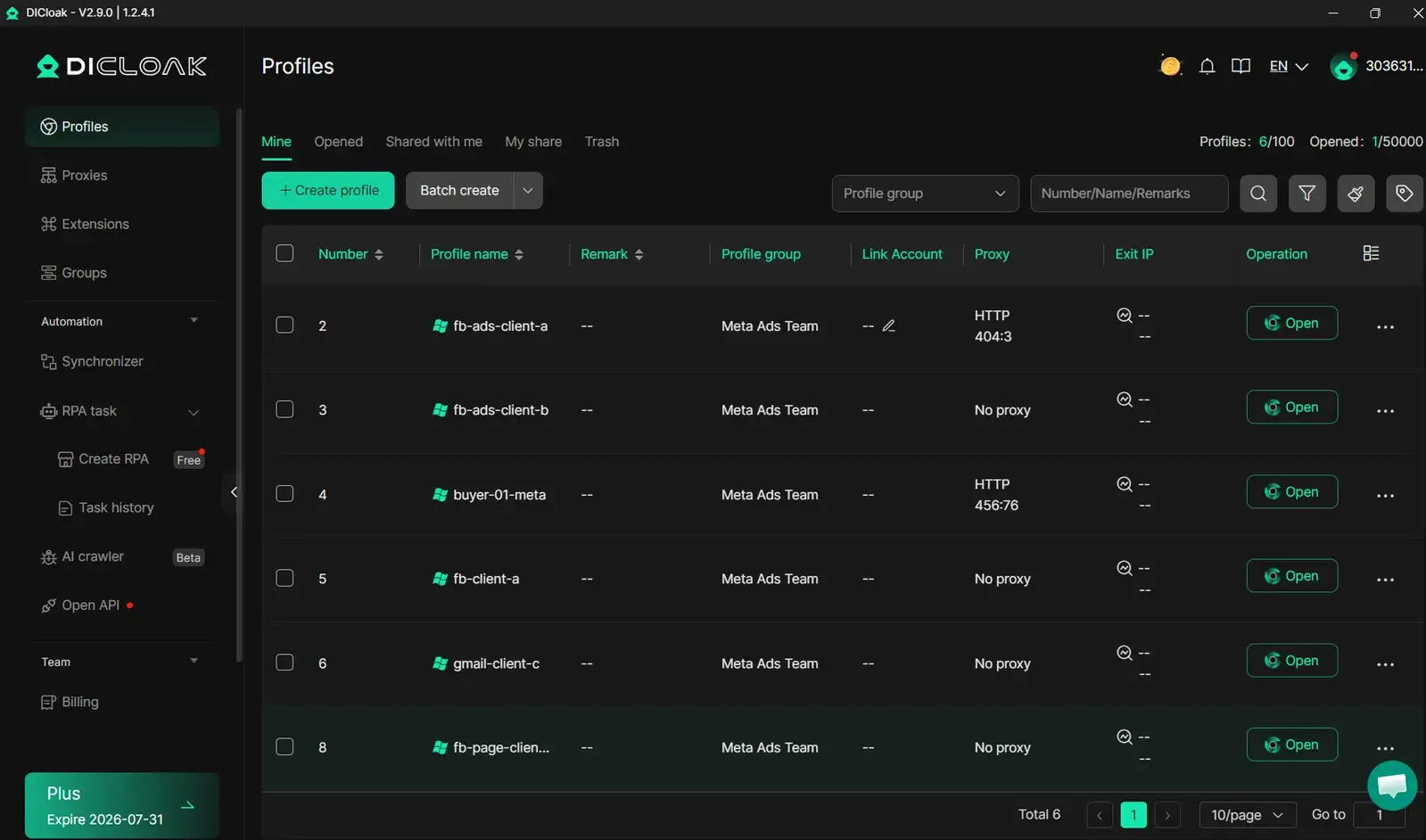
Once your accounts are properly isolated, the next challenge is making your automation behavior look human — which is where most marketers get flagged.
A good workflow should make your team faster, not more confused. The best setup is usually simple, clear, and easy to fix when something changes.
The 3 workflows every marketer should automate first
If you run a five-person company, you do not need a giant automation map with 40 steps. I understand the Reddit user who said they were tired of advice from people who had clearly never run a small team. In a small team, every broken automation becomes someone’s extra work.
Start with these three.
First, build a lead follow-up sequence. Someone fills out a form. They get a welcome email right away. Two days later, they get a follow-up with a case study. On day 5, they get a soft CTA, like “Want to see how this works for your team?” This works because leads go cold fast. Automation keeps the conversation alive without asking someone to send every email by hand.
Second, automate social media content scheduling. Batch-create content once a week. Schedule it across platforms using Buffer or a similar tool. Then review performance every Friday and adjust next week’s posts. Consistency matters more than volume. This kind of batching can save 3–4 hours per week.
Third, create a re-engagement campaign. Segment subscribers who have not opened emails in 60 days. Send a 3-email re-engagement sequence. Then remove contacts who still do not respond from your main list. A clean list improves deliverability and lowers your cost per contact.
How to connect your tools without creating a fragile system
Most automation breaks because people connect too many tools too fast. One small change in one platform can break the whole chain. I’ve seen teams spend more time fixing their marketing automation software than doing real marketing.
Rule 1: start with 2–3 tools maximum. Pick one tool for each job category. Use one for email, one for scheduling, and one for CRM before adding anything else. More tools do not always mean more output.
Rule 2: map your workflow before you build it. Write every trigger, action, and outcome in a simple doc. For example: “Form submitted → contact added to list → welcome email sent → sales task created.” This shows gaps before they become live problems.
Rule 3: test with real data before going live. Use 10–20 real contacts first. Check if tags, emails, links, and timing work correctly. A broken automation sent to 15 people is annoying. A broken automation sent to 15,000 people is a cleanup project.
Once your workflows are stable, the next challenge is risk. This matters most when automation touches social media behavior, where platforms watch patterns closely.
How to Automate Social Media Without Getting Shadow Banned or Flagged
The Reddit question is fair: can you automate marketing without getting shadow banned? Yes, but only if your setup looks like normal human behavior instead of a bot script.
Why platforms flag automated behavior
I’ve had accounts lose reach overnight, and the pattern was almost always the same. The content was not the only problem. The behavior around the content looked too mechanical.
Platforms often look at three signals.
The first signal is action velocity. If an account likes, follows, or comments too many times in a short window, it looks fake. A real person has natural limits. For example, an account that follows 300 people in 2 hours may get flagged. An account that follows 30 people across a full day looks much more normal.
The second signal is behavioral patterns. Actions that happen every 30 seconds look machine-made. Real people pause, scroll, stop, get distracted, and change speed.
The third signal is device and session data. If five accounts use the same browser fingerprint, same IP, same cookies, and same login pattern, platforms may link them together.
The difference between safe automation and bot-like automation
Platforms are not only looking for automation itself. They are looking for patterns that no real human would create.
Bot-like automation is easy to spot. The same comment gets posted to 200 accounts: “Love this!” One account follows 500 people in 3 hours. Posts go live at exactly 9:00am, 1:00pm, and 5:00pm every single day. Multiple accounts are opened from identical browser fingerprints. None of that feels natural.
Safe automation is slower and less perfect. Scheduled posts have slight time changes, like 9:03am, 1:17pm, and 4:52pm. Engagement stays within realistic daily limits. Each account has its own device identity. Actions include pauses, scrolls, and small variations.
This is the part many marketers miss. A tool can help you move faster, but speed without variation creates risk. Good social media automation should save time while still leaving room for natural behavior.
How to make your automation look human
Even if your content is great and your intentions are legitimate, the wrong technical setup can still get you flagged. If every account looks like it comes from the same browser, same device, and same routine, the platform may treat your normal marketing work as suspicious.
With DICloak’s RPA, you can automate repetitive tasks, such as liking, following, commenting, and form fills, while the system simulates natural human timing, pauses, and scroll behavior. This helps the action pattern look less machine-generated.
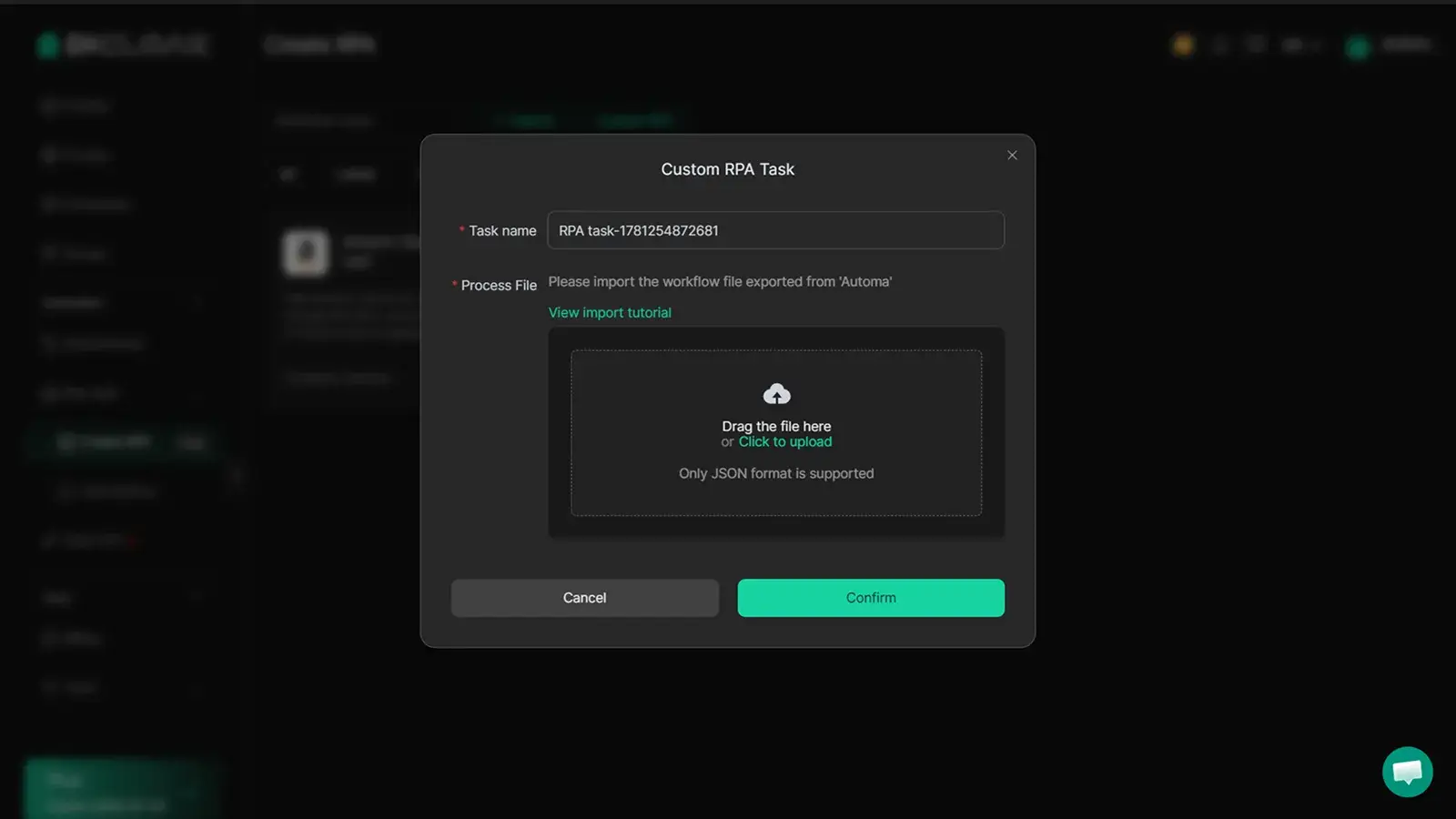
You can also manage engagement across multiple profiles with the Multi-Window Synchronizer. For example, you can like, comment, or follow across several profiles at the same time, while each profile still acts independently. The key is not just doing actions faster. The key is keeping each profile separated and less repetitive.
With DICloak, you can give each account its own isolated browser fingerprint, cookies, and session. That matters because platforms often look beyond the action itself. They also look at the environment behind the action.
For campaign research and warm-up behavior, you can also use traffic-based browsing patterns carefully. Instead of jumping straight into likes and follows, you can build a more natural path with page visits, scrolling, and pauses before engagement. This makes your automation feel closer to how a real person moves online.
The practical rule is simple: do not automate everything at full speed. Set limits, add variation, separate account identities, and review results weekly. Once your automation is stable and safe, you can decide which parts deserve more scale.
FAQs about Marketing Automation Software
Can marketing automation software get my account shadow banned?
Yes, it can happen if your automation looks like bot behavior. For example, too many likes, follows, comments, or repeated actions in a short time can trigger platform checks. Good marketing automation software should help you control speed, timing, and behavior patterns. The goal is not to automate everything. The goal is to automate repeated work while keeping actions natural and realistic.
What is the best marketing automation software for small teams?
The best marketing automation software for a small team depends on your main task. For email and CRM, choose a tool that handles forms, follow-ups, and lead tracking. For social media, choose a scheduler if you only manage one brand. If you manage many accounts, you need a tool that supports separate account environments, not just post scheduling.
How do I build a marketing automation workflow?
Start with one simple marketing automation workflow. For example: form submitted → welcome email sent → follow-up email after two days → soft CTA on day five. Write the steps before you build them. Then test with 10–20 real contacts before using it with your full list. Simple workflows are easier to fix, track, and scale.
To manage multiple social media accounts, you need more than a posting tool. Each account should have its own session, cookies, and browser identity. This helps reduce the chance of accounts being linked by the platform. With DICloak, you can keep profiles separated while managing account tasks from one device, which is useful for agencies and social media teams.
What is the safest way to use social media automation?
The safest social media automation is slow, varied, and realistic. Avoid exact timing, repeated comments, and large action bursts. Use small daily limits, natural pauses, and different behavior patterns across accounts. Good automation should support real marketing work, not fake human relationships. If the action would look strange when done by a real person, it is risky to automate.
Choosing the right marketing automation software is only the first step. To scale safely, you need stable workflows, isolated account environments, and human-like automation behavior. With DICloak, you can manage multiple social media accounts, automate repetitive actions, and reduce flag risks from the start.Try DICloak For Free.
 Web Proxy Tools
 Free Tools
 Cookie Plugin
 UA Generator
 MAC Address Generator
 IP Generator
 IP Address List
 2FA Code Generator
 World Clock
 Anonymous Check
 WebRTC Leak Test
 UUID Generator
 Free Web Proxy Site
 Proxy Checker
 FB Ad Checker
 AI Web Scraping
 Free SMM Tools
 Twitter Shadowban Checker
 Instagram Name Checker
 UTM Generator
 Username Generator
 AI Hashtag Generator
 LinkedIn Headline Generator
 Social Media Image Resizer