The term "Incognito" suggests a level of invisibility that modern web browsers simply do not provide. For the average user, opening a private window feels like stepping into a digital shadows, but for a privacy practitioner, it is viewed as a minor local housekeeping tool. To navigate the internet safely in 2026, you must understand the distinction between local device privacy and network-level anonymity.
What does Incognito Mode actually hide on your device?
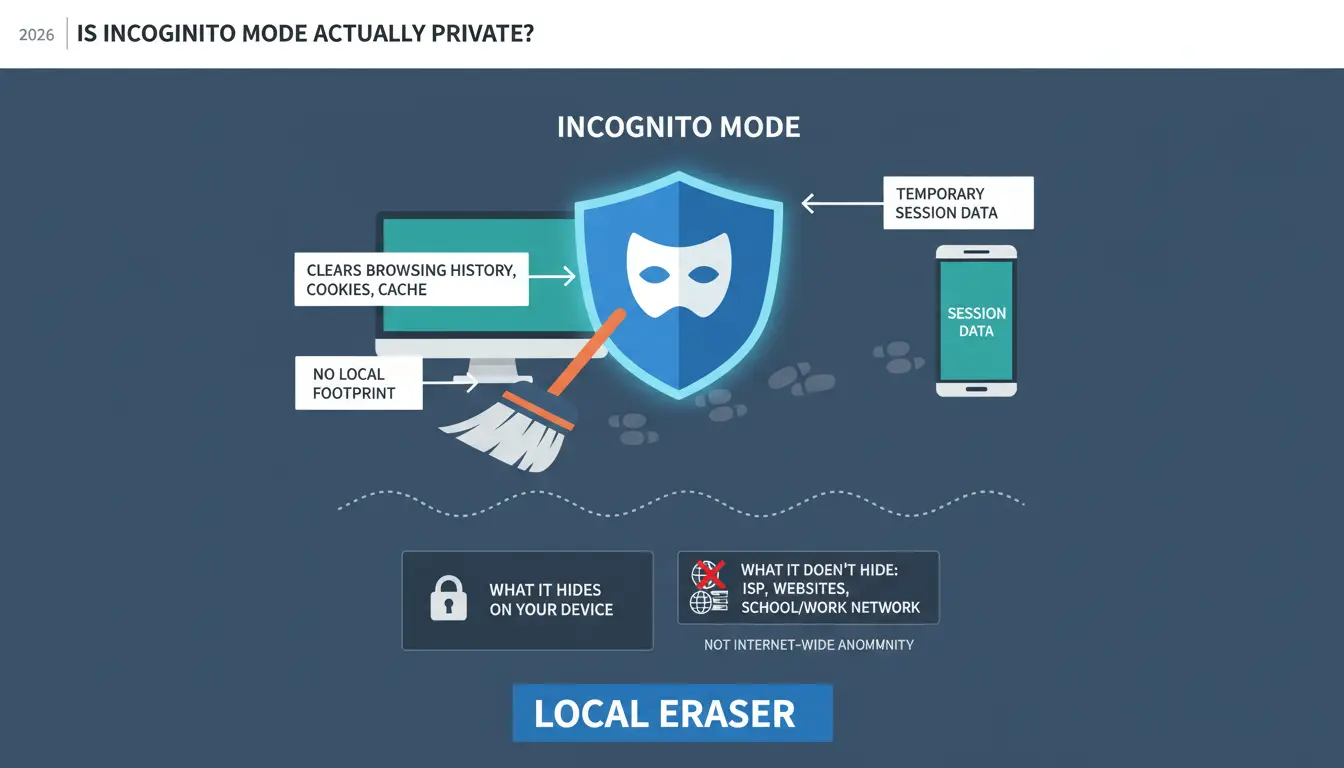
Private browsing is essentially a "local eraser." Its primary function is to ensure that your activity leaves no footprint on the specific hardware you are using. It is a software interface preference, not a change to the fundamental protocols of the internet.
When you activate a private session, your browser stops saving three specific types of data:
- Browsing history: The URLs of the sites you visit are not recorded in the browser’s permanent log.
- Cookies and site data: These files, which websites use to track your session or keep you logged in, are purged immediately when the window is closed.
- Information entered in forms: Personal details, such as usernames, addresses, or search queries, are not stored for future auto-fill suggestions.
Why your local history still matters for shared devices
The most effective use case for Incognito Mode is managing privacy within a shared physical space. If you are searching for medical information, gift shopping, or accessing sensitive accounts on a family computer or a shared office terminal, Incognito prevents the next person who sits down from seeing your activity in the history dropdown.
The "Session-Only" rule for cookies
Standard browsing sessions save cookies to your persistent storage, allowing you to remain logged into accounts across device restarts. In Incognito Mode, these cookies are restricted to a "Session-Only" lifecycle. Once you close the private window, the browser deletes these files, ensuring that the next user is not automatically logged into your Gmail or banking portal.
Why can websites still track me in Incognito Mode?
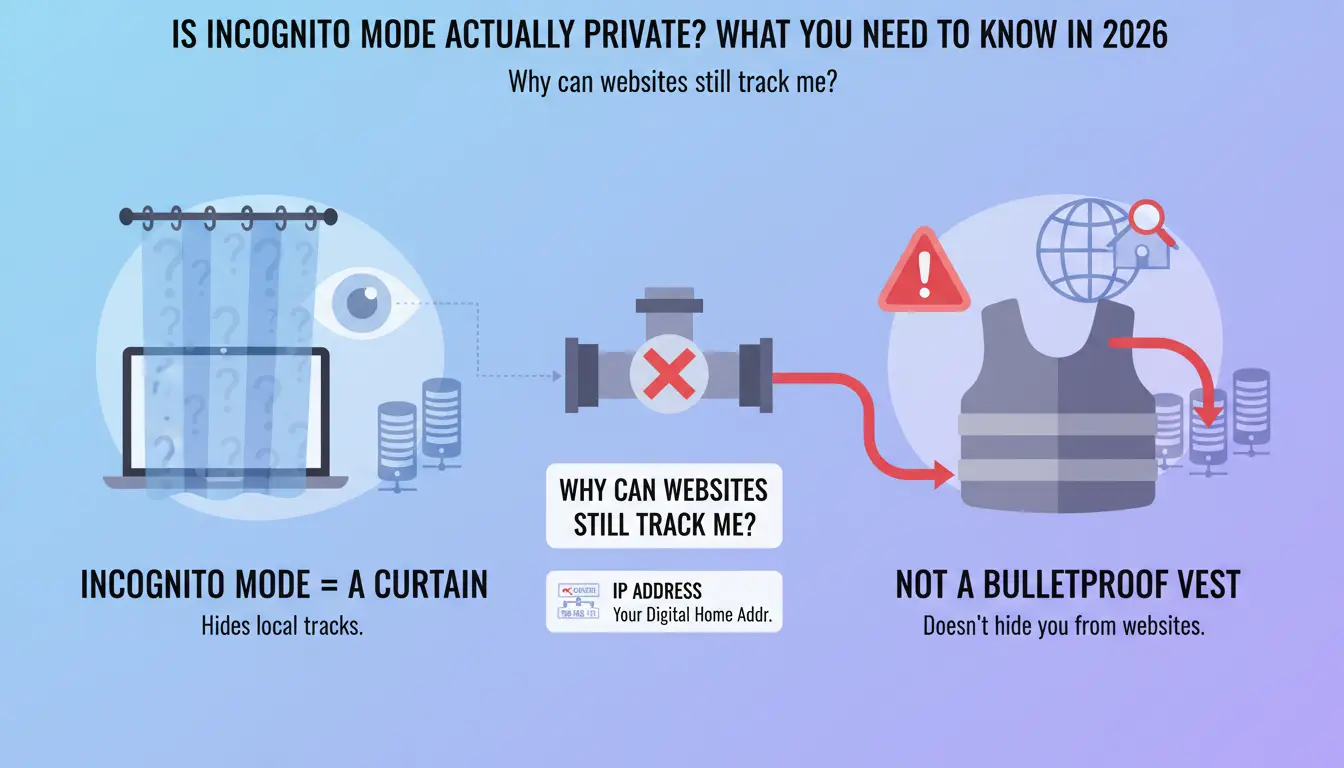
Incognito Mode is a curtain, not a bulletproof vest. While it hides your tracks from someone holding your laptop, it does almost nothing to hide your identity from the websites you visit or the servers you interact with.
The limitation of IP address tracking
Your IP address is your digital home address. Incognito Mode does not mask or change this address. Every website you visit can still see where your traffic is coming from, allowing them to pinpoint your approximate geographic location and link your "private" session to your broader digital identity.
Modern tracking has evolved beyond cookies. Websites now use "browser fingerprinting" to identify you. Every time you connect, your browser "shouts" a unique combination of specifications to the server—including your screen resolution, installed fonts, time zone, and hardware specs. Because this specific combination is often unique to you, websites can recognize you across different sessions even if your cookies have been cleared.
Account logins override Incognito privacy
The moment you log into a service like Google, Facebook, or Amazon within an Incognito window, your privacy is effectively neutralized. Furthermore, as a specialist insight, note that logging into a single service—like YouTube—often triggers a session-wide login for all related services (Google Search, Maps, etc.), allowing the platform to link your "incognito" searches directly to your permanent profile.
How do I turn on Incognito Mode on different devices in 2026?
Accessing private browsing is standard across all major platforms, though the specific nomenclature varies.
Activating private windows on Windows and Mac
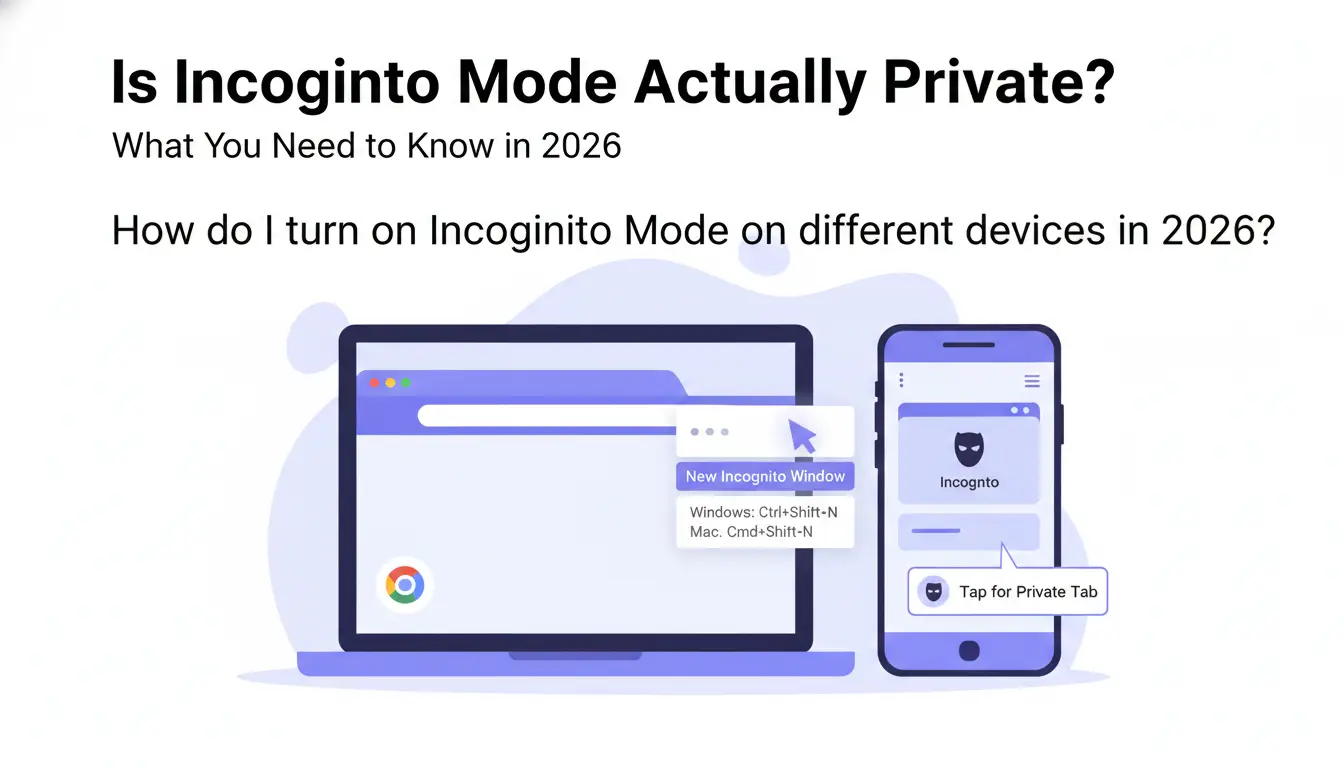
- Google Chrome: Click the three-dot menu in the top-right corner and select "New Incognito Window." (Shortcut: Ctrl+Shift+N on Windows; Cmd+Shift+N on Mac).
- Safari: Navigate to the "File" menu and select "New Private Window." (Shortcut: Cmd+Shift+N).
- Firefox: Click the three-line "hamburger" menu and choose "New Private Window." (Shortcut: Ctrl+Shift+P on Windows; Cmd+Shift+P on Mac).
Using Incognito and Private tabs on iPhone (iOS)
- Safari: Open the app and tap the Tabs icon (two overlapping squares) in the bottom-right. Tap the center tab group menu (which usually says "X Tabs" or "Start Page") and select "Private," then tap the "+" icon.
- Chrome for Mobile: Tap the three dots (...) at the bottom-right and select "New Incognito Tab."
Opening private sessions on Android
In Chrome for Android, tap the three-dot menu in the upper-right corner and select "New Incognito Tab." You will know it is active because the browser UI will shift to a dark theme and display the "Incognito" icon (a hat and glasses).
Why is my ISP and employer still able to see my activity?
The most dangerous misconception about Incognito Mode is the belief that it encrypts your data. It does not. It only changes how the browser handles data after it has been received. It does not encrypt the "pipe" through which your data travels.
The role of the Internet Service Provider (ISP)
Your ISP is the gateway for every packet of data you send. Even if a website uses HTTPS (encrypting the content of your visit), your browser must first make a DNS request to find that website. In Incognito Mode, these DNS requests are typically unencrypted, meaning your ISP logs every domain you visit. They see the "address" on the envelope, even if they can't read the letter inside.
Corporate and School network monitoring
In professional or academic environments, IT departments use network gateways and "Policy Management" tools to monitor traffic. Since Incognito Mode is a local software setting, it has no impact on the network's ability to see which devices are connecting to which external servers. Your employer can still see that you spent two hours on a retail site, regardless of whether your local history is clear.
How do I exit or disable Incognito Mode permanently?
Managing private browsing requires understanding both user-level exiting and administrative-level disabling.
The simple way to get out of Incognito
To end a session, you must close all open private windows or tabs. On a desktop, clicking the "X" on the window terminates the session and triggers the data purge. On mobile, you must manually swipe away or close the specific Incognito tabs; simply closing the app and reopening it will often leave those tabs active.
Can you disable the feature entirely?
For those managing systems for children or employees, Incognito can be restricted through Policy Management. On Windows, this requires an edit to the System Registry under the "Policies" subkey. On macOS, this is achieved via Terminal commands to modify the browser's preference files. These changes prevent the "New Incognito Window" option from appearing in the menu.
Managing Incognito on mobile devices
Mobile operating systems are more restrictive. You cannot typically disable Incognito within the browser settings. Instead, you must use Parental Controls (such as "Screen Time" on iOS or "Family Link" on Android) to restrict web content or block the browser entirely.
Is Incognito Mode enough for security against hackers?
Privacy and security are often conflated, but they are distinct. Incognito Mode is a privacy tool for your history; it is not a security tool for your protection.
The myth of the "Safe Window"
A private window provides no protection against malware, phishing, or ransomware. If you click a malicious link or download a compromised file in an Incognito window, the infection process is identical to a standard window. Incognito is a curtain for your eyes, but it is not a shield for your system.
Why you still need active protection
Your digital security relies on layers that operate independently of the browser. Antivirus software, firewalls, and EDR (Endpoint Detection and Response) tools monitor system processes and network traffic. These tools remain active and necessary whether you are in a standard window or an Incognito session.
What are the better alternatives for true browsing privacy?
If your goal is professional anonymity or managing a complex digital footprint, Incognito Mode is fundamentally inadequate.
For specialized tasks—such as Web Scraping, Airdrop Farming, Ticket Scalping, or managing multiple social media profiles—professionals use antidetect browsers like DICloak. Unlike Incognito, which offers a single "clean" window that still leaks your hardware specs, DICloak allows you to:
- Create Isolated Environments: Each browser profile is a persistent, siloed entity with its own cookies, local storage, and history.
- Customize Fingerprints: You can manually adjust the User-Agent, WebGL, Canvas, and hardware identifiers so that every profile appears to be a completely different device.
- Maintain Persistence: Unlike Incognito, which wipes everything, these browsers allow you to save your progress safely without the profiles "talking" to each other or leaking your true identity.
Enhancing Network Security
To enhance network security, it is crucial to ensure that your internet connection is protected. This involves using secure connection methods that encrypt your data at the device level, helping to obscure your online activity from your Internet Service Provider and conceal your true IP address from visited websites, thereby providing a more robust level of network privacy than Incognito Mode alone.
Frequently Asked Questions about Incognito Mode
Does Incognito Mode hide my IP address?
No. Your IP address is your digital home address; Incognito doesn't move your house, it just closes the blinds. Websites and ISPs can still see it.
Can my parents see what I search in Incognito?
They won't see it in the browser history, but modern mesh routers (like Eero or Google Nest) have apps that show real-time logs of every domain visited by every device on the network, regardless of the browser mode.
Does Incognito Mode stop websites from showing me ads?
No. It may prevent "retargeting" ads (ads for a product you just viewed) once the session is closed, but you will still see ads based on your location and IP address.
Is it safe to use my bank account in an Incognito window?
It is safe for local privacy, but it offers no protection against phishing sites or banking Trojans that might already be on your device.
Does Incognito prevent Google from tracking me?
Only if you never log in. If you sign into any Google-owned service (like YouTube or Gmail), Google immediately links your Incognito activity to your permanent account.
Can files I download in Incognito be seen by others?
Yes. While the record of the download is deleted from the browser history, the actual file stays in your "Downloads" folder unless you manually delete it.
Incognito Mode is a useful "local eraser" for keeping a gift purchase secret from a spouse or keeping a shared computer clean. However, it is not a cloak for your identity. If your objective is to protect a professional digital footprint or bypass sophisticated tracking, you must move beyond standard browsers and utilize tools that enhance network security and antidetect browsers to secure your presence online.
 Web Proxy Tools
 Free Tools
 Cookie Plugin
 UA Generator
 MAC Address Generator
 IP Generator
 IP Address List
 2FA Code Generator
 World Clock
 Anonymous Check
 WebRTC Leak Test
 UUID Generator
 Free Web Proxy Site
 Proxy Checker
 FB Ad Checker
 AI Web Scraping
 Free SMM Tools
 Twitter Shadowban Checker
 Instagram Name Checker
 UTM Generator
 Username Generator
 AI Hashtag Generator
 LinkedIn Headline Generator
 Social Media Image Resizer