Your call is live, your game is running, and Discord suddenly shows “Connecting” for 10 minutes while other apps still work. That is the moment people search is discord down? and lose time guessing. A faster check starts with two public signals: Discord’s own service status page and live user spike reports on Downdetector’s Discord page. If both show trouble at the same time, the problem is likely on Discord’s side. If they look normal, your issue is usually local: DNS cache, app session, device clock drift, proxy route, or blocked WebSocket traffic.
You can also verify account-level issues in Discord’s support center and rule out wider internet path failures with the Cloudflare status page, since Discord depends on major edge infrastructure.
You will leave with a clear triage flow: how to confirm a real outage in under two minutes, how to test whether the fault is your device or network, and which fixes to run in order so you can reconnect fast instead of retrying random steps. Start with the outage checks that give the fastest yes-or-no signal.
Is Discord Down Right Now? How to Confirm in 2 Minutes
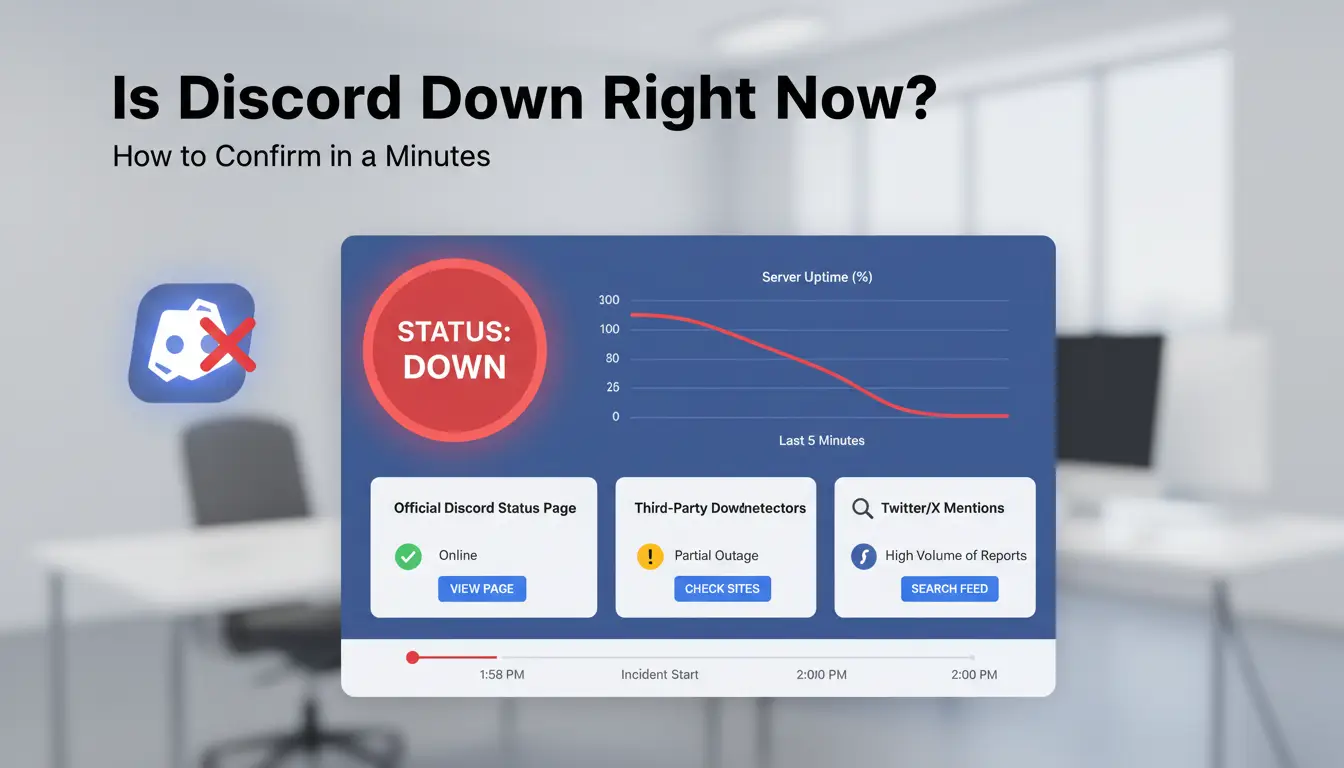
If you’re asking “is discord down?”, check three signals in order. If the official status page and crowd reports both spike at the same time, treat it as a real outage.
Check the official Discord status page first
Open Discord Status. Look at component labels:
- API: core requests and app actions
- Media: voice and video calls
- Messaging: sending and receiving messages
- Login: sign-in and session auth
Read the incident level and the latest update time. A fresh “Investigating” or “Identified” update is a strong outage signal. If everything is green and recently updated, your issue is likely local.
Cross-check with user outage trackers and social channels
Check Downdetector Discord and Discord on X. A sharp report spike plus an official post usually confirms platform trouble. Avoid false alarms: one city spike, with no official status change, often points to ISP routing or local DNS issues.
Run a fast local sanity check
Test Discord in browser and app. If web works but app fails, reset the app session. If both fail on one network, switch to mobile data or another Wi-Fi. If another network works, your device is fine and your route is the issue. If all paths fail, check Cloudflare Status.
Why Discord Looks Down for You Even When It Is Up

If you search “is discord down?” and Discord Status shows green, the fault is usually on your side. The fastest check is to test Discord on mobile data and your current Wi-Fi back to back. If one works and the other fails, Discord is up.
Network and DNS issues that break Discord access
Router jitter or packet loss can break voice channels and message sync while login still works. Bad DNS cache can also send you to stale endpoints, which feels like an outage. Restart router and device, then switch DNS resolver and retry.
School or work networks may block WebSocket traffic, which Discord needs for live updates. A wrong proxy setting can do the same. Disable system proxy, test in a different network, and check firewall rules for Discord app and browser traffic.
App and device-side causes
Corrupted local cache can freeze channels or loop “connecting.” Clear Discord cache, update the app, and kill stuck background processes. Old app builds often fail after backend changes.
OS permissions can block mic, notifications, or media playback, making Discord feel broken even while chat works. Recheck microphone, notification, and background app permissions in system settings.
Account and session triggers
Expired sessions can force silent auth failures. Log out on all devices, then sign in again. If suspicious-login checks trigger, wait for email confirmation before retrying.
2FA or device verification can lag during traffic spikes. If codes fail, sync your device clock and request one fresh code.
How to Fix Discord Not Working: Step-by-Step Troubleshooting
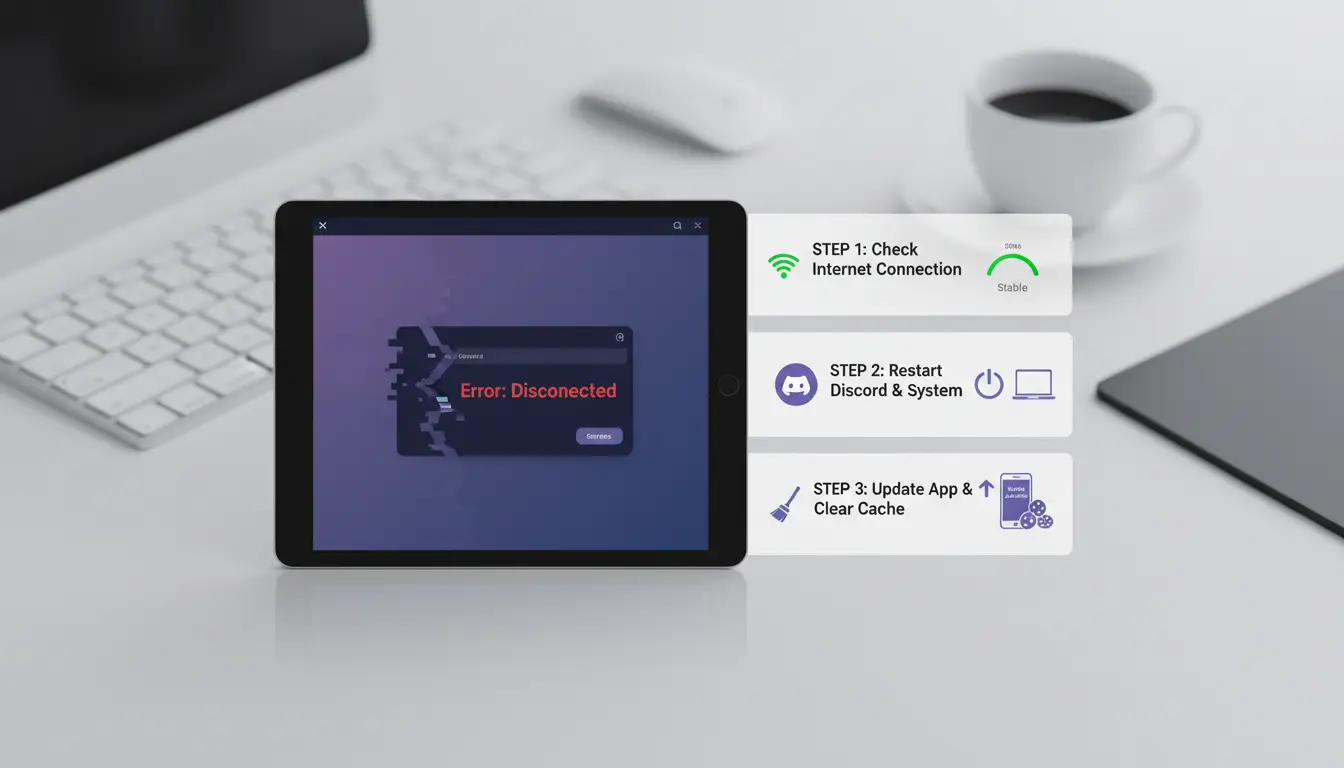
If you already checked status pages and still ask “is discord down?”, run fixes in this order. If Discord works on web but not the app, the fault is usually local cache or app permissions.
Start with quick resets that solve common failures
Close Discord fully from the system tray, reopen, then sign out and sign back in. Reboot your device to clear stuck background processes. Power-cycle your router: unplug for 30 seconds, plug back in, wait until WAN and Wi-Fi lights stabilize. This clears short route and DNS glitches that often break login or voice.
Fix desktop and browser-specific errors
On desktop app, clear Discord cache files, then update to the latest build. In browser, clear site data for discord.com, disable extensions one by one (ad blockers and script tools cause breakage), and test again. Check firewall and antivirus rules. Allow Discord.exe and browser network access on private and public networks. If calls connect but no audio, WebSocket or UDP traffic may be blocked.
Fix mobile connection and voice call problems
Switch between Wi-Fi and mobile data. If one works, your other path is the issue. Toggle airplane mode for 10 seconds, then retry. For voice issues, confirm mic/camera permissions in OS settings and Discord app settings. Set correct input/output device, disable Bluetooth temporarily, and run Discord’s voice test. If nothing changes and status is green, ask again: is discord down? It may be a regional routing fault.
How to Read Discord Incident Updates Without Guessing
If you’re asking “is discord down?”, read the incident phase before you retry. Phase tells you whether action on your side can help right now. Check updates on Discord Status, then decide.
What statuses like Investigating, Identified, and Monitoring actually mean
- Investigating: Discord sees failures but root cause is still unknown. Recovery time is unclear. Retry once every 10-15 minutes, not every minute.
- Identified: Cause is known and a fix is in progress. This is often the best point to pause retries and wait for the next post.
- Monitoring: Fix is deployed and Discord watches stability. Safe time to test login, then voice, then message send.
- Resolved: Incident closed. If you still fail, switch to local checks.
How to estimate impact by service component
Use the component list in the incident post to predict what should work.
| Component affected |
What you will see |
What to do |
| API / Login |
App stuck at loading, token/session errors |
Stop relogging; wait for status change |
| Voice media |
Text works, calls fail or drop |
Use text only; retest voice later |
A partial outage is common. One server can fail while others work if traffic routes differ by region or edge node.
Set alerts so you do not manually refresh all day
Subscribe on Discord Status for email, SMS, Slack, or webhook alerts. Keep a short routine: check status, test web app once, test mobile once, then wait for the next official update.
What to Check If Discord Is Down in Your Region Only
If you ask “is discord down?” but reports look mixed, treat it as a regional path issue until proven otherwise. If one network fails and another works on the same account, the fault is usually local route or policy, not global downtime.
Compare behavior across networks and devices
Use quick A/B checks:
| Test |
Result pattern |
Likely cause |
| Same account on home Wi-Fi vs mobile data |
Works on one, fails on the other |
ISP path, DNS, or local firewall |
| Different account on same network |
Both fail |
Network-level block or routing issue |
| Different account on same network |
One fails, one works |
Account/session issue; check Discord support |
Identify ISP or routing-related instability
Watch for voice disconnects every few minutes, message send delays, or gateway timeouts that clear after reconnect. That pattern often points to unstable peering between your ISP and edge nodes. Run ping and traceroute to discord.com and save timestamps. Share those logs with ISP support, plus your public IP and affected time window. You can also check Cloudflare status to rule out wider edge incidents.
Handle restricted environments safely
School and workplace networks often block WebSocket or UDP traffic used by real-time chat and voice. Ask IT whether Discord domains and ports are allowed. Use approved proxies and IT-approved DNS settings only. If policy blocks Discord, moving to an approved network is the clean fix. If you still ask “is discord down?”, repeat the same account test on mobile data for a fast answer.
How Teams Can Avoid Account Risks During Discord Outages (with DICloak)
When people panic and ask “is discord down?”, they often retry logins, switch devices, and share access in chat. That behavior can trigger security checks on social accounts even if Discord is the only service failing. Treat outage response as an access-control task, not just a connectivity task.
Why outages increase account-risk behavior in teams
During downtime, one account may get opened from a laptop, then a home PC, then a teammate’s browser. Rapid location and device changes can look like hijacking. Shared credentials add more risk. A teammate troubleshooting fast may open settings they should not touch, remove recovery methods, or change linked email by mistake. Set a simple rule: one owner per account during incident windows, with a backup person already approved.
Use DICloak to isolate profiles and bind stable proxy settings
You can use DICloak to keep one browser profile per account, with isolated fingerprints so sessions do not blend across team members. You can also bind one stable proxy route to each profile. That keeps login patterns consistent while Discord is unstable, so your account activity does not look random.
Improve team control with permissions, logs, and bulk workflows
You can use DICloak role permissions so support staff can check sessions without full admin access. Shared profiles reduce password sharing in chat. Operation logs give a clear audit trail of who changed what and when. For repeated checks, batch actions and RPA cut manual clicks and lower mistake rates during outage pressure.
What to Do During a Long Discord Outage
If you keep asking “is discord down?”, switch from retrying logins to a continuity plan and track updates on Discord Status.
Set temporary communication channels
Move your team to one backup channel (Slack, Telegram, or email thread) and post one pinned outage note there. Put owner names, contact handles, and check-in times in that same post. Tools like DICloak let you run isolated browser profiles per staff account, so multiple moderators can test access without mixing sessions.
Protect your account while waiting
Do not spam password resets unless login recovery is truly needed. During outages, fake “fix links” spread fast; only trust links from official status or support pages. You can use DICloak with proxy binding, team permissions, and operation logs so each teammate has scoped access and every recovery action is traceable.
Recover cleanly when Discord returns
Confirm message sync, role sync, and bot permissions in one test server before reopening normal workflows. Bring automations back in stages, and keep one person on rollback duty if webhooks or moderation bots misfire.
When to Contact Discord Support and What to Include
If you already checked status pages and still ask “is discord down?”, this is the handoff point: move from local troubleshooting to a support ticket. Contact support when evidence points to account or session issues, not a platform outage.
Signs your issue is account-level, not outage-level
If Discord Status shows green and your error stays for 30+ minutes, treat it as account-level. If one account logs in on the same device and network, but another fails, the problem is tied to that account. If mobile works but desktop fails after reinstall, your desktop session or token is likely broken. The fastest signal is mismatch behavior: same setup, different account result.
Support ticket details that speed up resolution
Open a ticket in Discord Support with:
- Exact error text or code
- Timestamp with time zone
- Device, OS version, Discord app version
- Network type (home Wi-Fi, office, mobile hotspot, proxy)
- Steps already tried (cache clear, relogin, reinstall, DNS flush)
This cuts back-and-forth and gets faster routing to the right team.
What not to do while waiting for support
Do not spam login attempts every minute; repeated failures can trigger temporary security checks. Do not share password, backup codes, or tokens with “helpers” on social platforms. If you still wonder “is discord down?”, recheck status once, then wait for ticket updates.
Frequently Asked Questions
How often is discord down globally versus local user issues when people ask is discord down?
True global outages are less common than local problems. When users ask is discord down?, many cases come from home Wi‑Fi issues, DNS errors, proxy conflicts, outdated app versions, or device glitches. Check Discord on another network and device first. If only you are affected, it is likely local, not platform-wide.
Can Discord be partially down (for example, voice works but messages fail)?
Yes. Discord services can fail one part at a time. For example, text messages may lag while voice channels still connect, or login may fail while existing sessions keep running. Check the official status page for component health like API, Gateway, Media Proxy, and Voice. Incident updates usually list which features are affected.
When users ask is discord down?, how long does a typical outage last?
Most Discord incidents are fixed quickly, often within about 10 to 60 minutes. Medium incidents can run 1 to 3 hours, especially when engineers roll out staged fixes. Large backend failures or provider issues can last longer. If you are checking is discord down?, watch timestamps on status updates to track recovery progress.
Is it safe to keep retrying login when Discord is down?
Use only a few retries, then stop. Rapid repeated logins can trigger rate limits, temporary lockouts, or security flags that look like suspicious activity. If sign-in fails two or three times, pause for 10 to 15 minutes. Then monitor official updates before trying again with one clean login attempt.
What is the fastest way to know when is discord down? turns into “back up”?
Set alerts on Discord’s official status page (email, SMS, or RSS) and follow one trusted outage tracker for extra signal. When both show recovery, run a clean test: restart the app, disable proxy, and log in once. If messages send and voice connects, is discord down? is likely resolved for most users.
If you’re wondering “is Discord down,” the fastest way to get clarity is to check Discord’s official status page, verify reports from outage trackers, and rule out local network or app issues on your side. Most disruptions are temporary, so staying informed and trying a few basic troubleshooting steps can help you get back online quickly. Try DICloak For Free
 Web Proxy Tools
 Free Tools
 Cookie Plugin
 UA Generator
 MAC Address Generator
 IP Generator
 IP Address List
 2FA Code Generator
 World Clock
 Anonymous Check
 WebRTC Leak Test
 UUID Generator
 Free Web Proxy Site
 Proxy Checker
 FB Ad Checker
 AI Web Scraping
 Free SMM Tools
 Twitter Shadowban Checker
 Instagram Name Checker
 UTM Generator
 Username Generator
 AI Hashtag Generator
 LinkedIn Headline Generator
 Social Media Image Resizer