You found a product that is moving fast on TikTok Shop. One teammate wants to check the winning videos. Another needs the transcript. Someone else wants to study the hook, pain point, solution, and CTA before writing the next script.
That is usually when the same question comes up:
"Can we just share the Vyral login?"
It is a reasonable question. Vyral is built for speed. Teams use it to spot trending products, study viral videos, save examples, and turn research into content ideas. If several people work on the same TikTok Shop workflow, it feels wasteful to keep research locked inside one person's browser.
But a Vyral account share can go wrong quickly if the only plan is to send the password in a group chat. You may expose the login, trigger extra security checks, lose track of who changed saved research, or give people access to more than they actually need.
This guide explains the safer way to share a Vyral account with DICloak, using a controlled browser profile instead of loose password sharing.
Quick Answer about Sharing a Vyral Account
The safest practical way to share a Vyral account with a small team is to create one dedicated DICloak browser profile for Vyral, log in once as the account owner, then share that profile with selected members. This keeps the login environment more consistent, protects the password, and gives the owner better control over who can access the account.
It does not replace Vyral's own terms or official plan rules. Always check your current subscription policy before sharing access.
Why People Want to Share a Vyral Account
Most people consider sharing Vyral for practical reasons: cost, convenience, and keeping research in one place.
Vyral is useful because TikTok Shop research is rarely a one-person job. One person may find a product with momentum, another may study the transcript, and someone else may turn the hook, pain point, and CTA into a usable script. If each person works from screenshots or copied notes, the workflow gets slow quickly.
There are usually three reasons a team starts looking for a Vyral shared account:
| Reason |
What it looks like in practice |
Why it matters |
| Cost control |
A small team wants to test Vyral before buying separate access for everyone |
The monthly or annual fee feels easier to justify when several people benefit from the same research workflow |
| Convenience |
Researchers, writers, editors, and store owners all need to look at the same videos and products |
A shared workspace avoids endless screenshots, copied links, and missing context |
| Team continuity |
Saved videos, transcripts, filters, and product lists stay inside one account |
New ideas are easier to review because everyone works from the same source of truth |
In a real workflow, the account is not just a login. It is where the team keeps:
| Shared item |
Why it matters |
| Winning video examples |
Helps the team understand what is already working |
| Product research |
Saves time when choosing the next offer |
| Transcripts and hooks |
Gives writers a faster starting point |
| Saved collections |
Keeps research from getting lost in chat threads |
| Niche and angle ideas |
Helps marketers avoid starting from a blank page |
That is why a Vyral account share can feel so useful. The risk starts when the team treats one password as if it were a permission system.
Vyral Pricing and Plans: The Cost Reason Behind Sharing
Price is one of the main reasons people consider sharing a Vyral account. A solo affiliate may be fine paying for one subscription, but a small TikTok Shop team often has several occasional users: a researcher, a scriptwriter, an editor, and a store owner. Buying separate access for everyone may feel too early, especially while the team is still testing whether Vyral will become part of the daily workflow.
At the time of writing in July 2026, Vyral's public page shows promotional monthly and annual options. The monthly plan is shown as a discounted R$49/month offer from a regular R$67/month price, while the annual plan is promoted at R$247 upfront, with 12x installment messaging also shown on the page. Pricing can change, especially when a page is running limited-time offers, so always confirm the latest Vyral pricing on the official checkout page before buying.
| Vyral plan |
Public page signals |
Best fit |
What the plan is built around |
| Monthly plan |
Promotional page shows R$49/month from a regular R$67/month price |
Solo users, affiliates, and teams testing Vyral for the first time |
Full platform access, Brazil and U.S. winning videos, GMV in BRL for each video, top-selling products, filters, 60 AI transcriptions/month, 30 VYRAL AI Insights/month, and 50 saved videos |
| Annual plan |
Promotional page shows R$247 upfront, with 12x installment messaging and an original annual price displayed |
Teams that use TikTok Shop research every week |
One year of access, GMV data, top-selling products, filters by category/country/sales, unlimited transcriptions, unlimited VYRAL AI Insights, and unlimited saved videos on the promoted annual offer |
The cost logic is easy to understand. If several people benefit from one research library, sharing access can look more efficient than making one person act as the messenger for everyone else.
The safer answer is not to pass the password around. It is to manage shared access in a way that keeps the account stable and the owner in control.
What Vyral Actually Does for TikTok Shop Research
Before sharing access, it helps to understand why people want to get into the same Vyral account in the first place. Vyral is positioned as a TikTok Shop intelligence and research tool. Its core value is helping users find what is already selling, study why it is selling, and turn those clues into new content.
Winning Videos for TikTok Shop
Vyral highlights winning videos from Brazil, the United States, and broader TikTok Shop markets. This is useful for sellers, affiliates, and content teams that want to study real examples instead of guessing from a blank page.
For a team, this saves time. Instead of asking one person to export examples or describe what they saw, everyone with access can review the same winning videos and discuss the same evidence.
GMV and Sales Signals
The platform shows GMV in BRL for videos, top-selling products, and sales-oriented signals. For TikTok Shop teams, this matters because a video with views is not always a video that sells.
When people share Vyral, they are often trying to share these decision-making signals, not just the videos themselves. A store owner may care about GMV, a writer may care about the hook, and a media buyer may care about whether the product has enough proof to test.
Filters by Category, Country, and Sales
Vyral's filters help users narrow research by category, country, and sales. That makes the tool more practical for teams that work in specific niches or compare products across markets.
If your team is looking at Brazil, the U.S., or another TikTok Shop market, a shared Vyral workspace can keep those filters and saved examples organized.
AI Transcriptions and VYRAL AI Insights
Vyral includes AI transcription and VYRAL AI Insights allowances depending on the plan. This is especially useful for scriptwriters and creative strategists, because they can study hooks, pain points, offers, and CTAs without manually transcribing every video.
This is one of the strongest convenience reasons for shared access: the researcher finds the video, the copywriter studies the transcript, and the editor uses the same example for pacing and structure.
Saved Videos and Research Libraries
Saved videos turn Vyral from a discovery tool into a team research library. Over time, that library can contain product ideas, content patterns, and campaign references.
The more valuable that library becomes, the less sense it makes to share access casually through a password.
Before You Share: What to Check First
Vyral is a browser-based tool, and its public site notes that users can access it from mobile, tablet, and computer. That convenience does not mean every form of sharing is allowed or safe.
Before setting up a Vyral account share, check three things:
- your current Vyral plan and billing rules;
- whether your workflow requires separate team seats;
- whether the people you invite really need account access or only exported research.
If Vyral offers a plan that fits your team size and compliance needs, that should be your first option. If you are a small team testing a workflow and need controlled shared access, DICloak can help reduce the common risks of password sharing.
What Can Go Wrong with Unsafe Vyral Account Sharing
Here is what usually happens when teams share a SaaS account casually.
| Risk |
What it looks like in practice |
Why it hurts |
| Password leaks |
The login is sent through chat, email, or a spreadsheet |
You lose control over who can enter the account |
| Suspicious logins |
Different users open Vyral from different IPs, devices, and browsers |
The account may face verification, forced logout, or access friction |
| Billing exposure |
Members can reach account or subscription pages |
Private payment or plan details may be visible |
| Contractor risk |
A freelancer keeps the password after the project ends |
You may need to reset credentials and rebuild access |
For TikTok Shop research, these risks are more than technical annoyances. Your saved videos, product ideas, and angles can reveal your strategy before you even launch.
Common Ways People Share a Vyral Account
Some methods look convenient at first. Most of them do not age well.
| Method |
Why teams use it |
Main problem |
| Send the Vyral password |
Fast and simple |
No control after the password is shared |
| Let everyone use their own browser |
Feels natural |
Creates different cookies, fingerprints, IPs, and sessions |
| Remote desktop |
Keeps one logged-in machine |
Slow, clumsy, and gives access to the whole computer |
| Group-buy account |
Cheap |
No privacy, no reliability, no ownership |
| DICloak shared profile |
Controlled access without exposing the password |
Requires setup, but gives better team control |
For most small teams, the last option is the best balance between convenience and control.
Why DICloak Works Better for a Vyral Shared Account
DICloak is an anti-detect browser used for account management and secure sharing. Instead of asking every teammate to log in from their own Chrome browser, you create one dedicated browser profile for Vyral.
That profile can hold the login session, cookies, fingerprint settings, and proxy configuration. Team members open the Vyral profile from DICloak, while the account owner manages who gets access.
For a Vyral account share, this solves four everyday problems.
Members Do Not Need the Password
The owner logs in once inside the DICloak profile. Members can be invited to use the profile without seeing the actual Vyral password. That alone removes one of the biggest risks in shared SaaS access.
The Login Environment Stays More Consistent
When several users open one account from different devices, the platform sees many different browser profiles. With DICloak, the shared browser profile can keep a more stable fingerprint and session.
If your team is spread across locations, you can also configure a static proxy so the Vyral profile does not jump between unrelated IP addresses.
The Owner Can Control Access
DICloak lets you invite members and give them access only to the Vyral profile. If a freelancer finishes a project, remove their DICloak access instead of chasing down every place where the password may have been saved.
Sensitive Account Areas Are Easier to Protect
DICloak can help reduce risky behavior inside the shared profile, such as viewing saved passwords, exporting cookies, installing unknown extensions, opening developer tools, or browsing unrelated sites.
Step-by-Step: Share a Vyral Account with DICloak
Use this setup when you want controlled internal access for a Vyral shared account.
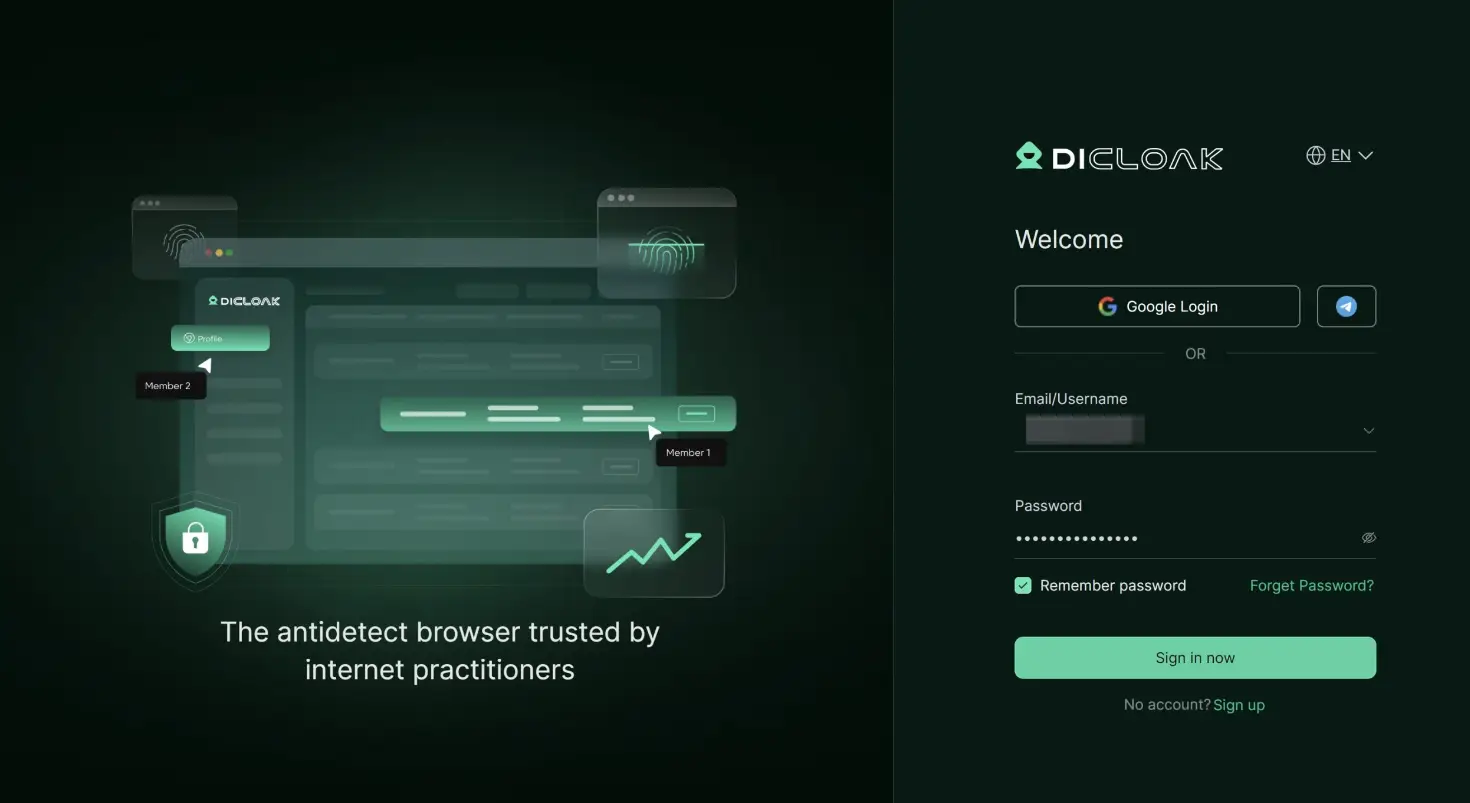
Step 1: Create a DICloak Workspace
Download DICloak from the official website, create an account, and set up your workspace. Choose a plan that supports team members and shared browser profiles.
Step 2: Create a Dedicated Profile for Vyral
Create a new profile and name it clearly, for example:
Vyral - TikTok Shop Research
Do not use this profile for random browsing. Keep it clean so the cookies, session, and fingerprint stay focused on Vyral.

Step 3: Add a Static Proxy if Your Team Is Remote
If all members work from the same office, this may be less important. If users are in different cities or countries, a static residential proxy can make the login location more stable.
DICloak supports proxy configuration, but you should choose a reliable proxy provider and avoid changing the IP too often.
Step 4: Log in to Vyral as the Owner
Launch the DICloak profile, open https://www.vyral.com.br or https://app.vyral.com.br, and log in to your Vyral account.
Complete any verification as the account owner. Once the session is stored in the profile, your team should not need the raw login credentials.
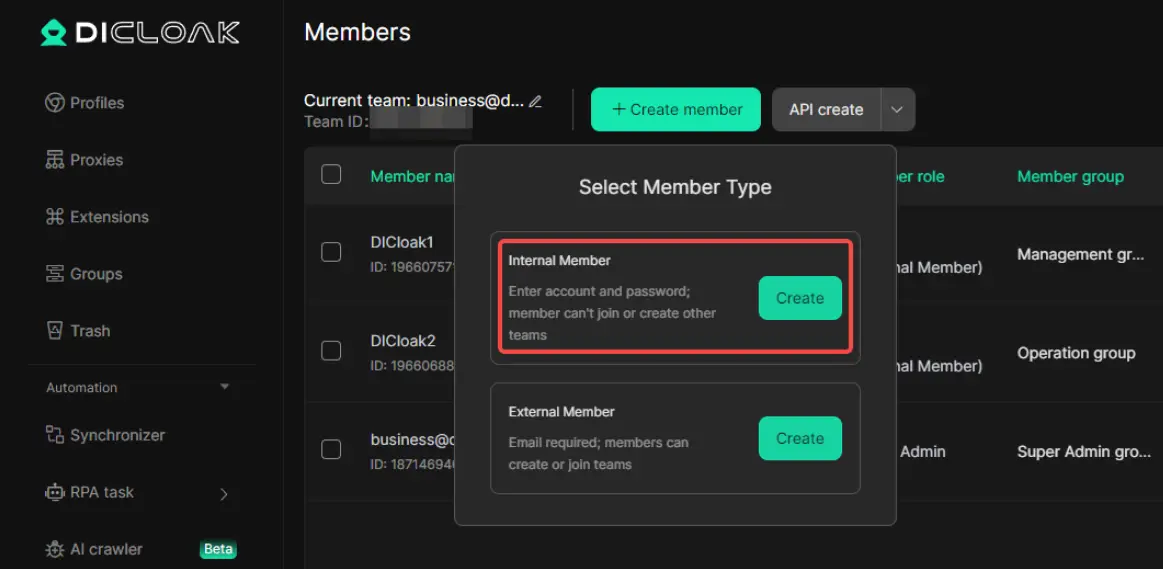
Step 5: Share the Profile with Selected Members
Invite teammates to your DICloak workspace. Give them access only to the Vyral browser profile.
Keep the member list tight. If someone only needs a screenshot, exported notes, or a few examples, they may not need live account access.
Step 6: Turn on Practical Security Controls
For a shared research account, consider these controls:
- hide or protect saved passwords;
- restrict extension installation;
- block developer tools if members do not need them;
- limit access to Vyral-related URLs;
- prevent users from changing proxy or fingerprint settings.
The goal is not to make the workflow difficult. The goal is to stop small mistakes from becoming account problems.
Step 7: Set Team Rules Before Work Starts
This is the part teams skip, then regret.
Agree on a few rules:
- who can save videos;
- how product collections should be named;
- who can delete research;
- whether billing or account settings are off-limits;
- when members should avoid logging out;
- who owns the final decision on products and scripts.
A shared account works best when the team knows what "clean research" looks like.
A Simple Vyral Team Workflow
Here is one way to keep the account organized.
| Role |
What they do in Vyral |
Access note |
| Product researcher |
Finds trending products and saves examples |
Needs regular profile access |
| Scriptwriter |
Reviews transcripts, hooks, and CTAs |
Needs access during content planning |
| Video editor |
Looks at pacing and visual references |
May only need selected saved examples |
| Store owner |
Reviews final product shortlist |
May need limited review access |
This keeps Vyral from becoming a dumping ground. Everyone knows why they are inside the account.
Best Practices for a Cleaner Vyral Account Share
Use one DICloak profile for one Vyral account. Multiple profiles for the same login can create confusion.
Keep the proxy, time zone, language, and fingerprint stable. Do not change settings casually.
Do not let every member become an admin. Access should match the job.
Review members at least once a month. Remove people who no longer need access.
Keep research labels simple. A naming pattern like niche - product - country - angle - date is boring, but it works.
Avoid group-buy accounts. If your TikTok Shop research has value, do not put it into an account controlled by strangers.
FAQ about Sharing Vyral account
Is sharing a Vyral account safe?
It can be safer if you avoid direct password sharing and use controlled access. DICloak helps by letting members use a shared browser profile without seeing the Vyral password.
Can multiple people use the same Vyral account?
That depends on Vyral's current plan rules and session behavior. Check your subscription terms first. From a security standpoint, using one controlled DICloak profile is cleaner than letting everyone log in from separate browsers.
Does DICloak guarantee that my Vyral account will never be restricted?
No. No tool can guarantee that. DICloak reduces common risk signals such as exposed passwords, unstable IPs, changing browser fingerprints, and uncontrolled team access.
Do I need a proxy for Vyral account sharing?
If your team works from different regions, a static proxy is recommended. If everyone uses the account from one stable location, you may not need one. The key is consistency.
Can I use DICloak for other TikTok Shop tools?
Yes. You can create separate DICloak profiles for different browser-based tools, such as analytics platforms, ad tools, creator tools, or AI content tools.
Conclusion
Sharing a Vyral account can make sense for a TikTok Shop team. The account may hold the research that drives your next product, script, ad angle, or creator brief.
That is exactly why it should not be shared casually.
Sending the password is fast, but it leaves too much outside your control. Remote desktop is awkward. Group-buy accounts are not worth the privacy risk. DICloak gives teams a more practical way to share Vyral access through a dedicated browser profile, stable environment, synced session, and member permissions.
If Vyral helps your team find what is working on TikTok Shop, DICloak helps you share that workflow with fewer loose ends.
 Web Proxy Tools
 Free Tools
 Cookie Plugin
 UA Generator
 MAC Address Generator
 IP Generator
 IP Address List
 2FA Code Generator
 World Clock
 Anonymous Check
 WebRTC Leak Test
 UUID Generator
 Free Web Proxy Site
 Proxy Checker
 FB Ad Checker
 AI Web Scraping
 Free SMM Tools
 Twitter Shadowban Checker
 Instagram Name Checker
 UTM Generator
 Username Generator
 AI Hashtag Generator
 LinkedIn Headline Generator
 Social Media Image Resizer