Magnific is the kind of tool that does not stay with one person for long.
A designer uses it to upscale a campaign image. A content producer tests video ideas. A marketer searches for stock assets. A creative lead checks the output before it goes to a client. Once Magnific becomes part of the production workflow, more people naturally ask for access.
That is where teams get tempted to do the obvious thing: share the Magnific password.
It works for about five minutes. Then the problems start. Someone uses too many credits. Someone logs in from a new country. A contractor still has the password after the project ends. Drafts, prompts, brand references, and client assets sit inside an account that has no real access control.
This guide explains how to share a Magnific account more safely with DICloak, without turning one password into a team-wide liability.
Quick Answer about Sharing Magnific Account
The safer way to share a Magnific account is to create a dedicated DICloak browser profile, log in to Magnific once as the account owner, and share that profile with selected team members. This lets the team access the same Magnific workspace without seeing the password, while keeping the browser fingerprint, cookies, session, and proxy settings more consistent.
For larger teams, official Magnific Business or Enterprise plans may still be the better route. DICloak is a secure account sharing tool, not a replacement for formal licensing or compliance requirements.
Why People Want to Share Magnific
Most teams consider sharing Magnific for three practical reasons: cost, convenience, and continuity.
Magnific has expanded beyond basic image upscaling. Its public site presents it as a broader AI creative platform, with tools for images, video, audio, 3D, design, stock assets, workflows, Spaces, API access, and team production. Once a tool sits in that many parts of the creative process, one person rarely uses it alone.
A designer may upscale a campaign image. A content producer may test video ideas. A marketer may search for stock assets. A creative lead may check the output before it goes to a client. If every request has to go through one account owner, the work slows down.
| Reason |
What it looks like in practice |
Why it matters |
| Cost control |
A small team wants to avoid buying several seats before the workflow is proven |
Sharing one account can feel like a reasonable first step while testing the tool |
| Convenience |
Designers, marketers, and reviewers need to see the same projects and outputs |
Fewer exports, fewer repeated downloads, less back-and-forth |
| Creative continuity |
Prompts, drafts, assets, project history, and credits stay in one workspace |
The team can pick up work without rebuilding context every time |
That convenience is real. So is the risk. A Magnific account may contain credits, client drafts, brand references, licensed assets, and billing details. It should not be shared the same way people share a streaming login.
Magnific Pricing and Plans: What Users Compare Before Sharing
Before sharing Magnific, teams usually compare two things: which plan gives them enough creative capacity, and whether the account will become part of a shared production workflow.
At the time of writing in July 2026, Magnific's public pricing page is organized around Premium, Premium+, Pro, Business, and Enterprise-style options. The page may localize currency, billing period, promotions, and included credit amounts by region, so treat the plan notes below as a buying guide rather than a fixed price sheet.
| Magnific plan tier |
Best fit |
Why it matters for account sharing |
| Premium |
Individuals exploring AI tools, stock content, and creative generation |
Good for testing Magnific, but not ideal for a multi-person production workflow |
| Premium+ |
Heavier individual users who want more AI capacity and access to selected unlimited models |
Useful for frequent creators, but still needs careful access control if more than one person uses it |
| Pro |
Professional creators and small production teams that need more credits and model access |
Often where shared creative workflows begin, because more assets, prompts, and project history build up in one account |
| Business |
Teams that need collaboration, shared credit pools, reporting, SSO-style controls, permissions, and parallel generation capacity |
The clearest official path for teams that need controlled multi-user use |
| Enterprise |
Larger companies with custom governance, security, certification, API, and admin requirements |
Better for organizations where compliance and account ownership matter as much as creative output |
Magnific credits are also part of the decision. The pricing page explains credits as the currency used for AI tools and features, while stock downloads and your own creations may follow different rules. In practical terms, a shared Magnific account is not just a shared login. It is also a shared credit balance.
That is why the question is not only "Can I share a Magnific account?" It is also "Who can spend credits, download assets, change projects, and access billing?"
Magnific Features That Make Shared Access Valuable
The more useful Magnific becomes inside a creative workflow, the more likely a team is to want shared access. The account is not only a place to generate files. It can become the place where prompts, drafts, brand references, project folders, and final outputs live together.
AI Image Upscaling and Editing
Magnific is still strongly associated with AI image upscaling, image enhancement, and creative editing. Designers may use it to improve campaign visuals, refine product images, or create higher-quality assets from rough drafts.
This is often the first reason a team wants shared access: the designer starts the image, the marketer reviews it, and the creative lead approves the final version.
Video, Audio, 3D, and Design Tools
Magnific's current platform positioning goes beyond still images. Its public site references tools for image, video, audio, 3D, design, stock assets, workflows, Spaces, API access, and team production.
That wider toolset makes the account more valuable, but also more sensitive. A shared Magnific account may contain client visuals, brand references, generated videos, sound concepts, and draft campaigns.
Stock Assets and Commercial Usage
The pricing page references stock content such as photos, videos, vectors, and PSDs, plus commercial AI license and music rights language on paid plans. This matters for teams using Magnific in client work or ad production.
If the account contains licensed assets or commercially used AI outputs, access should be managed more carefully than a casual personal login.
Credits, Unlimited Models, and Parallel Generations
Magnific plans use credits for AI tools and may also include unlimited access on selected models, depending on the plan and current policy. Higher tiers can also include more parallel or concurrent generations.
For teams, this creates a simple problem: one person can burn through shared credits quickly. Before sharing Magnific access, decide who can run high-credit jobs and who only needs review or download access.
Spaces, Projects, API, MCP, and Team Workflows
Magnific's team-oriented features include shared Spaces and projects, collaborative features, API access with credit-based usage, MCP connection, reporting, permissions, and centralized admin-style controls on higher plans.
These are not just feature bullets. They explain why Magnific account sharing needs structure. The account can become the place where the team stores prompts, references, outputs, project folders, and production history.
Check the Official Options First
Magnific's pricing page should be the first reference point. If your company needs shared credits, shared Spaces and projects, usage reporting, SSO-style access, permissions, centralized billing, API access, or enterprise governance, compare the Business and Enterprise options before building your own sharing workflow.
If your team only needs lightweight internal access, DICloak can help reduce password exposure and keep the shared browser profile controlled. But it should sit alongside Magnific's plan rules, not replace them.
Magnific's terms also require users to keep passwords confidential and avoid unauthorized account access. So if you are going to share access, do it deliberately. Do not throw the login into Slack and hope nothing breaks.
What Makes a Magnific Shared Account Risky
Magnific is credit-based and asset-heavy. That changes the risk profile.
| Risk |
What happens |
Why it matters |
| Password exposure |
The login is copied across chats, emails, and devices |
You lose control over who can access the account |
| Credit misuse |
A member runs expensive generations without approval |
Budgets disappear faster than expected |
| Suspicious access |
Different users log in from different browsers and countries |
The account may face verification or access friction |
| Weak offboarding |
A freelancer keeps access after the job ends |
You have to reset credentials and clean up access manually |
| Billing visibility |
Members can reach subscription or payment pages |
Private account details may be exposed |
The point is not to be dramatic. It is just the reality of shared creative accounts: the more valuable the workspace, the less casual the access should be.
Common Ways People Share a Magnific Account
Here is how most teams try to solve the problem, and where each method breaks down.
| Method |
Why it seems convenient |
The catch |
| Send the password |
Takes seconds |
Password leaks and no member-level control |
| Share a Google login |
One-click access |
May expose services beyond Magnific |
| Keep it open on one office computer |
Works for local teams |
Useless for remote collaboration |
| Use remote desktop |
Keeps one session |
Slow for creative work and exposes the host computer |
| Buy a cheap shared account |
Low cost |
No privacy, no asset control, unreliable access |
| Use DICloak |
Controlled profile sharing |
Requires setup, but protects the login better |
For professional creative work, the cheapest option is rarely the safest one.
Why DICloak Is Useful for Magnific Account Sharing
DICloak is an anti-detect browser designed for multi-account management and secure account sharing. For Magnific, the workflow is straightforward:
- Create one DICloak browser profile for Magnific.
- Log in to Magnific inside that profile.
- Share the profile with selected members.
- Control access through DICloak instead of giving away the password.
This turns "everyone knows the login" into "approved members can open the shared workspace."
Password-Free Access for Members
The account owner signs in once. Team members open the DICloak profile without needing to see or store the Magnific password.
That is especially important if the account is tied to billing, client work, or a personal Google login.
A More Stable Browser Environment
When several people log in from different browsers, Magnific may see different cookies, devices, IPs, languages, and fingerprints. A DICloak shared profile keeps the environment more consistent.
If your team is distributed, you can add a static proxy to avoid constant location changes.
Better Control Over Contractors
Creative teams often bring in freelancers for editing, concepting, or asset production. With DICloak, you can grant access to the Magnific profile during the project and remove it when the work ends.
No awkward password chase. No "can everyone please delete the login" message.
Protection for Sessions and Cookies
DICloak can help prevent members from viewing stored passwords, stealing cookies, installing unknown extensions, or opening tools they do not need. These controls are useful when multiple people use one valuable account.
Cleaner Separation Between Projects
You can create different DICloak profiles for different accounts or workflows. For example:
Magnific - Internal BrandMagnific - Client AMagnific - Product Images
That separation keeps access cleaner than one overloaded browser profile.
Step-by-Step: Share a Magnific Account with DICloak
Step 1: Decide Whether DICloak or a Team Plan Fits Better
Use Magnific's Business or Enterprise options if you need formal team billing, shared credits, SSO, reporting, admin controls, or compliance support.
Use DICloak if your main goal is controlled shared access without exposing the password.
Step 2: Create a DICloak Workspace
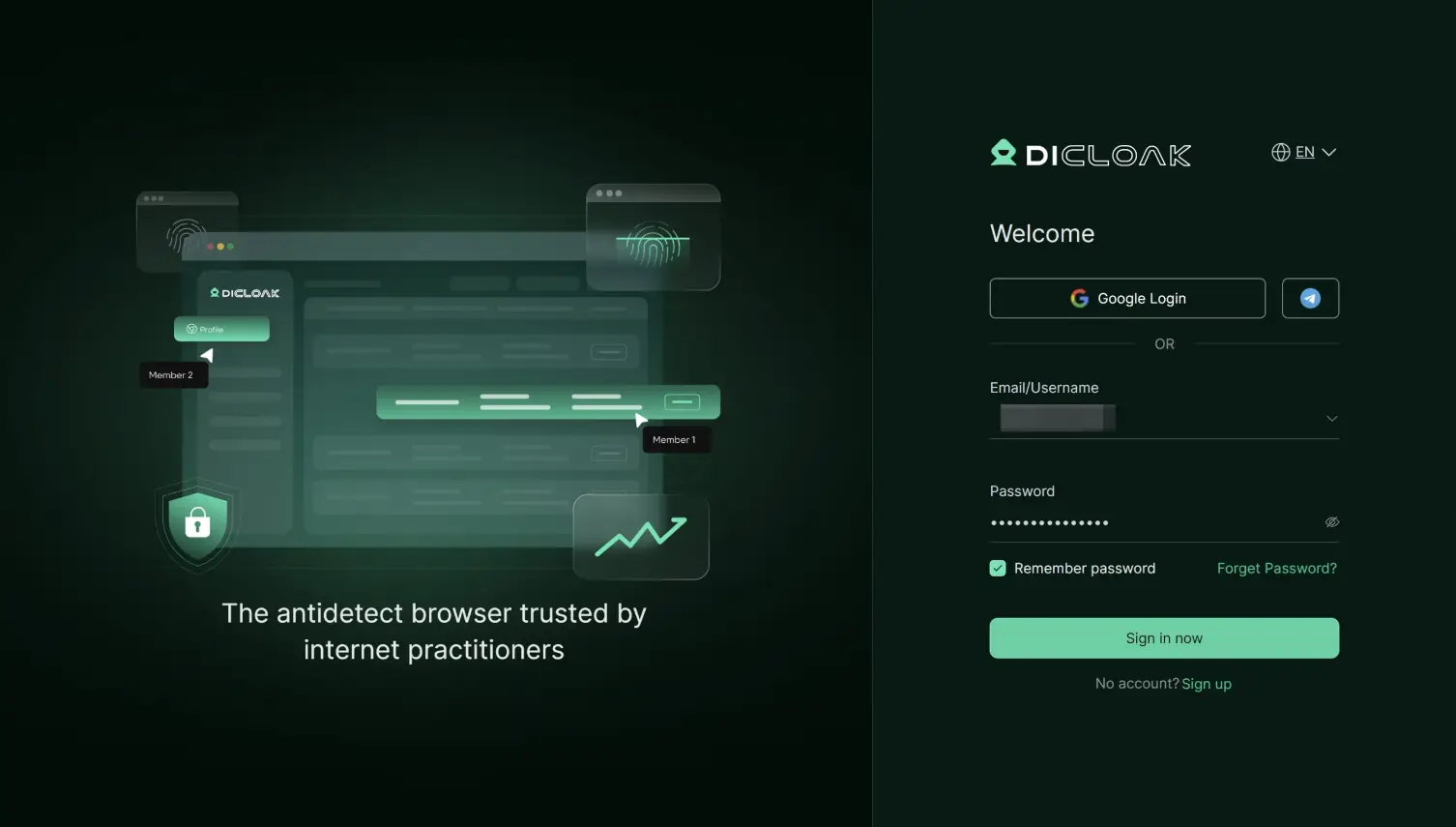
Sign up for DICloak, install the app, and create a workspace. Choose a plan that supports team members and profile sharing.
Step 3: Create a Dedicated Magnific Browser Profile
Create a new profile and name it clearly:
Magnific - Creative Team
Keep it only for Magnific. Do not mix random browsing, personal email, or unrelated SaaS tools into this profile.| 
Step 4: Configure Fingerprint and Proxy Settings
Keep the profile stable. Avoid changing fingerprint settings unless there is a real reason.
If team members are in different regions, configure a reliable static proxy. The point is consistency, not constant switching.
Step 5: Log in to Magnific as the Owner
Open the DICloak profile, visit https://www.magnific.com, and log in to Magnific.
Complete any verification yourself. Once the session is saved in the profile, members should not need the raw password.
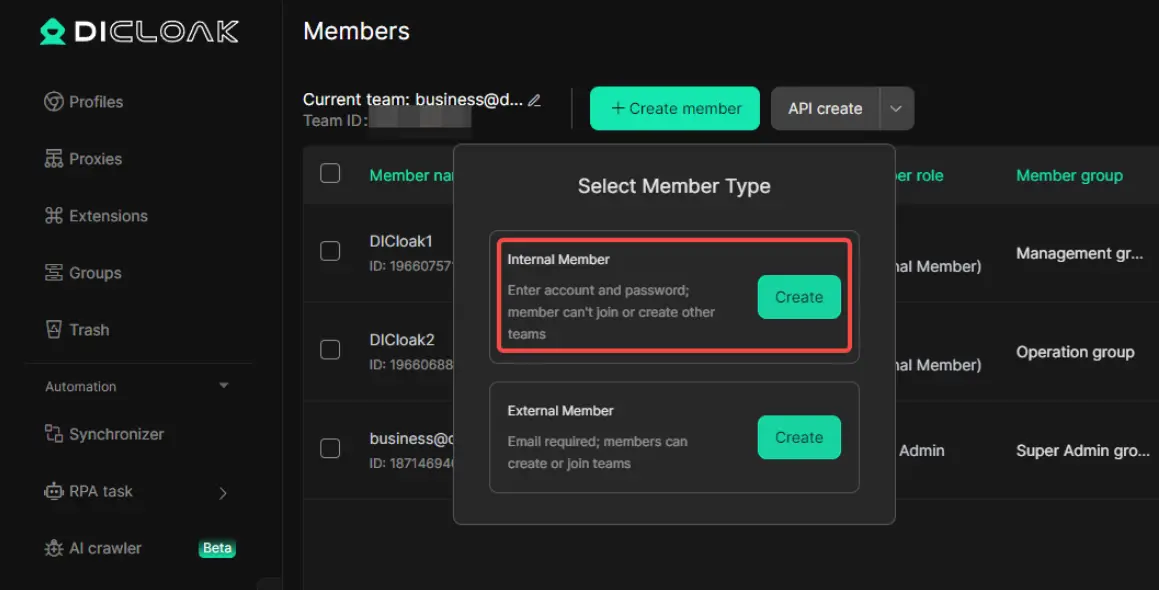
Step 6: Share the Profile with the Right Members
Invite teammates to DICloak and grant access only to the Magnific profile they need.
Do not give every member access to every creative account. A freelancer editing product images does not need access to your full brand workspace.
Step 7: Set Credit and Asset Rules
This matters more for Magnific than for many other tools because creative generation can use credits quickly.
Agree on rules such as:
- who can run high-credit jobs;
- which assets are approved for client work;
- how project folders should be named;
- who can download final files;
- which prompts or references are confidential;
- who can change billing or subscription settings.
Good rules save credits. Better rules save client trust.
Step 8: Review Access After Each Project
When a campaign ends, remove members who no longer need the profile. Shared access should expire unless there is a reason to keep it open.
Practical Setup Example for a Small Creative Team
Here is a simple setup for a five-person team using one Magnific account.
| Role |
Access level |
Notes |
| Creative lead |
Full profile access |
Owns final review and credit policy |
| Designer |
Regular profile access |
Creates and edits assets |
| Marketer |
Limited profile access |
Reviews and downloads campaign visuals |
| Video producer |
Project-based access |
Uses video tools during active campaigns |
| Freelancer |
Temporary access |
Removed after delivery |
This is not complicated. It is just cleaner than giving the same password to everyone.
Best Practices for Sharing Magnific Without Losing Control
Use official Magnific team plans when you need formal collaboration features.
Use DICloak when password protection and controlled browser access are the priority.
Keep one shared Magnific account inside one dedicated browser profile.
Do not connect shared workflows to a personal Google login unless you are comfortable with the risk.
Review credit usage weekly if several people are generating assets.
Name projects clearly. "Client A - Product Launch - July" is much better than "new test final final."
Remove contractors immediately after a project ends.
Never use group-buy accounts for client work or private brand assets.
FAQ about Sharing Magnific account
Is it allowed to share a Magnific account?
Magnific offers team-oriented plans, and its terms require password confidentiality and proper account use. Always check the latest terms and your plan before sharing access. DICloak helps manage access more safely, but it does not override Magnific's rules.
Can DICloak replace a Magnific Business plan?
No. DICloak is not a licensing, billing, SSO, or compliance replacement. It is a browser-profile tool for secure account sharing. If you need official team features, use Magnific's Business or Enterprise options.
Why use DICloak instead of sharing the Magnific password?
Because members can open the shared Magnific profile without seeing the password. DICloak also helps keep the session, cookies, fingerprint, proxy, and permissions under better control.
Can several people use Magnific at the same time through DICloak?
DICloak supports shared profile workflows, but actual behavior can depend on Magnific's session rules, plan limits, and platform controls. Start with a small group and test your workflow.
Do I need a static proxy for Magnific?
If your team is remote, a static proxy can help keep access more consistent. If everyone works from one location, it may be less necessary. The main idea is to avoid constant changes in login signals.
Is a cheap shared Magnific login worth it?
Usually not. You do not control the account, the credits, the other users, or the privacy of your assets. For client work, it is a bad trade.
Conclusion
Magnific can become a central part of a creative team's workflow. That makes access valuable, but also sensitive. The account may contain prompts, references, generated assets, client drafts, credits, and billing details.
Sharing that through a password is too loose for serious work.
DICloak gives small teams a more controlled way to share a Magnific account: one dedicated browser profile, a stable login environment, password-free member access, and cleaner permission management. It does not replace Magnific's official team plans, but it is a much better option than passing the login around.
If Magnific is where your creative work happens, DICloak helps make that access easier to share and harder to mishandle.
 Web Proxy Tools
 Free Tools
 Cookie Plugin
 UA Generator
 MAC Address Generator
 IP Generator
 IP Address List
 2FA Code Generator
 World Clock
 Anonymous Check
 WebRTC Leak Test
 UUID Generator
 Free Web Proxy Site
 Proxy Checker
 FB Ad Checker
 AI Web Scraping
 Free SMM Tools
 Twitter Shadowban Checker
 Instagram Name Checker
 UTM Generator
 Username Generator
 AI Hashtag Generator
 LinkedIn Headline Generator
 Social Media Image Resizer