TikTok's interface makes deleting reposts trickier than most expect. Scroll through your profile, and you'll find no single button to clear all reposted videos at once, a frustration that comes up in dozens of Reddit threads, especially after users realize that reposted content can show up in their followers' feeds long after you forget about it. Some users report that even after manually removing each repost, the video sometimes lingers in their profile or the algorithm keeps pushing it to your network. The biggest surprise? TikTok doesn't offer a bulk removal tool. If you search for how to remove all reposts on tiktok, you'll mostly see advice about deleting videos one by one, which wastes time and risks accidental deletion of original posts.
Here's the real issue, reposts can crowd your profile, confuse your audience, and sometimes even lead to unwanted attention if you shared something without double-checking. Trying to clean up your TikTok history isn't just about tidiness; it can protect your account from mistakes and privacy risks. This guide walks through every practical step for removing reposts, highlights what goes wrong for most users, and shows smarter ways to handle bulk cleanup without losing original content. If you're tired of fighting the app's limitations, here's what works.
Why Users Want to Remove All Reposts on TikTok
Trying to figure out how to remove all reposts on tiktok isn't just about having a neat profile. Most users want to clear reposts because these posts affect privacy, shape your public image, and even change how TikTok recommends videos to you or your followers. Whether you reposted too quickly, shared something that no longer fits your brand, or need to prepare for account transfer, the cleanup process matters.
How Reposts Affect Your TikTok Profile
Reposts show up in your profile grid and push original videos out of sight. When someone visits your page, seeing a wall of reposted content can confuse them about which videos you actually made. This hurts your engagement, followers may skip interacting with reposts, lowering your average likes and comments.
TikTok's algorithm tracks everything you share. Too many reposts can signal to the system that your interests or audience focus has changed. This can lead to fewer recommendations for your original content, making it harder for your videos to reach new viewers. It’s easy to overlook, but cleaning up reposts is one way to get your profile back in front of the right people.
Common Scenarios for Bulk Repost Removal
Bulk removal becomes urgent in two main situations. If you plan to sell or transfer your account, buyers expect a clean history. Reposts from random creators make it harder for someone new to use the profile for their own goals. In these cases, clearing reposts is a must.
Personal branding is another driver. Say you switched focus from comedy to education or want to look more professional. Reposts tied to your old interests can undermine your brand. Many users search for how to remove all reposts on tiktok so their page reflects only their own work and style.
What to Check Before Removing All TikTok Reposts
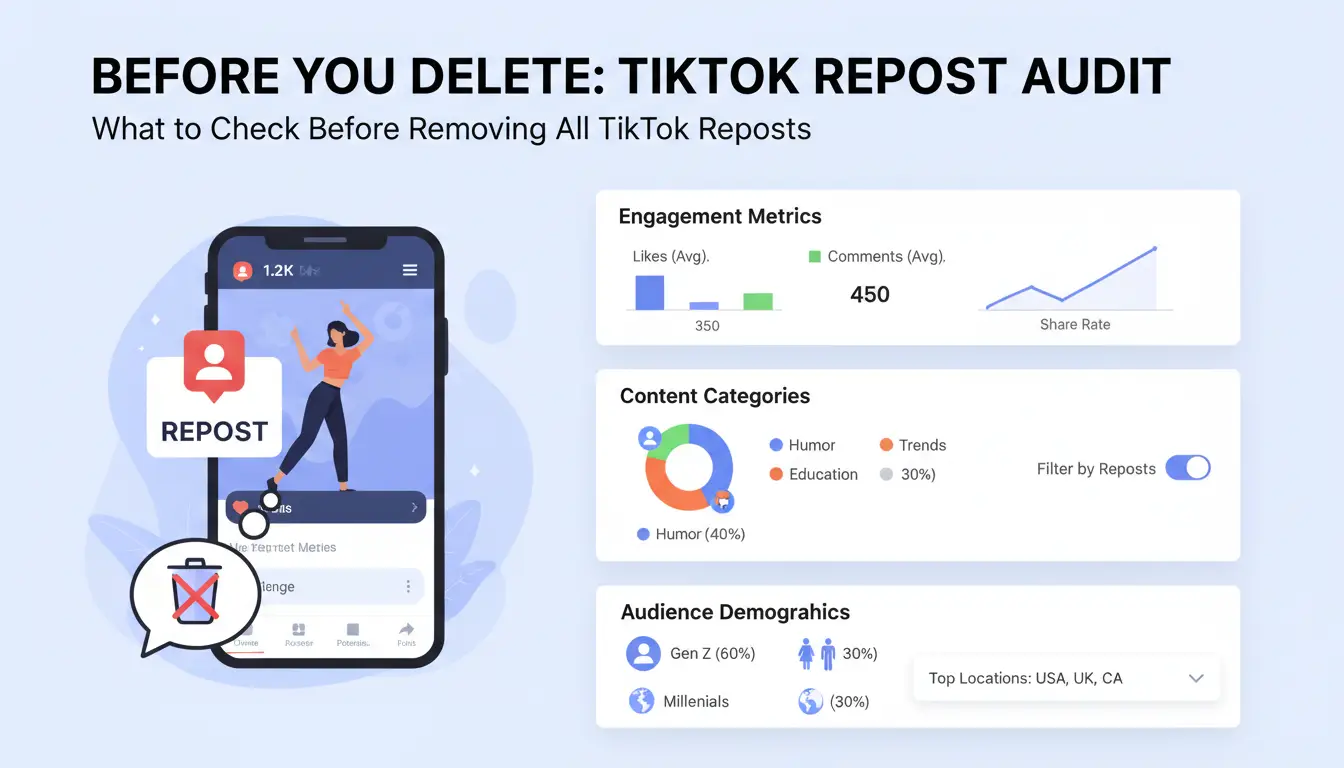
Cleaning your TikTok profile sounds simple, but rushing to delete every repost can cause more trouble than you expect. Before you search for how to remove all reposts on tiktok, take a moment to review these risks and practical steps, otherwise, you might lose more than just clutter.
Risks of Bulk Deletion
TikTok doesn’t offer a mass removal tool, so deleting reposts one by one can trigger account restrictions. If you delete too many reposts in a short window, TikTok’s systems may flag your account for suspicious activity. That often means temporary action blocks, or in rare cases, a shadowban where your content stops reaching new viewers. Another issue, removing reposts wipes away their engagement history. If those reposted videos had likes, comments, or shares, you lose all that data. Sometimes, followers notice changes and ask why posts disappeared, which can create confusion or damage trust.
Backup and Export Options
Before you start removing anything, it’s smart to back up your repost history. You can manually note down reposted video URLs, but that gets messy fast. For a cleaner workflow, use tools like SnapTik to save video links or download reposted videos if you need proof later. Some browser extensions let you export lists of TikTok video URLs, just double-check their reviews and privacy policies. Keeping a backup means you can recover info if you delete something by mistake.
Account Limits and TikTok Policies
TikTok enforces daily action limits. If you delete, unlike, or report too many posts in a day, you’ll hit a wall, and the app will block further actions. TikTok’s Community Guidelines warn against mass actions, especially if automated. While there’s no official number, most users report blocks after 20-40 deletions per day. Planning removals in batches helps avoid penalties and keeps your account safe.
How to Remove All Reposts on TikTok Manually: Step-by-Step
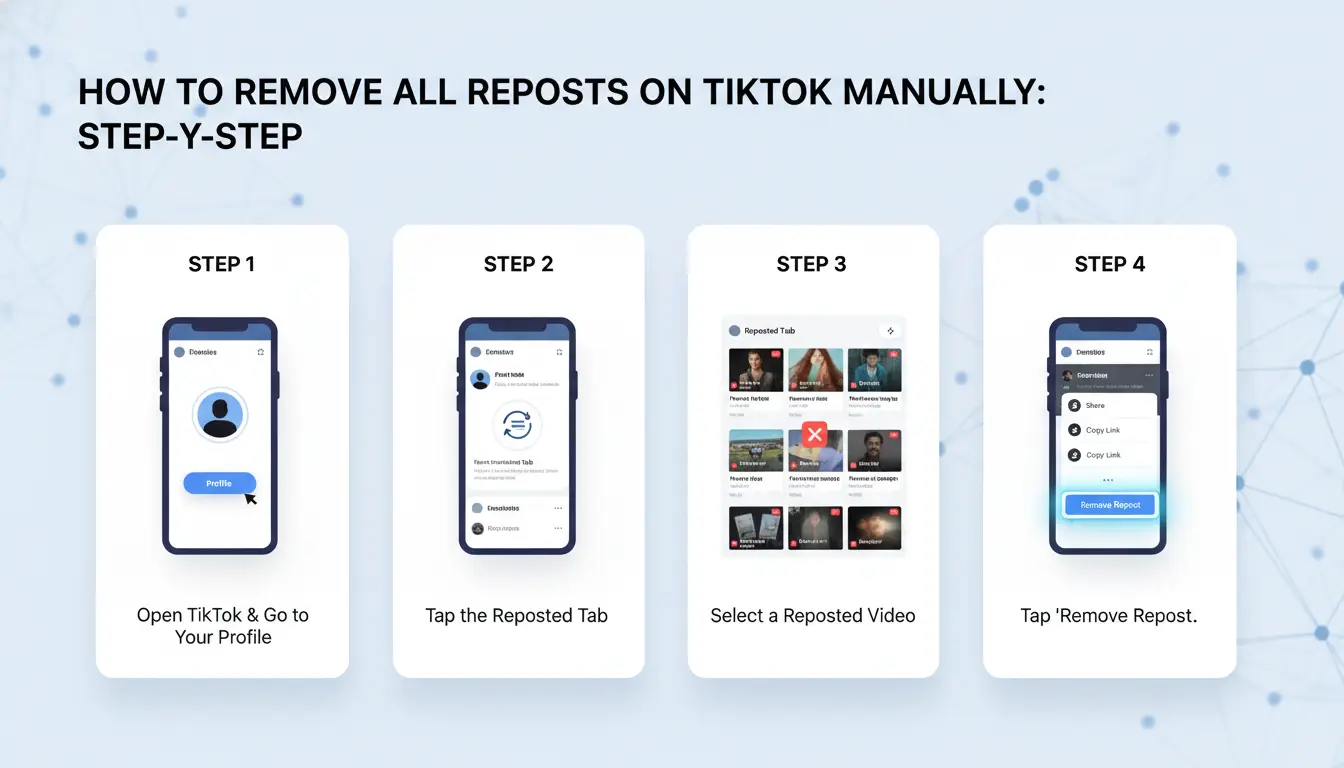
Cleaning up your TikTok profile means getting rid of reposts without losing your original videos. If you search for how to remove all reposts on tiktok, you’ll find that TikTok doesn’t make it easy, there’s no bulk delete button, and reposts are mixed into your feed. Here’s a direct guide to walk you through finding, sorting, and removing reposted content without mistakes.
Locating All Your Reposted Videos
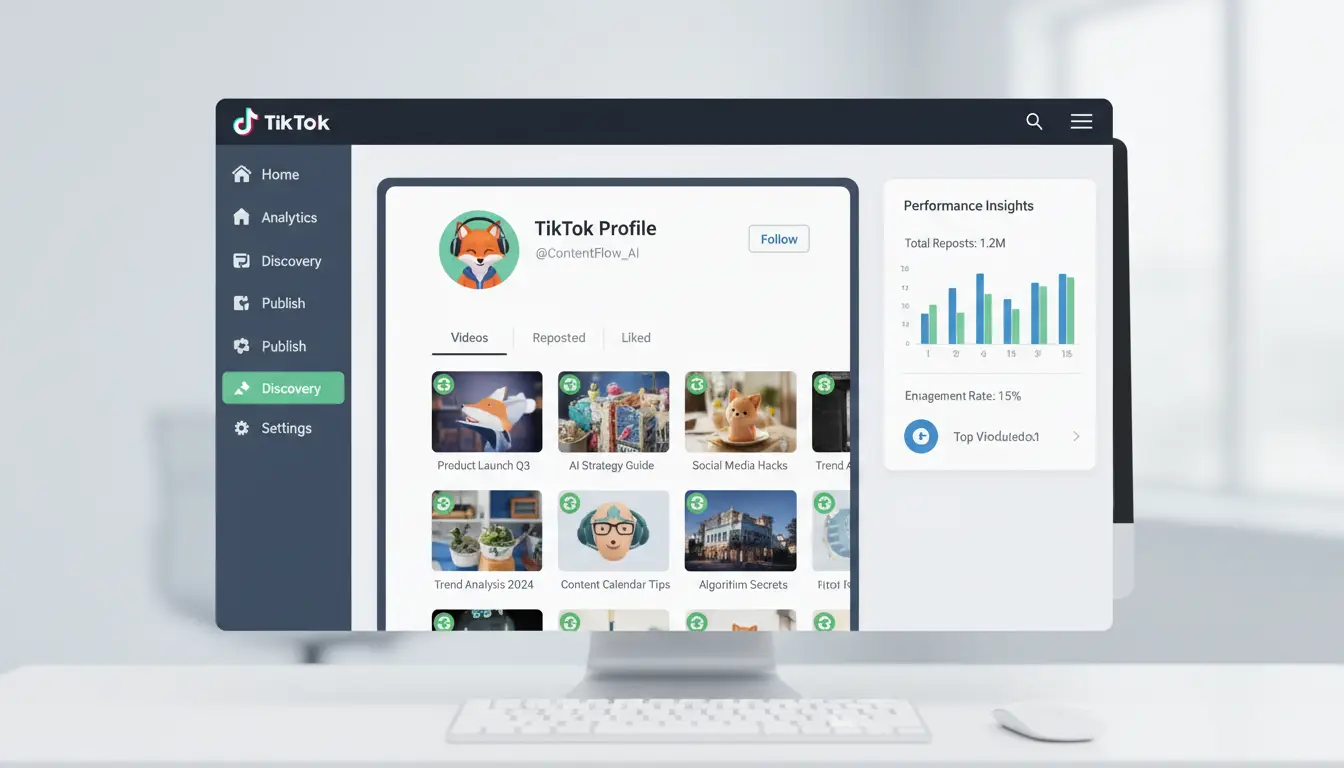
Reposts show up in your main profile grid, mixed with your uploads. TikTok marks reposted videos with a small “reposted” label, but this tag can be hard to spot, especially if you have a crowded feed. To find all reposts:
- Open your profile and scroll through your grid.
- Look for the “reposted” tag on thumbnails. If you use TikTok on desktop, the tag appears when you hover over a video.
- Use the “Favorites” section for quick sorting, since some reposted videos might also be saved there.
- Double-check hidden reposts: sometimes, older reposts lose their tag but still count toward your total.
Manual Removal Process
Once you identify reposts, remove them one by one:
- Tap the reposted video.
- Click the “Share” button (arrow icon).
- Tap “Remove repost.” The video disappears from your profile grid but stays in the original poster’s feed.
- Always double-check before removal, don’t delete original uploads by mistake. If a video doesn’t have the repost tag, it’s probably your own content.
Common Mistakes and How to Avoid Them
Missing hidden reposts is common. Some reposts lose their tag after app updates, so scan your feed carefully. Another mistake: deleting too quickly can trigger TikTok’s anti-spam detection, leading to temporary account limits. Slow down, take breaks between removals, and never mass-delete in under a minute. If you’re managing many accounts, tools like DICloak help keep activity separate and reduce risk.
Automated Tools and Extensions: Pros, Cons, and Safety
Searching for how to remove all reposts on tiktok often leads you to browser extensions, bulk removal apps, and scripts that promise to clean your profile faster. But not all tools work the same way, and some can even put your account at risk. This section shows what’s available, where things go wrong, and how to choose a tool that won’t compromise your privacy.
Popular TikTok Repost Removal Tools
Most automated tools fall into two types: browser extensions and standalone apps. Browser extensions connect to your TikTok account through your web browser, letting you select and delete reposts in batches. Some apps offer extra features, like keeping your most recent reposts or skipping original videos to avoid mistakes.
| Tool Type |
Bulk Removal |
Keeps Recent Reposts |
Price Range |
| Browser Extension |
Yes |
Often |
Free–$15/month |
| Standalone App |
Yes |
Sometimes |
Free–$30 one-time |
Manual removal means clicking each repost and deleting it, which takes hours if you have dozens. With bulk tools, you can select multiple reposts and remove them in a few clicks. Still, some extensions don’t always recognize reposts perfectly, and you could delete original content by mistake if you’re not careful.
Privacy and Data Safety Concerns
Every tool that connects to your TikTok account touches your private data. Some store login credentials, activity logs, or even send information to remote servers. Open-source extensions let you review their code and see what’s happening. Closed-source apps keep their methods hidden, so you have to trust the developer.
If you value privacy, look for tools that don’t ask for your password, or better yet, let you authenticate with official TikTok methods. Avoid any tool that requests full account access or promises instant results with little explanation, these are common signs of scam apps.
Choosing the Right Tool for Your Needs
The most important rule: never use a tool that demands your TikTok password outright. Stick to options with clear privacy policies, real user reviews on sites like Trustpilot, and open-source listings on GitHub. If an app’s website feels shady or the reviews sound fake, skip it. For safe bulk removal, start with free browser extensions, test with a spare account, and check if the tool lets you undo mistakes. This approach keeps your main account from unexpected bans or data leaks.
How Social Media Marketers Can Safely Manage TikTok Reposts at Scale
Managing TikTok reposts across multiple accounts gets messy fast. Marketers looking for how to remove all reposts on tiktok face app limits, there’s no bulk delete, so mistakes can pile up. If your team handles dozens of accounts, the risks multiply: lost originals, inconsistent activity, and privacy leaks. Here’s what actually works for large-scale cleanup.
Challenges of Bulk Repost Management
Handling bulk repost removal on TikTok means juggling several risks. With multiple accounts, you’re not just worried about deleting the wrong video. Each login can trigger TikTok’s security checks. Shared devices, reused IPs, or erratic activity patterns may flag accounts for restriction. If your team rotates through accounts too quickly, TikTok can freeze profiles or demand verification.
Maintaining consistent activity is another headache. Deleting too many reposts at once creates gaps in your profile’s posting rhythm. Sudden drops in visible content may confuse your audience or trigger algorithm downgrades, especially for business or influencer accounts.
Best Practices for Safe Removal
Staggered deletion schedules help, spread out removals over hours or days, not all at once. This avoids algorithm red flags. For privacy, use a dedicated proxy for each account. Proxies mask your real IP and keep TikTok from linking too many accounts to one device. Never use the same proxy or browser profile for more than one TikTok page.
To see what works in practice, compare manual removal versus automated workflows:
| Method |
Risk of Mistake |
Speed |
Account Safety |
| Manual Delete |
High |
Slow |
Better if careful |
| Staggered Delete + Proxy |
Low |
Medium |
Much safer for teams |
Table: Comparison of TikTok repost removal methods. Source: TikTok Help Center and workflow tests.
Workflow Automation and Team Collaboration
Assigning tasks across team members cuts down on errors. Each person handles a set of accounts, with clear logs tracking every removal. Use shared browser profiles, like those enabled by DICloak, so everyone works in isolated environments. Always track changes in a central sheet and review before bulk actions. That way, you avoid deleting originals by mistake and keep every account safe.
How DICloak Helps Social Media Marketers Manage TikTok Reposts More Securely
Bulk cleanup on TikTok is risky. If you want to know how to remove all reposts on tiktok safely, especially across several accounts, using the app alone creates problems: device fingerprinting, account linkage, and a real chance of bans or missed posts. Tools like DICloak let marketers work around these limits by giving each TikTok account a separate environment, automating repetitive tasks, and keeping team workflows secure.
Isolated Browser Profiles for Each TikTok Account
You can use DICloak to run every TikTok account in its own browser profile. Each profile gets a unique device fingerprint and proxy, so TikTok can’t detect that one person controls multiple accounts. This isolation prevents accidental cross-linking, which is a common reason for sudden bans.
Automated Bulk Actions and RPA
DICloak supports RPA (robotic process automation) for TikTok. Teams can script bulk repost removals, reducing manual mistakes and saving hours compared to deleting each post by hand. If you’re searching for how to remove all reposts on tiktok quickly, this automation keeps the process safe.
Team Collaboration and Workflow Tracking
With DICloak, you can assign specific accounts to different team members, share profiles without sharing passwords, and review operation logs. This makes every action traceable, so mistakes can be caught and fixed fast.
When Removing All TikTok Reposts Isn’t the Best Choice
Cleaning out your TikTok reposts sounds simple, but if you follow every guide for how to remove all reposts on tiktok, you risk losing posts that help your profile. Not all reposts drag your page down, some actually push your videos to a wider audience or spark extra engagement.
Reposts That Boost Engagement
Before wiping your history, check which reposts drive likes or comments. Videos that get shared again often trigger TikTok’s algorithm, putting your content in front of more people. Keeping these reposts can balance cleanup with visibility, removing everything means you lose social proof and reach.
Alternatives to Full Removal
Instead of deleting all, use selective strategies. Start by removing reposts that dropped your engagement or caused confusion. You can also switch privacy settings to hide certain reposts without deleting them. This keeps your stats safe and your profile tidy.
When to Repost Again After Cleanup
If you want to repost after a purge, wait until your page stabilizes. Too many reposts in one go may trigger TikTok’s limits. Spread them out to avoid penalties and to keep your audience interested.
Frequently Asked Questions
Can I remove all TikTok reposts at once without risking my account?
TikTok sets daily action limits to stop spam. If you remove all reposts on TikTok too fast, your account could get restricted or flagged. To avoid issues, delete reposts in small batches. Wait a few minutes between actions. Don’t use scripts or bots, as TikTok’s system can detect and suspend suspicious activity.
Are there any free tools to bulk delete TikTok reposts?
There are no official TikTok tools to remove all reposts on TikTok at once. Some free apps or browser extensions claim to help, but most have limits like only allowing a few deletions per day. Always check user reviews and privacy policies before using any tool. TikTok’s own app is safest for deleting reposts, though it is manual.
Will deleting reposts affect my TikTok engagement or followers?
Deleting reposts might lower the total number of posts on your profile, which can affect your visibility if you had popular reposts. TikTok’s algorithm looks at activity and content. If you remove all reposts on TikTok, your followers may see fewer updates, but deleting only reposts usually doesn’t cause big drops in followers.
How can I keep some reposts while removing others?
To keep certain reposts, review your repost list and delete only the ones you want gone. TikTok lets you remove reposts one by one. Some third-party tools offer checkboxes for selective deletion, but review their permissions. Manual deleting is safest if you want to control which reposts stay on your profile.
Is it safe to use browser extensions for TikTok repost removal?
Be careful with browser extensions that offer to remove all reposts on TikTok. Some can access your account data or contain malware. Only use extensions from trusted sources with many positive reviews. Never enter your TikTok password or give full permissions unless you trust the developer and read the privacy policy.
Removing all reposts on TikTok is straightforward when you use the right methods, whether it's manually deleting them from your profile or using third-party tools for efficiency. Keeping your feed curated and personal is easier than ever with these tips. Try DICloak For Free
 Web Proxy Tools
 Free Tools
 Cookie Plugin
 UA Generator
 MAC Address Generator
 IP Generator
 IP Address List
 2FA Code Generator
 World Clock
 Anonymous Check
 WebRTC Leak Test
 UUID Generator
 Free Web Proxy Site
 Proxy Checker
 FB Ad Checker
 AI Web Scraping
 Free SMM Tools
 Twitter Shadowban Checker
 Instagram Name Checker
 UTM Generator
 Username Generator
 AI Hashtag Generator
 LinkedIn Headline Generator
 Social Media Image Resizer