A Facebook Business Page is the non-negotiable infrastructure required to establish brand authority, deploy targeted advertising, and manage decentralized commerce through Facebook Shops. For the modern practitioner, a Page is no longer a static "billboard"—it is a sophisticated hub for data-driven connection and community building.
Setting up a Page correctly on the first attempt is critical for long-term security and reach. This guide outlines the exact technical requirements and operational strategies needed to deploy a professional presence while mitigating common platform risks.
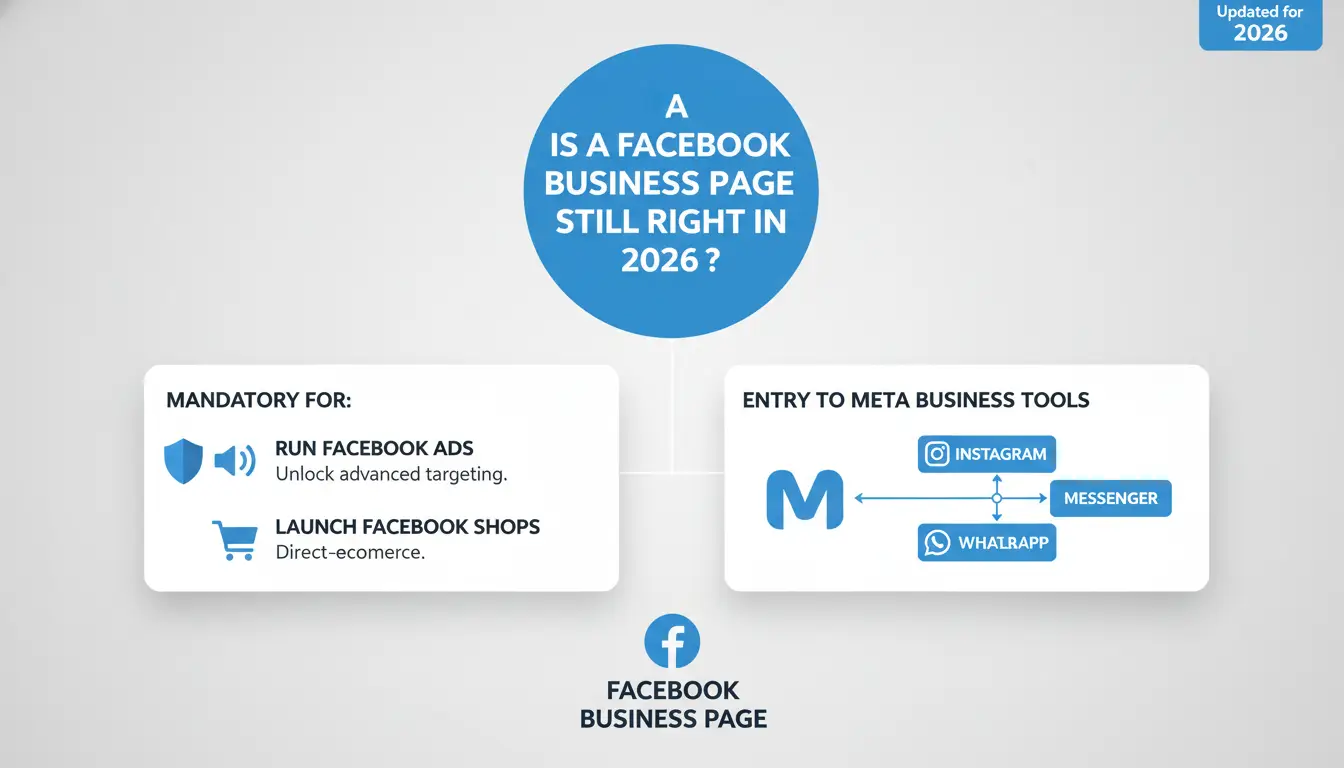
Is a Facebook Business Page still the right move for your brand in 2026?
A Facebook Business Page is a public-facing profile that serves as the entry point for all Meta business tools. It is mandatory if you intend to:
- Run Facebook Ads: Personal profiles cannot access Meta’s advanced ad targeting tools.
- Launch Facebook Shops: Direct commerce requires a verified Business Page.
- Integrate Groups: Pages can create and link to Groups, facilitating "micro-communities" that drive higher organic reach.
The platform has transitioned from broad broadcasting to high-intent connection. As Andreea Constantin, Head of Brand Marketing at LearnWorlds, notes: “Our Facebook Page isn't just a billboard; it’s a hub that connects our content, community, and customer stories.”
How do I start the setup process without making mistakes?
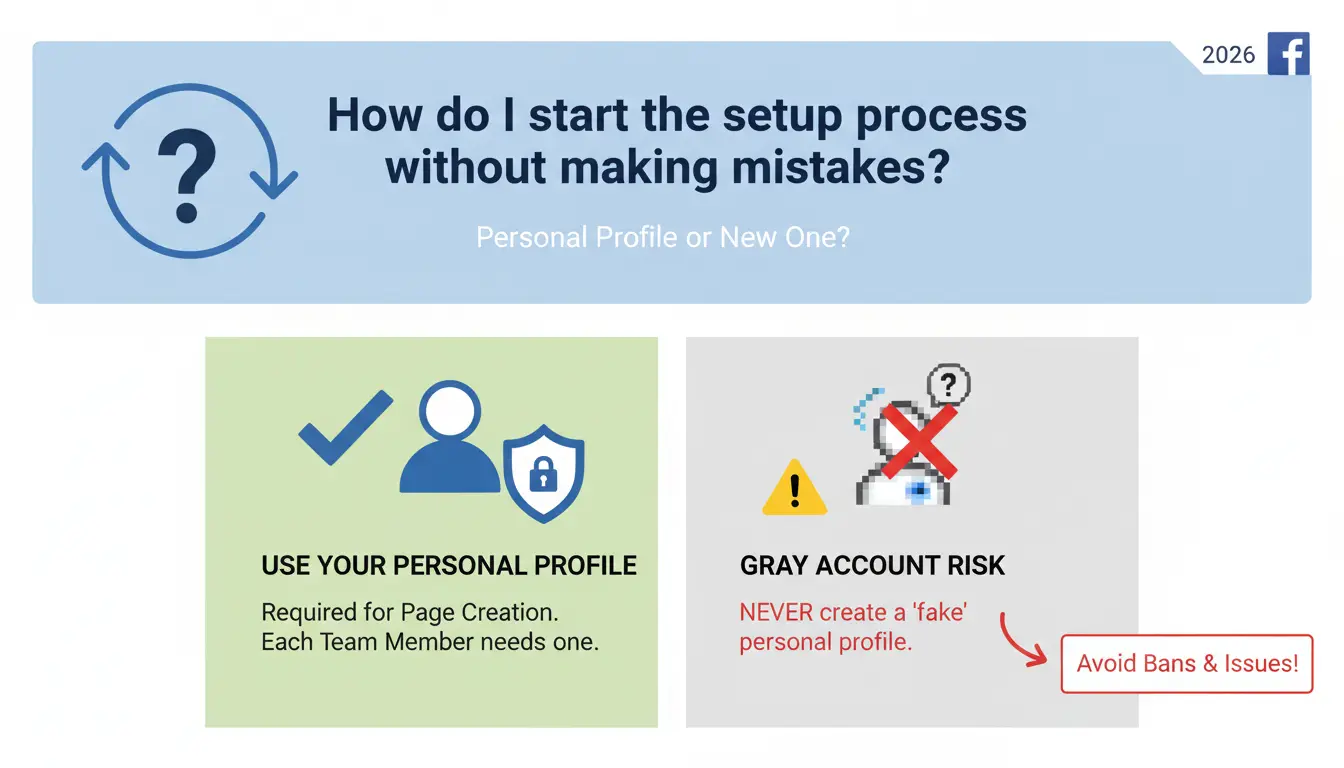
Should I use my personal profile or a new one?
To create a Page, you must be logged into a personal Facebook profile. If multiple team members will manage the Page, they each require their own personal accounts.
Specialist’s Note: The "Gray Account" Risk Never create a "fake" personal profile (e.g., "John Business") to manage your Page. Meta’s 2026 security protocols are highly sensitive to browser fingerprinting and identity verification. Using a dummy account is the fastest way to get your Business Page flagged and permanently disabled. Use your real profile; your personal data remains invisible to the public.
To begin the process, navigate to the Pages menu from your top navigation bar and select Create a Page.
What business info is mandatory vs. optional for SEO?
- Page Name: Use your legal business name or the specific phrase users search for. Changing this later is possible but can trigger security reviews.
- Category Selection: You may choose up to three. These are primary data points for Facebook’s recommendation algorithm.
- Bio for Social SEO: While listed as optional, you must fill this out. Use primary keywords related to your industry. This section informs Facebook’s internal search results and establishes immediate credibility.
What are the trade-offs of providing public contact details?
All contact information (email, phone, address) entered here is public. For local service providers, entering a physical location and operating hours is vital for trust. If you operate globally or digitally, you may omit phone and address, but providing a professional email is recommended for customer service responsiveness.
What visuals and buttons actually drive user action?
How to optimize your profile and cover images for 2026
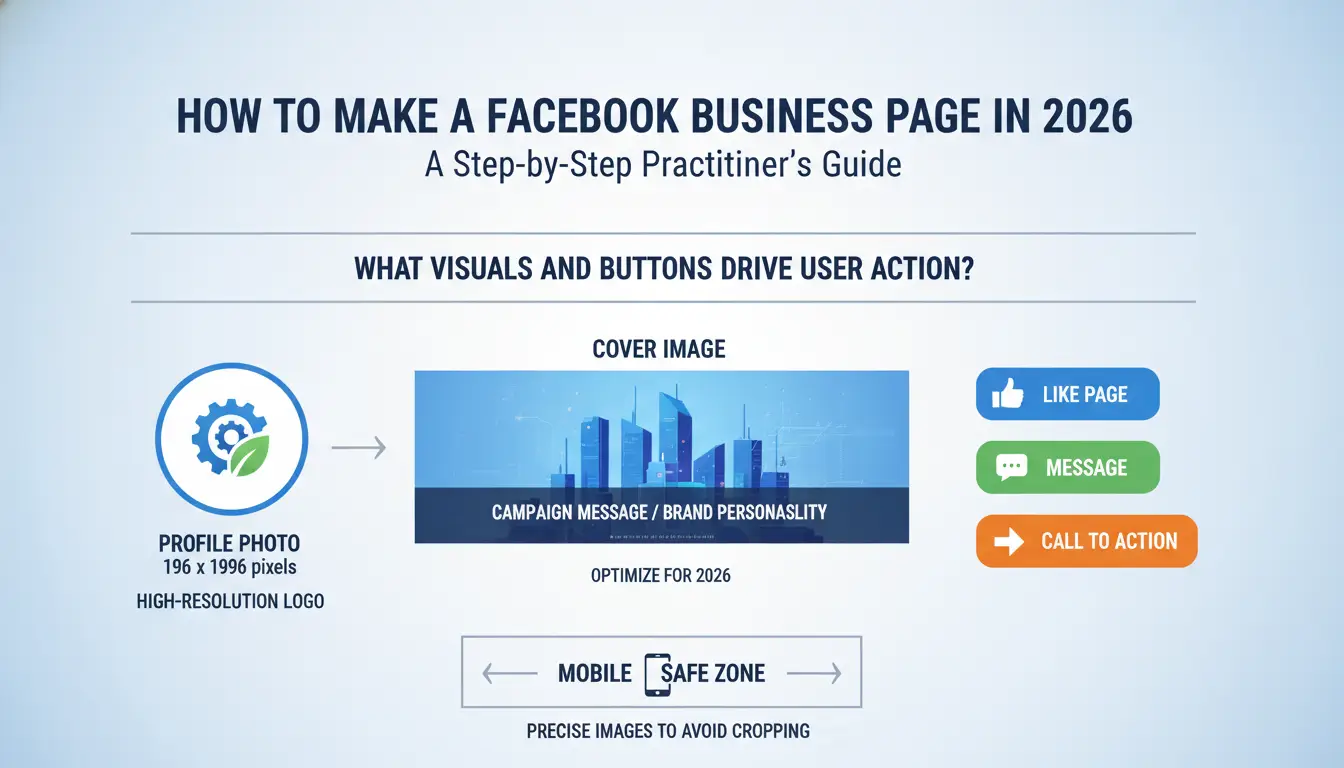
Images must be precise to avoid "safe zone" cropping on mobile devices.
- Profile Photo: 196 x 196 pixels. Use a high-resolution logo.
- Cover Image: 851 x 315 pixels. This should be used for campaign-specific messaging or to showcase brand personality.
Which "Action Button" fits your business model?
The Call-to-Action (CTA) button is your primary conversion tool. Do not leave this as a generic "Message." Select a button that matches your funnel, such as Book an Appointment, Start Order, or Sign Up.
Integrating WhatsApp and Finalizing Onboarding
- WhatsApp Connection: Linking a WhatsApp Business number allows customers to message you directly. Facebook will send a confirmation code to your phone to verify the link.
- Invite Friends: Once the foundation is set, use the Invite Friends button. This provides the initial engagement signal Meta’s algorithm needs to categorize your audience.
- Notification Preferences: Ensure you turn on Page notifications while logged into your personal profile. For practitioners, missing a customer inquiry or a security alert due to poor notification settings is an avoidable operational failure.
How do I manage team access without compromising security?
Secure management requires granular permission control. Navigate to: Settings > Audience and visibility > Page setup > Page access.
The difference between Facebook Access and Task Access
- Facebook Access: Full administrative control. Reserve this for business owners only.
- Task Access: This is the default recommendation for external contractors or marketing staff. It allows users to manage ads, content, or insights without granting the ability to remove other admins or delete the Page.
When to use a Community Manager role
This role is strictly for moderation. Community Managers can manage comments and remove problematic users but cannot access financial data or page settings. This is ideal for third-party moderation teams.
Which tools are best for managing multiple Business Pages?
Meta Business Suite vs. Advanced Social Platforms
Meta Business Suite is the baseline native tool for ads and basic cross-posting. While it works well for managing a small number of Pages, teams handling multiple clients or campaigns often need additional tools to organize workflows, track permissions, and prevent operational confusion.
Using DICloak for secure multi-account management
For teams managing multiple Facebook Business Pages, keeping account environments separate can make daily work much easier. Users can create a dedicated browser profile for each Page, ensuring cookies, session data, and local storage do not mix across accounts.
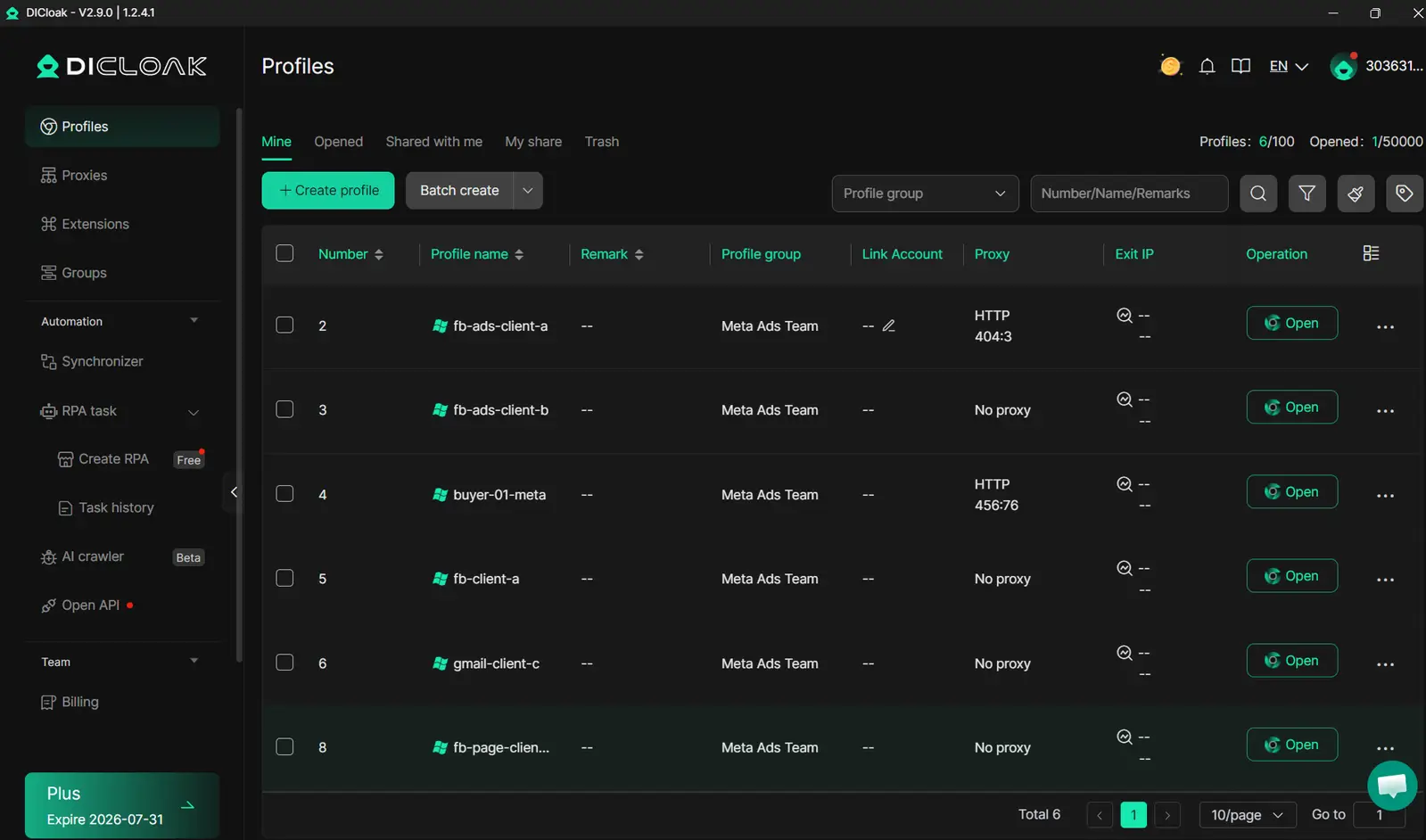
- Isolated Browser Profiles: Each Page or workflow can have its own profile, keeping browsing sessions and data separate.
- Custom Browser Settings: Configure User-Agent, time zone, language, and other environment settings per profile.
- Proxy Support: Users can attach their own HTTP/SOCKS5 proxy if a dedicated network setup is needed.
- Team Management: Assign roles, share profiles safely, and track actions with operation logs to keep workflows organized and transparent.
What are the high-growth strategies for 2026?
Moving from a "billboard" to a "community hub"
The 2026 strategy is about "micro-communities." Jock Breitwieser, a strategist at SocialSellinator, highlights that success now comes from creating distinct content tracks for different customer segments within your main Page.
Leveraging Facebook Groups for deeper engagement
Link a Group to your Page. Groups foster "meaningful interaction," which the 2026 algorithm prioritizes over passive consumption. Use the Page for announcements and the Group for community-led discussion.
Hyper-local targeting and Live video
- Hyper-local content: Use local testimonials and neighborhood-specific tags to build credibility.
- Live Shopping: Authentic, real-time engagement remains a massive driver. Joey Lowery (Media Shark) notes that demonstrating products and answering questions in a Live session can boost conversion rates by up to 40%.
How do I troubleshoot or delete a Page that is no longer needed?
If a Facebook Page is no longer relevant to your business or strategy, taking careful action is important to avoid losing valuable data. Always review analytics, messages, and Page activity before making changes.
Deactivation: Temporary and Reversible
Use deactivation if you are rebranding, taking a seasonal break, or unsure about permanent removal. This option temporarily hides the Page from the public while preserving all content, followers, and history. You can reactivate the Page later without losing any data.
Permanent Deletion: Irreversible Removal
Permanent deletion completely removes the Page and all associated content, including posts, messages, and media. This action is irreversible. Before proceeding, Facebook allows you to download a copy of your Page data—this is recommended for record-keeping, compliance, or historical reference.
Troubleshooting Before Removal
Before deactivating or deleting a Page, consider these steps:
- Check admin roles and ensure all content and analytics are backed up.
- Review unresolved messages or customer inquiries; respond if needed.
- Audit linked ad accounts or campaigns to prevent disruption in active marketing operations.
- Evaluate whether temporary deactivation could meet your needs instead of permanent deletion.
Following these steps ensures you maintain operational integrity, retain necessary records, and avoid accidental loss of valuable business data.
Common Facebook Business Page Questions
Can I have multiple Facebook Business Pages?
Yes. You can link multiple Pages to a single business entity, managing them via Meta Business Suite.
Is a Facebook Page or Instagram Business Profile better?
Instagram is best for visual discovery and younger demographics. Facebook remains superior for detailed targeting and reaching high-intent, older audiences.
How do I run ads from my new Page?
Define your objective (e.g., traffic, leads), set your budget and audience, select your creative format (Video/Reels are top performers), and monitor ROI.
What are the legal requirements for selling on a Page?
You must strictly adhere to Meta’s Commerce Eligibility Requirements to maintain your Shop status.
How do I fix technical issues with my Page?
For workflow organization, teams can use browser profile management tools such as DICloak to keep account environments separated and easier to manage.
Stay on top of multiple Facebook Pages by keeping workflows organized, managing team permissions, and isolating account sessions. For teams handling multiple client accounts, DICloak helps streamline operations and maintain cleaner access.Try DICloak For Free.
 Web Proxy Tools
 Free Tools
 Cookie Plugin
 UA Generator
 MAC Address Generator
 IP Generator
 IP Address List
 2FA Code Generator
 World Clock
 Anonymous Check
 WebRTC Leak Test
 UUID Generator
 Free Web Proxy Site
 Proxy Checker
 FB Ad Checker
 AI Web Scraping
 Free SMM Tools
 Twitter Shadowban Checker
 Instagram Name Checker
 UTM Generator
 Username Generator
 AI Hashtag Generator
 LinkedIn Headline Generator
 Social Media Image Resizer