Why Your YouTube Views Are Not Increasing
When a video gets few views, the problem is not always the YouTube algorithm. In many cases, viewers are simply not seeing the video, not clicking it, or not watching for long enough. YouTube explains video performance through signals such as appeal, engagement, and satisfaction. In simple terms, people need to notice the video, choose to watch it, and enjoy what they see.
This is an important starting point when learning how to get views on YouTube. Instead of changing everything at once, first find where the video is losing viewers. YouTube Studio can help show whether the main problem is reach, clicks, retention, or the topic itself.
Low Impressions, CTR, and Poor Viewer Retention
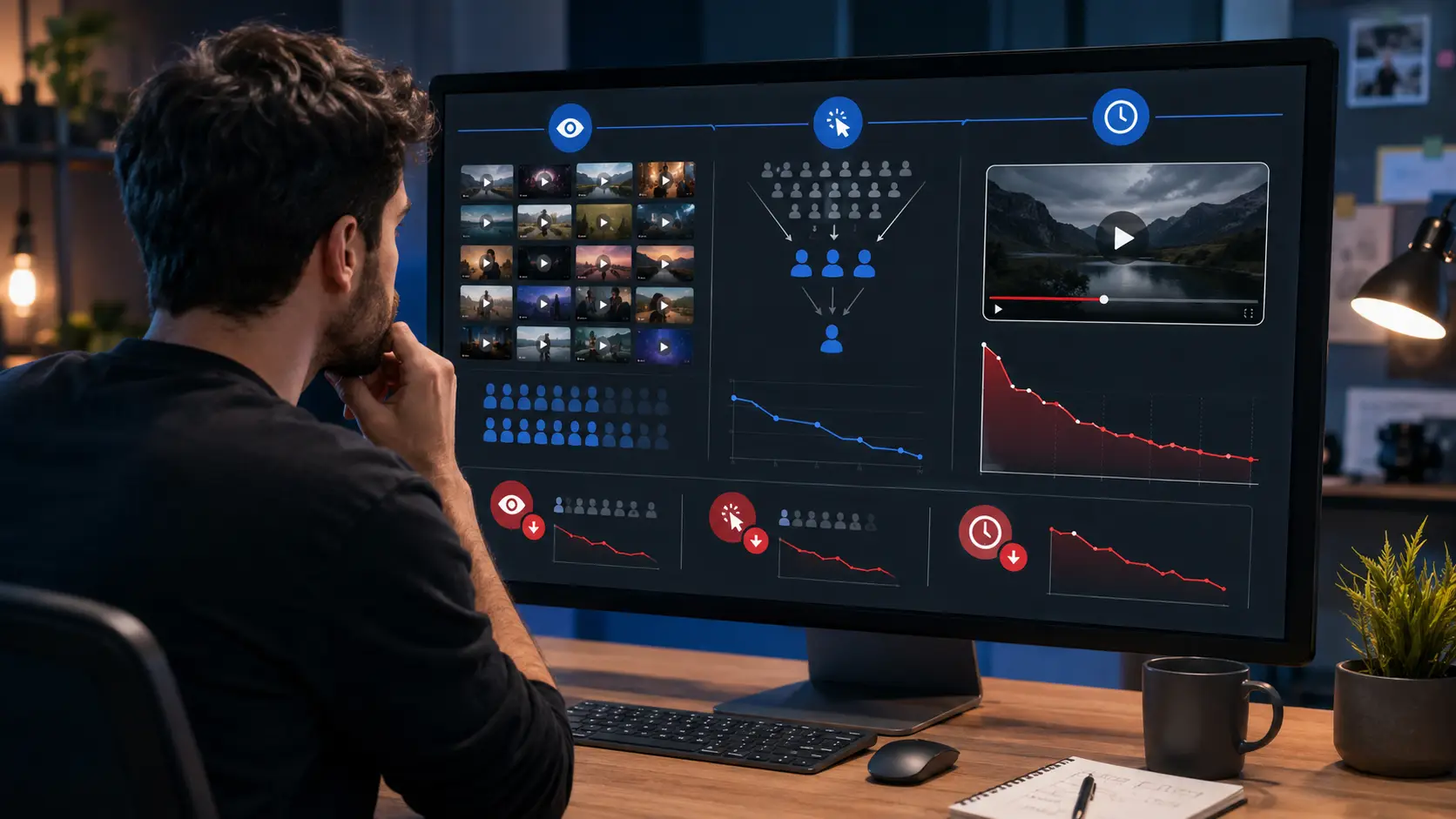
The first number to check is impressions. An impression is counted when YouTube shows your thumbnail to a viewer in eligible parts of the platform. If impressions are low, the video has fewer chances to earn clicks and views. Topic appeal, competition, and audience interest can all affect how widely a video is shown.
For example, imagine a small fitness channel uploads a video called “My Monday Gym Session.” The video may be well made, but the topic gives new viewers little reason to care. A video such as “10-Minute Dumbbell Workout for Beginners” has a clearer audience and problem to solve. That does not guarantee more views, but it gives viewers a stronger reason to click.
Next, check the click-through rate, or CTR. CTR shows how often people watch a video after seeing its thumbnail. A video can receive many impressions but still get few YouTube views if the title and thumbnail do not make the value clear. However, CTR should not be judged alone because it can fall when a successful video starts reaching a broader audience.
For example, a tutorial may first reach loyal subscribers who click often. If YouTube later shows the same video to thousands of new viewers, more people may ignore it. CTR can fall even while total views continue to rise. This is why creators should look at CTR together with reach and traffic sources.
Viewer retention is the next important signal. A strong title may get the click, but the video still needs to deliver what the title promised. If viewers leave soon after the video begins, the video may struggle to keep growing because people are not staying long enough to receive the value they expected.
Suppose a video is titled “How to Edit YouTube Shorts in 5 Minutes.” If the first 45 seconds are a long channel introduction, viewers who wanted a fast tutorial may leave. A better opening would show the result first and start the editing steps quickly. The title gets the click, while the opening earns the viewer’s attention.
When YouTube views are low, checking these metrics in order can make the problem easier to find. Low impressions may point to limited topic demand or weak audience fit. Good impressions with poor CTR may suggest that the title or thumbnail needs work. Good CTR with weak retention may mean that the video itself is not meeting viewer expectations.
Why the Wrong Video Topic Can Limit Views
A good thumbnail cannot create unlimited demand for a topic that few people care about. Some topics naturally have a larger audience than others, and competition also affects how much reach a video can get. A video is not only competing against uploads from the same channel. It is competing with many other videos that the viewer could watch instead.
This explains why two well-made videos from the same creator can get very different results. A photography creator might publish “Camera Settings From My Weekend Walk” and “Why Your Night Photos Look Blurry.” The first topic may mainly interest existing followers, while the second solves a clear problem for many beginner photographers. Even with similar production quality, the second video gives new viewers a stronger reason to click.
Search intent also matters. YouTube Search looks at factors such as relevance, engagement, and quality to understand which videos fit a search. Titles, descriptions, video content, and viewer behavior can all help the platform understand whether the video matches a real need.
That means a creator trying to learn how to get more views on YouTube should not start with keywords alone. Start with a real viewer need, then use keywords to describe that need clearly. YouTube Studio can support this process through the Trends area, where creators can explore audience searches, topic ideas, and related demand.
For example, a channel about AI tools may find stronger interest around “AI video generator for YouTube” than a broad topic such as “AI news.” That can lead to a more focused tutorial with a clear viewer problem. Choosing the right topic therefore comes before editing the title or thumbnail, because strong packaging works best when people already want the answer.
How to Get Views on YouTube with Better Topics
Once you know why a video is not growing, the next step is choosing better topics before filming. This can save more time than trying to fix a weak idea after the video is published. A useful topic should match something viewers already care about while also fitting the channel’s audience.
This is an important part of learning how to get views on YouTube. Instead of asking, “What should be uploaded this week?” it is more useful to ask, “What does this audience want to know, solve, compare, or watch?” That small change makes topic research much more focused.
Find Topics People Are Already Searching For
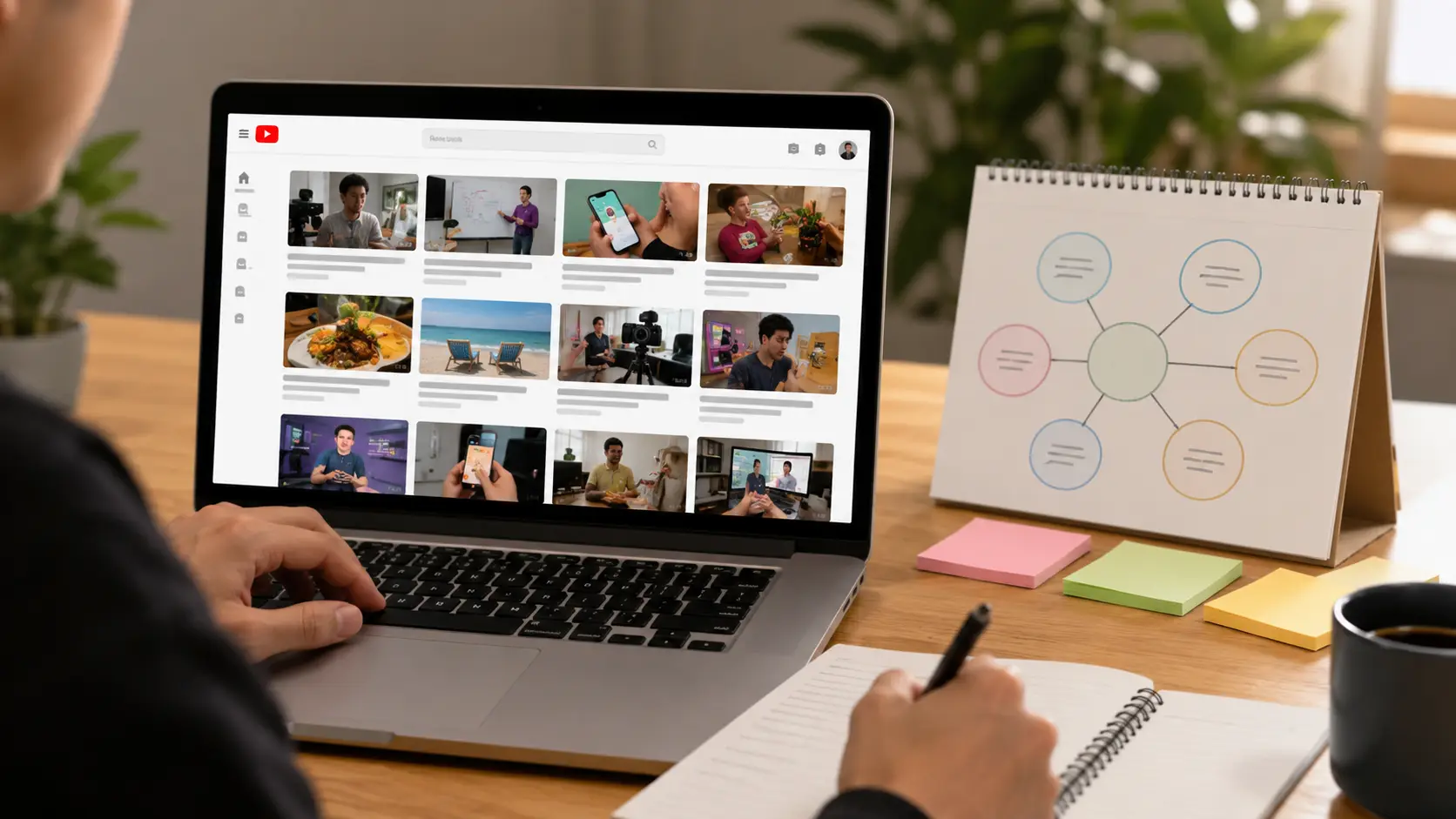
YouTube Search can show what viewers are actively looking for. Search performance depends on factors such as relevance, engagement, and quality, so a clear topic gives YouTube more information about who may want the video. This is why keyword research works best when it starts with a real viewer problem rather than a random high-volume phrase.
For example, a video editing channel could publish a broad video called “My Favorite Editing Tools.” Existing subscribers may care, but the topic does not clearly solve a problem. A more focused topic such as “How to Remove Background Noise in CapCut” gives viewers a clear reason to click and makes the search intent easier to understand.
YouTube Studio can also help creators find better ideas. The Trends section in Analytics can show searches related to an audience, popular topics, breakout videos, and possible content gaps. A content gap may appear when viewers are looking for something but the current videos are old, unclear, or do not fully answer the question.
Imagine a cooking channel planning another general air fryer video. Topic research may show stronger interest in specific problems such as reheating pizza, cooking chicken, or cleaning the appliance. Instead of publishing “7 Air Fryer Tips,” the creator could make “How to Reheat Pizza in an Air Fryer Without Drying It Out.” The second idea has a much clearer problem and result.
YouTube search suggestions can provide more ideas as well. Start typing a topic into the search bar and look at the related phrases that appear. These suggestions are not exact search-volume numbers, but they can show how real users describe a problem and help turn a broad topic into several specific video ideas.
Google Trends can also be useful when comparing topics or checking whether interest is growing. For example, a creator choosing between two AI tools could compare search interest before deciding which tutorial to make first. However, trend data should support audience research rather than replace it, because a popular topic that does not fit the channel may attract the wrong viewers.
Use YouTube Search and Competitor Videos for Ideas
YouTube Search is also useful for studying videos that already perform well. Search the topic before creating the video and look for patterns in the results, such as common questions, formats, publication dates, and angles. The goal is not to copy another creator, but to understand what viewers already find useful.
Suppose a creator wants to make a video about growing a YouTube channel. Search results may already contain many videos about reaching 1,000 subscribers. Publishing another broad video with the same promise may make it difficult to stand out unless it offers a clearer angle or better information.
A more focused topic could be “How to Get Your First 100 YouTube Subscribers Without Shorts” or “Why Your First 10 YouTube Videos Get Almost No Views.” Both still cover YouTube growth, but they speak to a more specific viewer and problem. This makes the video easier to position and gives viewers a stronger reason to choose it.
Competitor research should also include the comments section. Viewers often ask follow-up questions, complain about missing steps, or mention that a tutorial is outdated. These comments can reveal useful content gaps that are difficult to find through keyword tools alone.
For example, a popular tutorial may explain how to create YouTube Shorts with an AI tool, but many comments may ask whether the process still works after a recent update. That creates a clear opportunity for a new 2026 tutorial that shows the current interface and solves the exact problem. The new video is not copying the old one; it is responding to a need that the older content no longer covers well.
YouTube Studio can support this research through breakout videos and audience search insights. These tools can help creators see which topics and formats are gaining attention among similar viewers. When learning how to get more views on YouTube, the stronger strategy is to find questions people already care about and answer them more clearly, more recently, or from a more useful angle.
Get More YouTube Views with Better Titles and Thumbnails
Once the topic is right, the next job is getting people to click. On YouTube, titles and thumbnails shape that first decision because they help viewers quickly understand what a video offers. A strong video can still struggle if the title is unclear or the thumbnail looks confusing.
This is a key part of learning how to get views on YouTube. The title and thumbnail should create interest, but they also need to match what the video actually delivers. Good packaging gets the click, while accurate packaging helps keep the viewer.
Write Titles That Match Search Intent and Create Curiosity
A good YouTube title should make the topic clear and give viewers a reason to care. For search-focused videos, the title should match what people are already looking for. Keeping the main idea early in the title also makes it easier to understand on smaller screens.
For example, “Editing Tips That Changed Everything” is vague. “How to Remove Background Noise in CapCut” is much clearer because it matches a specific problem. This helps both viewers and YouTube understand the purpose of the video.
Search-focused titles work well for tutorials and how-to content, while curiosity-focused titles can work better on the Home page or Suggested Videos. “How to Get More Views on YouTube Shorts” is direct, while “Why Your YouTube Shorts Stop Getting Views” creates more curiosity. Both can work because the viewer still understands the topic.
The best titles often combine clarity with interest. “7 YouTube Mistakes Killing Your Views” tells viewers what the video covers while also creating a reason to click. However, avoid clickbait because a title that promises something the video does not deliver can lead to poor retention.
Create Thumbnails That Are Clear and Easy to Understand
A thumbnail should support the title instead of repeating it word for word. Custom thumbnails can make the value of a video easier to understand, but the design should remain simple. Too many faces, arrows, screenshots, logos, or long lines of text can become difficult to read on a phone.
For example, a video called “Why Your YouTube Views Suddenly Dropped” could use a simple analytics graph falling sharply. The title explains the problem, while the thumbnail makes that problem easy to notice. A viewer should be able to understand the main visual idea within a second or two.
CTR can help show whether the title and thumbnail are working, but it should be read in context. Search viewers often have stronger intent, while Home page viewers are choosing between many different videos. A lower CTR does not always mean the packaging failed if the video is reaching a much wider audience.
YouTube Studio also allows eligible long-form videos to test different titles and thumbnails. Creators can compare several versions and see which option performs better based on viewer behavior and watch time. This is useful because a thumbnail that gets more clicks is not always the best choice if viewers leave quickly.
When learning how to get more views on YouTube, the goal is not to create the loudest thumbnail or most dramatic title. Make the topic clear, create real curiosity, and make sure the video delivers exactly what the title and thumbnail promise.
Increase YouTube Views with Better Viewer Retention
A good title and thumbnail can win the click, but the video still needs to keep people watching. YouTube Analytics includes audience retention reports that show which parts of a video hold attention and where viewers leave. These reports can help creators spot weak openings, slow sections, and moments that viewers enjoy.
For anyone learning how to get views on YouTube, retention is useful because it shows what happens after the click. A video with strong packaging but weak retention may attract viewers at first, then lose them before the main value appears.

Hook Viewers in the First 15–30 Seconds
The opening should quickly confirm that the viewer clicked the right video. Avoid spending too long on greetings, logos, channel history, or long explanations of what will happen later. Instead, show the result, problem, or main benefit early, then move into the useful part of the video.
For example, a video called “How to Make Better YouTube Thumbnails” could begin by showing a weak thumbnail next to an improved version. Then it can explain the changes. This gives viewers an immediate reason to stay because they can already see what they will learn.
The audience retention graph can show whether viewers leave during the opening. Dips often reveal parts that hold less attention than the surrounding sections. If several videos lose viewers during long introductions, shortening those intros is a practical change to test.
Improve Pacing and Remove Slow Sections
Good pacing does not mean editing every second as fast as possible. It means each section should keep moving toward the result viewers came for. Repeated points, long pauses, unrelated stories, and unnecessary setup can make a useful video feel slower than it needs to be.
For example, a 10-minute tutorial may spend three minutes installing a tool that most viewers already have. If the retention graph drops sharply during that section, it could be shortened, moved later, or replaced with a quick note. Retention data helps creators make these decisions based on viewer behavior instead of guessing.
Look for both dips and stronger moments. If viewers stay longer during demonstrations, examples, or before-and-after results, use more of those elements in future videos. Improving retention is often less about adding more content and more about removing the parts viewers do not need.
Use YouTube Shorts, Promotion, and Analytics to Get More Views
Once a video holds attention, the next step is helping more people discover it. YouTube views can come from Search, Browse, Suggested Videos, Shorts, playlists, external websites, and other sources. YouTube Analytics separates these traffic sources so creators can see which discovery methods actually work for their channel.
This matters because how to get more views on YouTube is not about using every promotion method at once. It is about finding the sources that bring the right viewers, then doing more of what already works.
Use Shorts and Playlists to Bring in More Viewers
YouTube Shorts can help a channel reach viewers who have not seen its long-form content. Shorts give creators another format for testing topics, introducing ideas, and reaching people through the Shorts feed. They can work especially well when a long video contains one strong tip or result that can stand on its own.
For example, a long video about “How to Edit YouTube Shorts Faster” could be supported by a short clip showing one editing trick. The Short introduces the problem, while the full video gives the complete process. This allows one useful topic to support more than one content format.
Playlists can also organize related videos and create a clearer viewing path. Instead of leaving five beginner YouTube tutorials as separate uploads, group them into a “Start a YouTube Channel” playlist. A viewer who finishes one useful video can then find the next related topic more easily.
Promote Videos Through Relevant Communities and Collaborations
External promotion works best when the video clearly fits the community where it is shared. Posting a YouTube link everywhere can feel like spam, while sharing a useful tutorial inside a group already discussing that exact problem can bring more relevant viewers. The closer the video matches the discussion, the stronger the reason people have to click.
Suppose a video explains how to fix poor audio in OBS. Sharing it in a creator or streaming community where people are already asking about OBS audio problems makes more sense than posting it in a general marketing group. YouTube Analytics can then show whether those external sources are actually bringing viewers.
Collaborations can also introduce a video to a related audience. The strongest partnerships usually involve creators with overlapping viewers rather than completely unrelated niches. For example, a video editing creator and a YouTube growth creator may have enough shared audience interest to make a collaboration useful for both sides.
Use YouTube Analytics to Repeat What Works
YouTube Analytics should be used to find patterns, not just check total views. The Content and Reach reports can show metrics such as views, average view duration, impressions, CTR, traffic sources, search terms, and audience retention. These numbers help creators understand which videos attract viewers and which topics continue to perform.
For example, suppose three videos about YouTube Shorts bring most of a channel’s Search traffic, while broad social media videos receive fewer impressions and weaker retention. That is useful evidence that the audience may want more Shorts-related content. The next upload could build on that demand instead of moving to a completely unrelated topic.
Traffic sources can also guide future formats. If YouTube Search brings most views, study the search terms that already work. If Suggested Videos or Browse are growing, look for patterns in topics, titles, thumbnails, and retention.
The most useful growth habit is to find videos that already attract the right viewers, understand why they worked, and build the next video from that evidence. This is more reliable than changing strategy every time one upload performs poorly.
How DICloak Helps Manage YouTube Growth Workflows
As a channel grows, the work often becomes more complex. A creator or agency may manage several YouTube channels, work with editors, switch between client accounts, and repeat the same browser tasks every day. DICloak does not directly increase YouTube views, but it can make these workflows easier to organize.
For creators learning how to get views on YouTube, this matters because more time can stay focused on topics, videos, thumbnails, and analytics instead of repeated login and account-management work.
Keep Multiple YouTube Channels in Separate Browser Profiles
DICloak allows users to create multiple browser Profiles. Each Profile works as an independent browser profile with its own browser settings, cache, cookies, and fingerprint configuration. This makes it easier to keep different YouTube channels organized instead of signing several accounts in and out of the same normal browser profile.
For example, an agency managing five client channels could create one Profile for each client. The YouTube login and browser data for Client A stay in Profile A, while Client B uses another Profile. This also reduces simple mistakes, such as opening YouTube Studio under the wrong client account.

Keep Each YouTube Account’s Login Environment Consistent
Separate Profiles also make it easier to reuse the same browser profile each time an account is opened. DICloak supports fingerprint settings and proxy configuration at the Profile level, so each authorized YouTube account can keep its own setup instead of starting from a fresh browser session every day.
For example, a creator managing channels for different markets may assign a suitable proxy and browser setup to each Profile. The goal is not to change a hardware Device ID or guarantee that an account will avoid security checks. It is to keep account sessions and browser profiles easier to manage and more consistent over time.

Automate Repetitive YouTube Tasks with RPA
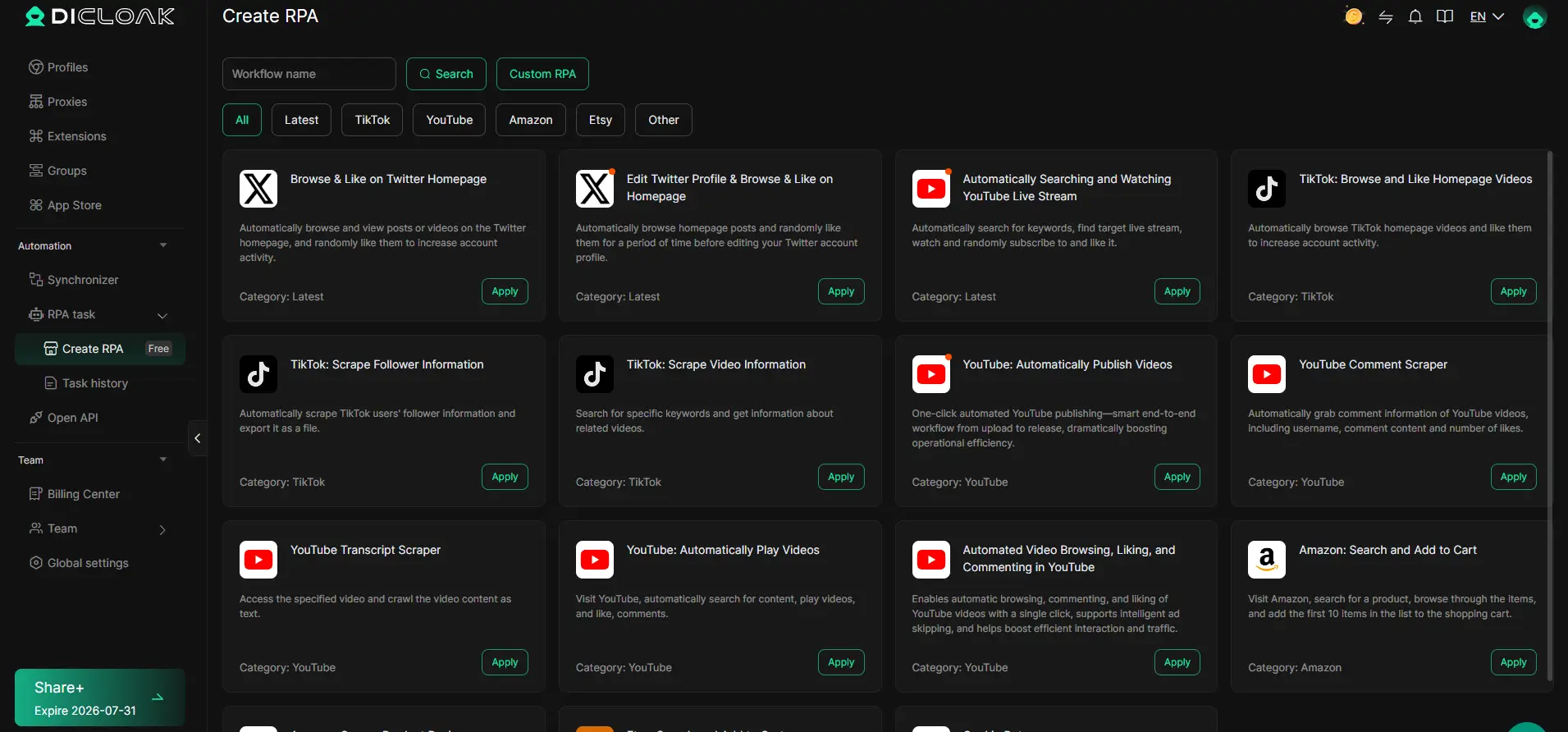
Some YouTube work is repetitive, especially when many browser Profiles are involved. DICloak includes RPA tools that can run automated browser workflows across one or multiple Profiles. Tasks can be configured to run once, several times, or on a schedule, while custom workflows can support more specific routines.
For example, a team could automate routine browser steps used in its own YouTube workflow instead of repeating every click by hand. DICloak also provides browser automation support for social platforms, including YouTube. Automation should support the content workflow rather than replace the work that actually drives growth, such as research, editing, audience engagement, and YouTube Analytics.
Share YouTube Profiles Safely with Team Members
Team collaboration becomes more important when several people work on the same channels. DICloak lets administrators assign browser Profile Groups to members and control which Profiles and product functions each person can access. Member roles and permissions can also be adjusted based on responsibilities.
For example, an agency could give an editor access only to the Profiles for the channels they work on, while a manager has access to a larger group. DICloak also supports Profile sharing, including browser configuration, fingerprint details, proxy information, and selected cloud-synced data. Access can later be changed or removed when a project ends.
This setup does not create YouTube views by itself. Instead, it can make multi-channel work more organized, reduce repeated setup, and help teams spend more time on the content and data decisions that actually influence channel growth.

Frequently Asked Questions About How to Get Views on YouTube
Q1: How to get views on YouTube when a channel is new?
To learn how to get views on YouTube as a new creator, start with specific topics that solve clear problems. Use titles and thumbnails that explain the value quickly, then focus on viewer retention. New channels often have a better chance of building an audience when they target a clear viewer instead of posting broad or unrelated topics.
Q2: How to get views on YouTube without many subscribers?
You do not need a large subscriber base to get YouTube views. Search, Suggested Videos, Browse, and Shorts can all bring new viewers to a channel. The key is choosing topics people already care about and creating videos that earn clicks while keeping viewers watching.
Q3: How to get more views on YouTube with better titles and thumbnails?
To get more views on YouTube, make titles clear, accurate, and interesting. The thumbnail should support the title and be easy to understand on a small screen. Avoid too much text or too many visual elements, and use YouTube Studio testing tools when available to compare different options.
Q4: How to get views on YouTube by improving audience retention?
Better retention starts with a strong opening. Show the value of the video in the first 15–30 seconds, remove slow introductions, and keep each section moving toward the main result. Check the audience retention graph in YouTube Analytics to find where viewers leave and improve those parts in future videos.
Q5: How to get views on YouTube with Shorts and YouTube Analytics?
Shorts can help reach new viewers, while YouTube Analytics shows which topics, traffic sources, and videos already perform well. Creators can use Shorts to introduce popular topics, then guide viewers toward related long-form content or playlists. Analytics helps identify what works so future videos can follow the same successful patterns.
 Web Proxy Tools
 Free Tools
 Cookie Plugin
 UA Generator
 MAC Address Generator
 IP Generator
 IP Address List
 2FA Code Generator
 World Clock
 Anonymous Check
 WebRTC Leak Test
 UUID Generator
 Free Web Proxy Site
 Proxy Checker
 FB Ad Checker
 AI Web Scraping
 Free SMM Tools
 Twitter Shadowban Checker
 Instagram Name Checker
 UTM Generator
 Username Generator
 AI Hashtag Generator
 LinkedIn Headline Generator
 Social Media Image Resizer