Last year, small businesses spent over $10 billion on Facebook ads, yet nearly 70% struggled to get steady leads or real sales from their campaigns (Statista). One owner told me he burned through $800 in a week, got thousands of clicks, but not a single new customer. The biggest issue? Most beginners, and even experienced marketers, jump straight into launching ads without a clear plan, skip key setup steps, or copy generic Facebook advertising tutorials that never explain how to actually target the right audience.
If you’ve ever wondered how to do facebook advertising and found yourself lost in endless settings, ad types, or confusing budget calculators, you’re not alone. The Facebook Ads Manager has dozens of options, campaign objectives, audience targeting, placements, creative formats, each with hidden pitfalls. What you really need is a straightforward, step-by-step Facebook advertising guide that shows you exactly how to create your first campaign, avoid wasted spend, and actually reach people who will buy.
This guide covers every step: how to advertise on Facebook from account setup to picking the best ad format, setting budgets that work, and tracking what matters. Along the way, you’ll see real examples and practical tips from marketers who run daily campaigns. If you want to skip trial-and-error and start seeing results, here’s how the process actually works.
What to Prepare Before Launching Your First Facebook Ad Campaign
Getting clear on setup before your first campaign can save hours and prevent wasted budget. Many new advertisers jump straight into Facebook Ads Manager, only to hit walls, missing tracking, wrong account type, or unclear goals. If you’re searching for "how to do Facebook advertising", start here.
What You Need: Business Manager, Ad Account, and Pixel Setup
Before posting any ads, create a Business Manager. It keeps accounts organized and lets you add team members safely. Set up your Ad Account inside Business Manager, this is where budgets and billing live. Next, install a Facebook Pixel on your website. The Pixel tracks visits, actions, and purchases, letting you measure results and retarget users later.
Missing the Pixel is one of the most common mistakes for beginners following a Facebook ads tutorial. If you’re working with a team or running ads for clients, Business Manager also helps separate assets and permissions.
Clarifying Your Advertising Goals and Success Metrics
Jumping into ads without clear objectives often leads to wasted spend. Decide whether you want traffic, leads, or sales, each goal needs a different ad setup. Facebook’s campaign objectives guide helps, but it’s easy to get overwhelmed by choices.
Pick one main goal per campaign. For example, driving website sales? Set conversions as your objective. Tracking key performance indicators (KPIs) is next: use Pixel data to track purchases, form fills, or page views. The most critical step, always tie your KPIs directly to your business goal, so you know if your ads are working.
If you want a step-by-step Facebook advertising guide, start with these basics. You’ll avoid early pitfalls and set a foundation for smarter campaigns.
How to Choose the Right Facebook Campaign Objective for Your Business
Picking the right campaign objective is the first real decision in how to do Facebook advertising. This choice tells Facebook what outcome you want, brand awareness, website visits, or sales, and it affects how your ads are shown, who sees them, and even how much you pay. Many new advertisers click through this step too quickly, only to find their budget wasted on the wrong results.
Understanding Facebook’s Campaign Objectives
Facebook breaks objectives into three main categories: Awareness, Consideration, and Conversion. Awareness objectives help you reach people likely to remember your brand, but they won’t push clicks or purchases. Consideration objectives, like Traffic, Engagement, or Video Views, work best when you want users to visit your site or interact with content. Conversion objectives target users ready to buy or take a key action, so Facebook’s algorithm finds people most likely to complete a purchase or sign up.
Here’s a quick table for reference:
| Objective Type |
Goal Example |
Typical Use Case |
| Awareness |
Reach, Brand Recall |
New product launches |
| Consideration |
Traffic, Engagement |
Drive web visits |
| Conversion |
Purchases, Signups |
Online store sales |
Source: Facebook Business Help Center
How you set this up determines if your ad dollars deliver real results or just empty views.
Matching Objectives to Real-World Scenarios
Say your goal is online sales for a new product. If you pick Traffic, Facebook will send lots of clicks your way, but most won’t buy. Choosing Conversions trains the algorithm to find shoppers, not just browsers. Want more people to watch your video? Select Video Views, not Reach, which spreads your ad but may not get real engagement.
A common mistake is picking the wrong objective because it “sounds right.” For example, using Engagement to get sales usually leads to likes, not purchases. Before launching, ask what single action matters most for your business. The right choice here is the foundation for every Facebook ads tutorial or Facebook advertising guide. Choosing the objective that matches your real business goal is what makes Facebook advertising work.
How to Target the Right Audience on Facebook
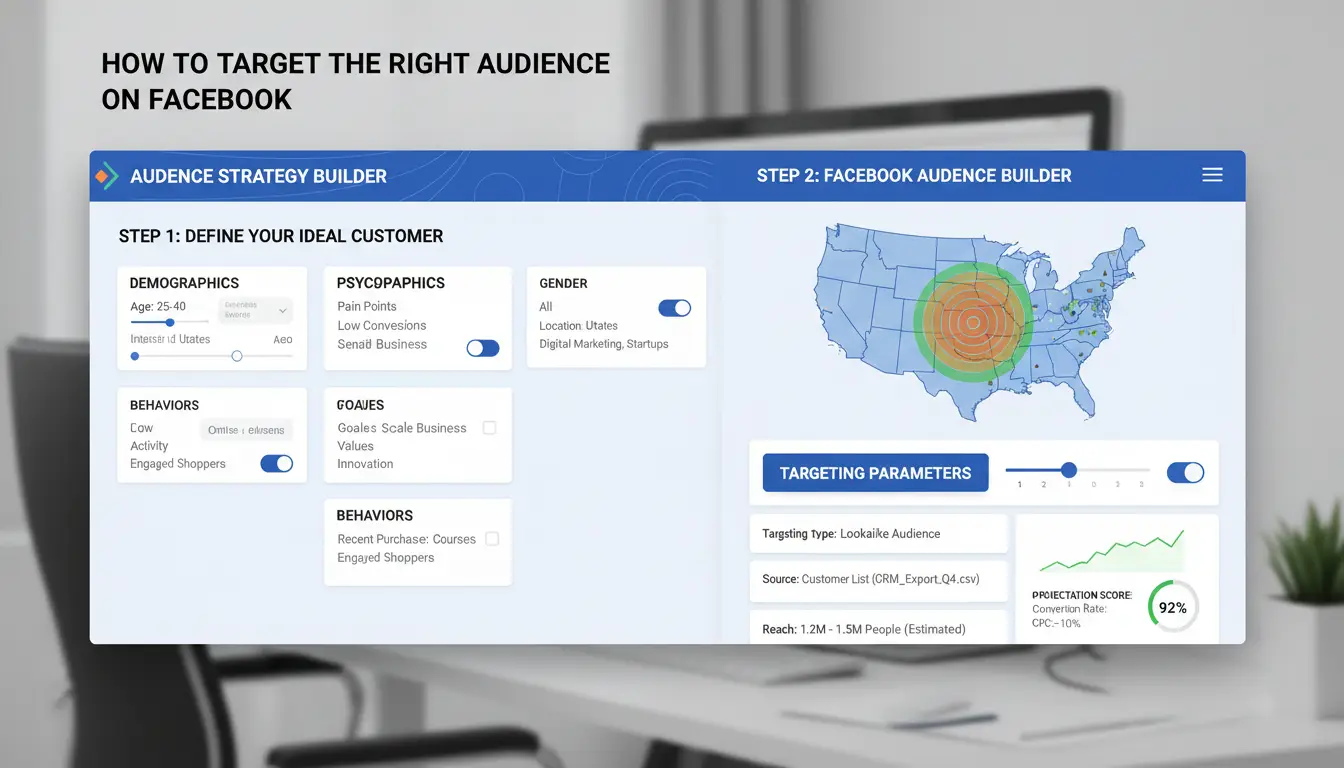
Getting your Facebook ads in front of the right people means more sales and less wasted budget. The core of how to do facebook advertising is knowing exactly who you want to reach and using the tools inside Facebook Ads Manager to find them.
Core Audiences: Demographics, Interests, and Behaviors
You start by building a core audience with filters like age, gender, location, interests, and behaviors. For example, if you sell running shoes, you might target women aged 25-40 in New York who like "marathons" and shop online. The audience size slider in Ads Manager helps, keep your reach between 100,000 and 500,000 for local offers, or up to 2 million for broader national campaigns. Too large, and your message gets lost. Too narrow, and you pay more per click. Adjust one filter at a time and watch the estimate change.
Custom Audiences and Lookalike Audiences
Custom Audiences let you talk to people who already know your business. You can upload your customer list, retarget website visitors with the Facebook Pixel, or reach people who watched your videos. This is the single most reliable way to reach warm leads. If you want to grow, use Lookalike Audiences. Facebook finds new users who act like your best customers, so you don’t have to guess who might buy.
Avoiding Common Targeting Mistakes
Overlapping audiences waste money. If two ad sets target the same people, you compete with yourself and drive up costs. Use the Audience Overlap tool to check. Going too broad means your budget reaches people who’ll never buy. Going too narrow means your ads might never deliver. The smartest advertisers keep testing and adjust based on real data, not just guesses.
For a clear Facebook ads tutorial, check the official Facebook Business Help Center. For extra tips, HubSpot's Facebook advertising guide breaks down more examples.
How to Set Your Facebook Ad Budget and Bidding Strategy
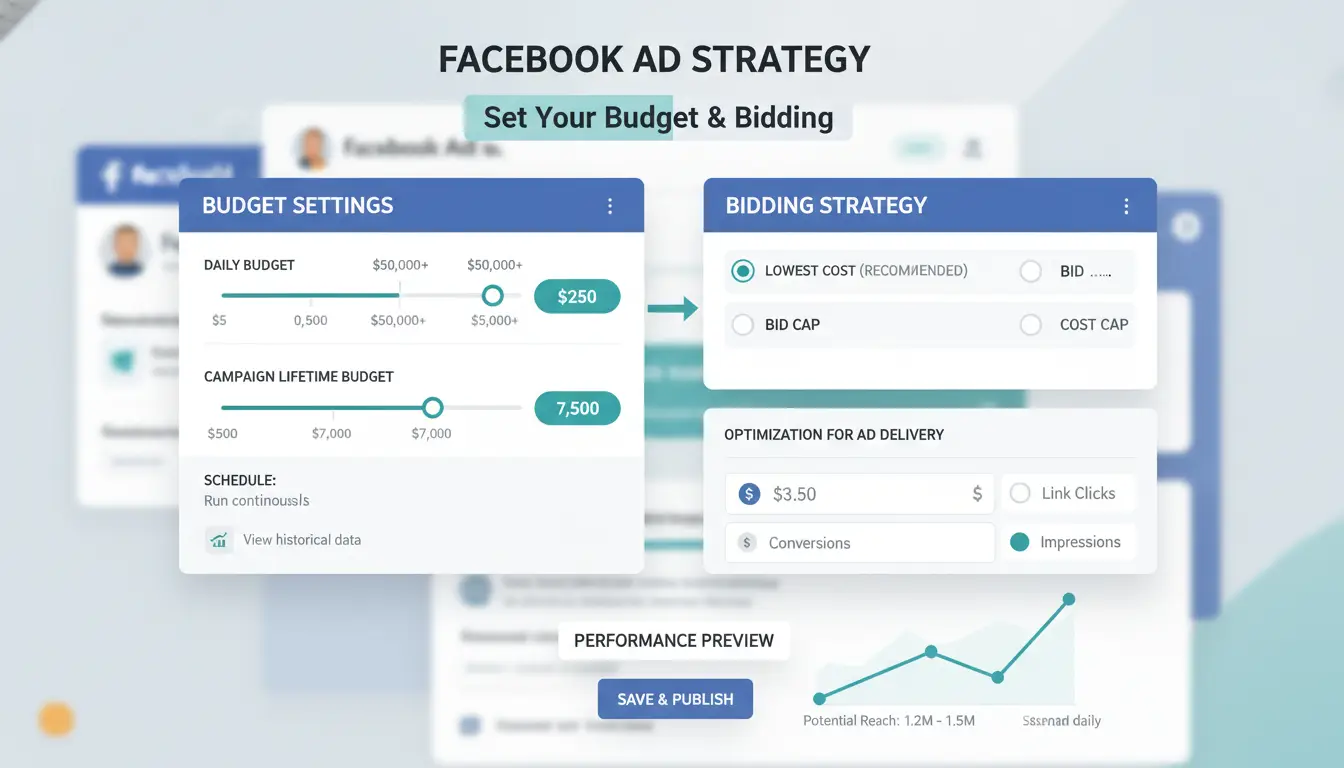
Setting the right budget and bidding plan is where most Facebook ad campaigns succeed or fail. If you’ve read any Facebook ads tutorial, you’ll notice two budget types, daily and lifetime, and several bidding options. Here’s how to pick what fits your goals without burning cash.
Daily vs. Lifetime Budgets: Which to Use When
Daily budgets tell Facebook how much to spend each day. Lifetime budgets set a cap for the whole campaign. If you want steady results and plan to keep ads running, daily budgets work well. Lifetime budgets give Facebook more freedom to spread your spend and can handle short-term promos better.
| Budget Type |
When to Use |
Pros |
Cons |
| Daily |
Ongoing campaigns |
Predictable spend, easy to adjust |
Can overspend slightly |
| Lifetime |
Fixed-time promos/events |
Flexible delivery, total cap set |
Less control per day |
Table: Budget types for Facebook ads. Source: Facebook Business Help Center
If you see results improving, increase your budget in small steps (10–20%). Large jumps can confuse Facebook’s delivery system and hurt performance.
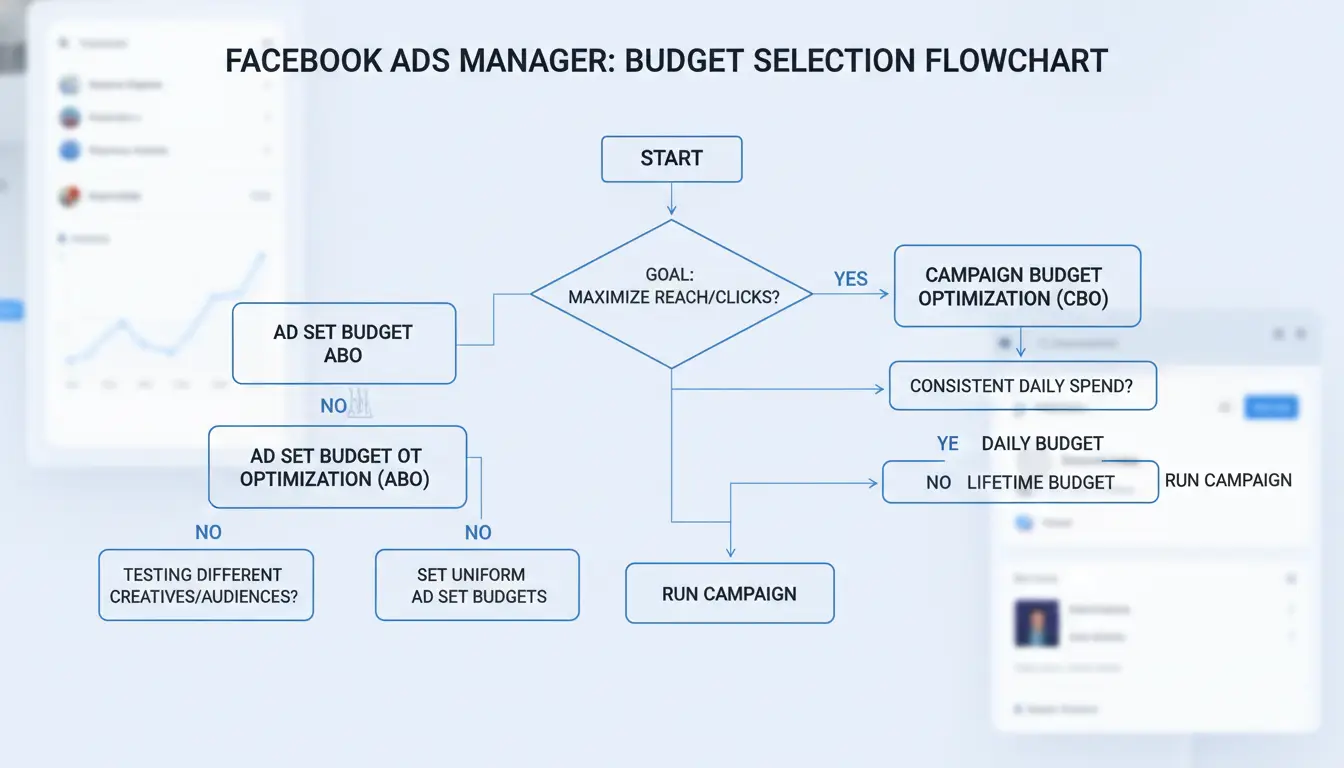
Choosing the Right Bidding Strategy
Automatic bidding lets Facebook get you the best results for your budget. Manual bidding gives you more control but takes experience. For most new campaigns, start with automatic bidding. Manual bidding is useful when you know your target cost-per-result or need to manage costs tightly.
Your bidding choice changes how your ads show and what you pay. Higher bids can get you more impressions, but costs can jump fast.
Budgeting Mistakes That Drain Your ROI
Setting budgets too low can lock your ads in the learning phase, so Facebook can’t improve. Going too high at once can spend money before you know what works. Watch for warnings or “limited learning” notes in Ads Manager, they often signal your budget is off.
Ignoring these early signals is one of the most common mistakes in how to do Facebook advertising. Start small, scale up only when you see steady results, and always review your Facebook advertising guide for updates.
How to Create High-Performing Facebook Ads: Creative, Copy, and Formats
Facebook ads only work if people notice and act on them. The right creative and format can double your results, while weak choices waste your budget. Here’s how to do Facebook advertising that stands out and gets clicks.
Choosing the Best Ad Format for Your Goal
Picking the right ad format shapes how your message lands. Image ads are simple and fast, best for quick offers or brand awareness. Video ads grab attention with movement and can explain a product in seconds. Carousel ads let you show several products or features in one swipe, perfect for online stores. Collection ads combine video and product grids, making shopping on mobile easy.
| Format |
Best For |
Mobile Friendly |
Notes |
| Image |
Fast offers |
Yes |
Loads quickly, needs strong visual |
| Video |
Storytelling/demo |
Yes |
Must hook users in 3 seconds |
| Carousel |
Multiple products |
Yes |
Great for e-commerce |
| Collection |
Mobile shopping |
Best |
Combines video and product catalog |
Source: Facebook Ads Guide
For most campaigns, mobile matters more, over 90% of users scroll Facebook on their phones. Test your ads on a small screen before launch.
Writing Ad Copy That Converts
Short, clear headlines grab attention. Use simple words to say what you offer. In the main text, answer “What’s in it for me?” fast. Calls-to-action like “Shop Now,” “Learn More,” or “Get Offer” should tell people exactly what’s next. Study winning examples in any Facebook ads tutorial.
Creative Mistakes That Kill Campaigns
Blurry photos or shaky videos push people away. Too much text or confusing layouts get skipped. Avoid making promises the landing page can’t keep, Facebook may even reject misleading ads. Clear, honest messaging with strong visuals is what actually drives action. If you want a deeper Facebook advertising guide or tips on how to advertise on Facebook, focus your energy where it counts: what people see and read in the feed.
How to Manage Multiple Facebook Ad Accounts and Keep Campaigns Safe (with DICloak)
Risks of Multi-Account Management: Bans, Linking, and Account Loss
Running several Facebook ad accounts for clients or projects is common, but Facebook’s system tracks device fingerprints and IP addresses to spot suspicious patterns. If accounts share the same browser, IP, or overlap in cookies, they often get flagged or banned, even if you follow every rule in a Facebook ads tutorial. Losing access can stall campaigns or even block your entire business.
How DICloak Helps: Isolated Profiles, Proxy Integration, and Team Collaboration
You can use DICloak for Advertising to build a separate, isolated browser profile and dedicated proxy for each Facebook ad account. This setup stops cross-account linking and keeps accounts safe. For teams, DICloak supports secure sharing, members only see the accounts they need, while passwords and cookies stay protected. Operation logs track every change, so you always know who did what.
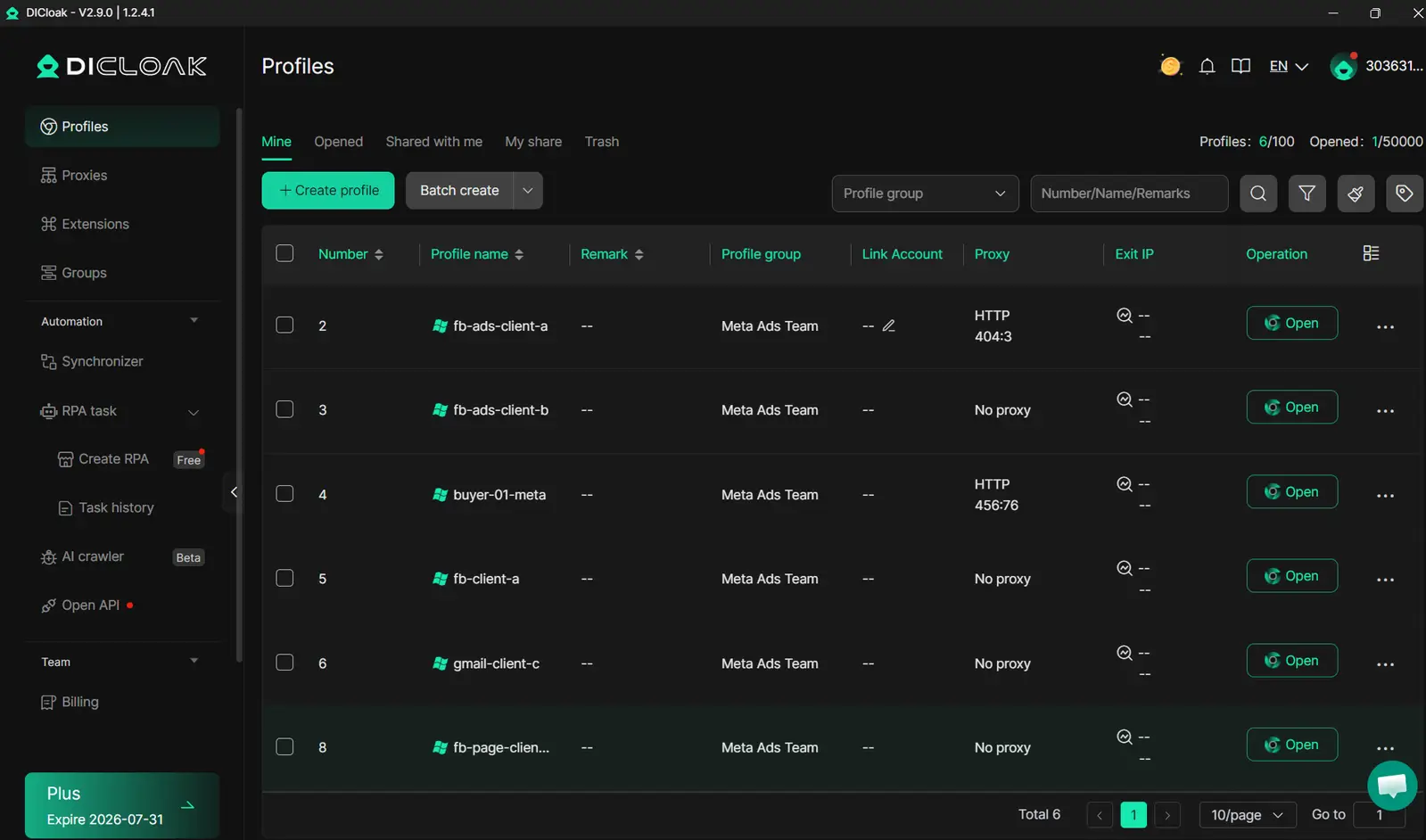
Best Practices for Safe, Scalable Facebook Advertising
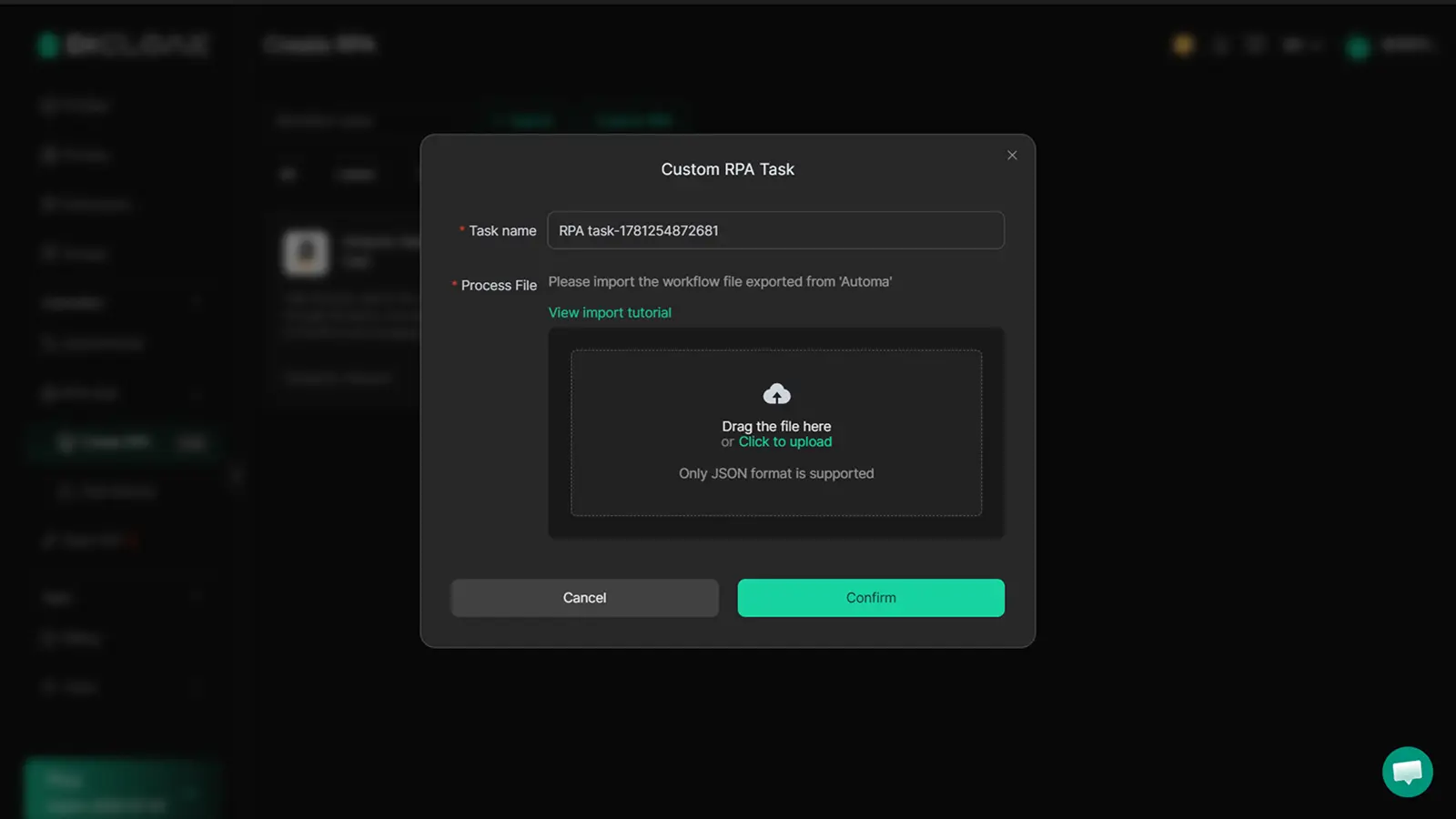
Automate repeat tasks with DICloak’s RPA. Use member permissions and logs for accountability. The most important step: never let accounts mix digital fingerprints or proxies. That’s the foundation of any real Facebook advertising guide.
How to Analyze, improve, and Scale Your Facebook Ad Campaigns
Success with Facebook ads isn’t about guessing, it’s about tracking, testing, and scaling what actually works. If you want a clear Facebook advertising guide that goes beyond setup, you need to know how to read the data, fix problems, and grow your budget without wasting money. Here’s how to do facebook advertising with a practical step-by-step approach.
Reading Facebook Ads Manager Reports
Start by checking the numbers that matter. Focus on metrics like Cost Per Click (CPC), Click-Through Rate (CTR), Conversion Rate, and Return on Ad Spend (ROAS). If your CTR drops below 1% or your Cost Per Acquisition (CPA) rises above what you can afford, that’s a red flag. Watch for trends in audience response, if engagement falls after a creative change, you might need to adjust. Look at both daily and weekly patterns in your reports, not just one-off spikes.
Optimizing Campaigns for Better Performance
If you see weak performance, don’t guess, run A/B tests. Try two versions of an ad with different images or headlines. Test audiences by changing interests or demographics. When you spot a winner, use the Facebook ads tutorial features to tweak bids and budgets. Lower bids if costs are rising; raise budgets for ads with positive ROAS. Make changes based on actual data, not gut feeling.
Scaling Up Without Breaking Your Results
When a campaign is profitable, increase the budget, but do it in steps. Raising spend by 20-30% at a time keeps results steady. Duplicate winning ads and localize them for new regions or languages. This method lets you reach more people without losing control. If you manage many accounts or need team collaboration, you can use tools like DICloak for Advertising to safely handle multiple profiles and permissions.
The most important step is always to let data guide each change, guesswork leads to wasted spend.
Word count: 297
Common Facebook Advertising Mistakes and How to Avoid Them
Many beginners who search for how to do Facebook advertising run into the same traps, banned accounts, wasted budget, or ads no one clicks. Knowing what causes these headaches means you can avoid them and get better results from the start.
Ignoring Facebook’s Ad Policies
Most ad account bans happen because advertisers break Facebook’s rules, even by accident. Common issues include using banned words, promoting restricted products, or targeting audiences that Facebook doesn’t allow. Your ad might get rejected for something small, but repeated mistakes can block your whole account.
If your ad is rejected, read Facebook’s policy notice in detail. Fix the problem, then appeal inside Facebook Ads Manager. Don’t resubmit the same creative without changes, Facebook tracks repeated violations and may limit your reach.
Neglecting Mobile Optimization
Over 90% of Facebook users access the site from mobile devices, according to Statista. If your ad images are cut off or your landing page loads slowly on a phone, people will scroll past. Always use mobile-friendly images and test your ads on several devices before you launch.
Look at your campaign results, if mobile users aren’t clicking, something’s wrong with your setup. A good Facebook advertising guide will remind you to check how your ads look and work on phones, not just desktops.
Failing to Refresh Creative and Audiences
Running the same ad creative and targeting the same audience for weeks leads to ad fatigue. Clicks and conversions drop because people have seen your ad too often. Most marketers update their Facebook ads every 1–2 weeks to keep results steady.
Watch for declining click-through rates in your campaign dashboard. When performance drops, swap out images, rewrite headlines, or build a new audience list. For more on this, see Facebook’s own tutorial or any up-to-date Facebook ads tutorial.
If you want to master how to advertise on Facebook without wasting money, keep your ads fresh and track results closely.
Frequently Asked Questions
How much does it cost to do Facebook advertising?
The cost of Facebook advertising changes based on your industry, audience size, and bidding method. You can start small, many businesses begin with just $5 to $10 per day. As you learn how to do Facebook advertising, test different budgets and scale up when you see good results. Always track your ad spend and adjust for best performance.
Can I run Facebook ads without a website?
Yes, you can advertise on Facebook even if you don’t have a website. You can send people to your Facebook Page, Messenger, or even a lead form inside Facebook. This is a common tip in any Facebook ads tutorial. Make sure your destination is set up to help users take the next step, like messaging or signing up.
How long does it take to see results from Facebook ads?
Most Facebook ad campaigns need 3 to 7 days for the system to learn and find your audience. During this "learning phase," Facebook tests which people are most likely to act. If you’re following a Facebook advertising guide, check your results after one week and adjust your offer, budget, or creative for better results.
Is Facebook advertising still effective in 2024?
Yes, Facebook advertising stays effective in 2024, especially if you know how to do Facebook advertising with the right targeting and creative. Many industries still see strong returns. Use clear images, simple headlines, and focus your ads on the right audience. Test different ads to improve your performance over time.
What should I do if my Facebook ad account gets restricted?
First, read Facebook’s policies to understand why your account was restricted. Appeal the decision through Facebook’s support if you think it’s a mistake. Check your ads for compliance issues, like restricted content or misleading claims. Following a good Facebook advertising guide can help you avoid restrictions and keep your account secure.
Mastering Facebook advertising involves understanding your audience, crafting compelling ad creatives, and continually monitoring performance to improve results. By leveraging the platform’s solid targeting tools and analytics, you can achieve measurable growth and brand visibility. Try DICloak For Free
 Web Proxy Tools
 Free Tools
 Cookie Plugin
 UA Generator
 MAC Address Generator
 IP Generator
 IP Address List
 2FA Code Generator
 World Clock
 Anonymous Check
 WebRTC Leak Test
 UUID Generator
 Free Web Proxy Site
 Proxy Checker
 FB Ad Checker
 AI Web Scraping
 Free SMM Tools
 Twitter Shadowban Checker
 Instagram Name Checker
 UTM Generator
 Username Generator
 AI Hashtag Generator
 LinkedIn Headline Generator
 Social Media Image Resizer