One seller lost $500 in a single day after Facebook flagged their Marketplace listings for “suspicious activity”, not because of fraud, but due to missing a simple step in account setup. This kind of problem hits thousands of sellers every month, especially when they try to move fast or skip basic checks. Even though millions use Facebook Marketplace to sell everything from bikes to laptops, the platform’s rules and hidden restrictions catch new users off guard more often than you’d expect. If you search “how do you sell on facebook marketplace,” most guides gloss over real risks: sudden bans, payment holds, and scams targeting sellers. Getting your listing live is just the start; the real challenge is making sure your account stays safe, your items actually sell, and you don’t get stuck waiting for a payout.
This guide breaks down the key steps to selling on Facebook Marketplace, from account setup to handling buyer messages. It covers what you need to check before posting, how to avoid common traps like fake buyers or price wars, and what changes to make if your account faces restrictions. You’ll get clear, practical advice, plus pro tips for increasing sales and reducing risk. If you want to sell without surprises, here’s what you actually need to know.
What Should You Know Before Selling on Facebook Marketplace?
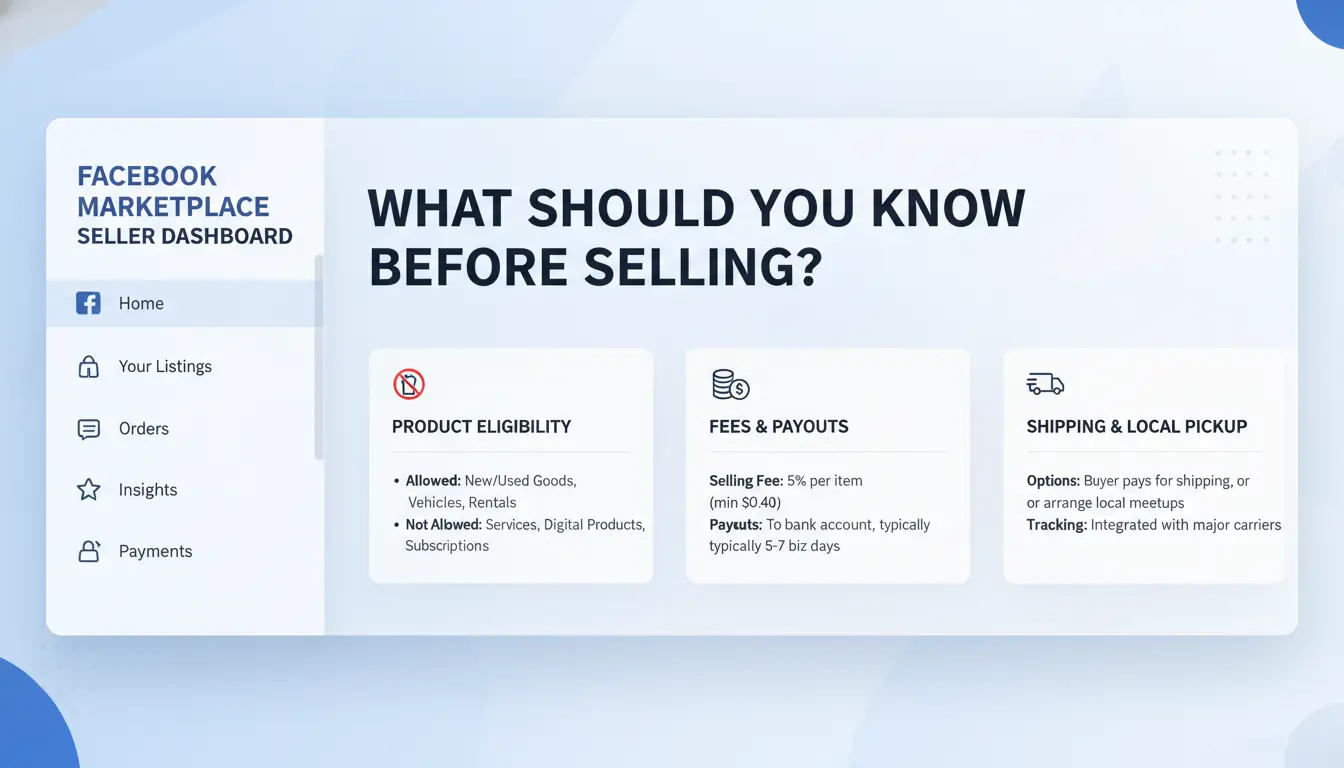
Getting ready to sell on Facebook Marketplace looks easy, but skipping the rules or ignoring early red flags can get your account banned before you make your first sale. If you’ve searched “how do you sell on facebook marketplace,” it’s not just about posting an item and waiting. There are strict limits on who can list, and fast-growing accounts often get flagged for reasons that seem minor.
Who Can Sell and What Are the Main Requirements?
Not everyone can jump in and sell right away. Your Facebook account usually needs to be at least a few weeks old, with regular activity, newly created or inactive accounts often can’t access Marketplace features. You must be 18 or older and live in a supported country. Facebook checks your profile for signs of fake names, missing photos, or mismatched info, so even one mismatch can block access.
Certain items can’t be listed at all. Prohibited items include weapons, alcohol, animals, “adult” products, and digital access codes. Even common things like tickets or supplements might get removed. Each country has its own rules and restrictions, so double-check before you list.
| Item Type |
Allowed? |
Notes |
| Furniture |
Yes |
Must show real photo |
| Vehicles |
Yes |
Extra rules apply |
| Gift cards |
No |
Prohibited |
| Digital goods |
No |
Often removed |
Common Risks and Restrictions Most Sellers Face
The biggest surprise for new sellers is how easily accounts get banned. Marketplace uses automated checks that flag sellers for things like duplicate listings, using the same photos as others, or sudden changes in login location. Even honest mistakes, like posting in the wrong category, can lead to a 7-day ban or listing removal.
Payment holds are another headache. Facebook often holds funds for up to 5 days after delivery, especially for new sellers or high-value items. Scams targeting sellers, like fake payment screenshots or refund requests, are common. To reduce risk, make sure your account details match your real identity, use only your own photos, and avoid sending items before you see payment cleared.
If your account is used by multiple people or teams, using a tool to manage login locations and session history, like DICloak for social media marketing, can help prevent sudden restrictions. Missing these basics is the fastest way to lose access before you even make a sale.
How Do You List an Item for Sale on Facebook Marketplace?
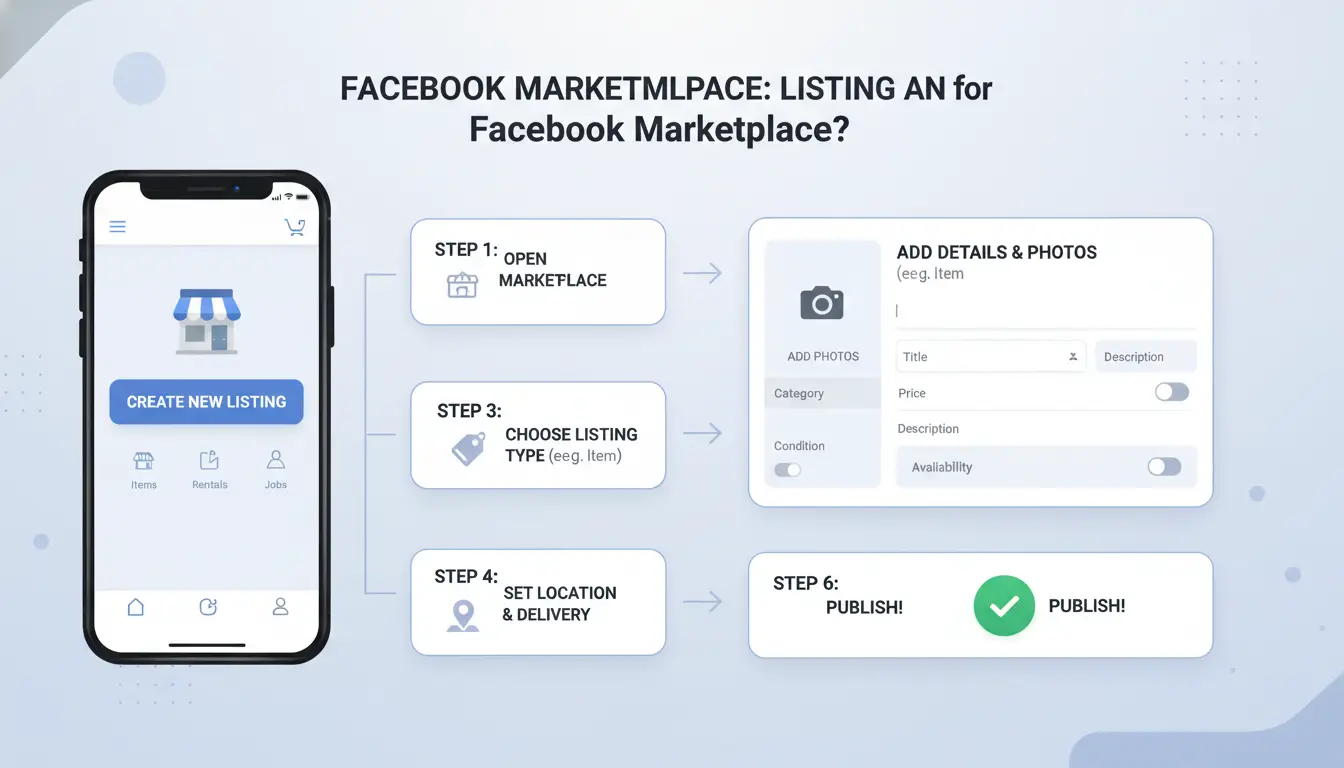
A smooth sale on Facebook Marketplace starts with the listing itself. If you get the basics wrong, bad photos, the wrong category, or a vague price, you invite slow replies or scam offers. Here’s what actually works when you want your item noticed and sold.
Step-by-Step Listing Process
Pick the exact category for your item; Facebook Marketplace will suggest options, but choosing the wrong one hides your listing from buyers. Go with “Electronics” for a laptop, not “Miscellaneous.” Upload clear, bright photos, show all sides and any flaws. Buyers trust listings that show real condition, not stock images.
Write a simple, honest description. List the brand, model, size, and any issues up front. For example: “Samsung 55-inch TV, 2020 model, small scratch on base, works perfectly.” Skip sales talk and stick to facts. Facebook will prompt you for details like location and delivery options, fill these in, or you’ll miss local buyers.
Setting Price and Negotiation Tips
Before you post, search for your item on Facebook Marketplace and on eBay or Craigslist. Compare similar listings, aim to price in the lower 30% if you want a fast sale, or closer to the average if you’re willing to wait. If your item is common, expect buyers to ask for a lower price, sometimes right away.
When you get an offer, don’t rush. If it’s close to your goal, respond politely or counter with a small reduction. Ignore offers that are much too low or feel like spam. Clear, honest listings get better offers and fewer headaches. For more tips, check Facebook’s official Marketplace help.
What Mistakes Cause Listings to Get Removed or Accounts Restricted?
Trying to figure out "how do you sell on facebook marketplace" without running into trouble? The biggest reason listings disappear or accounts get flagged isn’t random, it's usually the same set of mistakes, repeated by new and experienced sellers alike. Knowing what gets listings removed or triggers account restrictions saves you real frustration.
Listing Violations That Trigger Removal
It takes only one wrong move to have your item pulled. Facebook’s rules ban a long list of products: weapons, tobacco, alcohol, adult items, and even health supplements. Some sellers get tripped up by less obvious things, like selling event tickets or digital codes, both of which can trigger instant removal. Even if your item is allowed, banned keywords can get your post auto-flagged. For example, using phrases like “authentic replica” or “brand-new copy” often puts listings under review.
Photos and descriptions matter just as much. Using stock images, edited photos, or pictures copied from another seller is a fast way to get flagged. Misleading descriptions, exaggerating condition or hiding defects, don’t just upset buyers; they get reported and pulled fast.
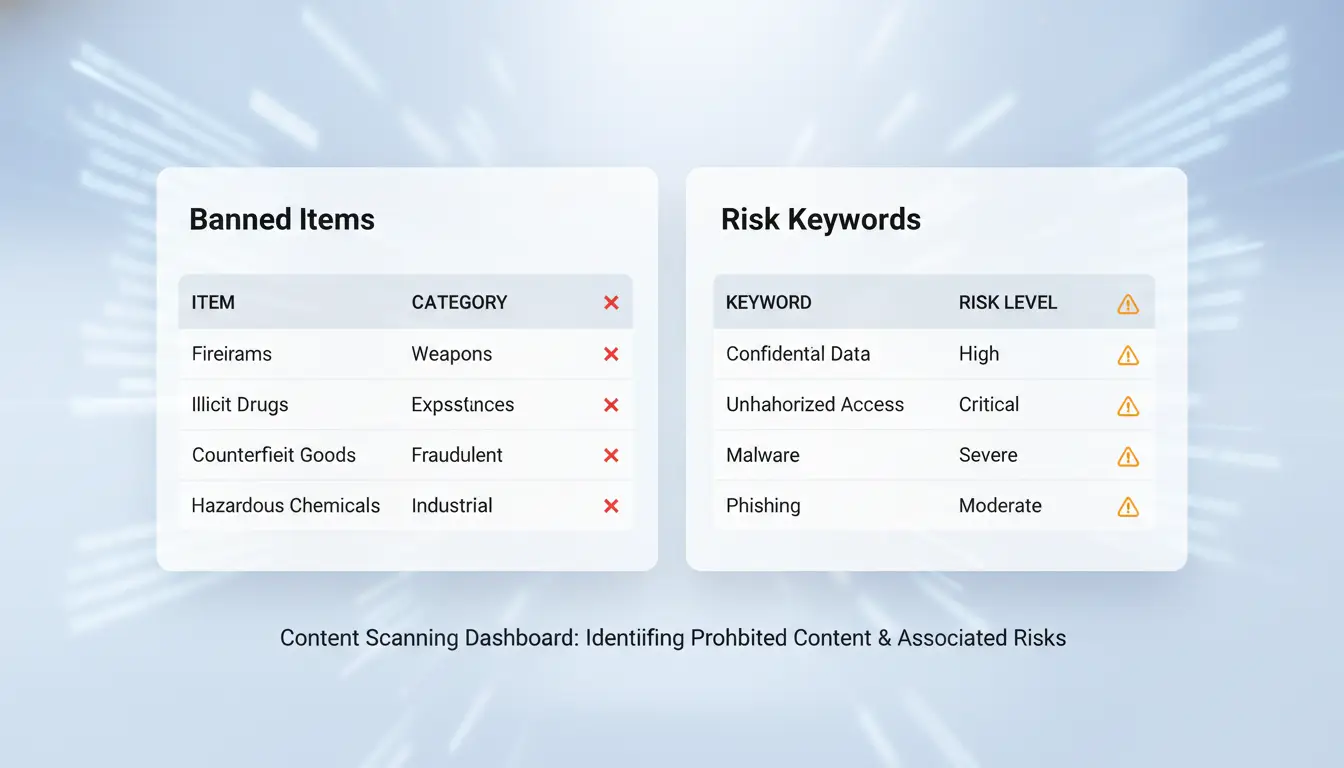
| Item Type |
Risk Level |
Example Keywords That Trigger Removal |
| Alcohol |
High |
vodka, whiskey |
| Replica Products |
High |
authentic replica, inspired by |
| Event Tickets |
Medium |
concert pass, ticket code |
| Source: Facebook Marketplace Commerce Policies |
|
|
Account Behaviors That Raise Red Flags
It’s not just what you post, but how you act. Posting too many items in a short window, especially similar or duplicate listings, almost always triggers review. Creating several accounts to post the same item is an even faster way to get all of them flagged.
Unusual patterns, logging in from new locations, messaging lots of buyers with copy-paste texts, or making sudden changes to your profile, can lead to restrictions. If you want to lower risk, pace your listings, keep your info consistent, and avoid shortcuts that look automated. Most bans are preventable if you treat Marketplace rules seriously.
How Should You Communicate with Buyers for Safe and Successful Transactions?
Selling on Facebook Marketplace often goes wrong at the messaging stage, not just when you meet up. If you search “how do you sell on facebook marketplace,” you’ll see guides that skip how buyers and sellers actually talk. But the way you message shapes who you deal with, what risks you face, and if your sale goes through without drama.
Messaging Etiquette and Safety
Scammers use pressure or odd payment requests to trip up sellers. Watch for buyers who avoid simple questions, push to take chats off Facebook, or offer too much money too fast. Sticking to Facebook Messenger is your best defense against fake accounts and phishing links. Block anyone who asks to move to WhatsApp or sends suspicious links. For higher-value items, check buyer profiles for recent activity and past listings.
Arranging Payment and Delivery
Cash works for local meetups, but Facebook Pay and PayPal offer more protection for both sides. Never accept gift cards or wire transfers, these are top scam methods. If you ship, only use Facebook’s built-in shipping feature, which includes tracking.
| Option |
Safety |
Fees |
Good For |
| Cash |
Medium |
None |
Local pickups |
| Facebook Pay |
High |
Low/None |
Local/digital |
| PayPal |
High |
Small % |
Distance sales |
Meeting in public, well-lit places lowers your risk. If you can, bring a friend and avoid late-night deals.
How Can Frequent Sellers Manage Multiple Accounts or Listings Safely?
Selling on Facebook Marketplace with one account is hard enough. Handling several accounts or listings adds a new layer of risk, Facebook’s security systems are built to spot strange patterns and block “suspicious” sellers fast. If you’re searching “how do you sell on facebook marketplace” but want to run more than one account, missing these details gets expensive.
Why Facebook Flags Multi-Account Activity
Facebook tracks more than just what you list. It looks at device fingerprints, IP addresses, browser profiles, and even how fast you switch between accounts. If two accounts use the same device or network, they almost always get linked. Sudden changes, like logging in from a new city or using a browser you’ve never used, raise red flags. Facebook also checks for patterns: similar product titles, shared photos, or even identical reply times can trigger a review.
Some sellers try simple tricks, like clearing cookies or using incognito mode, but these rarely fool the system for long. Facebook’s Marketplace rules lay out strict guidelines, and breaking them, even by mistake, can lead to losing all your accounts, not just one.
Safer Ways to Manage Multiple Listings
Instead of risky shortcuts, sellers use browser profiles and proxies to keep each account separate. Proxies give each account its own “location” online, while browser profiles store unique fingerprints and cookies. For example, tools like DICloak create a true separation: each Facebook account gets its own browser profile, proxy, and activity log. This cuts the risk of being flagged for running multiple listings.
Teams selling at scale set clear workflows. One member manages listing, another handles messages, and all changes are tracked. Sharing passwords or switching devices without a plan often ends in blocks. Account separation is the single biggest factor in avoiding bans when managing multiple Marketplace listings.
How DICloak Helps Social Media Sellers Operate Safely and Efficiently
Getting flagged or banned is one of the quickest ways to lose money when figuring out how do you sell on facebook marketplace, especially if you run more than one account. Tools like DICloak let sellers separate every Facebook Marketplace account into its own isolated browser profile. Each profile gets a unique browser fingerprint and connects through a different proxy, so Marketplace can’t link your stores together. This setup cuts the risk of mass bans and keeps each account’s reputation clean.
Isolated Browser Profiles for Each Account
You can use DICloak to give every seller account its own browser profile. Fingerprint isolation means Facebook sees each as a real, separate user. Assigning different proxies to each profile helps you avoid location-based restrictions or odd login alerts.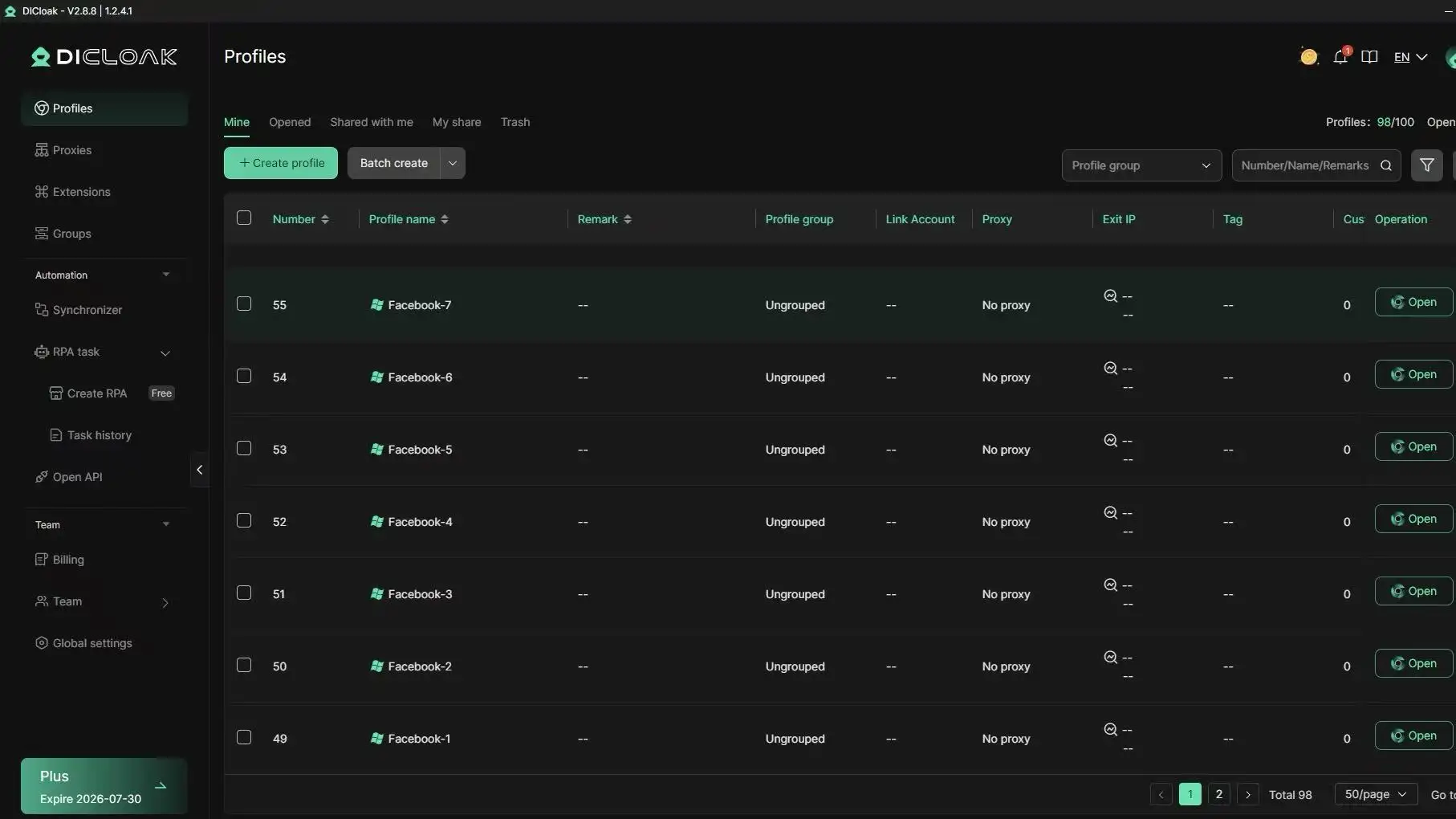
Automation and Bulk Listing Tools
Manual listing gets slow and messy fast. DICloak’s RPA tools automate posting, re-listing, and even message replies. The Synchronizer lets a team work together, everyone sees the same account activity, but access and actions stay tracked.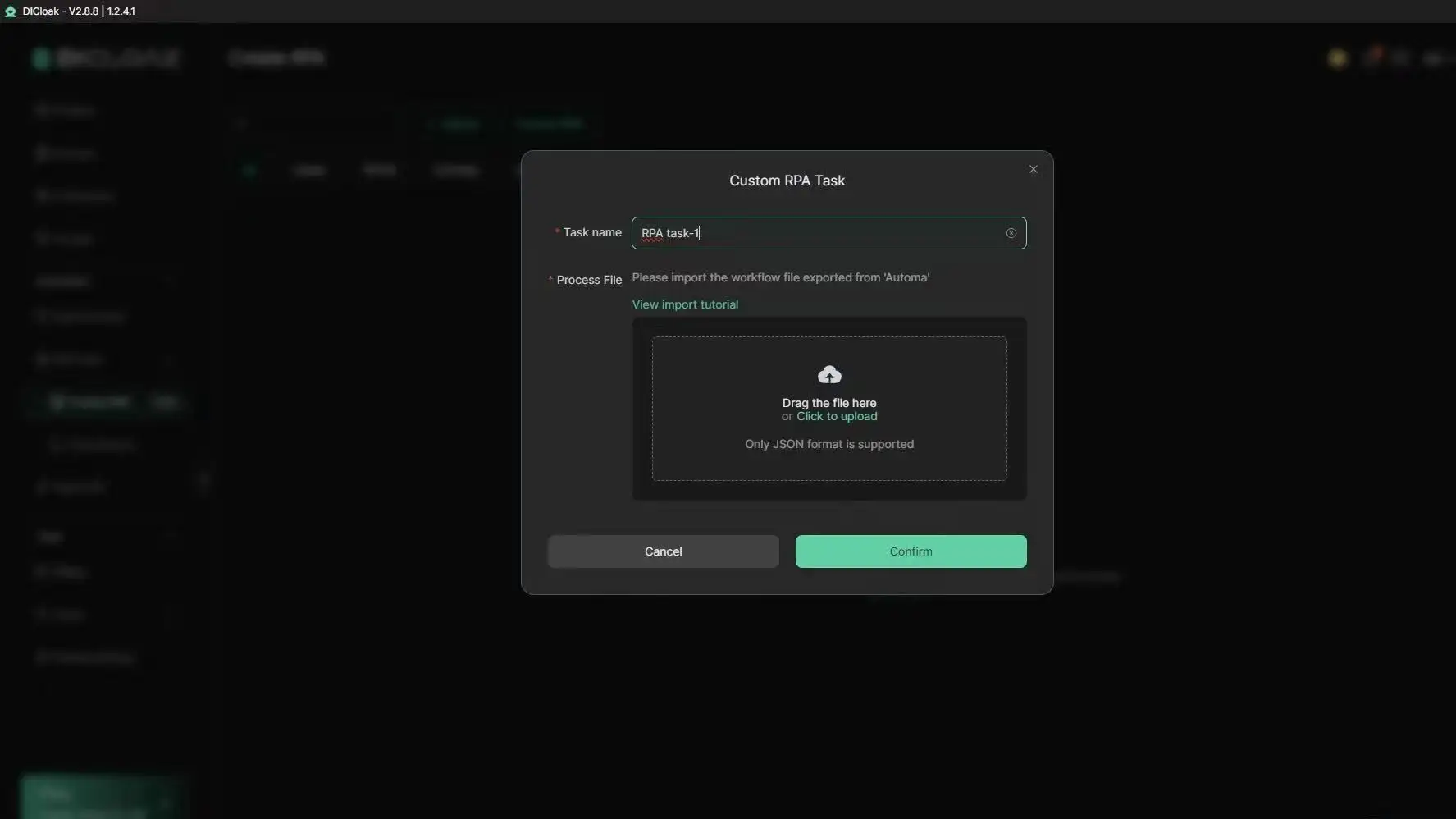
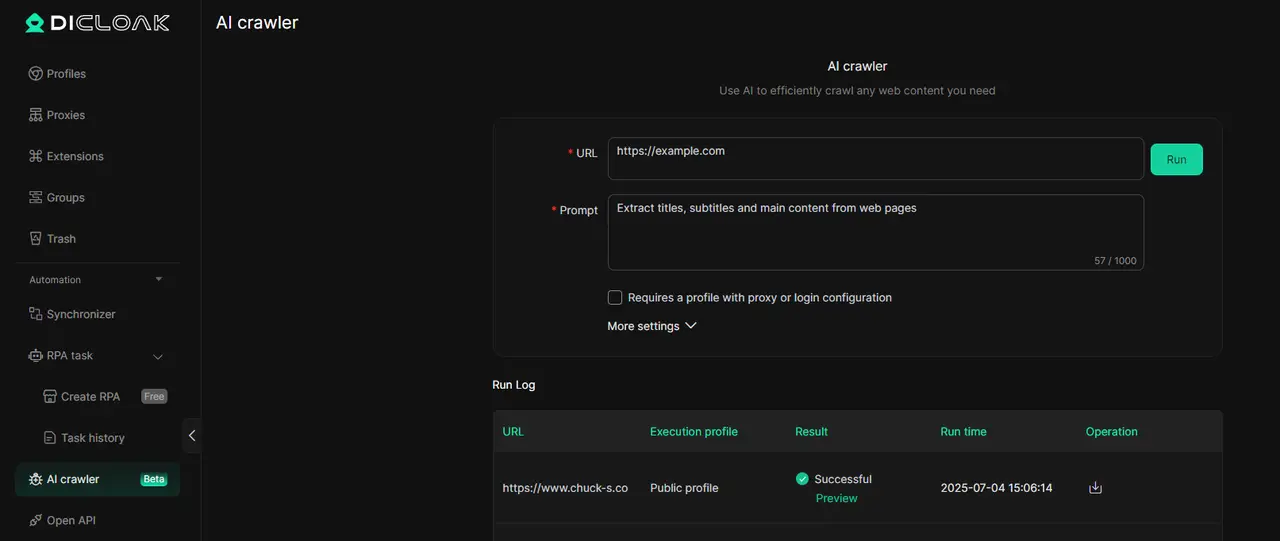
Boosting Marketing Efficiency with AI Crawlers
Instead of guessing what works, AI Crawlers pull competitor prices, product trends, and content ideas. That’s how frequent or business sellers turn "how do you sell on facebook marketplace" into an efficient, repeatable process.
What Should You Do After a Successful Sale on Facebook Marketplace?
Closing a sale is just the beginning on Facebook Marketplace. If you searched “how do you sell on facebook marketplace,” you probably want to know what to do next so you don’t run into payment problems or disputes. Sellers who skip post-sale steps risk delayed payouts, negative ratings, or even losing access to the platform.
Confirming Payment and Delivery
Never hand over an item until you see payment in your account, not just a screenshot. For Facebook’s own checkout system, wait for the “Payment Complete” notice before shipping. If you’re meeting in person, check the app that funds have cleared (PayPal, Cash App, or direct transfer) before letting go of your item. Shipping tracked packages? Use USPS Tracking or UPS Tracking to confirm delivery. Mark the item as shipped or delivered in Facebook’s system so both you and the buyer have a record. This protects you if the buyer claims they didn’t get the package.
Handling Returns, Disputes, and Feedback
Buyers can open disputes if the item isn’t as described or never arrives. Facebook’s Purchase Protection covers most shipped items, but only if you follow all platform rules. If a buyer requests a return, check the Marketplace return window. Respond quickly, slow replies usually count against you. When facing feedback, respond politely even if you disagree. A short explanation and a willingness to fix problems can prevent negative reviews from hurting your reputation. If a dispute escalates, provide proof of shipment and communication screenshots.
Managing these steps well builds trust and increases your chances of positive feedback. On Facebook Marketplace, your seller history follows you, a single careless reply can cost you future sales. For more tips on safe selling, check Facebook’s official Marketplace help page.
When Should You Consider Other Platforms or Selling Strategies?
Selling on Facebook Marketplace works for basic items, but it’s not always the best fit, especially if you plan to scale or want more control over your sales. If you search “how do you sell on facebook marketplace,” you’ll notice most guides don’t show you when switching platforms or strategies makes sense. Here’s how to judge if you should look elsewhere.
Comparing Facebook Marketplace to Other Platforms
Not every product sells well on Facebook Marketplace. Electronics and furniture move quickly, while collectibles or new goods often do better on eBay or Mercari. Craigslist lets you sell locally without account restrictions, but lacks built-in payments and buyer protections. Facebook’s advantage is speed, listings go live fast and reach local buyers, but you face strict moderation and random bans.
| Platform |
Best For |
Risks/Limitations |
Account Control |
| Facebook Marketplace |
Everyday items, quick sales |
Sudden bans, payment holds, scams |
Low, profile tied to Facebook rules |
| eBay |
Collectibles, new goods |
Fees, shipping, buyer disputes |
Moderate, strong seller tools |
| Craigslist |
Local, bulky items |
No payment protection, spam |
High, no account needed |
| Mercari |
Small goods, shipping |
Fees, slow payouts |
Moderate, easy app, less risk |
If you’re tired of bans or want to ship nationwide, eBay or Mercari may suit you better.
Scaling Up: When Business Pages or Shops Make Sense
Selling as a personal user limits you to basic listings. If you plan to sell regularly or want to appear more trustworthy, switch to a Facebook Shop or Business Page. Shops let you show a full catalog, run ads, and take payments directly. Pages give you messaging tools and reviews.
Move to a business profile when you:
- Want to list dozens of items at once
- Need to accept payments directly (not just cash)
- Aim for repeat buyers or brand building
The most critical shift is recognizing when your volume or product type calls for a platform with fewer random restrictions and more seller tools.
Frequently Asked Questions
Can you sell on Facebook Marketplace without a business account?
Yes, you can sell on Facebook Marketplace as an individual without a business account. If you’re just looking to sell items locally, you only need a personal Facebook profile. Business accounts offer extra features like inventory management and paid promotions, which can be helpful if you want to scale how do you sell on facebook marketplace.
How long does it take for a listing to go live on Facebook Marketplace?
Most listings go live instantly after you post them. However, sometimes Facebook may review your listing, especially if it includes unusual items or keywords. If a review is needed, it usually takes a few hours. Always check your notifications to confirm your listing is visible and ready for buyers.
What are the safest ways to accept payment on Facebook Marketplace?
For local sales on Facebook Marketplace, cash is safest. You can also use Facebook Pay, which offers buyer and seller protection. Trusted digital methods like PayPal or Venmo are good options, but always confirm payment before handing over your item. Avoid wire transfers and never send money to strangers.
How do you avoid scams when selling on Facebook Marketplace?
To avoid scams when learning how do you sell on facebook marketplace, check the buyer’s Facebook profile for authenticity. Keep all communication within Facebook Messenger. Only meet in public places and never ship items before confirming payment. Be wary of buyers who rush, offer more money, or ask to communicate off-platform.
Is it allowed to manage multiple Facebook Marketplace accounts?
Facebook discourages managing multiple Marketplace accounts. Doing so can risk account suspension. For legitimate business needs, tools like DICloak help reduce detection risks, but you should follow Facebook’s guidelines. If you want to know how do you sell on facebook marketplace with multiple accounts, proceed carefully and always use separate emails and devices.
Conclusion
Successfully selling on Facebook Marketplace comes down to creating clear listings, communicating promptly with buyers, and prioritizing safety during transactions. By following these steps, you can reach a wide audience and turn your items into cash with minimal hassle.
Try DICloak For Free
 Web Proxy Tools
 Free Tools
 Cookie Plugin
 UA Generator
 MAC Address Generator
 IP Generator
 IP Address List
 2FA Code Generator
 World Clock
 Anonymous Check
 WebRTC Leak Test
 UUID Generator
 Free Web Proxy Site
 Proxy Checker
 FB Ad Checker
 AI Web Scraping
 Free SMM Tools
 Twitter Shadowban Checker
 Instagram Name Checker
 UTM Generator
 Username Generator
 AI Hashtag Generator
 LinkedIn Headline Generator
 Social Media Image Resizer