Choosing between two big names like coschedule vs hootsuite isn’t just about picking a tool, it’s about avoiding wasted hours on features you’ll never touch, or worse, workflows that slow you down right when campaigns go live. If you’ve bounced between coschedule and hootsuite comparison pages, you’ve seen the same surface-level lists, but not why those differences actually matter once you’re managing real schedules, approvals, or reporting.
The biggest surprise for most teams is how quickly a platform’s quirks show up in daily work. That drag-and-drop calendar looks great in demos, but what happens when your team needs bulk uploads, or when approval steps add days to your process? Hootsuite or coschedule for social media isn’t just a price question, it’s about finding out which one actually fits how your team works under pressure.
Here’s where most people miss the mark: they compare feature checklists but ignore how setup, automation, or even minor user limits can block campaigns at the worst possible moment. A tool that feels “easy” solo can become a bottleneck as soon as you add another person to the workflow.
To see where the real differences matter for your setup, start with how each platform handles core scheduling and collaboration.
What Should You Compare First: Coschedule or Hootsuite?
Most teams get tripped up not by flashy features, but by the way a tool handles real scheduling and teamwork under pressure. The key decision in any coschedule vs hootsuite comparison is how each platform fits your daily routine, especially as soon as you add more people or raise the posting volume.
Which Features Actually Matter for Your Workflow?
Before reading feature lists, check how each tool handles your core publishing process. What matters is not who offers the longest list, but which features you’ll actually use week after week.
- Content calendar depth: Can you drag, drop, and reschedule multiple posts at once, or is it a single-post workflow?
- Supported networks and integrations: Does it handle every channel you need (Facebook, Instagram, LinkedIn, X, Pinterest), or will you juggle tools?
- Bulk actions: How easy is it to upload content in batches, set campaign tags, or edit groups of posts at once?
How Do Your Team Size and Collaboration Needs Affect the Choice?
A tool that works great for a solo marketer can hit a wall as soon as you add even one collaborator. Hootsuite’s team features often look stronger on paper, but the real test is how approval flows, permission controls, and comment tracking play out when deadlines are tight. For example, Coschedule’s basic plans are light on multi-user options, if you try to share one login, you’ll likely run into notification mix-ups or find your posting calendar locked by another user’s edits. On the other hand, Hootsuite lets you invite team members and assign roles, but its approval steps add clicks and often slow down urgent changes. The biggest headache? When one person edits a scheduled post but forgets to notify the team, causing content to go out with the wrong links or timing. Teams working in different time zones may also run into delays if the tool’s comment or approval system doesn’t notify the right people in real time.
For most teams, the most practical starting point is mapping out your current workflow, then stress-testing how each tool handles edits, reviews, and last-minute changes with more than one user. Missing this step is the reason many teams end up stuck with a platform that blocks urgent campaigns or creates more chaos as they scale.
As you move forward, focus less on generic “collaboration” claims and more on how each tool keeps your actual team moving under real deadlines. The next section will break down how these differences show up in daily work, where the gap between Coschedule and Hootsuite becomes impossible to ignore.
Where Do Coschedule and Hootsuite Differ Most in Daily Use?
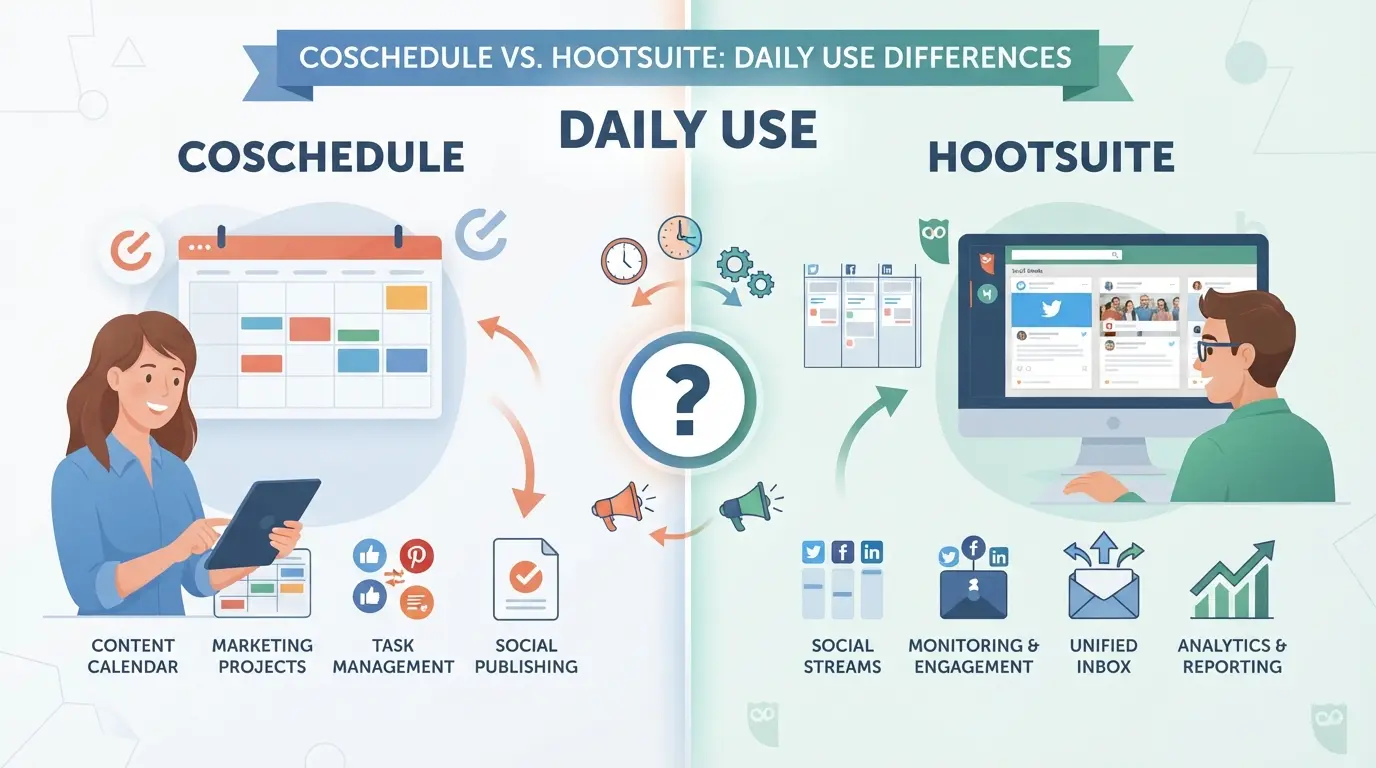
The biggest day-to-day split between these tools comes down to how your team interacts with the content calendar and approval process. Even small quirks in scheduling, automation, or bulk actions can mean the difference between a smooth week and a stalled campaign.
Content Planning and Calendar Experience
| Feature |
Coschedule |
Hootsuite |
| Visual Calendar |
Clean, color-coded, full-month view |
List-based by default, calendar add-on needed |
| Drag-and-drop Editing |
Native, easy to reschedule posts |
Possible, but less fluid, can be clunky with volume |
| Multi-user Workflow |
Built-in approvals, strong task tracking |
Approval is available, but less customizable in lower tiers |
Coschedule’s calendar feels more like a project hub, teams can drag, color-code, and see the full pipeline at once. Hootsuite’s calendar works, but feels like a layer added to a legacy interface. If your workflow depends on seeing, moving, and approving lots of posts quickly, Coschedule’s setup usually saves time and confusion.
Publishing, Automation, and Queue Management
Bulk scheduling is where Hootsuite pulls ahead. You can upload a CSV of 350+ posts in one go, queue them by channel, and edit in batches. Coschedule does bulk, but it’s slower with large volumes and sometimes rejects uploads without clear error messages. If you’re pushing out high-frequency campaigns, Hootsuite’s queue is less likely to force manual fixes.
Analytics, Reporting, and Monitoring
Hootsuite’s analytics cover more platforms and go deeper for real-time monitoring, especially for larger brands tracking brand mentions or crisis events. Coschedule’s reports are basic and focus on scheduled content and performance, but lack the breadth for full social listening. For teams who just need to prove output or see what worked last week, Coschedule is fine. If you need to monitor trends or catch issues as they happen, Hootsuite is the safer bet.
Next, you’ll want to see how these workflow differences stack up against real-world pricing and plan caps, because the cost curve changes fast as your team grows.
How Do Pricing and Plan Limits Compare in 2026?
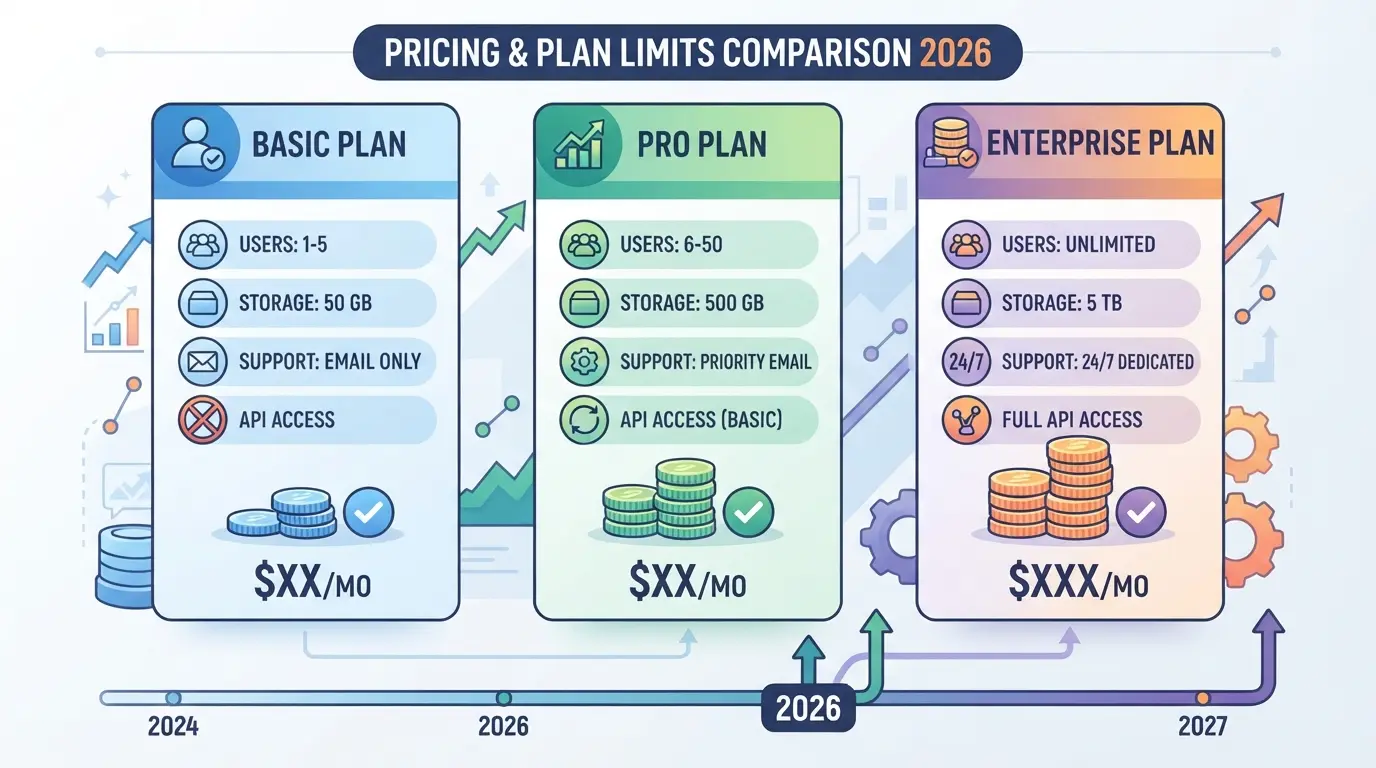
Price and plan limits are where coschedule vs hootsuite decisions get real, on paper, both offer tiered subscriptions, but the true differences show up in user caps, channel support, and surprise add-on fees that can shift the total monthly cost fast.
Plan Tiers, User Limits, and Channel Support
Here’s how their main plans break down in 2026:
| Plan |
Coschedule |
Hootsuite |
| Entry Price (monthly) |
$39 (Marketing Calendar) |
$99 (Professional) |
| Users Included |
1 (add users at extra cost) |
1 (add users at extra cost) |
| Social Profiles |
5 (Marketing Calendar) |
10 (Professional) |
| Higher Tiers |
$79 (Marketing Suite, 3 users, 10 profiles) |
$249 (Team, 3 users, 20 profiles), $739 (Business, 5+) |
The hidden catch: Both start “solo” but scale up costs sharply as soon as you need more seats or profiles. Hootsuite’s Team tier jumps to $249/month for three users, while Coschedule’s next tier sits at $79/month but with stricter profile caps.
What Extra Costs or Restrictions Should You Watch For?
Extra users, premium analytics, and advanced integrations pile on costs. Hootsuite puts automation and reporting behind higher plans, and API use is restricted unless you pay for Business. Coschedule charges for some integrations and limits automation unless you buy the full Marketing Suite. It’s easy to underestimate the final bill if you’re not tracking “per seat” fees.
Free Trials and Money-Back Guarantees
Both offer 14-day free trials, but access is limited, key features like team workflows or advanced analytics may be locked out unless you trial the higher tier. Refunds are not automatic; you’ll need to contact support, and most users report the policy is strict on partial refunds after the first month.
If you only need a single user and a few profiles, entry plans look cheap, but the real-world cost often doubles once you add basic team or reporting needs. The smartest move is to map your actual workflow against the profile and user caps before you commit. This sets up the real question: which fits your use case when the limits hit?
When Does Each Tool Fit Best: Use Cases for Coschedule vs Hootsuite
Matching your workflow to the right platform matters more than any single feature. Coschedule fits best for teams centered on content planning and calendar-driven campaigns, while Hootsuite stands out for agencies or teams juggling multiple brands and heavy social listening needs.
Best Fit Scenarios for Coschedule
Content teams that live inside a marketing calendar get more out of Coschedule. It keeps blog posts, social posts, and campaign tasks in one place, so if your main pain is keeping writers, designers, and managers synced, Coschedule’s shared calendar solves more headaches than tabbing between tools.
Best Fit Scenarios for Hootsuite
Picture an agency manager handling Twitter, Facebook, and Instagram for seven clients at once. Each brand has its own approval rules, scheduled posts, and urgent DM replies. Hootsuite’s multi-account dashboard puts all profiles in a single view, so you can spot mentions and schedule posts for dozens of brands without switching logins. When a campaign needs real-time tracking (like responding to brand mentions or trending hashtags), Hootsuite’s monitoring streams catch what would slip past in a calendar-only tool. Teams with lots of short-term campaigns, live events, or client-facing reporting also find Hootsuite’s analytics and bulk scheduling pay off. But if you rarely work across more than two brands, or never need on-the-fly replies, you’ll find most of Hootsuite’s power goes unused.
Summary Table: Fit by Team Type
| Team Type |
Coschedule |
Hootsuite |
| Content Marketing |
✓ Best fit |
Possible, less direct |
| Multi-Brand Agency |
Possible, limited |
✓ Best fit |
| Analytics & Monitoring |
Basic |
Deep, real-time |
| Calendar Collaboration |
✓ Strong |
Basic |
Table: Use-case fit for coschedule vs hootsuite (features as of 2026)
Teams often get frustrated when they pick for features, not fit, so check if your daily work is content-first or engagement-heavy before moving forward. Next, see which risks or limits could block your process after you start.
What Risks or Limitations Should You Watch Out for with Coschedule and Hootsuite?
The biggest mistakes in coschedule vs hootsuite come from workflow surprises, limits, access gaps, or compliance headaches that only show up after you start running real campaigns.
Account Restrictions and Platform API Changes
Both tools are subject to the posting limits of each social network, which can mean scheduled posts fail or hit daily caps with no warning. If Facebook or X changes their API rules, your team might lose bulk scheduling, or posts could fail to publish for hours while you debug. Ignoring these platform shifts can leave campaigns dead in the water just when you need them most. Always check current API support and have a manual fallback for urgent posts.
Permission Errors and Team Management Gaps
- Double-check user roles before launch, lack of granular control can mean accidental post deletions.
- Review who can connect or disconnect social accounts; one wrong click can break automations.
- Set clear internal review steps to avoid publishing the wrong content during handoffs.
Data Privacy, Security, and Compliance Issues
Skimping on privacy or compliance checks exposes your team to data leaks or policy violations. Both tools connect to third-party apps and handle sensitive account tokens.
- Audit integrations for GDPR and data retention compliance.
- Use two-factor authentication for every admin-level user.
- Restrict third-party app access to only what’s needed.

If you already use Coschedule or Hootsuite for post scheduling but run into trouble with multi-account access, browser storage overlap, or team permission gaps, you’re not alone. These tools cover platform-side collaboration, but they don’t address browser-level risks when your team logs into several accounts from shared devices or locations. For agencies or teams handling multiple platform accounts, especially when switching brands, locations, or operators, using DICloak alongside your main scheduling tool can solve the browser profile, proxy, and team access challenges that most social media managers ignore until a session or permission issue causes workflow friction.
Isolate Each Social Media Account with Separate Browser Profiles and Fingerprint Settings
Teams that manage several platform accounts often hit problems when login sessions mix or browser settings overlap. Operators can create a dedicated browser profile for each account in DICloak, configuring fingerprint signals, such as reported device type, language, and time zone, for each workflow. This setup means each account runs in a separate browser profile, making it easier to keep sessions and browser data apart as your team scales. The scope is limited to browser-profile access; it does not change the connected SaaS tool.

User-Provided Proxy Configuration for Assigned Profiles
Some workflows call for each browser profile to use a specific network route, such as matching a brand account to its target country. Users can set up a proxy for each DICloak profile, entering their own SOCKS5, HTTP, or HTTPS proxy details, then testing the connection before use. Operators remain responsible for proxy quality and compliance, DICloak just applies the user’s settings at the profile level.

Team Permissions for Assigned Browser Profiles
When several people need to access different accounts, the risk of accidental edits or data leaks grows fast. Admins can organize team members into groups and grant each group access only to the browser profiles needed for its work, limiting unnecessary exposure. These controls operate inside DICloak and do not replace permissions in Coschedule or Hootsuite.

Automate Repetitive Social Media Actions with RPA
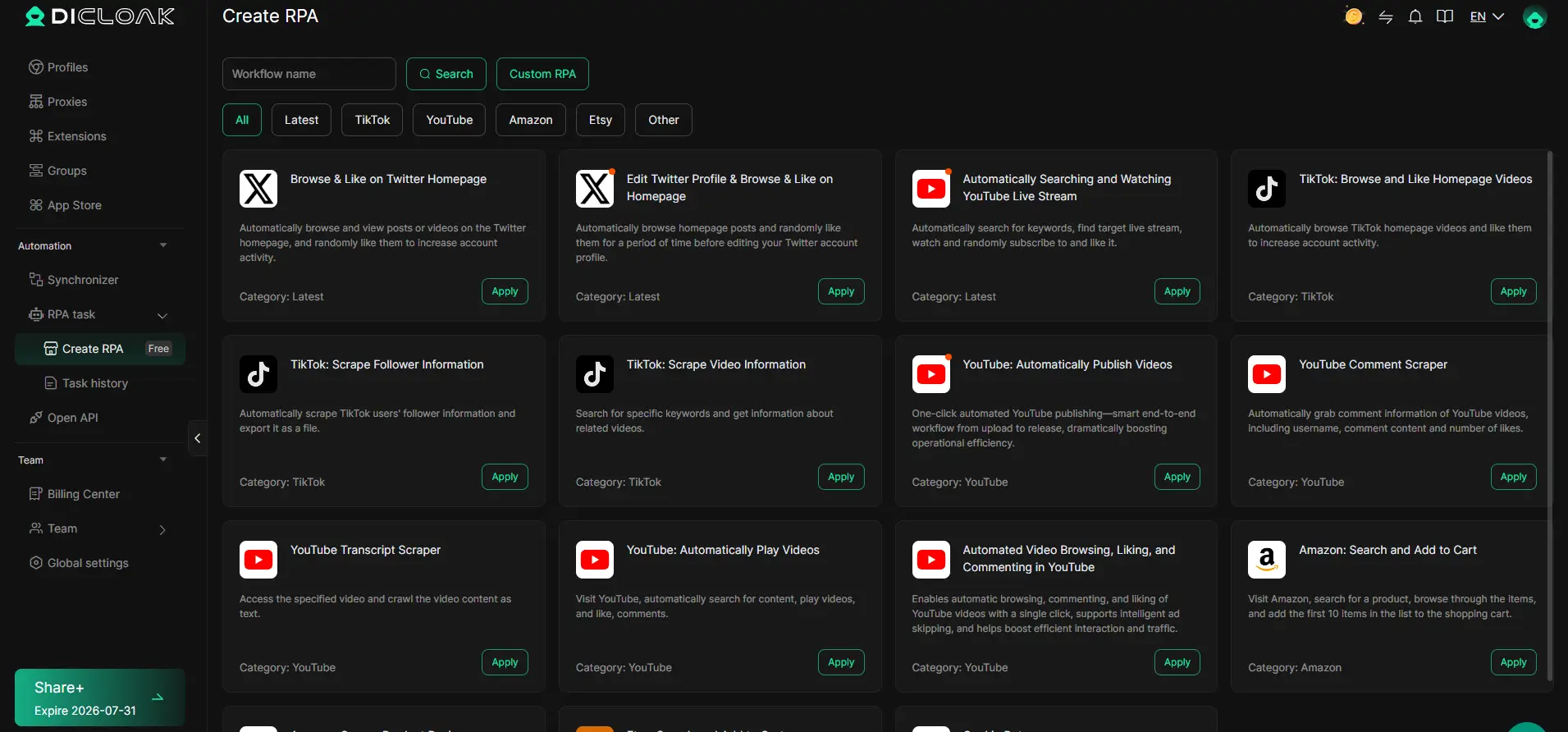
Manual browser steps, like routine navigation or data entry, can slow teams down or lead to mistakes. Operators can design a repeatable workflow with DICloak RPA, assign it to selected profiles, and review run results in the log. Live status and review features help keep automation safe and trackable, but the team still needs to check each task and stay within platform rules.
If your workflow needs go beyond what Coschedule or Hootsuite cover, the next section explores alternatives designed for multi-account, team-based operations.
Which Alternatives Should You Consider If Neither Tool Fits?
If neither Coschedule nor Hootsuite covers your workflow, a few other social media management tools are worth checking before you give up on finding a better fit.
Top Coschedule and Hootsuite Alternatives in 2026
Most teams who get stuck on the coschedule vs hootsuite choice usually want something simpler, cheaper, or with clearer collaboration. Here’s where to look next:
| Tool |
Core Strength |
Notable Limitation |
| Buffer |
Clean UI, fast for solo use |
Weak analytics |
| Sprout Social |
Best-in-class reporting |
Price jumps fast |
| Later |
Visual scheduling, IG focus |
Not ideal for Twitter |
| SocialBee |
Budget-friendly, automation |
Basic team controls |
| Loomly |
Strong calendar, easy to learn |
Fewer integrations |
If your team cares more about fast onboarding or budget, Buffer and SocialBee often feel less bloated than the bigger names.
Frequently Asked Questions About coschedule vs hootsuite
Is Coschedule or Hootsuite better for agencies managing multiple brands?
For agencies, Hootsuite generally offers stronger multi-brand support. It allows teams to manage many profiles, set custom permissions, and assign tasks per brand. Coschedule supports multiple projects and users, but its team and permission settings are less granular. If you juggle many brands and need flexible roles, Hootsuite is the better fit.
Which tool is easier for beginners: Coschedule or Hootsuite?
Coschedule has a cleaner, calendar-based layout that’s easy for beginners to grasp. Its onboarding guides are straightforward. Hootsuite’s dashboard offers more features but can feel crowded for new users. Both have tutorials, but Coschedule’s learning curve is shorter for those just starting social media scheduling.
Can I automate posting and reporting with both Coschedule and Hootsuite?
Yes, both Coschedule and Hootsuite let you schedule posts in advance for multiple networks. Hootsuite includes automated reporting dashboards and analytics. Coschedule offers automation through its marketing calendar and ReQueue feature. Both tools save time by handling repetitive tasks and providing regular performance reports.
What are the main limitations of Coschedule and Hootsuite free trials?
Coschedule’s free trial is 14 days and limits access to advanced automation and analytics. Hootsuite’s trial lasts 30 days, but some features, like team roles and in-depth analytics, are locked. Neither trial supports unlimited social profiles or full reporting, so you only get a sample of their full capabilities.
How do Coschedule and Hootsuite handle account security and privacy?
Both platforms use encryption to protect your data and support two-factor authentication for user accounts. Admins can control user access and permissions, helping teams keep sensitive information secure. They also comply with major privacy regulations, so your social profiles and data stay protected.
Evaluate your team's workflow needs and desired features to determine which tool aligns best with your social media strategy. Take advantage of free trials or demos to experience each platform firsthand before making a commitment. Try DICloak For Free
 Web Proxy Tools
 Free Tools
 Cookie Plugin
 UA Generator
 MAC Address Generator
 IP Generator
 IP Address List
 2FA Code Generator
 World Clock
 Anonymous Check
 WebRTC Leak Test
 UUID Generator
 Free Web Proxy Site
 Proxy Checker
 FB Ad Checker
 AI Web Scraping
 Free SMM Tools
 Twitter Shadowban Checker
 Instagram Name Checker
 UTM Generator
 Username Generator
 AI Hashtag Generator
 LinkedIn Headline Generator
 Social Media Image Resizer