You wake up, open Claude, and see your claude account suspended. At first, you may think the problem came from your prompts, content, or account activity. But after checking your login history, network setup, and account location, you realize the issue may be your IP.
A claude ip ban is not usually a separate system from account suspension. It is often an account-level action triggered by IP signals that make your access look risky or non-compliant. This can happen when you use datacenter IPs, log in to multiple accounts from the same IP, access Claude from a location that does not match your account country, or switch countries too often.
This article explains what causes IP-related Claude restrictions, what to do if it happens, how to prevent future problems, and how teams can manage multiple Claude accounts more safely.
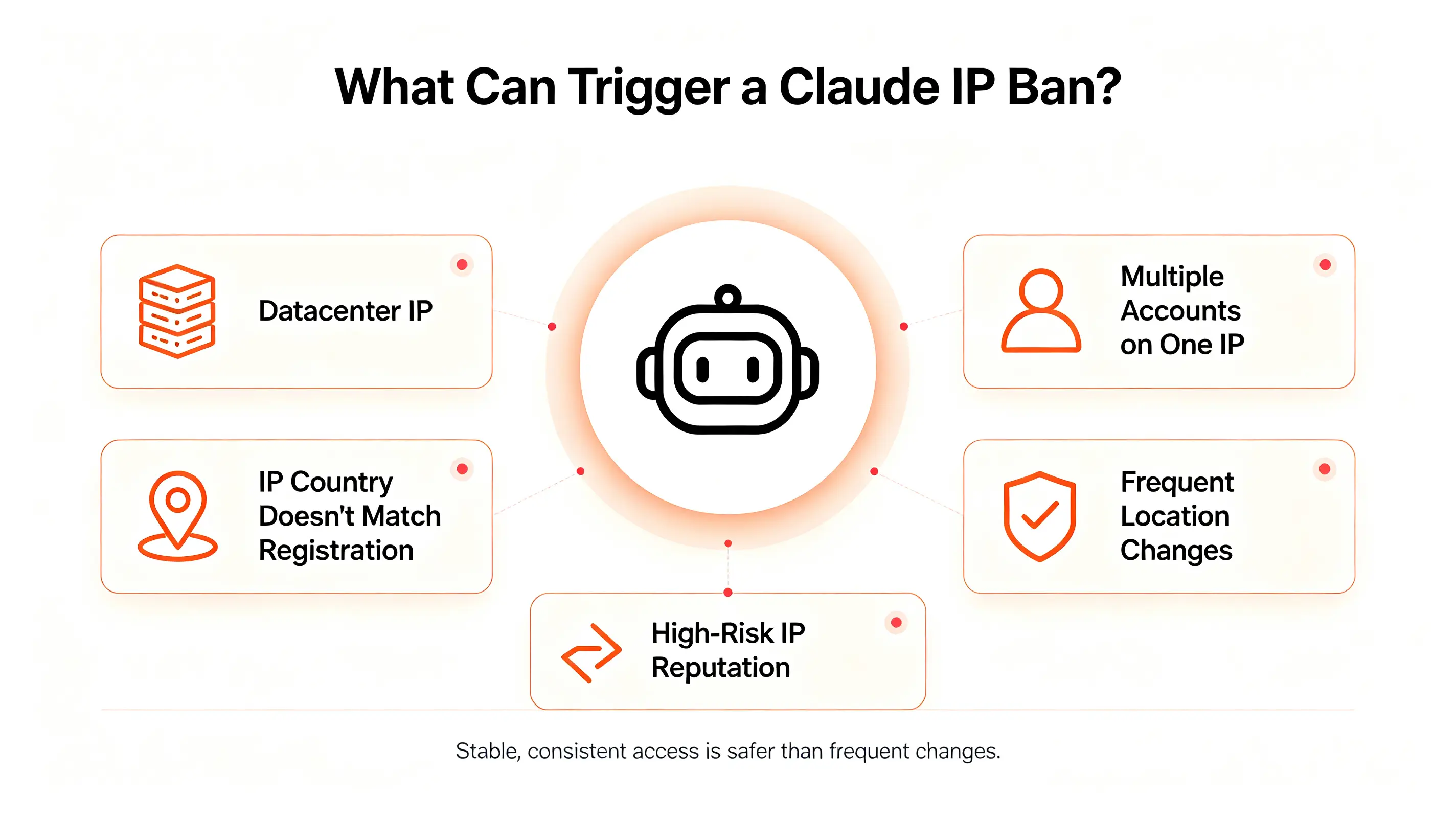
Claude may restrict account access when your IP source, login pattern, or region does not look consistent with normal use. Some triggers are technical, while others relate to Anthropic’s rules on supported regions and credential use.
Common user behaviors that trigger access restrictions
A claude banned ip address often starts with a login pattern that looks unusual. One common example is using cheap datacenter or VPS IPs from hosting providers. These IPs are often shared, recycled, or already marked as automated traffic sources, so they may carry risk before you even use them.
Another common issue is frequent country switching. If your account was registered in one country but logs in from several other countries in a short time, the access pattern can look unstable. Accessing Claude from an unsupported region can also create risk, because Anthropic only offers Claude.ai and API access in listed countries and regions.
Users have also reported problems when several Claude accounts log in from the same IP. Even if the accounts are used for normal work, this pattern can look like abuse when the accounts are not clearly separated.
Technical IP patterns that look risky to Claude
A claude ip address blocked issue can also come from the way your IP is classified. Some IPs are labeled as datacenter, proxy, or high-risk traffic. Even if you use Claude normally, the IP may already have a poor history from other users.
Shared IPs are another problem. If many unrelated users have used the same IP for spam, scraping, account farming, or other abuse, your account may inherit that risk. IP location mismatch can add another signal. For example, if your account country is the United States but your IP appears in another region, the login may look unusual.
In some browser setups, WebRTC can reveal your device's actual IP even when another network configuration is active. This can create a mismatch between what Claude sees and your actual connection, which may add to access risk. Tools like scamalytics.com and ipqualityscore.com can help you check how an IP is classified. If the score is low or the IP is marked as datacenter or proxy, Claude may treat it as higher risk.
How compliance issues affect Claude account access
IP issues can become more serious when they overlap with policy problems. Anthropic publishes the countries and regions where Claude.ai and commercial API access are available. If you access Claude from outside those supported locations, your account may face access problems.
Credential use also matters. Anthropic’s API key guidance says you should never share your API key, and you should be careful when giving it to third-party tools. Claude Code documentation also separates normal OAuth login from API key use for products and services.
Steps to Take If Your IP Is Banned by Claude
If you believe your claude ip ban is related to your network environment, act carefully instead of making repeated changes. Quickly switching IPs, creating a new account immediately, or repeatedly attempting to log in usually gives you less information about what actually caused the problem. Start by identifying the most likely trigger, then use Anthropic's official support process.
How to identify the possible reason for the ban
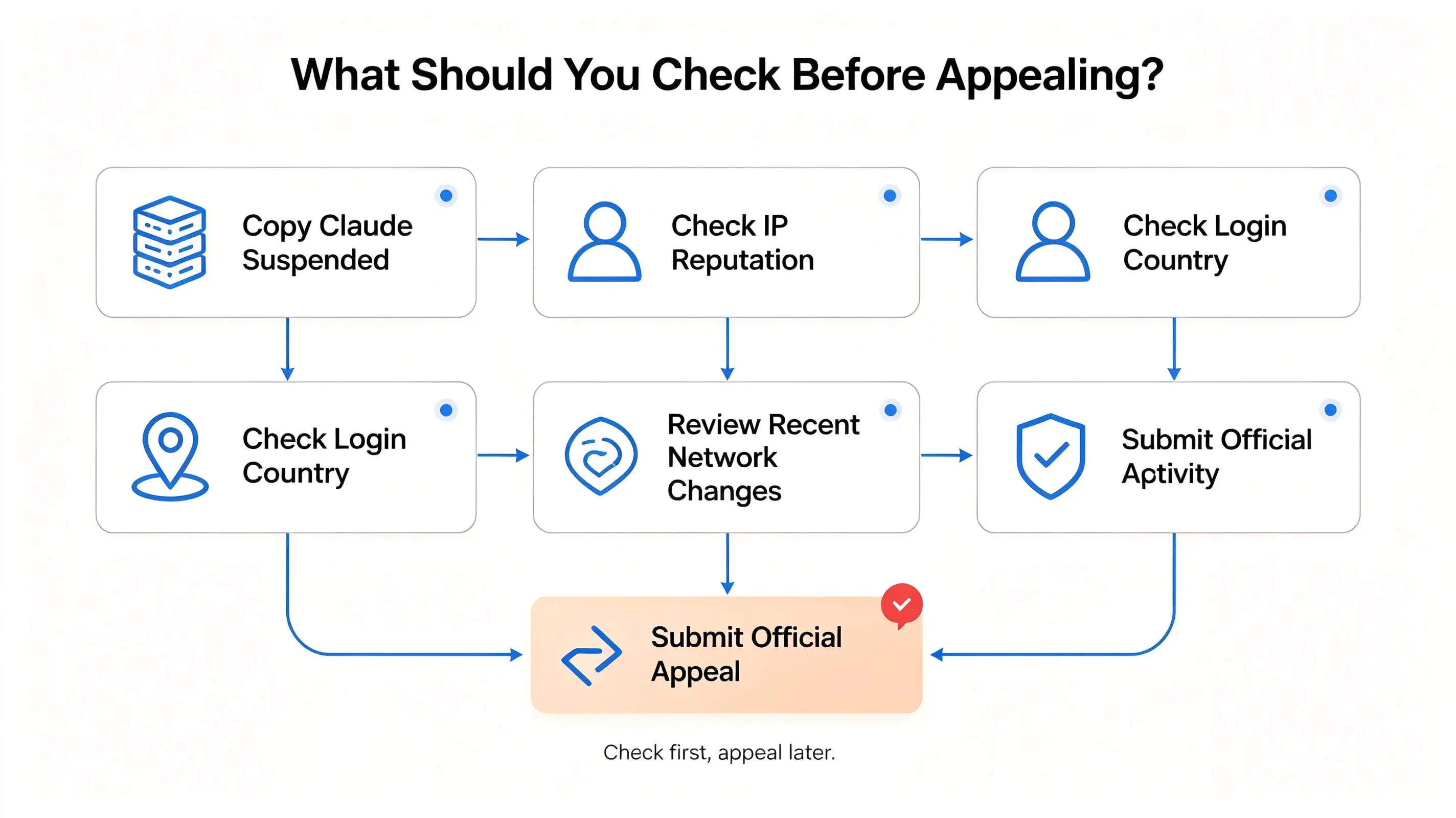
Before submitting an appeal, review what changed shortly before your claude account suspended message appeared. Ask yourself a few questions:
- Did you recently switch to a new IP or network?
- Did you log in from a different country than where the account was registered?
- Were multiple Claude accounts accessed from the same IP?
- Did you connect from a region where Claude is not officially supported?
Also check your IP reputation using services such as Scamalytics or IPQualityScore. If your IP is classified as a datacenter or high-risk address, that may help explain why your account was flagged. While these tools cannot tell you exactly why Claude restricted access, they can reveal network issues that are worth mentioning in your appeal.
If nothing in your setup changed, think about whether there were any recent changes to your account usage, API credentials, or connected tools. The more accurately you understand the timeline, the stronger your explanation will be.
How to use Claude's official appeal process
If you believe the suspension was a mistake, use Anthropic's official support channel instead of creating another account right away. Anthropic directs users to the in-product Get help option, where you can chat with the support assistant and, when appropriate, have your case escalated to the Product Support team. If you cannot log in, the Help Center also provides an "I can't login" support path.
When writing your appeal, keep it short and factual. Explain:
- When the suspension happened
- What you were doing immediately before it occurred
- Whether you recently changed your network or location
- Why you believe the restriction may have been triggered by your IP instead of intentional policy violations
Avoid emotional language or guessing about the exact reason for the suspension. If your account was affected by a false positive, a clear and consistent explanation is usually more useful than a long message.
Many users report that appeals can take time, and some are unsuccessful. That is one reason why preventing IP-related problems is generally more effective than trying to recover after an account has been restricted.
What documentation can support your appeal
A well-supported appeal is easier for a reviewer to understand. Include evidence that helps explain your normal account usage without overwhelming the support team.
Useful information may include:
- The email address associated with your Claude account
- The approximate date and time the suspension occurred
- Screenshots of the suspension message or error page
- Your account's registered country and your normal login location
- A brief explanation of any recent network changes
- IP reputation results if they show your address was incorrectly classified
- Any payment or subscription information that helps verify account ownership
Do not submit multiple appeals with different explanations. Keep your timeline consistent and only include information you can verify. If Anthropic needs additional details, they can request them during the review process.
Once you've submitted your appeal, the next step is reducing the chances of another claude ip ban by building a more stable and consistent access environment from the start.
How to Prevent a Claude IP Ban
The best way to handle a claude ip ban is to prevent unstable access patterns before they appear. Once your access is restricted, recovery can be slow and uncertain. A safer approach is to keep your Claude account environment consistent, compliant, and easy to explain.
Best practices for maintaining policy compliance
To prevent claude account ban issues, start with basic policy compliance. Use Claude only from supported regions. Do not share API keys with people who should not have access. Do not connect your Claude account to unknown third-party tools that send requests in ways you cannot control.
If several people need Claude for work, access should have clear rules. Each account should have a clear owner, a normal login history, and a clear usage purpose. Sharing one account across many people can make the access history harder to understand.
Compliance is not only about what you ask Claude to do. It also includes how the account is accessed, where it is accessed from, and whether the account setup looks consistent over time.
Why stable, trusted IPs reduce access issues
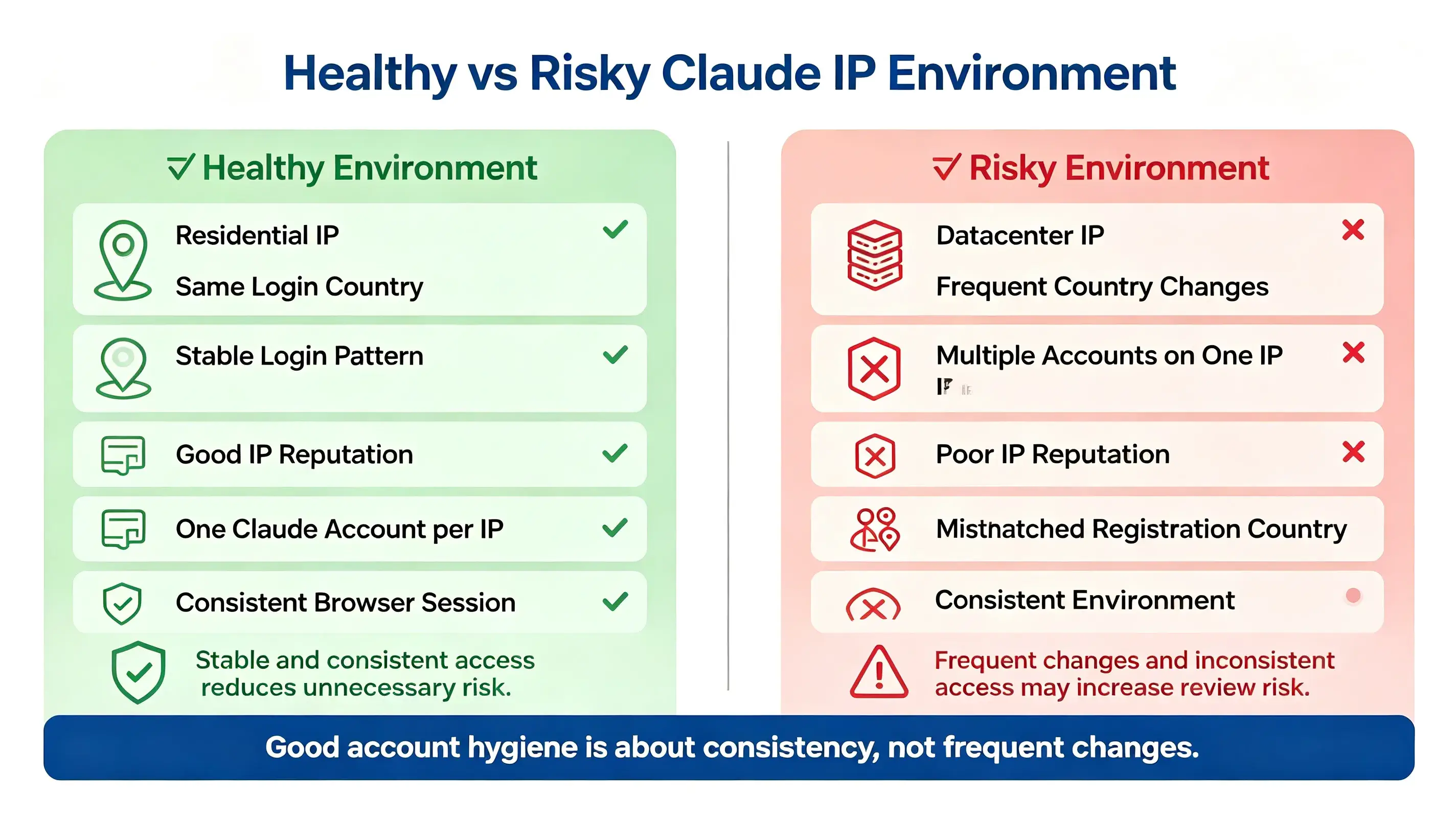
A stable IP setup helps reduce claude ip address blocked problems because Claude sees a more consistent access environment. If your account was registered in one country, your login IP should usually stay in that same country. Sudden country changes may make the account look risky, even when your usage is normal.
IP quality also matters. Some public, shared, or low-quality IPs may already carry poor reputation signals because of previous abuse by other users. If many unrelated users access Claude through the same IP, that IP may look less trustworthy.
The goal is not to hide your identity. The goal is to keep your access stable, consistent, and aligned with your real account location.
How to avoid suspicious login and usage patterns
To prevent claude account ban issues, avoid making your account look unstable. Do not log in from many countries in a short time. Do not switch IPs too often. Do not access several unrelated Claude accounts from the same browser space.
You should also avoid messy session behavior. If different Claude accounts, cookies, cached sessions, and extensions are mixed together, it becomes harder to separate normal work from risky patterns.
One normal change in device or location is usually not a problem. Repeated changes across IP, country, device, and browser state can create a pattern that looks less trustworthy.
Technical Solutions for Managing Claude IP Issues
Technical management is not about bypassing a claude ip ban. It is about keeping your Claude access environment clean, stable, and easier to troubleshoot. This matters for individual users, teams, agencies, and businesses that rely on Claude for daily work.
Check your IP quality before logging in
Before using Claude, check how your IP is classified. IP reputation tools can show whether an IP looks residential, datacenter, shared, or high-risk.
If the score is weak, do not ignore it. A poor IP reputation can increase the chance of claude ip address blocked issues, even if your account behavior is normal. Shared or recycled IPs are more likely to create problems because they may have been used by many unrelated users before.
For regular Claude access, the safer setup is a clean and stable IP that matches your normal account location.
Keep login location and device patterns consistent
Claude access should look steady over time. Try to use the same country, same general region, and same normal device setup when you log in. If your account location keeps changing, it may create unnecessary access risk.
Device patterns matter too. Avoid changing browsers, operating systems, screen settings, and login environments too often. One change is normal. Constant changes can make the account look less stable.
This is not about hiding anything. It is about avoiding messy access signals that may cause unnecessary review.
Separate browser sessions for different Claude accounts or projects
If you use Claude for different projects, clients, or team members, do not mix everything in one browser space. Cookies, cache, extensions, and login history should stay organized.
A clean browser setup helps reduce account confusion. Keep the same account in the same environment instead of resetting everything every day. Constantly clearing all browser data can make the account look new each time, which may create more friction.
A better setup is simple: clear account ownership, stable IP usage, and separated browser profiles for different Claude workspaces.
Enhancing Claude IP Ban Prevention with DICloak Antidetect Browser
Preventing a claude ip ban is not only about choosing a stable IP. It is also about keeping each Claude workspace clean, consistent, and separate. This matters when you manage different accounts, projects, clients, or team members.
DICloak Antidetect Browser helps reduce avoidable access risks by separating browser profiles, cookies, fingerprints, proxy settings, and team permissions.
Separating Claude workspaces with individual browser profiles
If different Claude accounts are used for different projects, they should not share the same browser space. Mixed cookies, sessions, login states, and extensions can make access patterns harder to understand.
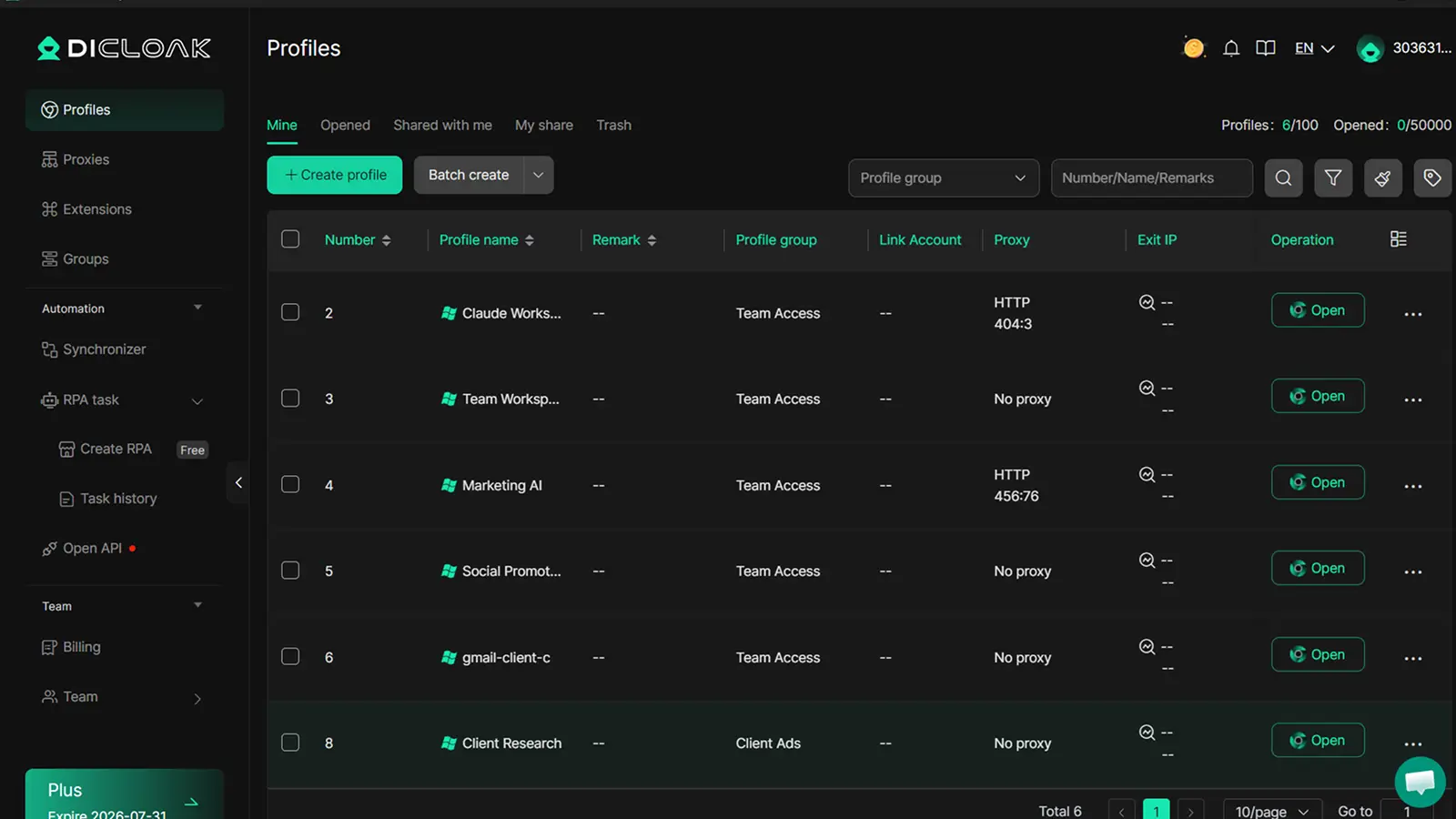
With DICloak, you can create a separate browser profile for each Claude workspace. Each profile keeps its own cookies, fingerprint, session, and login state. This helps keep one account’s access history separate from another account’s environment.
For users trying to prevent claude account ban risks, this separation makes daily access more stable and easier to manage.
Reducing shared-session risks with user-configured proxies
Different Claude accounts may have different owners, locations, or purposes. They should not all rely on one messy network setup.
With DICloak, users can configure their own proxy for each browser profile. This helps each Claude workspace keep a more consistent IP, country, and access environment when the proxy setup matches the account’s normal usage.
Managing team access without sharing raw account credentials
Account problems often start when credentials are shared in chats, spreadsheets, or private notes. One person logs in from one place. Another logs in from somewhere else. Over time, no one knows which device, IP, or session belongs to which account.
With DICloak, teams can assign specific browser profiles to specific members. Each member only accesses the Claude workspaces they are responsible for. This supports clearer ownership, fewer wrong-account actions, and better access control.
For agencies, marketing teams, and AI operations teams, DICloak helps keep Claude access organized through separated profiles, user-configured proxies, and controlled team permissions.
FAQ about claude ip ban
Can I use multiple devices with one Claude account?
Yes, as long as your usage looks normal and consistent. Using a desktop and a laptop for the same account is common. Problems are more likely if your devices appear in different countries or switch between very different network environments in a short period.
How long does it take to resolve a claude ip ban?
There is no fixed timeline. Some users receive a response within a few days, while others wait longer depending on the case. If you submit an appeal, provide clear and accurate information, then wait for Anthropic's review instead of sending multiple requests.
Are shared IPs more likely to get banned?
Shared IPs can carry more risk because other users may have previously used them for abusive activity. That does not mean every shared IP will cause problems, but a clean, stable IP with a good reputation is generally a safer choice for long-term account access.
What happens if my Claude appeal is denied?
If your appeal is denied, Anthropic may keep the account suspended and may not provide detailed reasons. Creating new accounts without understanding the original issue can lead to the same result. It is usually better to review your account setup and access environment before trying again.
Does Claude notify users before banning an IP?
Not always. Many users first discover a problem when they cannot log in or see a suspension message. Anthropic may not send advance warnings for every case, so maintaining a stable account environment is more reliable than relying on notifications.
Recovering a suspended Claude account is only part of the process — keeping each Claude account stable matters even more when you manage multiple accounts as a team.
You can use DICloak to isolate each Claude account in a separate browser profile, configure a stable proxy for each profile, and assign access to the right team members without mixing sessions or credentials.Try DICloak for Free.
 Web Proxy Tools
 Free Tools
 Cookie Plugin
 UA Generator
 MAC Address Generator
 IP Generator
 IP Address List
 2FA Code Generator
 World Clock
 Anonymous Check
 WebRTC Leak Test
 UUID Generator
 Free Web Proxy Site
 Proxy Checker
 FB Ad Checker
 AI Web Scraping
 Free SMM Tools
 Twitter Shadowban Checker
 Instagram Name Checker
 UTM Generator
 Username Generator
 AI Hashtag Generator
 LinkedIn Headline Generator
 Social Media Image Resizer