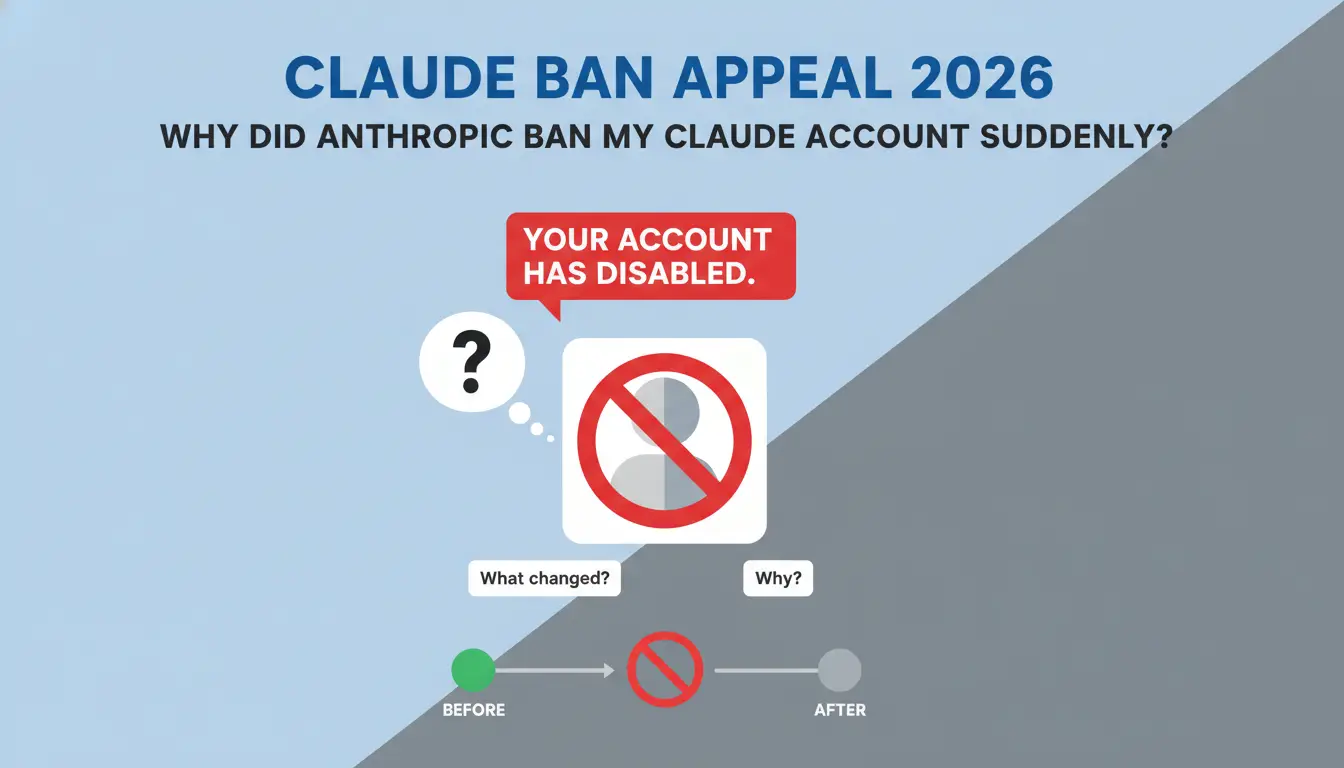
Seeing the message “Your account has been disabled” can feel awful, especially if Claude is part of your daily work. You may use it for writing, coding, research, data work, or team tasks. Then, without much warning, your account is blocked.
A Claude ban appeal is the right first step if you believe the suspension was a mistake. But the appeal needs to be clear, calm, and useful. It should not sound angry. It should not blame the support team. It should explain what happened and show that you understand Anthropic’s rules.
In 2026, Claude account bans are not only about prompts. They can also be linked to account security, unsupported regions, payment risk, shared access, unusual login patterns, or repeated policy issues. This guide explains why a Claude account may be banned, how to write a strong appeal, what to do if the appeal fails, and how teams can reduce future account risk.
Why did Anthropic ban my Claude account suddenly?
A sudden Claude ban can feel confusing. Many users only see a short message like “Your account has been disabled,” but they do not know what caused it. This is why a claude ban appeal should start with one basic question: what changed before the ban happened?
In many cases, a Claude account is not disabled because of one single prompt. The issue may come from a mix of policy signals, login behavior, payment activity, network changes, or account security checks. Anthropic uses automated systems to protect Claude from abuse, spam, unsafe content, and suspicious access. These systems can sometimes flag real users by mistake, especially when the account activity looks unusual.
Before you submit a claude ban appeal, review your recent account activity. Think about your login location, network, device, browser, payment method, and the type of prompts you used. These details can help you explain your case in a clear and honest way.
Unexpected IP Changes or Risky Network Access
One common reason for a sudden Claude account ban is an unusual network pattern. If your account logs in from very different locations within a short time, the system may treat it as suspicious. This can happen when you use an untrusted network, a shared proxy, hotel Wi-Fi, airport Wi-Fi, or a company network that changes routes often.
For example, a user may normally log in from California. Then one day, the same account appears to log in from another country through a shared connection. A few hours later, it appears again from a different region. Even if the user did not mean to break any rule, this pattern may look like account sharing, stolen access, or automated use.
This does not mean every proxy will always cause a ban. The risk comes from unstable or low-quality network behavior. Public connections and free proxies are often used by many people at the same time. Some of those IPs may already have a bad history. If your Claude account is linked to that traffic, it may receive more security checks.
If this happened to you, mention it in your claude ban appeal. Keep the explanation simple. For example, you can say that you were traveling, using a temporary work network, or using a mobile hotspot because your normal connection was not available.
Automated or Bot-Like Activity
Another possible trigger is activity that looks automated. Claude’s web app is designed for normal human use. If an account sends many prompts very quickly, repeats the same request pattern, or uses browser scripts to control the web page, the system may flag the behavior.
This can happen even when the user’s goal is not harmful. For example, a marketer may test many title ideas in a short time. A developer may run the same prompt again and again to compare answers. A researcher may paste large sets of similar questions one after another. If the behavior looks too fast or too repetitive, it may appear less like normal manual use.
There is also a difference between normal use and large-scale automation. If your workflow needs high-volume requests, the official API is usually a better path than automating the web interface. API usage has clearer rules, better tracking, and more suitable limits for scaled work.
If your account was disabled after repeated testing or heavy use, explain the real work purpose in your claude ban appeal. Do not say only “I did nothing wrong.” Instead, describe the task. For example, explain that you were testing prompts for internal writing, code review, or research, and that you are willing to adjust your workflow to follow Anthropic’s rules.
Policy-Violating or High-Risk Content
Claude accounts can also be suspended because of content that violates Anthropic’s usage rules. This may include requests related to fraud, spam, malware, credential theft, evading safety systems, sexual exploitation, violent harm, or other unsafe activity.
Some users get into trouble because they keep pushing the model after a refusal. A single rejected prompt may not always lead to a ban. But repeated attempts to get around safety limits can create a stronger risk signal. For example, if an account keeps asking for ways to bypass security checks, scrape private data, or create deceptive content, the account may be reviewed or disabled.
There are also gray areas. A user may believe a prompt is for research, education, or internal testing. But if the request lacks context, it may look unsafe. For example, “How do I test phishing defense in a training lab?” is clearer than asking for phishing steps without explaining the defensive purpose.
If your ban may be related to content, your claude ban appeal should not argue with the policy. A better approach is to explain your real use case, acknowledge that a prompt may have been unclear, and state that you will follow the Usage Policy going forward.
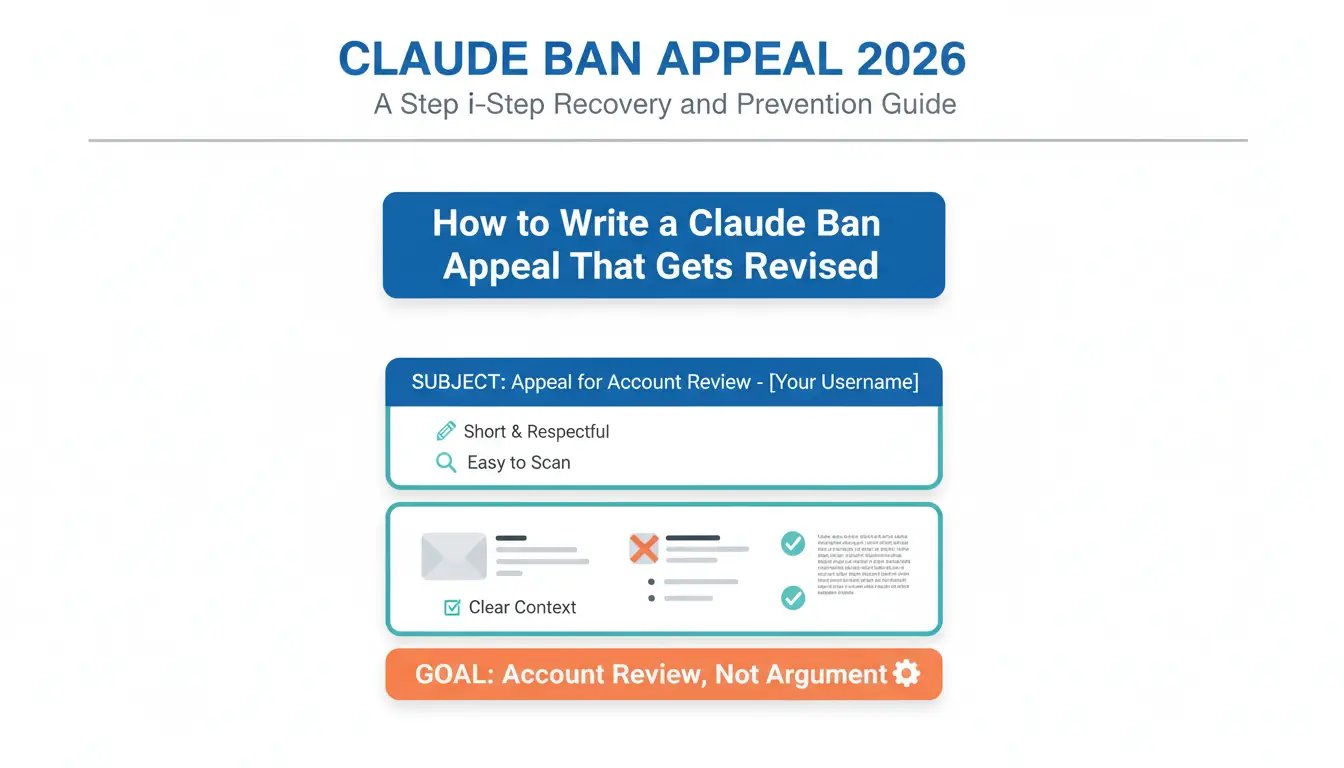
How to Write a Claude Ban Appeal That Gets Reviewed
A Claude ban appeal should be short, respectful, and easy to scan. Support teams handle many tickets. A clear email has a better chance than a long complaint.
Your goal is not to “win an argument.” Your goal is to help Anthropic review the account with the right context.
Use a clear subject line
A vague subject line can look like spam. A clear subject line helps route the case.
Good examples include:
- Claude Ban Appeal – Registered Email: [your email]
- Account Disabled Review Request – [your email]
- Appeal for Disabled Claude Account – [case ID if available]
- Claude Account Access Review – Payment and Login Issue
Keep the subject simple. Do not use all caps. Do not write “URGENT HELP NOW.” It may make the message look less professional.
Start with the key account details
The first lines should tell support who you are and what happened.
Include:
- Your registered Claude email
- The date and time you saw the disabled message
- The plan type, if you use Free, Pro, Max, Team, or API
- The exact error message, if available
- A screenshot, if the support form allows it
This makes the appeal easier to review. It also shows that you are serious and organized.
Explain your normal use case
After the account details, explain how you use Claude. Keep it specific.
Weak example:
“I use Claude for normal things. Please unban me.”
Better example:
“I use Claude for product research, article drafts, and code review for internal work. I do not use it for spam, fraud, scraping, or harmful content.”
This tells the reviewer what kind of user you are. It also helps them compare your statement with account activity.
Explain any unusual event
If something changed before the ban, mention it. Do not over-explain.
For example:
- “I traveled from Los Angeles to New York last week and used hotel Wi-Fi.”
- “My office network had an outage, so I used a mobile hotspot.”
- “I tested a browser extension for writing workflow management, but I did not use it to automate Claude requests.”
- “My payment card was replaced, so I updated the billing method before the suspension.”
These details can help if the ban was caused by a false positive. They also show that you are not hiding the context.
Show that you understand the rules
A good appeal should include a short compliance statement. This does not need to sound robotic.
For example:
“I understand that Claude must be used within Anthropic’s Usage Policy and Terms. If my setup triggered a security flag, I am willing to adjust it and avoid the same issue in the future.”
This sentence is useful because it focuses on cooperation. It does not argue with the platform. It asks for a fair review.
Avoid these appeal mistakes
Many users hurt their case by writing the wrong type of message.
Avoid:
- Threats or insults
- Long emotional complaints
- Multiple emails in one day
- Claims that you cannot prove
- Asking support to ignore policy
- Saying you will create new accounts if they do not reply
A calm tone matters. Even if the ban feels unfair, the appeal should make support want to help you.
What information should you include in your appeal email?
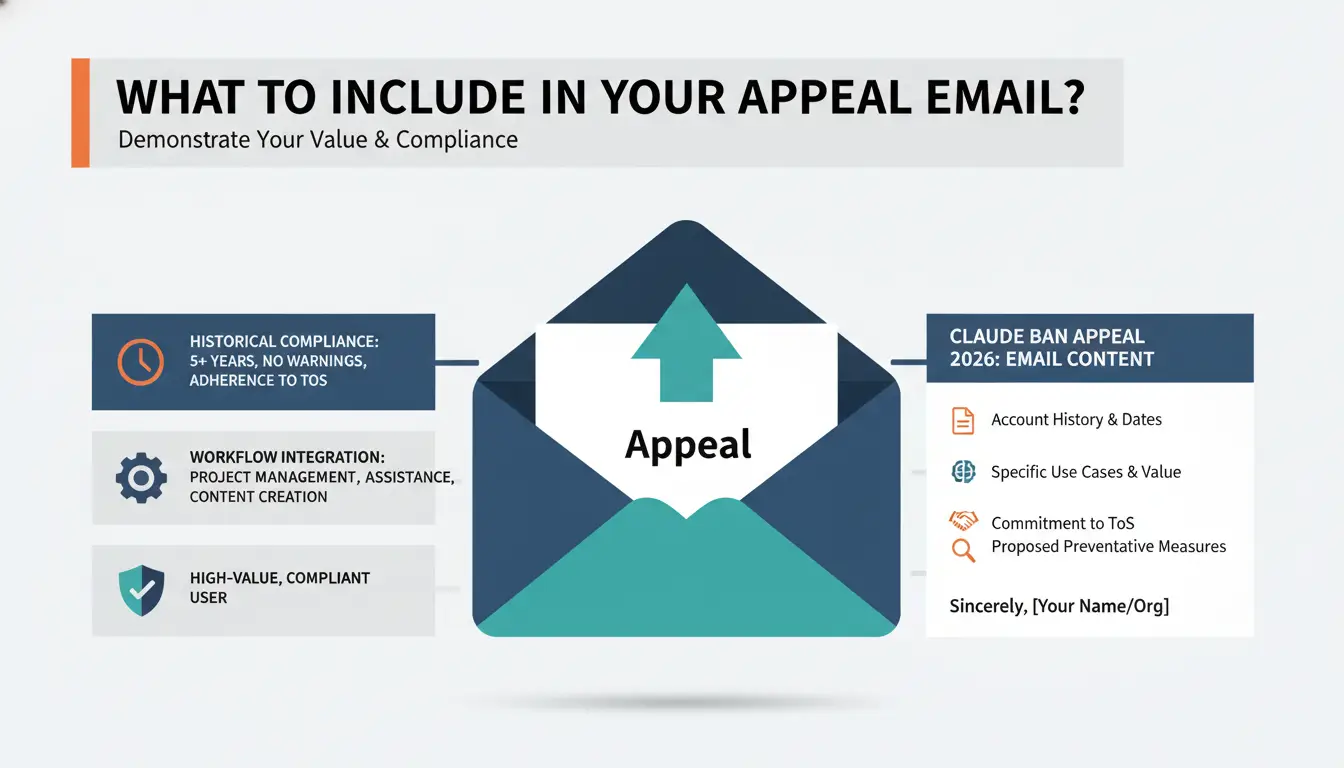
Your goal is to demonstrate that you are a high-value, compliant user. Emphasize the following points:
- Historical Compliance: Mention how long you have been a user and your history of adhering to the ToS without prior warnings.
- Workflow Integration: Explain the specific professional utility the tool provides, such as research, coding assistance, or data synthesis.
- Commitment to Future Adherence: State clearly that you are willing to adjust your technical setup—such as reviewing network connection configurations or browser extensions—to meet Anthropic's security requirements and support future compliance.
How long does the Claude appeal process take in 2026?
The timeline for a response varies based on current ticket volume and the complexity of your account's flags. Typically, the first 48 hours are the most critical window for automated sorting. However, a manual review by the support team can take between 7 to 10 business days.
Avoid "pestering" the support team with multiple follow-up emails. In Anthropic’s 2026 ticketing system, sending a new email before receiving a response often resets your ticket's position in the queue, further delaying the final decision.
Why your appeal might get rejected (and what to do next)
Not all bans are reversible. Understanding the severity of your situation is necessary for determining your next steps.
Red flags that lead to final denials
Bans resulting from severe violations are rarely overturned. These include:
- Evidence of data scraping or unauthorized platform harvesting.
- Repeated, intentional attempts to bypass safety filters (jailbreaking).
- Account creation via automated scripts or bulk registration.
Handling the "Decision is Final" email
If you receive a notification stating the decision is final, maintain professionalism. Accepting the decision without burning bridges is essential if you intend to use the service again through legitimate organizational channels. You may close the loop with a professional statement such as: "I appreciate the manual review of my account and look forward to any future opportunities to re-verify my compliance should your corporate account policies or detection criteria evolve."
Technical steps to prevent future Claude bans and shadowbans
Prevention is more effective than recovery. In 2026, maintaining a "clean" digital environment is the only way to avoid automated flags.
Transitioning to High-Quality Residential Proxies
Anthropic frequently blacklists data center IP ranges. For workflows requiring proxy usage, integrating with high-quality residential proxies can be beneficial. These IPs appear to the system as standard home internet connections, which can help reduce the risk of being flagged for "suspicious activity" during the login handshake.
Managing browser fingerprints to avoid "Association Bans"
Anthropic tracks users through advanced device metadata, including WebGL signatures, font lists, and hardware IDs. If one account is banned, any subsequent account created on the same device may face an "Association Ban." In 2026, they have moved toward advanced kernel-level detection to link profiles. Managing these fingerprints is vital for maintaining long-term account longevity.
Managing Multiple Claude Profiles Safely for Business Needs
For businesses that manage multiple Claude workspaces, client projects, or team accounts, keeping browser profiles organized becomes increasingly important. When different accounts share the same browser profile, cookies, local storage, login sessions, and browser settings can become mixed together. Over time, this can make account management more difficult and increase operational complexity.
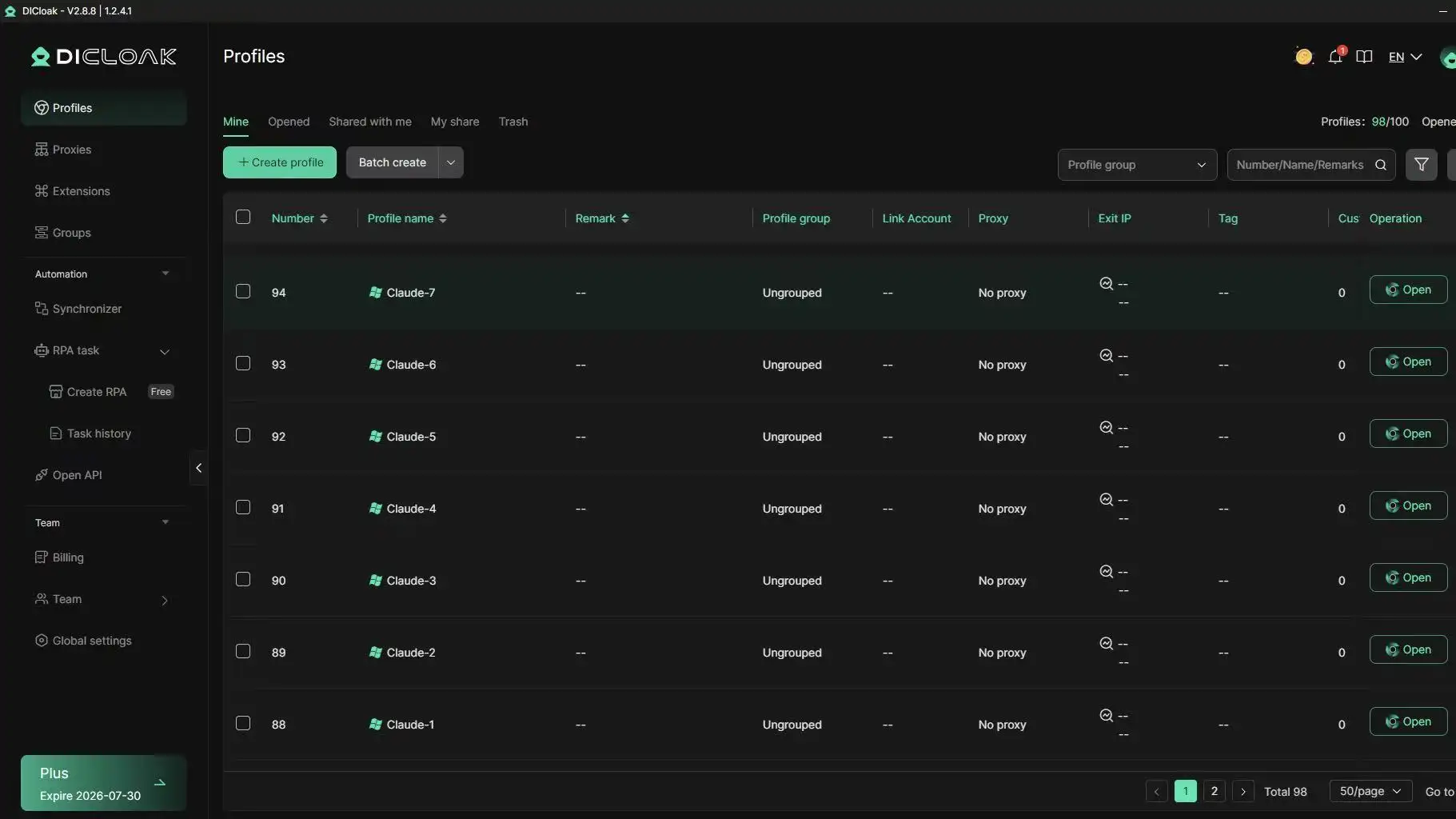
DICloak helps teams create isolated browser profiles, making it easier to manage different Claude-related workflows in a structured and organized way.
Independent Browser Profiles
DICloak allows users to create separate browser profiles for different Claude accounts, projects, or team members.
Each browser profile maintains its own cookies, cache, browsing history, and local storage. This means activity from one profile does not affect another profile. Teams can keep different workspaces separated and avoid confusion caused by shared browser sessions.
For example, a marketing agency may use one Claude workspace for content creation, another for client research, and a third for internal documentation. By assigning each workspace to a separate browser profile, team members can switch between projects without mixing account data or login states.
This approach also makes daily account management more organized, especially for teams working across multiple departments or client accounts.
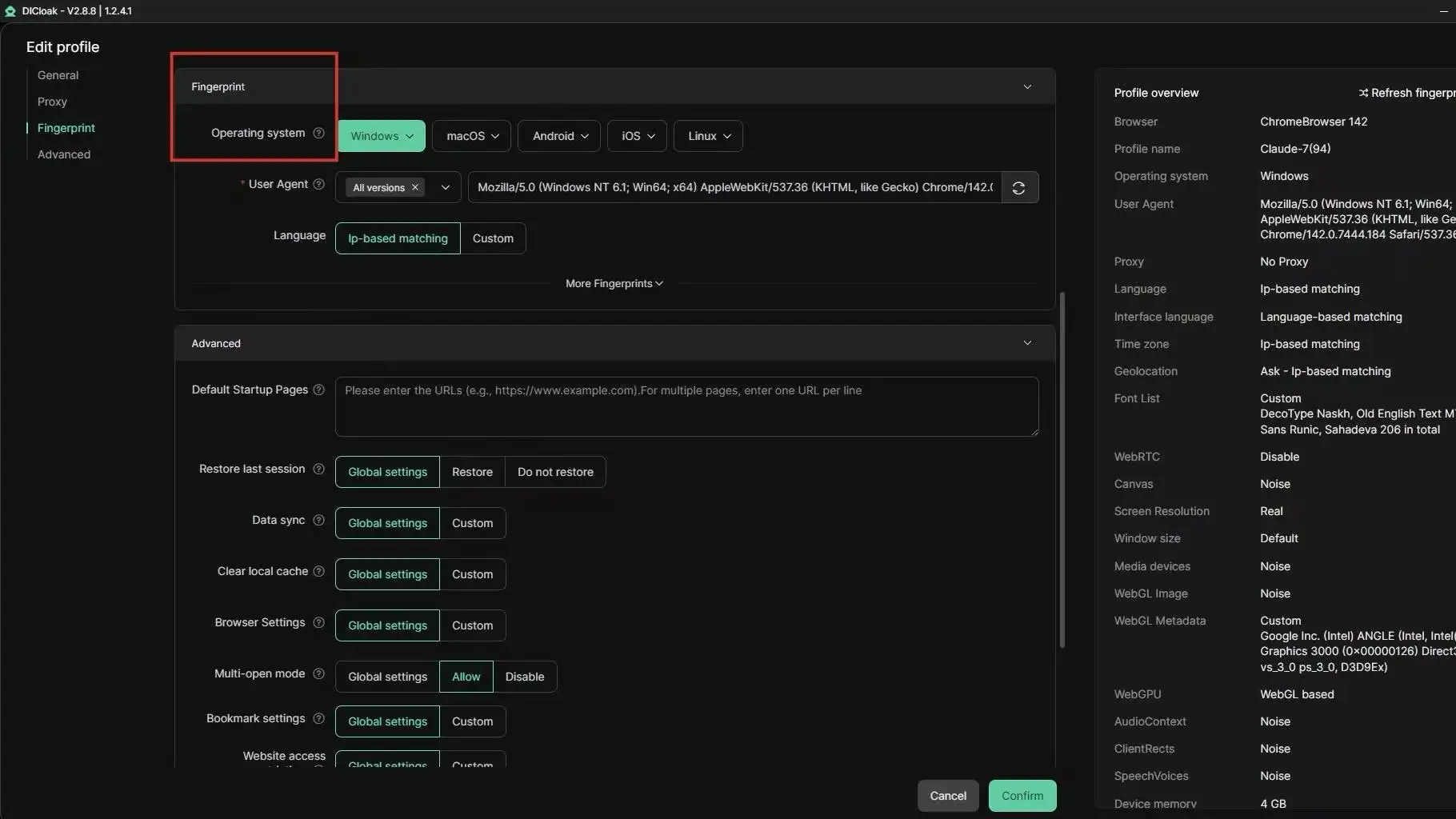
Customizable Fingerprinting
Different websites and web applications collect browser information to understand the environment being used to access their services. This information may include browser settings, operating system details, screen resolution, fonts, Canvas parameters, WebGL data, and other browser characteristics.
DICloak allows users to customize browser fingerprint settings within individual profiles. Each profile can maintain its own browser profile configuration, helping teams keep different workspaces separated from one another.
For businesses managing multiple projects, this provides greater flexibility when creating dedicated browser profiles for different operational needs. Teams can maintain consistent browser settings for each project while keeping environments independent and organized.
This can be particularly useful for agencies, research teams, and companies that need to manage multiple browser-based workflows simultaneously.
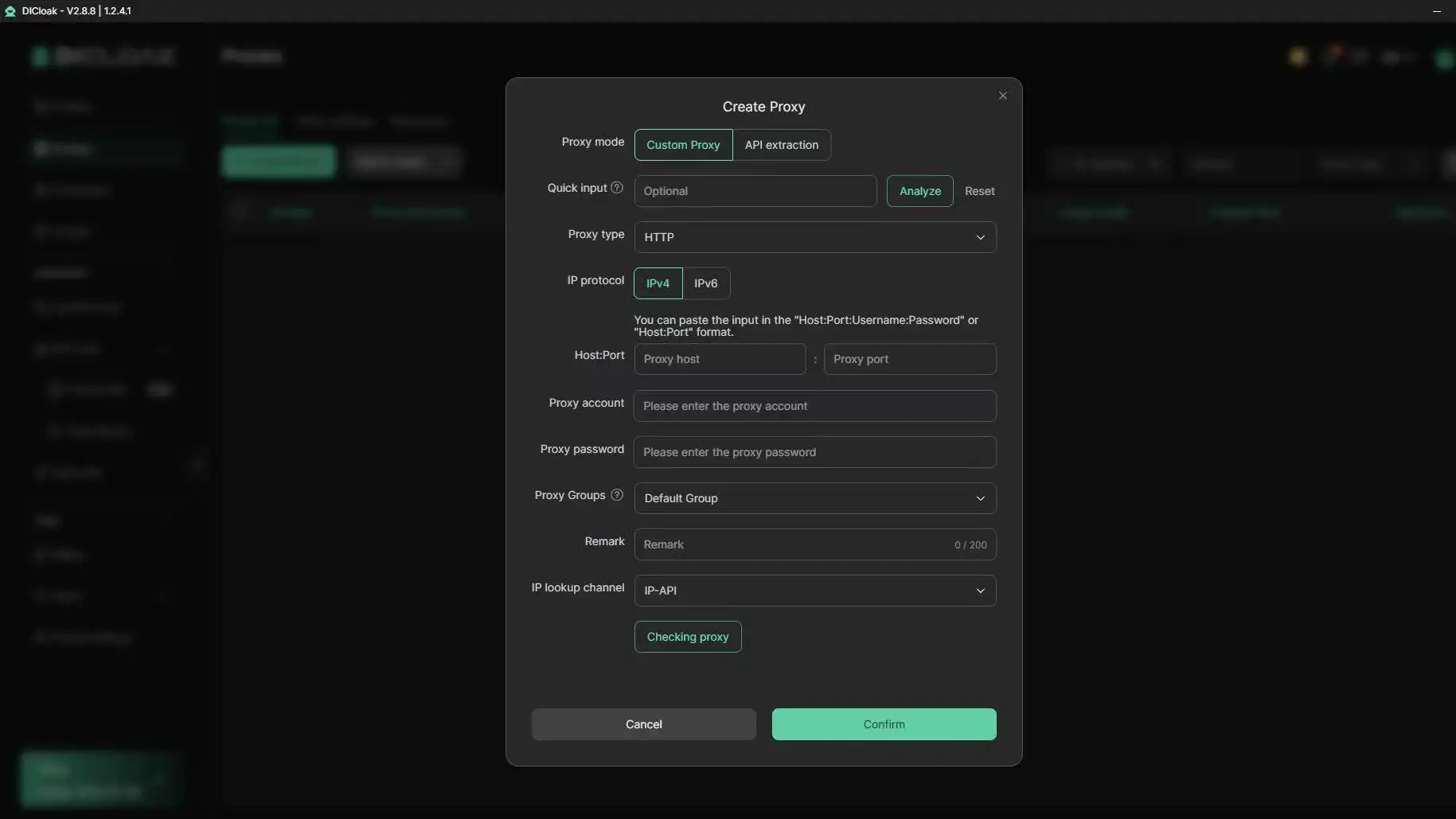
Proxy Integration
Network consistency is another important part of long-term account management.
DICloak supports user-configured HTTP, HTTPS, and SOCKS5 proxies, allowing teams to assign specific proxy settings to individual browser profiles. Once configured, the proxy settings remain attached to that profile, helping create a more stable working environment.
For example, a business may operate separate Claude workspaces for different regions or departments. By assigning a dedicated proxy configuration to each browser profile, teams can keep network settings organized and avoid constantly changing connection configurations.
Combined with isolated browser profiles, proxy integration helps create a cleaner and more structured workflow for teams managing multiple Claude-related projects.
Common mistakes that make a Claude ban permanent
Avoid these frequent errors that often turn a temporary suspension into a permanent exclusion.
Immediately creating a new account on the same IP
Creating a replacement account on the same IP and browser that was just banned will result in an "Instant Ban." The system recognizes the hardware signature and IP immediately, flagging the new account as an attempt to circumvent a suspension.
Using aggressive or demanding language in the appeal
Support staff prioritize polite, professional requests. Demanding immediate reactivation or using aggressive language generally results in the ticket being closed without a positive resolution.
Buying "Pre-verified" accounts from third parties
Third-party accounts are often created using automated tools or stolen credentials. These accounts have an extremely high ban rate and pose significant security risks to your sensitive prompt data.
FAQ
Where should I submit a Claude ban appeal?
You should use Anthropic’s official support or appeal channel. Do not rely on outside “unban” sellers. They cannot guarantee recovery and may put your account data at risk.
Can a banned Claude account be restored?
Yes, some accounts may be restored after review, especially if the ban was caused by a false positive, unusual login, payment confusion, or a misunderstanding. But accounts linked to serious policy violations may not be restored.
What should I include in my Claude ban appeal?
Include your registered email, the date of the ban, the exact error message, your normal use case, and any recent account changes. Keep the message polite and clear.
How long does a Claude ban appeal take?
The review time can vary. Some cases may get a quick response. Others may take several business days or longer. Avoid sending many duplicate emails while waiting.
Can I get a refund if my Claude Pro account is banned?
A refund is not guaranteed. If you believe the ban was a mistake, you can ask about billing or a refund in your appeal. Keep the request polite and separate it from the account review.
Conclusion
A Claude ban can stop important work, but panic will not help. The best first step is a clear Claude ban appeal. Explain what happened, give useful details, and show that you understand Anthropic’s rules.
If the account is restored, use the experience to improve your workflow. Keep access stable. Avoid risky automation. Protect billing and login details. Make sure team members follow the same rules.
For teams that manage many browser-based AI workflows, DICloak can help keep sessions separate, permissions clearer, and workspaces easier to control. The goal is not to bypass rules. The goal is to build a safer and more organized way to work with Claude in 2026.
 Web Proxy Tools
 Free Tools
 Cookie Plugin
 UA Generator
 MAC Address Generator
 IP Generator
 IP Address List
 2FA Code Generator
 World Clock
 Anonymous Check
 WebRTC Leak Test
 UUID Generator
 Free Web Proxy Site
 Proxy Checker
 FB Ad Checker
 AI Web Scraping
 Free SMM Tools
 Twitter Shadowban Checker
 Instagram Name Checker
 UTM Generator
 Username Generator
 AI Hashtag Generator
 LinkedIn Headline Generator
 Social Media Image Resizer