Scraping ChatGPT answers with browser bots has jumped since OpenAI's API prices doubled in late 2025, pushing more teams to look for a chatgpt scraper that won’t break the bank or get their accounts flagged. Developers who try to scrape ChatGPT data without the right setup often hit rate limits fast, face browser fingerprint bans, or get stuck on CAPTCHAs, sometimes before they even collect enough data to train a single model. While public code on GitHub promises easy ChatGPT scraping, most scripts fail after a few days as OpenAI tightens detection, and manual cookie juggling or proxy rotation rarely keeps up.
The real risk isn’t just losing access, it’s burning through emails, phone numbers, or cloud browser resources, only to get blocked mid-project. Scraping ChatGPT at scale means navigating hidden anti-bot checks, figuring out how to mimic actual user sessions, and dodging traps that kill headless browsers. Some teams now switch to multi-profile browsers like DICloak to keep each scrape run separate, lower fingerprint overlap, and automate safer workflows. But safer doesn’t mean bulletproof; a single slip, like reusing a browser profile, can ruin a whole batch and waste days of work.
If you need to scrape ChatGPT data for research, QA, or internal tools, knowing the real-world risks and choosing the right workflow matters more than finding the next “one-click” script. Here’s what actually works now, where most teams get tripped up, and how to build a workflow that lasts into 2024.
What Is a ChatGPT Scraper and Why Do People Use It?
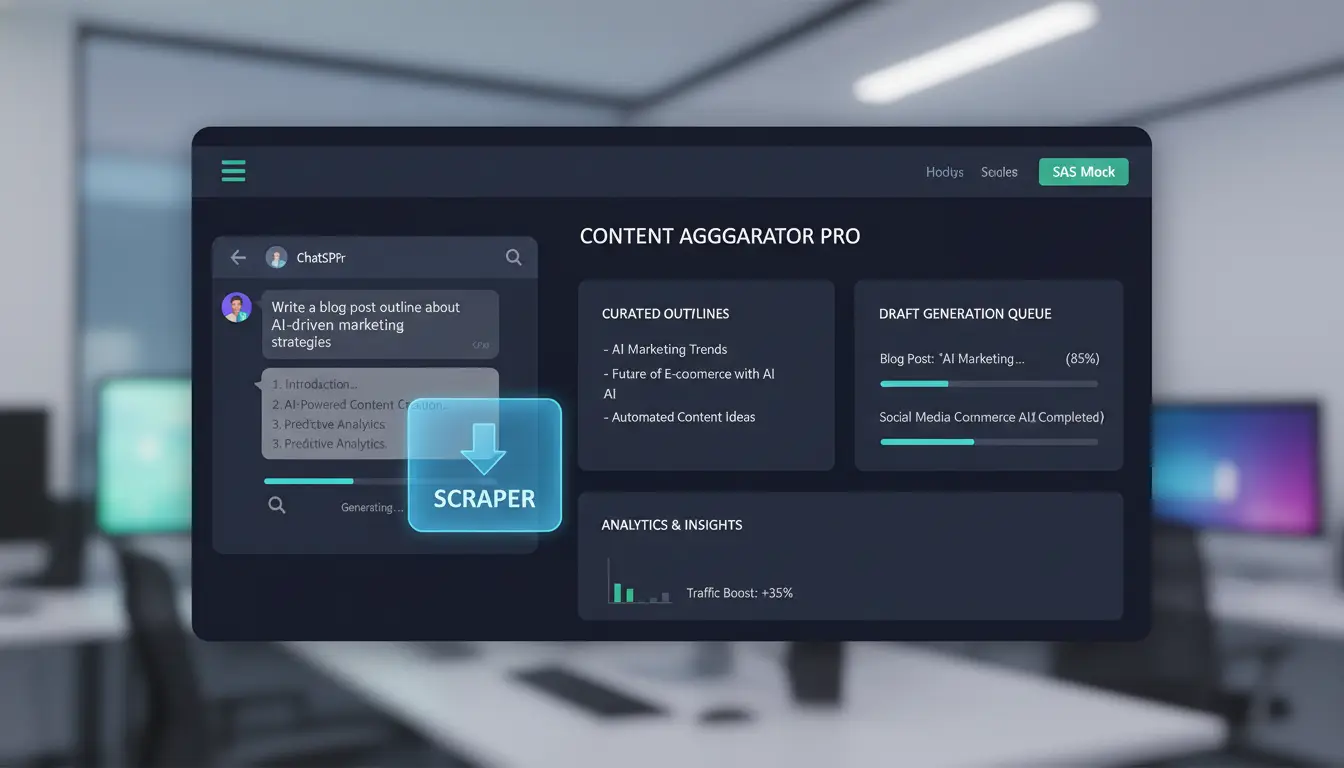
A chatgpt scraper is a tool or script that collects data from ChatGPT web sessions by mimicking real user actions. Unlike the official API, which returns structured responses but enforces strict limits and usage rules, scraping lets you pull custom data, like full chat logs, prompt results, and metadata, from the live web interface. Teams use ChatGPT scraping when API access doesn’t cover their needs, such as extracting conversation context, testing UI flows, or bypassing quota limits. Scraping gets tricky because OpenAI uses hidden anti-bot checks, so you need a workflow that keeps sessions looking human. Most teams use scraping when they need data the API can’t deliver or want to sidestep API costs and throttling.
ChatGPT Scraper: Definition and Core Functions
A chatgpt scraper mimics how real users interact with ChatGPT’s web interface. It logs in, sends prompts, and grabs responses directly from the browser. Compared to API access, scraping offers more flexibility but comes with higher risk, your bot can get blocked, or your account can be restricted if detected. You can extract chat histories, prompt/response pairs, timestamps, and even system messages. Scrape ChatGPT data usually means you want more than just API output, such as full conversation flows or UI test results. Some teams rely on browser automation tools to simulate clicks and typing, while others use multi-profile browsers like DICloak to keep scraping runs isolated and reduce fingerprint overlap.
Common Use Cases for ChatGPT Scraping
Most use cases focus on research, QA, or bulk data collection. For example, researchers scrape ChatGPT data to analyze prompt effectiveness or track model changes. Companies grab large chat sets for internal model training or to benchmark performance against other tools like Claude or Gemini. Bulk scraping helps teams build datasets for analytics, while UI testers use ChatGPT data extraction to record how the interface handles edge cases. When the API can’t provide the right data, scraping is often the only practical workaround. Just remember: every scrape run risks detection, so workflow design matters as much as script quality.
What Are the Main Risks and Detection Challenges When Scraping ChatGPT?
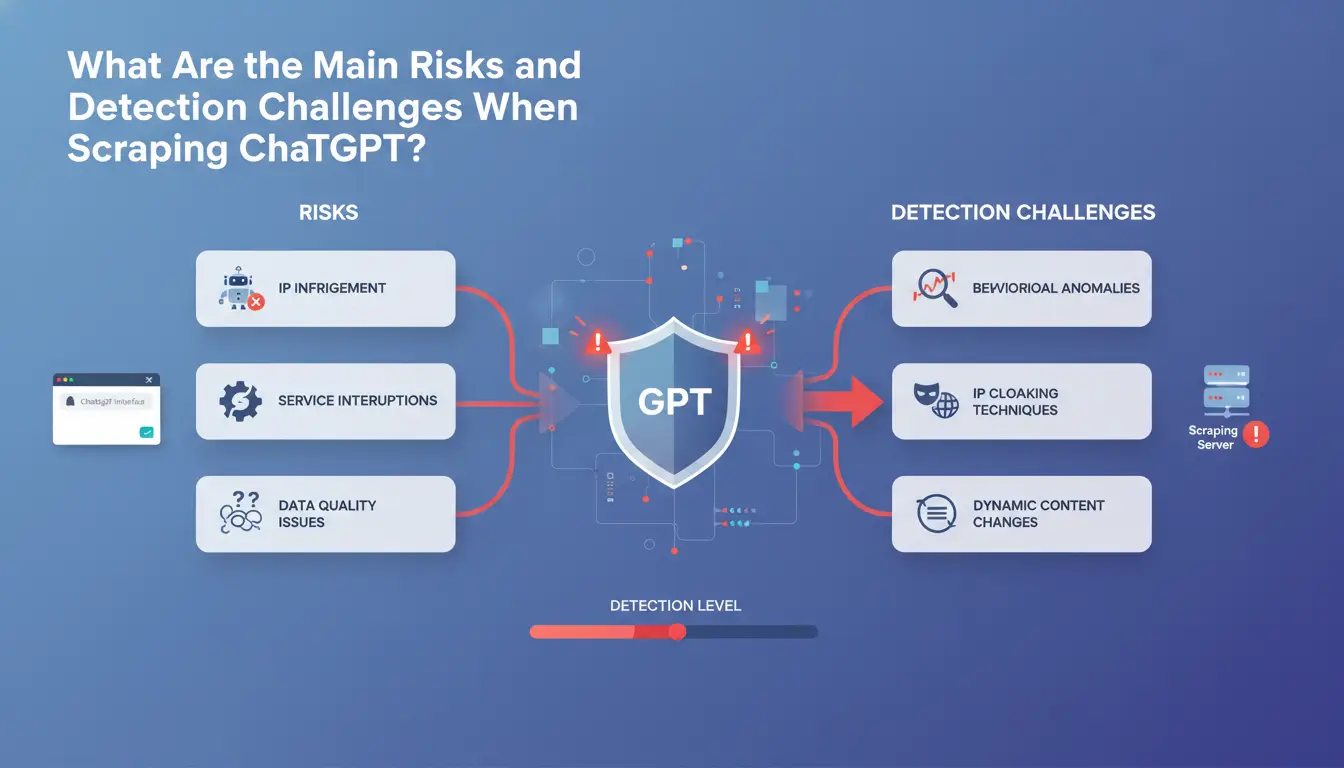
Scraping ChatGPT is no longer a low-risk, plug-and-play task. Cloud providers and OpenAI have raised their defenses, so most chatgpt scraper scripts that worked last year now break fast or put your team’s accounts at risk. The biggest problems come from automated detection layers, session traps, and the way OpenAI ties activity back to real accounts. If your workflow uses the same browser profile or proxy for every request, you’re much more likely to get flagged, throttled, or banned.
How ChatGPT Detects Scrapers: Technical Barriers
Every ChatGPT scraping attempt faces at least two detection walls, one from Cloudflare, then another from OpenAI’s own system. Cloudflare uses a bot detection stack that checks for headless browsers, strange JavaScript behavior, and repeated patterns in HTTP headers. If your scraper fails these checks, you’ll get hit with a “challenge” page or total block. After that, OpenAI runs its own session and authentication traps. Opening too many sessions from a single fingerprint, or jumping IPs without a valid login, gets flagged. Even small things, like missing cookies or a wrong user agent string, can kill your session.
Account Ban and Block Risks: What Triggers Restrictions
The biggest risk for any chatgpt scraper is losing access to paid accounts. Account bans usually start with fingerprint mismatches. If you scrape ChatGPT data using the same account across different machines, browsers, or proxies, OpenAI sees this as “impossible” behavior. Large swings in location or device type are instant red flags. Proxy rotation alone won’t save you if the browser fingerprint stays the same. Teams running ChatGPT data extraction at scale often see bans after just a few hours if they reuse accounts or let session cookies leak. Once flagged, accounts can be locked with no warning, and the whole batch might get burned. For safer scraping, split each run into unique profiles, use account-level proxies, and avoid shortcuts that look like bot scripts.
How to Scrape ChatGPT Data More Safely: Step-by-Step Workflow
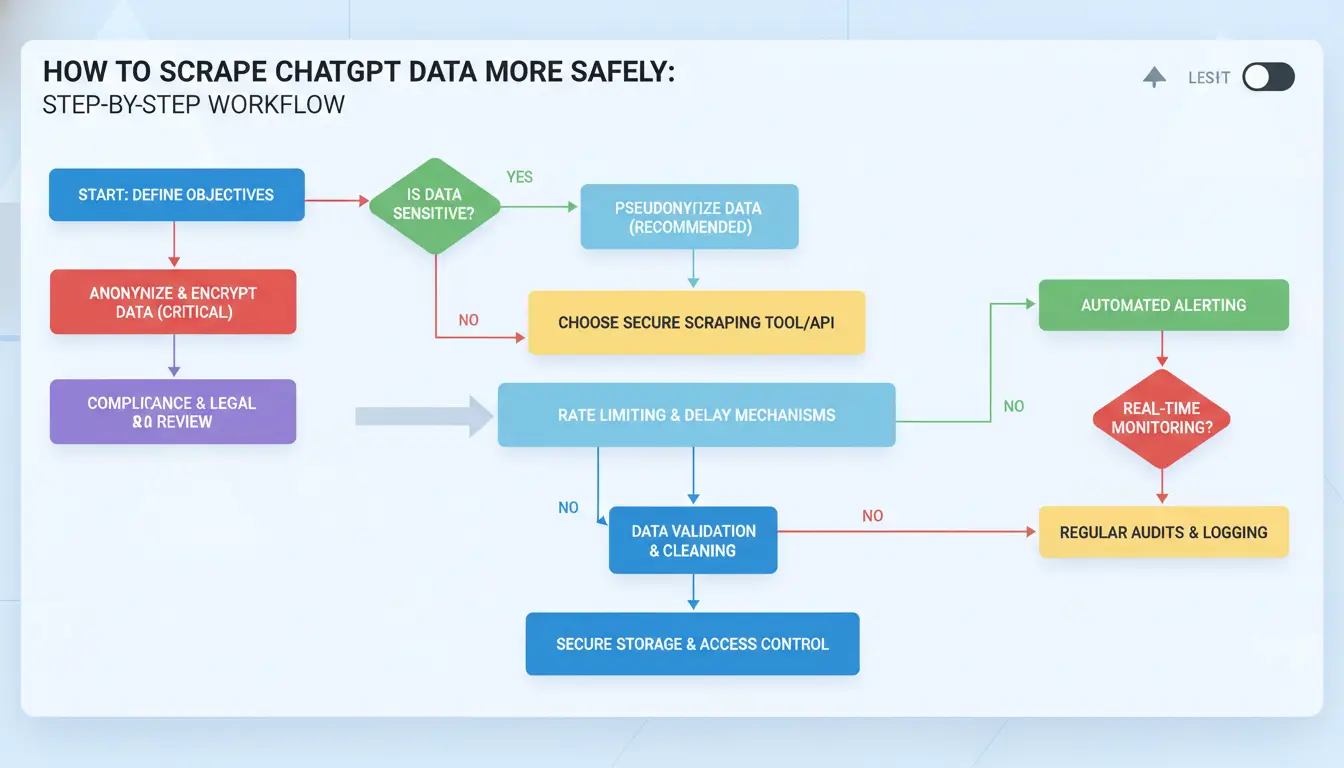
Scraping ChatGPT is never just about code. Getting reliable results without losing accounts or triggering blocks takes more than a fancy script. The key is keeping every “chatgpt scraper” run invisible, unpredictable, and separate. Here’s how teams with fewer bans actually set up their workflow, what matters, what gets skipped, and what breaks things fast.
Preparing Your Environment: Fingerprints, Proxies, and Session Handling
Before you run any ChatGPT scraping job, take control of your browser profile. Relying on a single IP or using default browser fingerprints gets flagged quickly. Use a high-quality proxy, avoid cheap, overused IPs. Rotate your proxy for each session, so each scrape looks like a new user.
Set up unique browser fingerprints for every scrape. Tools like DICloak let you run each session in a fresh profile, with isolated cookies and device details. For session handling, never reuse a profile between runs. That single shortcut is how most bans start.
Automating Scraping Tasks Without Triggering Alarms
Speed and timing decide if your ChatGPT data extraction works or gets banned. Never flood requests, spread them out with random gaps. Try to match real user actions: load pages slowly, scroll, even wait before clicking.
Don’t just script clicks in a fixed order. Randomize mouse paths and timing. For large jobs, split tasks across different fingerprints and proxies. This keeps a single “chatgpt scraper” from setting off red flags.
Many teams use Playwright or Selenium to automate browsers, but alone these are easy to spot. Pairing them with a multi-profile browser can lower detection.
The biggest mistake is ignoring small details, like skipped delays or fingerprint reuse. That’s what gets even careful teams blocked.
If you need to scrape ChatGPT data at scale, every part of the workflow must look human, not machine. The right steps up front save time and cut risk later.
Which Technical Challenges Make ChatGPT Scraping Harder Than Other Sites?
Scraping ChatGPT is not like scraping a simple blog or e-commerce site. You face aggressive anti-bot defenses, constantly changing page layouts, and real-time streaming that makes basic scripts useless. A typical chatgpt scraper needs to handle these issues or risk getting blocked, and losing hours of work.
Dynamic CSS, Streaming, and Real-Time Data Obstacles
Live chat responses don’t just appear in static HTML. ChatGPT streams content in chunks using server-sent events. If your scraper doesn’t track these streams, you miss half the data. Dynamic CSS reshuffles element classes with every update, so selectors break fast. Most simple scraping tools fail because they can’t follow real-time changes. Teams use browser automation to track streaming, but even then, parsing messy, shifting HTML takes extra logic.
CAPTCHA, Cloudflare, and Anti-Bot Protections
ChatGPT uses Cloudflare, bot detection scripts, and frequent CAPTCHA pop-ups. If your chatgpt scraper reuses IPs or browser fingerprints, it gets flagged. Scrapers that don’t mimic real user sessions hit rate limits or get stuck at login. Proxies help, but cheap proxies get banned fast. Some teams now run tools like DICloak to isolate browser profiles, lower fingerprint overlap, and automate session control. The biggest risk is missing hidden bot checks, one mistake can lock out your whole project.
How Teams Can Manage Multiple ChatGPT Scraping Accounts More Securely
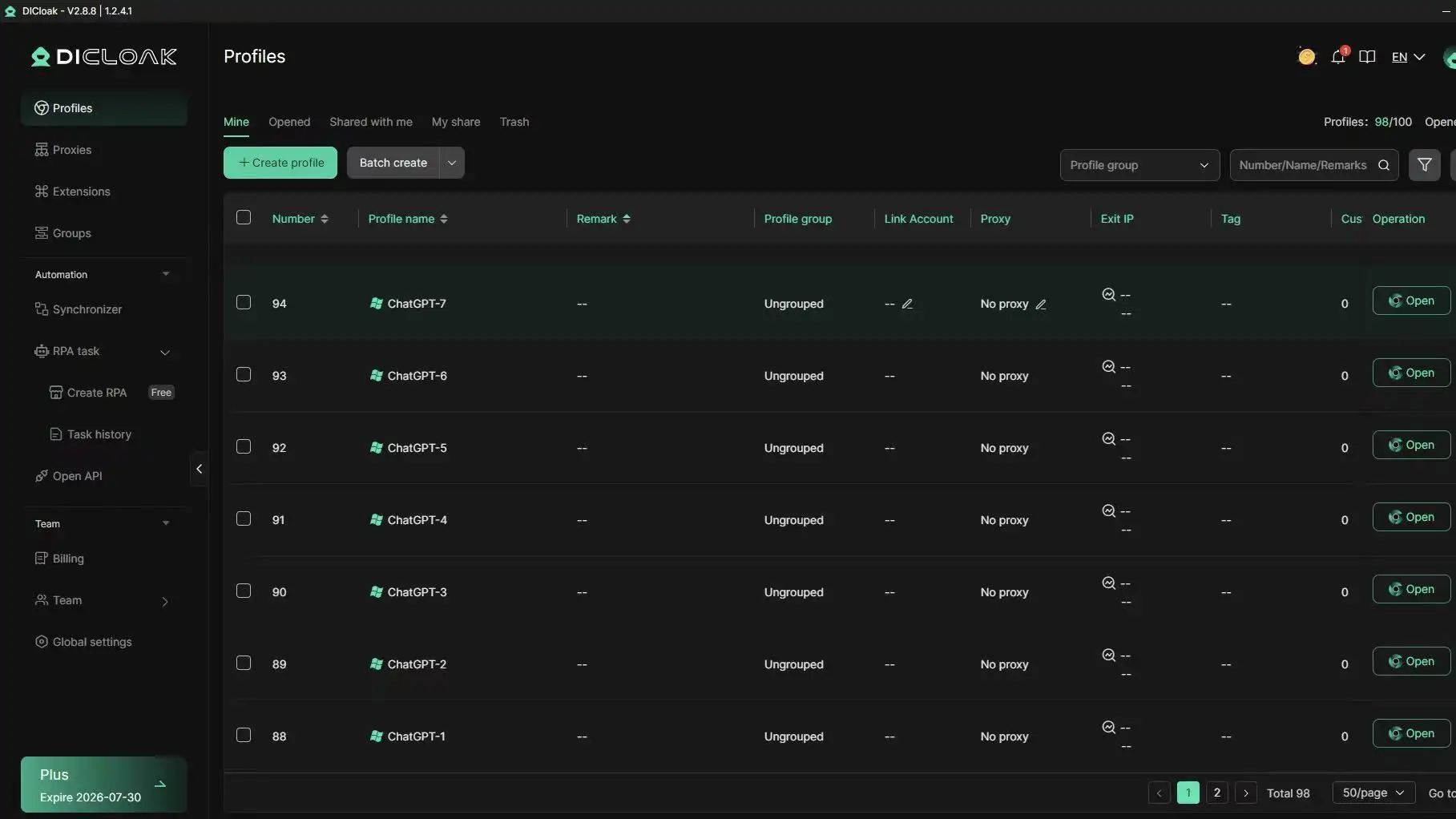
Running a team chatgpt scraper project goes well until accounts get linked or banned, often because small mistakes pile up. Account bans usually trace back to reused device fingerprints, profile overlap, or careless permission setups. Teams that scrape ChatGPT data need a workflow built for real-world friction: isolating browser sessions, locking down access, and tracking who did what. Here’s what to check and how DICloak helps.
Risks of Multi-Account Scraping: Linking, Leaks, and Human Errors
The biggest risk is fingerprint overlap. If two accounts share the same browser profile, device, or proxy, OpenAI’s backend can spot the match fast. Reusing a device, even by accident, often leads to mass bans or silent throttling. Data leaks happen when team members copy cookies, mix up login sessions, or share exported data across accounts. Permission mistakes, like giving everyone admin access, make it harder to trace which scrape run triggered a restriction. Teams that ignore these risks often lose all accounts in a single sweep.
You can use DICloak Antidetect Browser to create a separate browser profile for each ChatGPT scraping account. Each profile gets its own fingerprint, proxy, and permission rules. This blocks OpenAI from linking your accounts based on device or network overlap.
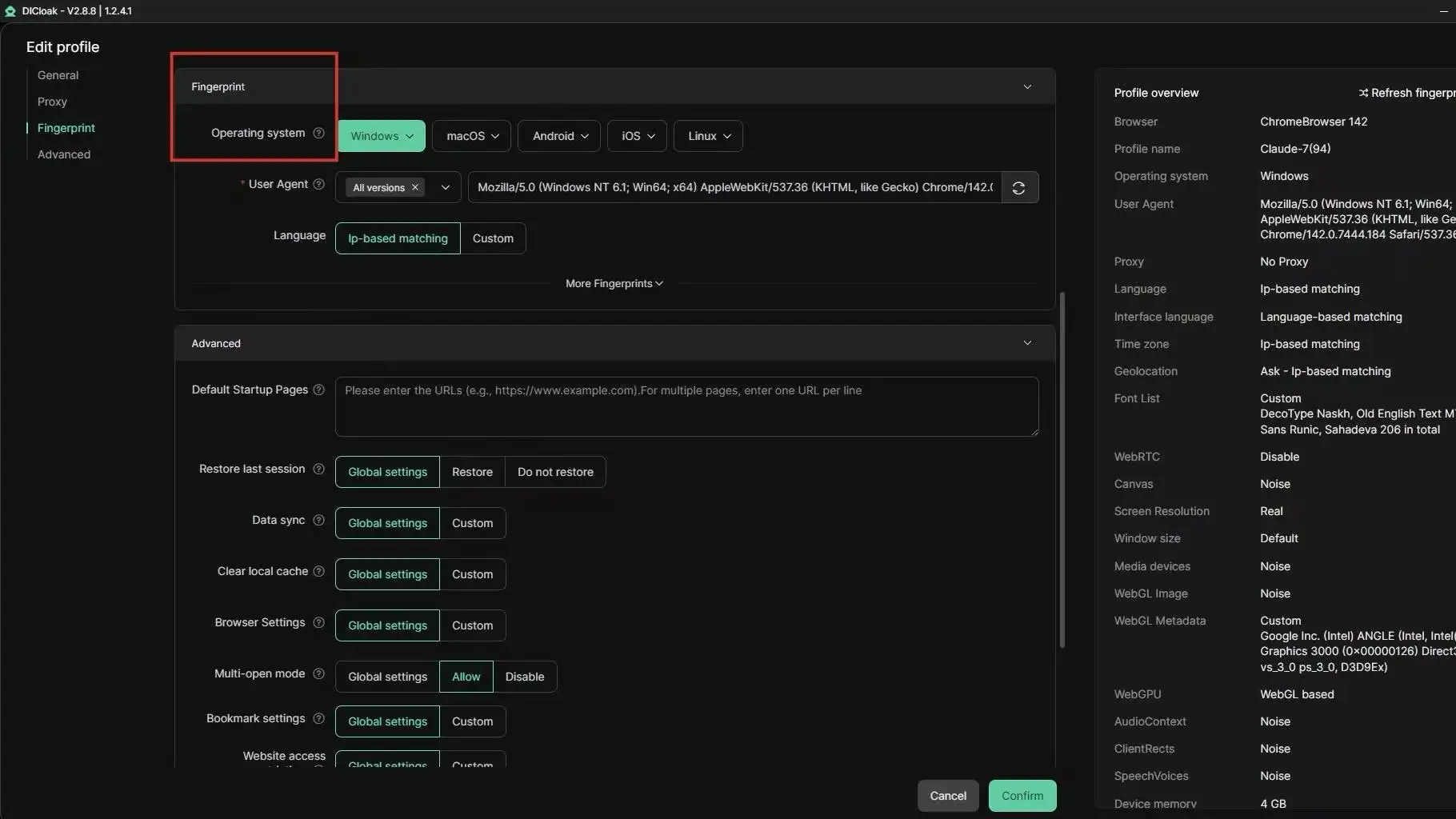
Team members only see the accounts assigned to them, no cross-access unless you set it. Permission control means only trusted users can export data or change settings. Audit logs show who ran which scrape, so you spot problems before bans spread. For larger projects, you can automate profile creation and management, letting teams scrape ChatGPT data at scale without the usual account linkage traps.
Never reuse browser profiles or proxies across accounts, this one mistake ruins bulk ChatGPT data extraction for everyone.
What Are the Most Common Mistakes That Get ChatGPT Scrapers Banned?
Ignoring Fingerprint Diversity and Proxy Hygiene
One of the fastest ways to trigger bans when running a chatgpt scraper is reusing the same device setup or browser profile across many accounts. Platforms spot patterns, like repeated browser fingerprints or static IPs, and block sessions that look automated. Poor proxy rotation makes it easier for detection systems to flag bulk scraping. If you plan to scrape ChatGPT data or handle ChatGPT data extraction at scale, separating browser profiles for each account is not optional, it's how you avoid mass bans.
Tools like DICloak let you run every account in its own isolated browser profile, each with a unique fingerprint and proxy. Teams can share profiles, control permissions, and keep proxy hygiene tight. This reduces fingerprint overlap and makes group scraping safer.
Automation Errors: Overloading, Timing, and CAPTCHA Handling
Aggressive scraping, too many requests in short bursts, often gets flagged as bot activity. Missing CAPTCHA triggers or failing to mimic real user timing are common mistakes. DICloak supports automation and permission controls, helping teams manage multiple scraping sessions, automate CAPTCHA handling, and spread requests to avoid detection. Failing to separate browser profiles and rushing requests is what wrecks most scraping projects.
When Is Using the Official ChatGPT API a Better Choice Than Scraping?
Scraping ChatGPT gives you more control over what you collect, but it comes with constant risk. The official API, while not perfect, often makes more sense, especially if you want scale and fewer headaches. Here’s when the ChatGPT API beats any chatgpt scraper, and where scraping is worth the extra work.
API Limitations vs. Scraping Advantages
The OpenAI API gives you direct, stable access to ChatGPT models. It’s built for developers and businesses who need reliable output and support. The API is best for structured tasks like generating text, summarizing, or building chatbots. You get clear usage limits, and your requests are less likely to trigger blocks.
By comparison, a chatgpt scraper can pull data that’s not available through the API, like UI-specific responses, session-based features, or usage metrics. Scraping also lets you simulate real-user flows, handy for QA or research. But you’re always fighting rate limits, CAPTCHAs, and anti-bot systems.
| Method |
Data Types |
Access Limits |
Stability |
Cost |
| API |
Model outputs, text |
90k TPM, 3k RPM (GPT-4) |
High |
Pay per use |
| Scraping |
UI, session, metadata |
Site blocks, CAPTCHAs |
Unstable |
Varies |
Source: OpenAI API docs
Choosing the Right Approach for Your Use Case
If your project needs only model output, like generating text or building a bot, the API is safer and less likely to get you banned. You always know what you’ll pay, and OpenAI’s docs make the limits clear.
Scraping makes sense when you need data the API won’t return, or want to test how the real web interface behaves. For example, some teams use a chatgpt scraper to track UI changes or log session data for QA. If you do need to scrape ChatGPT data often, tools like DICloak help lower the risk by disguising browser fingerprints and keeping sessions isolated.
The key is simple: If the official API covers your needs, use it, scraping exposes you to bans and breaks with every update. Only reach for ChatGPT scraping when the API truly can’t deliver.
How to Scale ChatGPT Scraping Without Increasing Detection Risk
Scaling a chatgpt scraper isn’t just about running more scripts, it’s about staying under the radar while automating bulk data extraction. The bigger your operation, the easier it is for detection systems to spot patterns and block your sessions. Teams scraping ChatGPT data for research or tool building run into bans fast if they don’t separate browser fingerprints, rotate proxies, and track every run. Here’s how to scale up without getting flagged.
Scaling Up: Bulk Operations, Automation, and Proxy Pools
If you go beyond a handful of scrape ChatGPT data sessions, you need a solid proxy pool. A single IP can get flagged in minutes, so most teams buy or rent hundreds of proxies. The trick is not just volume, but quality, cheap proxies get banned quickly. Using tools like DICloak lets you run each chatgpt scraper in a unique browser profile, so fingerprints and cookies never overlap. Automating profile creation matters: set up scripts that generate new profiles for each run, link each to a fresh proxy, and rotate both at intervals. That way, even if one session gets flagged, the rest stay safe.
Table: Proxy pool types for ChatGPT scraping
| Proxy Type |
Typical Use Case |
Ban Risk |
Source |
| Residential |
High-volume scraping |
Low |
Smartproxy |
| Datacenter |
Quick tests, low-cost |
High |
Oxylabs |
| Mobile |
Evasion, niche |
Very Low |
Proxy.com |
Monitoring, Logging, and Error Handling for Safe Scaling
Scraping at scale means tracking every session. Operation logs let you spot which runs got blocked, which proxies failed, and which browser profiles triggered bans. Build audit trails that record every scrape ChatGPT data attempt, IP used, profile ID, error codes. If a ban hits, reroute immediately with a fresh proxy and profile. Some teams use alert scripts: if too many failures happen in a row, pause the batch and review logs before restarting. Missing these checks is the fastest way to lose your data and burn your proxy pool.
Frequently Asked Questions
Is scraping ChatGPT legal in my country?
Laws differ by country, so always check your local regulations before using a chatgpt scraper. OpenAI’s terms of service prohibit scraping their platform. Even if you only extract ChatGPT data for research or personal use, you may still face legal or account risks. When in doubt, consult a legal expert about ChatGPT scraping.
Can I scrape ChatGPT data without getting banned?
Using a chatgpt scraper always carries some risk of a ban, especially if your activity triggers OpenAI’s detection systems. You can lower this risk by limiting request frequency, using proxies, and mimicking normal user behavior. Still, scraping ChatGPT data at large scale or too quickly can result in account suspension or blocks.
What data can I extract with a ChatGPT scraper?
A chatgpt scraper can capture prompts and responses from your conversations. Depending on your scraping method, you might also collect session logs or metadata, like timestamps and conversation IDs. However, scraping private or sensitive data can violate OpenAI’s policies and legal restrictions. Always review what data you extract during ChatGPT data extraction.
Do I need proxies for safe ChatGPT scraping?
Yes, proxies help mask your IP address, making it much harder for OpenAI to detect and block your chatgpt scraper. If you plan to scrape ChatGPT data at scale or run multiple sessions, use rotating proxies. This spreads requests across different IPs and helps you avoid detection.
How does DICloak help with ChatGPT scraping?
DICloak makes ChatGPT scraping safer by giving you isolated browser profiles and built-in proxy support. These features help hide scraper activity from OpenAI. The platform also offers team collaboration tools, which make it easier to manage large scraping projects while reducing detection risks.
Conclusion
Understanding the capabilities and limitations of a ChatGPT scraper is essential for effectively gathering data while respecting usage policies and ethical boundaries. Leveraging the right tools can simplify information collection, but it's important to choose solutions that prioritize privacy and compliance. Try DICloak For Free
 Web Proxy Tools
 Free Tools
 Cookie Plugin
 UA Generator
 MAC Address Generator
 IP Generator
 IP Address List
 2FA Code Generator
 World Clock
 Anonymous Check
 WebRTC Leak Test
 UUID Generator
 Free Web Proxy Site
 Proxy Checker
 FB Ad Checker
 AI Web Scraping
 Free SMM Tools
 Twitter Shadowban Checker
 Instagram Name Checker
 UTM Generator
 Username Generator
 AI Hashtag Generator
 LinkedIn Headline Generator
 Social Media Image Resizer