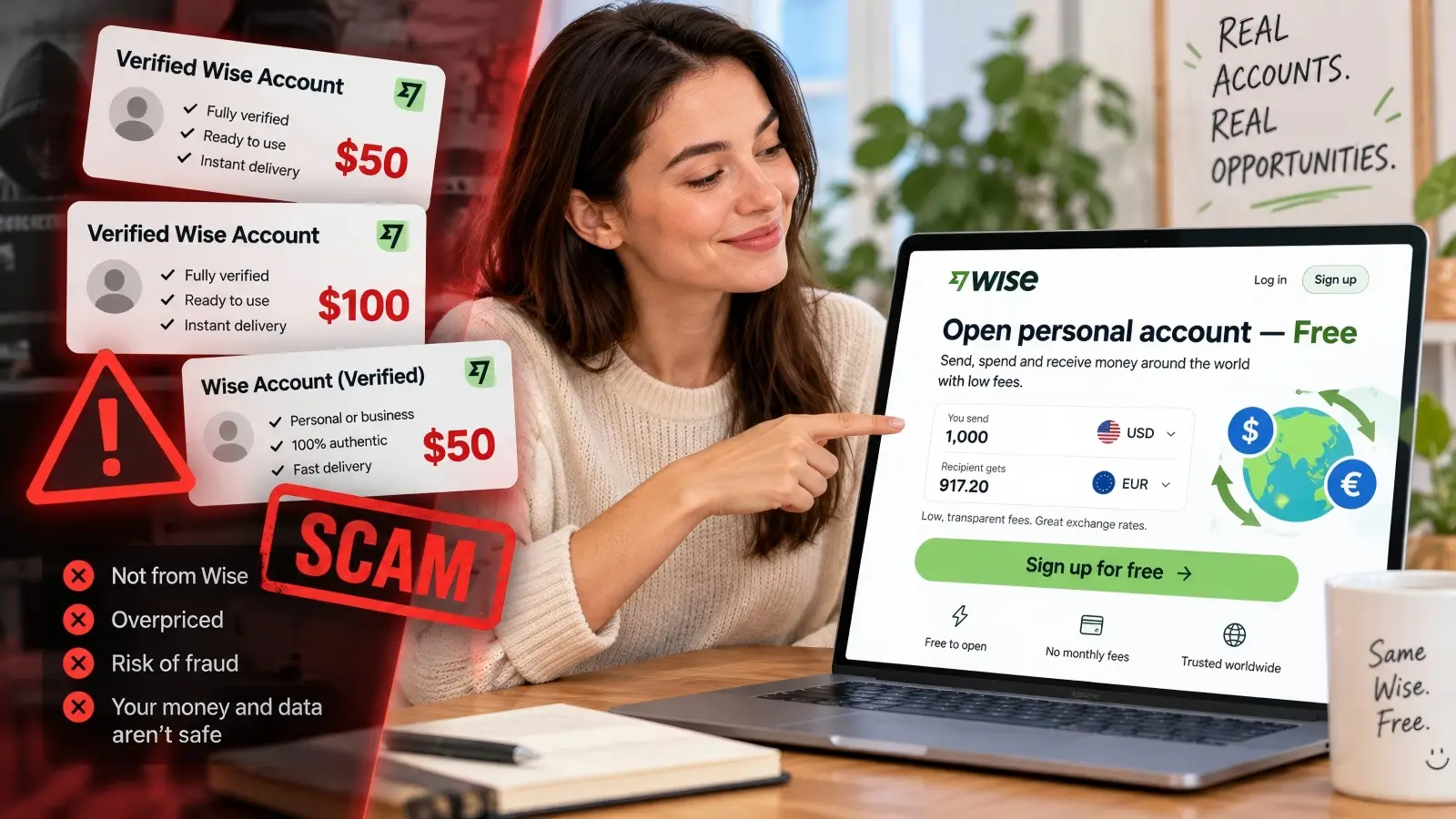
Need a Wise account to receive international payments, but don't want to wait for identity verification? You may have seen sellers offering verified Wise accounts that are ready to use. Some promise instant access, higher transfer limits, or accounts registered in other countries. These offers may sound helpful, especially when you need to receive an urgent payment.
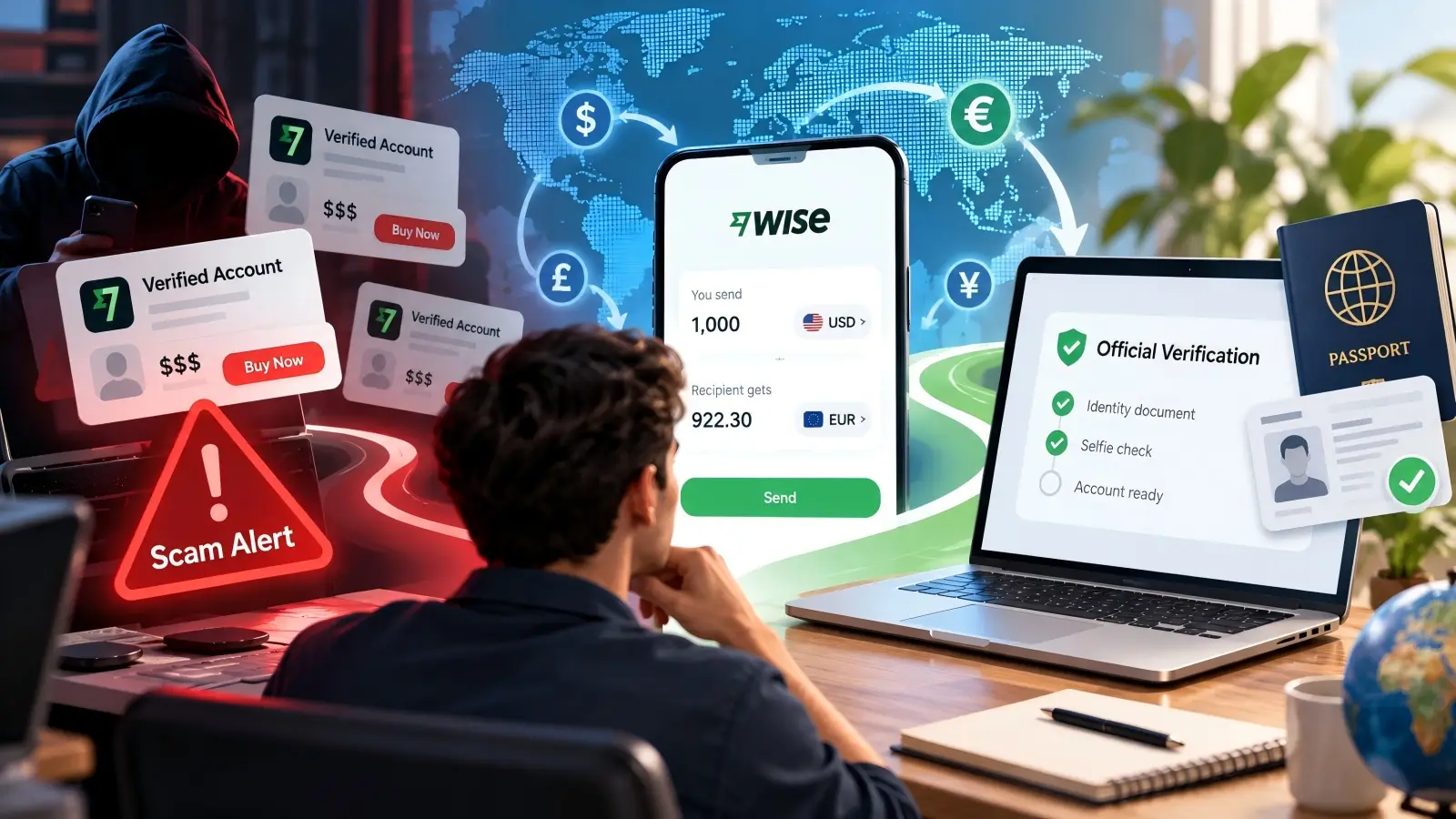
But can you really buy verified Wise accounts safely? The answer is no. Wise officially warns that selling verified accounts is a common online scam. A Wise account must belong to the person whose identity has been verified. Buying an account from someone else could leave you with no access to your money, or even expose your personal information to criminals.
The good news is that you don't need to pay anyone to create a personal Wise account. You can register and complete identity verification through Wise itself. This guide explains why buying verified accounts is risky, how official verification works, how long it takes, and what you can do to protect your account.
Why Offers to Buy Verified Wise Accounts Are Online Scams
Websites and social media sellers sometimes advertise verified Wise accounts as a quick way to send and receive money. They may claim that the account already passed identity checks, so you can avoid submitting your own documents. However, this is not how Wise account ownership works. A verified account is linked to a specific person's identity, and that verification cannot simply be transferred to another buyer.
Before paying for any account, it helps to understand why Wise needs to know who owns it and what could happen if you use someone else's financial identity.
Legal Rules Behind Wise Account Identity Verification
Wise must follow financial rules that require it to verify customers' identities. These rules are often called Know Your Customer (KYC) requirements. They help financial institutions identify customers, prevent money laundering, and reduce financial crime. This is why Wise asks for personal details and may request a government-issued ID before allowing certain transactions.
For example, imagine that someone opens a Wise account using their passport and later sells the login details to another person. The account would still be linked to the original person's identity. Even if the buyer changes the email address or password, that does not make them the verified account holder. If Wise asks for another identity check, the buyer may be unable to complete it.
Wise also states that users can have only one personal account. Creating extra personal accounts or using accounts registered under another person's identity does not solve verification problems. The correct approach is to register an account using your own legal information and follow the verification steps Wise provides.
Hidden Risks If You Buy Pre-Verified Wise Accounts From Third-Party Sellers
The biggest risk of buying a verified Wise account is losing control of your money. A seller may provide working login details, but that does not mean you own the account. They may still control the original email address, phone number, or other recovery information. If they regain access after you deposit money, recovering your funds could become difficult.
Consider a freelancer who buys a supposedly verified Wise account to receive a $2,000 client payment. The account appears to work, so the freelancer shares its payment details with the client. Later, Wise requests fresh identity documents or limits the account while reviewing unusual activity. Because the freelancer is not the verified owner, they may be unable to complete the check or recover access.
There are other risks worth considering:
- Account recovery fraud: The seller may regain access after receiving your payment.
- Identity theft: A seller may ask for your passport, address, or selfie and misuse that information.
- Account restrictions: Wise may restrict or close accounts that do not meet its requirements.
- Hidden ownership: You may not know whether the account was created using stolen personal information.
- Financial losses: The seller may disappear after receiving your payment, with no working account provided.
A login that works today is not proof that an account is safe or legally yours. Even a small test transfer cannot confirm that you will maintain access in the future.
Why Opening a Wise Account Is Completely Free of Charge
You do not need to buy an existing account because opening a personal Wise account is free. According to Wise's official fee guide, there is no charge to register a personal account. Wise does charge fees for certain services, such as currency conversions and transfers. Some business account services may also involve setup fees, depending on the country.
For example, a person living in the United States can visit Wise, create a personal account, and begin the required setup without paying a third-party seller. They may later pay a transfer fee when converting USD to EUR, but that is different from paying for account ownership. If a website demands $50 or $100 for a "fully verified Wise account," that payment is not a normal Wise personal registration fee.
Step-by-Step Guide to Officially Verify Your Own Wise Account
The safest way to use Wise is to open an account under your own name and complete verification through its official website or app. You don't need a seller, a verification agent, or a pre-registered account. The process is handled online, although the documents required can vary by country and the services you want to use.
Here is how to get started and prepare for the checks you may receive.
Download Wise App or Visit Official Website to Register
Start by visiting Wise.com or downloading the official Wise app from your device's app store. Select the option to register and choose whether you need a personal or business account. Enter your email address, create a strong password, and follow the instructions to provide your phone number and country of residence. Make sure you are on the real Wise website before entering any information.
For a personal account, Wise will also ask for details such as your full legal name, date of birth, and address. Use the same name that appears on your identity documents. For example, if your passport includes a middle name, enter your details as requested rather than using a nickname. Small differences may cause problems when Wise compares your information with your documents.
After registration, you can follow the prompts to set up the services you need. Wise may ask you to verify your identity when you request receiving account details, make your first transfer, or add money. The exact order depends on your country and account activity, so follow the steps displayed in your account.
Submit ID Documents and Selfie to Finish Identity Check
Wise usually verifies your identity with a government-issued document. Common options include a passport, national identity card, or photo driver's licence. However, accepted documents vary by country. For example, Wise generally does not accept a driver's licence as identity proof for customers living in the European Economic Area.
When asked to upload your ID, take a clear photo of the original document. Make sure the text is readable, the document has not expired, and all required edges are visible. If you use an identity card or driver's licence, Wise may need photos of both sides. Avoid cropping out important information or submitting an old, unclear image.
Wise may also request a live photo of your face or a selfie while holding your ID. This helps confirm that the person using the account matches the document provided. For the best result, use good lighting, look directly at the camera, and follow the instructions shown on the screen. Only submit sensitive identity documents through Wise's official verification process, not through a seller's email, Telegram account, or external website.
Situations When Wise Will Request Extra Identity Verification
Passing your first identity check does not mean Wise will never ask for documents again. Financial institutions must keep customer information up to date, and certain activities may require extra checks. Wise may request additional information when you send a large amount, use certain currencies, or have completed more transfers over time.
Imagine that you normally send $200 to a family member each month. Later, you decide to transfer $15,000 to pay for an overseas service. Wise may ask you to explain where the money came from or provide supporting documents. These could include bank statements or other proof of the source of funds, depending on the transaction.
An extra verification request does not automatically mean your account is in trouble. It may simply be part of the normal review process. Read the instructions carefully, provide the requested information through Wise, and avoid anyone offering to remove the requirement for a fee.
How Long Does Wise Take to Complete Account Verification?
Waiting for verification can be frustrating when you have an international payment to make. However, buying an account is not a reliable way to save time. Wise has an official review process, and most users can complete the required steps without involving a third party.
The total time depends on the documents you submit, whether Wise needs more information, and the type of transaction involved.
Typical Review Time for Standard Verification Requests
According to the Wise Help Centre, identity verification usually takes 1–2 working days after Wise receives the required documents. In some cases, checks may happen automatically or more quickly. Reviews may take longer if the images are unclear or additional documents are required. Weekends and public holidays may also affect working-day timelines.
For example, if you submit your documents late on Friday, you should not assume the review will finish by Sunday. The normal review period is measured in working days. Wise will usually contact you by email once it completes the check or needs more information.
If your verification is still pending, sign in and check its status. A pending review does not always require action from you. Uploading the same documents repeatedly or creating a second account is unlikely to help and may create more problems.
Verification Triggers for Large-Sum or New-Currency Transfers
Some transfers require more checks than others. Wise explains that the amount you send, the currency involved, and your transfer history can affect its verification requirements. Certain currencies may require additional information even for smaller payments. Larger transfers may also involve questions about the source of your money.
Suppose you use Wise regularly to send small payments in EUR. You later need to make a much larger transfer in another currency. Wise may request extra information before processing that payment. This does not mean every new currency or large transaction will automatically trigger a review, but you should be prepared for one.
If you are planning an important payment, check your account requirements before the deadline. Keep your identity documents and any relevant financial records available. This gives you more time to respond if Wise needs additional proof.
Common Red Flags to Spot Buy Verified Wise Accounts-Related Fraud
Scammers often understand what buyers want: quick approval, fewer questions, and immediate access to international payments. They use these promises to make suspicious offers appear useful. Some even copy Wise's branding or claim to have a special connection with its verification team.
Knowing the warning signs can help you avoid losing money or exposing your identity documents.
Typical Warning Signs of Financial Online Scams
A common warning sign is a seller who claims they can provide a verified Wise account without requiring your real identity. They may advertise accounts registered in the US, UK, or Europe and promise that you can use them from anywhere. Some offer "aged" accounts or claim that their accounts have special transfer privileges. None of these claims proves that the account is safe or belongs to you.
Be especially careful when a seller creates pressure to pay immediately. For example, a Telegram seller might say that only two verified accounts remain and that the price will double within an hour. They may then ask for an irreversible payment or refuse to provide any reliable business information. This combination of urgency, unclear ownership, and unusual payment demands is a strong reason to walk away.
| Warning sign |
Why it is risky |
| Guaranteed verified Wise account |
Verification belongs to the real account holder |
| No ID required |
The seller may be offering an account with false or stolen identity information |
| Instant account ownership |
Login access is not the same as verified ownership |
| Payment only through hard-to-reverse methods |
Recovering money after fraud may be difficult |
| Seller requests your passport or selfie |
Sensitive documents could be misused |
| Guaranteed high transfer limits |
Wise determines limits and verification requirements |
| Fake Wise support or special approval claims |
Scammers may impersonate official staff |
Practical Tips to Protect Your Funds and Personal Data
The best protection is to keep your financial accounts under your own control. Register directly with Wise, use a unique password, and enable the security features available in your account. Do not share one-time login codes, recovery information, or identity documents with people who claim they can sell or verify accounts for you.
If someone sends you a link to a Wise login page, check the full website address before entering anything. A scammer may use a domain that looks almost identical to the real one, with an extra letter or unusual ending. Wise advises users to check that official links lead to its genuine domain. You can also create a Secure communication code in Wise's security settings to help recognize genuine automated emails.
For people receiving payments from international clients, it also helps to separate account security from payment planning. Confirm your receiving details in the Wise app, review payment information carefully, and keep basic transaction records. If someone claims your account needs an urgent paid upgrade to receive money, verify that claim through official Wise support before taking action.
How to Report Suspicious Wise-Related Scam Activities
If you find a suspicious website selling verified Wise accounts, avoid sending money or sharing personal information. Save the website address, seller messages, and screenshots in case you need to report them. You can then contact Wise through its official Help Centre. If the seller is using Telegram, a marketplace, or another social platform, you can report the account there as well.
If you have already sent money to a suspected scammer through Wise, report the transfer immediately. Open the transaction in your Wise account, select the help option, and follow the steps to report a fraudulent payment. Wise also provides an official reporting process through its website. You can find the instructions in its fraud and scam reporting guide.
If you shared your Wise password or security codes, change your password and contact Wise right away. If you submitted your passport or other sensitive documents to a seller, consider reporting possible identity theft to the relevant authorities in your country. Wise may try to recover a fraudulent transfer, but successful recovery is not guaranteed. Acting quickly gives you a better chance of limiting further damage.
Avoiding fake Wise accounts is important, but protecting your real accounts matters just as much. When you manage several business services or work with a team, shared passwords, mixed login sessions, and unclear access permissions can create security risks. An antidetect browser like DICloak helps you organize browser access and reduce these problems.
DICloak provides account security controls, isolated browser Profiles, and team permission management. These features help protect login information, keep browser sessions separate, and give businesses more control over who can access their online accounts. They support safer account management but do not replace Wise's official identity verification.
Protect Login Credentials with Account Security Controls
If someone gains access to your login details, they may be able to access sensitive account information. This risk increases when multiple people use the same work computer or share browser access. DICloak offers security settings designed to limit how account credentials and browser data can be accessed.
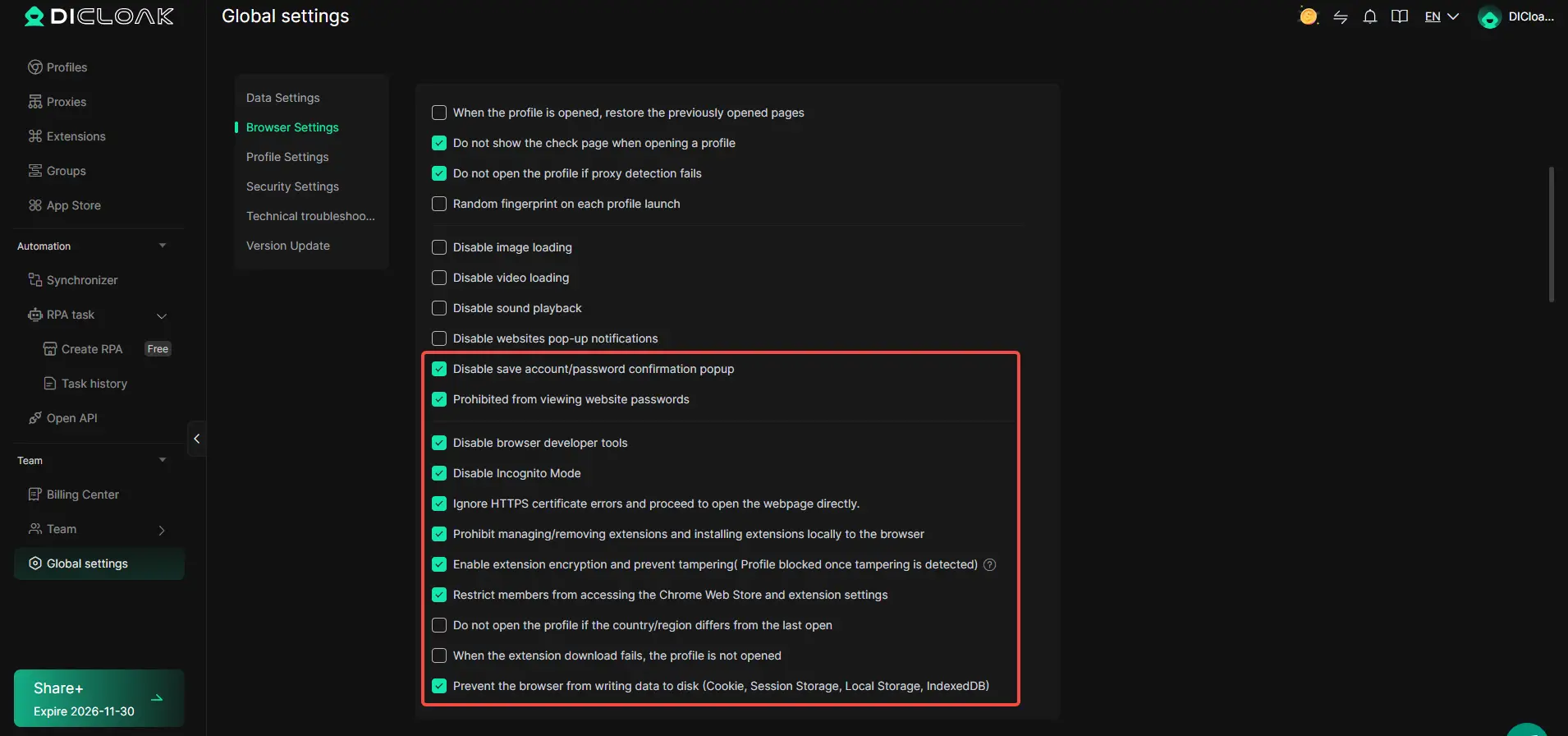
For example, administrators can enable password hiding to prevent team members from viewing saved website passwords. They can also disable browser developer tools, restrict local extension installation, and protect extensions against tampering. These controls help reduce unnecessary access to sensitive browser information.
To configure these features, open Global Settings → Browser Settings in DICloak. You can enable options such as Prohibited from viewing website passwords and Disable browser developer tools. For businesses handling financial information, these settings provide an extra layer of browser access control alongside strong passwords and Wise's own security measures.
Keep Business Accounts Separate with Browser Profiles
When you manage several business accounts in one browser, cookies and saved sessions can become difficult to organize. You might open the wrong account or accidentally use information from another project. DICloak solves this browser management problem by allowing you to create separate Profiles with independent cookies, local storage, and fingerprint settings.
For example, someone managing two registered businesses may use separate DICloak Profiles for each company's approved online services. Each Profile keeps its browser data separate, making it easier to organize client dashboards, invoices, and related work. You can also assign Profile names and groups so the correct workspace is easy to find.
To get started, go to Profiles in DICloak and create a Profile for each legitimate business workflow. You can adjust its settings under Fingerprint and manage related Profiles in groups. Remember that separate browser Profiles do not give you permission to open duplicate personal Wise accounts or use someone else's verified identity.

Control Team Access and Track Account Activity
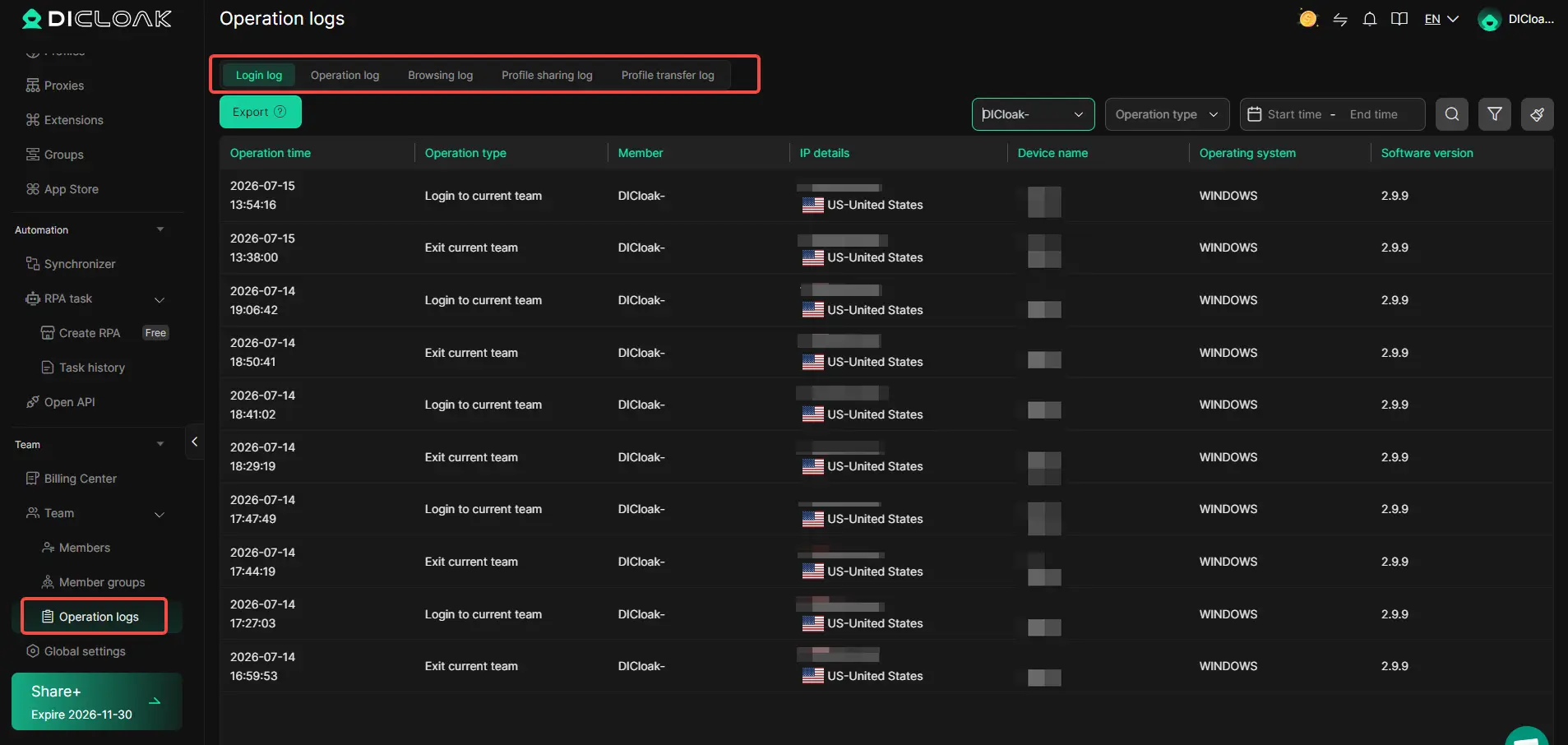
Account security becomes more complicated when several employees manage business services. Giving everyone full access can expose private information and make it difficult to identify who changed something. DICloak provides team permissions and operation logs to help businesses control access and review browser-related activity.
For example, a company may have employees responsible for customer support, accounting, and daily operations. An administrator can organize members into groups and decide who can view, open, create, or edit specific browser Profiles. This allows employees to use the Profiles they need without giving everyone the same level of control.
In DICloak, go to Team → Member Groups to configure permissions. You can also visit Team → Operation Logs to review login activity, browsing records, Profile sharing, and Profile transfers. These records help administrators investigate unexpected browser activity and manage access more clearly. They are not a substitute for Wise's own transaction history or security alerts.
Frequently Asked Questions About Buying Verified Wise Accounts
1. Is It Safe to Buy Verified Wise Accounts Online?
No. Offers to buy verified Wise accounts are risky because the accounts belong to someone else. Sellers may recover access, steal your money, or provide accounts created with stolen identities. The safest option is to register directly with Wise.
2. Is It Legal to Buy Verified Wise Accounts?
Buying verified Wise accounts can violate Wise's terms and financial identity verification rules. Using an account registered under another person's identity may also create legal problems, especially if fraud is involved.
3. How Much Does It Cost to Buy Verified Wise Accounts?
Third-party sellers charge different prices, but there is no need to pay them. Opening a personal Wise account is free, although some transactions and services have fees. You can complete verification directly through Wise.
4. Can I Buy Verified Wise Accounts Without ID Verification?
No legitimate seller can transfer their identity verification to you. Even if you buy verified Wise accounts, Wise may request new identity documents and restrict access if you cannot prove account ownership.
5. What Should I Do If I Already Bought a Verified Wise Account?
Stop using the purchased account and avoid depositing more money. Contact Wise Support to explain the situation. If you shared personal documents or payment information with the seller, secure your accounts and report any suspected fraud.
 Web Proxy Tools
 Free Tools
 Cookie Plugin
 UA Generator
 MAC Address Generator
 IP Generator
 IP Address List
 2FA Code Generator
 World Clock
 Anonymous Check
 WebRTC Leak Test
 UUID Generator
 Free Web Proxy Site
 Proxy Checker
 FB Ad Checker
 AI Web Scraping
 Free SMM Tools
 Twitter Shadowban Checker
 Instagram Name Checker
 UTM Generator
 Username Generator
 AI Hashtag Generator
 LinkedIn Headline Generator
 Social Media Image Resizer