Choosing between ad intelligence platforms gets tricky when every tool claims to spot winning creatives and unlock your next campaign angle. If you’re searching for a straight answer on Adsparo vs PiPiADS, you’ve probably run into the same screenshots, half-baked feature lists, and recycled reviews that don’t show what actually works when you need data fast.
On paper, both Adsparo and PiPiADS promise coverage across TikTok, Facebook, and Instagram. But the real question isn’t just “which tool finds more ads”, it’s which one helps you spot patterns before the competition, filter out junk, and actually speed up your creative workflow. Many marketers waste hours clicking through fake “top ads” that turn out to be irrelevant when you drill down.
What actually matters is how fast you can go from trend discovery to actionable targeting. The difference shows up when you need advanced filters, export options, or real-time updates that don’t lag behind what’s already viral. If you’re looking for an Adsparo alternative or trying to make sense of a PiPiADS comparison, focus on the details that cut manual work, like search granularity, database freshness, and export quality.
Let’s break down where these two ad spy tools really diverge.
What Should You Check Before Comparing Adsparo and PiPiADS?
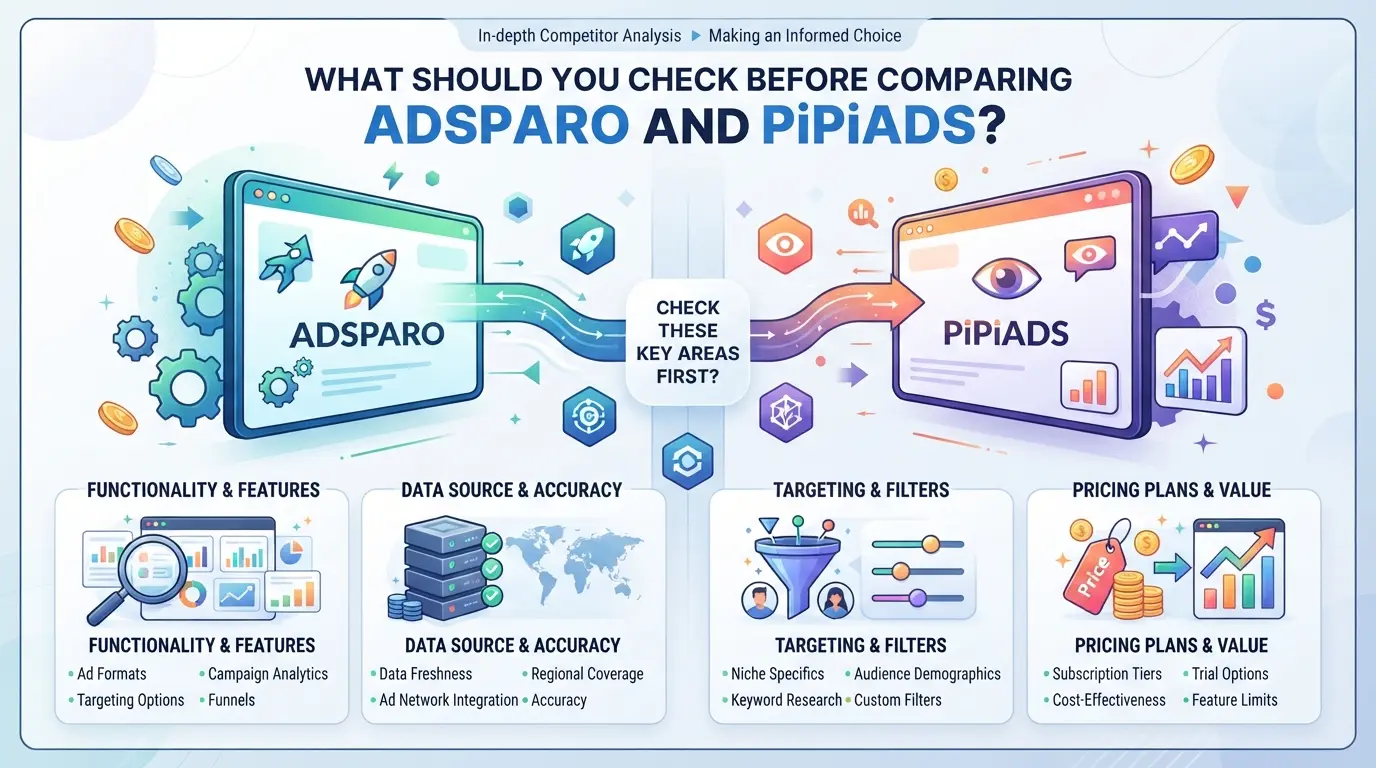
The real work in picking between these ad spy tools isn’t just about feature lists or price tags. You need to check where each one fits your day-to-day grind, what data you actually get, which platforms matter for your campaigns, and where hidden gaps can stall your workflow. Rushing this step is the main reason teams end up locked into the wrong tool for months.
Ad Database Depth and Platform Coverage
Some tools list huge ad counts, but most users only care about fresh, filterable results on platforms that drive their spend. If you run TikTok ads but the tool’s TikTok database is thin or outdated, you’ll waste hours chasing dead ends. Teams focused on Instagram need to confirm both coverage and search options, sometimes a tool claims “Instagram support” but only surfaces a small subset of ads.
Workflow Fit for Your Team or Solo Use
- Can you add or remove team members without extra fees or delays?
- Is there a shared workspace or saved search history for the group?
- How do you handle access if your team rotates logins or splits tasks across time zones?
If you run solo, the setup is simpler. For teams, you’ll hit problems fast if the tool locks accounts after a few location changes or doesn’t offer role-based access.
Risks and Blind Spots to Watch Out For
Missing a single detail in this comparison step leads to the same roadblocks users complain about most: locked accounts, stale data, or surprise charges. The most common failure isn’t picking a “bad” tool, it’s skipping a detail that only shows up after you’re committed.
- Check the refresh rate of ad data: some tools lag days behind, so “newest ads” aren’t really new.
- Review export or API limits: if you plan to build reports, make sure you won’t hit a wall after a few downloads.
- Scan for hidden renewal or seat fees: many users only spot these after trial pricing ends or when adding their third teammate.
Teams that skip these checks often end up spending more time on support chats than on actual ad research. Get these details right now, and the rest of your comparison will be a lot more productive.
Ready to see how these choices play out for different team types? Next, you’ll see why some groups lean Adsparo while others stick with PiPiADS.
Why Do Some Teams Prefer Adsparo While Others Choose PiPiADS?
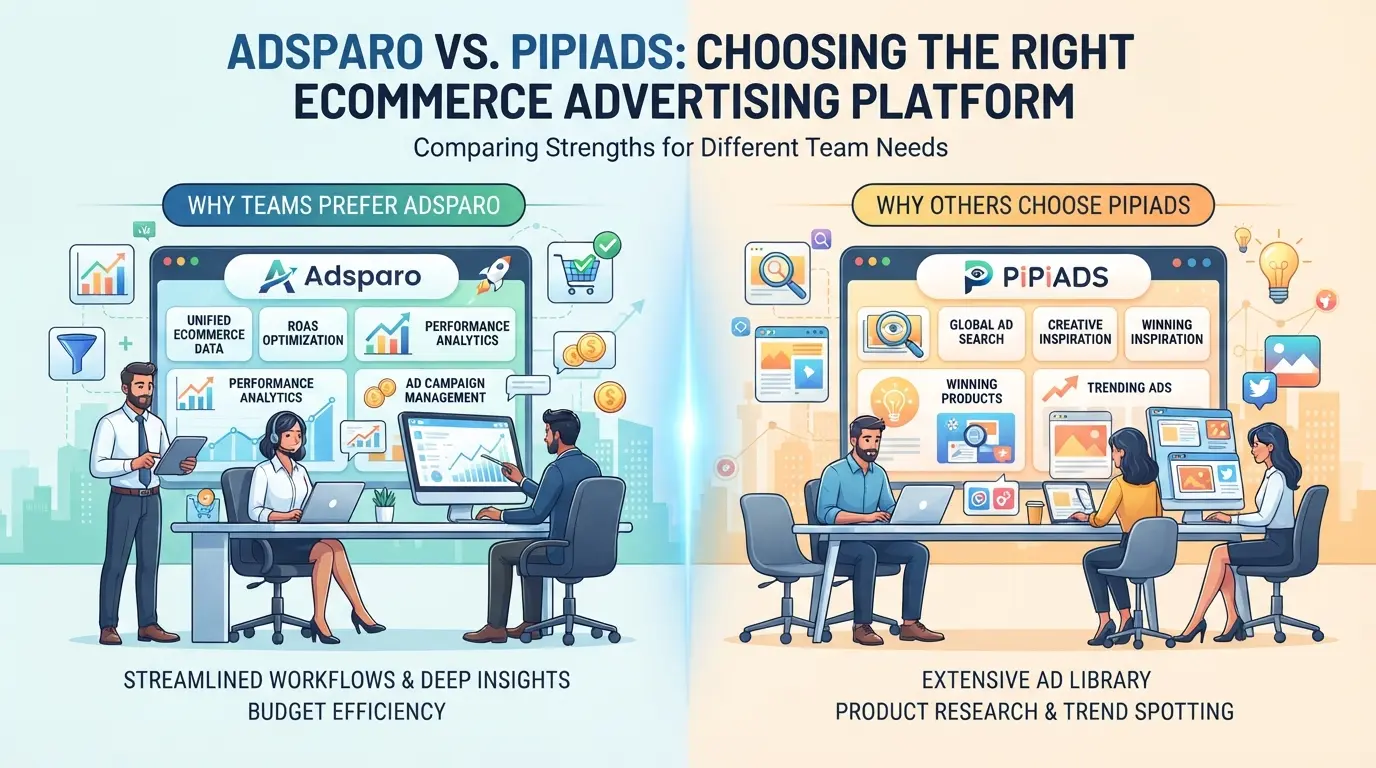
Teams rarely switch between these two ad spy tools without a clear reason, workflow fit matters more than feature lists. Most stick with what helps them cut research time, not just what claims bigger databases. The core split comes down to platform coverage, daily tasks, and how much hands-on analysis you need versus ready-made shortlists.
TikTok and Facebook Ad Intelligence: Where Each Tool Excels
If your team focuses on TikTok Shop and wants granular filters for trending products, PiPiADS usually pulls ahead due to deeper TikTok integration. On the other hand, Adsparo’s Facebook ad library often surfaces older DTC campaigns and lets you reverse-search by page or domain, which matters for brands tracking competitors across platforms. Most teams pick based on which ad network drives their actual spend.
Dropshipping, DTC, and Agency Workflows: Which Tool Fits Better?
Dropshippers chasing TikTok trends often hit a wall with tools that can’t filter by product ID or miss new ad creatives. PiPiADS offers direct TikTok Shop search, so teams running quick-turn campaigns rely on it to find viral videos before the wider market catches up. But agencies managing Facebook-heavy DTC brands usually prefer Adsparo because its filters cover more countries and let you export ad lists with one click, critical when pulling reports for clients or tracking hundreds of competitors.
Where things break down is when teams try to run both tools at once, expecting perfect overlap. Ad creative databases are never fully in sync: PiPiADS might spot a TikTok ad in hours, while Adsparo could take a day to index it, but then surface extra historical data. The real pain point is when workflow steps, like exporting creatives or monitoring niche verticals, don’t match what the tool can actually deliver. That’s when teams end up wasting budget on duplicate subscriptions or missing trends entirely because they assumed the tool would “just work.”
Data Quality and Creative Analysis: What Actually Matters?
- Fast search is useless if the creative library is padded with recycled ads or missing trending products.
- Export features matter most for agencies, if bulk download is slow, reporting stalls.
- Teams that benchmark tools by how quickly they can spot and act on new trends avoid most of the workflow traps.
Teams that pick based on real workflow needs, rather than just “feature count”, usually avoid the biggest switching risks, which is where the next section heads.
What Are the Biggest Risks When Switching Ad Spy Tools?
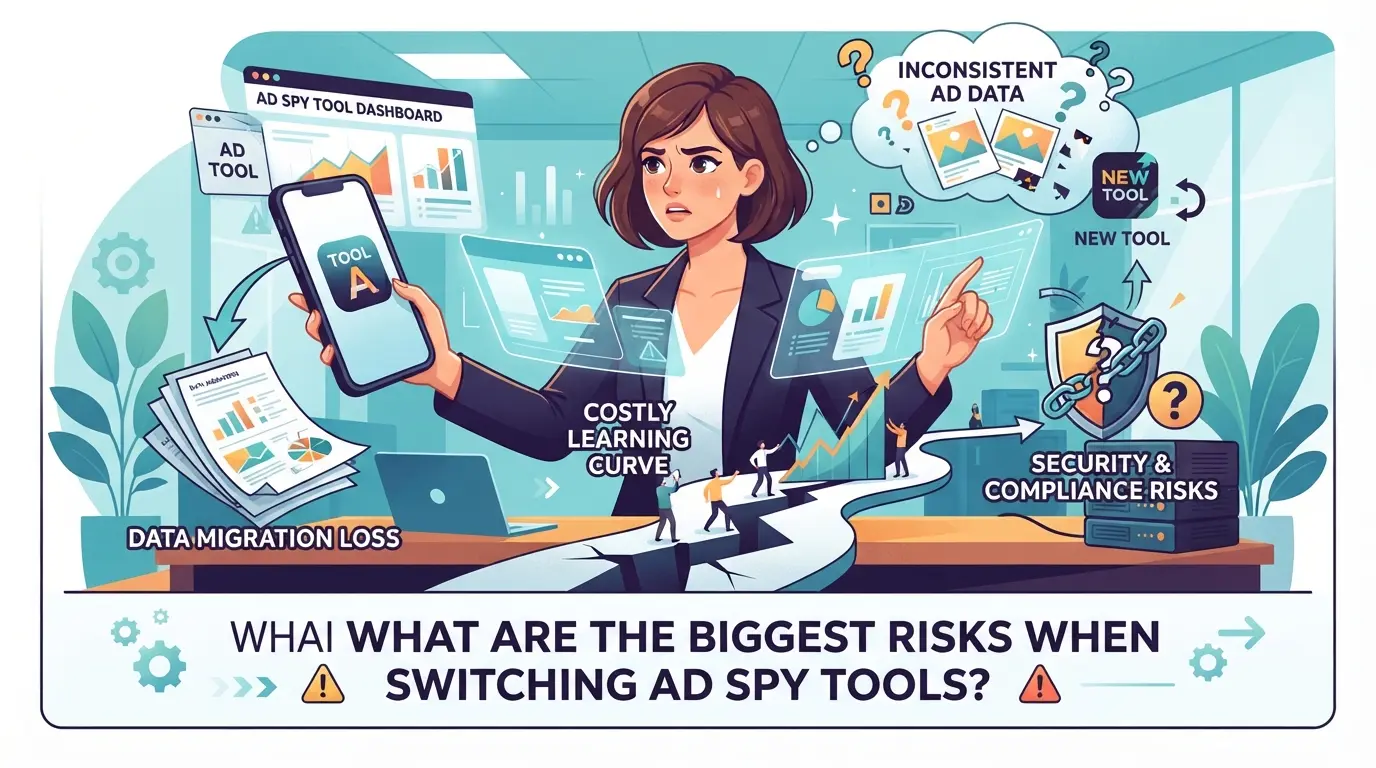
Moving from one ad spy tool to another can break saved workflows, cost you more than you expect, and open up security gaps if you aren’t careful. Here’s what usually goes wrong during an Adsparo vs PiPiADS switch, and how to avoid it.
Lost Data, Workflow Disruption, and Account Access Issues
Switching tools often means losing saved searches, filters, or team setups, most platforms don’t transfer these automatically. Rebuilding your workflow takes time, and if you forget to export data before canceling, you might lose historical ad lists or performance notes for good.
Hidden Costs and Subscription Traps
Surprise fees show up when you miss small print or get caught by auto-renewals.
- Saved credits or unused months on your old platform are rarely refunded, and some tools make canceling harder than signing up.
- Double-check renewal settings and export billing details before making the switch, or you’ll pay for two tools at once.
Sharing logins across team members can trigger account bans or leak credentials, especially if you recycle passwords or skip session reviews. If you must share, use unique logins and rotate passwords after any staff change. One careless step here, and you could lose access to both platforms overnight.
How Does Platform Coverage and Data Quality Compare Between Adsparo and PiPiADS?
If you care about spotting trends before competitors, platform coverage and data quality decide which ad spy tool saves you real time. Adsparo and PiPiADS look similar at first glance, but the differences show up fast when you need multi-platform results, reliable updates, or deeper creative tracking.
TikTok, Facebook, Instagram: Which Tool Covers What?
Both tools check the main boxes, TikTok Shop, Facebook, and Instagram, but the coverage isn’t identical. Here’s a quick matrix:
| Tool |
TikTok Shop |
Facebook |
Instagram |
Export Options |
| Adsparo |
Yes |
Yes |
Yes |
CSV, XLSX |
| PiPiADS |
Yes |
Yes |
Yes |
CSV, XLSX |
If you’re after niche ad types or want tighter filtering by region or device, Adsparo usually offers more granular search. PiPiADS sometimes edges ahead on TikTok Shop freshness, but both handle the core platforms well.
Ad Database Size and Update Frequency
Adsparo claims a larger ad database and more frequent updates, especially for Facebook and Instagram. PiPiADS tends to refresh TikTok Shop ads faster, but lag can happen on weekends. If you need daily updates, check the timestamp before starting your research, stale data can mean missing viral trends.
Creative Analysis and Product Tracking
Adsparo leans toward deeper creative analysis, with AI-powered scoring and tagging. PiPiADS focuses more on product tracking, surfacing trending items and linking ads to seller pages. If your workflow depends on creative review, Adsparo’s tagging speeds up sorting; for product research, PiPiADS makes it easier to follow specific items.
The main workflow difference comes down to whether you value creative breakdown or direct product tracking, skipping this check can mean extra manual sorting later.
How Can Teams Share Ad Spy Tool Accounts More Safely with DICloak?
Once you’ve compared platform coverage and data quality, the next sticking point is how to let multiple team members use the same ad spy tool account, without risking lockouts, leaking credentials, or tipping off the platform. For teams who handle shared Adsparo or PiPiADS logins, browser profiles and granular permissions are what separate a smooth handoff from an operational mess. Here’s how teams can use DICloak to close the gap between account sharing convenience and exposure risk.
Keep Shared Account Access Consistent with Unified IP and Fingerprint
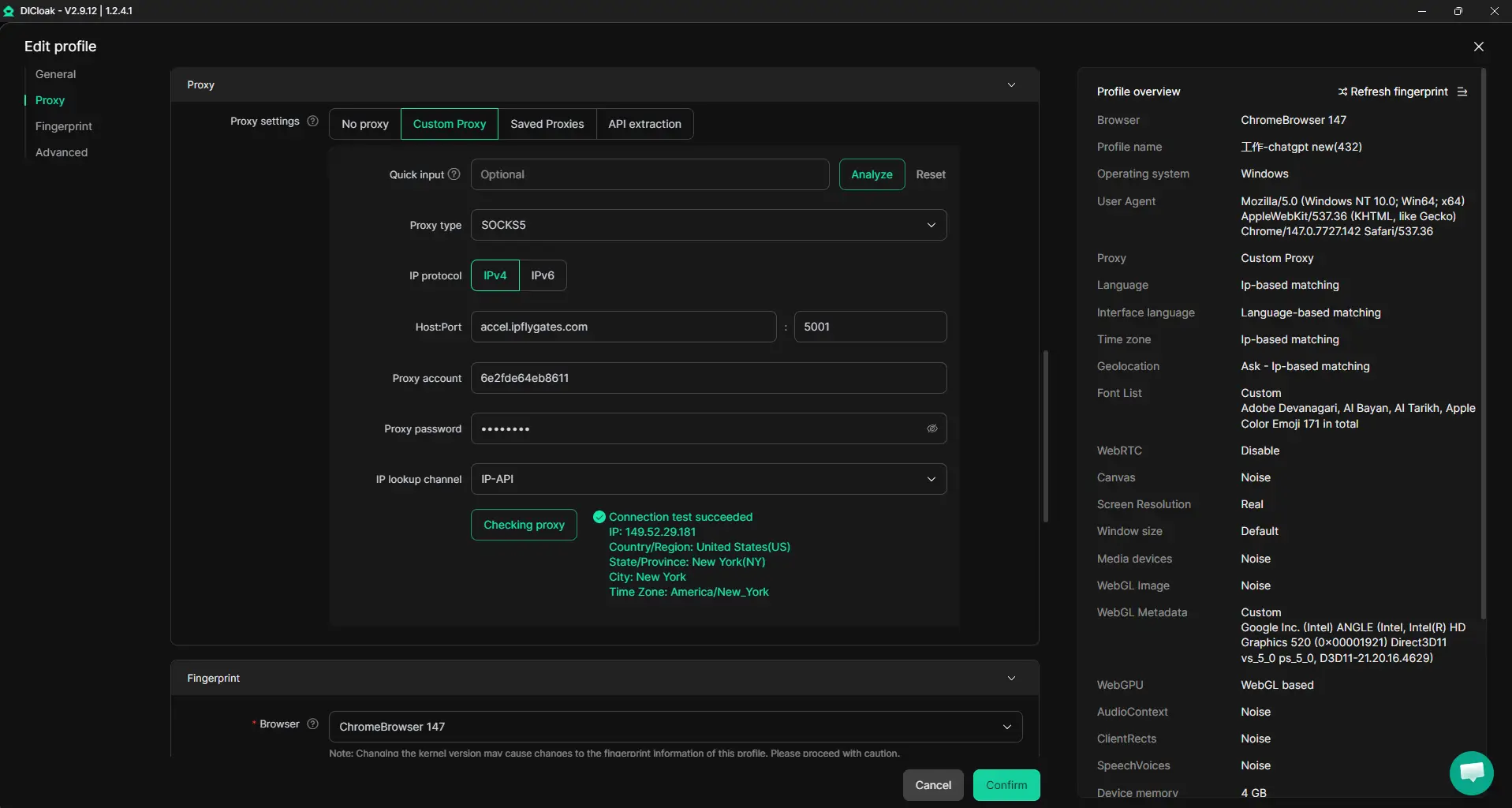
When several operators need access to the same tool account, inconsistent browser fingerprints or IP addresses are a common reason for unexpected logouts or security challenges. Admins can create a shared DICloak browser profile for the platform account, set a single fingerprint and user-supplied proxy, then assign that profile to all approved members. This keeps sessions and network routes aligned, so every login uses the same environment, no need to rebuild fingerprints or configure proxies on each device. Just be careful: if someone uses a different profile or skips the shared proxy, the platform may still flag the access as separate users. The scope is limited to browser-profile access; it does not change the connected SaaS tool.
Browser-Profile Access Controls for Shared Account Workflows
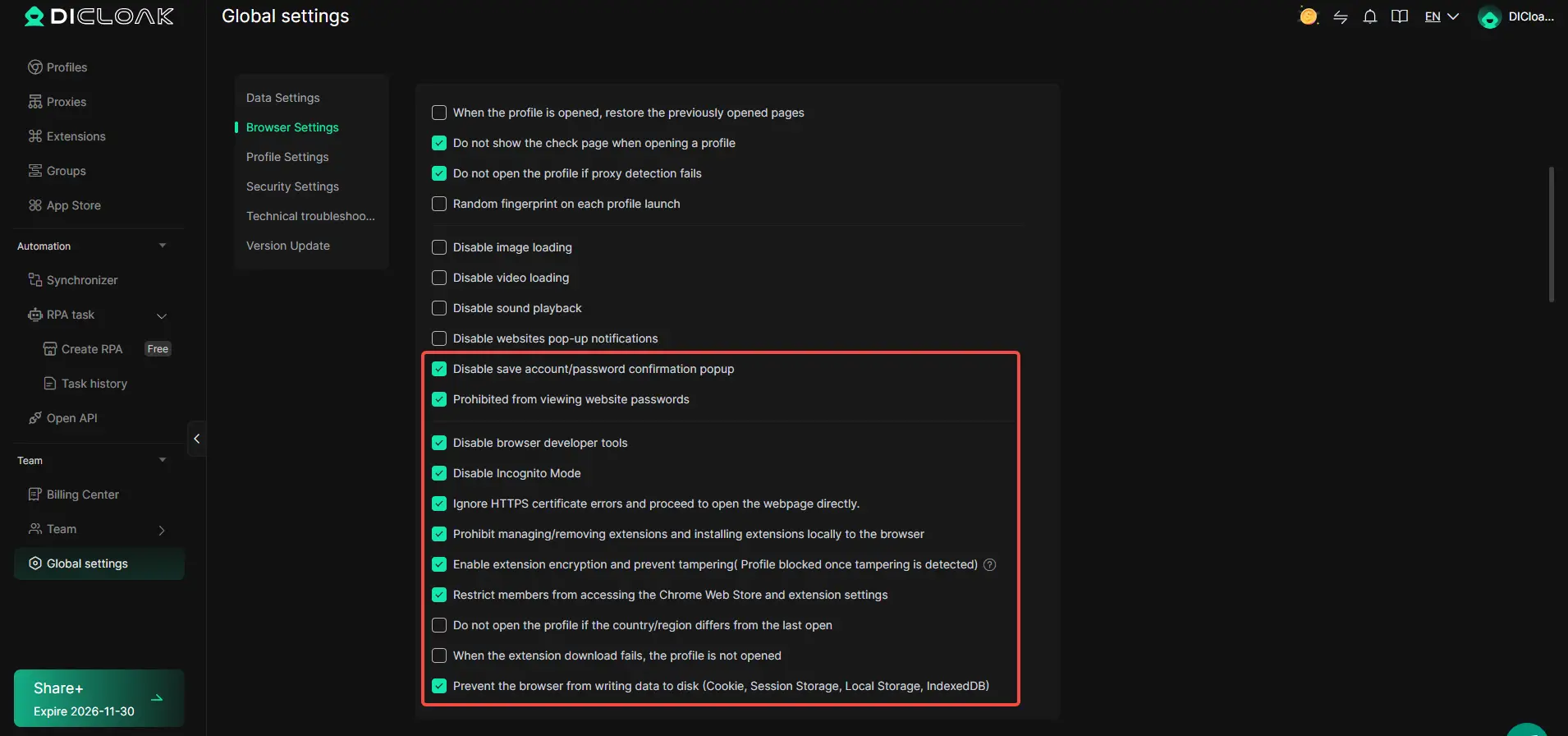
Even with consistent environments, shared accounts carry the risk of members copying passwords, scraping cookies, or pulling sensitive data from the browser. DICloak lets administrators set access controls on each shared profile, password prompts can be blocked, extension management restricted, and cookies encrypted (where the plan supports it). For example, you can enable password security and extension protection while encrypting cookie content for Adsparo or PiPiADS sessions, so one careless or rogue member can’t quietly walk away with the keys. These controls reduce the odds that a shared login leads to leaks, but they don’t protect the tool itself, only what’s exposed at the browser-profile level.
Assign Team Permissions for Least-Privilege Access
The more people touch a shared tool account, the more you need clear separation between what each person can do. DICloak admins can create groups with just the permissions needed for each role, like access to a specific profile group, limited buttons, or only the fields relevant for their workflow. Suppose an assistant only needs to open the Adsparo browser profile, and not see or change profile settings for PiPiADS; you can assign that exact access. This least-privilege approach limits both confusion and the fallout from mistakes. Remember, these controls only govern what happens inside DICloak, not inside the ad spy tool.

Once your team workflow is set up with unified profiles and permissions, the next step is to cover what to check and update whenever you switch tools or rotate shared accounts.
What Steps Should You Take After Switching Tools or Sharing Accounts?
After you move from one ad spy tool to another or share account access, what you do next shapes how well your team can work, and how safely your data stays protected. Skip the cleanup, and you risk lost data, broken permissions, or security gaps that show up weeks later.
Update Team Access and Permissions
- List everyone with current access to both tools. Removing old users is fast, but missing someone leaves a backdoor open.
- Set new permissions for each role. Anyone who only needs to view reports shouldn’t have admin rights, too much access can lead to accidental changes.
- Check if shared profiles are still in use. If not, archive or delete them. Unused shared logins often become weak points during audits.
- Document changes to access so you know who changed what and when. If something goes wrong, you’ll need a clear trail.
Check for Data Migration and Saved Searches
- Export saved searches, filters, and custom lists from the old tool. Some platforms auto-delete these when you close your account.
- Import that data to the new tool before your old subscription lapses. If you wait too long, you may have to rebuild everything from scratch.
Review Security Settings and Credential Protection
- Reset shared account passwords after migration. Old team members might still know the credentials.
- Turn on two-factor authentication where possible, many leaks happen from reused logins.
- Check access logs for failed login attempts in the days after the switch. Multiple failures could signal someone trying to get in with old info.
Missing any of these steps can break your workflow or expose your accounts. Next, see when a full team workflow or a more advanced tool actually makes sense.
When Does Upgrading to a Team Workflow or Advanced Tool Make Sense?
If you catch yourself constantly waiting for someone else to finish their ad research or struggling to manage permissions, it’s time to consider leveling up, especially when comparing Adsparo vs PiPiADS for team use.
Signs You Need Team Collaboration or Profile Sharing
- Two or more people need to search, export, or track ad data at the same time
- Workflow involves account sharing or rotating logins
- Permission control matters, some team members shouldn’t see all projects
When Advanced Features Like Automation or API Access Matter
Scaling ad analysis gets painful with manual clicks. If your team needs to run bulk exports, automate trend alerts, or connect ad spy data to other tools, advanced features like API access or automation scripts are worth the upgrade. Waiting too long to upgrade can bottleneck campaigns and slow creative testing.
Frequently Asked Questions About Adsparo vs PiPiADS
Is PiPiADS better than Adsparo for TikTok ad research in 2026?
PiPiADS covers more TikTok Shop ads and updates its database almost daily, so you’ll see new trends faster. Adsparo, though, offers deeper creative analysis, with breakdowns of ad angles and hooks. If you need the latest TikTok Shop coverage, PiPiADS leads. For detailed creative research, Adsparo may be a better fit.
Can I share Adsparo or PiPiADS accounts safely with my team?
Yes, you can share accounts by using a DICloak workflow. This keeps everyone on the same IP and device fingerprint, reducing account lock risk. DICloak also helps manage permissions and keeps your login details safe from leaks or bans when multiple team members work together.
What happens to my saved searches and profiles if I switch tools?
Switching ad spy tools like Adsparo or PiPiADS can break your saved searches and ad collections. Data export options are limited, so you’ll likely need to rebuild filters and folders by hand. To avoid losing important work, download CSVs or take screenshots before moving.
Are there hidden costs or credit systems with Adsparo or PiPiADS?
Both ads tools use subscriptions, but PiPiADS limits features with a credit system, extra searches or downloads can cost more. Adsparo offers flat-rate plans without hidden credits. Always check for auto-renewal or upgrade traps before subscribing to avoid surprise charges.
Do Adsparo and PiPiADS offer API access for automation?
PiPiADS offers API access on higher-tier plans, letting you automate ad data pulls. Adsparo does not give public API access, so it doesn’t fit automated workflows. If you need to connect your ad spy tool to other apps, PiPiADS is the better option.
Deciding which ad intelligence tool aligns best with your workflow depends on your unique campaign goals and preferred features. Test each platform’s free trial or demo to get a hands-on feel for their interface and data quality before making a commitment. Try DICloak For Free
 Web Proxy Tools
 Free Tools
 Cookie Plugin
 UA Generator
 MAC Address Generator
 IP Generator
 IP Address List
 2FA Code Generator
 World Clock
 Anonymous Check
 WebRTC Leak Test
 UUID Generator
 Free Web Proxy Site
 Proxy Checker
 FB Ad Checker
 AI Web Scraping
 Free SMM Tools
 Twitter Shadowban Checker
 Instagram Name Checker
 UTM Generator
 Username Generator
 AI Hashtag Generator
 LinkedIn Headline Generator
 Social Media Image Resizer