A TikTok creator posted three videos in one week, two got over 500 views each, but the third stayed at zero for more than 24 hours. This isn’t rare. Threads on Reddit and questions on Quora show that hundreds of users face the same problem: tiktok video not getting any views after a day. The usual advice is to “wait it out,” but most creators notice something’s wrong when their video is stuck at 0 views, while others uploaded at the same time start climbing.
What’s really happening isn’t just “bad luck.” TikTok’s review system can freeze a video if it triggers certain signals, like unusual upload patterns, flagged audio, or a sudden spike in account activity. Sometimes, it’s a shadowban or algorithmic filter; other times, the video gets stuck waiting for manual or automated checks. Missing views isn’t always about content quality. Account history, device fingerprints, and IP changes can all factor in, especially if you’ve switched devices or managed multiple accounts.
Before blaming the algorithm, it pays to check for hidden triggers that most guides skip. This walkthrough lays out the real reasons behind TikTok video zero views and gives practical fixes you can use right now. Here’s what actually works when your TikTok video is stuck at 0 views.
What Actually Happens When a TikTok Video Gets Zero Views After a Day
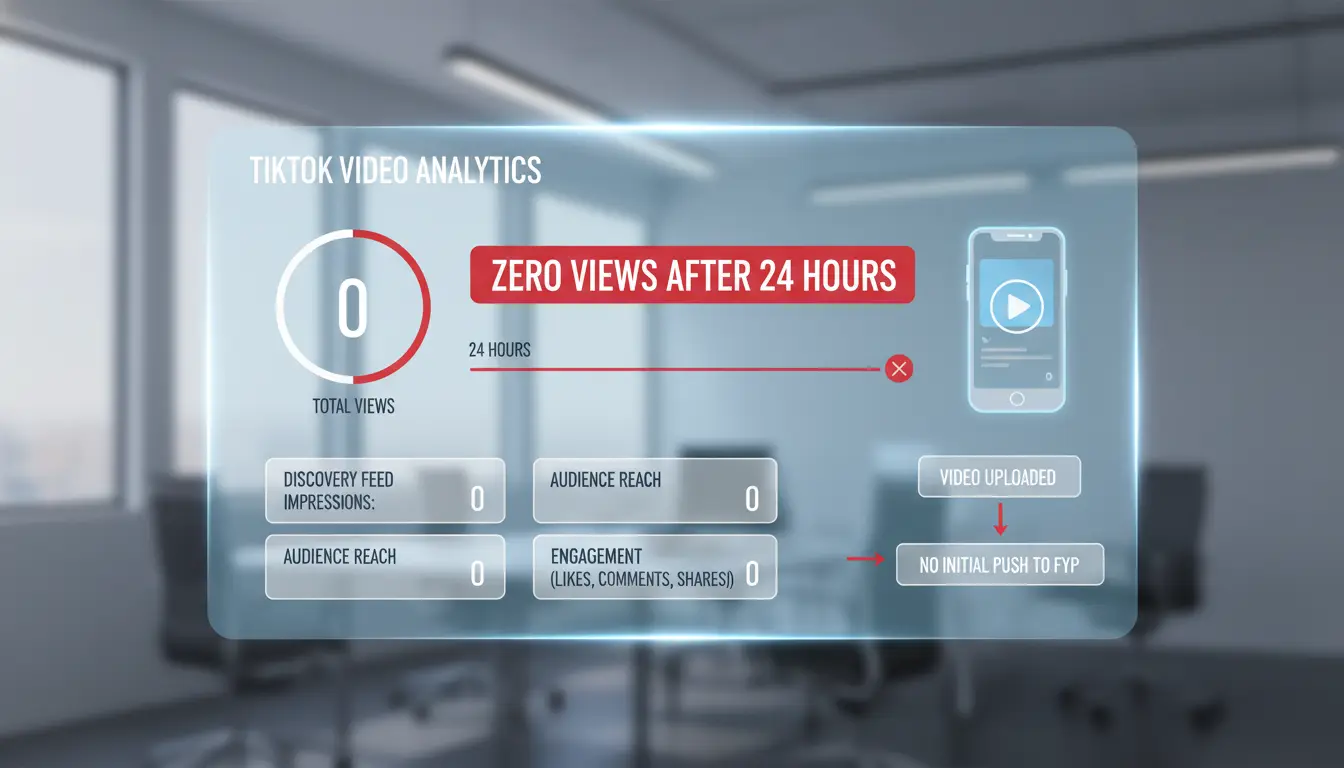
A TikTok video not getting any views after a day isn’t always a glitch. The platform uses both automation and manual checks to review uploads before showing them to real users. What happens in the first 24 hours sets the stage, sometimes your video just waits in a queue, but other times it’s held back for a specific reason.
How TikTok Processes New Videos
When you post a new video, TikTok runs automated scans for things like copyrighted music, banned hashtags, or possible spam. Most videos get a small batch of real views within minutes to an hour. If the content or your account triggers any review signals, like repeated uploads, rapid changes in device or IP, or links to flagged accounts, the system can pause distribution. During this time, your view count might show zero or stay stuck at 1. For videos that pass, TikTok usually starts showing them to a small test audience, then expands based on engagement. Most creators see at least a few views within the first hour, even with no followers, as described in official TikTok help.
When Zero Views Signals a Real Problem
Not all delays mean trouble. A 10–20 minute wait for first views is normal, especially during busy hours. But if you see “no views on TikTok after posting” for 6–12 hours, or your TikTok video is stuck at 0 views after a full day, it’s likely a flag, not just a slow queue. Signs of a bigger issue include other recent videos also showing zero views, getting logged out, or seeing “under review” messages. Sometimes it’s due to algorithm filters, but shadowbans or device-level blocks also play a role. If a TikTok video not getting any views after a day becomes a pattern, it usually means your account, device, or content triggered a real restriction, not just a random delay. Checking your account history and recent activity can reveal hidden triggers before posting again.
Why TikTok Videos Sometimes Get Stuck at 0 Views: Core Causes
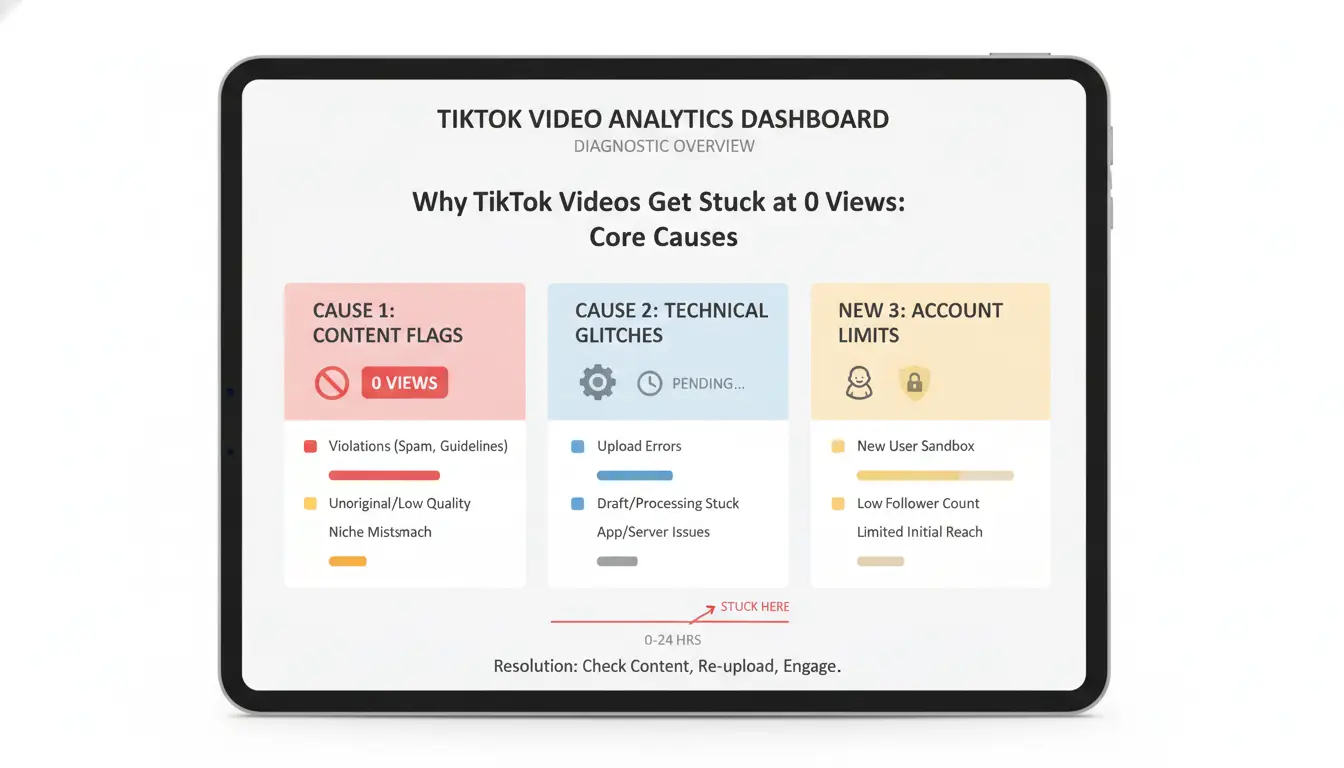
When you see “tiktok video not getting any views after a day,” it’s rarely just bad luck or timing. TikTok uses a mix of automated filters, trust signals, and background checks that can block a post from reaching anyone. Most posts that get “no views on TikTok after posting” hit one of three main roadblocks: content moderation, account trust, or rare technical glitches.
Content Violations and Algorithm Filters
TikTok’s system scans every video for risky signals. Using copyrighted music, blurry footage, or banned hashtags can flag your upload. Even something as simple as a caption with too many links can put your post on hold. If TikTok’s moderation bot sees anything suspicious, your video may get stuck in review, sometimes visible only to you, with zero views added.
Shadowbanning is another hidden wall. If you broke TikTok’s rules before, or the system thinks you’re spamming, your posts can be “stealth blocked.” The video will upload, but almost nobody will see it. You won’t get a warning, so it’s easy to miss. This is the core reason behind most “TikTok video zero views” complaints.
Account Issues That Block Visibility
Brand-new accounts with no posting history often get flagged by TikTok’s trust system. If your profile looks incomplete, uses stock images, or has no bio, the algorithm may hold your video back. Sometimes, switching devices or IP addresses right before posting triggers a safety check. If TikTok thinks you’re running multiple accounts or using automation tools, you can lose visibility instantly.
Past violations stick around. Even if your ban ended, a history of flagged posts can make every new upload risky. That’s why a “tiktok video not getting any views after a day” is often a sign your account is on TikTok’s watchlist. Check your account status for past warnings before trying again, sometimes waiting a few days and posting real, original content can help break the freeze.
Common Mistakes That Stop Your TikTok Video from Getting Views
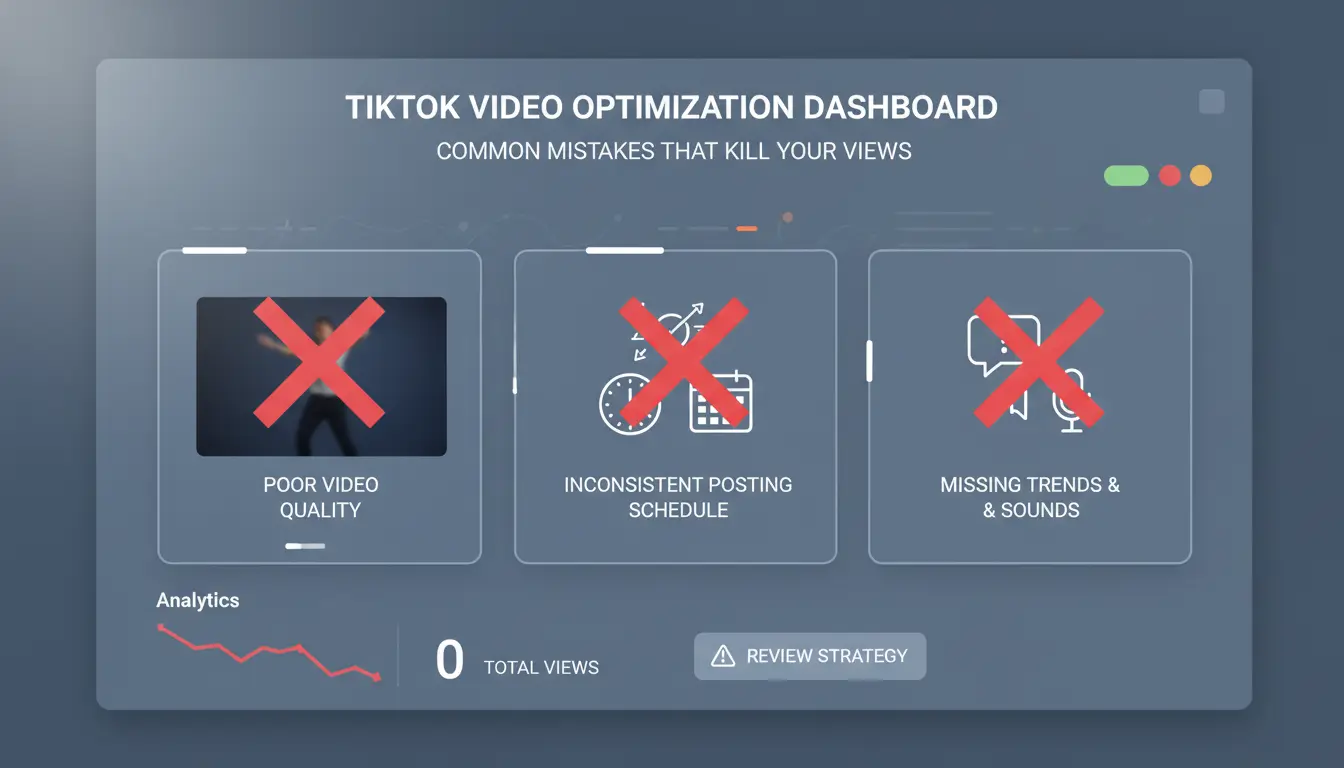
Getting zero views on TikTok after posting isn’t just about luck or poor content. Most cases of a TikTok video not getting any views after a day trace back to routine errors that fly under the radar. Even small posting habits, missed trends, or weak hooks can freeze your reach, especially with TikTok’s review filters and algorithm quirks. If your TikTok video is stuck at 0 views, check these practical mistakes before blaming the platform.
Posting at the Wrong Time or Frequency
TikTok’s algorithm tracks when you post and how often. If you upload videos at times when few people are online, like late night or early morning, your video can miss the initial push. The first hour is crucial; posting during peak hours (like 7–10 PM local time) gives your video a shot at fast engagement. Overposting is another easy trap. Dropping several videos back-to-back signals spam and can trigger manual review or shadowban. On the flip side, underposting leaves your account cold and makes the algorithm skip your content. If you wonder why there are no views on TikTok after posting, check your timing and frequency.
Missing Trending Sounds, Hashtags, or Hooks
TikTok rewards videos that ride current trends. Using popular sounds or trending hashtags helps your video appear in more feeds. If you skip these, your content may be invisible to new viewers. Even if your video looks good, missing trending elements means you rely only on your followers. Hooks are just as important. Weak or slow openings lose viewers in the first seconds, and TikTok’s system notices low watch time. If your video doesn’t grab attention fast, the algorithm holds it back from wider audiences. Always check the “Discover” tab for what’s trending before you post. A TikTok video zero views problem often comes from missing these basics, not just from content quality.
How to Diagnose If Your TikTok Video Is Truly Stuck or Just Delayed
When you see "tiktok video not getting any views after a day," it’s easy to assume your post is doomed. But before you try to delete or re-upload, you need to figure out if the problem is a true block, a shadowban, or just slow distribution. The right diagnosis stops wasted effort and prevents triggering even tougher restrictions.
Checking Analytics and Video Status
Start by opening your TikTok app and tapping "Profile." Choose the video stuck at 0 views, then hit "More" (three dots) and select "Analytics." Here, you’ll see view counts, watch time, likes, and shares. If your video shows zero views but you know you watched it yourself on another account, that’s a red flag. Also check "Traffic Sources", if everything says "For You" is zero, and "Followers" is zero, your video may be held for manual review or filtered out.
Look for these signals:
- No views on TikTok after posting, even after 24-48 hours.
- No engagement metrics (likes, comments, shares).
- "Processing" or "Under review" tags.
If you see any of these, your content might be flagged or delayed, not just unpopular. Sometimes, TikTok uses automated review systems that can freeze videos if they spot unusual patterns.
Testing with Alternate Accounts and Devices
To check visibility, ask a friend with a different device and account to search your username and scroll your profile. If your post doesn’t appear for them, it’s likely suppressed. For a deeper check, use a secondary account on a device with a separate IP and browser fingerprint. This avoids linking accounts and triggering more restrictions.
The most critical step: Always test from a clean device and fresh account, never your main phone or account. This cuts the risk of TikTok linking unusual activity and shadowbanning both accounts. For safer multi-account handling, tools like DICloak let you set up isolated browser profiles and proxy configurations.
If you confirm your TikTok video zero views, wait 24 more hours before taking action. Sometimes, delayed distribution resolves itself, but shadowbans need careful workflow changes.
How Social Media Marketers Can Safely Manage Multiple TikTok Accounts Without Getting Stuck
Managing more than one TikTok account on the same device seems like a shortcut, but it’s one of the fastest ways to run into the “tiktok video not getting any views after a day” problem. Zero views or blocks are rarely just random, they’re usually a sign TikTok’s system spotted something off. To avoid getting stuck, you need to know what actually triggers these issues and how to set up each account so TikTok treats it as a real, unique user.
Risks of Multi-Account Operations on TikTok
TikTok tracks more than just usernames and passwords. It links accounts by checking device fingerprints, IP addresses, browser data, and even app behavior. When you switch between multiple profiles on the same phone, or use the same browser for different accounts, TikTok can spot the overlap. This can lead to shadowbans, delayed reviews, or the dreaded “TikTok video stuck at 0 views” for every new upload.
IP changes raise another flag. If you log in from different locations or use shared proxies for several accounts, TikTok’s system connects those dots. Even if your content is original, these signals tell TikTok you’re likely running a farm, not using the app as a normal user. That’s why so many marketers see no views on TikTok after posting, even after putting real effort into their videos.
How DICloak Enables Safe Multi-Account Management
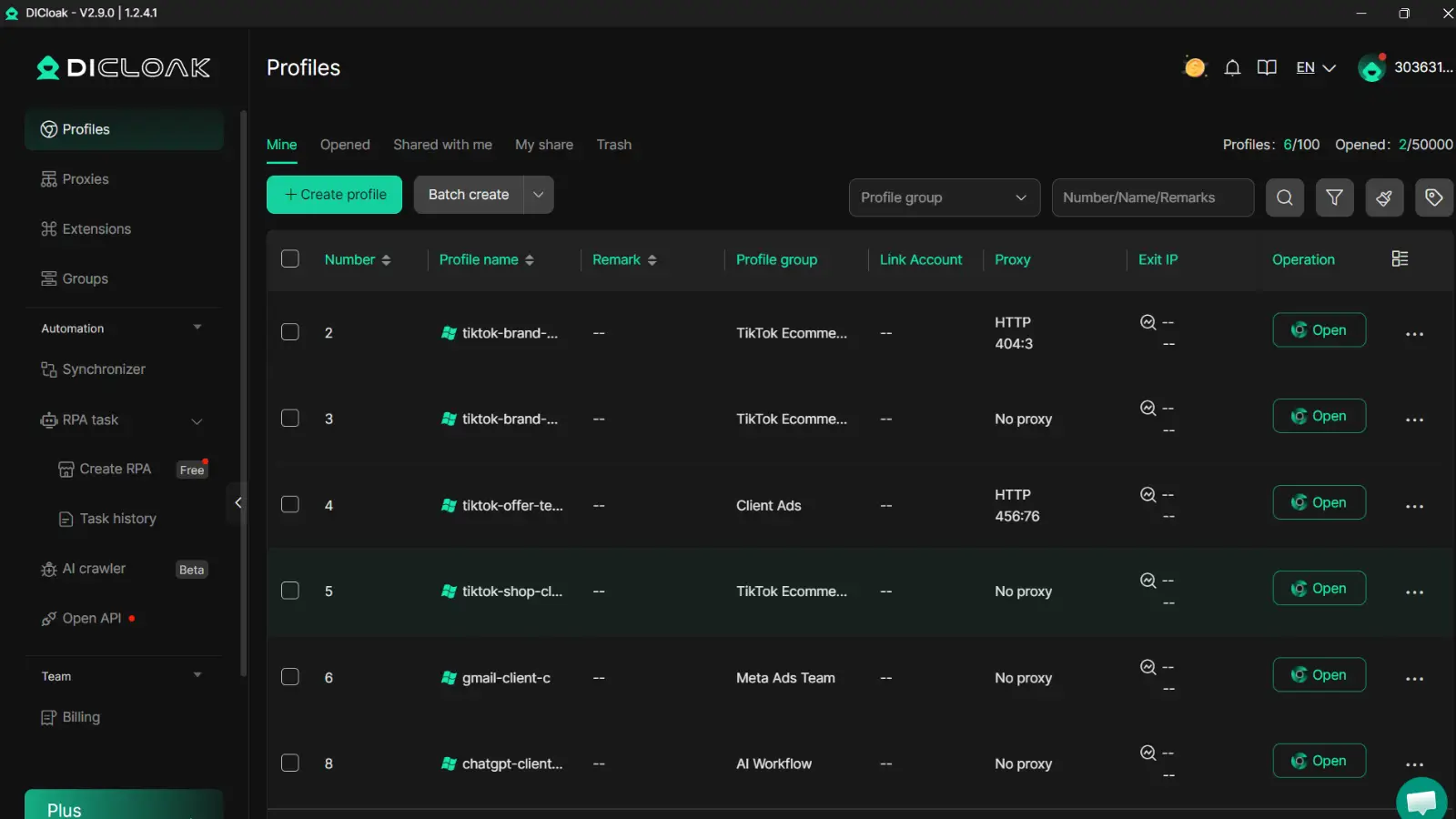
The most reliable way to avoid these traps is to run each account in its own isolated environment. You can use DICloak to create separate browser profiles, each with its own device fingerprint and dedicated proxy IP. This setup blocks cross-account leaks, so TikTok can’t tie your accounts together.
DICloak’s profile isolation and proxy integration mean every TikTok session looks like a real, independent user, not a copy-paste operation. This approach is the single biggest step you can take to prevent tiktok video not getting any views after a day. Without proper fingerprint isolation, even one mistake can get all your accounts flagged.
Step-by-Step Fixes for TikTok Videos Not Getting Views
Content and Account Review Checklist
When you see “tiktok video not getting any views after a day,” don’t rush to delete or keep reposting. First, check for music rights issues, banned hashtags, or content that may look spammy. Make sure your video doesn’t include watermarks from other apps, these can trigger TikTok’s filters and cause “TikTok video zero views.” Review account status: if you’ve changed devices or IPs, TikTok may flag your activity. Before re-uploading, rewrite captions, switch up hashtags, and adjust the edit so the algorithm sees it as new content.
Safe Re-upload and Engagement Strategies
Re-upload using a different file name and avoid reposting too fast, wait at least 24 hours. After posting, ask friends to comment and share right away; early engagement can “unstick” a TikTok video stuck at 0 views. If you manage more than one TikTok account, tool choice matters. You can use DICloak to create a unique browser profile and connect each account with its own proxy. This setup keeps TikTok from linking your accounts by fingerprint or IP, which reduces the chance of getting no views on TikTok after posting. Tools like DICloak help teams handle bulk uploading and cut the risk of bans when switching between accounts on the same device.
When to Worry: Signs Your TikTok Account Needs a Deeper Fix
Sometimes, no matter how you tweak your content, your TikTok video not getting any views after a day points to more than just a bad post. If the video remains stuck at 0 views for hours, and other videos follow the same pattern, there’s likely an account-level issue. You can’t fix this by simply reposting, the problem runs deeper.
Patterns That Indicate Account-Level Suppression
A single TikTok video zero views can be annoying, but two or more in a row signal trouble. If multiple videos are stuck at 0 views, especially after normal engagement on earlier posts, your account may have triggered a filter or restriction. You might also notice a sudden drop in all engagement, not just views, but likes and comments vanish across every post. This goes beyond content quality. TikTok’s system can flag accounts for repeated policy violations, device changes, or suspicious activity. For example, switching between several devices or networks, or using the same phone to manage multiple accounts, often leaves digital traces TikTok uses to identify risk.
| Issue Type |
Common Signs |
What It Means |
| Single video stuck |
One post at 0 views |
Usually content or review delay |
| Multiple videos stuck |
Two+ posts at 0 views |
Account-level suppression |
| Sudden engagement drop |
All likes/comments disappear |
Possible shadowban or restriction |
Source: TikTok Help Center
How to Appeal or Reset Your TikTok Account
If your account faces suppression, appeal directly in the TikTok app. Go to Profile > Settings > Report a Problem, and explain the issue clearly. If appeals are denied, or your account keeps seeing no views on TikTok after posting, starting fresh may be the only way forward. Create a new profile on a device that hasn’t been flagged. Change your IP and avoid linking phone numbers or emails used before. For safer multi-account handling, you can use a browser isolation tool like DICloak to separate device fingerprints and proxies. If your TikTok video not getting any views after a day repeats across new uploads, the real fix often means rebuilding your account from scratch.
FAQ: TikTok Video Not Getting Any Views After a Day
Is my video just delayed, or is it stuck at 0?
Usually, a TikTok video gets its first views within minutes. If your post shows zero views after a day, it’s likely stuck or filtered, not just delayed. Check if your account can view other creators’ content and if you can still post comments, these clues help spot a shadowban.
Does deleting and re-uploading fix zero views?
Deleting and reposting rarely helps. The system may flag the same video again, especially if the original triggered review filters. It’s better to change the caption, hashtags, or edit the video before uploading again.
Can using the same device or IP for multiple accounts cause this?
Yes. Repeated logins or TikTok video zero views often happen when TikTok detects device or IP overlap. For safer multi-account use, you can manage profiles with isolated browser fingerprints and unique proxies.
Will switching to a business account help?
Business accounts have no special advantage for fixing “tiktok video not getting any views after a day.” The review process works the same.
Frequently Asked Questions
Is it normal for a TikTok video to have zero views after 24 hours?
It’s common for a TikTok video to get few views in the first hour. However, if your TikTok video is not getting any views after a day, this usually means a real problem. Normal delays are just a few minutes to a few hours. Zero views after 24 hours can mean your video is stuck or not being shown at all.
Can shadowbanning cause my TikTok video to get no views?
Yes, shadowbanning can cause a TikTok video stuck at 0 views. Shadowbanning hides your videos from the For You page and search results. If you break TikTok’s rules, your content might be hidden without warning. You may notice old videos still get views, but new ones stop gaining any.
How can I check if my TikTok account is restricted?
If you see no views on TikTok after posting several videos, you might be restricted. Signs include videos not appearing in hashtags, very low engagement, or warnings in your account notifications. To check, try posting from another device or account and compare the results.
Should I delete and re-upload a TikTok video stuck at zero views?
If your TikTok video is not getting any views after a day, deleting and re-uploading might help, but use caution. TikTok may flag repeated uploads as spam. Instead, edit your video, change the caption or hashtags, and upload once more. Wait at least 24 hours between attempts.
Does using proxies help prevent TikTok account bans?
For marketers, using proxies and separate devices can lower the risk of TikTok bans. Proxies create isolated environments, making each account look unique to TikTok. This is helpful if you manage multiple accounts, but it does not guarantee your videos will avoid zero views or shadowbans.
If your TikTok video isn't getting any views after a day, it's important to review your content, posting timing, and adherence to community guidelines, as these factors often impact visibility. Consistent effort and a willingness to adapt your strategy can help improve your reach over time. Try DICloak For Free
 Web Proxy Tools
 Free Tools
 Cookie Plugin
 UA Generator
 MAC Address Generator
 IP Generator
 IP Address List
 2FA Code Generator
 World Clock
 Anonymous Check
 WebRTC Leak Test
 UUID Generator
 Free Web Proxy Site
 Proxy Checker
 FB Ad Checker
 AI Web Scraping
 Free SMM Tools
 Twitter Shadowban Checker
 Instagram Name Checker
 UTM Generator
 Username Generator
 AI Hashtag Generator
 LinkedIn Headline Generator
 Social Media Image Resizer