You log into Instagram from what should be a fresh browser profile, maybe to keep business and personal accounts separate, or because your team said it’s safer. Instead of getting back to work, you hit the wall: “Account Restricted” or “Suspicious Login Attempt.” The prompt looks routine, but nothing you try gets you past the restriction. If you’ve searched for instagram account restricted after login from a new browser profile, you’re far from alone.
Most people expect that a clean browser profile means fewer flags. But Instagram’s backend doesn’t just look for malware or obvious hacking, it tracks device fingerprints, IP patterns, and subtle mismatches in browser signals. Even a well-prepped “new” profile can trigger a restriction if one detail doesn’t line up with your previous login history. Changing devices, updating your browser, or switching proxies can all set off alerts, sometimes immediately, sometimes after a delay.
What trips up most operators is not the act of using multiple profiles, but the hidden signals those profiles send. Device memory, time zone, screen size, WebGL, and language settings, Instagram combines these to decide if a login looks normal or suspicious. Miss just one, and you risk the account lock cycle. Fixing an instagram login restricted new browser scenario is less about luck and more about knowing exactly which signals matter.
If you keep running into restrictions after a browser change, here’s what’s really happening behind the scenes.
Why Does Instagram Restrict Accounts After Login From a New Browser Profile?
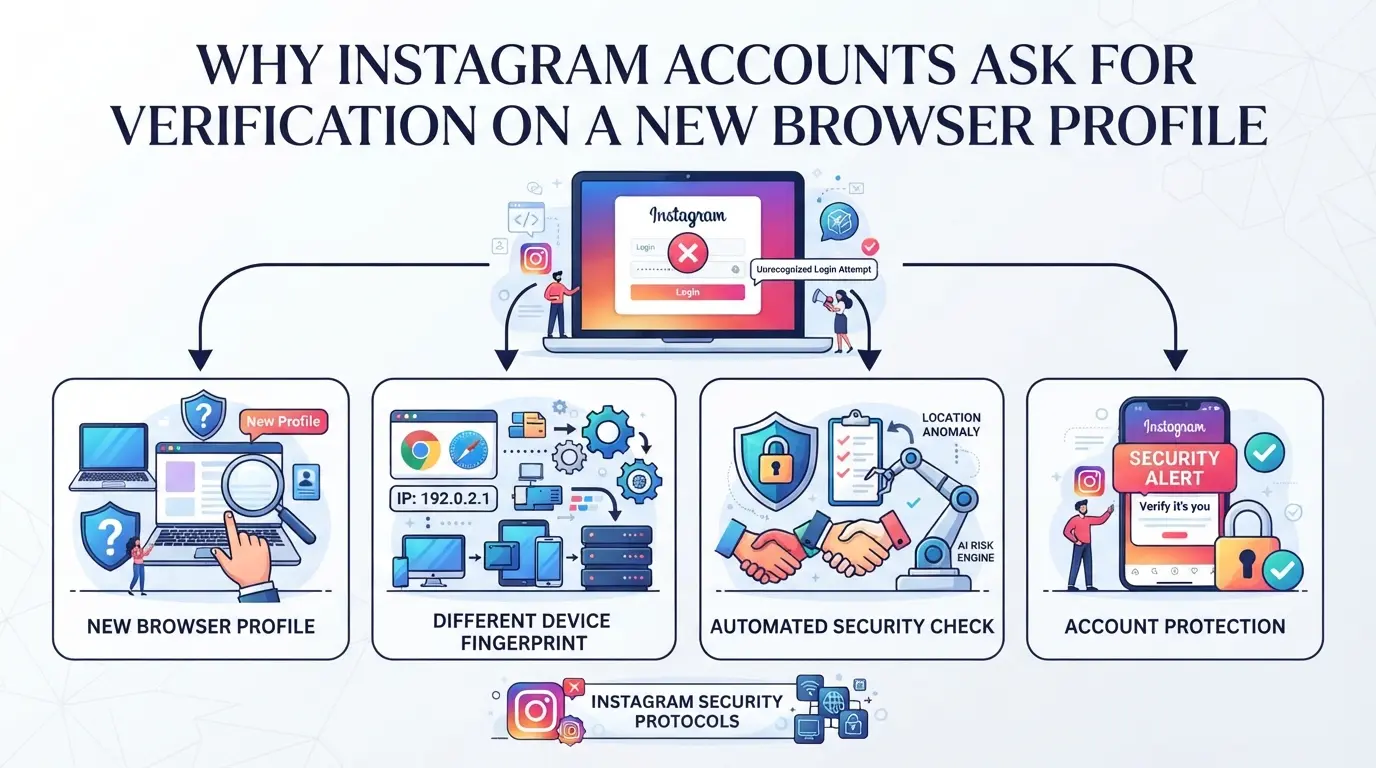
Most Instagram restrictions after logging in from a new browser profile happen because the login looks “out of character” for that account. The platform spots a change in device, fingerprint, or location, then flags it as a possible security risk, sometimes within seconds.
How Instagram Detects New Browser Profiles
Instagram keeps a record of device fingerprints, IP addresses, and login patterns. When you log in from a browser profile with a different device ID, new location, or unfamiliar browser setup, the system often treats it as a new device, even if you’re on the same physical computer.
Common Triggers for Account Restrictions
The fastest way to hit a restriction is to combine several changes at once, like switching to a new browser profile, using a different proxy, and changing your time zone or language settings. Instagram’s risk engine compares your new login to your past logins. If the signals line up, you’ll get through. If they don’t, you might see a warning, a lockout, or a “suspicious login attempt” prompt.
One common mistake is using a browser profile that reports a device or OS totally different from your last session, say, logging in yesterday from a Windows laptop and today from a profile set to mimic a Mac or Android phone. Sudden jumps like this, especially with a new IP or a proxy from another country, spike the risk. If two or three signals mismatch, like location, device, and time zone, it looks a lot like account sharing or even automation. The system may ask for extra verification, send a security code, or, in some cases, restrict the account outright. Getting flagged here is less about which browser you use and more about whether your setup matches your past behavior.
Why Instagram Flags Multiple Accounts or Profiles
- Logging in to several accounts from the same device but with very different browser fingerprints
- Using proxies or IPs that bounce around regions or countries
- Fast switching between profiles with little or no browsing activity in between
Instagram’s filters look for patterns, rapid changes, mismatched device signals, or logins that jump between countries. These can all make the system treat you as a higher risk.
If you see restrictions right after a browser change, the platform is catching a pattern that looks more like automation or account sharing than a regular user. Small changes can be fine, but pile up too many at once and you’re asking for trouble. Next, it’s worth looking closer at which risk signals matter the most and how to avoid them.
What Are the Main Risks When Logging Into Instagram From a New Browser or Device?
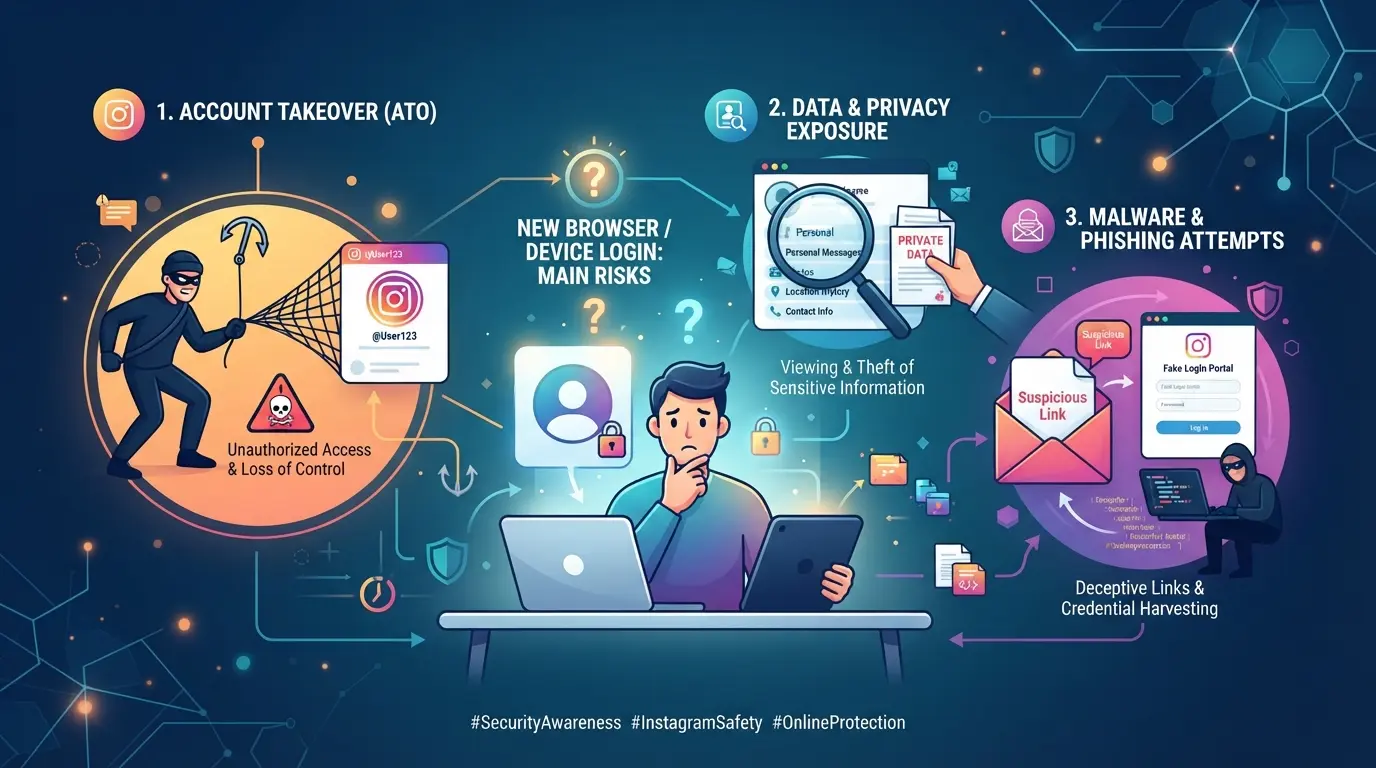
Most account restrictions after a browser or device change come from mismatched details, Instagram sees new logins as possible threats if your location, device setup, or activity doesn’t line up with your past behavior. If your instagram account is restricted after login from a new browser profile, the root cause is usually one of these risk patterns, not just the fact that you switched browsers.
Sudden IP and Location Changes
Instagram flags logins from a different city or country, even if you’re the rightful owner. Using a proxy that jumps your IP from New York to Frankfurt in one click almost always triggers a security check. If your proxy rotates or drops mid-session, expect a restriction prompt, sometimes before you finish logging in.
Browser Fingerprint Mismatches
Every browser sends a digital fingerprint: your operating system, screen resolution, fonts, and more. When you log in from a new profile, even with the same username and password, Instagram compares these details to the last known device. If your older sessions were always Windows 10 with English settings, but the new profile reports macOS in Vietnamese with a different screen size and time zone, the system sees this as a possible takeover. Legitimate operators often trip up here, changing a single detail like hardware concurrency or WebGL settings can be enough to block access. Even a brand-new, “clean” browser profile is risky if it doesn’t match prior logins. The hardest edge case? Reusing cookies or session data from a different fingerprint. That almost always gets flagged. Consistent fingerprints matter more than just using a fresh profile, one mismatch can lock you out for hours or days.
Account Activity Patterns That Raise Red Flags
- Logging in and logging out multiple times within a few minutes, Instagram sees this as bot-like.
- Jumping between several accounts in one session, especially without clearing cookies.
- Changing browser profiles, then immediately liking, commenting, or following users, this “speedrun” pattern often leads to instant lockout.
Sticking to a single new profile for each account, and letting normal activity settle before interacting, lowers your risk.
If restrictions keep happening, the problem usually isn’t just the device, it’s the combination of location, fingerprint, and how you behave right after logging in. That’s why fixing a restriction is about more than just retrying the login; you need to align your setup with what Instagram expects.
How to Fix an Instagram Account Restricted After Login From a New Browser Profile
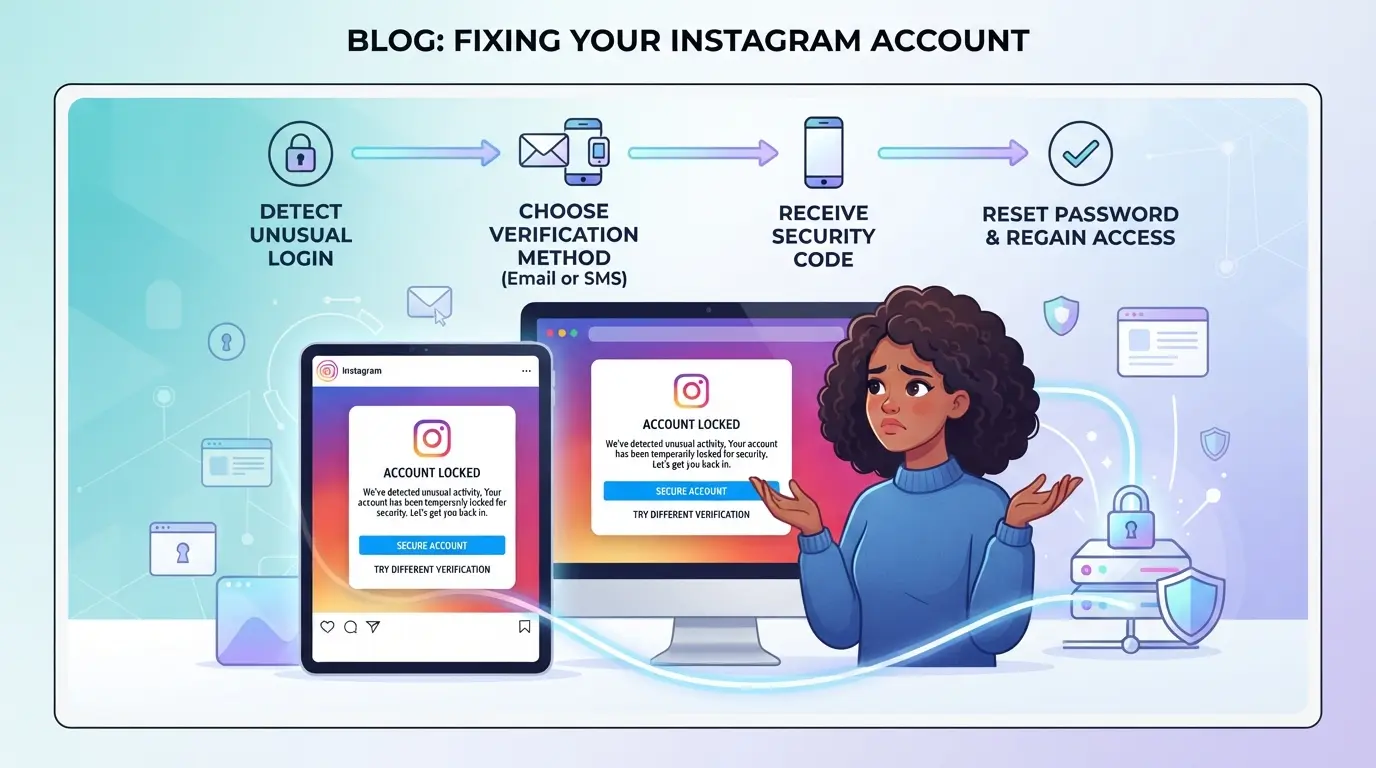
If your Instagram account is restricted after logging in from a new browser profile, the fastest way to recover is to follow Instagram’s prompts, verify your identity, and avoid repeated login attempts. Acting quickly and documenting every step reduces the risk of permanent lockout.
Step 1: Confirm the Restriction Type and Message
- Take a screenshot of the warning or error message, Instagram sometimes changes the restriction reason wording, and you’ll need proof for appeals.
- Check whether you’re blocked from logging in, posting, or accessing features. Each restriction has its own fix.
- Write down the time and device used. If you switched proxies or browser settings, note those too.
- Look for any "Verify" or "Appeal" option in the message. If it’s missing, your case may need manual support later.
Step 2: Secure Your Account and Verify Your Identity
- Complete any verification steps Instagram shows, usually email, SMS, or photo ID. Delays here can turn a temporary lock into a permanent restriction.
- Use the same device and network you’ve used before if possible. Switching networks mid-verification often triggers extra checks or fails.
- If you’re asked for a selfie or live verification, follow the instructions exactly. Poor lighting or mismatched backgrounds are common reasons for failed checks.
- If you don’t receive the code or prompt, wait 10 minutes and retry, rapid requests can trigger rate limits.
Step 3: Appeal the Restriction or Contact Support
- Open the Instagram app or website and locate the "Appeal" or "Request Review" button. If it’s not visible, check the Help Center for the appeal form.
- Write a clear, brief explanation: mention the device change and that you are the legitimate account owner.
- Include your screenshot and any relevant timestamps. This makes your case easier to review.
- Keep your language factual, appeals full of emotion or vague claims usually go to the bottom of the queue.
Step 4: Wait and Monitor for Updates
- Instagram’s review process can take anywhere from a few hours to 7 days. Weekend requests often take longer.
- Check your email and notification tab daily, most updates arrive there first.
- If you get no response after 7 days, submit another appeal or use the Help Center contact form.
- Avoid logging in repeatedly during this window. Too many failed attempts can escalate the restriction.
Step 5: Avoid Logging In From Multiple New Profiles During Recovery
- Stick to the original device and browser used for the first login after restriction. Switching again resets Instagram’s risk evaluation and can trigger new locks.
- Don’t test access from other devices or profiles until your restriction is fully cleared, multiple login attempts look like account sharing or takeover.
- If you must check, use the same network and settings as before. Changing proxies or browser fingerprints now is the fastest way to get another restriction.
- Repeated logins from new profiles almost always make recovery harder and lengthen the review process.
If your account is still restricted after these steps, the next thing to check is whether your browser profile matches your previous login signals, edge cases often hide in fingerprint mismatches and proxy changes.
What to Check Before Logging Into Instagram From a New Browser Profile
Jumping into Instagram from a fresh browser profile is risky, if you skip these checks, you’re likely to trigger restrictions or lockouts. Here’s the compact checklist operators use to avoid the “instagram account restricted after login from a new browser profile” headache.
Check Your Proxy or Network Consistency
Instagram flags logins where the IP location jumps between countries or looks inconsistent with past activity. If your previous login was from New York and now your IP shows up in Berlin, expect a security challenge or lockout. Stick to the same region, and avoid switching proxies too fast, especially within a single session.
Review Browser Fingerprint Settings
- Match your time zone to your previous login location.
- Use the same screen resolution and device memory as before.
- Align language settings with your past sessions.
Prepare Account Recovery Info
If you get locked out, recovery is easier if backup info is ready. Skipping this step means waiting days for support.
- Confirm your email and phone number are current.
- Save Instagram backup codes somewhere accessible.
- Set up two-factor authentication before logging in.
This checklist keeps most operators clear of restrictions, especially when managing multiple accounts.
How Social Media Managers Can Safely Handle Multiple Instagram Accounts With Separate Browser Profiles
Assigning each Instagram account its own browser profile and proxy stops cross-account contamination. Profiles stay separate, so Instagram can’t link accounts by hidden device fingerprints or cookie overlap. If you skip isolation, a single restriction can spread across accounts, especially when managing dozens for clients.
Keeping activity patterns steady is where most teams slip. Logging in and out too quickly, bulk posting, or switching between accounts in seconds looks robotic to Instagram’s risk engine. Spread logins out, mimic normal browsing, and avoid rapid-fire actions, Instagram expects human habits, not batch scripts.
Recording which profile and proxy you used for each account gives you a way to track what triggers restrictions:
- Note the device profile used for every login.
- Record which proxy or IP was active.
- Log browser changes and account actions.
Isolation reduces the risk of “instagram account restricted after login from a new browser profile”, but only if every step stays consistent. If you lose track, fixing a lockout gets much harder. Next, you’ll need to set up proxies for each profile the right way.
How to Configure Proxies for Instagram Browser Profiles in DICloak
After setting up separate browser profiles for each Instagram account, the next step for social media managers is linking each profile to a reliable network connection. Many teams find that one of the fastest ways to run into an "instagram account restricted after login from a new browser profile" warning is to skip the proxy setup or use an inconsistent IP address. DICloak supports assigning a user-provided proxy to every browser profile, which helps keep logins separate and better aligned with account history. The scope is limited to browser-profile access and proxy assignment; it doesn't guarantee Instagram will accept every session or handle restrictions for you.
Setting Up a Custom Proxy for a Browser Profile
Operators can open the Create or Edit Profile screen in DICloak, enter a custom proxy string (HTTP, HTTPS, or SOCKS5), and test the connection before saving. This process lets each Instagram browser profile run through its own proxy, which is useful when handling multiple accounts with different login histories or locations. Every proxy must be provided and validated by the operator, DICloak does not supply or recommend proxy sources.

Choosing the Right Proxy Type and Location
Selecting the correct proxy protocol and location matters when connecting new browser profiles. HTTP, HTTPS, and SOCKS5 are all supported, but the exit IP should match the usual region of your Instagram account when possible. If the country or city changes, Instagram is more likely to flag the login as suspicious. DICloak leaves proxy selection up to the user.
Managing Saved Proxies Across Multiple Profiles
Admins can add proxies to DICloak’s Proxy Management, then assign saved proxies to new or existing browser profiles as needed. Teams with many Instagram accounts can check for duplicate IP use before opening sessions, reducing the chance of overlap between profiles. The system only manages proxy assignment at the browser-profile layer.
Configuring proxies per profile is just one step, next, avoid common setup mistakes that lead to Instagram account restrictions.
Common Mistakes That Lead to Instagram Account Restrictions When Using New Browser Profiles
Most restrictions happen because Instagram spots patterns that look risky, usually from signals you didn’t realize were linked. Here’s where operators trip up and how to avoid those costly mistakes.
Reusing the Same IP or Proxy Across Multiple Accounts
Instagram flags logins from the same network exit as potential “farm” activity. Using one proxy for several accounts ties them together, raising the chance of mass restrictions. The safer move is to assign a unique proxy per profile.
Failing to Sync Browser Fingerprints With Account History
Mismatch between browser profile settings and previous device history sets off red flags.
- Logging in with a new screen size, time zone, or OS that doesn’t match prior sessions often triggers a lock or verification prompt.
- Always check and align details like language, device memory, and WebGL before login, one obvious gap can cause instant account restriction.
Ignoring Instagram’s Security Notifications
Delaying action on Instagram’s verification prompts will almost always lead to a locked account. If you get a security notification, respond right away, whether through email, SMS, or the app. Ignoring these alerts means you’ll face longer recovery times or permanent restrictions.
Frequently Asked Questions About instagram account restricted after login from a new browser profile
Can I recover my Instagram account if it was restricted after logging in from a new browser profile?
Yes, you can usually recover your account if you act quickly. Follow Instagram’s on-screen instructions, complete any required verification, and submit an appeal if needed. Most users who respond to verification steps and appeal promptly after an instagram account restricted after login from a new browser profile get their account back.
Will using a proxy always prevent Instagram restrictions when switching browser profiles?
No, using a proxy does not guarantee your account will stay safe. While proxies can help mask your IP, Instagram also monitors login patterns, device fingerprints, and behavior. If your actions look unnatural or too different from your usual activity, your account can still get flagged.
How long does Instagram usually take to respond to restriction appeals in 2026?
Instagram typically responds to restriction appeals within a few days, but sometimes it can take up to a week. Make sure to check your email and Instagram notifications for updates. If you don’t hear back in seven days, try submitting another appeal or contacting support.
Managing several accounts on one device is safer if each browser profile uses its own proxy and device fingerprint. However, risks remain if you switch accounts too quickly or show patterns that look automated. Instagram looks for unusual behavior, so slow, human-like actions are best.
What should I avoid doing right after my Instagram account gets restricted?
Avoid making repeated login attempts from new browsers or devices, as this can trigger more security checks. Do not ignore any verification requests from Instagram. Instead, carefully follow all prompts and provide requested documents or information to show you own the account.
If your access is restricted after logging in from a new browser profile, consider verifying your identity through Instagram’s suggested steps or waiting for the restriction to lift. For those seeking a safer and more reliable browsing solution that helps prevent such issues, exploring advanced privacy tools can be a smart move. Try DICloak For Free
 Web Proxy Tools
 Free Tools
 Cookie Plugin
 UA Generator
 MAC Address Generator
 IP Generator
 IP Address List
 2FA Code Generator
 World Clock
 Anonymous Check
 WebRTC Leak Test
 UUID Generator
 Free Web Proxy Site
 Proxy Checker
 FB Ad Checker
 AI Web Scraping
 Free SMM Tools
 Twitter Shadowban Checker
 Instagram Name Checker
 UTM Generator
 Username Generator
 AI Hashtag Generator
 LinkedIn Headline Generator
 Social Media Image Resizer