Developers saw OpenAI’s ChatGPT 5.5 leak new account sharing options on forums within hours of its preview launch. While many rushed to test smarter team prompts and faster context switching, early users started reporting surprise lockouts and stricter device limits. Some even found that sharing access the old way could trigger hidden risk flags, just as OpenAI’s docs warned these updates would bring tighter controls and more granular usage tracking. For anyone managing multiple projects, the promise of easier collaboration is real, but so are the new headaches: session resets, shadow bans, and flagged activity can now hit much sooner than with older versions.
If you’re planning to use chatgpt 5.5 for anything beyond solo work, it’s not enough to just know the headline features. You’ll need to spot where the new account logic changes the rules, especially for teams, proxy setups, or shared research. This guide cuts through the hype and breaks down what matters most: how account sharing actually works now, which risks show up first, what’s different about key features, and how to keep your access stable as usage rules evolve. Here’s what to check before pushing your next big workflow live.
What’s Actually New in ChatGPT 5.5?
ChatGPT 5.5 brings a set of changes that go beyond surface tweaks. The biggest shifts are not just in how it chats, but in what it can actually do for coding, research, and day-to-day work. If you’re used to earlier versions, these updates will change the way you build prompts, share workflows, and handle team projects.
Major Feature Upgrades in ChatGPT 5.5
The most noticeable upgrade is contextual understanding. ChatGPT 5.5 keeps track of longer conversations and can remember details with fewer mistakes. It now handles multi-step instructions better, so you can ask for code, then tweak it, and get a fix without starting over.
On the coding side, the new release solves more advanced programming tasks, especially in Python and JavaScript. It can spot logic errors and suggest fixes faster than before. Reasoning for research and summarizing complex articles also got a boost, matching what you see in OpenAI’s latest model notes.
| Feature |
GPT-4.0 |
ChatGPT 5.5 |
| Context Length |
Shorter |
Longer, more stable |
| Coding Accuracy |
Good |
Improved |
| Step-by-Step Reasoning |
Basic |
Handles more steps |
Table: Feature comparison based on OpenAI documentation.
What Tasks ChatGPT 5.5 Handles Better
For coding, ChatGPT 5.5 can debug multi-file projects and help with package installs. In writing, it edits drafts with clearer structure and keeps tone steady across sections. For research, it pulls key points from long articles or datasets, making it useful for academics and professionals. Use cases now reach into workflow automation, with better results for users who rely on GitHub Copilot or Notion AI.
How Does ChatGPT 5.5 Compare to Earlier Versions?
ChatGPT 5.5 vs. GPT-4 and GPT-3.5: What’s Improved
The biggest leap with chatgpt 5.5 is its larger context window. You can now keep track of longer conversations, up to around 128,000 tokens, compared to GPT-4’s 32,000 and GPT-3.5’s 4,096. This means fewer cut-offs and better continuity in chat. Speed is up too: responses feel snappier, with less lag even on complex prompts. Workflows that used to choke on big copy-paste jobs now finish in one go. More memory also means better recall of earlier messages, so team threads stay coherent.
| Model |
Max Context (tokens) |
Typical Speed |
| 3.5 |
4,096 |
Slow |
| GPT-4 |
32,000 |
Moderate |
| 5.5 |
128,000 |
Fast |
Table: Context and speed comparison. See OpenAI’s official models page
Where ChatGPT 5.5 Still Falls Short
Even with these upgrades, chatgpt 5.5 still makes up facts and can miss instructions in multi-step tasks. Code outputs sometimes need fixes, and it struggles with very recent events, its training data still lags. Team sessions on shared accounts see more frequent session resets or flagged activity than with older versions. These pain points show up fast for anyone running scripts or bulk research.
Which Version Is Best for Your Needs?
If you need long-form chats or massive document analysis, 5.5 is the clear pick. For simple Q&A or quick code, GPT-3.5 may be enough, and it’s usually cheaper. Access to 5.5 can mean higher costs, so check your usage plan on OpenAI’s pricing page. For heavy team workflows, consider tools like DICloak to control account risks and manage browser profiles safely.
What Are the Main Risks and Restrictions with ChatGPT 5.5?
Why Accounts Get Restricted or Flagged
Account restrictions in chatgpt 5.5 often come down to how you access and use the service. Logging in from new countries or devices too often can look like suspicious activity. If you try to use one account on several devices at the same time, OpenAI’s systems may see this as sharing, which is not allowed. Breaking OpenAI’s terms, like using the model for scraping, bulk automation, or generating banned content, can get your account locked quickly. Reports on OpenAI’s help center confirm tighter checks in recent updates.
Common Mistakes That Trigger Bans
Trying to share one login with your team or using weak proxies can get you flagged. Many users lose access because they reuse browser fingerprints or rotate between unstable proxy IPs, creating a pattern that stands out. Copying workflows from older versions doesn’t work, chatgpt 5.5 tracks more signals, so repeated logins or device changes are riskier than before. Even small mistakes, like not clearing sessions before switching users, can cause issues.
How to Reduce the Risk of Losing Access
Keep your account safe by using private logins for each person, never share passwords by email or chat. Stick to strong, dedicated proxies, and don’t reuse browser sessions. For teams, setting up isolated browser profiles helps, and tools like DICloak can keep fingerprints and proxies separated. Rushing into team sharing without real separation is the fastest way to lose access. 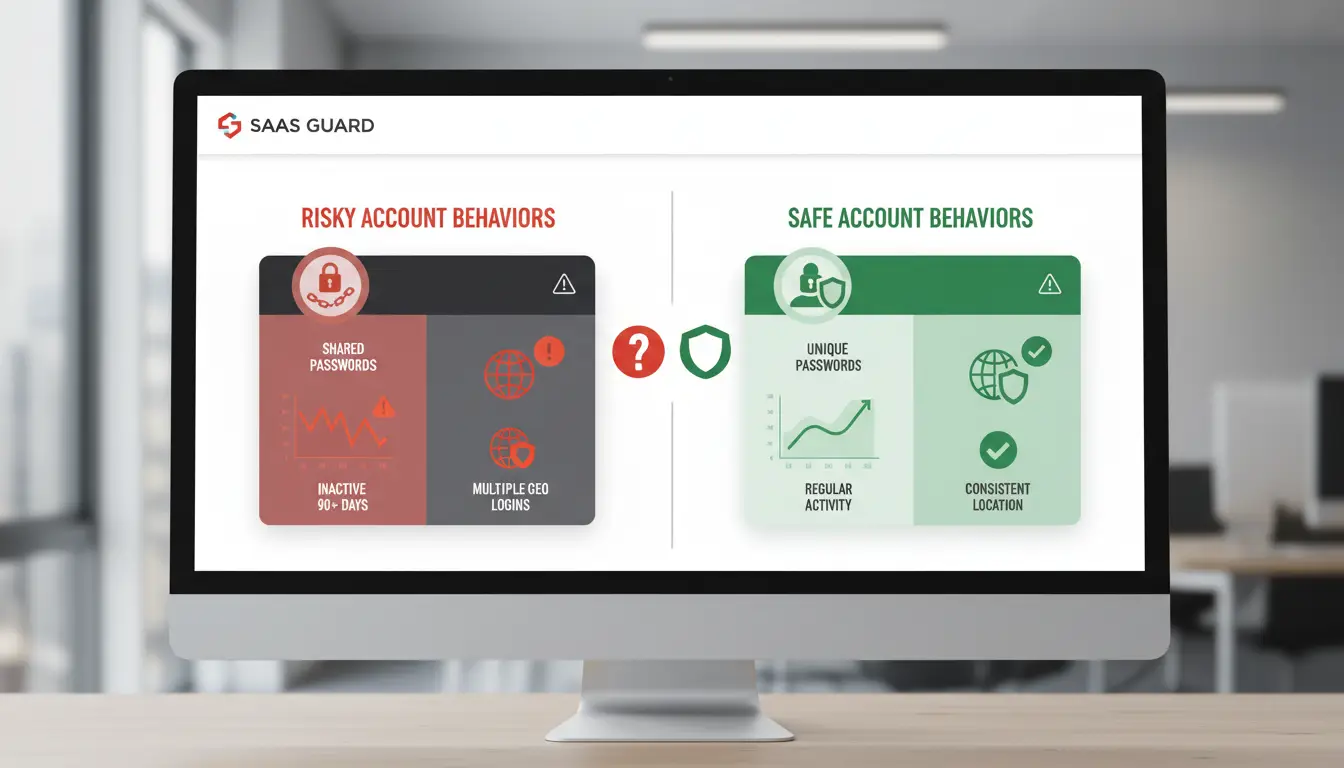
How to Access ChatGPT 5.5: Plans, Pricing, and Availability

Who Can Use ChatGPT 5.5 Right Now?
Access to chatgpt 5.5 is limited to users with active Plus or Team subscriptions. Free-tier users do not get this version. For individuals, ChatGPT Plus is open in most countries where OpenAI operates, but some regions may face delays or restrictions. Team plans are available in supported business regions only. If you use a business or school account, check whether your admin has enabled access.
How Pricing Works for ChatGPT 5.5
ChatGPT 5.5 is bundled in the following subscription plans:
| Plan |
Price/month |
Features |
| Free |
$0 |
GPT-3.5 only |
| Plus |
$20 |
GPT-4, GPT-4o, ChatGPT 5.5, priority access |
| Team |
$25+ |
All Plus features, team sharing, admin controls |
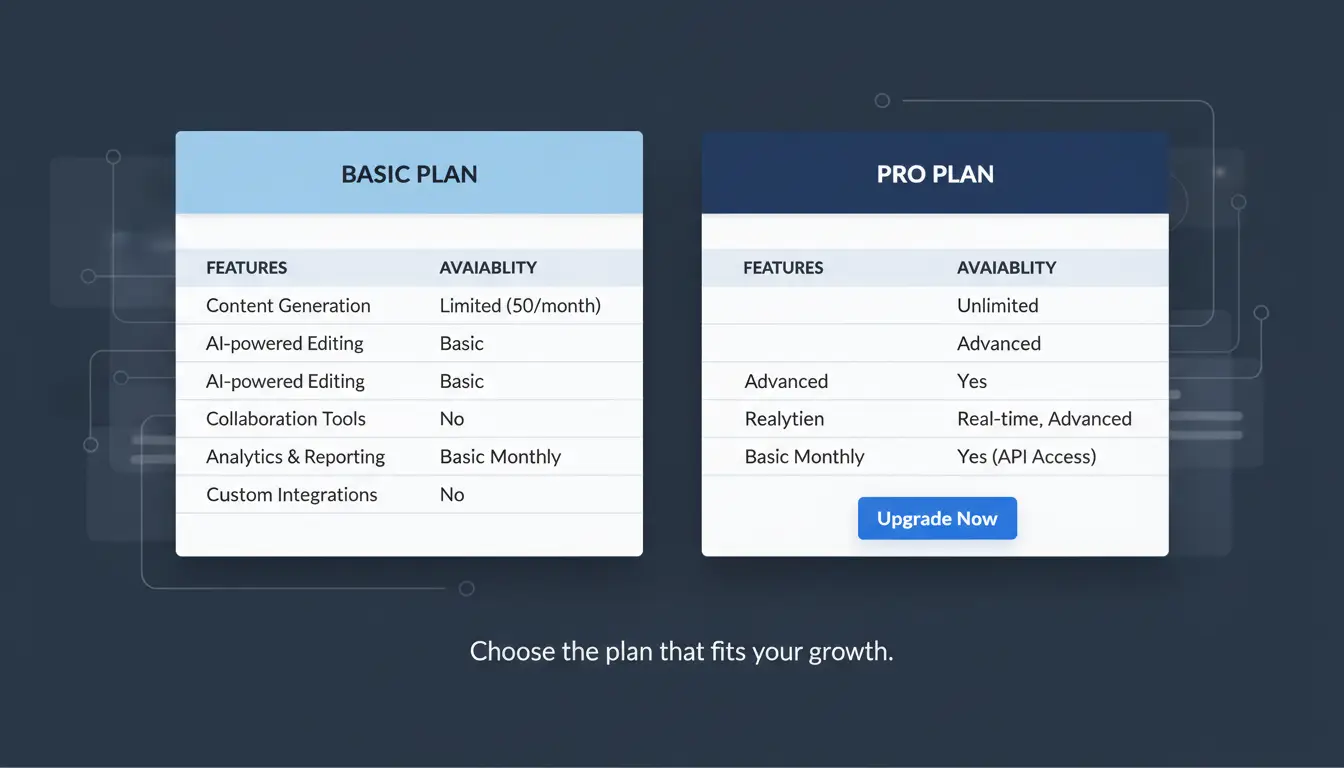
Plans and prices are listed on the official ChatGPT pricing page. Plus covers most personal use; Team adds management tools for groups.
How to Upgrade or Switch Plans
To switch, log in and visit the Manage Subscription page. Choose the plan, confirm payment details, and follow prompts. Before upgrading, check if your region supports the plan and whether your current account is in good standing, pending payments or account flags can block upgrades.
What to Do If You Can’t Access ChatGPT 5.5
If you see a waitlist or access error, your country or account type may not be supported yet. Watch for updates on the OpenAI status page. Some users use proxies.com/learning/ddos/glossary/proxy/) to access blocked regions, but this may risk account restriction.
How to Share ChatGPT 5.5 Accounts Safely in a Team
Why Teams Share ChatGPT Accounts
Teams often need access to chatgpt 5.5 for quick research, testing, or customer support. Sharing one account can cut costs instead of buying separate seats. For groups running rapid experiments or supporting global users, one login avoids the pain of switching between profiles.
Risks of Unsafe Account Sharing
Sharing passwords without planning is risky. OpenAI tracks logins by IP address and device fingerprint. If two people sign in from different locations, or a device suddenly changes, the account may get flagged or locked. Some teams find their access blocked after just a few hours of mismatched use. OpenAI does not always warn before locking the account.
Best Practices for Secure Team Access
The safest way is to keep all team logins looking like they come from one place. Use the same proxy for all sessions and avoid switching devices. For larger teams, set clear roles, only one person changes the password, and always log out before the next person logs in. Store credentials using a secure tool and never share them in plain text. You can use DICloak to create isolated browser profiles and bind each session to a fixed IP, reducing detection risk.
What to Do If a Shared Account Gets Flagged
If your chatgpt 5.5 account is locked, stop all logins right away. Check for emails from OpenAI with next steps. Often, accounts can be recovered by verifying ownership or explaining team use. If you used a business email, support usually responds faster.
How DICloak Makes ChatGPT 5.5 Account Sharing Safer and Easier
Sharing a chatgpt 5.5 account across a team can quickly set off platform alarms, browser fingerprints, proxy mismatches, or sloppy credential sharing all raise risk. Tools like DICloak let you split one account for real teamwork without setting off detection, by building isolated browser profiles and keeping every user’s session separate.
How DICloak Prevents Account Restrictions
With unified fingerprint and proxy management, everyone logs in from a profile that looks consistent to ChatGPT. Isolated browser profiles for each user keep login locations and device signals from overlapping, which cuts down on shadow bans and flagging.
Protecting Credentials and Subscription Settings
Encrypted profile data means only approved teammates can see login info or payment settings. Role-based permissions control who can change what, so sensitive actions stay locked down.
How to Get Started with DICloak for ChatGPT
Setup is fast: create profiles, invite your team, and set permissions. For best results, train everyone on safe access habits and double-check role assignments before scaling up.
Common Mistakes When Using ChatGPT 5.5 and How to Avoid Them
Using Weak or Recycled Proxies
Relying on public or reused proxies is one of the fastest ways to get your chatgpt 5.5 session flagged. OpenAI systems often detect shared IPs, especially if traffic patterns match other flagged accounts. Always use unique, fresh proxies for each account or workflow. Rotate proxies between sessions, not within them, to avoid sudden changes that look suspicious. Tools with built-in proxy management, like DICloak’s browser profile system, can help automate safe rotation and keep each session isolated.
Mixing Personal and Team Activities
Crossing personal logins and team research in one browser or device is a recipe for account restrictions. Session data, cookies, and fingerprinting can connect your private activity to shared projects. The best move is to separate team accounts from personal ones using different browser profiles and dedicated proxies. This keeps OpenAI’s tracking from linking your identities and lowers the chance of shadow bans for everyone involved.
Ignoring OpenAI’s Usage Policies
Many users miss changes in OpenAI’s usage policies, especially around automation, scraping, or shared accounts. Violating these, even by accident, can lock your access. Read policy updates monthly. For teams, create a checklist to review before scaling any workflow.
Failing to Update Security Settings
Old passwords and missing two-factor authentication are common weak points. When chatgpt 5.5 changes login methods or prompts for new security, update as soon as possible. Automate password checks and enable alerts for unusual activity. This simple habit can save you from sudden lockouts and lost work.
When to Use ChatGPT 5.5 vs. Other AI Tools
Scenarios Where ChatGPT 5.5 Excels
ChatGPT 5.5 stands out when you need deep reasoning, multi-step writing, or advanced coding help. If your task involves research across broad topics or brainstorming ideas, the newer model handles context shifts better than older versions. For example, building complex scripts, summarizing academic sources, or drafting long-form content all benefit from its improved memory and language skills. Teams doing technical research or needing high accuracy often pick ChatGPT 5.5 for these reasons.
When a Simpler or Cheaper Model Is Enough
For daily tasks, like email drafts, basic Q&A, or simple data cleaning, older models such as GPT-3.5 or Claude Instant often get the job done faster and cost less. If your main concern is budget, these choices let you run more requests or automate routine work without burning through credits. Many users find that for repetitive tasks, the upgrade to ChatGPT 5.5 adds little value.
Alternatives to ChatGPT 5.5 for Teams
Teams often consider Claude 3, Gemini, or Microsoft Copilot when collaboration or integration matters more than pure model power. Specialized tools like DICloak also help manage team access and account security, especially with risky workflows or proxy setups.
| Tool |
Best For |
Price Range |
| ChatGPT 5.5 |
Complex tasks |
$$–$$$ |
| Claude 3 |
Team work/research |
$$–$$$ |
| Gemini |
Fast answers |
$–$$ |
Table: Popular LLMs for teams; see official sites for latest pricing.
How to Decide Which Tool to Use
Start with a checklist: How complex is your task? Do you need team sharing or just speed? What’s your budget? You can try each tool on a small project and compare results. Choosing based on task fit and real outcomes saves time and money.
Frequently Asked Questions
Is ChatGPT 5.5 available for free users?
Currently, ChatGPT 5.5 is not available to free users. Access is limited to paid subscribers, such as ChatGPT Plus members, to help manage server demand. OpenAI may expand access later, but as of now, you need a paid plan to use ChatGPT 5.5 features.
Can I use ChatGPT 5.5 for coding and development tasks?
Yes, ChatGPT 5.5 is useful for coding help, debugging, and explaining code in common languages like Python, JavaScript, and Java. However, it can sometimes make mistakes or miss context in complex projects. Always review its suggestions before using any code in your application.
What should I do if my ChatGPT 5.5 account gets restricted?
If your ChatGPT 5.5 account is restricted, first check your email for details from OpenAI. Common reasons include policy violations or unusual activity. To resolve the issue, contact OpenAI support through their help center and follow any steps provided to restore your account.
How many users can safely share one ChatGPT 5.5 account?
OpenAI accounts are for individual use. Sharing a ChatGPT 5.5 account with others can lead to security risks and may violate OpenAI’s terms. For teams, OpenAI offers special business plans that support multiple users with separate logins and better management tools.
Does ChatGPT 5.5 support plugins or third-party integrations?
ChatGPT 5.5 supports plugins for paid users, letting you connect to tools like web browsers and code interpreters. Integration options may vary by plan and region. To use plugins, enable them in your ChatGPT 5.5 settings, and always check for new integration updates from OpenAI.
ChatGPT 5.5 marks a significant step forward in conversational AI, offering improved accuracy, context awareness, and versatility for both personal and professional use. As it continues to evolve, users can expect even more intuitive interactions and valuable applications across diverse fields. Try DICloak For Free
 Web Proxy Tools
 Free Tools
 Cookie Plugin
 UA Generator
 MAC Address Generator
 IP Generator
 IP Address List
 2FA Code Generator
 World Clock
 Anonymous Check
 WebRTC Leak Test
 UUID Generator
 Free Web Proxy Site
 Proxy Checker
 FB Ad Checker
 AI Web Scraping
 Free SMM Tools
 Twitter Shadowban Checker
 Instagram Name Checker
 UTM Generator
 Username Generator
 AI Hashtag Generator
 LinkedIn Headline Generator
 Social Media Image Resizer