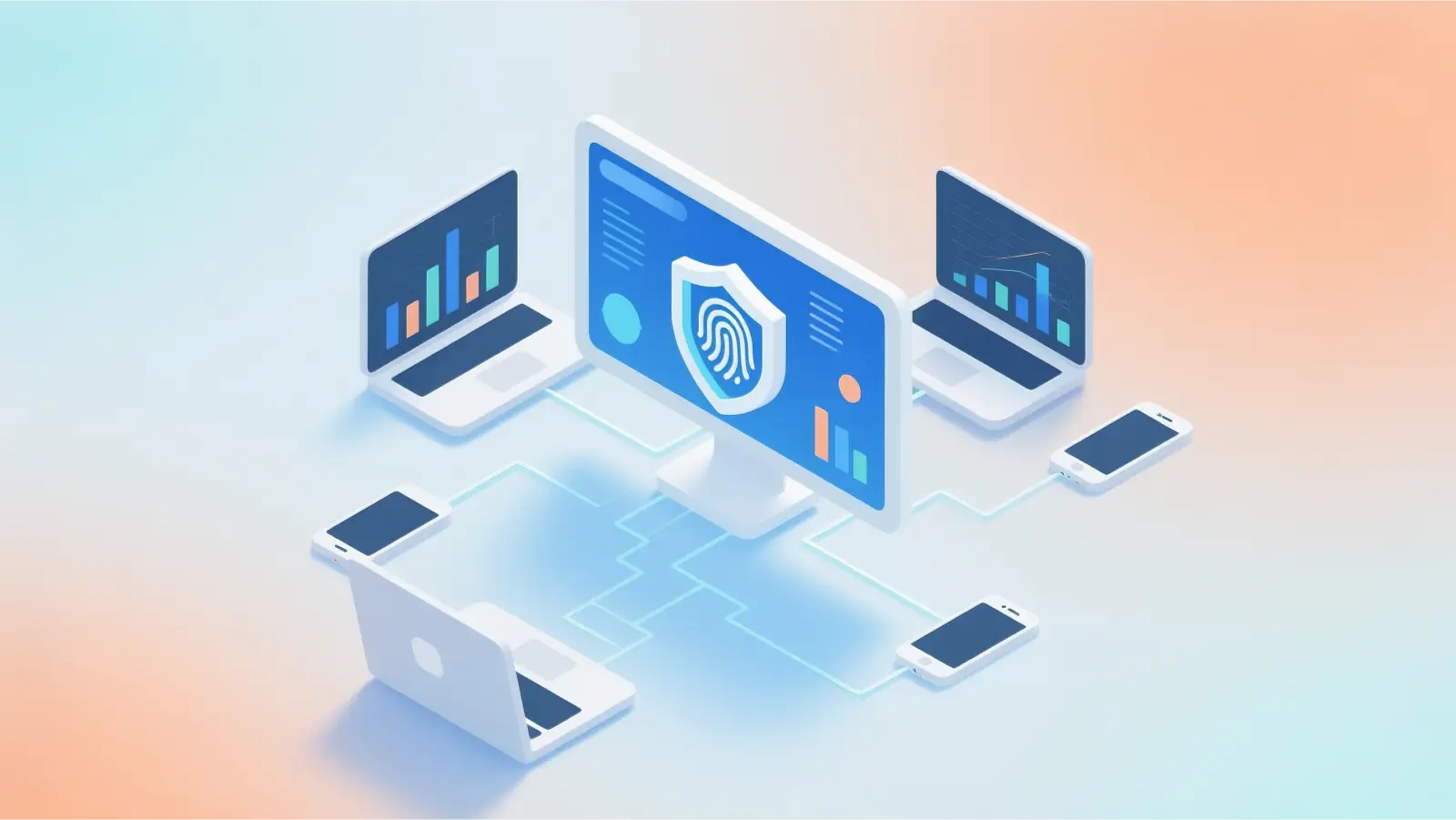
In an era of AI-driven fingerprinting and pervasive state-level monitoring, your digital footprint is no longer just data—it is a liability. Maintaining privacy in 2026 requires more than a casual clearance of cookies; it requires surgical control over your network identity. A proxy server serves as this essential intermediary, acting as a gateway that stands between your device and the rest of the web to manage how your data is presented to the world.
How does a proxy server actually work in 2026?
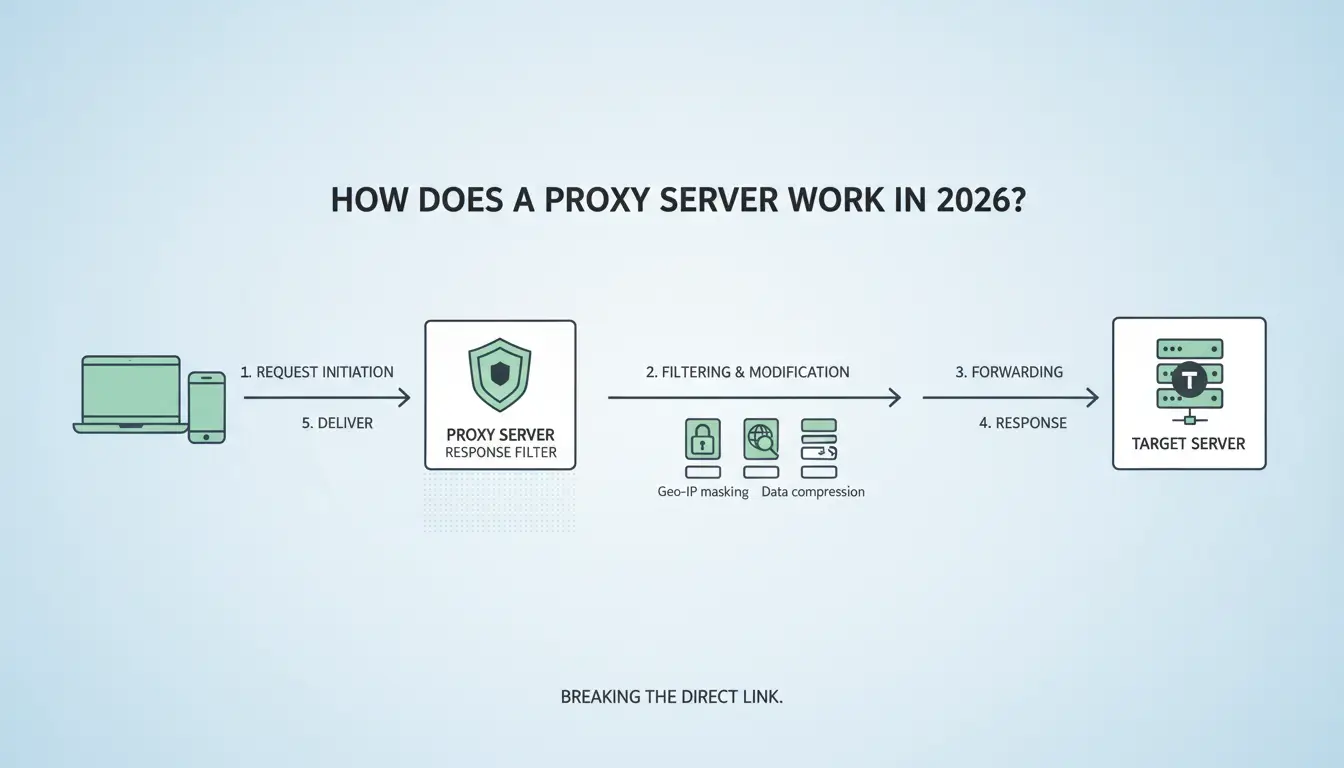
As a practitioner, I view the proxy not just as a "middleman," but as a request-response filter. In the current landscape, the technical path of a request is a precise sequence designed to break the direct link between you and the target server.
The step-by-step technical path: 1. Request Initiation: Your device (the client) sends a web request intended for a destination. 2. Interception: Instead of hitting the open web, the request is intercepted by the proxy server. 3. Masking: The proxy replaces your device’s unique IP address with its own. 4. Forwarding: The proxy sends this modified request to the target web server. 5. Retrieval: The target server, seeing only the proxy's IP, processes the request and sends the data back to the proxy. 6. Delivery: The proxy server delivers the final data to your device.
The "Masking" effect: This process successfully hides your IP address and geographic location from the destination. However, transparency is key: while the destination is blind to your identity, the proxy provider is not. They can see your original IP and the requests you make. In 2026, choosing a provider with a strict no-logs policy is the difference between true privacy and a false sense of security.
Protocol distinctions:
- HTTP/HTTPS: These operate at Layer 7 (Application Layer). They are designed for web traffic, with HTTPS providing a layer of TLS encryption for the data in transit.
- SOCKS5: This is the specialist’s choice. Operating at Layer 5 (Session Layer), SOCKS5 is protocol-agnostic. Crucially, it supports UDP traffic, making it essential for low-latency tasks like VoIP, gaming, or streaming where HTTP proxies fail.
Why do I need a proxy server instead of other network security solutions?
In 2026, the choice of network identity tools is a strategic one based on operational scope.
- Granular Control vs. System-Wide Encryption: Tools that encrypt entire OS-level connections are powerful but broad in scope. Proxies offer application-level granularity. You can route a specific scraping script or a single browser profile through a proxy while leaving your primary communication tools (like Slack or Email) on your local, high-speed connection.
- Speed and Latency Trade-offs: Because proxies often involve less overhead than system-wide encryption solutions, they can be significantly faster. For high-frequency tasks like web scraping or managing multiple social accounts, every millisecond counts.
- Cost-Effectiveness for Scale: For industrial-scale automation, proxies are often the preferred standard. They allow for the simultaneous use of thousands of IP addresses across different regions, offering a level of flexibility that some other network-wide solutions cannot match.
Where can I find my proxy server address on my current device?
If you suspect you are behind a proxy or need to verify a configuration, follow these paths based on the 2026 standard OS layouts:
Locating settings on Windows and macOS:
- Windows: Navigate to Settings (Windows + I) > Network & Internet > Proxy. Under "Manual proxy setup," you will find the address and port details.
- macOS: Open System Settings > Network > Select your active service (e.g., Wi-Fi) > Details > Proxies tab. Here, you can see if HTTP, HTTPS, or SOCKS proxies are active.
Checking browser-specific configurations:
- Chrome & Edge: Go to Settings > System > Open your computer's proxy settings. These browsers generally default to the OS-level configuration.
- Firefox: Navigate to Settings > Network Settings > Settings. Firefox is unique because it allows for an independent stack, meaning you can configure a proxy that is entirely isolated from your system's global settings.
Mobile device verification:
- iOS: Go to Settings > Wi-Fi > Tap the info icon (i) next to your network > Scroll to the bottom to find HTTP Proxy.
- Android: Go to Settings > Network & Internet > Wi-Fi. Long-press your connected network or tap the pencil icon to "Modify Network." Expand the "Advanced options" to find the Proxy section.
Residential, Datacenter, or Mobile: Which proxy type should I choose?
In 2026, proxy selection is no longer a matter of preference—it is a strategic requirement for operational survival against sophisticated anti-bot systems.
- Datacenter Proxies for Raw Speed: These are cost-effective and high-performance. However, because they originate from known data centers rather than ISPs, they carry high detection rates for sensitive platforms.
- Residential Proxies for Legitimacy: These use IPs assigned by ISPs to real home users. They are essential for bypassing behavioral biometrics and velocity checks, as you appear to be a genuine resident browsing from home.
- Mobile Proxies for the Highest Trust: These utilize 3G/4G/5G carrier IPs. Because carriers use CGNAT (Carrier-Grade NAT), thousands of real users often share a single IP. Websites are terrified to block these IPs because doing so would cause massive collateral damage to legitimate customers. This makes mobile proxies the most resilient and expensive option.
What are the biggest risks of using free proxy servers?
The "free" trap is more dangerous than ever. If you aren't paying for the product, your data is the product.
- The "Man-in-the-Middle" (MitM) Threat: Malicious proxy owners can intercept unencrypted traffic to steal session cookies, credentials, and financial data.
- Performance Instability: Public lists are riddled with "dead" proxies and extreme latency, making them useless for any professional workflow.
- IP Reputation Issues: Free IPs are usually "burnt." They have been abused by thousands before you and are likely blacklisted by every major platform, from Google to Amazon.
How do professionals manage multiple proxies for complex workflows?
Standard browsers are ill-equipped for modern anonymity. Even with a proxy, websites use browser fingerprinting (analyzing your Canvas, WebGL, and RTC settings) to unmask you. Professionals bypass this by using antidetect browsers like DICloak.
DICloak integrates proxies into a broader security workflow by allowing you to:
- Assign unique proxy configurations to individual, isolated browser profiles to prevent account linkage.
- Centralize the management of residential, datacenter, and mobile IPs in one interface.
- Automate rotation and health-testing of connections.
- Mask hardware fingerprints (Canvas, WebGL) so the website sees a consistent, "clean" device profile that matches the proxy’s IP location.
How can I fix common proxy connection errors?
- "Proxy Server Refusing Connections": Verify if the server is offline or if you have misconfigured the port. Double-check your provider's status page.
- Authentication Failures: Professionals use two main methods. Ensure you are using the correct one: IP-whitelist (where your actual home IP must be authorized in the provider's dashboard) or Username/Password credentials.
- Timeout Errors: This is often a distance or congestion issue. If you are in London using a proxy in Tokyo to access a server in New York, the latency may trigger a timeout. Use a proxy closer to the target server.
What should I look for in a proxy provider in 2026?
- Pool Size and Diversity: You need millions of IPs across hundreds of regions to effectively avoid rate limits.
- Rotation Options: Ensure they offer both "Sticky" sessions (keeping the same IP for 10-30 minutes for account logins) and "Rotating" sessions (a new IP for every request, ideal for scraping).
- Uptime and Support: Professional operations cannot afford downtime. Look for 99.9% uptime guarantees and 24/7 technical support.
FAQ
Is a proxy server address the same as an IP address?
No. An IP address is a unique identifier for a device. A proxy address is the location of the intermediary server. While you can track a standard IP to a general location, a proxy breaks this chain by providing its own address as a shield.
Can a proxy server hide my search history from my ISP?
Only the final destination. Your ISP will see the initial "handshake" with the proxy IP. However, if you use HTTPS, the ISP cannot see the specific URI path (the specific page) or the payload (your data) of your request.
Does a proxy server encrypt my data?
Proxies are primarily for masking, not encryption. While HTTPS proxies provide encryption for web traffic, they do not typically offer the system-wide, end-to-end encryption found in some other network security solutions.
How do I find the proxy address for my Wi-Fi?
On mobile, go to your Wi-Fi settings, tap your connected network, and scroll to the "HTTP Proxy" section. On desktop, check your "Manual Proxy Setup" under Network Settings.
Are proxy servers legal to use in 2026?
Yes. Proxies are legitimate tools for privacy, market research, and data gathering. However, their legality depends on your intent; you must still comply with local laws and the terms of service of the platforms you access.
Modern digital privacy is built on the foundation of the right proxy infrastructure paired with advanced management tools. By graduating from manual entries to automated, fingerprint-masked environments like DICloak, you can navigate the 2026 web with both speed and absolute anonymity.
 Web Proxy Tools
 Free Tools
 Cookie Plugin
 UA Generator
 MAC Address Generator
 IP Generator
 IP Address List
 2FA Code Generator
 World Clock
 Anonymous Check
 WebRTC Leak Test
 UUID Generator
 Free Web Proxy Site
 Proxy Checker
 FB Ad Checker
 AI Web Scraping
 Free SMM Tools
 Twitter Shadowban Checker
 Instagram Name Checker
 UTM Generator
 Username Generator
 AI Hashtag Generator
 LinkedIn Headline Generator
 Social Media Image Resizer