You log in to send a proposal, but a red banner says UpWork account suspended, no warning, no clear reason. Maybe you woke up to an email with the subject “Account Action Required,” or maybe your next payout just vanished. Either way, you’re locked out, and clients can’t see you. For freelancers and agencies relying on UpWork, this hits hard: all work stops, contracts freeze, and even appealing feels like shouting into a void.
It’s easy to assume the platform flagged you for a rule you broke, but most UpWork suspensions come from algorithmic checks, not manual review. Missing a single client message, using a new device, or logging in with an unrecognized proxy can trip the system. Sometimes, a routine account review or a payment method mismatch gets your UpWork account banned with zero human touch.
Trying to recover a suspended UpWork account isn’t just about filling out a support form and waiting. If you move too fast or use the wrong words, your appeal stalls. Too slow, and you miss the review window, sometimes permanently. What actually gets accounts reinstated is a mix of timing, documentation, and, in some cases, changing how you access the platform. Skip one, and you risk a permanent ban or months of lost income.
So before you send that next message or try to appeal, see what actually causes UpWork suspensions and what steps work in 2026.
Why UpWork Suspends Accounts in 2026: The Most Common Triggers
UpWork suspends accounts for reasons that look simple on the surface but often come from system-level changes, new AI checks, or policy updates. If your account suddenly disappears or you get locked out, the root cause usually traces back to one of a few patterns that repeat every year, with new twists in 2026. Missing these shifts is what traps most freelancers in a months-long appeal cycle, even when their work history is clean.
Policy Violations That Still Catch Freelancers Off Guard
Even with clear rules posted, these triggers keep catching users by surprise:
- Off-platform payments and communication: Messaging a client about paying outside UpWork, or even dropping a personal email, now flags instantly.
- Multiple accounts or identity issues: Running two freelancer profiles, even if for different skills, still leads to instant review and suspension.
- Account sharing or unusual login: Sharing your login, letting a teammate use your account, or logging in from a new region can trigger a ban.
New Triggers and AI-Driven Flags in 2026
The bigger change in 2026 is how UpWork uses AI to spot patterns that older reviews missed. Instead of checking for manual violations, the system now tracks device fingerprints, IP history, and login routines across accounts. When you switch devices, use a proxy, or connect from a location you never used before, the AI compares these details to known fraudulent behaviors. For example, a freelancer who usually logs in from Berlin then accesses the platform from Lagos without warning, especially if they also change their payment method, gets flagged within minutes. The tradeoff here is speed: appeals get processed faster, but mistakes move just as quickly. One false positive, and your account is locked while the system waits for extra documentation.
What’s tricky is how legitimate users end up caught. If you travel, change devices, or add a new withdrawal method, you’re lumped in with real scammers unless you pre-warn the system or update your profile first. Failure modes aren’t just random; they’re baked into the way the AI treats unknown behavior. Too many mismatches, and the review is automatic, no human checks until you submit a full appeal. This means freelancers who handle multiple clients, move often, or use account management tools need to stay ahead of these flags. Otherwise, you risk getting banned even if your actual work is spotless.
UpWork’s suspension system doesn’t just block access. It also freezes pending payouts, cancels ongoing contracts, and removes you from search results. That’s why the next thing most freelancers want to know is what actually happens after the lockout, and what you can do about it.
What Happens When Your UpWork Account Is Suspended?
The moment your account gets suspended, you lose more than just log-in access. You’ll feel the impact right away: your public profile disappears, ongoing projects freeze, and your funds stay locked until UpWork finishes its review. If you’ve never been through this, the sudden change can be jarring, especially if client deadlines are close.
Immediate Restrictions and Platform Notices
- Login blocked: You can’t access your dashboard, submit proposals, or withdraw funds. Even saved drafts are out of reach.
- Profile hidden: Your profile and job history vanish from public view. Clients searching for you won’t see your account.
- Funds on hold: Any available balance, pending payment, or contract payout is frozen until the case is resolved.
Communication With Clients and Ongoing Projects
Clients get minimal information. They may see that your profile is “not available” or receive a short notice if a contract is paused. The platform does not explain why you’re gone. If you were mid-project, your client can’t send new work or release payments. For example, if you’re in the middle of a milestone, and the platform suspends you overnight, the client can’t approve your work or message you through official channels. Some try to reach out via email or another channel, but often, both sides are left guessing about the status. If your client is on a tight timeline, this silence can cost you both: the contract stalls, and your reputation takes a hit for missed deadlines, even when you had no warning.
The real stress comes from not knowing the timeline. UpWork might resolve a simple review in a few days, but if your case triggers a deeper investigation, you could wait weeks just to get an update. This is why the next 24 hours are so important, how you respond right after suspension sets the tone for the entire process.
What to Do in the First 24 Hours After a Suspension Email
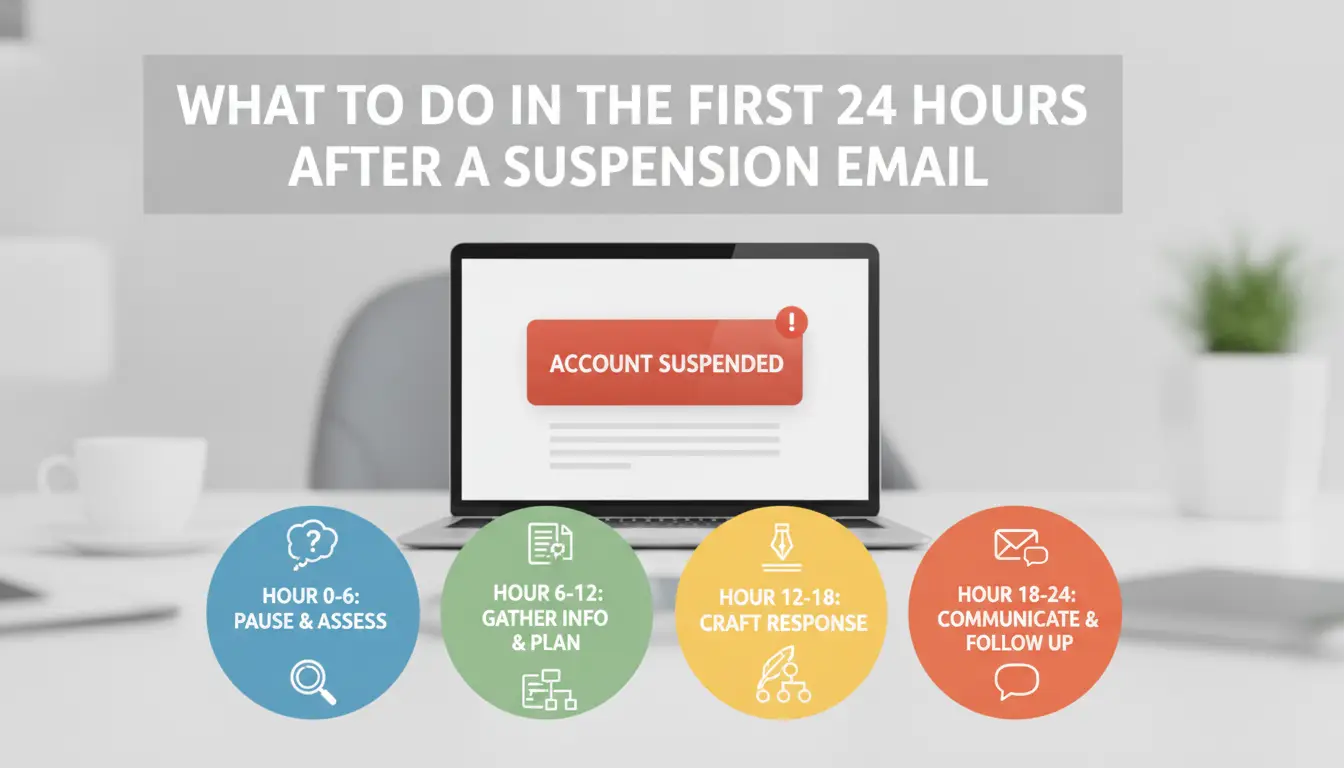
If you get a suspension notice, every hour counts. The first 24 hours set the tone for your appeal, move too fast and you can lock in mistakes, too slow and you risk missing deadlines or losing access to key data.
Read and Analyze the Suspension Notice Carefully
Start by reading the suspension email line by line, don’t just scan for appeal links or panic-click the support button. The reason given is not always the full story, but it tells you what UpWork’s automated system flagged. Sometimes, the notice includes a direct appeal button or a unique ticket code; missing these details can waste days. If the email lists specific violations (like identity mismatch or suspicious login), note them down. Any timeline mentioned is real, UpWork closes tickets if you miss the window.
Secure Account Data and Financial Records
Once a suspension hits, you may lose full dashboard access at any time. Grab your records before systems tighten further.
- Download all invoices and work history to your local device as PDF or CSV.
- Copy recent client conversations, especially for ongoing projects.
- Save any tax or payment details you’ll need for appeals or future platforms.
Avoid These Common Mistakes Right After Suspension
Most users make the situation worse in the first day by reacting without thinking. Some actions can get you permanently banned, not just suspended.
- Do not try to create a new UpWork profile using the same identity or payment methods.
- Don’t message clients through outside channels about your suspension, this breaks UpWork’s Terms of Service and can get clients flagged too.
- Avoid sending angry or emotional replies to the support team; stick to facts and timelines.
The single biggest reason appeals fail is sending an incomplete or rushed first response, UpWork’s review team expects you to match their process, not just plead your case. Get your facts straight, keep a record of everything, and avoid shortcuts that can close the door on reinstatement. If you’re missing key documents or details, wait until you have them before hitting submit.
Once you have your records and understand the notice, you’re ready to build a proper appeal, the next section covers the exact steps.
How to Appeal an UpWork Account Suspension: Step-by-Step Guide
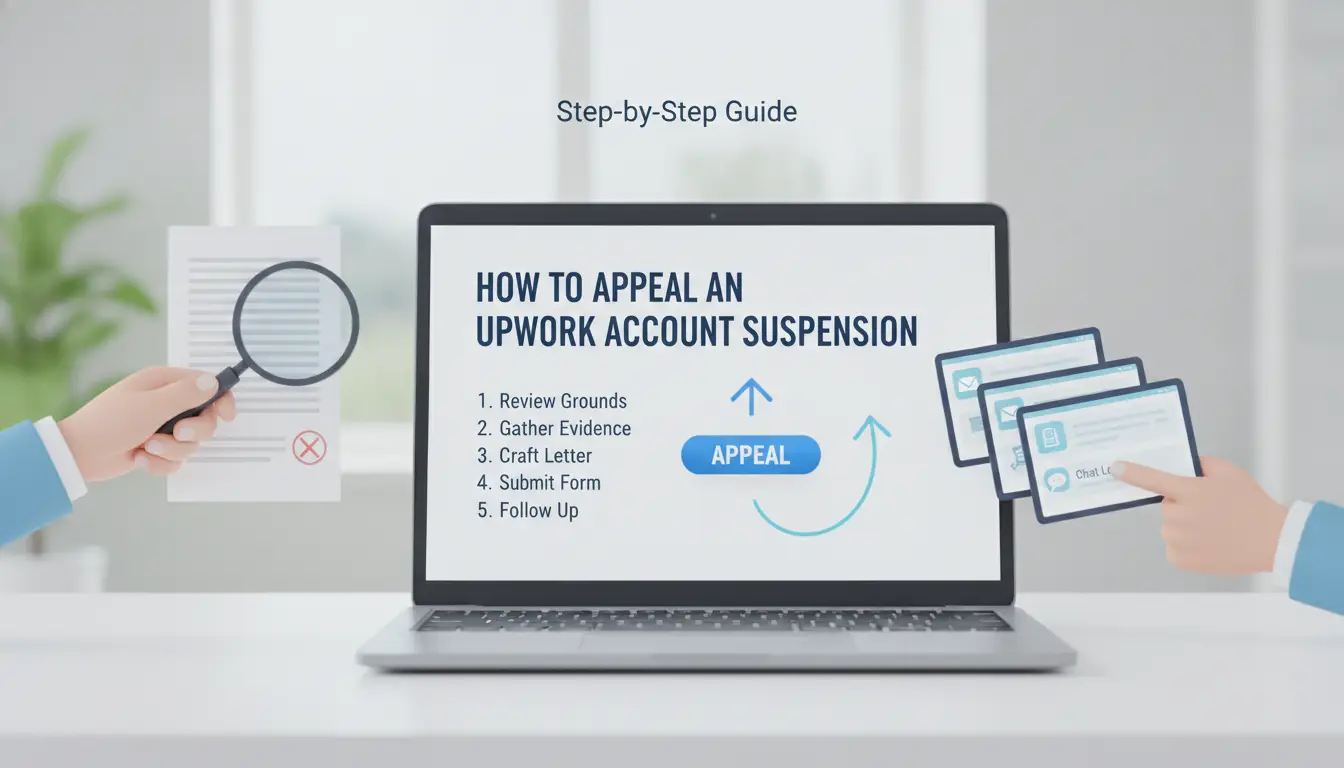
Getting a suspended UpWork account back online is about timing, evidence, and wording, rushing or missing details shrinks your odds fast. Here’s what actually works in 2026 when you need to appeal.
Prepare Your Appeal: What to Gather and How to Present It
- Collect proof of identity, scan your government ID and any UpWork-registered documents. If you skip this, expect a delayed review or a flat rejection.
- Write a clear explanation, describe the event that triggered suspension (like logging in from a new device or fixing a payment error). Stick to concrete facts. Vague claims (“I did nothing wrong”) stall your appeal.
- Include compliance evidence, attach screenshots showing platform rule following or payment confirmations. If you’re missing documentation, list what you can provide and ask if extra info is needed.
- Double-check for gaps, if you leave out a key detail (like why your payment method changed), UpWork support often asks follow-up questions, adding days to the process.
Submit Your Appeal Through the Correct Channel
- Log in to the UpWork support portal using your account credentials. Appeals sent outside the portal (like random emails or social media DMs) usually don’t get processed.
- Click “Submit a Request” and choose “Account Suspension” as the category. If you pick the wrong category, your ticket might get routed to the wrong team, adding extra wait time.
- Attach all evidence files. UpWork’s upload tool limits file size, so compress large scans if needed. If the upload fails, use plain text for urgent info and note that attachments will come later.
- Save your ticket number. If you don’t get a confirmation email within 10 minutes, check your spam folder or try resubmitting, UpWork sometimes fails to send auto-replies during high-traffic periods.
What to Expect After Submitting Your Appeal
- Wait for a response, most appeals get a first reply in 24-48 hours, but weekend submissions often sit until Monday morning. If you don’t hear back in 72 hours, check your ticket status in the portal.
- Review the outcome, UpWork either requests more info, lifts the suspension, or keeps your account banned. If they ask for extra documentation, reply within 24 hours to avoid losing your spot in the queue.
- If your account stays suspended, UpWork usually provides a reason. Common outcomes are “permanent ban for rule violation,” “temporary on hold,” or “reinstated after review.”
- Keep your communication tight, long explanations or emotional appeals rarely help. A concise, evidence-based message increases your chances of recovery.
Once your appeal is in, focus on avoiding mistakes that might trigger future suspensions, especially if you manage multiple accounts or teams.
How to Reduce the Risk of UpWork Suspension When Managing Multiple Accounts or Teams
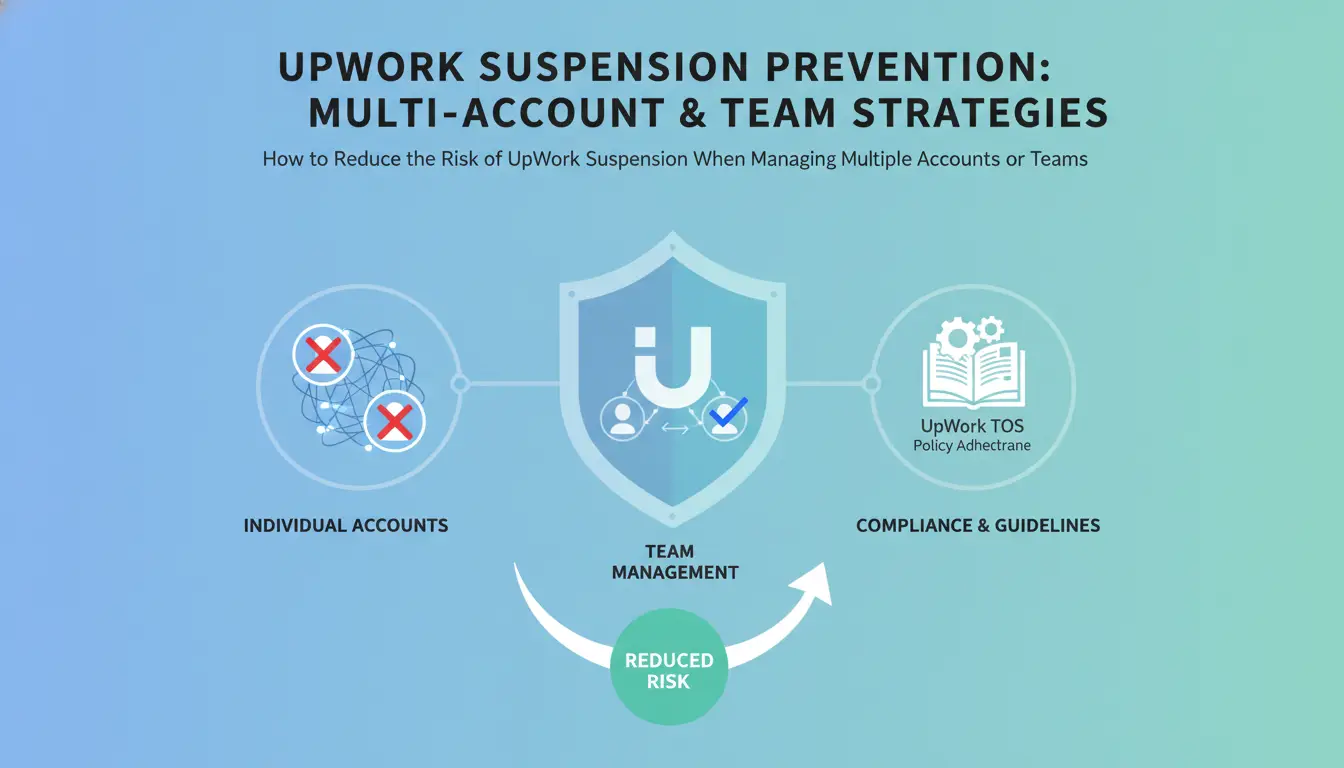
UpWork flags linked accounts fast. If your team shares devices, IP addresses, or browser cookies, a routine login can get your UpWork account suspended, even if your work is clean. The only way to avoid this is to separate everything: browser profiles, proxies, and permissions.
Why UpWork Flags Multiple Accounts and Shared Access
UpWork looks for matching device fingerprints, reused browser sessions, or overlapping IP addresses. Most agencies trip detection by logging in from the same laptop, reusing browser profiles, or letting freelancers rotate through accounts on a single device, one slip, and all connected accounts end up banned.
Best Practices for Device, IP, and Browser Hygiene
Systems that mix accounts or proxies almost always get flagged sooner or later. Logging in with the wrong browser profile or forgetting to isolate cookies is enough for UpWork to link accounts.
Warning: Even one shared session can burn all accounts tied to that device.
- What can go wrong: A freelancer logs into two accounts on the same browser profile, then switches proxies. UpWork’s risk engine matches the browser fingerprint, and both accounts are frozen within hours.
- The safer move: Make sure every UpWork account runs in a dedicated browser profile with its own proxy. Never reuse sessions, bookmarks, or browser extensions across profiles.
Team Collaboration Without Raising Red Flags
Every team member should have access only to the profiles they need, and each action should leave an audit trail. Training staff on safe login and handoff routines matters more than any tool, one careless login from a home device can connect accounts and trigger suspension for everyone.
Using DICloak to Manage UpWork Account Workflows More Safely
Setting Up Isolated Browser Profiles for Each Account
Operators can create a unique browser profile in DICloak for every UpWork account, each with its own fingerprint and proxy, so routine logins don’t link accounts by device or network.
Team Collaboration and Permission Control
Teams can assign access to specific profiles, so only trusted members handle sensitive logins. Permission control keeps account boundaries clear, and operation logs show exactly who took which action and when. That means admins can review access history if something goes wrong.
Limits and What DICloak Does Not Control
- DICloak does not guarantee UpWork account suspension won’t happen.
- Platform-native checks (like ID, payment, or KYC) still apply.
- Users must provide their own clean proxies and follow UpWork guidelines.
What to Do If Your UpWork Appeal Fails: Next Steps and Alternatives
A denied appeal usually means your UpWork account suspended status is permanent. The goal now is to limit losses and protect your freelance work for the future.
Securing Your Data and Funds
Withdraw any remaining funds, most suspended accounts allow one final payout via the last linked method. Download your work history, contracts, and all client conversations. If you skip this, you could lose payment evidence or key project files. Don’t wait, UpWork sometimes locks profiles completely after final review.
Notifying Clients and Handling Ongoing Projects
- Send clients a direct message with alternate contact info
- Offer to deliver pending work by email or cloud link
- Ask clients for confirmation of receipt before closing the chat
Building Platform Independence for the Future
Losing UpWork access can force a shift. Start building safety nets early.
- Register on at least one other freelance platform
- Create a basic site or portfolio off UpWork
- Set up direct payment options for future clients
How to Prevent UpWork Account Suspension in the Future: Proactive Tips for 2026
If you want to avoid another UpWork account suspended notice, focus on what triggers the system, then keep adjusting as policies shift each year.
Staying Updated on UpWork Policies and Detection Methods
UpWork changes its detection logic without warning. Check the UpWork Trust & Safety page monthly for new rules. Watch for sudden login prompts, new verification steps, or unexpected review requests, these usually mean a policy update. If you notice stricter device or payment checks, pause account changes until you review official guidance.
Workflow and Security Best Practices
- Audit login history every week for unknown sessions
- Require two-factor authentication for all team accounts
- Review client communication logs before submitting new proposals
Building a Resilient Freelance Business
Diversifying protects your income if your UpWork account is banned.
- Set up at least one backup freelance platform
- Build direct contacts with top clients outside UpWork
- Track payments and contracts in a separate system
Frequently Asked Questions About UpWork account suspended
Can I withdraw my funds if my UpWork account is suspended?
If your UpWork account is suspended, you can usually withdraw any available funds unless UpWork blocks them during the investigation. Sometimes, funds are held if there are disputes or potential policy violations. If your balance is locked, contact UpWork support directly. They may release funds after reviewing your case, but this is not always guaranteed.
How long does an UpWork suspension appeal take in 2026?
In 2026, most UpWork suspension appeals take about 3–10 business days. The review time depends on the complexity of your case and how quickly you respond to support requests. Appeals about payment issues or serious violations might take longer, especially if UpWork needs extra documents or more details from you.
Is it possible to open a new UpWork account after suspension?
Opening a new UpWork account after getting suspended goes against UpWork’s rules. If they find out, they will likely ban the new account too. This can also make it harder to recover your suspended UpWork account in the future. It's better to appeal the suspension or fix the issues with your original account.
What should agencies do differently to avoid suspension?
Agencies face unique risks like mismanaging team permissions or failing to verify client work. To avoid UpWork suspension, agencies should keep clear records, make sure all profiles are truthful, and monitor team activities. Regularly update agency information and follow UpWork’s guidelines to reduce the risk of accidental violations.
Does using a proxy help prevent UpWork suspension?
Using a proxy can hide your real location, but it does not guarantee your account stays safe. UpWork’s systems can detect suspicious activity, like frequent IP changes or mismatched locations. Relying on proxies alone is risky, focus on following platform rules and keeping your details accurate.
If your freelancing platform access has been restricted, it’s crucial to evaluate alternative ways to maintain your online presence and continue working with clients. Consider exploring tools that offer privacy and security features to help you manage your digital footprint and protect your professional activity. Try DICloak For Free
 Web Proxy Tools
 Free Tools
 Cookie Plugin
 UA Generator
 MAC Address Generator
 IP Generator
 IP Address List
 2FA Code Generator
 World Clock
 Anonymous Check
 WebRTC Leak Test
 UUID Generator
 Free Web Proxy Site
 Proxy Checker
 FB Ad Checker
 AI Web Scraping
 Free SMM Tools
 Twitter Shadowban Checker
 Instagram Name Checker
 UTM Generator
 Username Generator
 AI Hashtag Generator
 LinkedIn Headline Generator
 Social Media Image Resizer