TikTok has become one of the most popular apps in the world. Millions of people watch short videos every day. Many users like to save videos they find funny, useful, or inspiring. Some videos go viral and are shared across Instagram, WhatsApp, and email. TikTok videos are a big part of modern online culture. People use them for fun, work, learning, and social media marketing.
However, saving TikTok videos can be tricky. When you download directly in the TikTok app, the video often has a big watermark. This watermark shows the TikTok logo and the creator’s name. A watermark can block part of the picture. It can also make the video less useful if you want to edit or repost it on other platforms. That is why many people look for a tiktok video downloader that can save videos clearly and without extra marks. Tools like tiktok video downloader without watermark help users save clean, high‑quality clips for later use.
In this article, we will explain what a TikTok video downloader is, explore the types of TikTok video downloaders, list 8 free TikTok video downloaders, and discuss user experience and accessibility. We will also cover important considerations about using TikTok downloaders and provide best practices to help you get the most out of your TikTok video downloads.
What is a TikTok Video Downloader?
A TikTok video downloader is a tool that allows you to save TikTok videos to your device. Normally, TikTok videos come with a watermark, but using a tiktok video downloader without watermark lets you download clean, high-quality videos without the logo.
These tools work by taking the video link (URL) from TikTok, and turning it into a file you can save on your phone or computer. For example, you can copy a video link, paste it into a downloader, and get the video saved in just a few seconds.
TikTok video downloaders are useful for many people. For instance, a teacher might save a lesson video, or a business owner could collect trends. These downloaders offer more flexibility, allowing you to keep and watch videos offline or share them without watermarks. However, it’s important to use them responsibly and respect the creator's rights.
Types of TikTok Video Downloaders
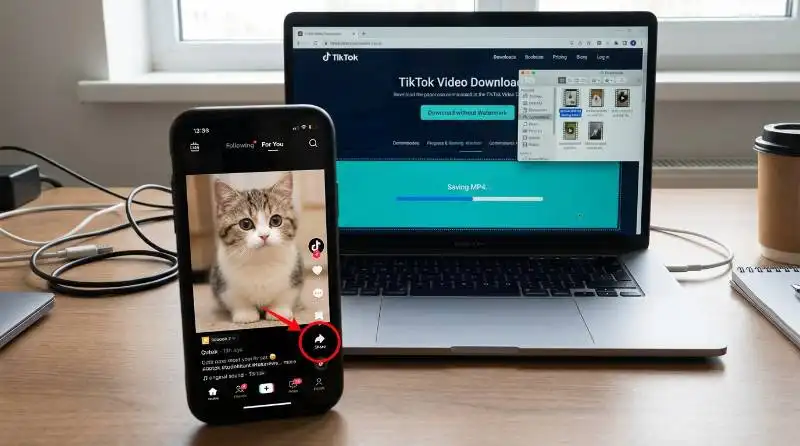
When you want to use a tiktok video downloader, there are several choices. Each type works in a slightly different way. Some work on computers, some on phones, and others run right in your web browser. Here are three common types you can try.
Desktop Applications
Desktop applications are programs you install on a computer. These tools often give more control and better quality. For example, TuneFab VideOne is a popular desktop downloader that lets you save TikTok videos in HD without watermarks. It works on both Windows and Mac computers, and you can download many videos in a batch at once. Users say it is reliable and fast, and it keeps the video looking clear.
Another desktop tool is VideoHunter TikTok Downloader, which also runs on PCs and Macs. It can save TikTok videos by pasting the link into the software. Some users report that it downloads videos very quickly and keeps high quality.
Mobile Applications
Mobile applications are made for phones and tablets. These are useful if you want to download TikTok videos directly on your phone. For Android users, apps like the SnapTik downloader app help you save videos without watermarks. These apps do not need login and work with just a copied link.
Some mobile apps also include simple download managers. For example, certain Android download apps let you pause and resume downloads, which is helpful if your internet connection is slow.
Online Downloaders
Online downloaders work in your web browser. You do not need to install anything. Just open a website, paste the TikTok video URL, and click “Download.” Tools like TikTokio, SaveTT, and SaveTik are good examples of online TikTok video downloaders that work on phones, tablets, and computers.
For instance, TikTokio lets you get the video link and choose to download it in MP4 format without watermarks in just a few seconds. SaveTT also offers easy steps for Android and iPhone users to save videos in high‑definition. These online tools are often free and fast, and they let you save TikTok videos without extra software.
Each type of downloader has its own strengths. Desktop tools often give the most features and best quality. Mobile apps are handy when you are on the go. Web‑based online downloaders are simple and work anywhere. Whatever device you use, there is a tiktok video downloader that can help you save videos cleanly and without watermarks.
8 Free TikTok Video Downloaders
If you want to download TikTok videos without watermarks, there are several free tools available. These tools allow you to save videos in high-quality formats, and they work across different devices and platforms. Here are eight free TikTok video downloaders that you can use to download TikTok videos easily.
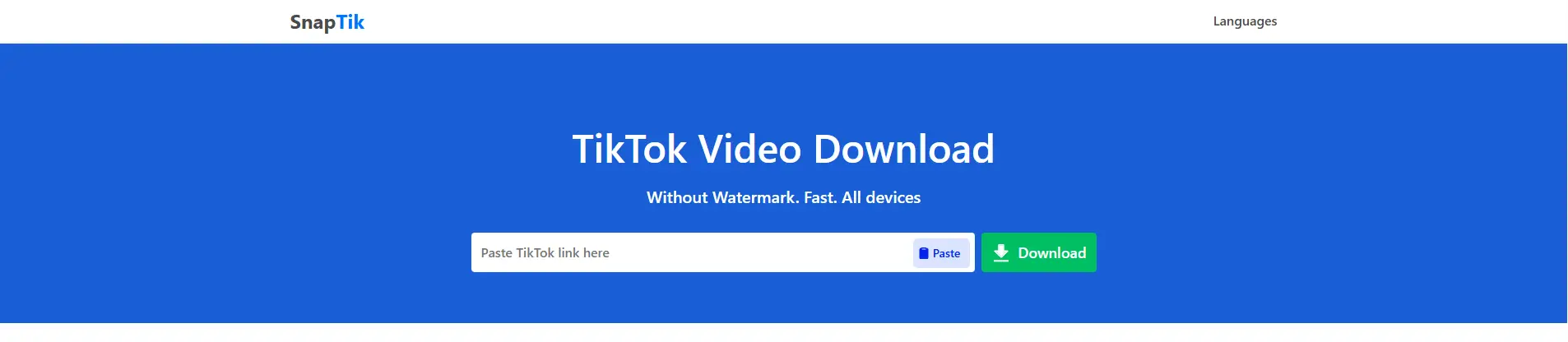
SnapTik is a popular online TikTok video downloader. It’s simple to use and doesn’t require any app installation. You can download TikTok videos without watermarks directly from your browser.
Key Features
- Free online TikTok video downloader without watermark.
- Works on any device/browser — no app installed is needed.
- High‑resolution downloads (HD, Full HD).
- Unlimited free downloads — no limit.
Best For
- Users who want a simple, fast tiktok video downloader without watermark on phones or computers.
- People who don’t want to install software.
- Everyone collects multiple TikTok clips for offline watches.
Considerations
- Free services often show ads, which may interrupt workflow.
- Only public videos can be downloaded — private content cannot be grabbed.
- Speed may vary depending on server load and link quality.
MusicallyDown is another reliable tool for downloading TikTok videos without watermarks. It supports both video and audio downloads and works directly in the web browser, making it easy to use.

Key Features
- Free online TikTok downloader with support for MP4 (video) and MP3 (audio).
- Supports high quality: Full HD, 2K, and 4K video downloads.
- Works on phones, tablets, and computers via browsers.
- No installation, no account, and unlimited downloads.
Best For
- Users who want both video and audio downloads.
- Creators who need bulk downloads for backup or offline editing.
- Anyone needing high‑resolution content without watermarks.
Considerations
- Downloads depend on public video availability.
- No official TikTok affiliation — third‑party service.
- Users must respect copyright and use content legally.
SSSTikTok is a great option that supports downloading from multiple platforms, including Android, iOS, and web browsers. It also provides HD video downloads without watermarks, making it a favorite for many users.

Key Features
- Free online TikTok video downloader without watermark.
- Works in any browser — no app installed.
- Simple copy‑paste download UI (paste URL → download).
- Supports saving HD videos in MP4 format.
Best For
- People who want a straightforward, no‑login downloader.
- Users who prefer a minimal interface with quick results.
- Anyone downloading from phones or desktops.
Considerations
- Cannot access private TikTok video links.
- Quality may vary if video source resolution is low.
- May show ads due to free‑model support.
ExpertsPHP offers a simple, browser-based solution to download TikTok videos and other content from social media platforms like Facebook, Instagram, and Twitter. You can easily paste the video link and download the video directly to your device.

Key Features
- Browser‑based downloader that supports TikTok and multiple platforms (Facebook, Instagram, Twitter).
- No app installation required — works in any browser.
- Free and simple UI.
- Downloads MP4 videos without watermarks.
Best For
- Users who want one tool for multiple social platforms.
- People who like online downloaders with broad content support.
- Users that value simplicity over advanced features.
Considerations
- Not optimized solely for TikTok — may be simpler but less specialized.
- Site design and speed may vary by region and browser.
- Must ensure public video link availability.
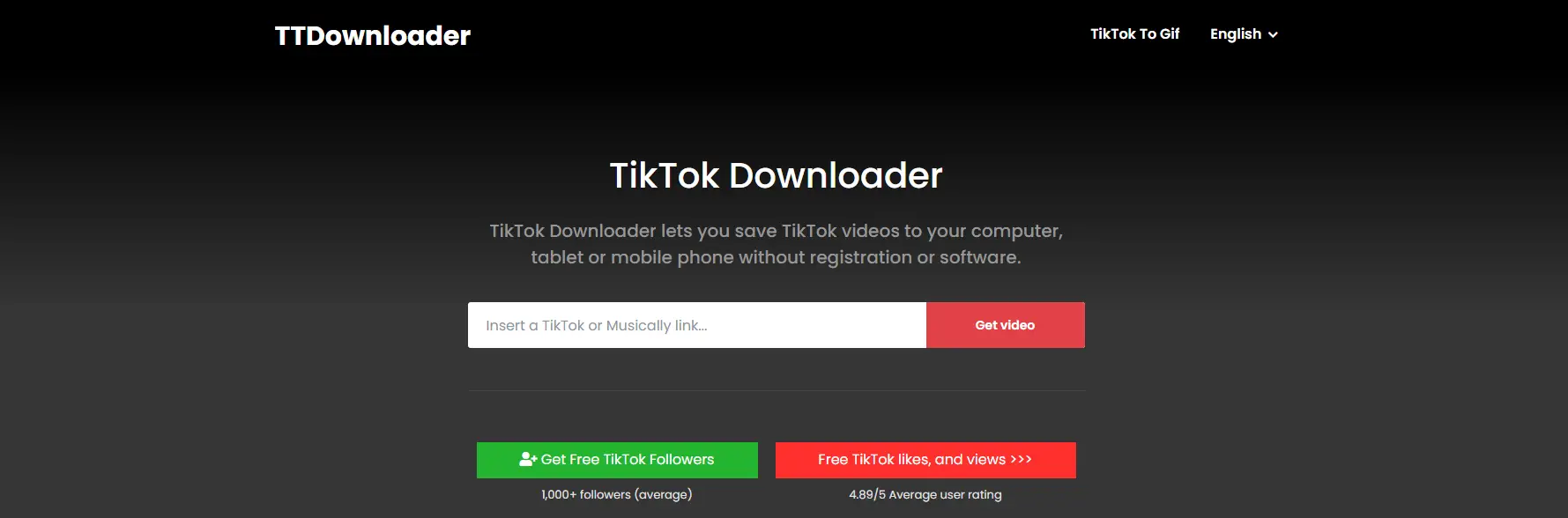
TTDownloader is another great web app for downloading TikTok videos without watermarks. It’s user-friendly and works on both mobile and desktop devices. Just paste the TikTok video URL, and you’re good to go.
Key Features
- Free online TikTok downloader with choices to download with or without watermark.
- Saves unlimited videos in MP4.
- Works on phones, tablets, and PCs.
- Simple paste‑link interface — beginner‑friendly.
Best For
- Users who want the option to download either with or without a watermark.
- People need a quick, universal downloader for many devices.
- Beginners and casual downloader users.
Considerations
- Quality options may not be as extensive as some competitors.
- Ads may appear during download due to free service support.
- Video collection should follow copyright guidelines.
6. Downloaderi
Downloaderi is a fast and reliable tool that supports high-quality video downloads without watermarks. It works on all operating systems and does not require any additional installations.
Key Features
- Browser‑only TikTok video downloader without watermark — no install.
- Works on all operating systems (Android, iOS, Windows, Mac).
- High‑quality MP4 downloads.
- Very simple UI: paste link → download.
Best For
- Users who want the simplest experience possible.
- People who don’t want additional settings or buttons.
- Anyone needing a universal downloader regardless of device.
Considerations
- Advanced features (e.g., MP3 extraction) are usually not supported.
- May show ads because of free model.
- Public videos are required for downloads.
SnapSave.App offers a simple, free solution for downloading TikTok videos without watermarks. It works on multiple devices and provides high-quality video downloads. It’s popular for its clean and intuitive interface.

Key Features
- Fast, free TikTok video downloader without watermark for all devices.
- Works on mobile and desktop — no software install.
- High‑quality video and original audio downloads.
- Unlimited downloads and browser compatibility (Chrome, Safari, Firefox).
- Preview feature before downloading.
Best For
- People who want extra control (preview before download).
- Those that use multiple browsers or devices.
- Users need a free, high‑quality tiktok video downloader without watermark.
Considerations
- The site may show ads to support free service.
- No official TikTok affiliation; follow copyright rules.
- Speed depends on server load.
The TikTok Downloader Chrome Plugin is a convenient extension that allows you to download TikTok videos directly from your browser. After installing it in Google Chrome, you’ll see a download option while you browse TikTok.

Key Features
- Browser extension for Chrome that adds a download button when browsing TikTok.
- Allows mass download from profiles.
- Saves videos directly onto PC/Mac.
- Free and easy to use.
Best For
- Heavy TikTok users who download many videos on PC.
- People who want a one‑click download while browsing.
- Users who prefer a plugin rather than web tools or apps.
Considerations
- Works only in Chrome browser.
- Ads may be present due to free extension.
- Some features may require updates to stay compatible with TikTok layout changes.
These free TikTok video downloaders offer a variety of ways to save TikTok videos without watermarks. Whether you prefer online tools, browser extensions, or desktop apps, there’s a downloader that suits your needs. Always make sure you follow copyright rules and use these tools responsibly.
User Experience and Accessibility
When choosing a tiktok video downloader, it’s not just about features. You also want a tool that is easy to use and fits your needs. Some people prefer free tools with simple steps. Others may pay for extra features or faster downloads. Next, we compare how easy these tools are and whether free or paid options are better for different users.
Ease of Use of Various Downloaders
Different TikTok video downloaders vary in how easy they are to use. Some tools work straight in a web browser, while others require apps or plugins.
Web tools are easiest for most people.
Online downloaders like SSSTikTok let you paste a link and hit “Download” in a few seconds. There is no login or installation needed. This makes them simple for beginners. For example, SSSTikTok works on phones, tablets, and computers without extra steps — just paste the video link and download the MP4 file without watermark.
SnapTik also focuses on simplicity.
SnapTik lets you save videos without watermarks by pasting the TikTok link into your browser. You don’t need to create an account or install software. This makes the process quick and easy for casual users.
Browser extensions add convenience for frequent downloaders.
A Chrome extension like TikTok Downloader shows a download button while browsing TikTok on a PC. With one click, the video saves to your computer. This is easier for heavy users, but it only works in Chrome.
Some tools may show ads or extra steps, but most free tiktok video downloader without watermark tools use clear interfaces so downloads are simple even for beginners.
Free vs. Paid Options
There are free TikTok video downloaders and some paid tools or premium versions that cost money. Each has pros and cons.
| Feature |
Free Tools |
Paid Tools |
| Cost |
Free |
Requires a one-time payment or subscription |
| Ads |
Often shows ads (can interrupt use) |
No ads |
| Ease of Use |
Simple, fast, no installation required |
May require installation and setup |
| Video Quality |
Standard quality (up to HD or Full HD) |
High-quality options (4K, higher resolutions) |
| Batch Download |
Limited or not available |
Supports batch downloading multiple videos at once |
| Download Speed |
Can be slower during peak times |
Faster download speeds, especially with heavy use |
| Device Support |
Works on most devices (phones, tablets, PCs) |
Often supports all major platforms, but requires software |
| Customization Options |
Limited |
More options, like choosing video formats and quality |
| Offline Access |
No offline access, depends on internet |
Can save and manage videos offline |
| Best For |
Casual users who want to save a few videos quickly |
Heavy users, creators, or professionals needing bulk downloads and high quality |
Summary:
- Free tools are excellent for casual users who want quick downloads without any cost. They provide simplicity and accessibility but might come with limitations like ads or lower quality options.
- Paid tools are ideal for power users, professionals, or creators who need bulk downloads, high-quality videos, and faster speeds without interruptions. The price is justified for those needing more features and flexibility.
Considerations About Using TikTok Downloaders
While using a tiktok video downloader can be helpful, it’s important to consider legal and ethical issues. Before downloading and using videos, especially without watermarks, make sure you understand copyright laws and the need for creator permission.
Understanding Copyright Issues
Creators on TikTok usually own the copyright to their content. This means they control how their videos are shared or used. Downloading a video using a tiktok video downloader isn’t illegal, but reposting or using it without permission can violate copyright laws. Always be cautious and follow TikTok’s copyright guidelines.
Importance of User Permissions
Even if you download a video without a watermark, it’s important to ask the original creator for permission before using or sharing their work. Many creators allow downloads for personal use, but reposting or using videos commercially requires approval. Always respect the creator's rights to avoid legal issues.
Enhancing Your TikTok Video Downloader Experience with DICloak Antidetect Browser
If you manage multiple TikTok accounts or need to download videos across different profiles, DICloak can enhance your experience by offering a more secure and efficient process. DICloak is an antidetect browser specifically designed for multi-account management, providing profile isolation and custom proxy configuration to keep your accounts separate and avoid detection. By creating distinct profiles within the browser, DICloak helps your TikTok accounts stay unlinked, while custom proxies prevent bans and maintain privacy. Additionally, its automation features, like the Synchronizer, help streamline tasks such as downloading videos, saving you time when managing multiple accounts. With DICloak, you can download TikTok videos without watermarks, all while ensuring security and efficiency across your accounts.

What Makes DICloak Stand Out?
✅ Manage 1,000+ Accounts on One Device:
Stop wasting money on extra hardware! DICloak allows you to manage multiple accounts on a single device, cutting costs and boosting efficiency.
✅ Guaranteed Account Safety, No Ban Risks:
Every account gets its own isolated browser profile with custom fingerprints and IPs, drastically reducing the risk of bans. Your accounts, your control!
✅ Flexible Proxy Configuration for Maximum Performance:
Seamlessly integrate with all major proxy protocols (HTTP/HTTPS, SOCKS5) and manage your proxy pool with bulk operations. No more struggling with IP management—DICloak has you covered.
✅ Streamlined Team Collaboration for Better Results:
Easily manage your team with advanced tools like profile sharing, permission settings, data isolation, and operation logs. Your team works smarter, not harder.
✅ Automate the Grind with RPA:
DICloak's built-in RPA saves you hours of manual work. Automate repetitive tasks, streamline workflows, and focus on what really matters—growing your business.
✅ Powerful Bulk Tools to Scale Your Operations:
Create, import, and launch multiple browser profiles in one click. DICloak makes scaling your business as easy as it gets.
✅ Compatible with All Major Operating Systems:
Based on the Chrome core, DICloak supports simulating Windows, Mac, iOS, Android, and Linux operating systems. No matter what platform you need, DICloak has you covered.
🔗 Ready to Get Started?
Visit the DICloak website to explore more details and choose the plan that’s right for you. Start for free today and experience the power of secure, efficient, and scalable multi-account management!
Conclusion
In this article, we explored how to use a tiktok video downloader to save videos without watermarks and discussed different tools for downloading on phones, computers, and browsers. We also highlighted the importance of respecting copyright laws and creators' rights when downloading content. Tools like DICloak help manage multiple accounts securely while downloading videos across profiles.
It's essential to always ask for permission from creators before reposting or sharing their content. This ensures you stay legally safe and support the creators who make the content you enjoy. By using the right tools and respecting creators, you can download TikTok videos effectively and responsibly.
FAQ
What is a TikTok video downloader, and how does it work?
A tiktok video downloader is a tool that allows you to save TikTok videos to your device without watermarks. By pasting the TikTok video link into the downloader, you can download it in high-quality formats like MP4. These tools work across different platforms, including mobile and desktop.
How can I download TikTok videos without a watermark?
To download TikTok videos without watermarks, you can use specific tiktok video downloaders like SnapTik, SSSTikTok, or MusicallyDown. These tools help remove the watermark, letting you save clean versions of videos in MP4 or other formats. Just paste the video URL and download!
Are there free TikTok video downloaders?
Yes, there are many free TikTok video downloaders available. Some popular ones include SnapTik, MusicallyDown, and SSSTikTok. These tools allow you to download videos without watermarks at no cost, but they may show ads or limit video quality compared to premium options.
Can I use a TikTok video downloader for multiple TikTok accounts?
Yes, you can use a TikTok video downloader for multiple accounts, but it’s important to follow best practices to avoid detection or bans. If you manage multiple TikTok accounts, tools like DICloak Antidetect Browser can provide secure multi-account management, ensuring your downloads are safe.
Is it legal to use a TikTok video downloader to save content?
While using a TikTok video downloader itself is not illegal, it’s important to follow copyright laws and get permission from the content creator before using or sharing their videos. Always respect creators' rights and only use videos for personal purposes unless you have explicit permission.
 Web Proxy Tools
 Free Tools
 Cookie Plugin
 UA Generator
 MAC Address Generator
 IP Generator
 IP Address List
 2FA Code Generator
 World Clock
 Anonymous Check
 WebRTC Leak Test
 UUID Generator
 Free Web Proxy Site
 Proxy Checker
 FB Ad Checker
 AI Web Scraping
 Free SMM Tools
 Twitter Shadowban Checker
 Instagram Name Checker
 UTM Generator
 Username Generator
 AI Hashtag Generator
 LinkedIn Headline Generator
 Social Media Image Resizer