Defining the Discord ID in Modern Community Management
In the architectural hierarchy of digital community platforms, the discord id serves as the foundational anchor for identity and data integrity. Unlike a username or a server-specific nickname, a Discord ID is a permanent numeric snowflake identifier assigned by Discord. Discord’s backend assigns these identifiers to every discrete entity within its ecosystem, including users, servers (guilds), channels, messages, roles, and even individual emojis.
While usernames are mutable—subject to frequent changes by the user—the Discord ID is an "immutable identifier." It remains constant throughout the entire lifecycle of the account, regardless of visual or textual changes.
Operational Scenario: Consider a scenario where a user changes their display name and discriminator multiple times within a week to evade moderation or obfuscate their history. Because a professional moderation bot logs activity based on the unique 17-to-19-digit ID rather than the string-based username, the bot maintains a seamless, unalterable record of that user’s behavior across the entire platform. This stability is what allows for precise, automated community management at scale.
Why the Discord ID Cannot Be Changed
Discord utilizes a "Snowflake" ID system, a decentralized, high-scale unique ID generation method originally popularized by Twitter. Transitioning from human-readable strings to numeric identifiers is a technical necessity for database performance and high-concurrency environments.
From a systems engineering perspective, names are inherently unreliable as primary keys because:
- Mutation: Users frequently rotate usernames and nicknames.
- Non-Uniqueness: Multiple users can possess identical display names across different server contexts.
- Collision Risks: String-based identifiers increase the complexity of database indexing and lookups.
- Indexing Efficiency: Numeric IDs are significantly more efficient for backend indexing, retrieval, and relational mapping.
Pro Tip: Treat Discord IDs as technical identifiers for logging and API calls rather than secret credentials. Knowing a user’s Discord ID does not grant access to their account; it is a public-facing serial number used for system referencing and cross-server tracking.
Decoding the Snowflake ID Structure
To understand the technical depth of the discord id, one must break down its 64-bit binary structure. The 17-to-19-digit decimal number we see is a representation of several data points packed into a single integer:
- Timestamp (42 bits): Represents the milliseconds elapsed since the Discord Epoch (January 1, 2015). This allows any ID to be converted back into an exact creation date.
- Internal Worker ID (5 bits): Identifies the internal server node that generated the ID.
- Internal Process ID (5 bits): Identifies the specific process on that node.
- Increment Counter (12 bits): A sequence number that increments for every ID generated on that process in that millisecond.
Because IDs are stable, bots can keep consistent records within the servers and contexts they are authorized to access. That makes moderation logs, role checks, and API workflows more reliable even when a user changes their visible name.
Role of IDs in Bot Development and API Integration
For developers, the Discord ID is the primary key for all API interactions. If an automation script were programmed to track users by usernames, the workflow would break the moment a user performed a rename. By relying on the discord id, core functions—such as assigning roles, fetching user data, and managing permissions—remain intact. This programmatic reliability is essential for maintaining the uptime of community infrastructure.
Beyond the Discord ID: How Platforms Detect Linked Accounts
While the Discord ID is the primary database key, it is only one layer of the platform's detection surface. Platforms may evaluate network, device, session, and behavioral signals when assessing abuse risk.
The underlying mechanisms of detection include:
- Network Patterns: Monitoring for shared IP ranges and unusual traffic density.
- Browser Fingerprints: The collection of unique hardware and software configurations.
- Behavioral Signals: Monitoring login timing, session duration, and "local storage" traces in HTML5.
Simply creating a new account (and thus a new Discord ID) is insufficient if the "Browser Fingerprint" remains constant. The platform can may increase the chance of linkage the new ID to the previous account's reputation.
Linkage Analysis: Network Patterns and Proxy Management
Discord identifies clusters of accounts by monitoring shared network signals.
Operational Scenario: Attempting to manage 10 or more accounts from a single residential IP will likely trigger a "suspicious activity" flag. This occurs because session overlap on a single IP indicates a high probability of automated or centralized control. Professional growth experts mitigate this through Network Isolation and dedicated Proxy Management to ensure each account appears to originate from a distinct, legitimate source.
Behavioral Signals and Session Consistency
Login behavior and local storage are critical detection vectors. When multiple accounts are accessed from the same browser instance, they leave traces in the HTML5 local storage. Discord’s systems can read these "local fingerprints" to link accounts together regardless of their unique IDs. Maintaining session consistency—ensuring an account always appears on the same virtual device—is vital for operational longevity.
How to Reduce Account Linkage Risks in Discord Workflows
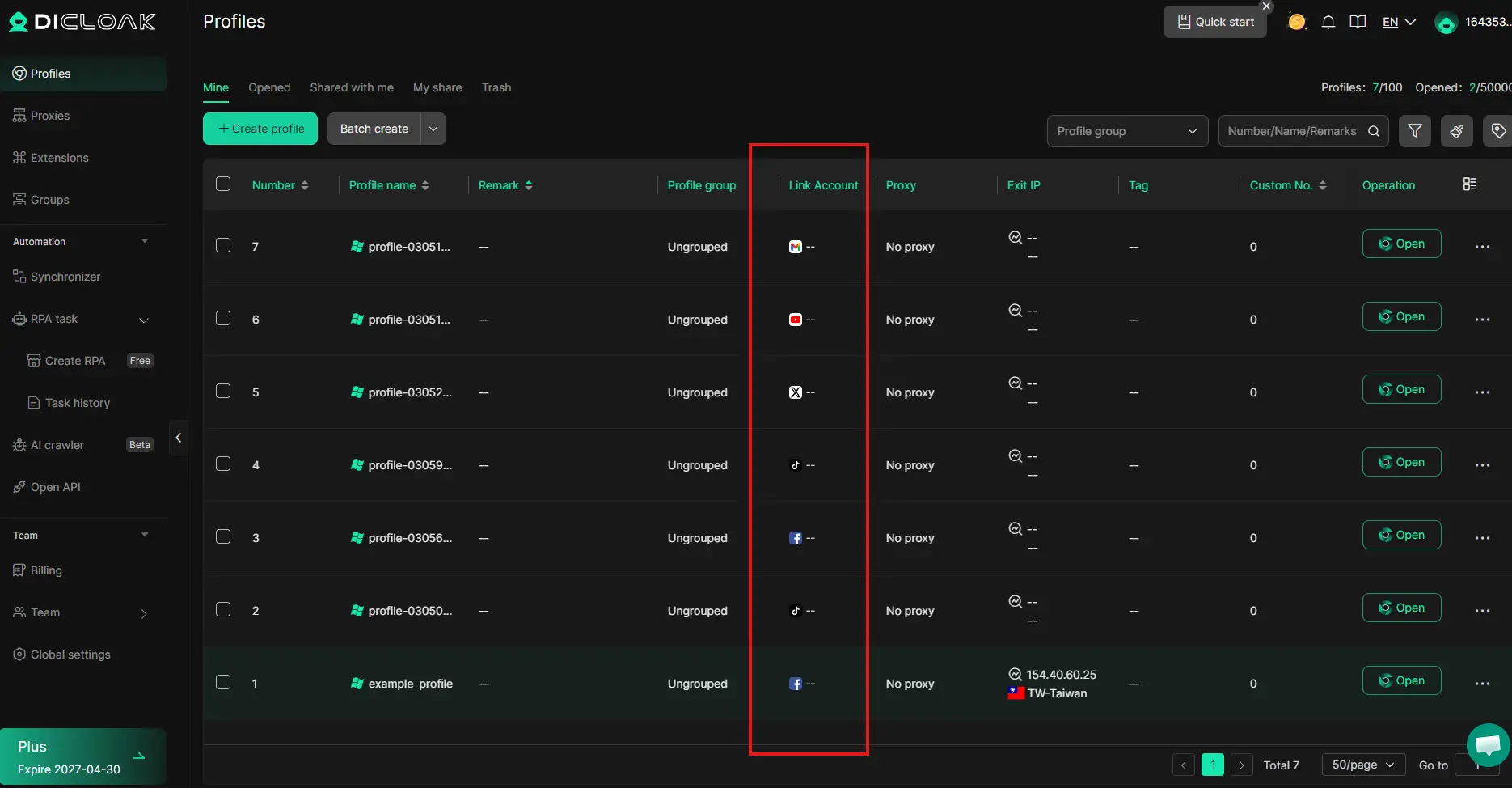
For digital growth infrastructure experts, the strategy for account protection centers on total isolation. Every unique discord id must be mapped to a dedicated, isolated browser profile to prevent cross-contamination.
Managing Canvas and WebGL Fingerprints
Browser fingerprinting, particularly through Canvas and WebGL, creates a unique hardware "signature." These are hardware-level leaks derived from how your specific GPU renders textures and text. Because these rendering quirks are mathematically unique to your hardware,standard browsers are not designed for profile isolation. Professional isolation requires tools that can mask or randomize these hashes, making each browser profile appear as a unique piece of hardware.
Operating System Emulation for Device Consistency
Effective isolation requires matching the browser’s User Agent and OS fingerprints to a specific use case. For teams managing multiple environments, consistency between device settings, browser configuration, and network setup helps reduce operational errors and unintended account overlap.
Comparative Analysis: Standard Browsers vs. DICloak
The following table evaluates standard management methods against professional-grade tools like DICloak.
| Feature |
Standard Method |
DICloak Antidetect Browser |
| Environment Isolation |
Shared cookies and local storage |
Independent, isolated browser profiles |
| Fingerprint Customization |
Uniform hardware signature |
Customizable Canvas, WebGL, and OS fingerprints |
| Automation (RPA) |
Manual execution / Scripting |
Built-in RPA for automated workflows |
| Team Collaboration |
Shared credentials (Security risk) |
Permission settings and data isolation |
Operational Workflows for Scaling Discord Accounts with DICloak
Scaling to 1,000+ accounts is a difficult to manage manually at scale without automation and rigorous environment silos. DICloak is designed to automate the creation of isolated profiles, helps isolate profiles within its own digital sandbox.
Key Features for Scalable Infrastructure:
- Bulk Operations: Rapidly create, import, and launch multiple browser profiles in a single click, removing the bottleneck of manual setup.
- Synchronizer: Allows an operator to control dozens of profiles simultaneously, mirroring actions across multiple windows for efficient setup.
- RPA Capabilities: Robotic Process Automation (RPA) handles repetitive "grind" tasks—such as server verification or engagement—allowing managers to focus on high-level strategy.
Pro Tip: Utilize DICloak’s permission settings to isolate data between team members. This ensures that a technical error or account flag on one operator's cluster does not compromise the entire infrastructure.
Critical Evaluation of DICloak for Scale
Pros
- Multi-OS Simulation: Capability to simulate Windows, Mac, iOS, Android, and Linux environments from a single physical machine.
- RPA Automation: Simplifies complex manual workflows through built-in logic and task automation.
- Flexible Proxy Configuration: Native support for HTTP, HTTPS, and SOCKS5 protocols for robust network isolation.
- Team Collaboration: Granular control over profile sharing and detailed operation logs for auditing.
Cons
- Initial Setup Time: Properly configuring unique, high-trust fingerprints for a massive volume of accounts requires an initial time investment.
- Learning Curve: Professional-grade tools involve a learning curve to master advanced RPA logic and fingerprint masking.
Conclusion
A Discord ID is a stable system identifier, but safe account management depends on more than the ID itself. In practice, profile separation, network consistency, and clean workflows all matter. As account volume grows, manual management becomes harder to control.
DICloak helps teams manage Discord accounts with isolated browser profiles, proxy support, and better collaboration tools. For teams that need a more organized and scalable workflow, DICloak is a practical solution.
Frequently Asked Questions About Discord ID
Is a Discord ID the same as a username?
No. A Discord ID is a permanent numeric identifier used for system operations. A username is a human-readable label that can be modified by the user at any time.
Can someone hack my account using my Discord ID?
No. A Discord ID is a public identifier, similar to a serial number. It does not grant login access, reveal passwords, or provide session tokens.
Why do bots need Discord IDs?
Bots rely on IDs for reliability. Since IDs are immutable, bots can maintain accurate logs and permissions even if a user changes their name or moves between servers.
Can multiple accounts be linked even with different IDs?
Yes. Different account IDs do not automatically guarantee separation. Platforms can review additional security and abuse signals depending on the context.
How do I find a Discord ID?
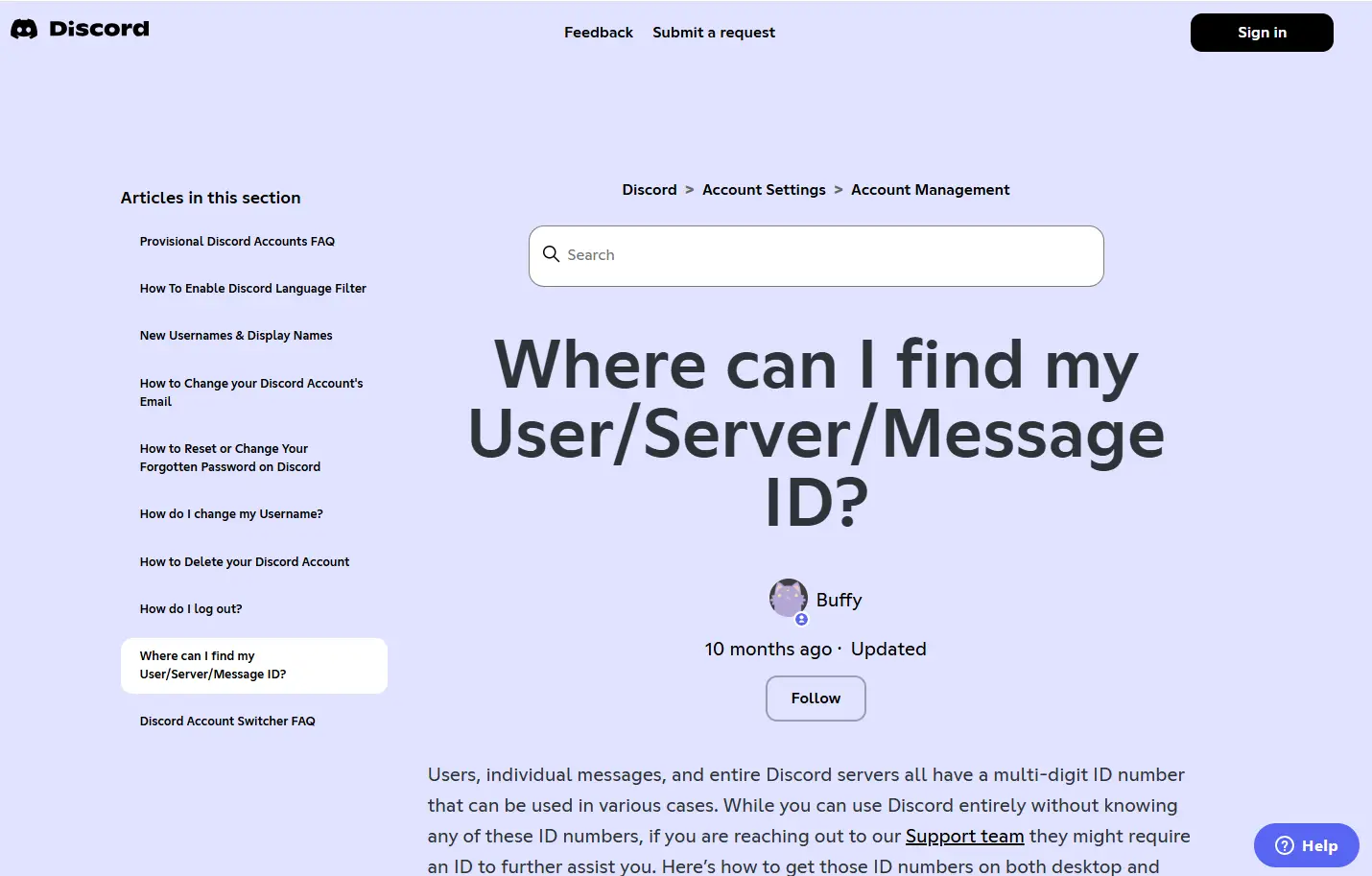
This is a developer-centric feature. You must first enable "Developer Mode" in Discord’s Appearance settings. Once enabled, you can right-click any user, server, or message and select "Copy ID."
 Web Proxy Tools
 Free Tools
 Cookie Plugin
 UA Generator
 MAC Address Generator
 IP Generator
 IP Address List
 2FA Code Generator
 World Clock
 Anonymous Check
 WebRTC Leak Test
 UUID Generator
 Free Web Proxy Site
 Proxy Checker
 FB Ad Checker
 AI Web Scraping
 Free SMM Tools
 Twitter Shadowban Checker
 Instagram Name Checker
 UTM Generator
 Username Generator
 AI Hashtag Generator
 LinkedIn Headline Generator
 Social Media Image Resizer