The Strategic Shift Toward Making Money with AI OnlyFans
The digital content ecosystem is currently undergoing a structural pivot toward virtual influencer architectures. This transition from human-centric production to AI-driven models is motivated by the requirement for total operational anonymity, 24/7 content output cycles, and the removal of physical scaling bottlenecks.
From an infrastructure perspective, the OnlyFans AI model functions as a high-efficiency digital asset. By eliminating the high overhead of physical studio logistics—such as lighting, makeup, and talent management—operators can maintain full niche control. This allows for the precise deployment of virtual personas into specific market segments (e.g., fitness, glamour, or sub-niches) with a degree of consistency that exceeds traditional human-led content production.
Platform Compliance and Regulatory Frameworks
Operating an OnlyFans AI model persona on OnlyFans requires a deep understanding of the platform's Terms of Service to avoid catastrophic account loss. While AI content is permitted, it is subject to rigorous verification and disclosure requirements.
Platform regulations mandate that every account be verified by a real person. An AI entity cannot legally enter into a contract; therefore, a human "proxy" must provide government-issued documentation to satisfy Know Your Customer (KYC) protocols. Furthermore, the platform utilizes sophisticated detection algorithms to identify deepfakes and non-consensual imagery. Failure to disclose the use of AI (via hashtags such as #AICreator or #VirtualModel) or using a real person's likeness without explicit consent will trigger a permanent hardware-level ban and the immediate forfeiture of all pending earnings.
Architecting the OnlyFans AI Model Identity: Visual and Behavioral Design
Successful OnlyFans AI model influencers are built on a foundation of visual consistency and psychological depth. Without these, the persona fails to build the "illusion of presence" necessary for fan retention.
Generative Consistency and Visual Stability
To maintain brand trust, the character must remain visually identical across thousands of images. Creators utilize tools like Fooocus or Leonardo.ai, leveraging the "Seed" mechanism. This mechanism acts as a deterministic starting point for the noise-reduction process in latent diffusion models, ensuring that facial geometry, bone structure, and skin texture remain constant across different lighting conditions and poses.
Pro-Tip: To increase realism and bypass the "uncanny valley," introduce natural imperfections into your prompts. Subtle details such as slightly asymmetrical features, natural skin pores, or imperfect lighting conditions simulate the "real girlfriend" aesthetic, which is significantly more effective at building subscriber trust than overly polished, synthetic renders.
Behavioral Simulation and LLM Personality Mapping
An OnlyFans AI model persona’s communication must match its visual aesthetic to preserve the user's immersion. This is achieved by using Large Language Models (LLMs) like ChatGPT or specialized personality engines.
The "Tone of Voice" is established through a set of system prompts or API constraints. These prompts act as a logical boundary layer, forcing the LLM to adhere to specific vocabulary choices, emotional responses, and cultural context. For example, integrating the LLM via an API for 24/7 direct messaging ensures that fans receive immediate, personalized responses that align perfectly with the character’s established psychological profile, thereby increasing the lifetime value of each subscriber.
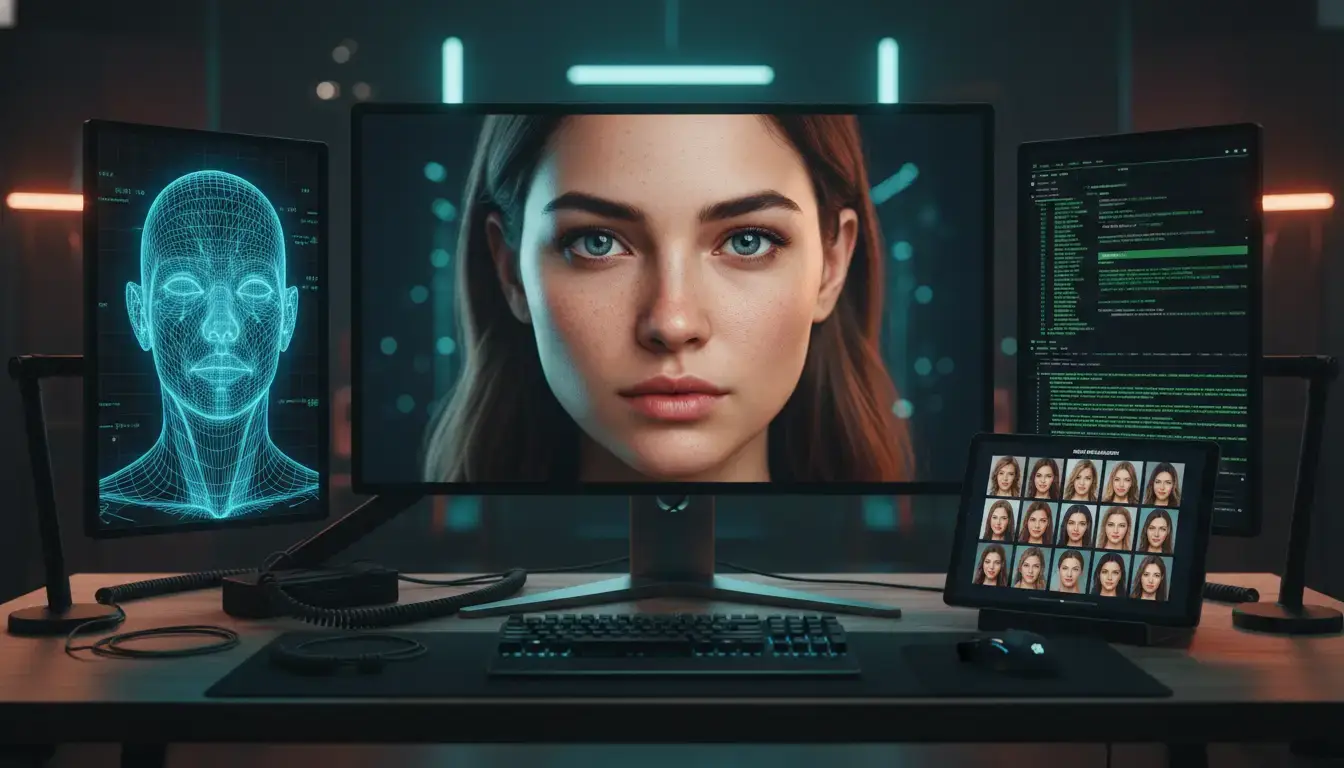
How to Generate Visual Content for an OnlyFans AI Model
Creating high-quality visuals for an OnlyFans AI model requires a structured workflow. The goal is not just to generate random images, but to build a consistent digital identity that looks believable across photos, videos, and social media posts.
A successful OnlyFans AI model must look like a real online personality. The character should maintain the same appearance, style, and visual tone across all content. To achieve this, most professional creators use a tiered technical stack that combines image generation models, identity stabilization techniques, and AI video tools.
Local Image Generation
The first step in building an OnlyFans AI model is producing realistic photos of the character. These images become the foundation of the model’s content library.
Tools such as Fooocus have become industry standards for generating photorealistic images. Fooocus simplifies the interface of Stable Diffusion and allows creators to generate high-quality portraits without advanced technical skills.
Many creators run Fooocus through Google Colab, which allows neural networks to run in the cloud instead of on local hardware. This is important because generating images for an OnlyFans AI model can require significant GPU resources.
A typical workflow looks like this:
- Open the Fooocus page and select “Run Fooocus on Google Colab.”
- Launch the notebook and confirm loading the required code from GitHub.
- Wait for the installation to complete and open the public URL generated by Colab.
- Enable Input Image if you want to upload reference images.
- Enable Advanced Settings and choose a realistic preset for photorealistic results.
- Begin generating images by experimenting with prompts, model weights, and composition parameters.
Creators often generate dozens or even hundreds of images for an OnlyFans AI model, then select the best results. These selected images later become reference material for future generations, helping maintain the model’s identity and visual style.
Stable Identity Mechanisms
One of the biggest challenges when building an OnlyFans AI model is identity drift. Without proper controls, the character’s face or body may change slightly from image to image.
To solve this problem, creators use a fixed Seed value.
The seed is a numerical value that determines the starting point of the generative process. By keeping the seed consistent across different image batches, creators can maintain the same:
- facial structure
- body proportions
- skin tone
- character style
This technique prevents the “shapeshifting” effect that often appears in amateur AI generations.
Professional creators who manage an OnlyFans AI model also store reference images of the character and reuse them in future generations. This helps maintain visual continuity across different content formats such as:
- selfies
- lifestyle photos
- promotional images
- exclusive content sets
Another important practice is maintaining a consistent aesthetic style. This includes lighting conditions, camera angles, and color palettes. When these elements remain stable, the OnlyFans AI model becomes more recognizable and believable to followers.
Video Synthesis
Static images alone are usually not enough to build a convincing OnlyFans AI model. Short videos significantly increase realism and engagement.
To convert static images into dynamic scenes, creators use AI video tools such as:
- Sora (OpenAI) for advanced text-to-video generation
- Pika Labs for image-to-video animation
- RunwayML for cinematic motion effects and AI video editing
These tools allow creators to transform a static portrait of an OnlyFans AI model into short clips such as:
- walking scenes
- selfie-style videos
- casual lifestyle moments
- short promotional clips
For example, a still image of the character can be turned into a 10-second selfie video where the model slightly moves, changes facial expressions, or interacts with the camera. These small movements greatly increase the perceived authenticity of the OnlyFans AI model.
Short videos are also extremely useful for promotion on platforms like TikTok, Instagram Reels, and X, where algorithms strongly favor motion content.
Artifact Mitigation
Even advanced generative models can produce visual artifacts. When generating content for an OnlyFans AI model, common problems include:
- anatomical errors
- distorted fingers
- unnatural body proportions
- inconsistent lighting
To reduce these issues, creators use negative prompts, which instruct the AI to avoid specific unwanted elements.
For example, a typical negative prompt for an OnlyFans AI model may include terms such as:
- extra fingers
- distorted anatomy
- blurry face
- unrealistic lighting
By filtering these errors during generation, the final output becomes much closer to professional photography.
Another important technique is reference-based generation. Instead of relying only on text prompts, creators upload previously generated images of the OnlyFans AI model as references.
This helps maintain:
- consistent lighting
- matching color palettes
- similar poses and framing
Over time, this workflow creates a large and coherent visual library for the OnlyFans AI character.
Maintaining a Realistic Look
Interestingly, experienced creators do not try to make an OnlyFans AI model look perfectly flawless. Perfect symmetry and perfect lighting often make AI images look artificial.
Instead, professionals intentionally add small imperfections such as:
- uneven makeup
- natural shadows
- casual poses
- slightly messy backgrounds
These details mimic real photography and make the OnlyFans AI model appear more human and relatable.
When all these elements work together—image generation, seed control, reference images, artifact filtering, and video synthesis—the result is a stable and believable OnlyFans AI model that can support a long-term content strategy on platforms like OnlyFans.
Monetization Structures for an OnlyFans AI Model
Revenue generation is highly dependent on secondary interaction streams rather than just subscription volume.
- Subscription Baseline: The entry fee for the profile.
- PPV/DMs: Data indicates that Pay-Per-View and private direct messages constitute 60-70% of total income. Fans often pay premium rates for the illusion of personal interaction mediated by AI-driven chatbots.
Evaluating the Potential Revenue Tiers
Observed industry earnings follow a strictly defined growth trajectory based on infrastructure quality:
- Newcomer: $200–$500/month (concept testing).
- Mid-Level: $3,000–$10,000/month (stable social traffic).
- Advanced Agency: $15,000–$30,000/month (multi-model scaling).
- Top Agency: $50,000+/month (fully automated RPA and dedicated chatter teams).
Operational Risks in Making Money with OnlyFans AI Model
Scaling a multi-account business introduces significant technical vulnerabilities. Platforms employ sophisticated detection to identify "account association" via IP leaks, hardware ID tracking, and browser fingerprinting.
- Hardware-Level Leaks: Canvas and WebGL fingerprinting are particularly dangerous because they leak unique hardware-level signatures of the device’s GPU and rendering engine. These cannot be masked by standard p or incognito modes.
- IP Reputation: Shared or low-quality proxies often carry "fraud scores" that trigger automated platform bans during the login handshake.
The standard for professional-grade growth is complete digital isolation. By randomizing browser fingerprint entropy for each profile, operators prevent a "chain ban"—a scenario where the flagging of one account leads to the automated termination of all associated accounts on the same device.
Implementing Reliable Workflows with DICloak for OnlyFans AI Model Operations
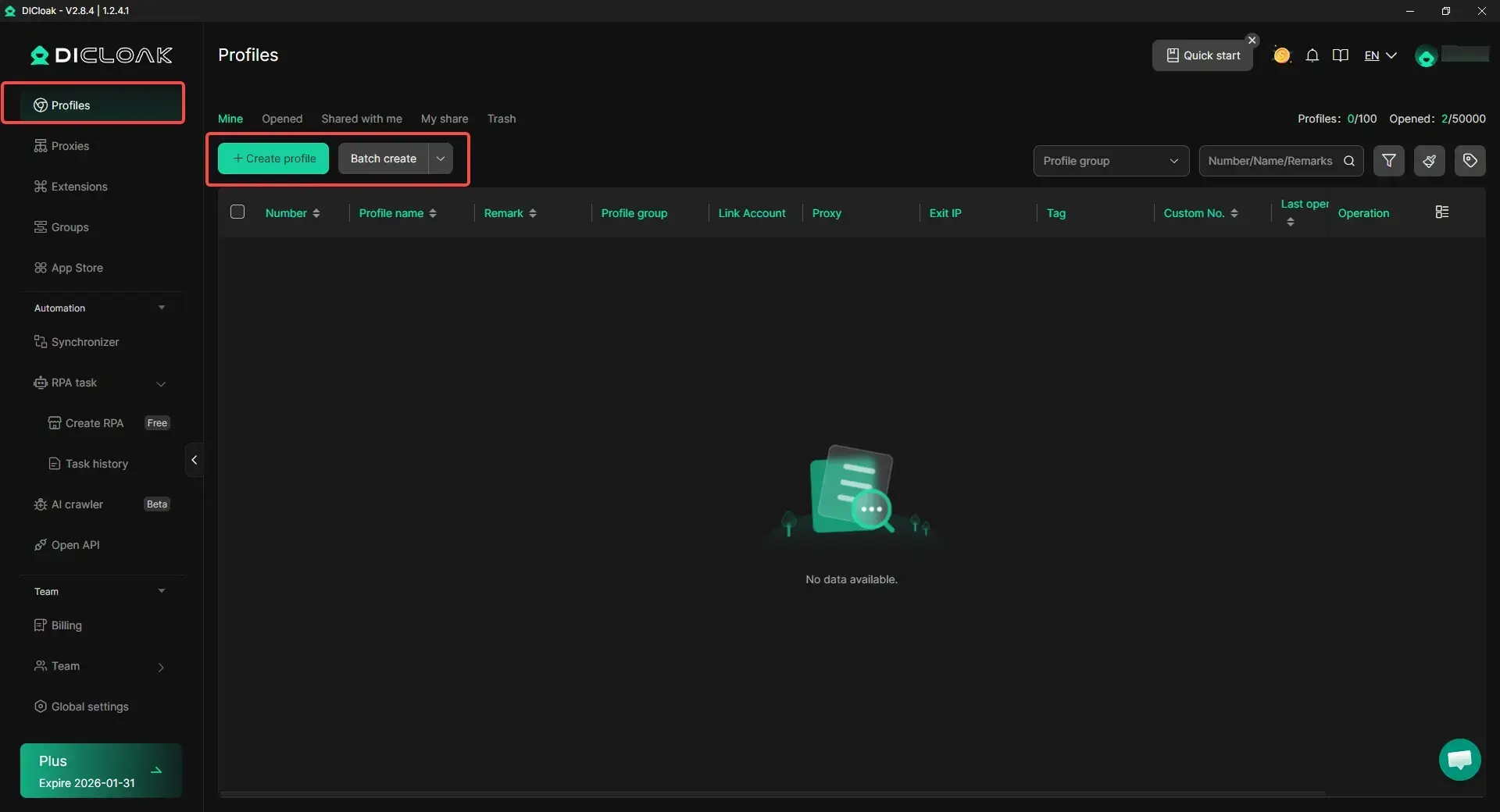
If you manage a growing portfolio of OnlyFans AI model funnels, you need workflows that keep identities separated and reduce cross-account risk. DICloak is built for this kind of operation by letting you run each account inside an isolated browser profile, so login states and session data do not mix.
Key technical capabilities of DICloak include:
- Kernel-Level Sandboxing: Each profile operates in a fully isolated environment with its own unique cookies, cache, and browser parameters.
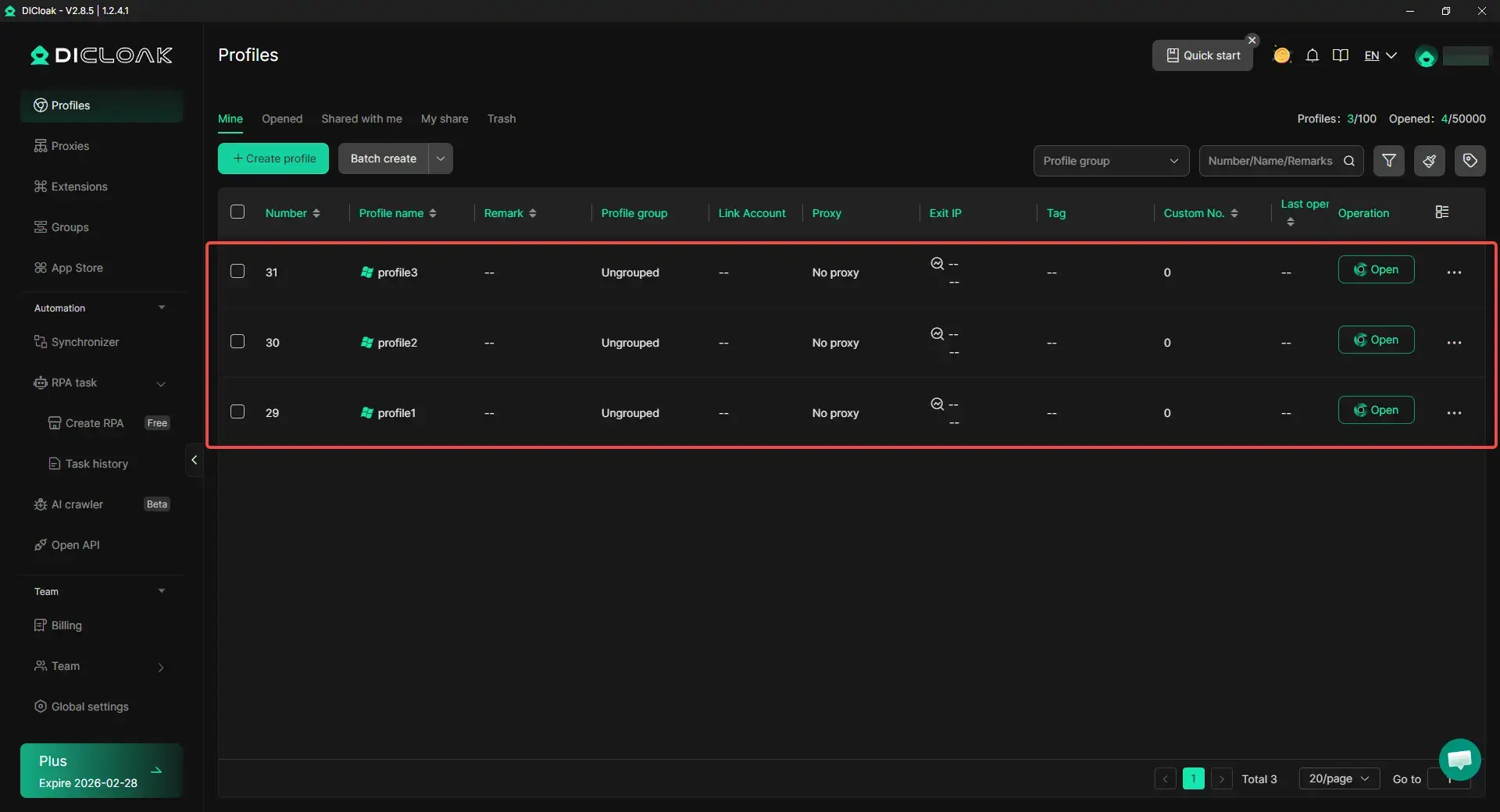
- Operating System Simulation: DICloak supports the simulation of Windows, Mac, iOS, Android, and Linux, allowing creators to match their digital footprint to the expected behavior of their target demographic.
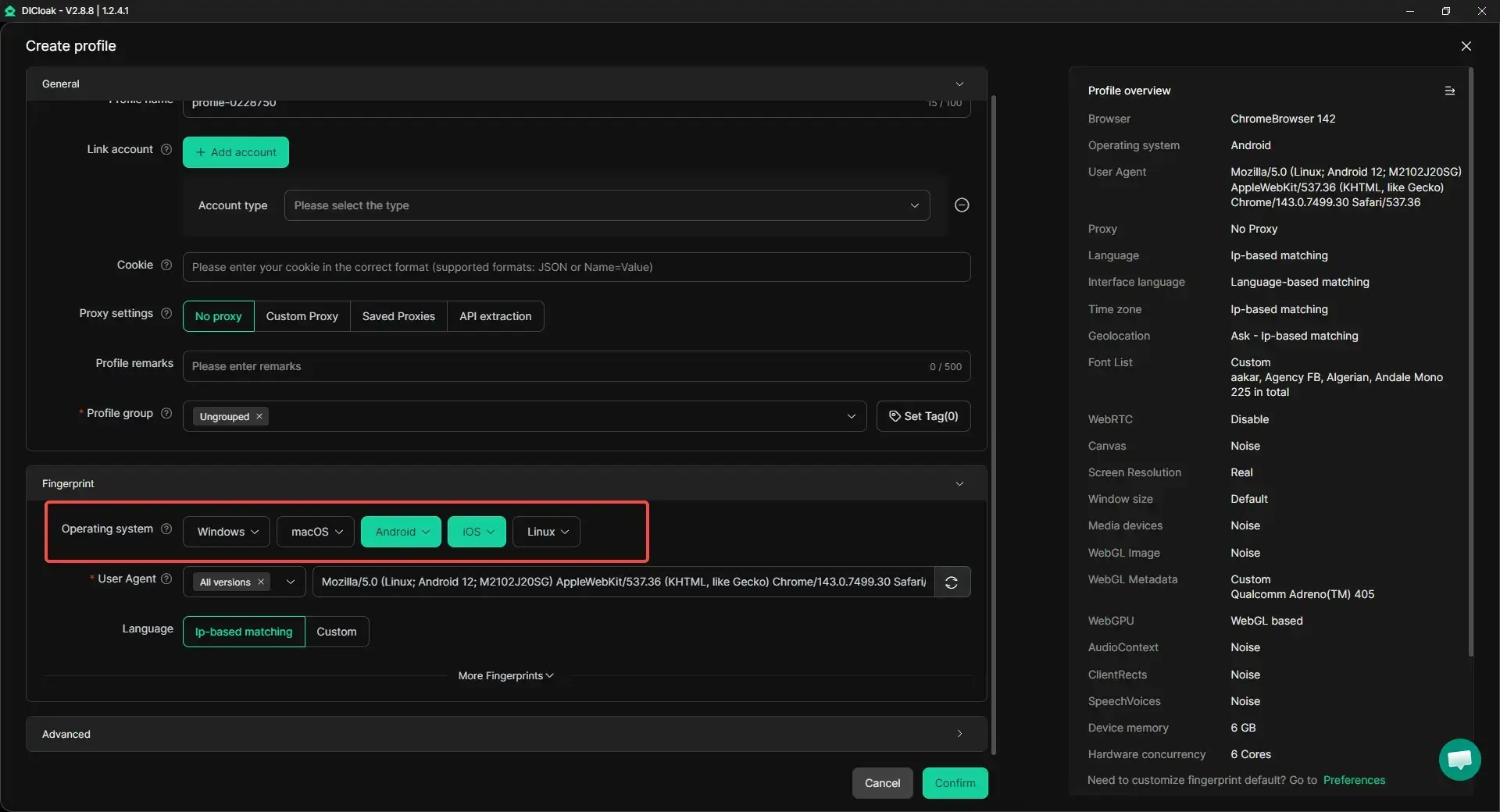
- Advanced Fingerprint Customization: Allows for the manual or automatic adjustment of WebGL, AudioContext, and Canvas parameters to ensure every profile has a unique entropy signature.
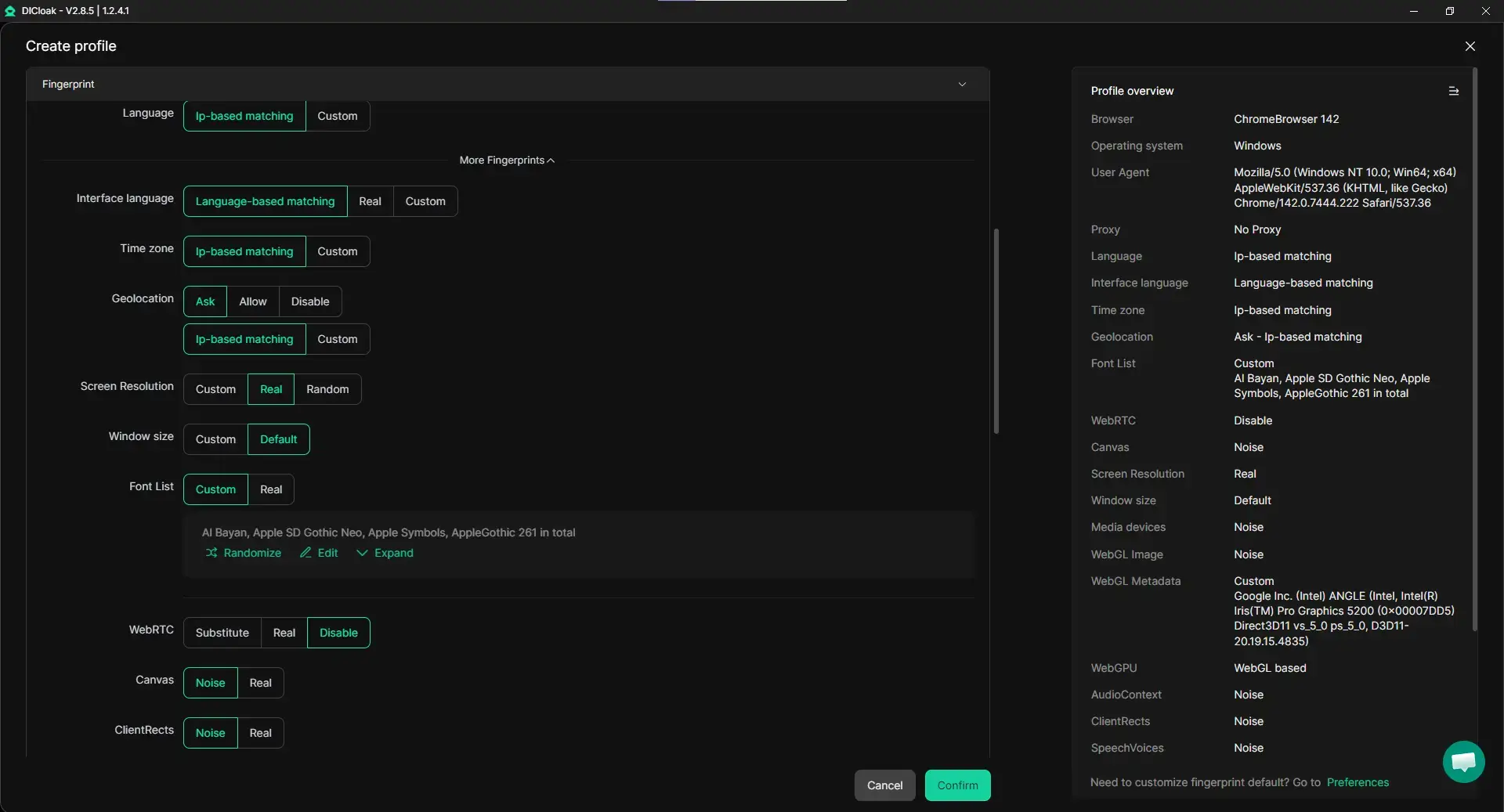
- Bulk Import and Launch: Agencies can import thousands of account credentials and launch them simultaneously, streamlining the scaling process.
Automating OnlyFans AI Model Scaling with RPA and Synchronizer
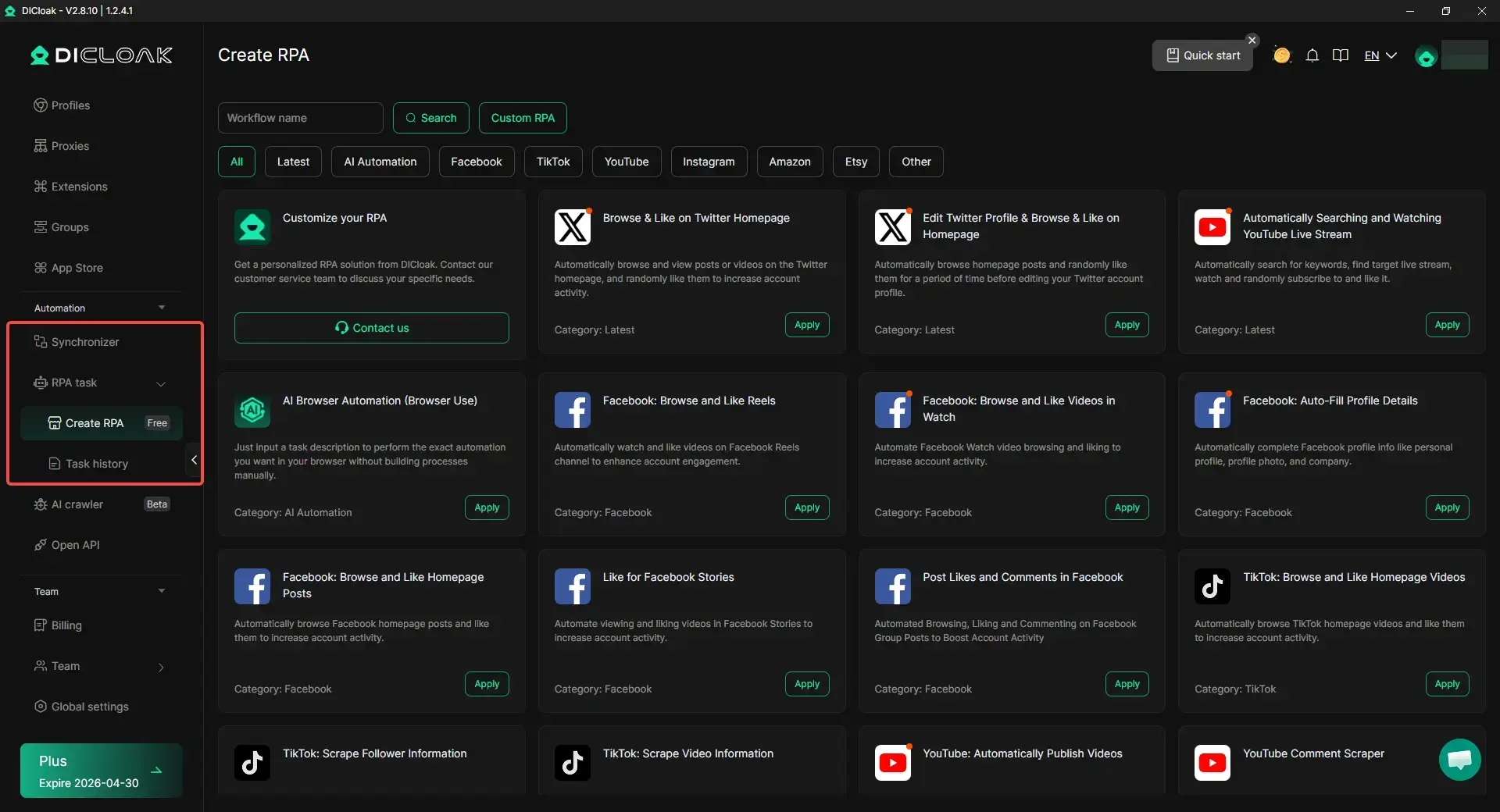
When you scale an OnlyFans AI model operation, repetitive tasks become the bottleneck. DICloak includes built-in automation features to reduce manual work:
- RPA Automation: You can automate routine actions like basic browsing flows, engagement steps, and warm-up behaviors, so your team does not repeat the same clicks all day.
- Synchronizer: You can perform actions in one “master” window and mirror them across multiple profiles. For example, if you open a page, click a button, or follow a navigation flow in the master profile, the same steps can repeat across many other profiles, making multi-account workflows much faster and easier to control.
Pros and Cons:
- Pros:
- Efficient management of 1,000+ accounts from a single workstation.
- Enhanced security via Operation Logs, allowing teams to track every modification and login event.
- Isolation of data through granular Permission Settings for team members.
- Cons:
- Limited OS Support: Only available on Windows and macOS.
Efficiency Comparison: Standard Operations vs. DICloak Systems
| Feature |
Standard Browsing Methods |
DICloak Anti-Detect System |
| Hardware Signature |
Shared; leads to Canvas/WebGL leaks |
Custom hardware fingerprint randomization |
| IP Management |
Manual switching; high IP fraud risk |
Bulk integration of HTTP/S/SOCKS5 |
| Access Control |
Shared credentials; high security risk |
Granular team permissions & operation logs |
| Profile Integrity |
High risk of account association |
100% isolation of session persistence data |
| Scalability |
Limited by physical hardware & RAM |
1,000+ profiles on a single workstation |
Frequently Asked Questions about Making Money with an OnlyFans AI Model
Is AI content legally permitted on OnlyFans?
Yes. However, when running an OnlyFans AI model, a real person must still complete the platform’s identity verification process. The platform requires a verified human account holder to pass KYC checks. In addition, creators should clearly disclose that the content is AI-generated and avoid using the likeness of real individuals without permission.
How can I manage more than 1,000 AI accounts simultaneously?
Large-scale OnlyFans AI model operations usually rely on structured profile management tools. With DICloak’s bulk launch and profile management features, teams can open many isolated browser profiles at the same time. Each account runs with its own browser profile and network configuration, helping platforms see them as independent users rather than a single operator controlling multiple accounts.
What is the average timeline for reaching $10,000 in monthly revenue?
For many OnlyFans AI model creators, early earnings may start around $200–$500 in the first few months. Reaching $10,000 per month often takes 6 to 12 months of consistent growth. Success usually depends on building traffic funnels from social platforms, maintaining regular content output, and using engagement strategies that convert free followers into paying subscribers.
How does DICloak help reduce account linkage risk?
When operating multiple OnlyFans AI model accounts, platforms may try to detect connections between accounts through browser fingerprints. DICloak allows users to run each account in its own browser profile with separate browser parameters and session data. This approach helps reduce shared signals between accounts and supports safer multi-account workflows at scale.
 Web Proxy Tools
 Free Tools
 Cookie Plugin
 UA Generator
 MAC Address Generator
 IP Generator
 IP Address List
 2FA Code Generator
 World Clock
 Anonymous Check
 WebRTC Leak Test
 UUID Generator
 Free Web Proxy Site
 Proxy Checker
 FB Ad Checker
 AI Web Scraping
 Free SMM Tools
 Twitter Shadowban Checker
 Instagram Name Checker
 UTM Generator
 Username Generator
 AI Hashtag Generator
 LinkedIn Headline Generator
 Social Media Image Resizer





