The latest DICloak update brings two practical improvements for multi-account operations. Member Device Name Restriction improves login control, while Linux V2.9.2 adds ChromeBrowser 147 support for more flexible Profile tasks.
Key Takeaways
- Member Device Name Restriction: Control member login by device name.
- New Linux V2.9.2 Version: Support ChromeBrowser 147 for Linux Profiles.
🔐 Control Which Devices Members Can Log In From
With Member Device Name Restriction, member login can be restricted or allowed by device name, reducing repeated checks and keeping account sharing and team access aligned with approved work devices.
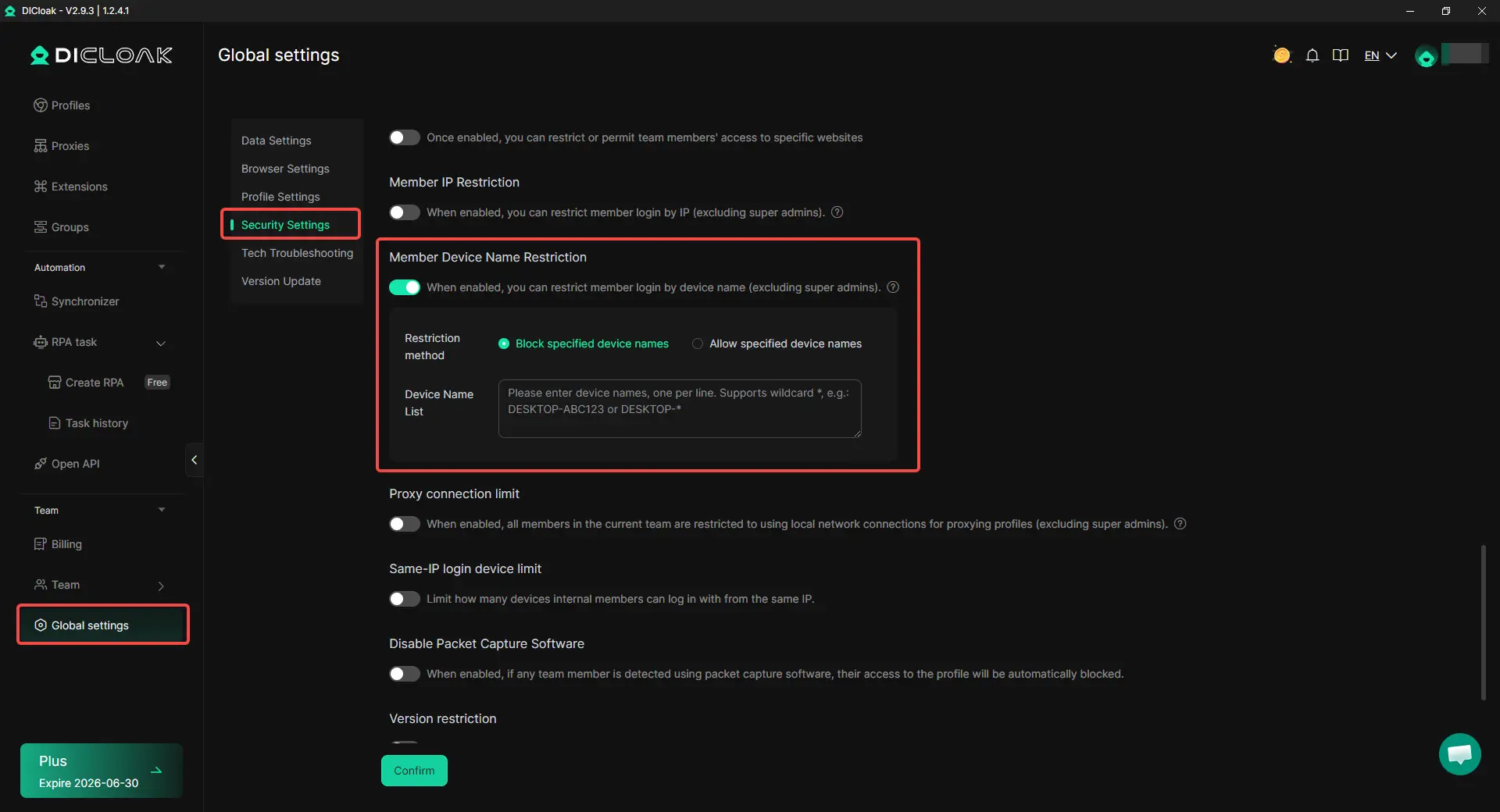
How to set it up:
- Go to Global Settings → Security Settings
- Set allowed or restricted member device names
- Use wildcard support like DESKTOP-* for multiple devices
How this helps with daily operations:
- Reduces repeated manual checks and reminders
- Keeps login access closer to actual work devices
- Makes it easier to manage growing teams and shared workspaces
💻 New Linux V2.9.2 Version with More Kernel Options
The new Linux V2.9.2 version is now available for Linux 64-bit users, with more browser kernel options for compatible Linux distributions and daily Profile tasks.
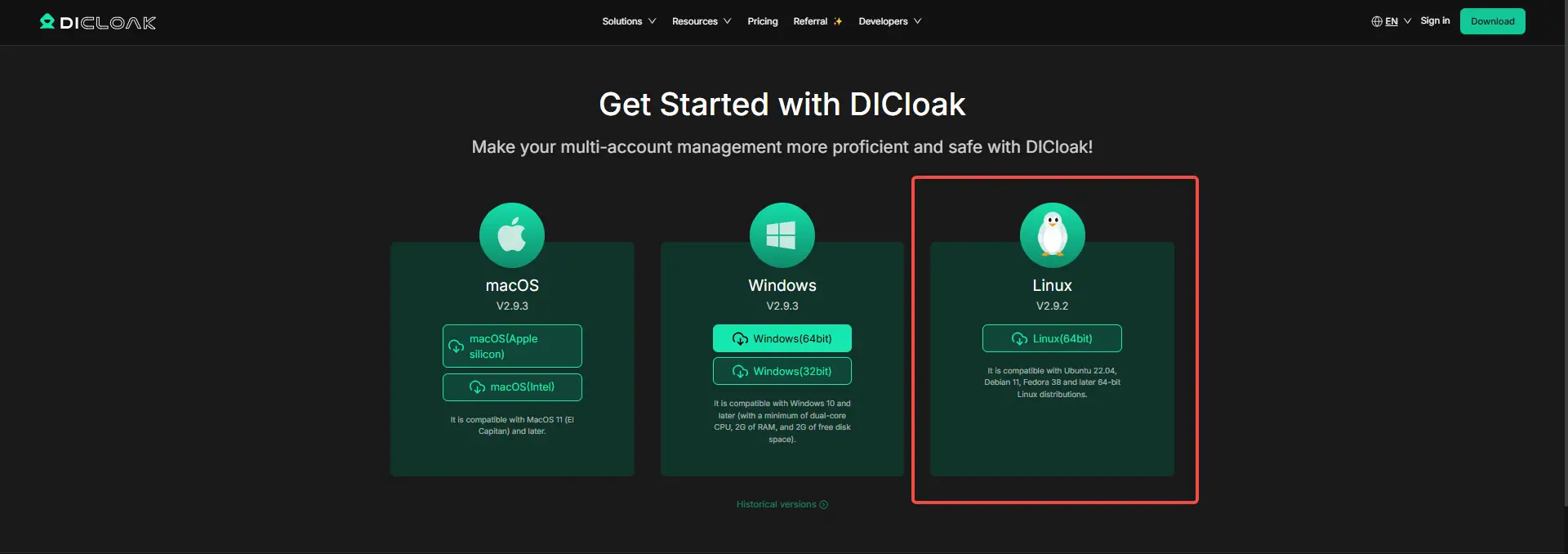
How to use it:
- Download and install the Linux 64-bit version
- Create or edit a Linux Profile
- Choose a suitable browser kernel based on website compatibility and task needs
How this helps with daily operations:
- Makes Linux Profile setup more adaptable for different websites and tasks
- Helps users choose ChromeBrowser 147 when a newer kernel is needed
- Reduces extra setup changes caused by kernel compatibility issues
Get Started with the New Update
Try the latest DICloak update today to control member login devices more clearly and use the new Linux V2.9.2 with ChromeBrowser 147 for flexible Profile management.
 Web Proxy Tools
 Free Tools
 Cookie Plugin
 UA Generator
 MAC Address Generator
 IP Generator
 IP Address List
 2FA Code Generator
 World Clock
 Anonymous Check
 WebRTC Leak Test
 UUID Generator
 Free Web Proxy Site
 Proxy Checker
 FB Ad Checker
 AI Web Scraping
 Free SMM Tools
 Twitter Shadowban Checker
 Instagram Name Checker
 UTM Generator
 Username Generator
 AI Hashtag Generator
 LinkedIn Headline Generator
 Social Media Image Resizer