Meta ads now reach over 3 billion monthly active users across Facebook, Instagram, Messenger, and Audience Network, according to Meta’s official stats. Yet most marketers still get tripped up trying to answer a basic question: what are meta ads actually, and what makes them different from normal social ads or Google Ads? The confusion is real. You might launch a campaign expecting new leads, only to see your spend drain into impressions with barely any clicks. That’s usually because you picked the wrong Meta advertising type or skipped key setup steps.
Meta ads explained simply: they’re paid placements managed through Meta’s ad platform, designed to target users across all connected Meta properties. Unlike traditional banners, Meta ads use detailed user data to match your offer with specific audiences, whether you want to reach shoppers, app installers, or video viewers. The setup isn’t always obvious. You’ll need to choose the right campaign objective, set up ad accounts, handle billing, and avoid common risks like account bans or wasted spend from misconfigured targeting. Even experienced teams can miss subtle details in Meta ads setup guide sections, such as how creative approval works or why certain accounts get flagged.
If you want a clear view of Meta advertising types, practical setup steps, hidden risks, and smarter management tactics, you’ll find it all below. Start by understanding what to check before launching your first campaign.
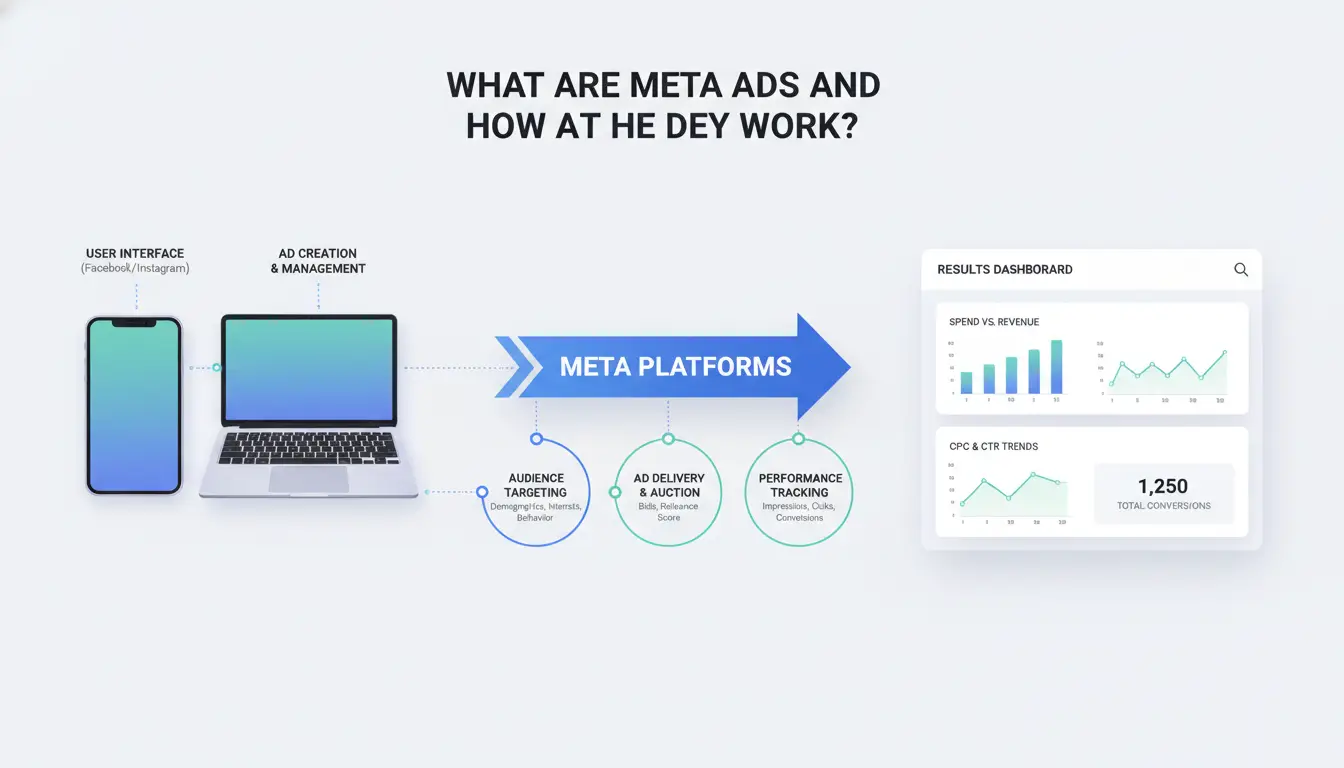
What Are Meta Ads and How Do They Work?
Meta Ads Defined: What Makes Them Unique
Meta ads are paid messages that show up on Facebook, Instagram, Messenger, and the Meta Audience Network. They blend into feeds, stories, or video reels, reaching users where they already spend time. What sets Meta ads apart from traditional digital ads is the use of deep user data and behavior tracking across all Meta platforms. Instead of placing a generic banner on a news site, you can target someone who watched your video yesterday or visited your online shop last week.
Here’s how Meta ads compare to old-school digital ads:
| Feature |
Meta Ads |
Traditional Digital Ads |
| Placement |
Facebook, Instagram, Messenger, Audience Network |
News sites, blogs, search engines |
| Targeting |
Demographics, interests, activity, lookalikes |
Contextual, broad demographic |
| Creative Format |
Feed, Stories, Reels, Messenger, Instant Articles |
Banner, sidebar, pop-up |
Table: Meta ads vs traditional digital ads. See Facebook for Business and Wikipedia: Facebook Ads for more.
Most businesses use Meta ads for product sales, app installs, brand awareness, or lead capture. The big difference is that Meta ads explained in any Meta ads setup guide focus on connecting your offer with the right people, not just showing ads everywhere.
How Meta Ads Target Audiences and Drive Results
Meta advertising types let you target by age, location, interest, past actions, or even custom lists you upload. This makes it possible to reach shoppers who added to cart but didn’t buy, or people who follow your competitors.
The ad delivery system uses algorithms to show your ad to those most likely to react, whether that means clicking, buying, or signing up. Your budget, creative, and choices in the Meta ads setup guide all affect performance.
The real advantage is precision: Meta ads reach people based on actual behavior, not just guesswork.
Which Meta Ad Types and Placements Actually Matter?
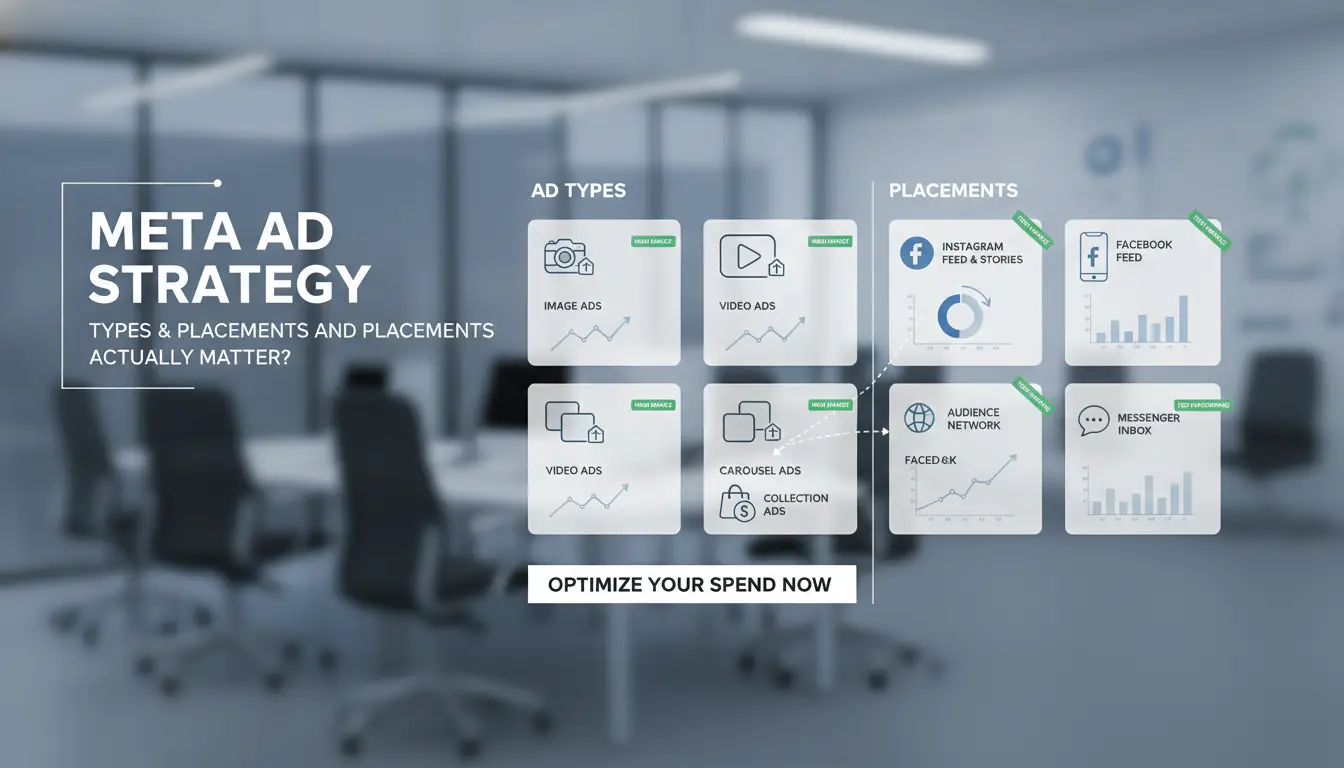
Choosing the right Meta ad formats and placements isn’t just about following a Meta ads setup guide, it’s about knowing which options get results for your goals. If you’re searching “what are meta ads,” the main choices are clear, but the details behind each matter more than most people expect. Here’s how to decide what to run and where to place it for the strongest impact.
Core Meta Ad Formats: Image, Video, Carousel, Collection
Each Meta advertising type fits a different need. Image ads are simple and fast for brand awareness, but video ads often drive higher engagement, especially for product demos or storytelling. Carousels let users swipe through multiple items, making them useful for e-commerce and catalogs. Collections go deeper, combining images and videos so shoppers can browse and buy without leaving Facebook or Instagram.
| Format |
Best Use Case |
Engagement Potential |
Setup Complexity |
| Image |
Quick brand boost |
Low-Medium |
Simple |
| Video |
Product demo/story |
High |
Medium |
| Carousel |
Catalog/e-commerce |
Medium-High |
Medium |
| Collection |
Shop in-app |
High |
Advanced |
Source: Meta ads explained
Key Placements: Feed, Stories, Messenger, Audience Network
Where your ad shows up can change results fast. Feed placements reach users while they scroll, often leading to more clicks. Stories are vertical and full-screen, grabbing attention for quick offers or limited-time deals. Messenger placements target conversations but work better for customer support or lead generation. Audience Network extends reach outside Meta apps, helpful for scale, but engagement might drop.
To improve, match your creative format to placement. For example, vertical videos fit Stories, while detailed carousels perform best in Feeds. Test placements and track which ones convert, using built-in Meta reporting tools.
The most important point, don’t just pick every placement by default. Start with the format and placement your target audience actually uses most, then expand after you see real performance.
What to Watch Out for: Common Risks and Mistakes with Meta Ads
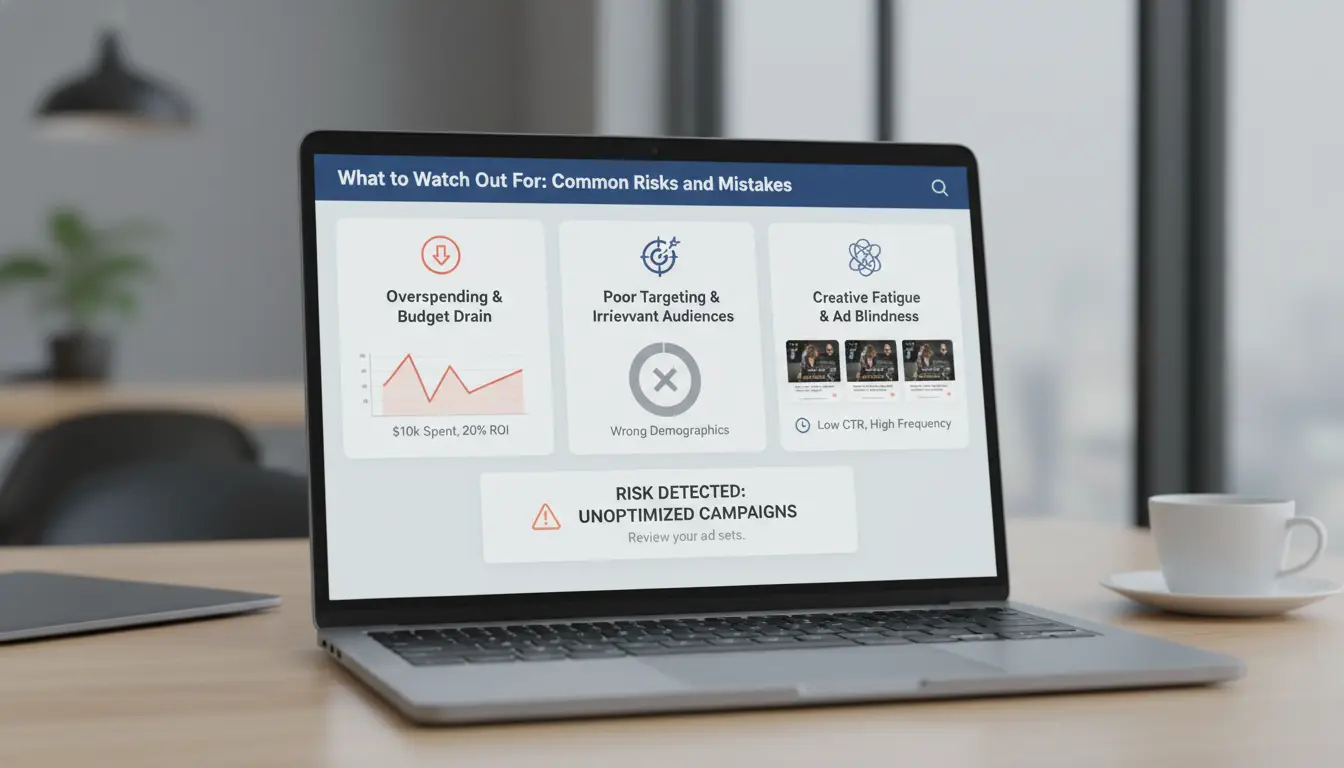
Even with a clear Meta ads setup guide, new advertisers run into the same problems, account restrictions, wasted budget, or ads that never reach the right people. Knowing what are Meta ads isn’t enough if you miss these common pitfalls.
Meta Ad Policies: What Gets Accounts Restricted or Banned
Meta is strict about ad policies, and mistakes can cost access to your account. The most common violations are using banned keywords, misleading claims, or landing pages that fail to match ad content. Even small errors, like missing privacy policies or unclear business info, can trigger instant ad rejection or account review. Meta’s automated systems catch issues fast, and one flagged mistake can mean days without ad delivery.
To avoid accidental breaches, always review the latest Meta Advertising Standards. Double-check creative, copy, and landing pages for compliance before submitting. If your account gets restricted, appeal as soon as possible and fix all flagged issues before trying again. A single account ban can block you from advertising across all Meta platforms.
Budgeting and Targeting Errors That Waste Money
Budget mistakes happen when advertisers over-target (audiences too narrow to scale) or under-target (audiences too broad to convert). For example, targeting “all ages and interests” in one campaign usually burns budget fast with low results. Setting a high daily budget before testing creative can lead to wasted spend, Meta will spend whatever you set, even on underperforming ads.
Common budget and targeting errors:
| Mistake Type |
Example |
Result |
| Over-targeting |
Too many interests selected |
Limited reach |
| Under-targeting |
Audience too broad |
Low relevance |
| Budget misallocation |
Large budget, no testing phase |
Wasted spend |
Source: Meta Business Help Center
Checking every campaign setup and reviewing Meta advertising types helps you catch these errors before they drain your budget.
How to Set Up Meta Ads: Step-by-Step for Beginners and Teams
Launching Meta ads can look easy, but missing one step often means lost money or a blocked account. Here’s a clear Meta ads setup guide, so you avoid the usual mistakes and get your first campaign live with less stress.
Preparing Your Meta Business Account and Ad Manager
Every Meta ads journey starts with a Business Account. Use your work email, not a personal one, to avoid access issues. After logging into Meta Business Suite, create a new Business Account. Add your business details, legal name, address, phone, exactly as shown on public records. This helps with verification later.
Now, set up your Ad Account inside Business Manager. Assign at least two admin users so you’re not locked out if one person loses access. Go to Business Info and start the verification process. Upload documents that match your business info. If the names or addresses don’t match, Meta will reject you. Once verified, add a payment method you control, such as a company credit card.
Launching Your First Campaign: Choosing Objectives, Budget, and Audience
Meta advertising types include traffic, sales, app installs, and video views. Pick your goal based on what result you want. For most beginners, "Traffic" or "Leads" is easiest to start with. Go to Ads Manager, click "Create," and select your objective.
Next, set your budget. Daily budgets under $10 USD can run, but campaigns with $20–$50 daily usually exit the learning phase faster. Use "Lowest Cost" bidding at first, manual bids can burn money if set wrong.
For audience targeting, start broad but exclude countries or age groups you don’t want. Avoid stacking too many layers, which can shrink your reach. Save your audience as a preset for future use. For more about what are meta ads and campaign setup, see Meta's official help center.
The biggest risk is skipping verification or using mismatched info, this leads to instant account bans.
Why Managing Multiple Meta Ad Accounts Gets Risky, and How DICloak Helps
Running more than one Meta ad account might sound simple, but the risk rises fast. Meta’s system links accounts using browser fingerprints, IP addresses, payment methods, and even the way you move your mouse. Once the platform suspects connections between accounts, bans can follow, even if your content follows every Meta ads setup guide. Agencies and growth teams often need multiple accounts to test ads or serve different clients. But if you’re not careful, all your accounts can get flagged, restricted, or banned at once.
Risks of Multi-Account Management: Detection, Linking, and Bans
Meta’s detection system is built to spot patterns. If two accounts share a browser fingerprint, login from the same IP, or reuse device details, they’ll often get linked. Even something as small as copy-pasting creative or reusing a payment card can trigger reviews. Many users searching for "what are meta ads" or "Meta ads explained" find out too late that bans rarely hit just one account, linked accounts often fall together.
Common triggers include:
- Logging into several accounts from the same device or browser
- Using one proxy for multiple accounts
- Overlapping payment info or business details
- Uploading similar creatives across accounts
Once flagged, recovery is tough. Meta rarely explains why accounts are banned, and appeals can take weeks.
DICloak Solutions: Isolated Profiles, Proxy Integration, Team Collaboration
You can use DICloak to create a safer setup. Each browser profile in DICloak has its own fingerprint, so Meta can’t link accounts by device data. Assign a unique proxy to each profile, never share proxies between accounts.
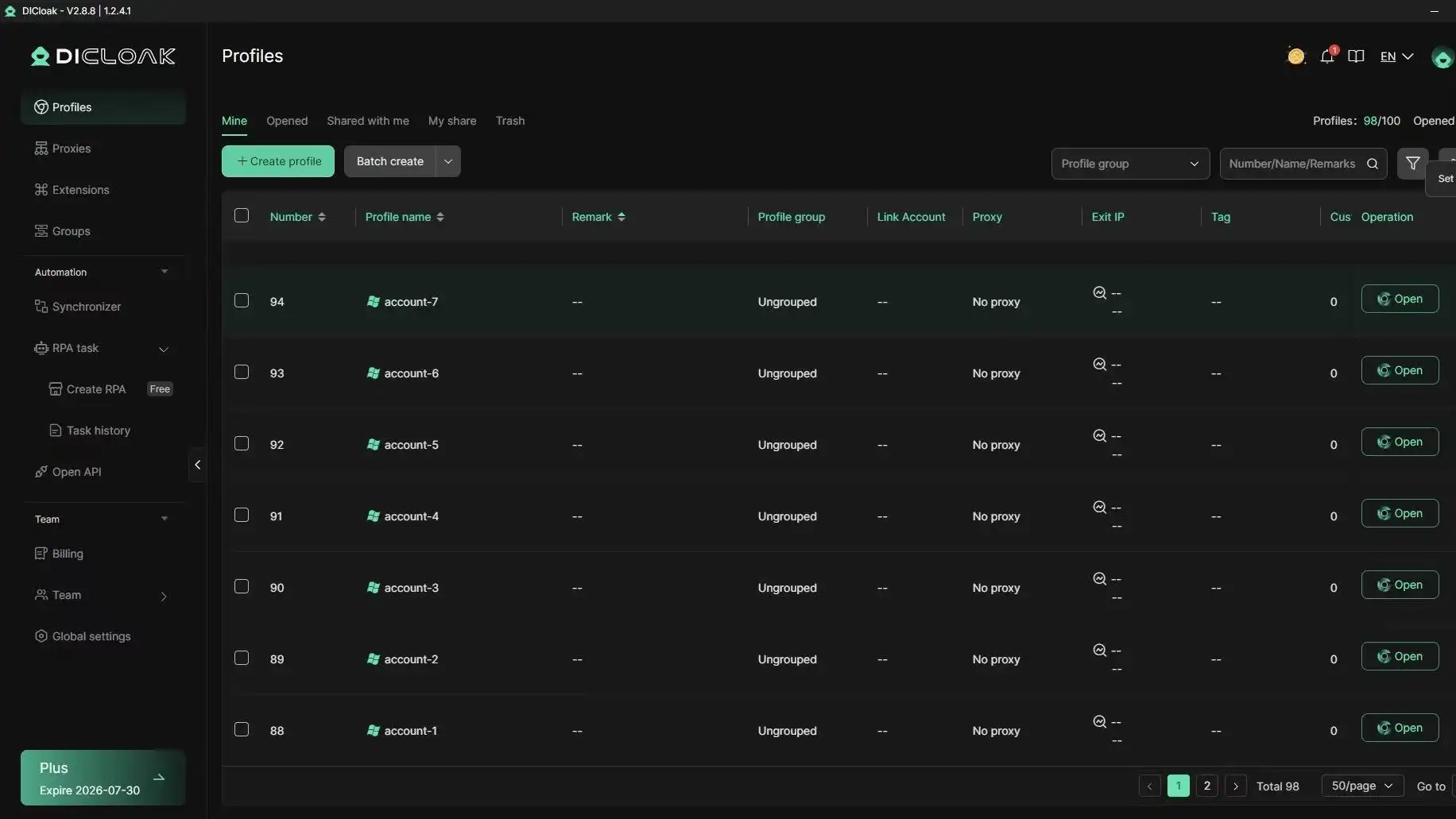
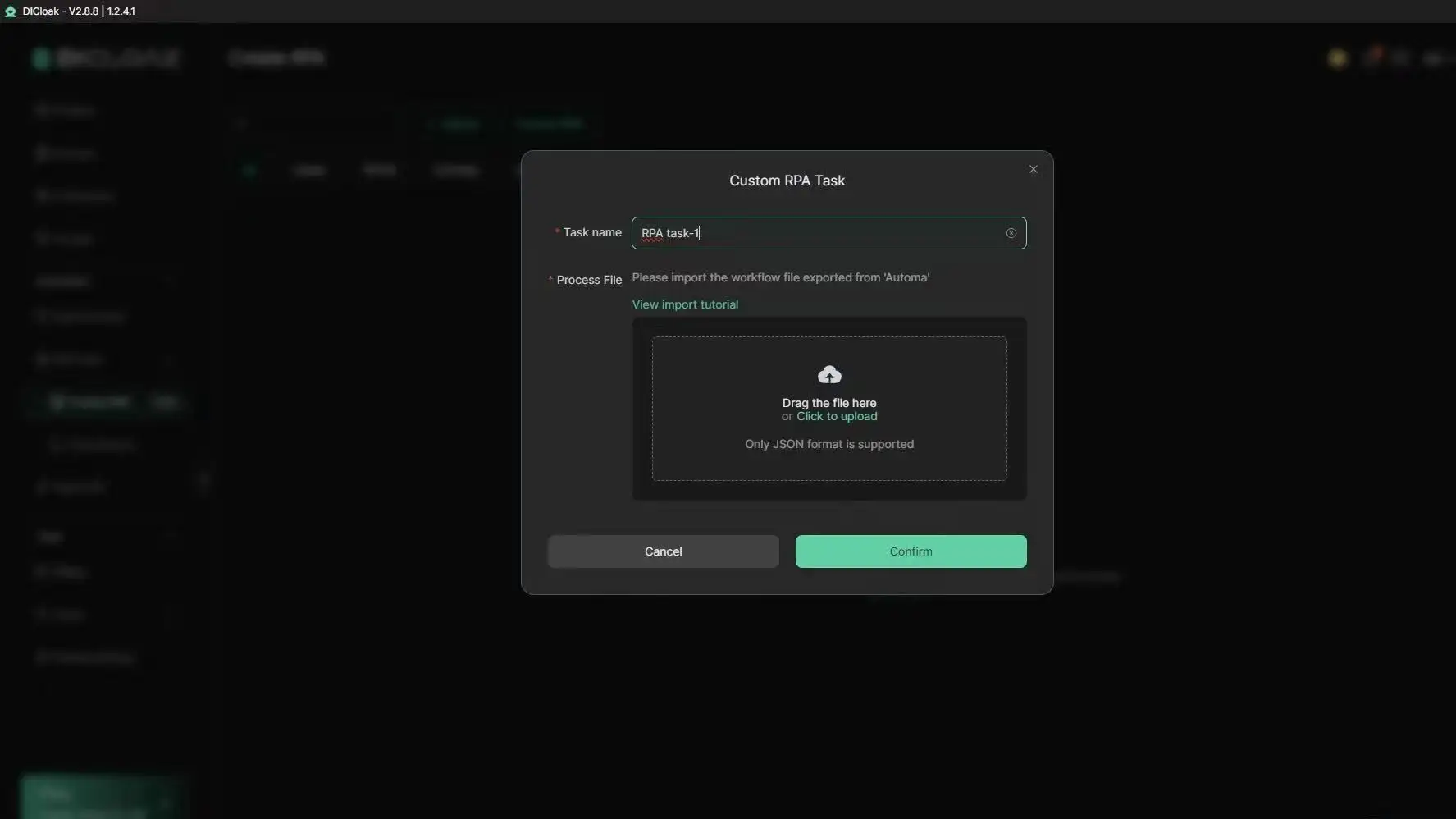
For team work, DICloak’s permission controls let you share access without exposing every login to all members. Workflow tools like batch profile creation and RPA automation make it easier to scale up without mistakes. This setup keeps accounts separate, lowers ban risk, and lets agencies handle more clients without constant fear of account loss.
How to Monitor and improve Meta Ad Performance for Better ROI
Meta ads only pay off if you watch key metrics and adjust fast. Start by checking impressions, clicks, and conversions inside Meta Ads Manager. Cost per result, like cost per click or cost per acquisition, shows if your spend is turning into real outcomes. ROI matters more than raw reach, so focus on conversion data, not just views. If you need a practical Meta ads setup guide, use these metrics as your baseline.
Key Metrics: What to Track in Meta Ads Manager
Impressions show how many times your ad appears. Clicks signal interest, but conversions, like purchases or sign-ups, prove success. Track cost per result and ROI to see if your ad strategy is working. For more details on Meta advertising types and what are meta ads, Meta's official guide explains each metric.
Optimization Steps: A/B Testing, Retargeting, and Scaling
A/B tests let you compare two creatives or audiences to spot what works. Retargeting brings back users who visited but didn’t convert. Scaling means raising budgets or duplicating winning ads, but go slow to avoid bans.
Managing several Meta ad accounts can trigger detection or linking risks. You can use tools like DICloak to run multiple accounts safely. DICloak’s isolated browser profiles and proxy integration keep each account separate, so Meta can’t link them. Its team permission controls let agencies share access without leaking fingerprints or triggering bans. This makes multi-account ad management smoother and safer for both solo advertisers and teams.
When to Rethink Your Meta Ad Strategy: Signs It’s Time to Change
Not every Meta ad campaign works as planned. Even with careful setup, you might hit a wall, costs climb while results stall. Knowing when to pause and rethink your approach can save both budget and time. If you’re still asking what are meta ads or want a quick Meta ads explained breakdown, remember: these are paid ads shown on Facebook, Instagram, and other Meta platforms, using detailed targeting to reach the right users.
Warning Signs: Low Performance, High Costs, Account Issues
A steady drop in clicks or conversions signals a problem. If your cost per result keeps rising, and you’re spending more but getting less, that’s a red flag. Watch for warning emails in your Meta ad account, things like restricted ad delivery, rejected creatives, or a sudden drop in reach often point to bigger issues. Sometimes, account health suffers from policy violations you didn’t spot in the Meta ads setup guide. Common problems include repeated ad disapprovals, payment holds, or being locked out of key features. When problems pile up, you risk wasting budget or even losing access to Meta advertising types that used to work well.
Alternative Strategies: Organic Growth, New Platforms, Workflow Tools
Shifting your focus can break the cycle. When paid ads underperform, organic content, like regular posts or stories, sometimes brings better engagement with less risk. Trying new ad platforms matters too. For example, moving some spend to Google Ads or TikTok for Business can reach different audiences and help compare results. Finally, tools like DICloak browser automation let you manage multiple accounts and track changes, so you can spot patterns faster or avoid repeat mistakes. If results stay flat for weeks and nothing changes after tests, it’s time to shift your Meta ad strategy, not just tweak settings.
Practical Tips and Best Practices for Meta Ads Success
Running Meta ads takes more than picking a budget and clicking "launch." The difference between steady results and wasted spend often comes down to small details in creative choices, workflow planning, and team habits. If you want to move beyond just asking "what are meta ads" and actually see better results, focus on these proven approaches.
Creative Tips: Designing Ads That Convert
Meta advertising types all start with visuals and words. The best ads use clear, eye-catching images or videos that match what your audience expects in their feed. Photos with faces, bright colors, or simple action shots get more attention than dull product shots. For copy, short sentences and direct calls to action (like “Shop Now” or “Learn More”) work better than long explanations.
Test different creative versions. Even a small change, like the color of a button, can increase clicks. Meta’s own ads guide shows that clear value in the first line and one focused call to action per ad get more results. Make sure your creative fits both mobile and desktop layouts, since most impressions now come from phones.
Workflow Tips: Scheduling, Automation, and Team Collaboration
When you set up campaigns, don’t just run them all day. Schedule ads to show during peak hours when your target group is online. For example, retail traffic often peaks on weekends and evenings, while B2B ads work better on weekday mornings.
Use Meta’s built-in automation rules to pause underperforming ads or raise budgets when results improve. This cuts down on manual checks and avoids wasted spend. Teams handling multiple ad accounts should use clear roles, permissions, and a shared campaign calendar, Meta ads setup guide covers account access settings.
Missing regular creative updates is the fastest way Meta ad results drop over time. Rotate fresh ads every 2-3 weeks to avoid “ad fatigue.” For teams, tools like DICloak can help manage account access and workflow, especially when handling sensitive ad budgets or multiple markets.
Frequently Asked Questions
Are Meta ads only for Facebook and Instagram?
No, Meta ads are not just for Facebook and Instagram. When asking what are meta ads, know that your ads can also appear on Messenger and the Meta Audience Network. This helps you reach people across different apps and websites, not just Meta’s main social platforms. You can set where your ads show during the Meta ads setup guide.
What happens if my Meta ad account gets restricted?
If your Meta ad account is restricted, it might be because of policy violations, suspicious activity, or payment issues. To fix it, review Meta’s policies, check your email for details, and follow the account recovery steps. To prevent future problems, always follow the Meta ads explained rules and keep your account information secure.
How much budget should I start with for Meta ads?
For beginners and small businesses, start with $5–$10 per day. This lets you test different Meta advertising types without spending too much. Watch your results and adjust your budget as you learn what works. Small daily budgets help you control costs while you figure out what are meta ads and how they perform.
Can I safely manage multiple Meta ad accounts from one device?
Using one device for many Meta ad accounts can trigger security flags and restrictions if not done carefully. Meta’s policies allow account management, but each user should have their own business account. For safer workflows, use Business Manager and avoid quick switching between accounts to reduce risk.
What’s the best way to track Meta ad performance?
To track your Meta ads, use Meta Ads Manager. Key metrics include reach, clicks, conversions, and cost per result. Set up the Meta Pixel on your website to see what people do after clicking your ad. Tracking helps you understand what are meta ads doing for your business and guides smart changes.
Conclusion
Meta ads enable businesses to reach targeted audiences across Facebook, Instagram, Messenger, and the Meta Audience Network, leveraging data-driven tools for maximum campaign effectiveness. By understanding their features and strategic benefits, marketers can better improve their advertising efforts and achieve measurable results.
Try DICloak For Free
 Web Proxy Tools
 Free Tools
 Cookie Plugin
 UA Generator
 MAC Address Generator
 IP Generator
 IP Address List
 2FA Code Generator
 World Clock
 Anonymous Check
 WebRTC Leak Test
 UUID Generator
 Free Web Proxy Site
 Proxy Checker
 FB Ad Checker
 AI Web Scraping
 Free SMM Tools
 Twitter Shadowban Checker
 Instagram Name Checker
 UTM Generator
 Username Generator
 AI Hashtag Generator
 LinkedIn Headline Generator
 Social Media Image Resizer