In 2026, network-level censorship has evolved beyond simple URL filtering into sophisticated behavioral analysis. If you are seeing a "SoundCloud Blocked" screen, your local firewall has likely flagged your traffic pattern or identified your connection as entertainment-heavy. Regaining access to your playlists and discovery feeds requires more than just a simple workaround; it demands a technical understanding of modern network filters and the deployment of high-trust IP infrastructure to bypass them without triggering further security alerts.
Why is SoundCloud blocked on my school or work network?
Institutional firewalls are increasingly proactive, using automated systems to categorize and restrict traffic based on real-time usage data.
Preventing distractions and bandwidth conservation
Most school and corporate environments use firewalls to prioritize "mission-critical" traffic. By 2026, these systems don't just block domain names; they monitor for high-bandwidth streaming signatures. SoundCloud is often restricted because audio streaming can consume substantial network resources, potentially slowing down educational tools or professional communication platforms.
Licensing and regional geo-restrictions
Music availability remains a fragmented landscape due to complex artist contracts and local regulations. You may encounter a "gray-out" where specific tracks are unavailable in your country. This is a result of SoundCloud’s server-side checks identifying your IP address’s geographic metadata and matching it against regional licensing permissions.
ISP-level throttling and filtering
Some Internet Service Providers (ISPs) implement traffic shaping to manage congestion. They may identify high-bandwidth ports used by streaming platforms and throttle that specific traffic. In some jurisdictions, ISPs are also mandated to block access to certain platforms entirely due to regulatory pressures.

How can I unblock SoundCloud in 2026 without getting caught?
Modern network filters now utilize Deep Packet Inspection (DPI) and AI-driven traffic analysis to spot users attempting to bypass restrictions. In 2026, the risk of detection is high if you use outdated methods. To stay under the radar, you must mimic a legitimate, non-proxied user. The objective is to use a high-authority IP address that doesn't trigger the "proxy" signatures that firewalls are programmed to hunt for.
Choosing the Right Proxy Setup for SoundCloud Streaming
The proxy setup you choose can affect both streaming stability and access consistency. For SoundCloud, speed, IP quality, and location matching are usually more important than simply changing your IP.
Speed and buffering performance
For smooth audio streaming, latency matters. Datacenter proxies are often faster and may work well for basic listening because they route traffic with lower delay. However, they may not always be the best choice for account-based activity or long sessions, especially if the IP range has been heavily used before.
Anonymity and access reliability
Residential proxies are usually a better option when you need more natural-looking access. Since they come from real residential networks, they may look closer to normal user traffic than many shared or low-quality proxy sources. For consistent SoundCloud access, static residential proxies can be helpful because they keep the same IP over time and reduce sudden location changes.
Customization and geo-targeting
Proxies also allow more precise location control. If certain tracks or content are only available in a specific country, you can choose a proxy from that region. This helps keep your digital location more consistent with the content you want to access and can reduce access errors caused by mismatched regions.
How to configure a proxy to unblock SoundCloud on a web browser
While manual configuration is a basic entry point, experts should be aware that OS-level proxy changes can "leak" activity to network administrators by affecting all device traffic. For a more surgical approach, use a dedicated proxy manager or an anti-detect browser.
- Obtain high-trust credentials: Secure your Proxy IP, Port, Username, and Password from a provider with a vast residential pool.
- Access browser-specific settings: In Chrome, navigate to Settings > System > Open your computer’s proxy settings. However, for 2026 workflows, it is recommended to use a browser extension to prevent "leaking" your unblocking activity to the rest of the OS.
- Input the IP and Port: Carefully enter the proxy address and port provided by your service.
- Complete authentication: When prompted by the browser pop-up, enter your username and password.
- Verify the tunnel: Before navigating to SoundCloud, visit an IP-leak test site to confirm your browser is identifying as a residential user from your chosen location.
What is the best way to unblock the SoundCloud app on mobile?
Unblocking the mobile app is more complex than the web version because the app communicates directly with SoundCloud’s APIs, often bypassing browser-level settings.
Configuring iOS and Android Wi-Fi settings
You can manually force the app's traffic through a proxy by modifying your Wi-Fi connection settings. Select your network, choose Manual Proxy, and input your proxy details. This ensures the SoundCloud app routes its requests through your chosen residential gateway.
Using mobile proxies for cellular networks
When using 4G, 5G, or LTE, standard Wi-Fi proxy settings won't work. Mobile proxies are the most effective solution here. They utilize CGNAT (Carrier-Grade Network Address Translation) IP addresses. Because these IPs are shared by thousands of legitimate mobile users, network administrators cannot block them without risking mass "collateral damage" to regular users, making your unblocking efforts virtually invisible.
Advanced tools for more stable access and privacy
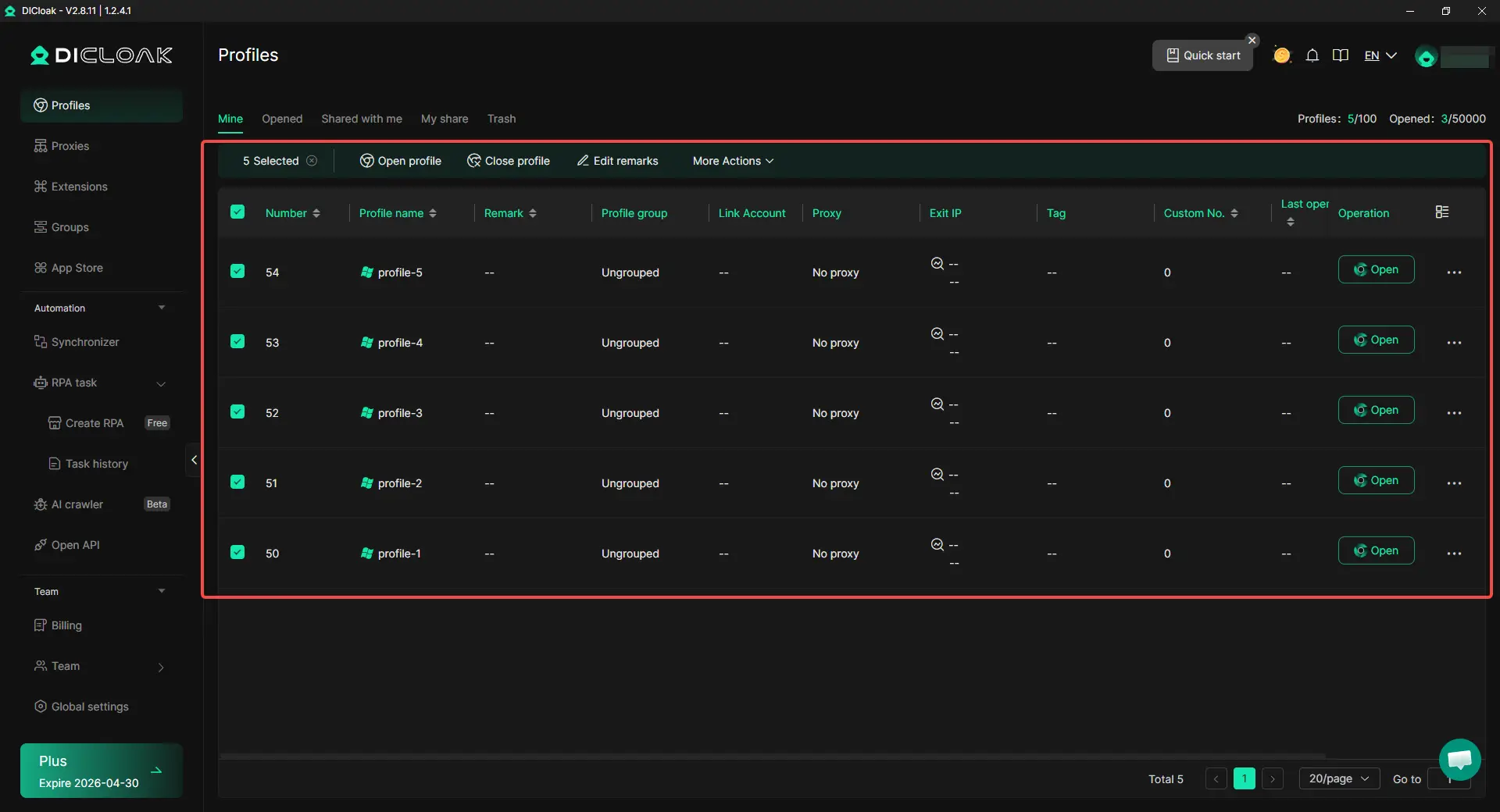
For users who often face access errors, proxy instability, or repeated account checks, a more controlled browser setup may be helpful. With DICloak, users can keep browser profiles, fingerprints, cookies, and proxy settings separated, making multi-account management and privacy-focused browsing easier to control.
- Isolated browser profiles: Each profile can keep its own cookies, cache, local storage, and fingerprint settings, such as Canvas, WebGL, fonts, User-Agent, and screen resolution. This helps reduce mixed sessions and device-signal overlap between accounts.

- Custom proxy configuration: Users can assign residential, ISP, or mobile proxies to different profiles, helping each SoundCloud session stay more consistent in terms of IP, region, and browser setup.

- Cleaner account management: Multiple SoundCloud accounts can be managed in separate profiles without relying only on standard proxy extensions, which may be unstable or easy to misconfigure.
Common mistakes to avoid when trying to unblock SoundCloud
Relying on "Free" web proxies
Free proxies are a massive security risk and are almost universally blacklisted by 2026 IT departments. They often inject ads or track your data, and their high user-to-IP ratio results in constant buffering.
Forgetting to clear browser cookies
Even with a high-quality proxy, SoundCloud may "see" your real location via old tracking cookies. Always clear your cache and cookies before activating a new proxy session, or use an isolated profile in DICloak to ensure a clean slate.
Using low-quality IPs for streaming
Low-tier IPs often have high latency or are "dirty" (previously flagged for spam). For a seamless music experience, ensure you are using enterprise-grade IPs from a pool that offers 99.99% uptime and high-speed datacenter or static residential options.
Frequently Asked Questions about SoundCloud Unblocking
Is it legal to unblock SoundCloud at school?
Unblocking SoundCloud generally violates a school’s "Acceptable Use Policy" rather than criminal law. While it is not illegal, you may face disciplinary action from your institution if your activity is detected.
Why does my music keep buffering even after unblocking?
Buffering is often caused by high latency, limited bandwidth, unstable routing, or an overloaded IP. Switching to a faster datacenter proxy or a stable static residential IP with better bandwidth may help improve streaming stability.
Can a network admin see if I’m using a proxy?
Basic proxies are easily detected. However, using residential proxies makes your traffic look like a standard home user, and using tools like DICloak hides the "fingerprint" of your browser, making detection extremely difficult for admins.
What is the difference between a residential proxy and a datacenter proxy for SoundCloud?
Residential proxies use IPs from real homes and are best for avoiding detection. Datacenter proxies are hosted on servers and are optimized for raw speed and high-volume streaming.
How do I fix the "This track is not available in your country" error?
Use a proxy with geo-targeting capabilities to select an IP from a country where the track is licensed (e.g., selecting a US IP for a US-only release).
Will unblocking SoundCloud drain my mobile data faster?
The proxy itself uses negligible data, but streaming high-quality audio will consume your data plan at the standard rate. Ensure you are aware of your data limits when streaming on 5G.
Maintaining Your Access Long-Term
To ensure uninterrupted access in 2026, avoid the pattern of jumping between various free, low-quality tools, as this behavior flags your account for "suspicious activity" within SoundCloud’s own anti-fraud systems. The most reliable strategy is to prioritize high-quality IP sources—specifically 5G mobile IPs or Static Residential IPs. These provide the highest "trust score," ensuring that SoundCloud's internal systems see you as a legitimate, premium listener regardless of where you are physically located. By investing in quality infrastructure, you ensure your music remains private, fast, and accessible.
 Web Proxy Tools
 Free Tools
 Cookie Plugin
 UA Generator
 MAC Address Generator
 IP Generator
 IP Address List
 2FA Code Generator
 World Clock
 Anonymous Check
 WebRTC Leak Test
 UUID Generator
 Free Web Proxy Site
 Proxy Checker
 FB Ad Checker
 AI Web Scraping
 Free SMM Tools
 Twitter Shadowban Checker
 Instagram Name Checker
 UTM Generator
 Username Generator
 AI Hashtag Generator
 LinkedIn Headline Generator
 Social Media Image Resizer