Choosing between two big names for social media management isn’t just about picking a tool, it’s about deciding which workflow you’ll live with every day. Teams comparing socialpilot vs hootsuite often hit a wall: both support scheduling, analytics, and team roles, but the real differences show up in daily use and monthly costs. Just because both tools claim to handle multi-channel posting doesn’t mean your approval chains, content calendar, or client handoffs will run smoothly out of the box.
The biggest risk is assuming their features are interchangeable. For example, SocialPilot’s pricing may look lower at first glance, but Hootsuite sometimes includes key integrations or user seats that SocialPilot marks as paid add-ons. Miss those details, and you can end up with a workflow that’s either too limited or more expensive than planned. That’s not just an annoyance, it can break your team’s process once the trial ends.
What matters isn’t just “which has more features,” but which tool actually fits your approval process, reporting habits, and client demands right now. If your team needs granular permissions or exports for compliance, the winner changes. The SocialPilot vs Hootsuite comparison is really about matching the tool to the way your team works, not just picking the most popular brand.
Here’s how the day-to-day differences stack up.
What Should Teams Check Before Choosing SocialPilot or Hootsuite?
The real risk isn’t missing a feature, it’s picking a tool that locks up your workflow or triggers account headaches after launch. Before you go any further, run through the key checks below. Skipping even one can mean hitting a platform limit or permission snag right when a campaign is live.
Account Volume and Platform Support
If your daily work means juggling dozens of accounts or posting to less common platforms, the “supported” list isn’t just marketing copy, it shapes what you can actually deliver. SocialPilot’s entry plans top out at 10-25 accounts, while Hootsuite’s more expensive tiers let you manage 35+ but often cost much more per seat. Teams running client social or handling regional sub-brands can hit a wall if you guess wrong about volume. It’s not just about Facebook or Twitter, either, double-check whether supported platforms include LinkedIn, Instagram Reels, TikTok, or Pinterest, especially if your clients expect cross-posting on launch days. Teams that expand during the contract often find it’s not possible, or is costly, to add more accounts mid-cycle.
Team Workflow and Permission Controls
It only takes one missed permission to leak a client post or break compliance. Before comparing “collaboration features,” check these directly:
- Can you set role-based access for each team member, or is it “all or nothing”?
- Is approval for publishing both available and easy to enforce on mobile?
- Does the tool give you an audit log of who edited or approved content?
A tool that’s fine for solo use often falls short once client approvals or legal review enters the mix.
Automation and Integration Needs
Automation sounds simple, until you try to connect a reporting dashboard or auto-publish a campaign based on a CRM trigger. Some teams get blocked here and end up with manual copy-paste workarounds.
- Are post scheduling and bulk uploads truly unlimited, or capped by plan?
- Can you connect your existing tools (for example, Google Analytics or Slack) natively, or only with premium add-ons?
- Does the API offer enough access for your custom workflows, or are key endpoints locked behind enterprise tiers?
Missing the fine print on integrations is the fastest way to end up with a tool that creates more manual work than it saves.
Teams that skip these checks often face issues like sudden account lockouts, platform errors, or manual workarounds that defeat the point of automation. Next, see why switching can trigger new restrictions if your process isn’t set up right.
Why Some Teams Run Into Account Restrictions After Switching Tools
Switching from SocialPilot to Hootsuite (or the other way) looks simple, but teams often end up with banned or restricted accounts right after the change. The main reason isn’t the tool itself, it’s mismatched browser fingerprints, IPs, and access habits that flag accounts for review.
Fingerprint and Session Consistency
Most platforms track browser fingerprints and session cookies. If your team moves accounts between tools and browsers, sudden changes in device signatures or session data can trigger platform security checks. The fastest way to get restricted is letting the login environment change in ways the platform sees as unusual.
Proxy and IP Handling Mistakes
Switching tools often leads to sudden IP jumps or proxy errors. These trigger suspicion, especially if multiple accounts share the same proxy.
- Accounts logging in from a new IP without a clear pattern often get flagged for review or locked out.
- To avoid this, always keep IPs consistent and never reuse proxies across unrelated accounts.
Team Access and Permission Errors
Too many team members logging into the same account from different locations can trip access alarms. If permission boundaries aren’t clear, like letting anyone edit or approve posts, platforms may restrict access or force verification. Keep group access tight and always track who can log in and from where.
Small mistakes add up fast. Next, see how SocialPilot and Hootsuite compare when it comes to day-to-day features that actually matter for teams.
How SocialPilot and Hootsuite Compare on Features That Matter in 2026
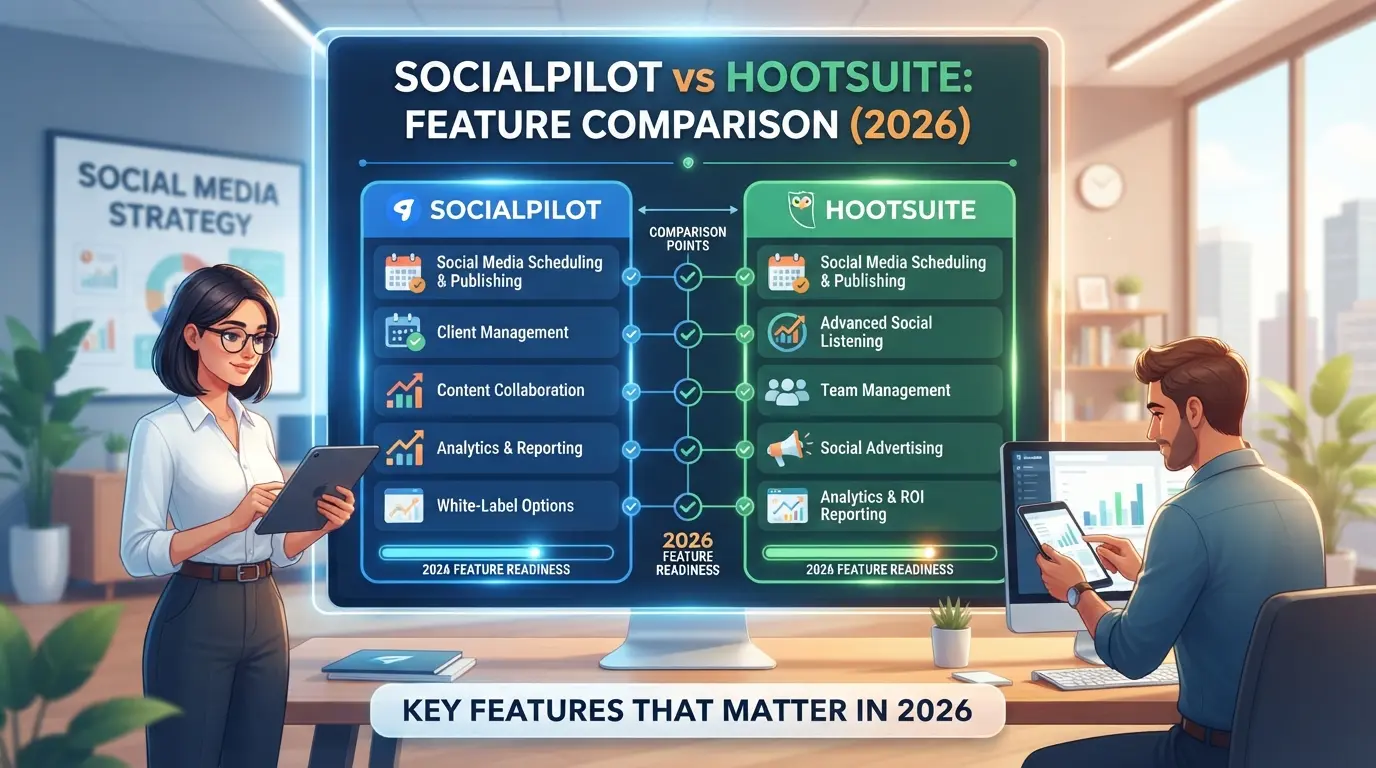
Teams looking for day-to-day stability want to know which tool actually fits their workflow, not just which logo is bigger. The real difference in 2026 comes down to how each platform handles publishing, analytics, team controls, and proxy management in real-world use.
Publishing and Scheduling
| Feature |
SocialPilot |
Hootsuite |
| Bulk Scheduling |
500+ posts at once |
350 posts per upload |
| Platform-Specific Publishing |
Yes (all major) |
Yes (all major) |
| AI-Powered Suggestions |
Paid add-on |
Built-in |
If you plan large campaign drops, SocialPilot’s bulk scheduling cap is higher. Hootsuite bakes in AI suggestions, so teams who want quick copy tweaks without extra cost may prefer it.
Analytics and Reporting
SocialPilot covers basic post stats and client-ready exports, but Hootsuite goes further with custom dashboards and deeper multi-platform analytics. If your client asks for breakdowns by campaign, Hootsuite’s reporting is more flexible.
Team Collaboration and Permissions
Hootsuite supports advanced roles, think per-platform or per-client access, and keeps a searchable log of every action. SocialPilot lets you add team members, but permission levels are simpler, and audit logs are less detailed.
Proxy and IP Management
Neither tool offers native proxy or IP rotation. Any account isolation or proxy use needs to be managed outside the platform. If you’re running sensitive or high-risk brand accounts, this is a real gap, one missed login from a flagged IP can lock your access for days.
The most common reason teams regret their pick isn’t missing a fancy integration, it’s hitting a workflow wall mid-campaign, like finding out your tool can’t bulk reschedule after a content calendar shift. Most teams who get burned skipped a dry run with their real accounts before going all-in.
Next, it’s time to look at what you actually pay for, hidden limits, support channels, and where the pricing really bites, because what looks cheap up front can cost you more in lost hours or blocked accounts.
What Pricing, Limits, and Support Look Like for SocialPilot vs Hootsuite
Teams comparing these tools need to look beyond headline prices, real costs and limits can change fast once you add users or channels. Here’s what you face with SocialPilot and Hootsuite in 2026.
Pricing Tiers and Hidden Costs
| Plan |
SocialPilot |
Hootsuite |
| Standard (Monthly) |
$50, includes 3 users, 20 accounts |
$99, includes 1 user, 10 accounts |
| Annual Discount |
~15% off monthly rate |
~17% off monthly rate |
| Extra User/Seat |
$5 per user/month |
$39 per user/month |
Most teams notice the gap on extra users, Hootsuite charges nearly 8x more per seat. Missing this detail will blow up the budget if your team grows or rotates staff.
Account and Platform Limits
SocialPilot’s mid-tier plan gives you 20 connected profiles; Hootsuite’s at the same price only allows 10. If you manage more than 10 brands or clients, you’ll hit the ceiling with Hootsuite sooner and pay more for each jump. SocialPilot's higher cap fits agencies that need more profiles per dollar.
Customer Support and Response Times
Support looks similar on paper (chat and email for both), but real-world response times diverge. Hootsuite’s ticket replies can lag to 48 hours during peak times, while SocialPilot typically answers within a business day. For urgent publishing or API issues, that gap can mess with client deadlines.
Cost and support differences become obvious the first time you need to add a seat or fix an error mid-campaign. Next, it’s worth looking at how teams running accounts across multiple platforms handle risk, especially as limits and support bottlenecks show up.
How Teams Managing Multiple Platform Accounts Can Reduce Risk with DICloak
After breaking down real costs and support in the SocialPilot vs Hootsuite comparison, some teams find the next challenge is keeping multiple platform accounts organized and less risky to operate. If you manage more than one account per platform, or juggle client logins, standard social media tools only solve half the problem. The real workflow bottleneck often hits when sessions overlap, IPs get reused, or team members repeat routine steps without a safety net. This is where DICloak fits in: it’s not a publishing tool, but a way to separate, control, and coordinate browser-based platform access behind the scenes.
Isolate Each Platform Account with Separate Browser Profiles and Fingerprint Settings
Teams can create a dedicated browser profile in DICloak for each platform account, keeping sessions, cookies, and browser storage completely separate. Operators set profile-level fingerprint signals, like user agent, time zone, and canvas data, so each account runs in its own environment. This avoids profile overlap that could otherwise lead to confusing session mix-ups or accidental cross-login. The scope here is limited to browser-profile management; it doesn’t affect what happens inside SocialPilot, Hootsuite, or the platform itself.

Assign User-Owned Proxies for Each Profile to Control IP and Location
Where a workflow calls for different network settings, admins can assign a team-owned proxy to each browser profile. This lets the operator test the connection and confirm the exit IP and region before starting a session, especially useful when platforms flag sessions by region or network type. DICloak stores these proxy settings at the profile level but leaves proxy quality and choice up to the team.

Automate Routine Account Actions with RPA Workflows
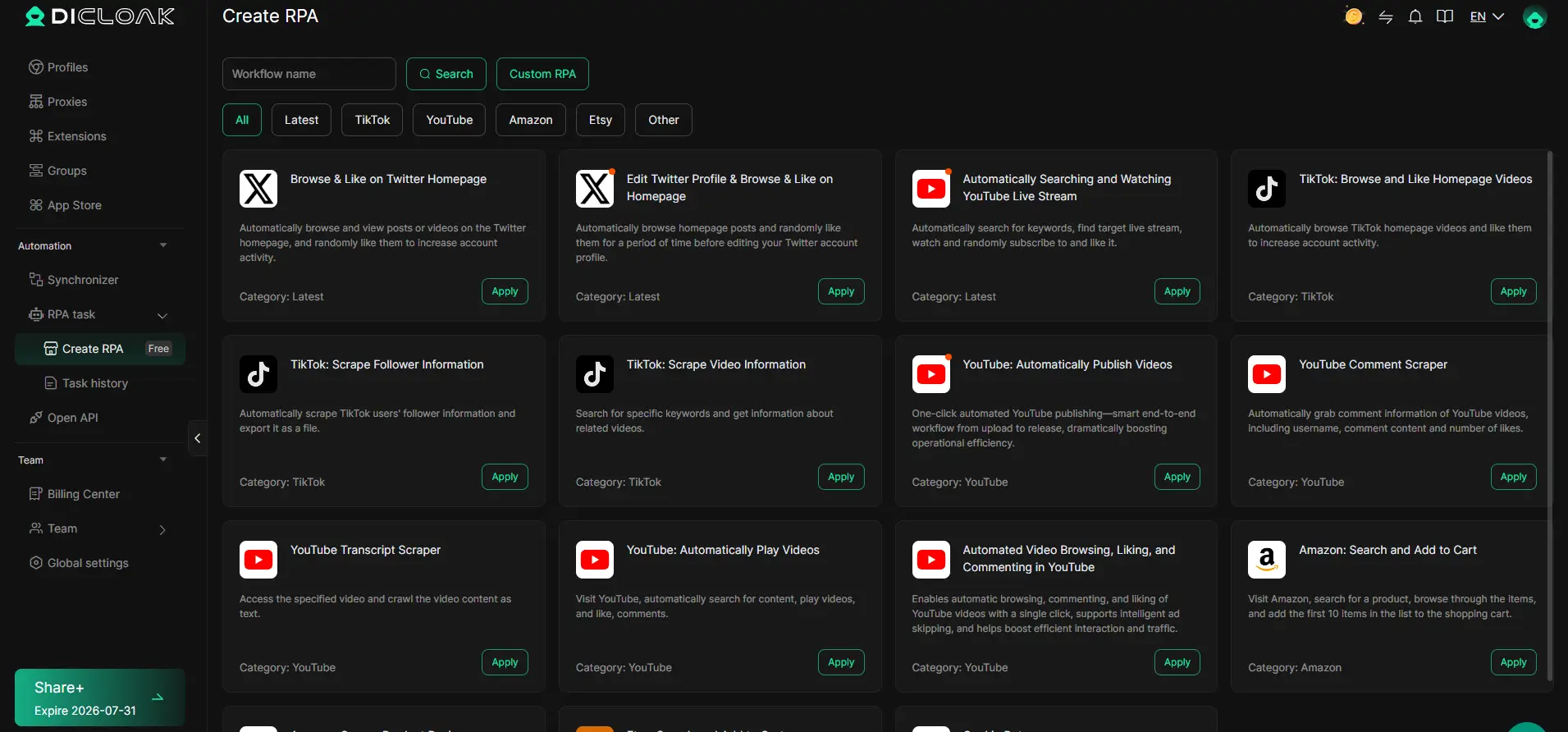
Manual repetition eats up time and invites mistakes, especially when switching between accounts. Operators can design and run repeatable browser workflows, like navigation or form entry, across selected profiles, then review logs for each execution. Where available, this lets teams handle routine prep or checks faster, while still keeping a record of what was done per profile.
Synchronize Live Actions Across Multiple Accounts with Window Synchronizer
When a campaign launch or coordinated task needs live action across many accounts, teams can mirror actions from a master browser window to several profiles at once. Operators watch and control the master session, every supported click or input gets mirrored live, which keeps team operations tight and cuts manual coordination errors.
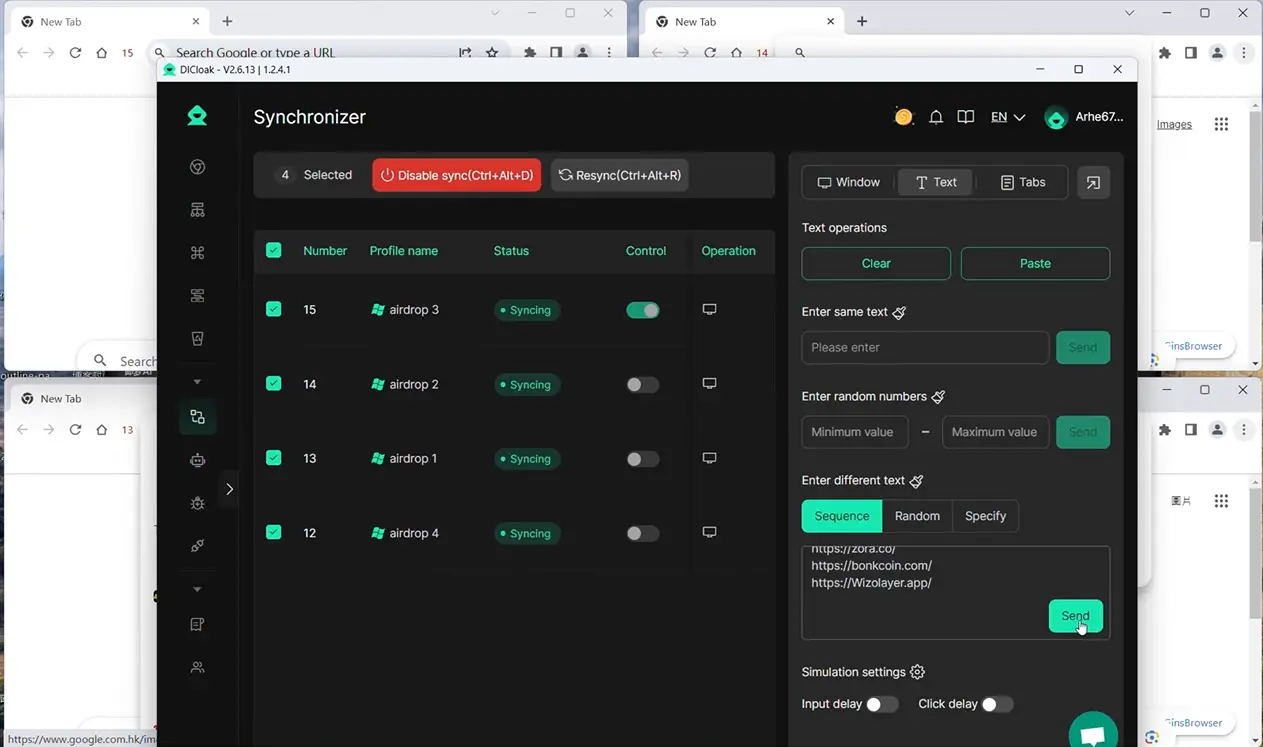
For teams outgrowing standard workflows, the real pain point isn’t just tool limits, it’s keeping platform accounts isolated and repeatable. The next section shows clear signs that your process is hitting that wall.
When SocialPilot or Hootsuite Stop Fitting: Signs It's Time to Change Your Workflow
Teams know it’s time to rethink their tool when daily work slows down, accounts hit new risk, or collaboration gets messy. The “socialpilot vs hootsuite” decision only matters if your actual process keeps breaking down, here’s how to spot those warning signs.
Workflow Bottlenecks and Scaling Limits
If you’re adding more manual steps just to keep things moving, or spending more time fixing errors than publishing, your tool is holding you back. Hitting account or post limits, like being unable to add new brands or running into hard scheduling caps, means you’re outgrowing the platform. One missed limit can stall a whole campaign for hours.
Account Safety and Restriction Risks
Teams should act if any of these happen:
- Accounts get flagged or restricted after bulk scheduling.
- Permissions are unclear, admins can’t see who changed what.
- Logins trigger extra security checks or lockouts.
Frequent bans or sudden restriction waves often point to a mismatch between your workflow and what the tool can handle. When you start seeing pushback from platforms right after switching tools, it’s rarely random, usually, something behind the scenes isn’t matching the platform’s expectations.
Team Collaboration and Access Problems
If sharing access means passing around passwords, or you can’t see who deleted a post, your tool isn’t built for teams running at scale.
Checklist:
- Shared logins are used instead of safe team roles.
- You can’t pull a full audit log for compliance checks.
- Team members struggle to onboard or offboard quickly.
The real signal: when your workarounds create more risk or slowdowns than the tool solves, it’s time to plan a switch. The next step is to map out a safer transfer, before you hit that wall for good.
What Steps Should Teams Take When Switching Social Media Management Tools
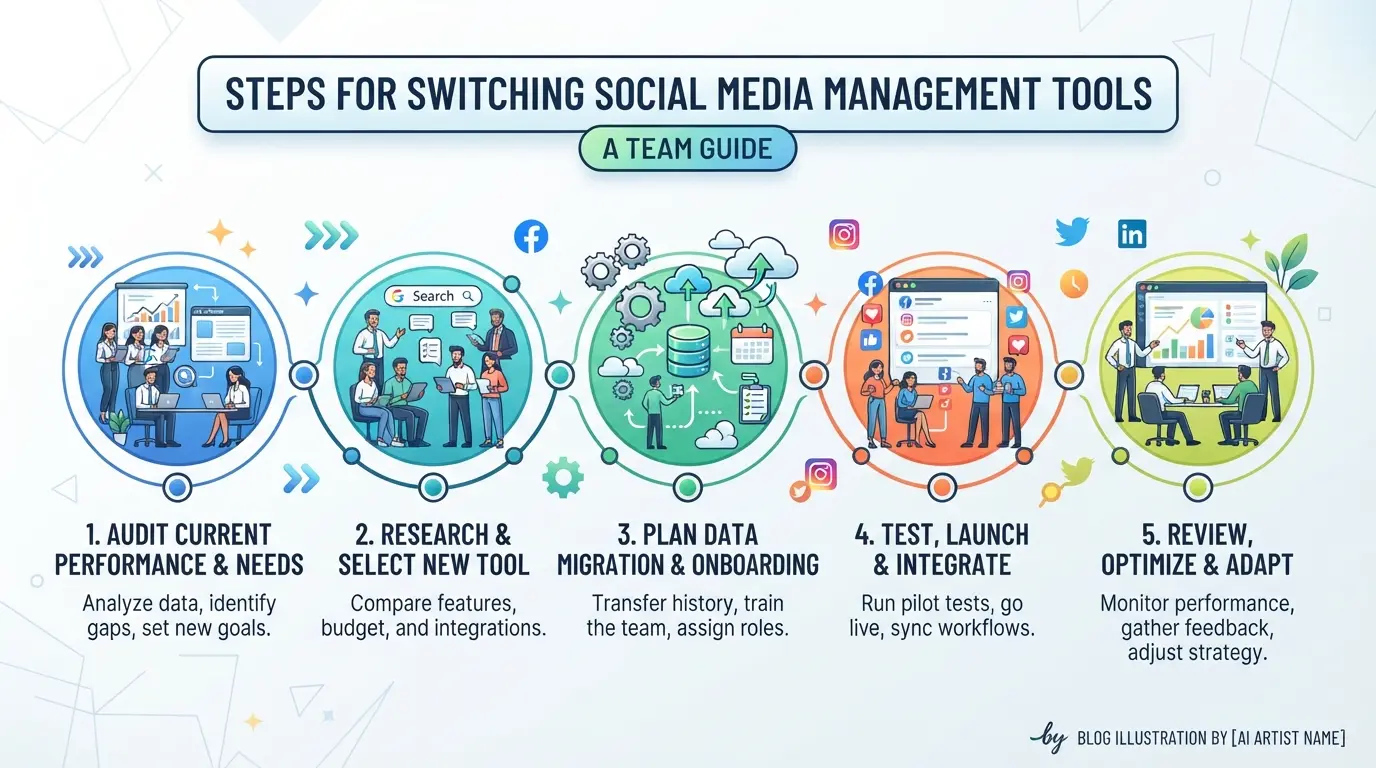
Teams moving from SocialPilot or Hootsuite need a clear process to avoid access loss, broken automations, or account restrictions. The risk comes from mismatched permissions and sudden changes in account fingerprints, skip the groundwork, and you can end up locked out or flagged by platforms.
Audit Current Accounts and Permissions
- List every social account (Facebook, Twitter, LinkedIn, etc.) tied to the old tool.
- Record which team members have access and their permission levels.
- Check which accounts use shared logins or delegated approval, missing these often triggers platform security alerts.
Plan Session and Proxy Consistency
- Map out each account’s current IP and session fingerprint.
- Assign proxies for each account before the switch, changing IPs without planning can prompt platform restrictions.
- Document browser or device specifics if you use device-level logins; platforms often flag unexpected device changes.
Test New Tool with Limited Accounts First
- Move only a few accounts to the new tool for the first trial.
- Monitor for login prompts or restriction warnings, platforms may require extra verification after a tool change.
- If there’s a restriction, pause migration and review session or proxy mismatches.
Review Workflow Automation and Team Access
- Set up automation rules (posting, scheduling, approval) in the new tool, test on non-critical accounts first.
- Configure team permissions to match your old setup; skipping this can open up accidental approvals or lost access.
- Confirm notification and reporting features work as expected, missing alerts can hide failed posts.
Teams who move all accounts at once are far more likely to trigger platform security checks or lose key workflow steps. Taking these actions in order prevents most avoidable disruptions.
Frequently Asked Questions About socialpilot vs hootsuite
Is SocialPilot or Hootsuite safer for managing multiple accounts?
SocialPilot and Hootsuite both offer team access controls, but Hootsuite has more advanced permission settings and better account isolation. With Hootsuite, each user can get custom roles, which lowers risk if you handle many brands. In SocialPilot, workflows are simpler but may offer fewer barriers between accounts, making Hootsuite safer for complex team setups.
Can I use my own proxies with SocialPilot or Hootsuite?
Neither SocialPilot nor Hootsuite supports custom proxy configuration natively. They route all traffic through their own infrastructure, so you can’t add personal proxies for accounts. If you need user-owned proxies for extra privacy or location control, you’ll need third-party solutions that allow direct proxy setup.
What happens to my account sessions and cookies when switching tools?
When you switch between SocialPilot, Hootsuite, or other scheduling tools, new sessions are created and cookies get refreshed. This can alert social platforms to suspicious activity. If sessions don’t match your usual login pattern, your accounts might face temporary restrictions or verification checks. Plan tool changes carefully to keep session data consistent.
How do I automate posting across multiple accounts safely?
Use the built-in scheduling features in SocialPilot or Hootsuite to automate posts. For more control, try RPA tools, but always run each account in a separate browser or session. Mixing accounts in one environment can cause security issues or trigger platform flags, especially with strict networks like Instagram or LinkedIn.
When should a team consider moving beyond SocialPilot or Hootsuite?
If your team hits workflow slowdowns, often runs into account limitations, or needs more advanced scheduling and automation, it’s time to look at other tools. Large teams or agencies may outgrow SocialPilot vs Hootsuite when scaling, especially if they need custom environments or deeper integration with other marketing platforms.
Consider your team's workflow, budget, and the specific features you need as you weigh your options for social media management. Taking advantage of free trials or demos can help you experience each platform's interface and capabilities before making a commitment. Try DICloak For Free
 Web Proxy Tools
 Free Tools
 Cookie Plugin
 UA Generator
 MAC Address Generator
 IP Generator
 IP Address List
 2FA Code Generator
 World Clock
 Anonymous Check
 WebRTC Leak Test
 UUID Generator
 Free Web Proxy Site
 Proxy Checker
 FB Ad Checker
 AI Web Scraping
 Free SMM Tools
 Twitter Shadowban Checker
 Instagram Name Checker
 UTM Generator
 Username Generator
 AI Hashtag Generator
 LinkedIn Headline Generator
 Social Media Image Resizer