Last month, I came across a story that changed how I think about Pinterest affiliate marketing. Two creators in the same niche — home decor. Both had around 15,000 followers. Both used Amazon Associates and LTK. One earned $4,200 from affiliate commissions in February alone. The other made $87. Same platform. Same type of pins. Completely different results.
The difference wasn't luck. The first creator understood something most beginners miss: Pinterest in 2026 no longer treats all accounts the same way. Its algorithm now flags inconsistent activity — like switching between multiple niche accounts from the same browser or posting in erratic patterns. Data from affiliate marketers shows that accounts showing these signals can see their reach drop by over 50% within weeks.
This is where an anti-detect browser like DICloak delivers a concrete advantage.
Because each Pinterest account runs inside an isolated browser profile — with its own cookies, browsing history, and digital fingerprint — Pinterest's algorithm perceives each profile as a separate, real user. This keeps your reach stable and your affiliate links in front of the right audience, even when you're managing multiple niches from one device. Whether you're just starting or already have traction, let's dive in.
Pinterest is ideal for pinterest affiliate marketing in 2026. Users visit to find products, ideas, and solutions, making it easier to reach people ready to take action. Millions of users save or click pins for shopping, fashion, or home decor, creating opportunities for affiliate conversions.
How Pinterest’s User Demographics Align with Affiliate Marketing Goals
Over half a billion people use Pinterest monthly, including large markets like the US and UK. When users save or click pins, they show real interest in the topic. This makes pins more likely to generate clicks and affiliate revenue, providing steady traffic for affiliate marketers.
What Makes Pinterest Different from Other Social Platforms for Affiliates
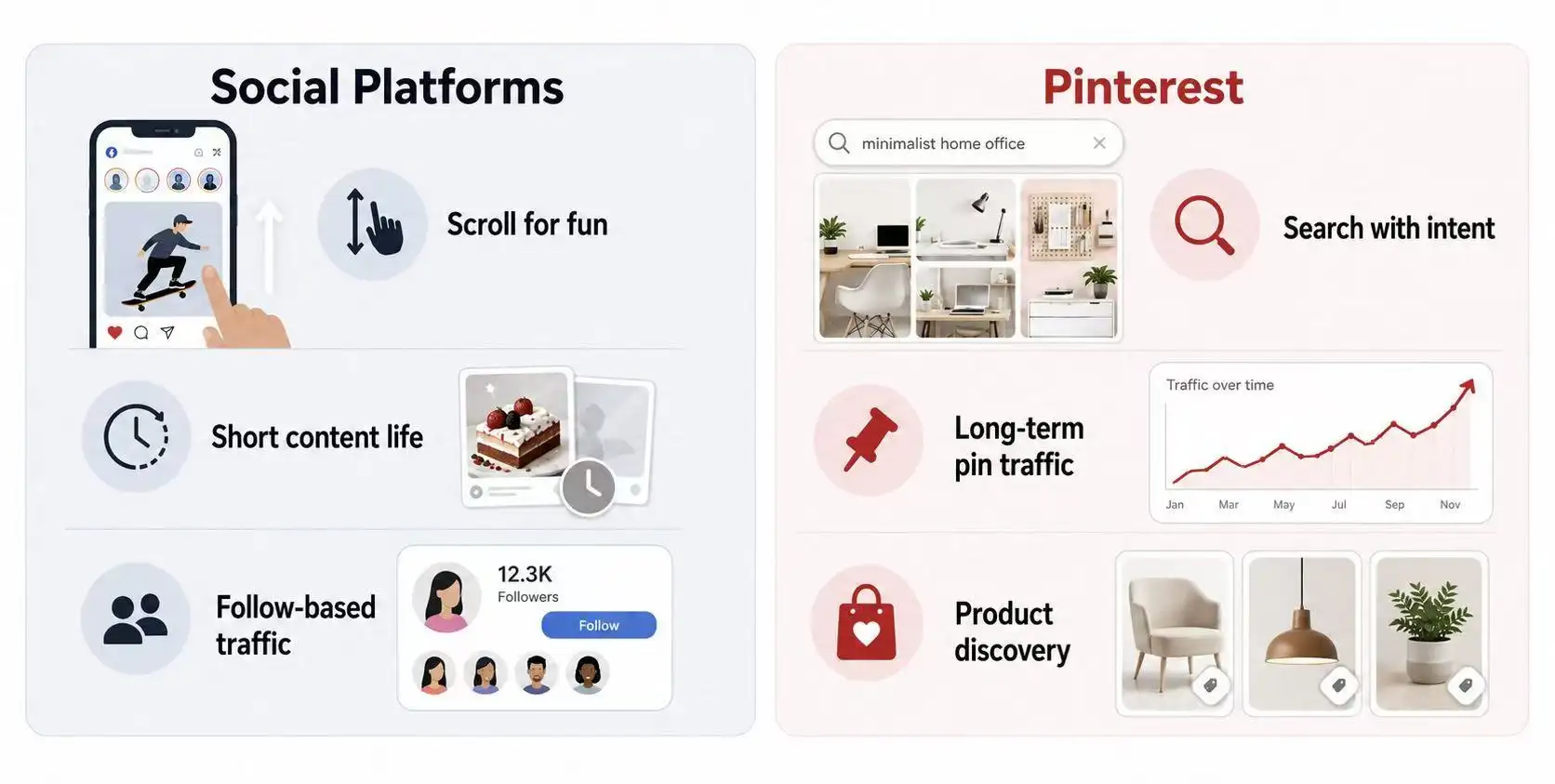
Pinterest acts like a visual search engine, not just a social feed. Users search with intent, e.g., “best running shoes 2026” or “kitchen tools for small spaces.” Pins matching these searches can drive high-quality traffic. A blogger sharing product review pins can earn commissions for months as pins continue to rank.
Common Misconceptions About Pinterest’s Effectiveness for Affiliate Marketing
Some think Pinterest is only for ideas or certain niches, but both women and men actively search and shop. Pinterest traffic may take time to convert, but evergreen pins often deliver long-term Pinterest affiliate marketing earnings.
Risks to Avoid When Starting Pinterest Affiliate Marketing
Even with a strong platform, mistakes can hurt traffic and trust. Key risks include ignoring disclosure rules, over-promoting products, and choosing the wrong affiliate programs.
Why Ignoring Disclosure Rules Can Harm Your Affiliate Strategy
Always disclose affiliate links with tags like #affiliate or #ad. Transparency builds trust and keeps your account compliant with Pinterest and FTC rules.
How Over-Promotion Can Reduce Engagement and Trust
Posting too many affiliate pins can seem spammy. Mix useful content like guides or inspiration boards with product pins to maintain trust and improve Pinterest affiliate marketing earnings.
Mistakes Beginners Make When Selecting Affiliate Programs
Don’t pick programs based only on high commissions. Choose programs that match your niche and user search intent. Clean URLs and relevant products improve clicks and conversions.
A proper setup helps you grow your pinterest affiliate marketing earnings. Many use the free Pinterest affiliate marketing app or desktop version.
Steps to Create a Pinterest Business Account
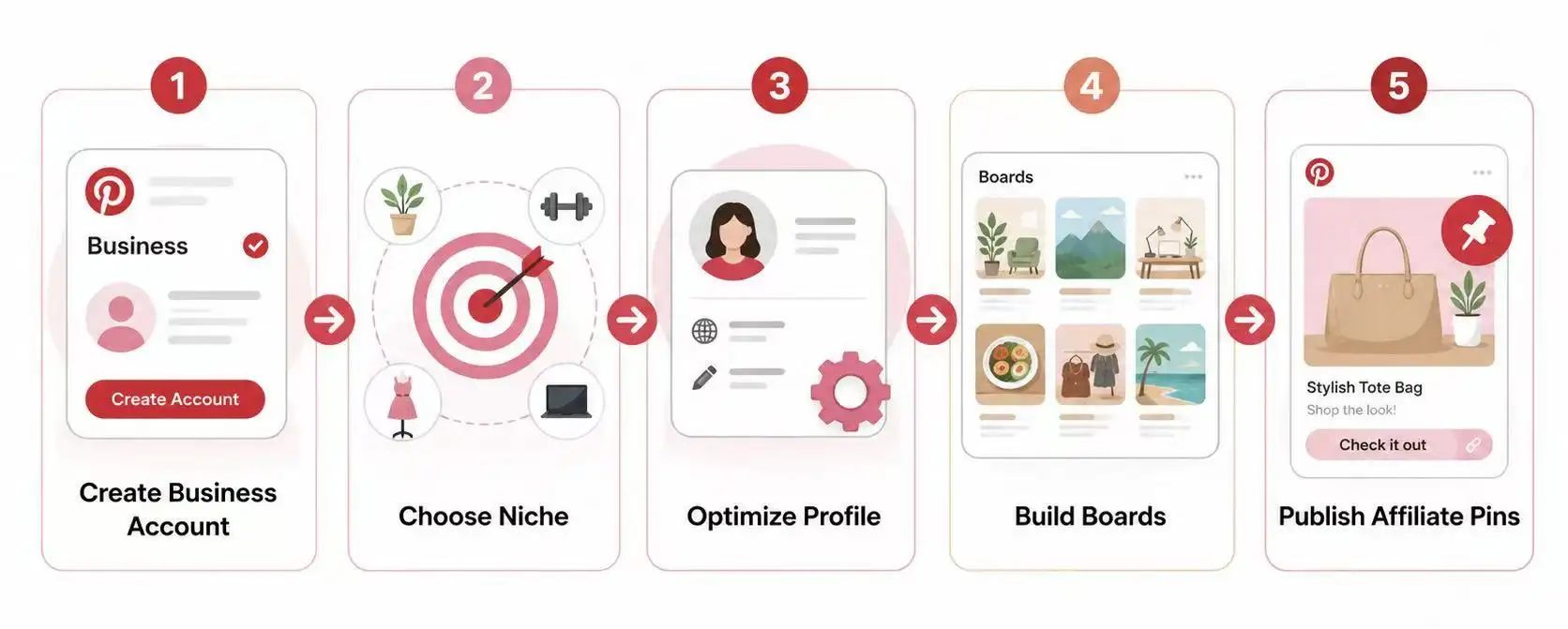
Use a business account for analytics and rich pins. Create a new account for each niche to keep campaigns focused. Add a clear profile image and complete your email and bio.
How to Optimize Your Profile for Affiliate Marketing
Use your niche in your display name and bio. This helps Pinterest index your profile and builds trust with users.
What to Include in Your Boards and Pins to Attract Clicks
Create specific boards, e.g., “Best Kitchen Tools for Small Spaces.” Use vertical images, clear titles, and short descriptions with affiliate disclosure. Pins like “Top 10 Must-Have Gadgets” can attract clicks and drive revenue.
Proven Strategies to Drive Traffic to Affiliate Links on Pinterest
Once your profile and boards are ready, traffic becomes the next goal. Good pinterest affiliate marketing is not about posting random product links. It is about helping users find the right idea at the right time. The more useful your pins feel, the more likely people are to click, save, and buy.
How to Create Visually Appealing Pins That Convert
A strong pin should be clear in one second. Use a vertical image, easy text, and one clear promise. For example, instead of “Kitchen Products,” use “7 Small Kitchen Tools That Save Space.” This is one of the most practical Pinterest affiliate marketing examples because it speaks to a real problem. The pin should lead to a helpful product list, review, or guide. This gives users a reason to trust the link.
Why Pin Scheduling Tools Can Maximize Reach
Posting once and waiting is not enough. Pinterest rewards fresh and steady content. A scheduling tool can help you post at different times without sitting online all day. Many creators use the Pinterest affiliate marketing app or desktop tools to plan pins for the week. This keeps boards active and helps test which designs, titles, and topics bring more clicks. Over time, this can improve Pinterest affiliate marketing earnings.
How Group Boards Can Amplify Your Affiliate Marketing Efforts
Group boards can still help if they are active and niche-focused. Do not join random boards with thousands of mixed pins. Look for boards about your exact topic, such as budget travel, home office tools, or baby products. If the board has real saves and fresh pins, it can put your content in front of more people. A good Pinterest affiliate marketing course should teach this difference, because board quality matters more than board size.
Best Practices for Monetizing Affiliate Links on Pinterest
After driving traffic, the next step is turning clicks into earnings. Smart pinterest affiliate marketing is about choosing the right products, being honest, and giving value. Many top creators mix helpful content with affiliate pins to grow long-term income.
How to Choose the Right Affiliate Programs for Pinterest
Pick programs that match what your audience searches for. For example, a home decor board works well with Amazon or Etsy affiliate links for decor items. Programs with clear URLs and stable tracking convert better. This approach is one of the most practical Pinterest affiliate marketing examples because it aligns content with user intent.
When and How to Disclose Affiliate Links Properly
Always tell users when a pin has an affiliate link. Use simple tags like “#affiliate” or “This pin contains affiliate links.” Proper disclosure builds trust, keeps you compliant, and protects your Pinterest account. Many creators include this in the pin description or overlay text on the image.
How to Balance Promotional and Non-Promotional Content
Don’t make every pin a sales pitch. Combine affiliate pins with guides, tips, or inspirational content. For example, a “DIY home office setup” board can include affiliate links to desks and lamps, mixed with free decorating tips. This balance increases engagement and Pinterest affiliate marketing earnings while keeping followers interested.
Using these practices with scheduling tools or a Pinterest affiliate marketing app helps beginners see steady growth. Even a small, consistent effort can lead to long-term passive income, just like students of a good Pinterest affiliate marketing course often report.
Tools and Resources to Simplify Pinterest Affiliate Marketing
Once your content plan is clear, the right tools can save a lot of time. You do not need a huge setup to start pinterest affiliate marketing. But you do need tools that help you design faster, post often, and see what is working.
| Tool |
Type |
Key Use |
Notes |
| Canva |
Pin Design |
Quickly create vertical images and templates |
Ideal for testing multiple pin designs |
| Pinterest Analytics |
Analytics |
Track views, saves, clicks |
Check which pins drive affiliate earnings |
| Tailwind |
Scheduling |
Schedule pins in advance |
Keep boards active and consistent |
Which Pin Design Tools Can Save Time and Improve Quality
Canva is a common choice for beginners because it has ready-made Pinterest templates. You can change the image, title, and colors in a few minutes. For example, a pin titled “Best Budget Travel Bags for 2026” can be turned into five designs for testing. This gives you more Pinterest affiliate marketing examples without starting from zero each time.
How Analytics Tools Can Help Track Affiliate Link Performance
Pinterest Analytics shows which pins get views, saves, and clicks. A business account gives you access to these metrics. You can also check your affiliate dashboard to see which clicks turn into sales. If a “home office chair” pin gets many clicks but no sales, the product may be wrong. If another pin gets fewer clicks but more orders, that topic may grow your Pinterest affiliate marketing earnings faster.
Scheduling Tools That Streamline Pin Posting
Pinterest lets business users schedule standard Pins in advance. Tools like Tailwind can also help plan content and keep posting steady. This is useful if you manage pins from the Pinterest affiliate marketing app while checking results on desktop. A good Pinterest affiliate marketing course should teach this workflow: design pins, schedule them, review data, then improve the next batch.
And if you're managing multiple Pinterest accounts for different niches or markets, tools like DICloak can help you keep each campaign organized in separate browser profiles. It's one thing to design and schedule pins — it's another to keep five different niche accounts from triggering Pinterest's algorithm. DICloak handles the latter so you can focus on the former. We'll dive deeper into how it works in the next section.
How to Adapt to Pinterest Algorithm Changes in 2026
Pinterest updates its algorithm regularly. Understanding these changes is key for long-term pinterest affiliate marketing success. If you ignore updates, your pins may get fewer views and clicks, reducing Pinterest affiliate marketing earnings.
Why Understanding Algorithm Updates Is Critical for Affiliate Success
The algorithm decides which pins appear in search and home feeds. Pins with high engagement and relevance rank better. For example, a “Top 5 Coffee Makers 2026” pin that gets saves and clicks quickly will stay visible. Knowing this helps you focus on creating useful, actionable content.
How to Adjust Your Pinning Strategy to Maintain Visibility
Update old pins with fresh images or new keywords. Post consistently and test different pin designs using the Pinterest affiliate marketing app. Some creators double engagement by splitting one pin into multiple versions for A/B testing. This ensures you keep getting traffic even after an algorithm shift.
Signs Your Content Is Being Affected by Algorithm Shifts
Watch for sudden drops in impressions, saves, or clicks. If analytics show fewer views but your content quality is unchanged, an algorithm update may be the cause. React quickly by updating pin titles, descriptions, and images. Students of a strong Pinterest affiliate marketing course often track these metrics weekly to maintain steady earnings.
This is exactly where DICloak makes a difference. When Pinterest flags inconsistent activity — like switching between multiple niche accounts from the same browser — its algorithm penalizes your reach. But when each account runs inside its own isolated browser profile, with its own cookies and fingerprint, Pinterest sees each profile as a separate, real user. That's the core problem DICloak solves. And once that foundation is in place, you can layer on additional capabilities to scale even further.
How DICloak Helps You Manage Pinterest Affiliate Marketing More Efficiently
Getting started with Pinterest affiliate marketing is simple. A business account, a few pins, and some affiliate links — that's enough to test the waters.
But as your traffic grows, a new problem emerges.
Affiliate marketers who manage multiple Pinterest accounts from the same browser often see a sudden drop in reach — sometimes 40-60% within 30 days. Pinterest's 2026 algorithm flags inconsistent activity, and switching between accounts without proper isolation looks exactly like the behavior it penalizes.
This is where DICloak delivers a concrete advantage.
Keep Different Pinterest Affiliate Projects in Separate Browser Profiles
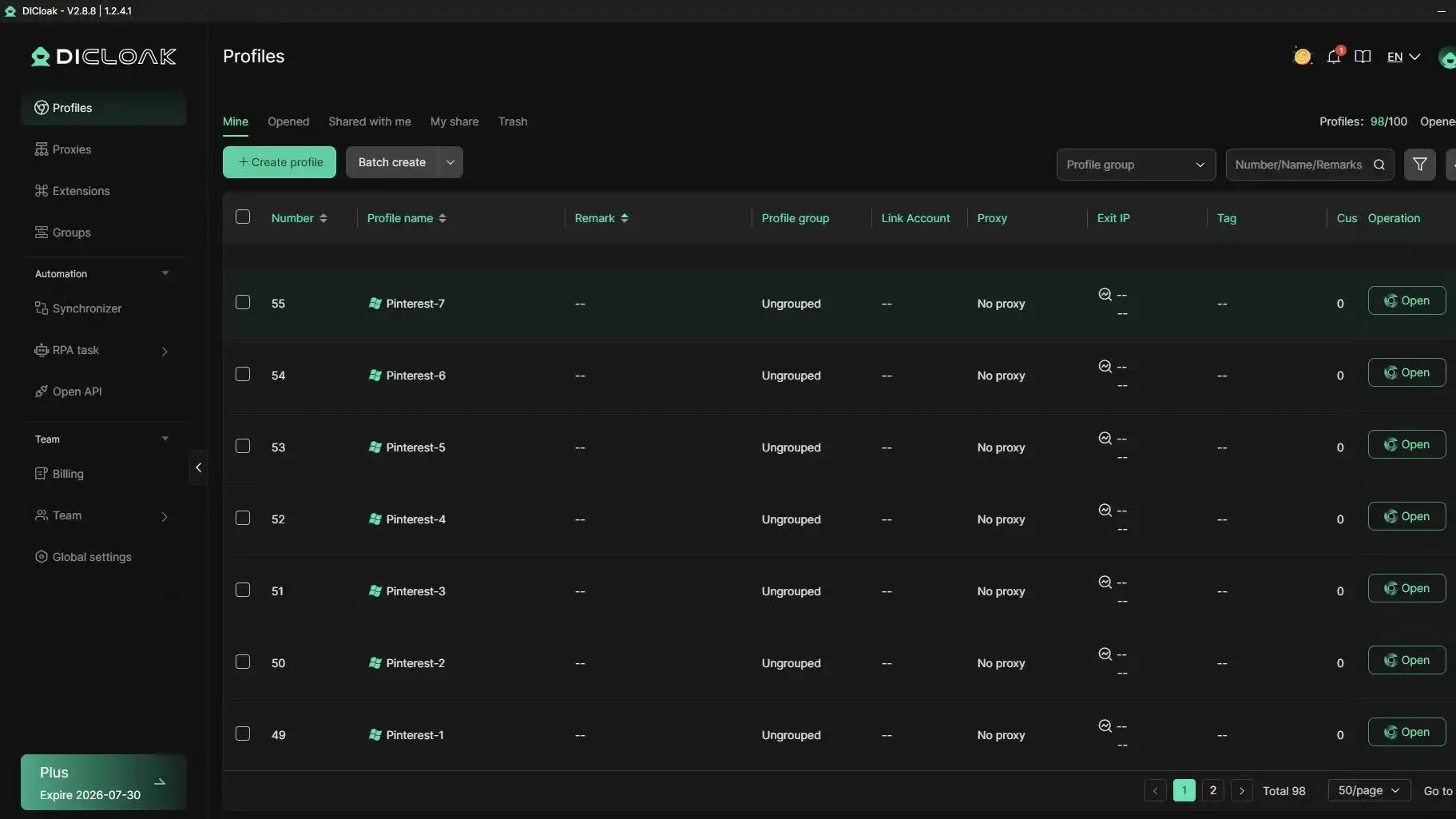
Instead of juggling logins, clearing cookies, or risking account flags, each Pinterest campaign runs inside an isolated browser profile — with its own cookies, history, and digital fingerprint. Pinterest sees each profile as a separate, real user, even when you're managing ten different niches from one laptop.
For example, one profile for home decor, another for travel gear, another for digital tools. Each profile keeps its own cookies, login sessions, browser settings, and fingerprint configuration. No messy overlaps. No cross-contamination.
Research Products and Competitors with RPA s
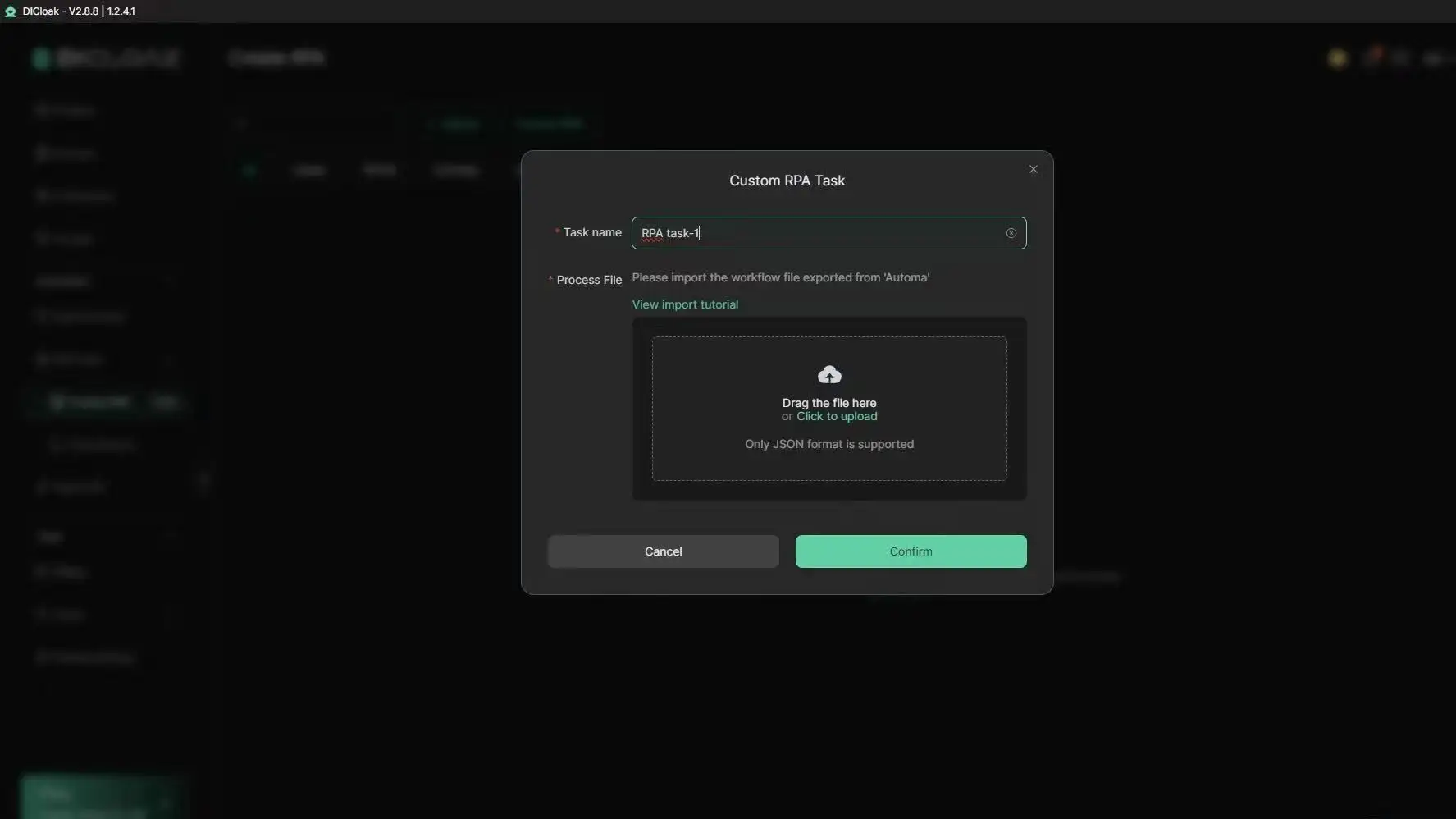
You need to monitor trending products, analyze competitor pins, and discover new content angles. Doing this manually every day takes hours. DICloak's RPA workflows automate those repetitive browser tasks — so you can spend that time creating better pins instead.
Manage Team Access with Profile Sharing and Permissions
Sharing passwords between team members is inefficient and risky. DICloak's profile sharing and permission settings let you give team members access to specific browser profiles without constantly transferring login info. One person designs pins, another writes content, another tracks performance — all organized, all secure.
Scale Multiple Niches and Markets from One Device with Proxy Support
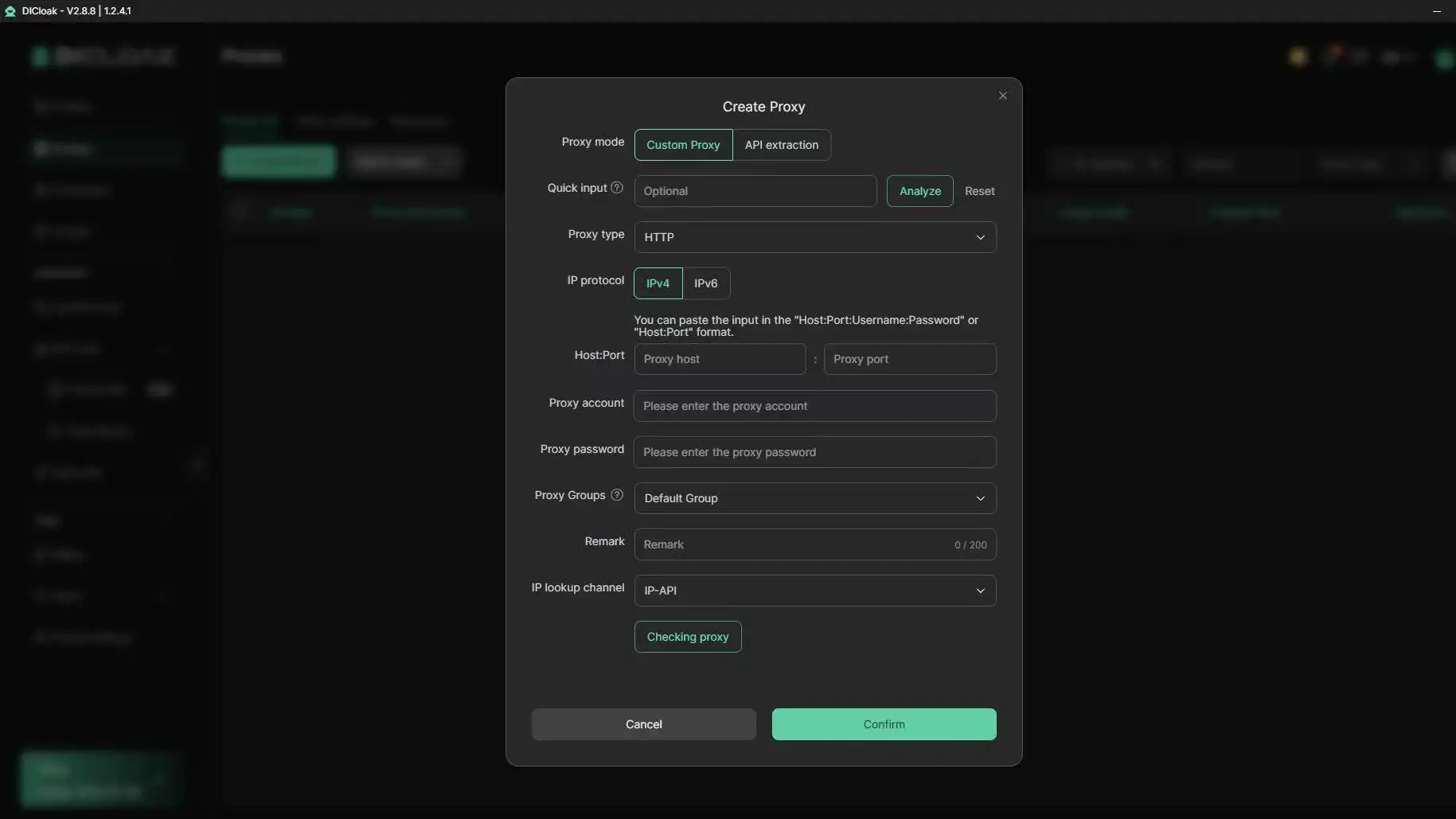
Targeting US shoppers in one account and UK shoppers in another? Running separate projects for home decor, beauty tools, and digital products? Add your own proxies (HTTP, HTTPS, or SOCKS5) at the profile level — DICloak doesn't provide proxies, but it lets you use the ones you already have. Combined with bulk profile management, this keeps each Pinterest project in a consistent working environment.
At that point, your goal is no longer just publishing more pins. It's building a workflow that lets you test ideas faster, manage projects more efficiently, and scale your Pinterest affiliate marketing efforts in a more structured way.
Ready to scale? Try DICloak and see the difference.
Frequently Asked Questions About Pinterest Affiliate Marketing
Can I do pinterest affiliate marketing without a website?
Yes, you can do pinterest affiliate marketing without a website if your affiliate program allows direct links on Pinterest. Pinterest says affiliate links can be added to Pins, but you still need to follow platform rules and disclose the link clearly. A website is still helpful because it gives you more space to write reviews, compare products, and build trust before users click to buy.
How much can beginners earn with pinterest affiliate marketing?
Beginner pinterest affiliate marketing earnings can vary a lot. Some people earn nothing at first because their pins need time to rank and get clicks. Others may earn small commissions from product guides, gift lists, or review content. A realistic goal for beginners is to test topics first, track clicks, and improve pins that already get saves or outbound clicks.
Are Amazon affiliate links allowed on Pinterest?
Amazon affiliate links may be used on Pinterest only if they follow both Pinterest rules and Amazon Associates rules. You should avoid link shorteners or unclear redirects. You also need a clear disclosure, such as “I may earn a commission from this link.” The FTC says users should understand when a post includes a paid or affiliate relationship.
How often should I post pins for affiliate marketing?
For pinterest affiliate marketing, steady posting is better than posting many pins at once and stopping. A beginner can start with a few fresh pins each week, then increase after seeing what works. Use Pinterest Analytics to check saves, clicks, and outbound traffic. If one topic performs well, create more pins around that same search intent.
What are rich pins, and do I need them for pinterest affiliate marketing?
Rich pins add extra details from your website to your Pinterest pins. They can show more context, such as product or article information. You do not need rich pins to start pinterest affiliate marketing, especially if you are using direct affiliate links. But if you have a blog, rich pins can make your content look more useful and help users trust your pin before they click.
Conclusion
If you plan to scale your Pinterest affiliate marketing across multiple niches or markets, protecting your accounts from detection should be a priority.
An anti-detect browser like DICloak is a safe, efficient, and cost-effective way to manage multiple Pinterest accounts from one device without risking reach drops or flags.
It’s definitely worth considering as you grow your affiliate business. Try DICloak For Free
 Web Proxy Tools
 Free Tools
 Cookie Plugin
 UA Generator
 MAC Address Generator
 IP Generator
 IP Address List
 2FA Code Generator
 World Clock
 Anonymous Check
 WebRTC Leak Test
 UUID Generator
 Free Web Proxy Site
 Proxy Checker
 FB Ad Checker
 AI Web Scraping
 Free SMM Tools
 Twitter Shadowban Checker
 Instagram Name Checker
 UTM Generator
 Username Generator
 AI Hashtag Generator
 LinkedIn Headline Generator
 Social Media Image Resizer