Clicking a t.me link and getting a blank page, “site can’t be reached” error, or endless loading is a common headache. When t.me down hits, you’re left guessing, did Telegram block your region, is your proxy misconfigured, or is there a bigger outage? Sometimes only t.me links break while the app loads fine, which makes the problem even harder to pin down.
What throws off a lot of people is that t.me not working can look like a technical glitch, but often it’s a mix of service limits, browser cache issues, or network-level blocks. You might waste an hour tweaking browser settings or switching devices, only to find out that the link is blocked on your network or that Telegram’s web redirect is actually up, just overloaded.
The real fix depends on what’s actually failing, sometimes it’s a DNS problem, sometimes an account-level block, and sometimes it’s just a local browser issue. Knowing how to check if t.me is actually down, isolate the cause, and restore access saves time and stops you from chasing the wrong solution. Most public “is it down” checkers aren’t enough, getting your access back often needs a step-by-step check from the browser to the network layer.
Start by confirming if t.me is really down or blocked just for you.
Was t.me Down Globally in July 2026?
On July 13, 2026, Telegram’s main short-link domain, t.me, stopped resolving worldwide after the .me registry placed it under serverHold status. This was a registry-level DNS suspension, not a normal Telegram server outage, browser problem, or local internet provider restriction.
WHOIS records showed that the domain status changed at 2026-07-13T19:24:55Z. The record included serverHold together with several restrictions, including serverDeleteProhibited, serverTransferProhibited, and serverUpdateProhibited. The domain was still registered until May 20, 2035, so the problem was not caused by an expired registration. GoDaddy remained the registrar, but ICANN explains that statuses beginning with “server” are applied by the domain registry and take priority over registrar-level settings.
A serverHold status removes the domain from the DNS zone. As a result, browsers and external services could not translate t.me into an IP address. Links to Telegram usernames, public channels, groups, posts, bots, stickers, and Mini Apps either failed to load or displayed DNS and connection errors. The Telegram app and its core messaging infrastructure continued to work, but users could no longer open many shared Telegram links from websites, search results, social media posts, or marketing campaigns.
The outage was global. Changing browsers, clearing cookies, disabling extensions, or switching local networks could not fix it because the failure occurred above Telegram’s own hosting and DNS configuration. Pavel Durov publicly asked the .me registry to investigate and indicated that Telegram had not received advance notice before the links stopped working.
The immediate impact extended beyond normal Telegram users. Publishers and creators lost working links to their channels. Businesses could not direct visitors from landing pages, advertisements, social posts, or email campaigns into Telegram communities. Crawlers and monitoring tools that depended on t.me URLs also began returning DNS failures or entering repeated timeout loops. Third-party websites containing older Telegram links were affected even though their own servers were operating normally.
Telegram began using telegram.me as an alternative domain while t.me remained unavailable. For example, a link such as t.me/username could often be temporarily replaced with telegram.me/username. The alternative domain remained active and continued to display Telegram channel and profile pages. However, businesses should test every replacement link before updating ads, automated workflows, QR codes, or published content.
Why Was t.me Placed on ServerHold?
The exact trigger had not been fully explained in a public statement from Telegram or the .me registry at the time of writing on July 14, 2026. Some reports cited a response attributed to Identity Digital stating that the hold involved OFAC-related compliance requirements. However, that explanation was circulated through third-party posts rather than a detailed public registry announcement, so the specific legal or sanctioned entity involved remained unclear.
A registry may use serverHold during a legal dispute, regulatory or sanctions review, abuse investigation, registry policy process, or unresolved administrative issue. There is currently no verified evidence that the suspension was caused by Pavel Durov’s criticism of the European Union’s proposed Chat Control measures. That timing may attract speculation, but it should not be presented as the confirmed cause.
What This Incident Means for Telegram-Dependent Businesses
The t.me outage shows the risk of building an entire acquisition or automation workflow around one third-party domain. A Telegram channel may remain active, but users can still lose access when its public entry link depends on a suspended domain.
Businesses that rely on Telegram should use a branded redirect under a domain they control, such as example.com/telegram, instead of placing t.me links directly in every advertisement, article, QR code, and social profile. The branded URL can redirect to t.me during normal operation and be switched to telegram.me or another verified destination during an outage. This does not prevent Telegram disruptions, but it allows the business to update one redirect instead of replacing hundreds of published links.
How to Check If t.me Is Really Down or If It’s Just You
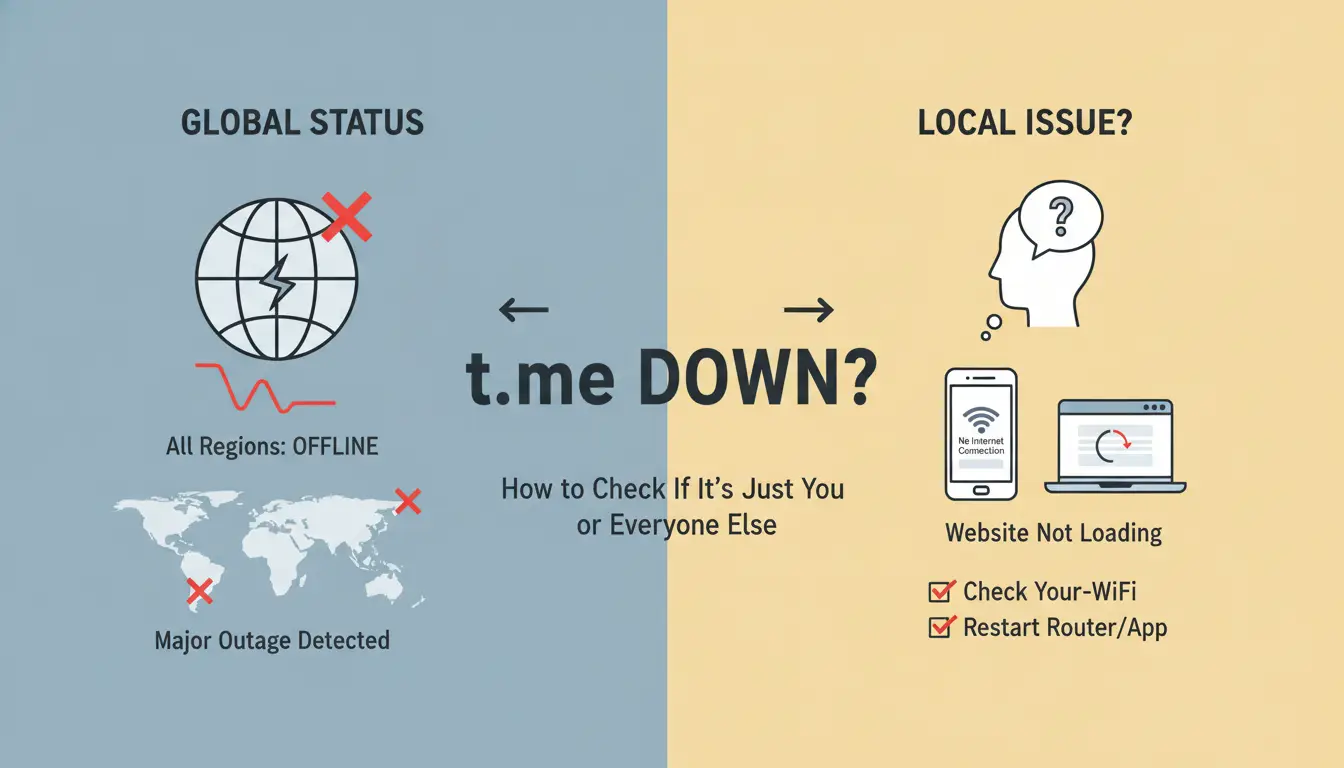
If you can’t open t.me, don’t waste time guessing, run these checks and you’ll know in two minutes if the problem is with Telegram, your network, or just your browser. This process cuts out false alarms from public status sites and stops you from chasing the wrong fix.
Step 1: Test t.me from Multiple Devices/Networks
- Open t.me on your phone using mobile data. If it loads, but fails on Wi-Fi, your local network is likely the issue.
- Try t.me on a desktop browser. If it works here but not on your phone, the problem is device-specific.
- Ask a friend in a different location to check t.me. If they can access it while you can’t, your connection or region may be blocked.
- Switch Wi-Fi networks or use a public hotspot. If t.me loads, your home or office network is filtering or blocking the site.
Step 2: Use Reliable Online Status Checkers
- Check DownDetector for Telegram outage reports. Look for spikes in user complaints within the last 30 minutes.
- Use IsItDownRightNow to see if t.me fails their external ping test. If their check passes but yours doesn’t, the issue is local.
- Avoid status sites with only global "up/down" banners. They often miss regional blocks or partial outages.
- Cross-check at least two status sites. A single report can be stale or inaccurate.
Step 3: Check Social Media and Official Sources
- Search “Telegram down” or “t.me not working” on X for recent user complaints. If you see a flood of reports in the last 5 minutes, it’s likely a real outage.
- Visit Telegram’s official status channel in the app. Major outages are usually posted there within 10-15 minutes.
- Look for pinned messages or outage reports in large public groups. If moderators are confirming problems, the issue affects more than just you.
- Ignore posts older than an hour, t.me access issues change fast.
Step 4: Rule Out Browser and Extension Issues
- Open t.me in your browser’s Incognito or Private mode. If it loads now, cached data or a plugin is breaking normal access.
- Clear your browser cache. Old t.me redirects can stick for days, even after a real outage ends.
- Disable all browser extensions, especially ad blockers or privacy plugins. Some extensions block t.me by mistake.
- Try a different browser. If t.me loads there, your main browser’s settings or extensions are causing the problem.
If none of these checks show a global or widespread issue, focus on device and network fixes, this points to a local cause, not a Telegram-wide outage. Next, dig into why t.me becomes unreachable and what each type of failure looks like.
Top Reasons Why t.me Becomes Unreachable in 2026 (and What They Look Like)
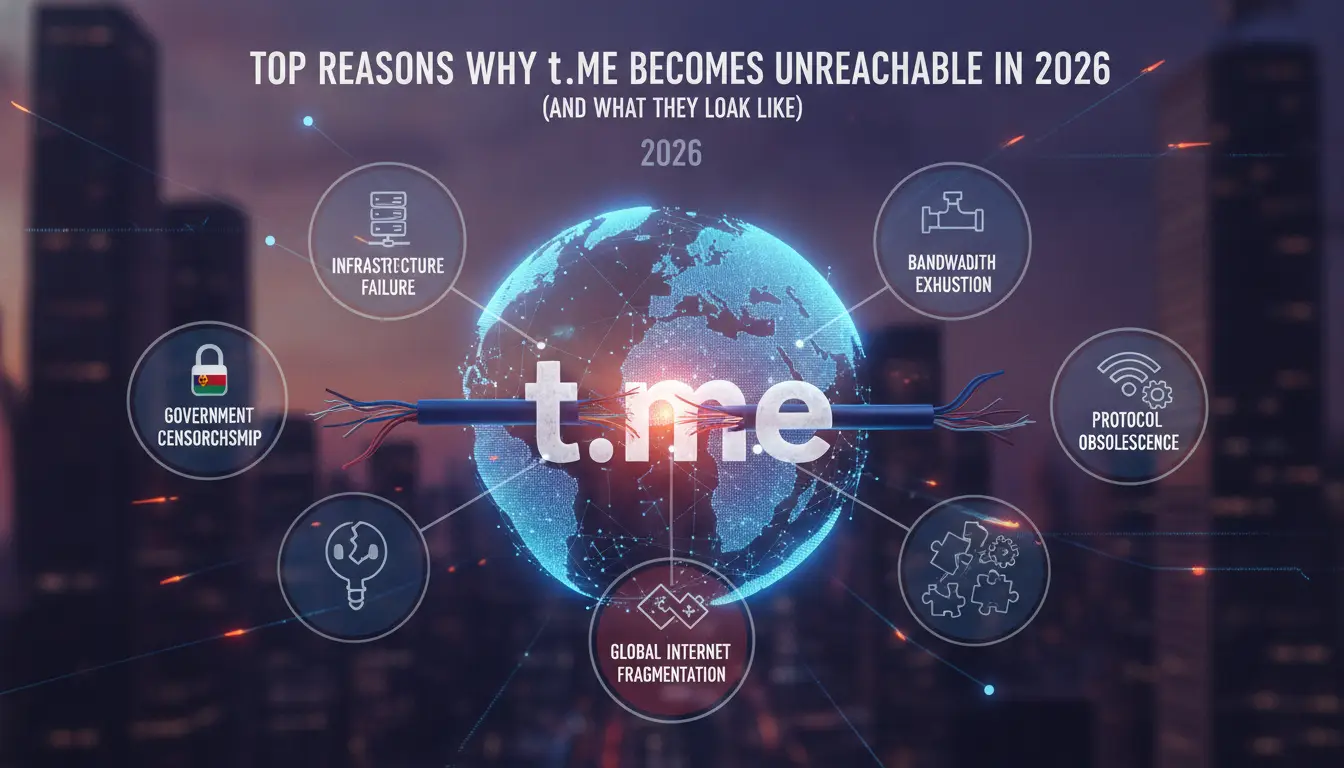
Every t.me access failure falls into a handful of patterns. Spotting the main cause up front helps you skip wasted steps and focus on the right fix.
1. Full Telegram/T.me Service Outages
Real outages are rare, Telegram’s core and t.me redirect go down together, usually for less than 30 minutes. When this happens, no device or region can open any t.me link, and social media fills up with “Telegram down?” posts almost immediately.
2. Local ISP or Country-Level Blocks
Blocks by local internet providers or governments are much more common. In 2026, countries like Iran, Russia, and parts of India roll out regional filters that target t.me links but let the app work. When hit, your browser shows “Connection reset” or “Site can’t be reached”, but friends on other networks may have zero problems. These blocks often trigger after a surge in spam or regulatory crackdowns, and they can last days or weeks.
3. Network/Company Firewall Restrictions
Workplaces and schools often filter t.me at the firewall. If you switch from mobile data to office Wi-Fi and Telegram links stop loading, that’s a classic sign. You’ll see the browser spin, then time out, while the app or other messaging sites keep working. Logging into guest Wi-Fi or trying from your phone’s data plan can confirm if the block is network-level.
4. Browser, DNS, and Device-Specific Causes
Sometimes the problem sticks to a single device. Say t.me won’t load on Chrome but pops right up on your friend’s phone, look for browser extensions, ad blockers, or an out-of-sync device clock. Switching DNS servers (like from your ISP to 1.1.1.1), or just rebooting your router, often clears up these one-person issues.
5. Malformed or Disabled Links
Quick checks for broken links:
- The t.me link has extra characters or is missing a part? It may redirect to an error page.
- The group or channel was deleted or made private? You’ll land on “Page not found.”
- Clicked from a shortener and nothing loads? That shortener may be blocked or expired.
When t.me Is Down Globally: What to Do, What Not to Trust, and When Patience Is Your Best Move
Red Flags: Unsafe Recommendations and Scam Links
During a real outage, fake “t.me fix” tools and copycat sites often appear in search results and social channels. Avoid any page that asks for Telegram login, offers downloads to “restore” t.me, or promises to unblock with a browser extension. Most of these collect credentials or push malware. If a link isn’t from an official Telegram channel or a trusted status page, do not enter your info, wait for official recovery.
Which Alternative Channels May Help
- Check @telegram or @smstelegram for outage updates
- Use https://status.telegram.org/ for status
- Monitor X/Twitter for #tmedown posts from trusted users
Tactics to Avoid When Outage Fixes Aren’t Possible
No browser tweak, proxy, or device swap will restore t.me during a full Telegram-side outage.
- Don’t reset accounts or mass-change networks
- Don’t trust “fix” scripts or unofficial clones
- Wait for Telegram’s official fix, anything else risks your data
How to Prepare for and Minimize Future t.me Access Issues
Document Backup Access Links and Official Channels
If t.me goes down during an urgent event, not having backup contact methods means you lose your group instantly. Keep an updated list of alternate URLs, email addresses, or public announcement channels outside Telegram. Do not rely on t.me as your only community entry point, plan for a failover now, or risk hours of silence when you least expect it.
Train Team Members on Safe Proxy Use and Profile Separation
- Assign unique browsers or devices for each team member.
- Share only session tokens, never full account logins.
- Rotate proxy setups every 3-6 months and log usage patterns.
Monitor for Policy Changes and Regional Blocking Trends
New blocks rarely come without warning. Watch for slowdowns or login delays, these can signal regional restrictions. Set up alerts to catch changes early.
- Track official Telegram status channels.
- Monitor network error rates by region.
- Join admin forums to swap real-time block reports.
Manage Multiple Telegram Accounts with DICloak
The t.me outage mainly affected public Telegram links. For businesses that manage several Telegram accounts, however, daily account operations may still need to continue through Telegram Web or the desktop app.
Managing multiple Telegram accounts in one normal browser can quickly become confusing. Cookies, login sessions, and browser storage may overlap. Team members may also open the wrong account or repeatedly sign in and out when switching between channels, bots, and customer support accounts.
DICloak helps keep each Telegram account in a separate browser profile. Every profile has its own cookies, session data, browser storage, and proxy settings. This allows one Telegram account to stay logged in without affecting another.
A business can create separate profiles for:
- Public channel management
- Customer support accounts
- Telegram bots
- Regional community accounts
- Marketing and partnership accounts
Team members can then be assigned to the profiles they need, without using the same browser session for every account. This makes account switching clearer and reduces session mix-ups during daily work.
DICloak cannot restore t.me or resolve a registry-level DNS issue. Its role is to help teams manage multiple Telegram accounts in separate browser profiles while Telegram services and public links are being handled elsewhere.
Frequently Asked Questions About t.me down
Is t.me down everywhere or just in my country?
To check if t.me is down globally or only in your country, try opening the link using a proxy or a different network. If it works elsewhere, your internet provider or country might be blocking it. You can also use online tools like DownDetector to see if others are reporting problems with t.me.
Do I need a proxy to access t.me if it's blocked?
A proxy or proxy can help you reach t.me if your network blocks it. Use trusted services and be careful with free proxies, which may limit speed or risk your privacy. Only use a proxy when you cannot access t.me links directly and understand that some proxies might not handle short links well.
Why do t.me links not open in my browser even if Telegram works?
This issue can happen if your device or browser blocks t.me links, or if your DNS settings are incorrect. Try changing browsers, updating your DNS to Google or Cloudflare, or checking for browser add-ons that block URLs. Sometimes, mobile devices handle t.me links differently than desktop browsers.
Can team/shared account access cause t.me errors?
Yes, sharing accounts across different devices or IP addresses can trigger t.me link errors. Telegram sometimes flags unusual login patterns for security. If a team uses multiple devices or networks, links may fail to open or get blocked. Make sure your workflow uses consistent devices and authorized accounts.
Are there safe alternatives if t.me stays down for days?
If t.me link unreachable issues last days, use official Telegram usernames or handles for direct searches in the app. You can also share backup links, email contacts, or publish alternative info on websites. This keeps communication open until t.me access is restored. Always use verified channels for updates.
If you rely on Telegram channels for communication and find the service temporarily unavailable, considering alternative messaging platforms can help you stay connected and informed. Exploring solutions that offer similar privacy and reliability will ensure your conversations and updates continue uninterrupted. Try DICloak For Free
 Web Proxy Tools
 Free Tools
 Cookie Plugin
 UA Generator
 MAC Address Generator
 IP Generator
 IP Address List
 2FA Code Generator
 World Clock
 Anonymous Check
 WebRTC Leak Test
 UUID Generator
 Free Web Proxy Site
 Proxy Checker
 FB Ad Checker
 AI Web Scraping
 Free SMM Tools
 Twitter Shadowban Checker
 Instagram Name Checker
 UTM Generator
 Username Generator
 AI Hashtag Generator
 LinkedIn Headline Generator
 Social Media Image Resizer