You open Claude, click a chat, and nothing happens. The page keeps loading. A reply never finishes. Or you suddenly see a message like “Claude can’t open this chat.” In that moment, the first thought most users have is simple: is Claude down?
The problem is, that question does not always have one easy answer. Sometimes Claude really is having an outage. But sometimes the issue is much smaller. It may be your browser, your network, one broken session, or even an account-specific problem that only affects you. That is why so many users waste time trying the wrong fix or waiting for a problem that is not actually on Claude’s side.
This guide will help you sort that out step by step. You will learn how to check whether Claude is really down, how to spot the difference between a service outage and a local connection problem, what common error messages usually mean, and what to do if the real issue is tied to your account. By the end, you will have a much clearer way to fix Claude problems quickly and reduce the risk of running into the same trouble again.
Is Claude Down? How to Check If It Is a Real Outage
Before trying random fixes, first check what kind of problem you have. When users search “is Claude down,” the cause is not always a real outage. Sometimes the issue is just one browser, one network, or one broken chat session.
Start With the Official Status Check
The fastest first step is to check Anthropic’s official status page. It shows live incidents, degraded service, maintenance, and past outages. It also helps you see whether the issue affects Claude web, the API, or another Claude service.
If the status page shows an active incident, the problem may be on Anthropic’s side. If everything looks normal, the issue may be local instead.
You can quickly check:
- active incidents
- degraded performance
- which Claude services are affected
Look for Widespread Signs
A real outage usually affects many users at once. Common signs include:
- login failures
- chats not opening
- replies stopping halfway
- slow performance across devices
- some features working while others fail
For example, if you see “Claude can’t open this chat” and many users report the same issue at the same time, that is a stronger sign of a real outage. But if only one chat fails and everything else still works, the issue may be limited to that session.
Compare Across Devices and Networks
Another easy way to check “is Claude down” is to test different devices and networks. Try Claude on your laptop and phone. Then try Wi-Fi and mobile data. If Claude fails on one setup but works on another, the problem is more likely local than platform-wide.
For example, if Claude does not load on your office laptop but opens on your phone, Claude is probably not fully down. A firewall, browser extension, or network restriction is a more likely cause.
So before you assume the whole service is offline, do three quick checks:
- open the official status page
- look for broad signs affecting many users
- compare devices and networks
That simple process can usually tell you whether is Claude down is really the right question, or whether the issue is much smaller and easier to fix.
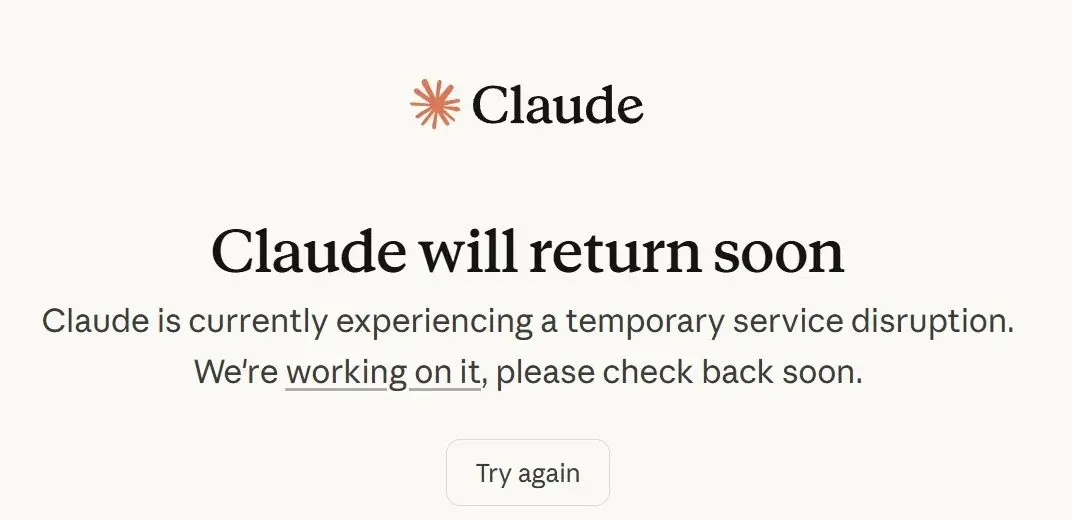
Common Signs of a Claude Outage or Local Connection Problem
After those first checks, the next step is to read the signs more carefully. This is where many users get confused. A slow page, a failed login, or a broken chat can all feel the same at first. That is why people often ask, “is Claude down,” even when the real issue is smaller. The key is to look at how Claude is failing, not just the fact that it failed.
Claude Will Not Load, Stays Stuck, or Runs Abnormally Slow
One common sign is that Claude does not behave normally even though the site opens. You may see an endless loading screen, a blank page, or a chat window that never fully opens. In some cases, Claude loads, but the reply does not finish. In other cases, one feature works while another does not. Anthropic’s status history shows that this kind of partial failure does happen. In late February and early March 2026, the status page recorded several incidents with elevated errors on claude.ai, login issues in Claude Desktop, and service problems affecting only certain parts of the platform.
This is why abnormal slowness matters. If Claude feels much slower than normal, replies stop halfway, or the page keeps hanging, the issue may be a degraded service event rather than a full outage. For example, if Claude opens but every answer takes far longer than usual, that is different from a total failure. It often means the system is struggling but not fully offline.
Login, Session, and Access Problems
Another important clue is how access breaks. Sometimes users cannot log in even though the homepage opens. Sometimes the session ends without warning. Sometimes the site loads, but the user gets kicked out during normal use. Anthropic’s help center notes that login and authentication issues can also come from local browser conditions such as cache, cookies, or extensions, so these problems do not always prove that Claude is down.
This is also where users may see “Claude can’t open this chat.” That message can feel dramatic, but context matters. If it appears in one thread while the rest of the account still works, the issue may be limited to that chat or session. But if you cannot log in, old chats do not open, and many users are reporting the same problem at the same time, then the answer to “is Claude down” is much more likely yes.
Common Error Messages
Some errors are especially useful because they give a clearer hint about what is wrong. The most common ones include 503 Service Unavailable, Internal Server Error, Authentication Failed, and usage or rate-limit warnings. A 503 usually means the server is temporarily overloaded or unavailable. An internal server error usually points to a backend problem on Claude’s side. Authentication failed usually means a login, session, or API key issue. A rate-limit warning often means the service is still up, but you have sent too many requests in a short period or reached a plan limit. Anthropic’s help center says usage-limit warnings can appear before a temporary block, and some Claude limits reset on a five-hour window. API users can also run into 429 rate-limit errors based on their usage tier.
A simple way to read these errors is this:
- broad 503 or internal server errors across many users usually point to an outage
- authentication failures may point to a session, account, or key problem
- rate-limit warnings usually mean Claude is still working, but your access is temporarily limited
What These Errors Usually Suggest
The best approach is to match the error with the pattern around it. If you see a 503 or an internal server error and the status page also shows active incidents, the service may be temporarily down. If you see repeated authentication failures while the status page looks normal, the issue may be tied to your session or account instead. If the same request works on one network but fails on another, Anthropic says firewall rules or other network restrictions may be the cause.
In real use, these details make a big difference. A full outage usually affects many users at once. A local connection problem usually stays tied to one setup. A chat-specific issue often shows up as “Claude can’t open this chat” while other parts of the account still work. When you read the signs this way, it becomes much easier to tell whether “is Claude down” is really the right question, or whether the problem is narrower and easier to fix.
Step-by-Step Fixes for Claude Connection Problems
Once you can tell the difference between a real outage and a local issue, the next step is to test the problem in order. This matters because many users ask “is Claude down” and then try too many fixes at once. That often makes things harder, not easier. A simple step-by-step check is usually the fastest way to find the real cause.
Step 1: Confirm Whether It Is a Real Outage
Start with the official status page again. If Anthropic shows an active incident, elevated errors, or login problems, the issue may be on Claude’s side. Recent status history shows that this does happen. For example, in late February and early March 2026, Anthropic reported elevated errors on claude.ai, Claude Desktop login issues, and short service incidents affecting only part of the platform.
After that, check whether other users are reporting the same thing. If many people cannot log in, chats stop loading, or replies fail at the same time, then is Claude down may be the right question. But if the status page looks normal and only your setup is affected, it is usually better to move to local troubleshooting instead of waiting. Community reports can help with that comparison, but the official status page should still be your main source.
A good rule is simple. Wait a few minutes first if you see a 503 error, if the problem started suddenly during normal use, or if the status page already shows an active incident. Troubleshoot right away if only you are affected, if the issue lasts more than a few minutes with no outage report, or if the web app works but your other setup does not. This matches the practical pattern users see during short service incidents versus local failures.
Step 2: Test Your Browser and Session
If there is no clear outage, test the browser next. Reload the page first. Then try Claude in another browser. After that, open an incognito or private window. Anthropic’s help content says some Claude errors can come from cache, cookies, or browser extensions, so these are smart early checks.
This is especially useful when you see “Claude can’t open this chat.” For example, an old thread may fail in your normal browser, but open correctly in incognito mode. If that happens, Claude may not be down at all. The more likely cause is a stale session, a browser cookie issue, or an extension conflict. In that case, clearing cookies or disabling extensions one by one is much more useful than repeating the same broken action in the same tab. Anthropic’s error guidance also notes that authentication and login problems are not always outage-related.
Step 3: Test Your Network and Device
If browser checks do not solve the problem, test the environment around it. Turn off any proxy, switch from Wi-Fi to mobile data, and try another device if you can. If needed, restart your router. Anthropic’s support guidance for connection problems points to network restrictions and firewall rules as common causes when Claude fails on one setup but not another.
A simple example shows why this matters. Say Claude will not load on your work laptop, and one thread keeps showing “Claude can’t open this chat.” Then you sign in on your phone using mobile data and the same account works normally. That is a strong sign that Claude is not fully down. It points more to a local network path, firewall rule, or device setup problem than a broad outage.
It also helps to test other websites or services. If the rest of the internet works normally but Claude keeps failing, the issue may be more specific to Claude. If even basic websites are unstable, the problem is more likely your connection. This kind of comparison is simple, but it saves time.
Step 4: Extra Checks for Claude Code
If you are using Claude Code, add a few product-specific checks before assuming the whole service is down. Anthropic’s Claude Code documentation has a dedicated troubleshooting guide, and it recommends checking the app state, configuration, and model settings when problems appear.
Start by restarting Claude Code. Then check its current status and configuration. Anthropic documents built-in commands like /status, which shows version, model, account, and connectivity, and /config, which opens the settings interface. If the web version of Claude works but Claude Code does not, the problem may be specific to Claude Code rather than a platform-wide outage.
Model choice can matter too. Anthropic’s current Claude Code docs say you can switch models during a session with /model or start a session with claude --model . So if one model seems to be failing, trying another available model can help you tell whether the problem is broader or tied to one model path. Anthropic also provides official model configuration guidance for Claude Code users.
Step 5: Escalate Only After Basic Checks
If the problem still follows your account after these steps, contact support. Anthropic tells Claude users to sign in, click their name or initials in the lower-left corner, and choose Get help. Claude Code and Console users also have official support paths.
Before you do that, save the details that matter. Keep a screenshot of the error. Copy the exact wording. Write down when the issue started, what device you used, and what you already tested. This makes support faster and clearer. If the issue is truly account-specific, these details are more useful than a general note saying Claude is broken.
Best Practice During Troubleshooting
Change one thing at a time. That is the easiest way to find the real cause. If you switch browser, device, cookies, network, and model all at once, you may never know what fixed the problem. But if you test step by step, it becomes much easier to tell whether is Claude down is the real issue, or whether the problem is just one browser, one network, one Claude Code setting, or one broken chat session.
When the Problem May Be Your Account, Not Claude’s Servers
After basic troubleshooting, one more possibility remains. Sometimes Claude is working, but your account is not. That is why users still ask “is Claude down” even when the status page looks normal. If other people can use Claude, or another account works on the same device, the issue may be account-specific instead of server-wide. Anthropic’s help center also shows that access depends on things like phone verification and supported access conditions.
Why Users Sometimes Mistake Account Issues for Outages
From the user side, the difference is not always clear. A failed login, a blocked action, or “Claude can’t open this chat” can all feel like an outage. But if only one account is affected while others still work, Claude may not be down at all. In that case, the problem is more likely tied to verification, access, or account status.
Signs the Issue May Be Account-Specific
The pattern usually gives it away. If the status page looks normal but your login still fails, that is one clue. If Claude works on another account but not yours, that is another. If the site loads but key actions fail, the problem may also be tied to your account rather than Claude’s servers. A message like “Claude can’t open this chat” in just one thread also points more to a session or account issue than to a broad outage.
Common Reasons Accounts Get Flagged, Restricted, or Suspended
Anthropic’s public materials point to three main risk areas: policy violations, attempts to bypass safeguards, and unusual usage patterns. Repeated harmful requests or jailbreak-style behavior can raise account risk. Very fast or abnormal activity can also stand out more than normal use. Anthropic’s safety research shows they actively improve detection for misuse and safeguard bypass attempts.
So if the status page is normal, other users can still access Claude, and only your account keeps failing, do not stop at “is Claude down.” At that point, it is smarter to check whether the issue is really tied to your account.
How to Appeal a Claude Access Issue and Reduce Future Risk
If the problem still follows only your account, the next step is support. At that point, “is Claude down” is usually not the real issue anymore. Anthropic’s official support guide tells Claude users to open Get help from the lower-left menu and submit details through the support messenger.
First Confirm the Issue Is Account-Specific
Before you appeal, make sure the issue stays tied to one account. If the status page looks normal, other users can still use Claude, and you still see errors like “Claude can’t open this chat,” the problem is more likely account-specific than server-wide. Phone verification is also required for new Claude accounts, so some access problems can affect one user while the service itself stays online.
Gather the Right Information Before Contacting Support
Save the details first. Take a screenshot. Copy the exact error text. Note the time, browser, device, and network you used. Also write down what you already tried. This makes your support request much easier to review. Anthropic’s support flow asks users to choose an issue type and provide details, so clear notes help.
Write a Clear Appeal
Keep the message short and factual. Explain what happened, when it started, and what changed right before it began. Then list the troubleshooting steps you already tried. For example, it is much more useful to say, “I saw ‘Claude can’t open this chat’ at 9:40 a.m. on Chrome, then tested mobile and got the same result,” than to just say Claude is broken. This is a best-practice recommendation based on Anthropic’s support intake process.
Reduce Claude AI Ban Risk in Daily Use
The safest habit is consistency. Use Claude in a normal, steady way. Respect Anthropic’s rules. Avoid trying to bypass safeguards or get around restrictions. Anthropic says failure to follow its Terms and Usage Policy may lead to suspension or termination of access.
What Not to Do
Do not keep making repeated failed login attempts while you wait. Do not create more suspicious activity by changing everything at once or trying to work around a restriction. A cleaner record and a clear support message give you a better chance of a smooth review.
A More Stable Setup for Multiple Accounts with DICloak
When “is Claude down” turns out not to be a real outage, the issue is often tied to the account environment instead. In many cases, access becomes unstable because the browsing setup changes too often, sessions get mixed together, or several accounts are managed in a messy way. For people handling multiple accounts, a more controlled setup can make daily use much easier and help reduce unnecessary risk. That is where antidetect browser DICloak can be a practical option.
Isolated browser profiles for cleaner account separation
For users managing several accounts, client tasks, or team access, stronger separation can make a real difference. With isolated browser profiles, each account can run in its own environment with its own fingerprint, cookies, and session data. This helps reduce the risk of one account from affecting another and makes it easier to keep login states separate. In real use, that matters when one Claude session works normally, while another shows repeated prompts or errors like “Claude can’t open this chat.” A cleaner setup makes those problems easier to spot and manage.
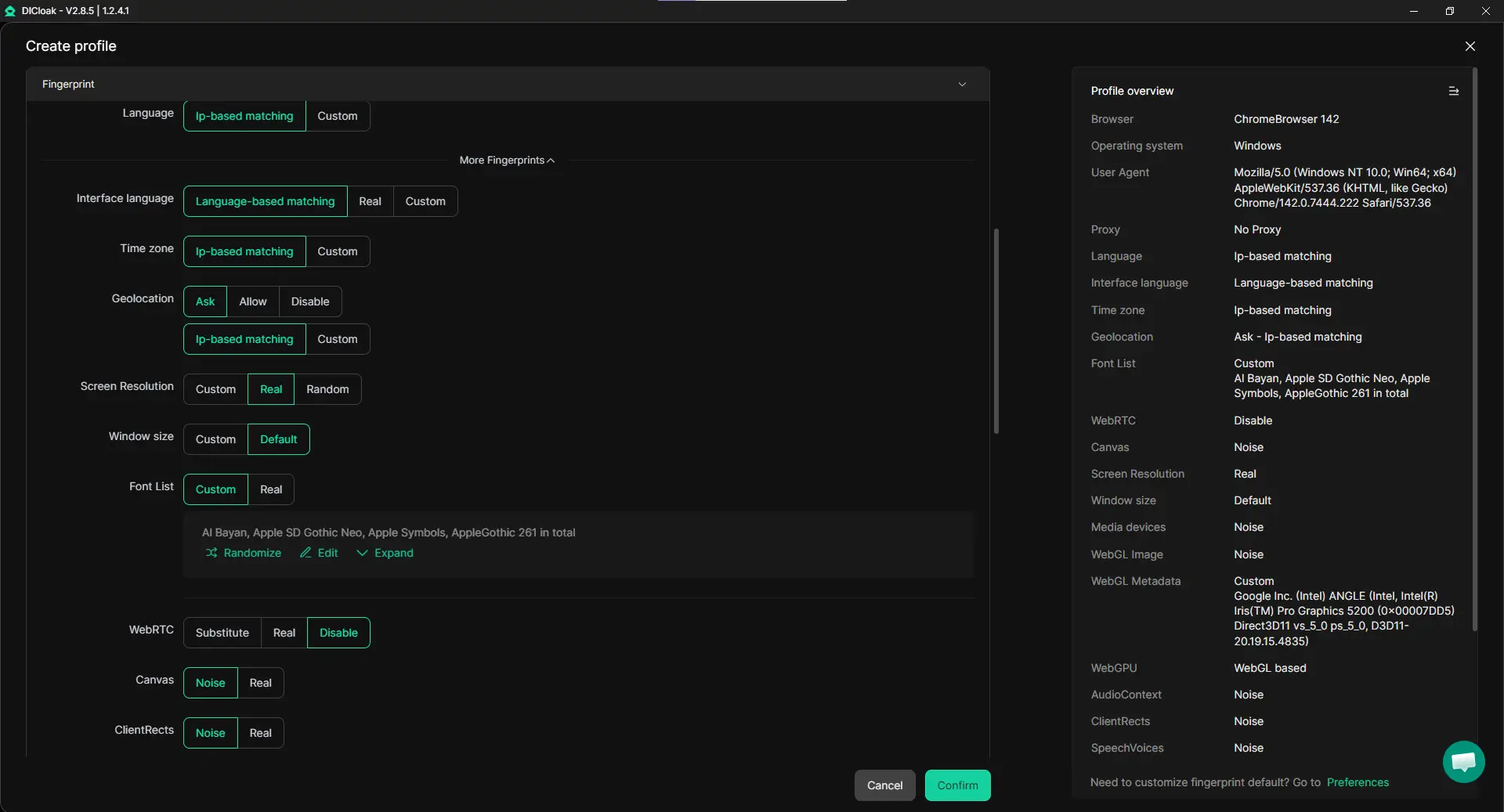
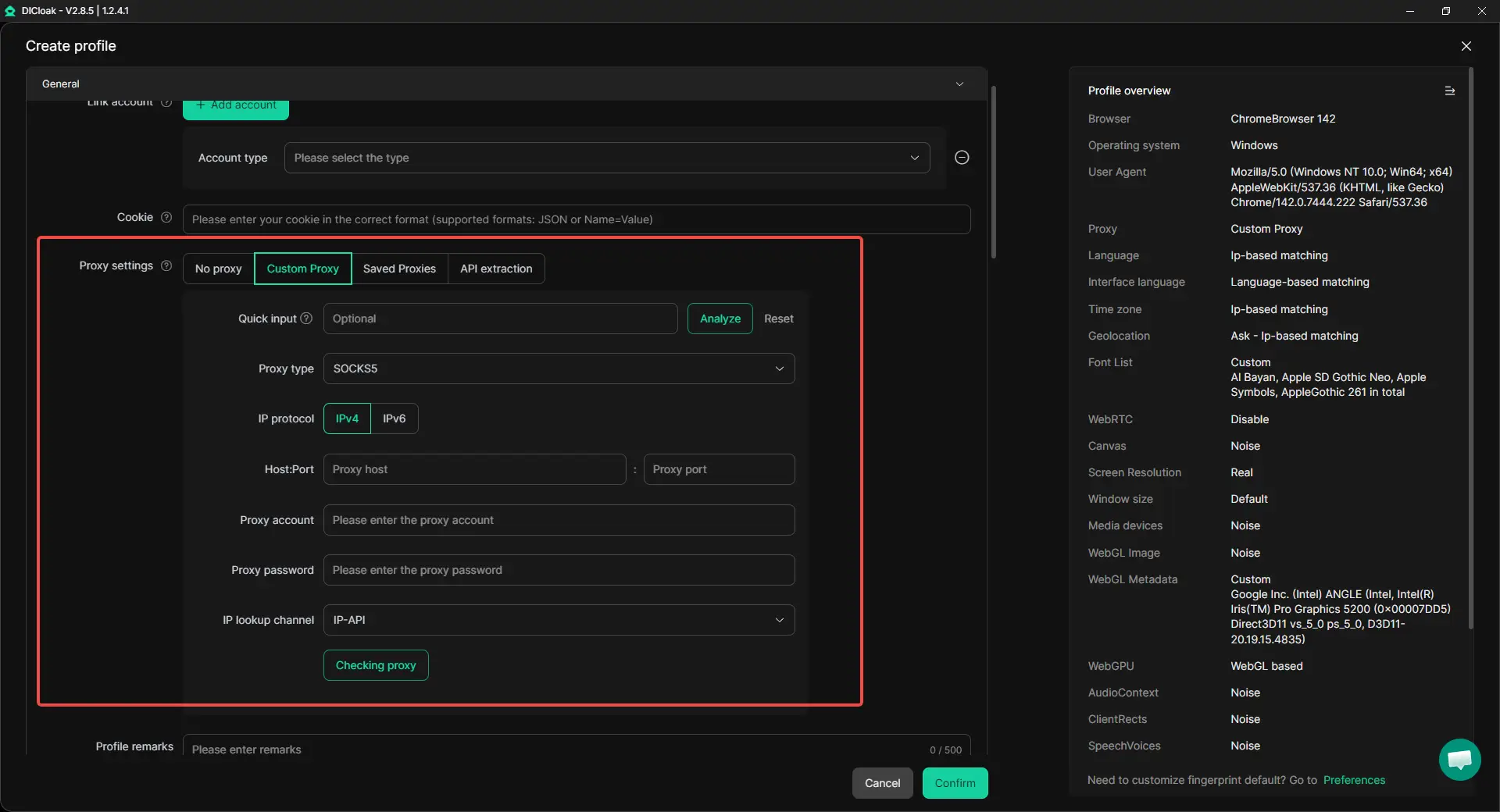
Custom proxy configuration for more consistent access
Another common issue comes from unstable access conditions. If the network path changes too often, account behavior can look less predictable. With custom proxy settings, each browser profile can be matched with its own proxy, including HTTP/HTTPS and SOCKS5. That gives users more control and makes account access more consistent over time. This matters because a stable profile-plus-proxy setup can help users tell the difference between a real Claude outage and a problem caused by their own environment.
For teams handling many accounts, speed matters, but consistency matters even more. A more organized setup for bulk profile creation, import, launch, and proxy assignment can reduce manual work and cut down on setup mistakes. This is especially useful when several people need access to the same account or the same account environment. With profile sharing, permission settings, data isolation, and synced login status, team members can open the same browser profile in a more controlled way without exposing unrelated accounts or constantly re-entering passwords. That makes shared account access smoother and helps keep the login environment more stable over time.
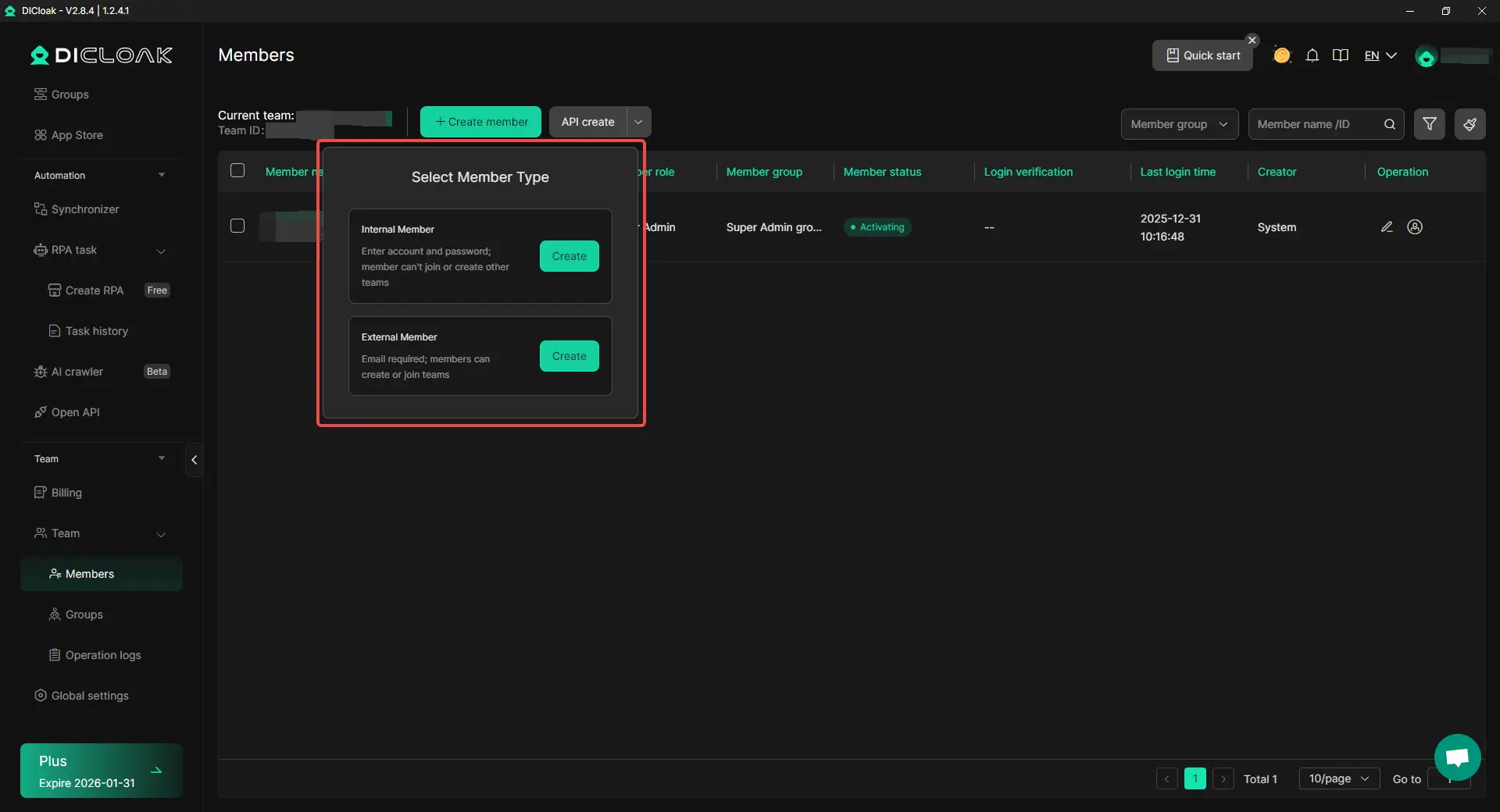
Built-in automation for repetitive account tasks
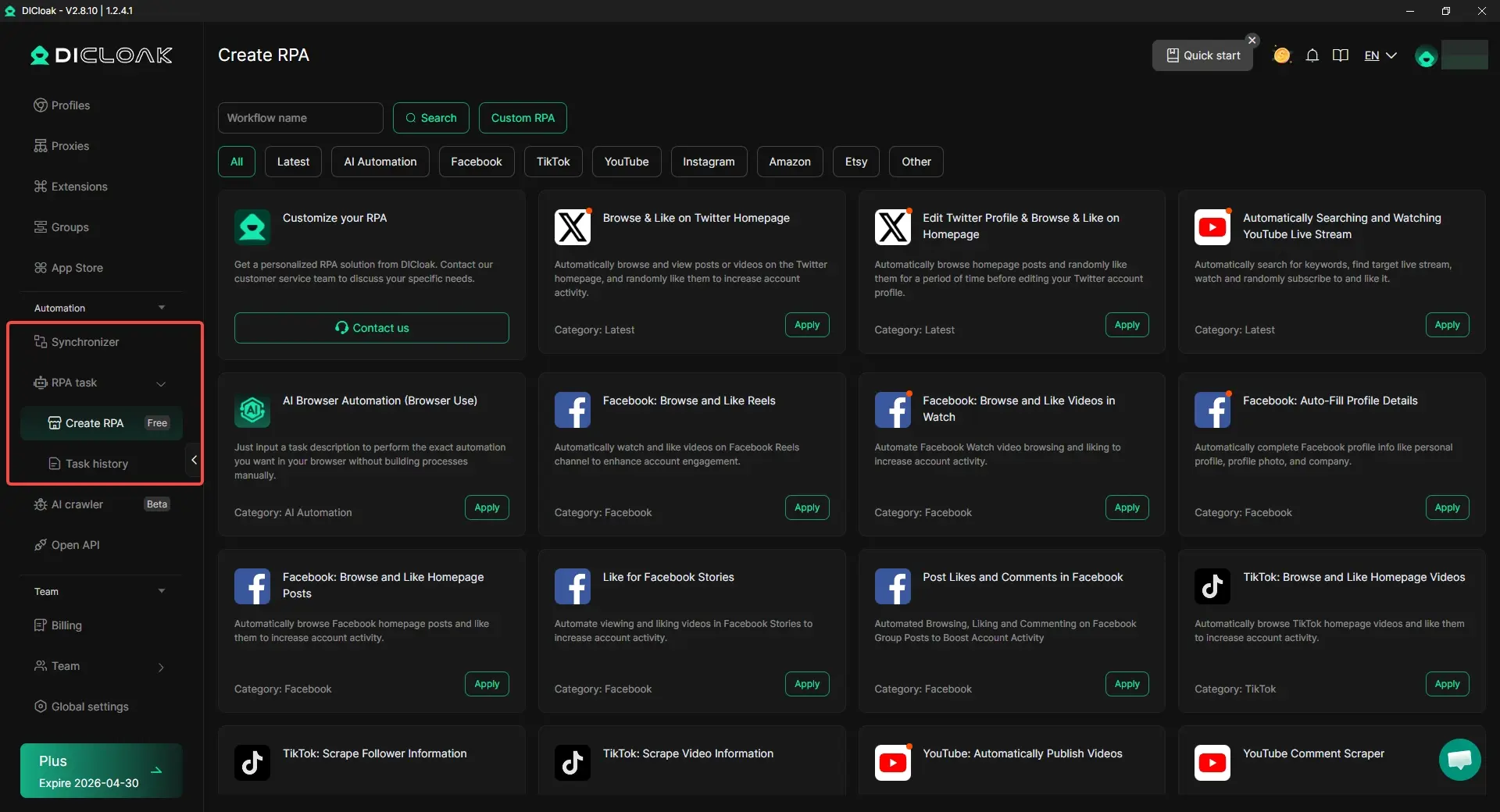
When the same actions need to be repeated again and again, built-in RPA automation and synchronizer tools can help reduce manual work. That makes daily account handling more consistent and less chaotic. For users trying to lower Claude AI account risk over time, steadier behavior is usually safer than making constant manual changes across many profiles.
Conclusion
When users search “is Claude down,” the answer is not always a real outage. Sometimes Claude has a service issue, but sometimes the problem comes from a browser, network, broken session, or one account with access trouble. That is why it is important to check the official status page first, compare devices and networks, and read the exact error before jumping to conclusions.
Messages like “Claude can’t open this chat,” failed logins, or slow replies can look serious, but they do not always mean the whole platform is offline. A careful step-by-step check can help you tell the difference between a short outage, a local connection problem, and an account-specific issue.
In the end, solving the “is Claude down” question is really about finding the real cause. Once you know how to check outages, fix connection problems, and lower account risk, you can use Claude more smoothly and with more confidence.
FAQs About Is Claude Down
Is Claude down right now, or is the problem only on my side?
Not every access problem means Claude is fully down. First, check the official status page. Then test Claude on another device or network. If Claude works elsewhere, the issue is more likely local.
Why does Claude say “Claude can’t open this chat” when I try to use it?
This message does not always mean Claude is down. Sometimes the issue is only tied to one chat, one browser session, or one account. If other chats still work, the problem may be smaller than a full outage.
How can I tell if “is Claude down” is really a server outage?
A real outage usually affects many users at once. Common signs include failed logins, slow replies, chats not loading, and errors like 503 or Internal Server Error. If many users report the same problem at the same time, Claude may really be down.
What should I do first when I think Claude is down?
Start with the official status page. After that, try another browser, clear your session, and test another device or network. These simple checks can quickly show whether the problem is with Claude or with your own setup.
If Claude is not down, why is my account still not working?
If the status page looks normal but your account still fails, the problem may be account-specific. Access issues, repeated verification prompts, policy-related restrictions, or unusual account activity can all make Claude seem down even when the service is still online.
 Web Proxy Tools
 Free Tools
 Cookie Plugin
 UA Generator
 MAC Address Generator
 IP Generator
 IP Address List
 2FA Code Generator
 World Clock
 Anonymous Check
 WebRTC Leak Test
 UUID Generator
 Free Web Proxy Site
 Proxy Checker
 FB Ad Checker
 AI Web Scraping
 Free SMM Tools
 Twitter Shadowban Checker
 Instagram Name Checker
 UTM Generator
 Username Generator
 AI Hashtag Generator
 LinkedIn Headline Generator
 Social Media Image Resizer