Meta ads are still one of the biggest channels for cross-border sellers, agencies, and performance marketers. In Q1 2026, Meta reported $56.31 billion in revenue, up 33% year over year, while ad impressions across its apps increased 19% and the average price per ad rose 12%. That means more advertisers are competing for attention, and a restricted new ad account can waste both time and budget before a campaign even starts.
For a new Facebook ad account, warm-up is not just a “wait a few days” task. It is a process of building stable signals across the profile, proxy, browser fingerprint, Page, Business Manager, payment setup, and first campaign behavior. This guide explains how to warm up new Facebook ad accounts safely with antidetect browsers in 2026, and how tools like DICloak Antidetect Browser can help keep profiles separate while you build a cleaner launch process.
Why Does Facebook Restrict New Ad Accounts So Quickly?
Facebook restricts new ad accounts quickly when too many risky signals appear before the account has stable history. A fresh login, new payment method, new Page, new Business Manager, and sudden ad spend can look unstable when they all happen on the same day. This does not mean every single action is wrong. The problem is the cold-start pattern. Warm-up gives the account time to build a consistent login environment, business setup, payment record, and early ad behavior before real scaling starts.
What Signals Does Facebook Look at Before Trusting an Ad Account?
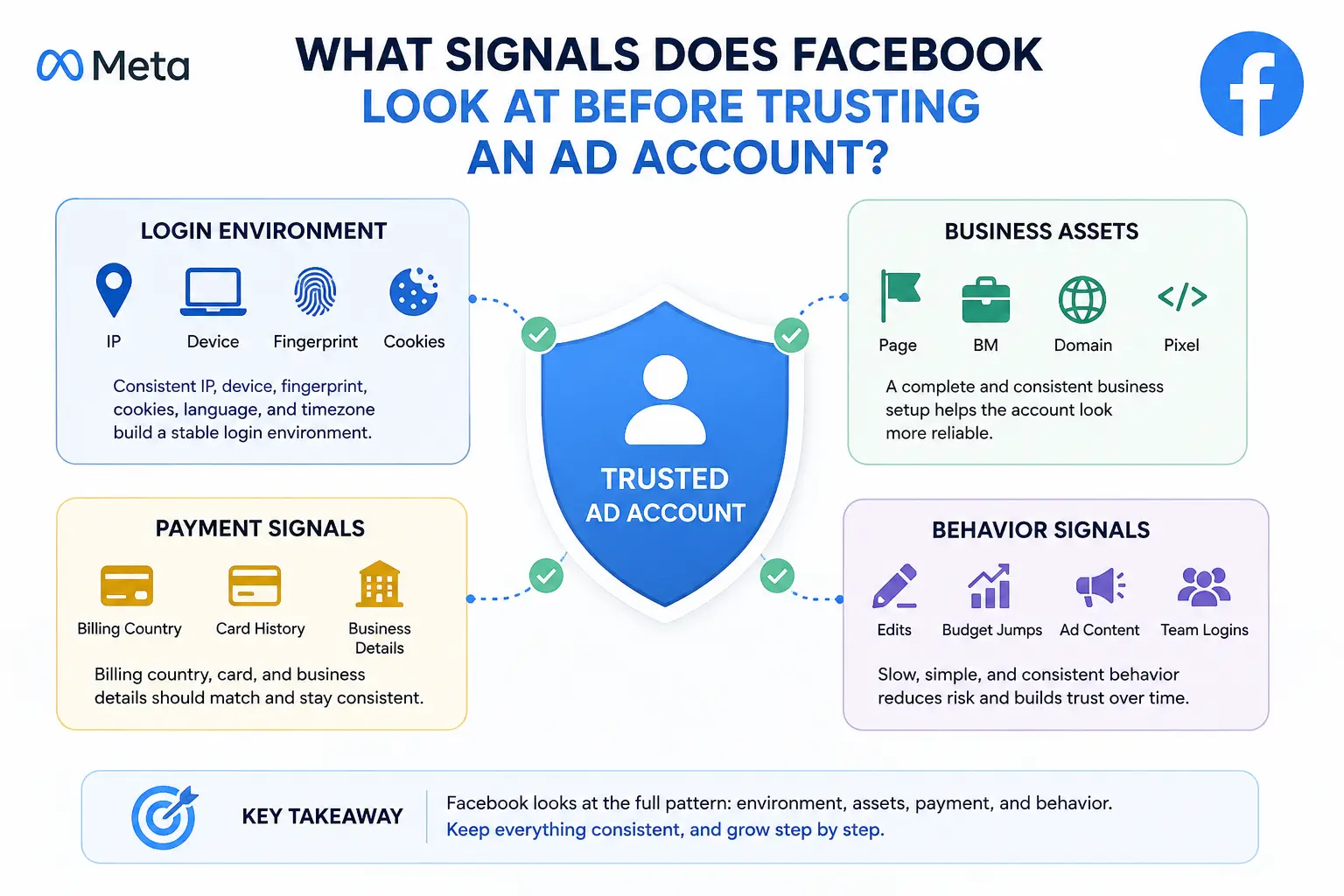
Facebook does not judge a new ad account by one signal only. It looks at the full pattern: login environment, business assets, payment details, and early ad behavior.
Login environment: IP, device, browser fingerprint, cookies
The login environment is the first layer. A new ad account looks more stable when it keeps the same basic setup over time. This includes the IP location, device type, browser fingerprint, cookies, language, and timezone.
A proxy alone is not enough. If the IP looks local but the browser language, timezone, or device fingerprint points somewhere else, the setup can look inconsistent. Cookies also matter because they help keep session history, login state, and browsing context. A completely empty profile that jumps straight into Ads Manager gives the account less history to work with.
Business assets: Page, BM, domain, Pixel
Facebook also looks at the business side of the account. A Page with no posts, a fresh Business Manager, a new domain, and a new Pixel can all add to the cold-start pattern. None of these assets are bad by themselves, but creating and using all of them too quickly can make the setup feel rushed.
A safer warm-up process gives each asset some time to look normal. The Page should have basic information and light activity. The Business Manager should match the business details. The domain and Pixel should support the same business story instead of looking like random parts added only for a quick ad launch.
Payment signals: billing country, card history, business details
Payment is one of the most sensitive parts of a new ad account. The billing country, card details, business name, and account region should not tell different stories. If the account looks local to one country but the card or business details point somewhere else, extra checks may happen.
This is why payment should not be the first rushed action on a cold account. It is better to make the login environment and business assets stable first. Then the payment setup becomes part of a consistent account history, not a sudden high-risk event.
Behavior signals: edits, budget jumps, ad content, team logins
Behavior can create risk even when the technical setup looks clean. Too many edits, sudden budget jumps, repeated campaign changes, and aggressive ad claims can make a new account look unstable. The same is true when several team members log in from different setups without a clear access process.
A new ad account should start with slow, simple actions. Make one change at a time, watch how the account reacts, and avoid changing the proxy, payment method, campaign settings, and creative all on the same day. Warm-up works best when the account’s environment and behavior grow together.
Why Warm Up Facebook Ad Accounts with an Antidetect Browser?
You warm up Facebook ad accounts with an antidetect browser because a normal browser can mix account signals too easily. A proxy can change the IP, but it does not separate cookies, browser fingerprints, local storage, or old sessions.
1. Browser fingerprints can connect accounts
Facebook may read many browser and device details during login and ad activity. These can include the browser version, OS, screen size, fonts, WebGL, extensions, language, and timezone. If several ad accounts use different proxies but share a similar browser setup, the accounts may still look connected.
2. Shared sessions can create messy account history
A normal browser keeps cookies, cache, local storage, and login history in the same place. If you switch between several Facebook accounts in one browser, old sessions can overlap. For a new ad account, this creates noise before the account has built any stable history.
3. A proxy alone does not isolate the full environment
Many advertisers focus only on IP, but IP is just one layer. The browser profile, device pattern, cookies, timezone, and behavior also need to stay consistent. A new Facebook ad account looks safer when it keeps one stable environment instead of moving between mixed setups.
4. Warm-up needs consistency before scaling
An antidetect browser helps keep each ad account inside a separate profile during warm-up. This makes it easier to control the login setup, proxy, cookies, and browser context for that account. It does not make the account risk-free, but it reduces environment confusion while you build Page activity, payment history, and early campaign behavior.
How to Warm Up a New Facebook Ad Account with DICloak Antidetect Browser
To warm up a new Facebook ad account with DICloak Antidetect Browser, first create a separate profile and keep its proxy, cookies, fingerprint, and login history consistent. Then build light browsing history, normal Facebook activity, business assets, payment setup, and small ad tests step by step.
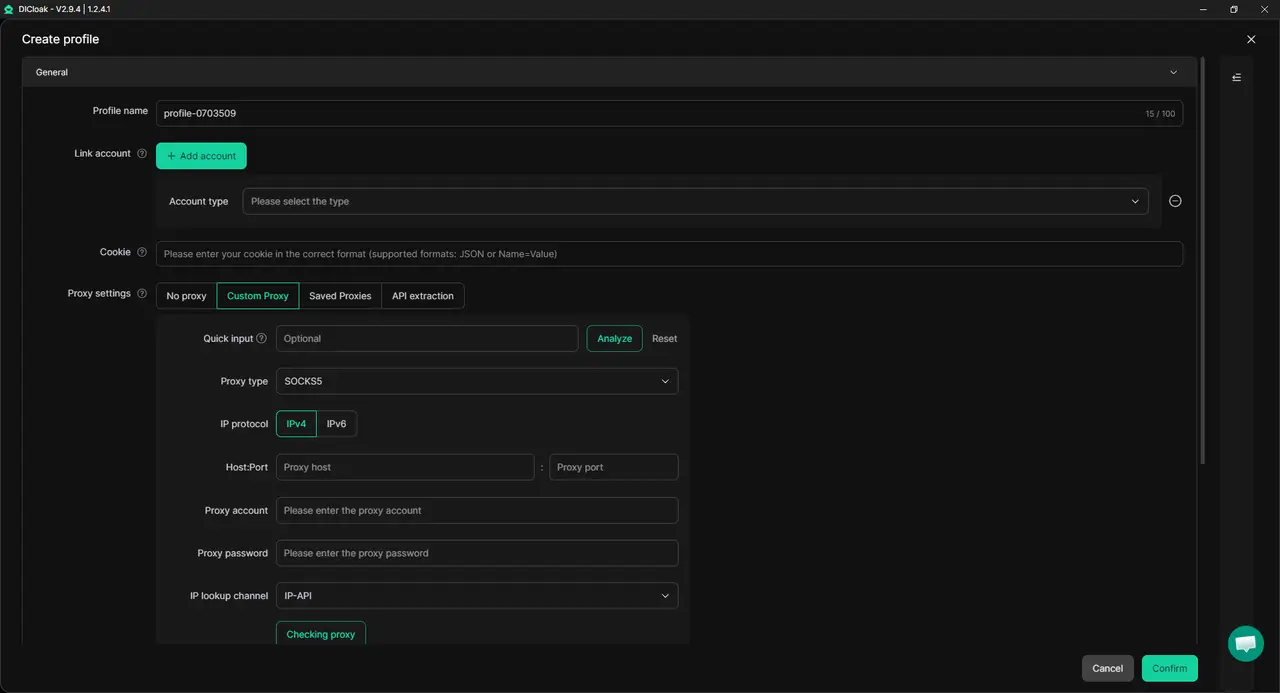
1. Profile isolation and proxy configuration
Each Facebook ad account should have its own profile. In that profile, cookies, cache, fingerprint settings, extensions, and login history stay separate from other accounts. You can also configure a dedicated proxy for the profile, so the account keeps a more stable region, IP setup, and login pattern during warm-up.
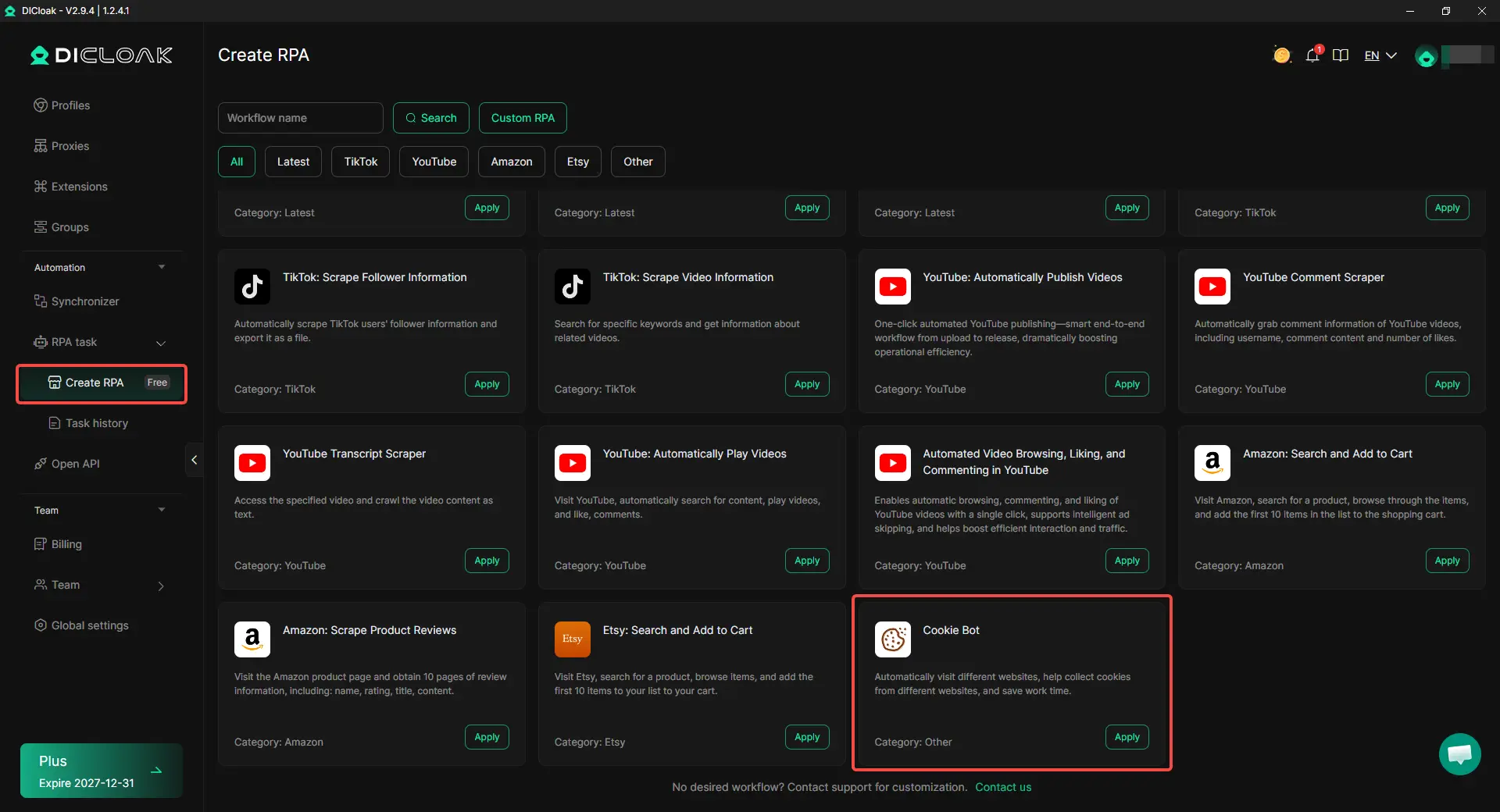
2. Cookie Bot for early browsing history
A completely empty profile can look too cold when it jumps straight into Ads Manager. With DICloak’s Cookie Bot RPA, you can let the profile visit different websites and collect cookies before the first Facebook login. This does not replace real account activity, but it helps add basic browsing context and saves time when preparing profiles.
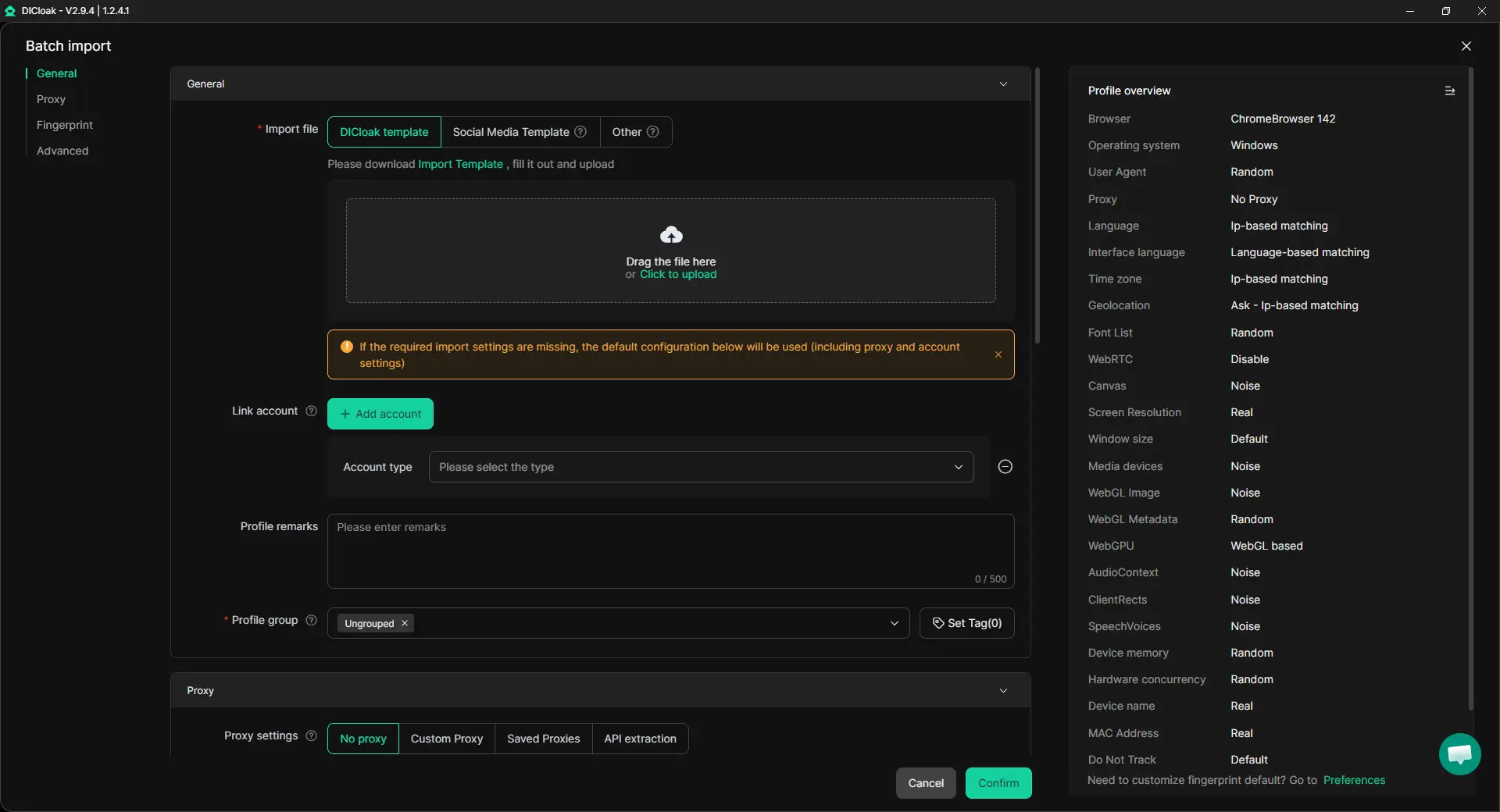
3. Bulk profile setup for repeated warm-up workflows
If you need to warm up several new Facebook ad accounts, manual setup can become messy fast. With bulk profile creation, batch import, and bulk proxy configuration, you can prepare multiple profiles with a more consistent structure. This is useful after you already have one stable warm-up process, not before.
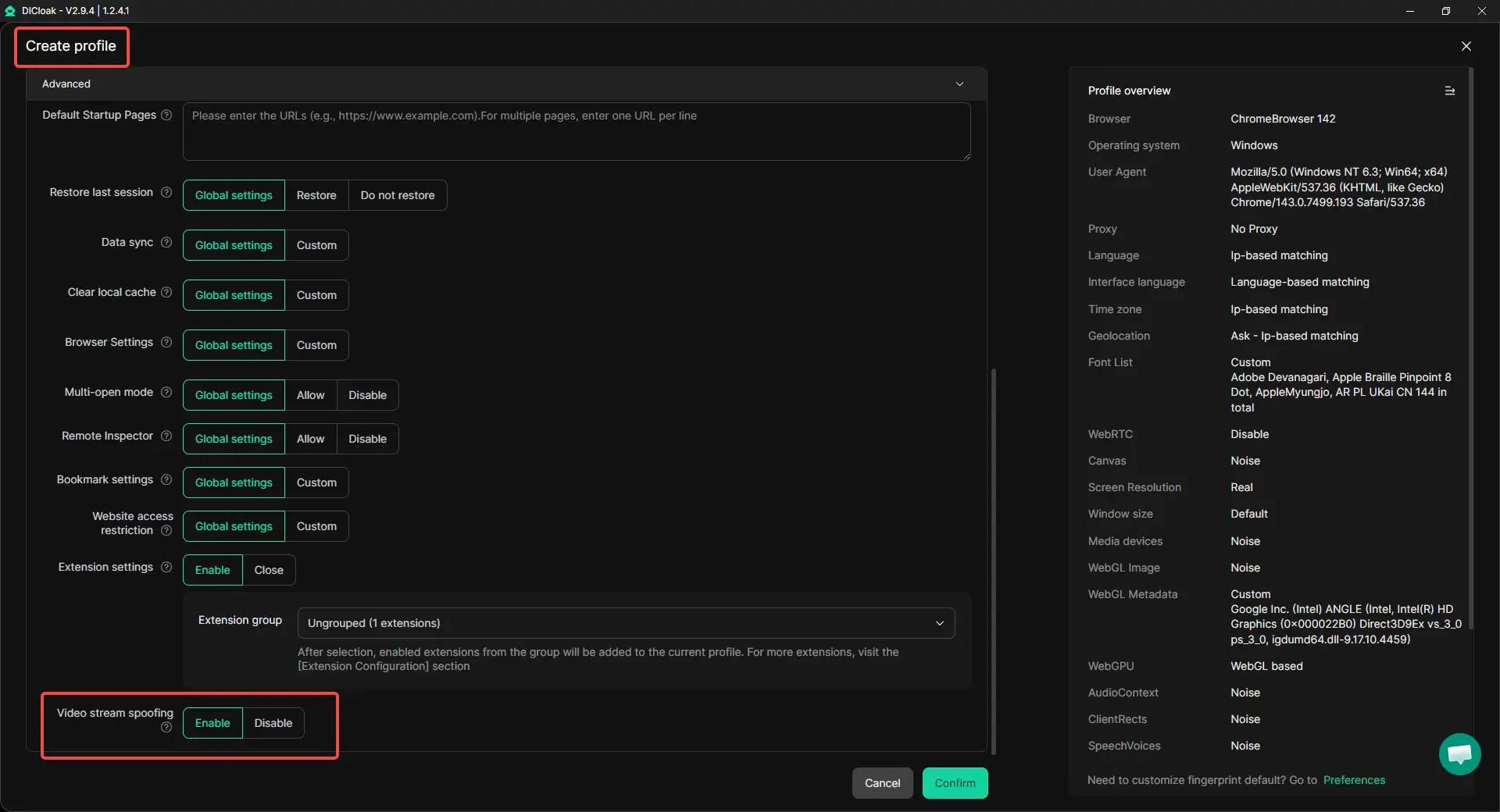
4. Video stream spoofing for safer camera-related checks
Some Facebook account checks may involve camera access or live video input. With DICloak’s video stream spoofing, you can manage the browser’s video stream source inside the profile instead of exposing a random or mismatched device feed. This should be used only for legitimate account access and consistency.
5. Team permissions for safer account access
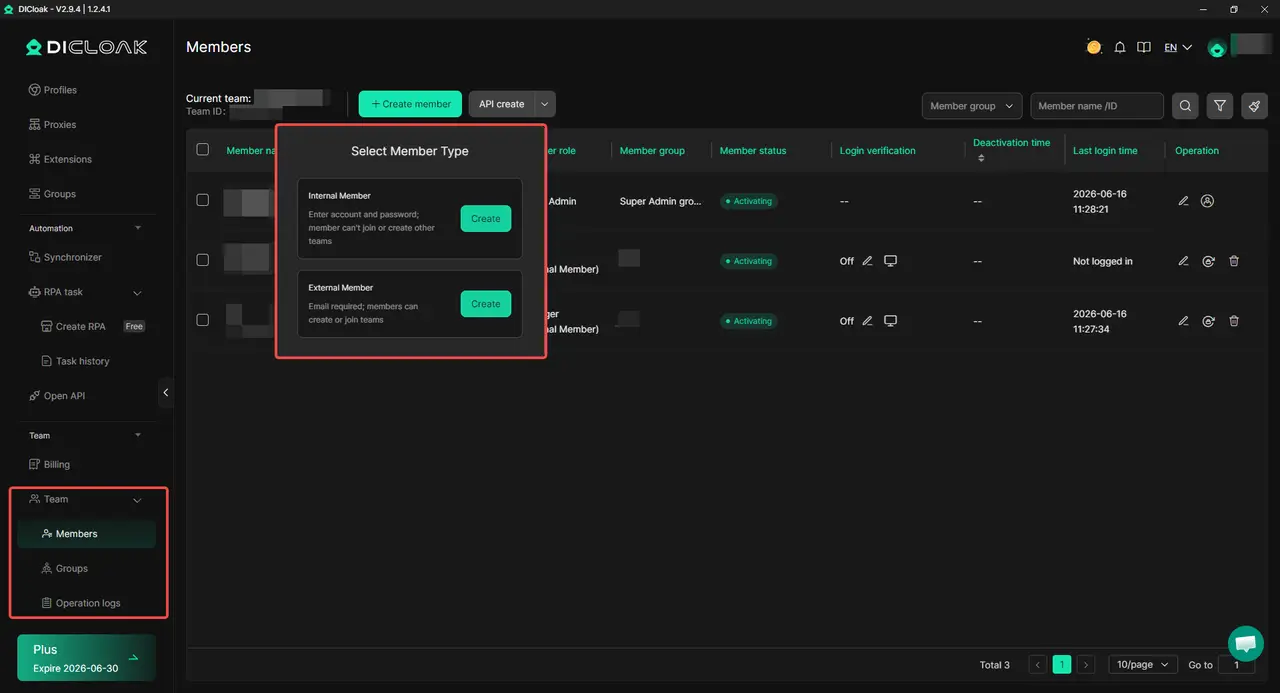
When more than one person works on Facebook ad accounts, shared passwords and random device logins can create extra risk. With team permissions, access can be assigned by role, so each person only opens the profiles they need. This helps reduce wrong-profile mistakes and keeps the warm-up process easier to track.
How Should You Warm Up a New Facebook Ad Account Step by Step?
A safe warm-up process should move from stable login to business setup, then to small ad tests. Do not treat warm-up as a fixed number of days. Treat it as a series of checkpoints where the account proves it can handle the next step without repeated checks or sudden restrictions.
Stage 1: First login and basic account stability
Start with one profile, one proxy setup, and one Facebook ad account. Log in from the same profile each time, avoid switching devices, and do not rush into Ads Manager on the first session. The goal is to see stable logins without repeated checks, forced re-logins, or sudden security prompts.
Stage 2: Page setup and light organic activity
After the first sessions are stable, prepare the Facebook Page. Add basic information, publish a few normal posts, browse the feed, and interact lightly with relevant content. Keep the actions simple, because the Page should look like part of a real business setup, not a rushed shell created only for ads.
Stage 3: Business Manager, Pixel, and payment setup
Once the profile and Page look stable, move to Business Manager and Pixel setup. Keep the business details, region, domain, and payment information consistent with the account setup. Add payment carefully and avoid changing cards, proxies, and business details all at once.
Stage 4: First low-budget campaign test
The first campaign should test account stability, not push full scale. Start with a small budget, simple creative, and a low-risk objective before moving into heavier conversion campaigns. Watch delivery, review status, payment behavior, and account prompts before increasing spend.
When Is a Facebook Ad Account Warmed Up Enough to Start Scaling?
A Facebook ad account is warmed up enough to start scaling when its basic actions stay stable over time. This means logins work normally, payment runs without sudden issues, small campaigns deliver, and small budget increases do not trigger immediate restrictions.
Logins stay stable without repeated checks
Stable login is the first sign that the account is ready for more activity. If every login asks for extra checks, forced re-login, or new verification, the account is not ready yet. Scaling too early in this state can turn a small warning into a bigger account problem.
Payment works without holds or sudden failures
Payment should work smoothly before you increase your spending. If the card keeps failing, the account gets payment holds, or billing details need constant changes, pause before scaling. A new ad account should not face payment changes and budget increases at the same time.
Small campaigns deliver normally
A warmed-up account should be able to run small campaigns without constant review problems or zero delivery. Watch whether the ad leaves review, spends slowly, and reaches the right audience. If a low-budget campaign cannot deliver at all, increasing the budget will not fix the real issue.
Budget increases do not trigger immediate restrictions
Scaling should feel like a slow increase, not a jump. Raise the budget in small steps and watch what happens after each change. If a small increase causes account checks, payment issues, or delivery stops, the account still needs more time before heavier campaign work.
What Should You Avoid During Facebook Ad Account Warm-Up?
During Facebook ad account warm-up, avoid making too many major changes at the same time. A new account needs a steady pattern, so sudden changes to the proxy, card, browser profile, campaign budget, or account behavior can make the setup look unstable.
Do not change proxy, card, and browser profile at the same time
If something goes wrong, do not change everything at once. Changing the proxy, payment method, and browser profile on the same day makes it hard to know what caused the issue. It also breaks the stable history you were trying to build during warm-up.
Do not rush into high-budget or conversion campaigns
A new ad account should not start with heavy spend or aggressive conversion campaigns right away. Begin with a small test campaign and watch how the account responds. If the first campaign is still under review, not spending, or facing payment checks, increasing the budget will usually add more pressure.
Do not copy the same actions across several accounts
If you warm up several accounts, do not make them all behave the same way. Logging in at the same time, posting the same content, making the same edits, and raising budgets in the same pattern can look unnatural. Keep each account’s activity slow, simple, and slightly different from the others.
Frequently Asked Questions about Warming Up New Facebook Ad Accounts Safely
How long does it take to warm up a new Facebook ad account?
A new Facebook ad account usually needs several days to a few weeks of stable activity before it is ready for serious ad spend. The safer way to judge warm-up is not by days alone, but by signs like stable logins, normal Page activity, working payment, and small campaigns delivering without repeated checks.
Do I need an antidetect browser to warm up a Facebook ad account?
You do not always need one for a single simple account, but it becomes useful when you manage multiple accounts, regions, clients, or team members. An antidetect browser like DICloak helps keep each account in a separate profile with its own cookies, fingerprint settings, and proxy setup, so warm-up does not happen inside one messy shared browser.
Can I use the same proxy for several Facebook ad accounts?
It is better not to use the same proxy for several new Facebook ad accounts, especially during warm-up. A shared proxy can create network overlap between accounts, while one stable proxy per profile helps keep the login pattern cleaner and easier to manage.
When should I add a payment method to a new Facebook ad account?
Add a payment method after the login setup, Page, and business details look stable. If you add a card too early and then change the proxy, business details, or campaign setup on the same day, the account may look less consistent.
Does warming up a Facebook ad account prevent bans?
No, warming up does not prevent bans or restrictions completely. It only helps reduce cold-start risk by making the account’s login environment, business assets, payment setup, and early ad behavior more consistent before scaling.
Conclusion
Warming up new Facebook ad accounts safely means building stable signals before scaling. A new account should use a consistent profile, proxy, login pattern, Page setup, business details, payment method, and first campaign behavior. An antidetect browser like DICloak can help separate profiles and reduce session mix-ups.
The safest approach is to move step by step: prepare the profile, log in steadily, build light Page activity, set up Business Manager and payment carefully, then test with a small campaign. A Facebook ad account is ready to scale only when logins stay stable, payment works normally, small campaigns deliver, and budget increases do not trigger immediate restrictions.
 Web Proxy Tools
 Free Tools
 Cookie Plugin
 UA Generator
 MAC Address Generator
 IP Generator
 IP Address List
 2FA Code Generator
 World Clock
 Anonymous Check
 WebRTC Leak Test
 UUID Generator
 Free Web Proxy Site
 Proxy Checker
 FB Ad Checker
 AI Web Scraping
 Free SMM Tools
 Twitter Shadowban Checker
 Instagram Name Checker
 UTM Generator
 Username Generator
 AI Hashtag Generator
 LinkedIn Headline Generator
 Social Media Image Resizer