Understanding the Infrastructure of Roblox Account Restrictions
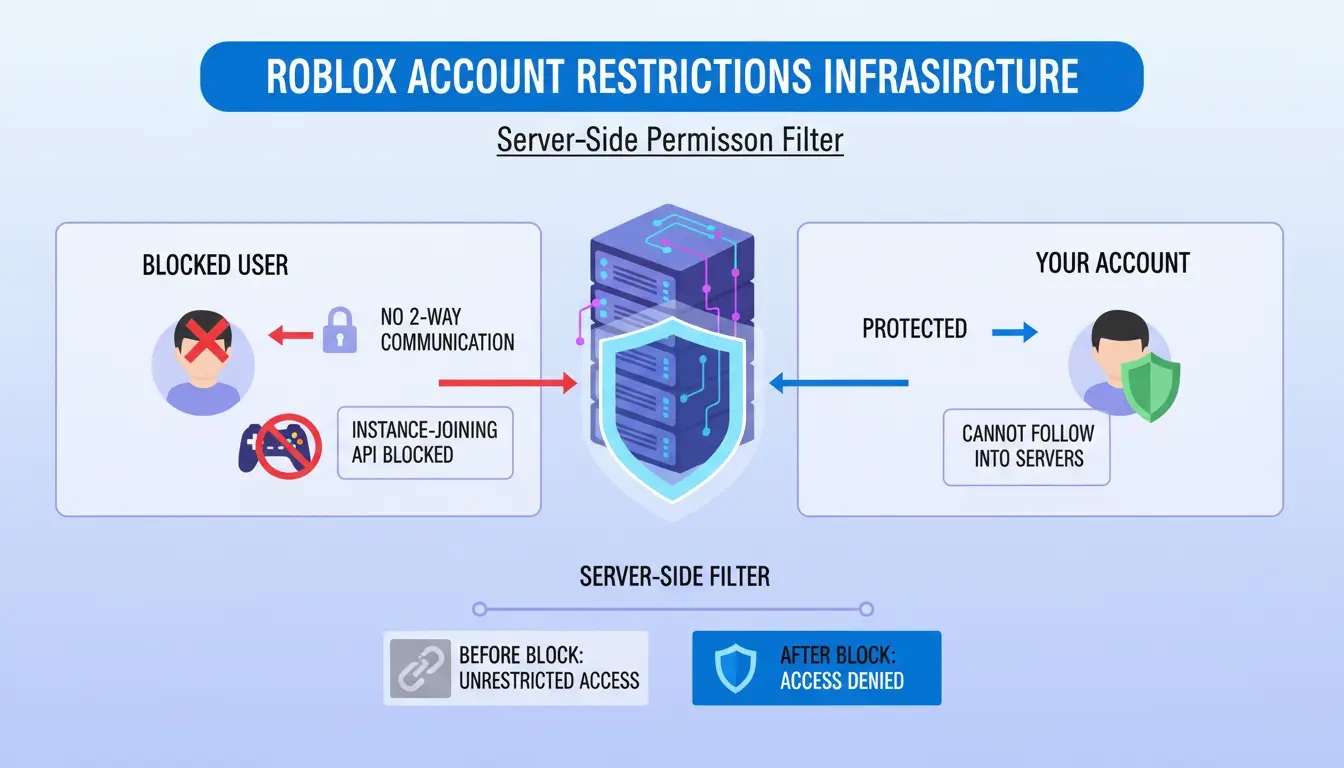
From a technical standpoint, blocking on Roblox is implemented as a server-side permission filter. This mechanism restricts two-way communication and actively restricts the "instance-joining" API, which prevents blocked users from following your account into specific game servers. When a block is initiated, the Roblox account database updates the "Blocked Users" list associated with your unique account ID.
Because these permissions are stored at the account level within the global database rather than on a local cache, changes are effective across all synced devices—PC, mobile, and console—immediately. It is critical to understand that the blocking action is a "silent" operation; the platform does not trigger any API notifications or outgoing alerts to the target user, maintaining a secure and private transition.
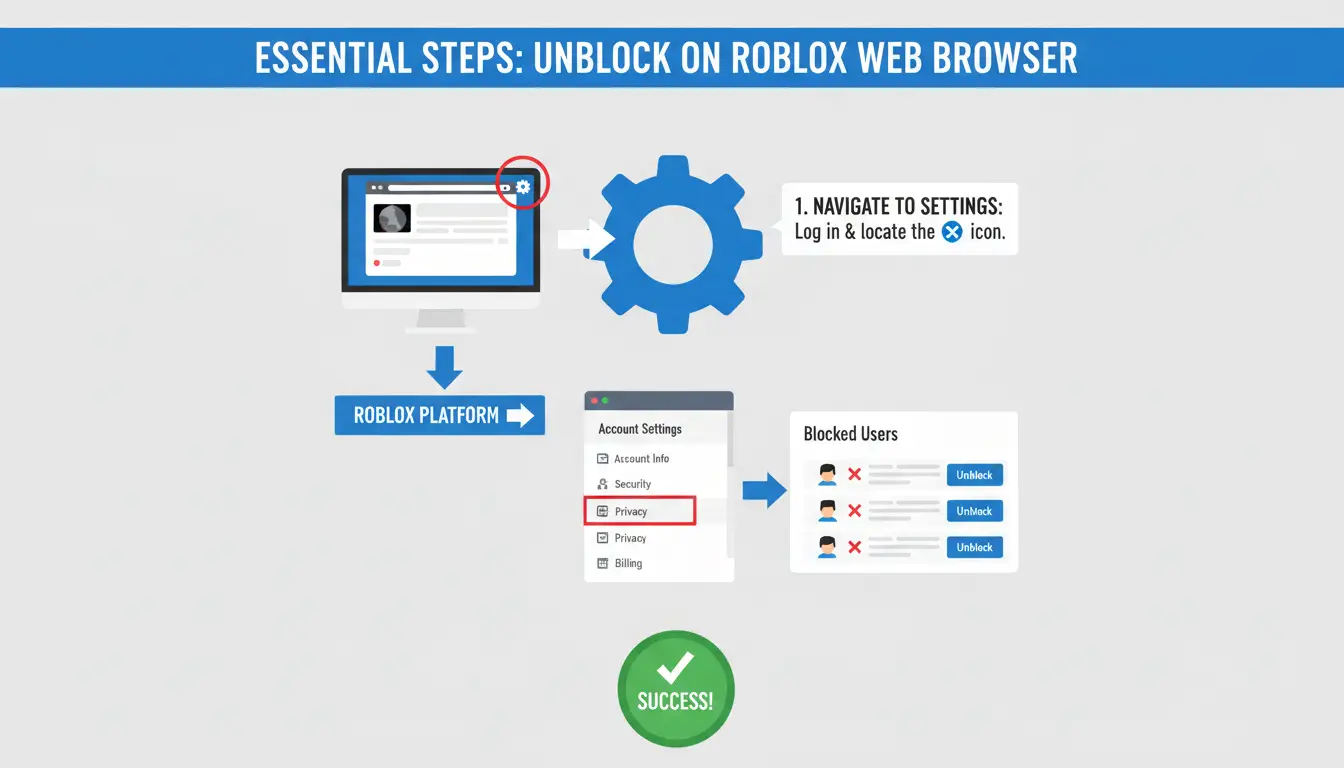
Essential Steps for How to Unblock People on Roblox via Web Browsers
Unblocking users via a desktop browser requires navigating the platform’s central configuration hub. Follow this technical walkthrough to modify the server-side restricted list:
- Navigate to Settings: Log into the official Roblox portal and locate the gear icon (⚙) in the top-right corner. This icon serves as the primary entry point for account configuration.
- Access Privacy Configurations: From the vertical sidebar on the left, select the Privacy tab.
- Render the Hidden List: Scroll to the bottom of the page to locate the Blocked Users section. Click the Show button to render the list of restricted account IDs that are otherwise hidden for UI cleanliness.
- Execute the Unblock Command: Locate the target user and click Unblock. Confirm the action in the resulting modal dialog to update the account's permission database.
Operational Scenario: This process is vital for developers operating within a shared studio environment. If a collaborator was previously blocked due to a dispute, they may be unable to join a testing instance or view shared development assets. Unblocking them via the Privacy tab is the prerequisite for restoring high-level API access and collaborative synchronization.
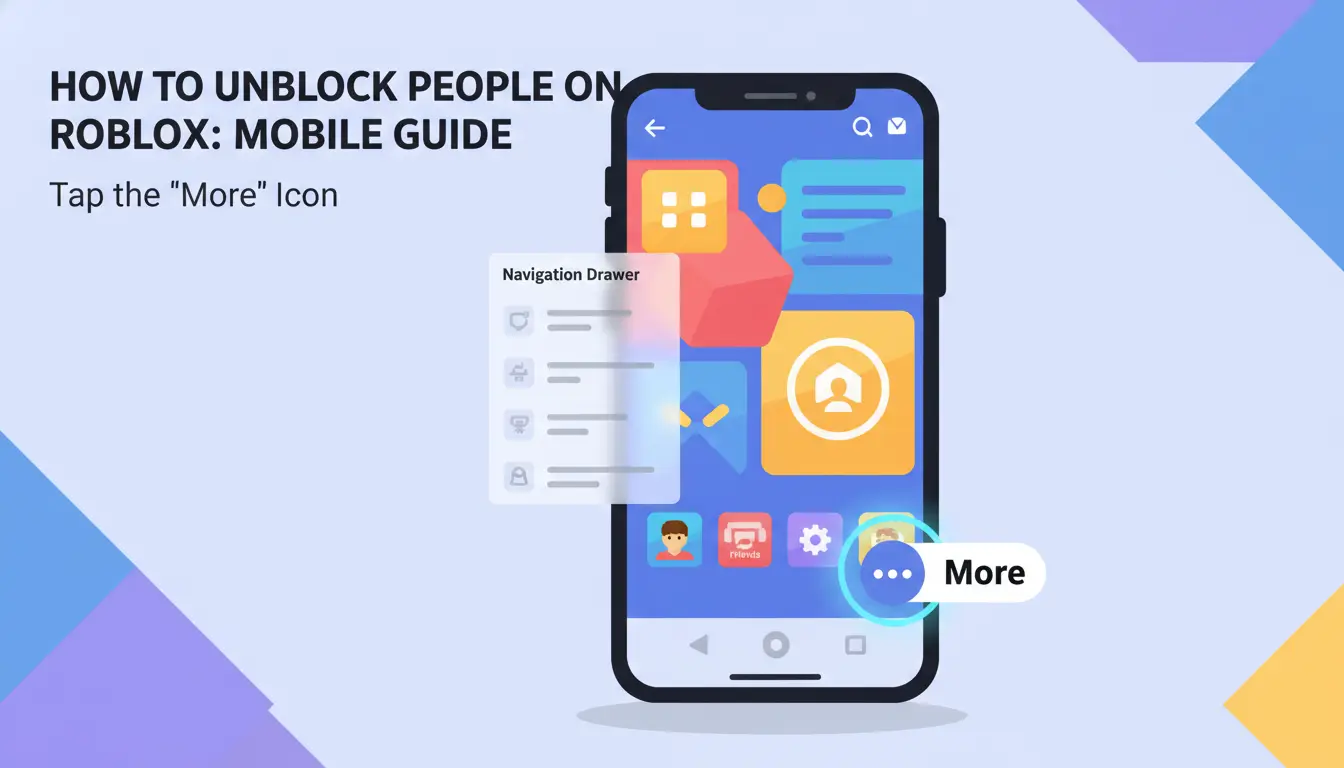
Navigating the App Interface: How to Unblock People on Roblox on Mobile
The mobile UI for iOS and Android employs a different hierarchical path than the desktop version. Ensure your application is updated to the latest build to ensure the UI elements align with these steps:
- Access the Navigation Drawer: Tap the "More" icon (represented by three dots in a circle) in the bottom-right corner of the navigation bar.
- Locate the Settings Hierarchy: Scroll down and select Settings. In the mobile app, the Privacy menu is nested under the Security section.
- Toggle and Search the Blocked List: Scroll to the bottom of the Privacy menu to find the Blocked Users heading. Tap the Show button.
- Execute the Command: You may scroll through the list or use the search bar at the top of the "Blocked Users" screen to find the specific ID. Tap Unblock beside their name and confirm.
Technical Constraints: Why the Unblock Button May Be Unresponsive
If the "Unblock" button appears grayed out or fails to trigger a response, the account is likely under a "Parent Account PIN" restriction. This acts as a write-protection lock on the account's privacy and security settings. From an architectural perspective, this layer is designed to help prevent social engineering or unauthorized account takeover (ATO) actors from lowering security thresholds.
Security Protocols and PIN Verification Workflows
To modify a locked block list, you must temporarily elevate account privileges:
- Navigate to the Parental Controls section within the Settings menu.
- Locate the Parent PIN toggle and switch it to "Off."
- Enter the 4-digit PIN to authorize the change.
- Return to the Privacy tab; the Unblock button will now be active (black) and functional. Re-enable the PIN immediately after the change to maintain security integrity.
Pro-Tip: Losing a Parent PIN can result in significant administrative downtime. Resetting a lost PIN often requires formal identity verification with Roblox Support, during which time all privacy configurations remain in a "read-only" state.
Advanced Workflow: Scaling Account Management with DICloak
For power users, marketers, or professional developers managing a fleet of profiles, standard manual management introduces the risk of "Account Association." If multiple accounts are accessed from a single browser fingerprint, platform algorithms may flag the activity as a botnet or a coordinated entity, leading to a "chain ban."
DICloak helps mitigate this by providing isolated environments, supporting that unblocking a user on one account does not leak metadata to another.
DICloak helps generate unique hardware fingerprints, including Canvas and WebGL signatures, for every individual Roblox session. By simulating these identifiers, the platform can perceive each login as a distinct device. When you unblock a user on Account A, you can help ensure no digital footprint is linkable to Account B, supporting the independence of each managed profile.
Implementing Proxy Management for Regional Compliance
With DICloak, users can configure their own proxies for different Roblox browser profiles. This helps each profile keep a more separate network environment, which is useful when managing accounts across different regions or projects. Combined with isolated cookies, sessions, and browser fingerprints, this setup can reduce account mixing and make multi-account management more organized.
Troubleshooting Logic: How to Unblock People on Roblox When the User is Missing
If a target user does not appear in your blocked list, utilize the following diagnostic logic:
- Scenario A: Username Change: The blocked list may still display the user’s legacy name or their unique UserID rather than their current handle. Use the search bar within the "Blocked Users" list to verify by their ID.
- Scenario B: Account Deletion/Ban: If an account has been purged by Roblox moderators, it is often automatically scrubbed from all block lists as the account no longer exists in the active database.
Requirement: To confirm if an account still exists, try viewing their profile via a mutual friend’s "Followers" or "Following" list to check for a "Content Deleted" or "Banned" status.
The Social and Technical Aftermath of Unblocking
Restoring access changes the technical permissions, but it does not fully revert the social state of the account.
- Friendship Status: Unblocking does not restore a previous friendship. The relationship remains severed; a new friend request must be manually sent and accepted.
- Message History: Existing message history from before the block will reappear. However, any messages sent by either party during the block period are not delivered to your inbox and are not stored anywhere. These are permanently discarded by the server.
- Visibility: The unblocked user can immediately see your online status and join any public game instances you inhabit.
Efficiency Comparison: Standard Browsing vs. Managed Isolation
| Feature |
Standard Web Browser |
DICloak Managed Profile |
| Multi-Account Login |
Manual Logout/Login (Sequential) |
Concurrent Active Sessions (Simultaneous) |
| Fingerprint Protection |
Limited (Potential Canvas/WebGL Data Leakage) |
Independent Digital Identities |
| Risk of Association |
Higher (Shared Browser Metadata) |
Minimized (Isolated Environments) |
| IP Isolation |
Shared Network Identity |
Per-profile User-configured Proxy Integration |
Anti-Association Logic in Multi-Account Operations
DICloak helps reduce the risk of account association by ensuring that browser metadata—such as fonts, screen resolution, and hardware IDs—remains unique to each profile. This supports limiting the platform's ability to correlate multiple accounts to a single workstation.
Efficiency Metrics in Bulk Profile Management
In a standard browser, managing several accounts often means repeated logins, account switching, and extra verification steps. With DICloak, users can open multiple isolated browser profiles at the same time. Each profile keeps separate cookies, sessions, fingerprints, and proxy settings, making multi-account work faster and cleaner.
Frequently Asked Questions Regarding How to Unblock People on Roblox
Will they know I unblocked them?
No. The platform sends no notification. The only way they could discover this is by successfully joining your game or sending a message that finally delivers.
Can I batch-unblock everyone at once?
No. Roblox does not currently support bulk unblocking. Each account must be unblocked individually to ensure the server-side permission list is updated correctly.
Does unblocking work across different devices simultaneously?
Yes. Due to the cloud-sync nature of the Roblox account database, unblocking a user on your PC will automatically update the list on your mobile app and console in real-time.
Data Retention and Message Recovery Limitations
Roblox employs a strict server-side discard policy for blocked communication. Because the "deny" permission was active at the time of transmission, those messages were never processed or saved to any database. Consequently, they are unrecoverable.
Final Assessment of Account Security and Health
Maintaining an organized block list is a critical component of account hygiene. While the standard interface is sufficient for casual players, professionals managing digital growth infrastructure require more robust tools.
- Pros of Managed Isolation (DICloak): Supports massive scalability, enhanced anti-detection capabilities.
- Cons of Managed Isolation: May involve higher technical complexity and the additional overhead of user-sourced, high-quality proxies.
For those operating at scale, the ability to manage these permissions through an isolated, secure infrastructure is not just a convenience—it is a requirement for long-term account health and security.
 Web Proxy Tools
 Free Tools
 Cookie Plugin
 UA Generator
 MAC Address Generator
 IP Generator
 IP Address List
 2FA Code Generator
 World Clock
 Anonymous Check
 WebRTC Leak Test
 UUID Generator
 Free Web Proxy Site
 Proxy Checker
 FB Ad Checker
 AI Web Scraping
 Free SMM Tools
 Twitter Shadowban Checker
 Instagram Name Checker
 UTM Generator
 Username Generator
 AI Hashtag Generator
 LinkedIn Headline Generator
 Social Media Image Resizer