Trying to manage multiple Binance accounts isn’t just about keeping track of logins. The real test comes when you need to balance compliance, avoid platform restrictions, and keep each account’s workflow clean, especially if you’re running accounts for different projects, teams, or purposes. Binance officially supports sub-accounts for certain users, but most people still struggle with deciding between using sub-accounts or creating separate personal accounts, and each path comes with its own set of risks.
What catches people out isn’t just the technical setup. The main headache is figuring out how to operate several Binance accounts without triggering security flags or getting accounts linked and restricted. One wrong step, like using the same device, browser fingerprint, or proxy, can get all your accounts flagged together. That’s why “multiple Binance account management” is less about the number of accounts and more about the way you separate environments, data, and login habits.
Practical account management means building routines that keep each account isolated: separate browser profiles, dedicated proxies, unique cookies, and clear session handling. If you skip these, you can’t count on Binance to warn you before a ban or restriction hits. People who run several accounts for trading, business, or automation need to know what actually works, and how to spot gaps before they turn into problems.
To start, you need to understand the main risks and technical challenges that come with operating more than one account.
What Are the Real Rules for Managing Multiple Binance Accounts in 2026?
Binance’s official policy blocks users from opening more than one personal account per person. Trying to run extra accounts, whether for trading or business, means you’re operating outside their stated rules and exposing yourself to real risk.
Binance’s Policy on Multiple Personal Accounts
Binance only allows one personal account per person. If you try to register a second account with your own name, ID, or phone, the platform will reject the application or freeze both accounts. Users caught linking accounts through shared identity details, device fingerprints, or IP addresses are often restricted without warning.
Sub-Accounts, Corporate Accounts, and Team Access
Sub-accounts are the legitimate route for teams, businesses, and advanced users who need to manage more than one account under a single master account. Binance lets corporate accounts and verified business users open multiple sub-accounts, each with its own permissions and API keys. The tradeoff is strict KYC checks: you must submit full business details, documents, and prove your team structure. If you try to use sub-accounts for personal trading, or mix personal and business funds, Binance can freeze your assets and close the account. For example, a marketing agency can get approved for ten sub-accounts, but if they use these to bypass withdrawal limits or hide ownership, detection usually triggers a full review and possible ban.
| Account Type |
Who Can Open |
Number Allowed |
Main Use Case |
Risk if Misused |
| Personal Account |
Individuals |
1 |
Private trading |
Ban/freeze both accounts |
| Sub-Account |
Businesses |
Up to 20 |
Team workflows |
Account closure |
| Corporate Account |
Companies |
Multiple |
Business trading |
Asset freeze |
Table reflects Binance’s 2026 account policy.
KYC, AML, and Detection Triggers in 2026
- Shared device fingerprints or IP addresses are flagged as linked accounts.
- KYC (identity checks) and AML (anti-money laundering) audits look for repeated names, phone numbers, or document numbers.
- Binance now cross-checks withdrawal patterns, if two accounts share the same payout wallet or bank, both can be restricted instantly.
Running several accounts means you’re always at risk of detection, even if each login seems clean. Most users want extra accounts for trading limits or team access, but the real problem starts when you cross the line between what’s officially allowed and what’s easy to get caught doing.
Why Most People Want to Manage Multiple Binance Accounts, and Where It Gets Risky
Most people run more than one Binance account to trade across regions, chase new bonuses, or split risk between different workflows. The real draw isn’t “more accounts”, it’s safer testing, easier arbitrage, and tighter control over funds. The trouble starts when technical shortcuts or sloppy habits expose every account to the same risks.
Common Use Cases: Arbitrage, P2P, Airdrops, and Risk Segmentation
Arbitrage and P2P traders use separate accounts to dodge regional restrictions and avoid price slippage. Airdrop hunters farm bonuses with unique accounts, while risk segmentation lets teams test strategies or keep business and personal funds apart.
What Can Go Wrong: Account Freezes, Bans, and Asset Loss
The biggest mistake is treating every account like it's independent when, in reality, Binance links them through device fingerprints, IP addresses, and login patterns. If you log into multiple accounts from the same browser or proxy, Binance’s backend can group them and flag for review. That’s when freezes start, traders have seen entire portfolios locked in hours, sometimes just because they swapped between accounts without clearing cookies. Asset loss isn’t just theoretical: funds can get stuck for weeks or even permanently if compliance checks fail. People often think using different emails is enough, but Binance’s detection systems track much deeper. If you skip isolation steps, you risk all accounts being banned together, even if only one triggers a compliance alert.
Legal and Compliance Risks in 2026
- AML and KYC rules target multiple accounts, regulators push exchanges to spot “same person, different profile” patterns.
- Jurisdictions vary: some allow business sub-accounts, others treat them as prohibited. Always check local policy before opening new accounts.
- Automation or bot use increases risk, Binance can freeze all related accounts if flagged for suspicious activity, even without warning.
The reason these risks matter now is that enforcement has tightened. If you’re running several accounts for trading, bonuses, or business flows, sloppy management means any mistake gets multiplied. Next up, you’ll need to check your setup against the most common triggers before starting, even one missed detail can end with all your accounts locked.
What to Check Before You Try Managing Multiple Binance Accounts

Before you set up a second Binance account, the real work is checking your setup for telltale overlaps, if you skip this, you risk losing every account at once. Don’t just open new logins and hope for the best. Here’s what actually needs review.
Are You Eligible for Sub-Accounts or Corporate Accounts?
Sub-accounts are only available to fully KYC’d corporate accounts, not personal users. If you’re running a trading desk, or need legal clarity, a corporate account with sub-accounts is safer. Most individuals won’t qualify, Binance checks business docs and real-world company details.
Device, Browser, and Network Hygiene: Why It Matters
If two accounts touch the same device, browser fingerprint, or IP, Binance can link them. You should:
- Use a unique device or virtual machine for each account.
- Run each login in a separate browser profile.
- Connect through dedicated proxies tied to each account.
Proxy and Fingerprint Setup: The Basics
A proxy changes your IP, but it doesn’t hide your device fingerprint or browser quirks. For Binance, that means the proxy must match the country of KYC, and the browser profile needs to look as if each account is run by a different real person. Skipping this step often links accounts right away.
What Not to Do: Buying Accounts or Faking KYC
Buying pre-made accounts or using fake documents almost always leads to short-lived access. Most “aged” or “verified” accounts sold online reuse the same devices, IPs, or fake papers, Binance’s checks catch these patterns quickly.
- Never reuse any KYC document or selfie across accounts.
- Avoid “aged” accounts from sellers, these are flagged in bulk.
- Don’t submit edited or AI-altered ID photos; Binance’s system spots forgeries.
Trying to cut corners usually backfires, bans are permanent and appeal options are slim.
If you’ve checked all these points and know where overlaps can happen, you’re ready to move on to setup. The real test is whether your accounts look, from Binance’s side, like entirely separate users.
How to Set Up and Operate Multiple Binance Accounts Without Getting Flagged
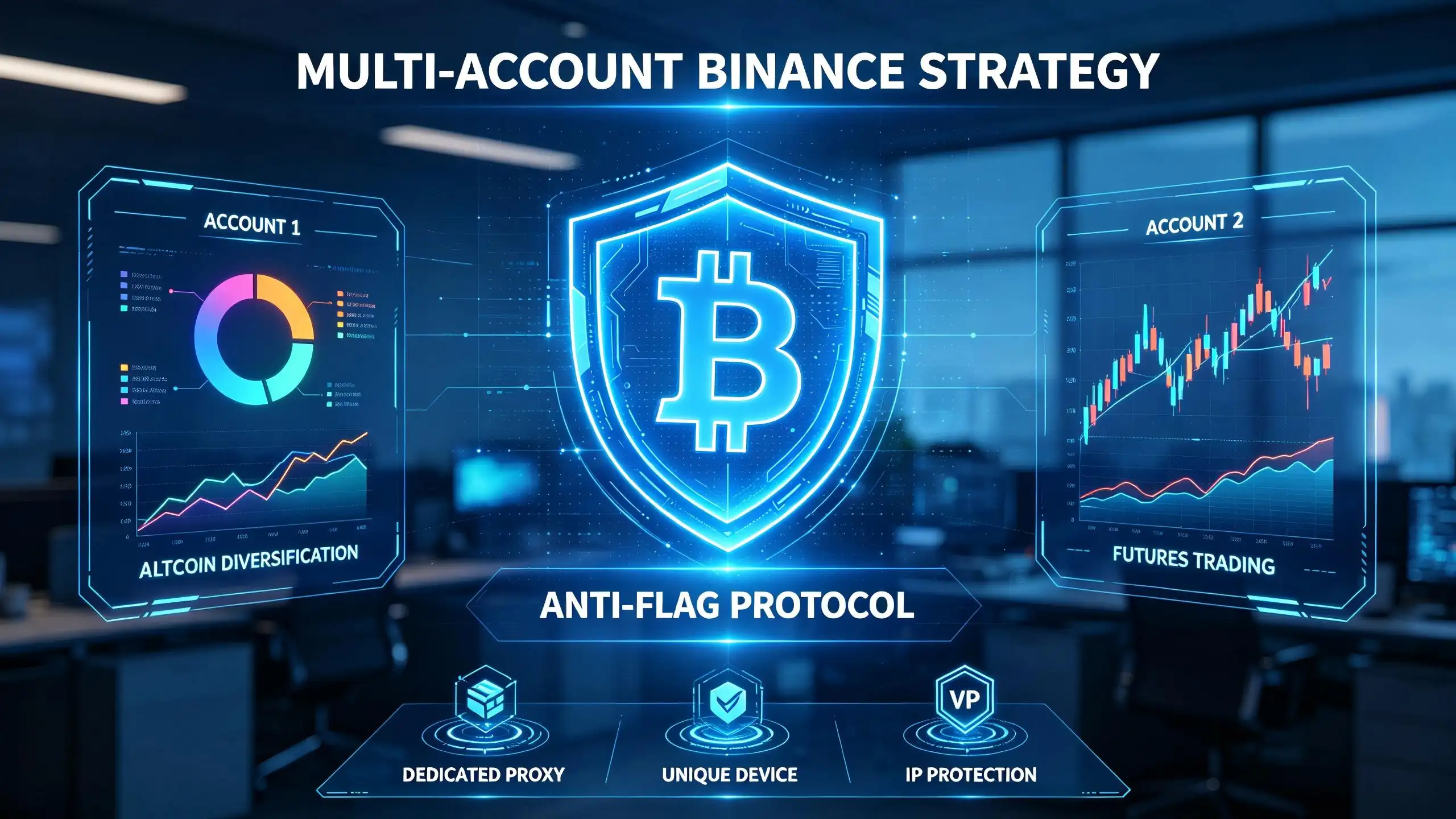
The safest way to run more than one Binance account is to keep everything, devices, browsers, proxies, and habits, fully separated. If you cut corners here, you risk losing all your accounts at once. Here’s how practitioners actually set things up to avoid getting flagged.
Step 1: Choose the Right Account Structure (Sub-Account, Corporate, or Separate Personal)
- Pick sub-accounts if you need to manage funds under a single main account. This is less risky but limits some features.
- Go corporate if your goal is team trading or business management. Verification is harder but you get higher limits.
- Use completely separate personal accounts only if you can keep each identity, device, and connection 100% isolated. If you reuse info or hardware, you risk a cluster ban.
Step 2: Prepare Devices, Browsers, and Proxies for Isolation
- Assign each account to its own device or virtual machine, never share browsers.
- For each account, set up a unique browser profile with clean cookies and storage.
- Use a different proxy for every account. Never connect two accounts from the same IP, even by accident.
Step 3: Account Creation and KYC, What to Avoid
- Never reuse personal data or ID images between accounts. Binance checks for duplicates.
- Complete KYC from the same country and device you plan to use long-term. Changing later often triggers review.
- Skip public Wi-Fi, shared IPs can link your accounts to others who’ve been flagged.
Step 4: Daily Operation, Login, Trading, and Withdrawal Hygiene
- Log in through your assigned device and proxy only. Mixing these will cross-link accounts.
- Withdraw and deposit using separate wallets. Test with a small withdrawal first, if there’s a hold or delay, don’t touch your main balance.
- Don’t open two accounts in the same browser session; even a missed logout can contaminate cookies.
Step 5: Monitoring for Warnings or Restrictions
- Check notification and security logs daily for new login alerts or withdrawal holds.
- If you see repeated “unusual activity” flags, stop all activity and review your setup for leaks.
- React fast to any warning, delays give Binance more time to connect accounts and freeze them in groups.
Next, it’s time to look at the most common mistakes that actually get users banned.
How to Avoid the Most Common Mistakes That Get Multi-Account Users Banned
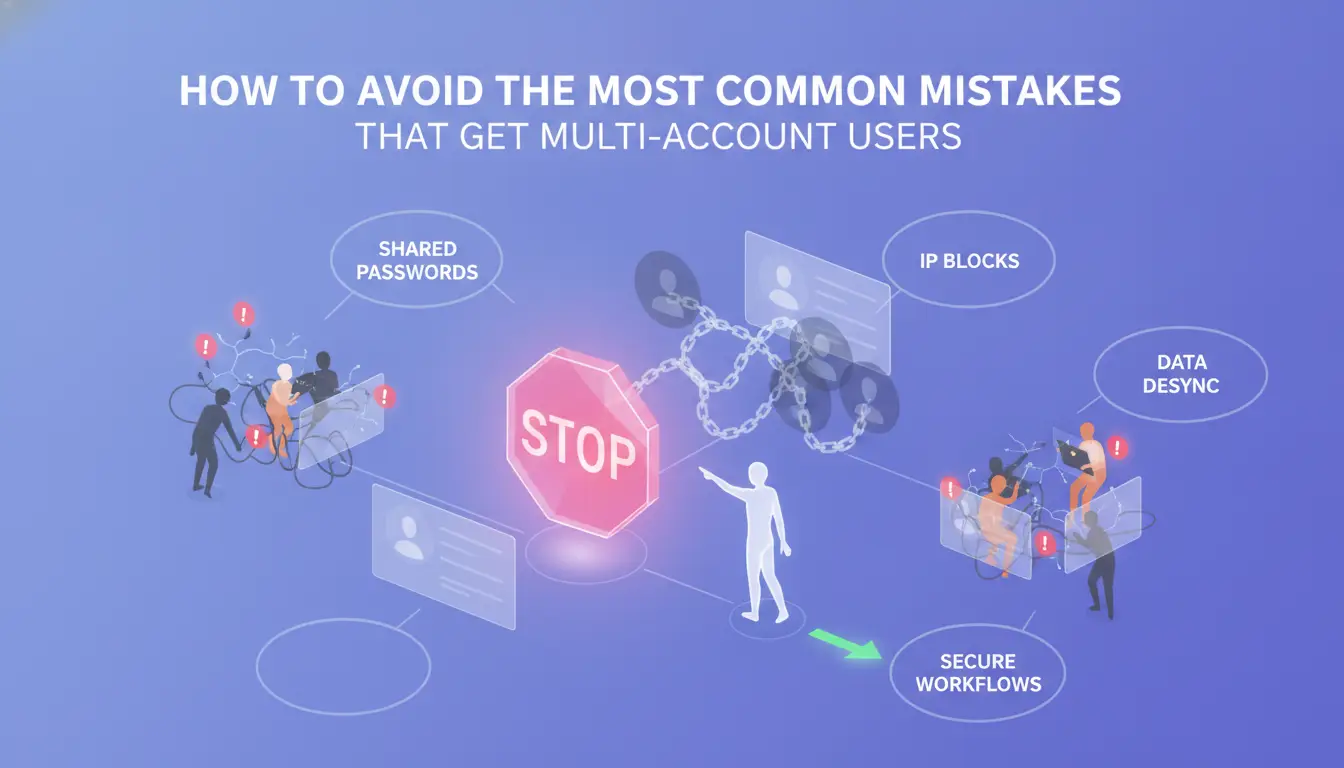
Most Binance bans come from simple mistakes, reusing devices, info, or proxies that leave clear links between accounts. If you want to keep accounts running, you need to avoid these detection triggers from the start.
Mixing Devices or Browsers Between Accounts
Logging into different accounts on the same phone, PC, or browser profile is the fastest way to get flagged. Even private mode doesn’t hide device fingerprints. Isolation means one account per browser profile, with no shared sessions or cookies.
Reusing Phone Numbers, Emails, or KYC Data
- Never repeat the same phone, email, or ID for more than one account
- Double-check KYC info is unique and not reused from family or team
- Store registration data separately to avoid accidental overlap
Proxy Mismanagement: Leaks and Overlaps
Proxy leaks happen when you forget to check for IP stickiness or when two accounts share the same IP address at login. Run an IP check before every session and don’t trust auto-switchers that can mix traffic between profiles.
Automation and Bot Traces
Obvious scripts or bots, especially ones that click too fast or repeat patterns, stand out to Binance. Human-like delays and randomization help, but only if your automation doesn’t reuse device or IP data.
- Use different automation setups per account
- Randomize action timing and order
- Never share API keys across accounts
How Teams and Power Users Can Use DICloak for Safer Multi-Account Binance Workflows
Isolated Browser Profiles and Custom Fingerprints for Each Account
Teams can use DICloak to create a separate browser profile for every Binance account, each with its own fingerprint, so cross-account detection risk drops sharply.
Proxy Configuration and Profile Data Management
Operators assign a unique proxy to each profile in DICloak and keep cookies, cache, and session data fully separated. This means a mistake in one profile won’t leak IPs or logins to another, this isolation is what actually makes multi-account work safer at scale.
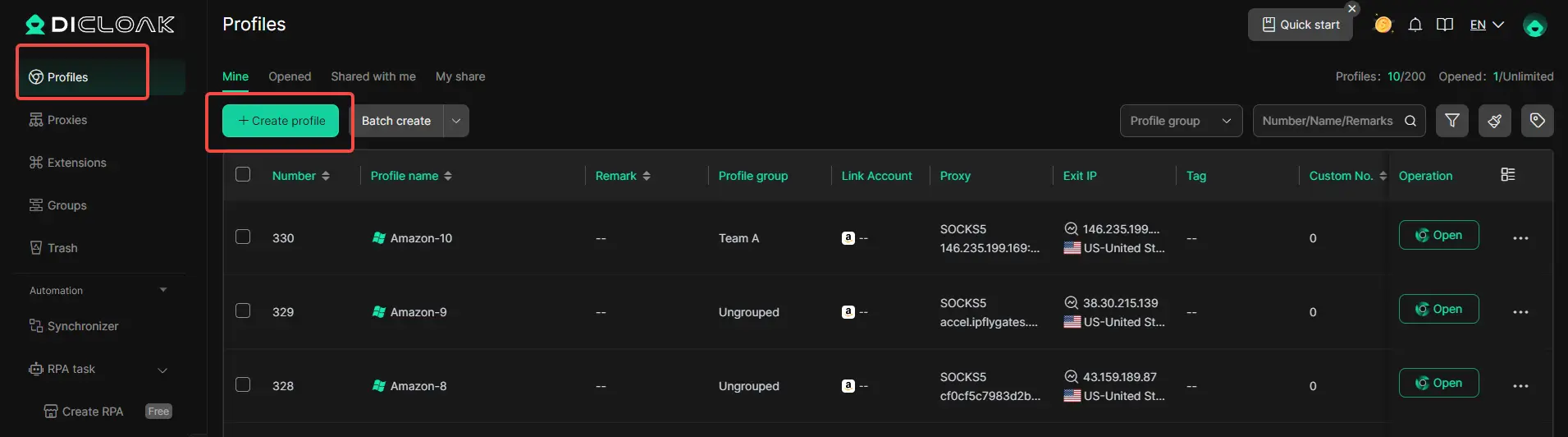
Team Collaboration: Permissions, Logs, and Workflow Automation
- Grant team members role-based access to specific profiles
- Track actions with operation logs
- Use bulk automation for routine tasks DICloak does not guarantee Binance approval or prevent all platform bans.
Sub-Accounts vs Separate Personal Accounts: Which Is Safer and More Practical in 2026?
If you’re deciding how to manage multiple Binance accounts, the safer route is almost always sub-accounts. Separate personal accounts may offer short-term flexibility, but the detection risk and compliance issues stack up fast. Here’s where the actual trade-offs show up, not just in features, but in how Binance treats each setup.
Compliance and Detection Risk
| Structure |
Compliance Level |
Detection Risk |
| Sub-Accounts (under one entity) |
High |
Low |
| Separate Personal Accounts |
Low |
High (auto flag likely) |
Binance sub-accounts keep you in line with platform rules, while running separate personal accounts can trigger account-wide bans if linked activity is detected.
Operational Flexibility and Limitations
Sub-accounts allow easy fund transfers and centralized control, but you’re limited by Binance’s cap on sub-account numbers and permission settings. Personal account stacking skips those limits, but each account needs its own verified identity and clean login environment, or else the system will flag you.
Team Access and Control
Sub-account structures support permission management and audit logs, helpful for teams needing oversight. With separate personal accounts, you lose centralized controls and every login risk is multiplied. For team workflows, sub-accounts are much more practical; stacking personal accounts is a headache to secure and monitor.
If you ignore these distinctions, you’ll end up dealing with locked accounts or compliance reviews. Next, you’ll need to know what steps to take if Binance flags, freezes, or restricts one or more of your accounts.
What to Do If Your Binance Accounts Get Flagged, Frozen, or Restricted
Getting flagged happens fast, Binance rarely explains upfront. Act quickly to lower your risk of a permanent ban.
Recognizing Warning Signs and Notices
- Read every email or in-app notice. “Suspicious activity” or “account under review” usually means a freeze is coming.
- Try logging in, if you see withdrawal limits or forced KYC checks, the account is already restricted.
- If all accounts get locked at once, you likely triggered a link (device, IP, or document overlap).
Immediate Actions to Take
- Stop logging into other accounts, cross-login can link them.
- Save all notification details. Binance support will need these.
- Don’t try to bypass restrictions, forced attempts can trigger permanent bans.
Appealing or Recovering Access
- Submit a ticket through Binance’s official support page.
- Attach ID, proof of funds, and any requested account history.
- Follow up daily, delays past 7 days often mean escalation.
Frequently Asked Questions About manage multiple Binance accounts
Can I legally manage more than one Binance account in 2026?
Binance’s official policy allows only one personal account per individual. Running several accounts can lead to suspension. Some countries have stricter rules, so check your local laws before trying to manage multiple Binance accounts. Business users can open sub-accounts, but each must follow Binance’s KYC and compliance checks.
How many sub-accounts can I open on Binance?
As of 2024, verified entities can open up to 200 sub-accounts under one master account. Sub-accounts are available only to institutional and VIP users, not to regular personal accounts. Each sub-account has its own API keys, permissions, and balances, making large-scale Binance account management easier for businesses.
What’s the safest way to use proxies with multiple Binance accounts?
Use dedicated residential proxies for each account. Never share IPs between accounts. Always set up strong firewall rules to prevent IP leaks. Make sure your proxy provider rotates IPs safely and check for DNS or WebRTC leaks. Do not log in from your real home IP if you want to keep accounts separate.
Can team members access the same Binance account safely?
Binance lets you set different permissions for team members using sub-accounts or API keys. Assign only the roles needed, like “view-only” or “trading.” Use two-factor authentication for every login. Train your team on security basics to lower the risk of accidental leaks or unauthorized access.
What should I do if Binance asks for re-verification?
If Binance requests re-verification, log in and follow the steps in the account dashboard. Upload clear, current identity documents and provide any extra details they ask for. Respond quickly to avoid limits or account freezes. If you have trouble, contact Binance customer support for help.
Consider which tools or strategies align best with your workflow and security needs before taking the next step. Streamlining your account management can save time and reduce risk, so explore solutions that are both compliant and efficient. Try DICloak For Free
 Web Proxy Tools
 Free Tools
 Cookie Plugin
 UA Generator
 MAC Address Generator
 IP Generator
 IP Address List
 2FA Code Generator
 World Clock
 Anonymous Check
 WebRTC Leak Test
 UUID Generator
 Free Web Proxy Site
 Proxy Checker
 FB Ad Checker
 AI Web Scraping
 Free SMM Tools
 Twitter Shadowban Checker
 Instagram Name Checker
 UTM Generator
 Username Generator
 AI Hashtag Generator
 LinkedIn Headline Generator
 Social Media Image Resizer