If you are running fifty or more outreach streams, a single Gmail account isn't just a bottleneck—it is a single point of failure. Modern digital operations, from high-ticket affiliate marketing to global privacy management, demand redundancy. However, the days of "burner" accounts are over. In 2026, Google’s anti-abuse AI has matured to a point where any sign of automated or bulk registration results in an immediate account slaughter. Scaling isn't about moving fast anymore; it is about moving invisibly. To build a resilient infrastructure, you must understand the technical friction points Google intentionally creates to stop you.
Why does Google limit how many accounts you can create?
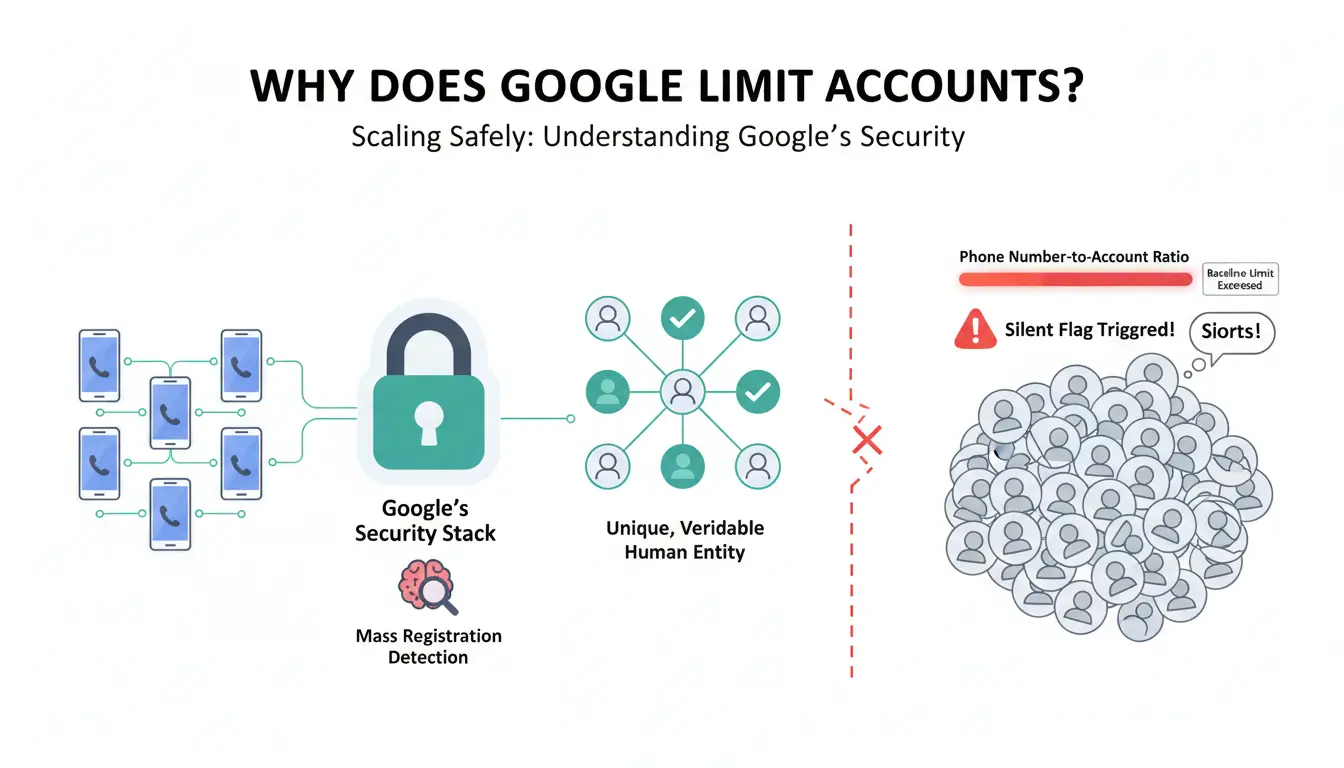
Google’s security stack is designed to identify "mass registration" signatures. Their goal is to ensure every account is tied to a unique, verifiable human entity. When you deviate from that pattern, you trigger a silent flag.
Understanding the phone number-to-account ratio
Google’s baseline limit remains at five accounts per phone number. This isn't a suggestion; it’s a hard-coded threshold in their risk-scoring engine. Exceeding this number with a single SIM doesn't just block the sixth account; it retroactively increases the risk score of the first five, making them more susceptible to "suspicious activity" lockouts during routine tasks.
How Google tracks your registration environment
Google sees far beyond your IP address. Their telemetry monitors your hardware ID, browser engine version, and even your behavioral cadence. If the system detects a cluster of accounts being accessed from the same environment without proper isolation, it links them into a single "entity." Once one account in that entity is flagged, the entire cluster is burned.
The risks of "conveyor belt" registration
The biggest amateur mistake is "conveyor belt" registration—creating accounts one after another in a single sitting. In 2026, Google’s AI analyzes the time-on-page and the entropy of your data entry. Fast, repetitive registrations are identified as bot-like behavior, leading to immediate "Account under review" statuses that rarely resolve in your favor.
Is it safe to manage dozens of Gmail accounts in 2026?
The safety of your operation depends entirely on your ability to prevent account linking.
The reality of account linking and shadowbanning
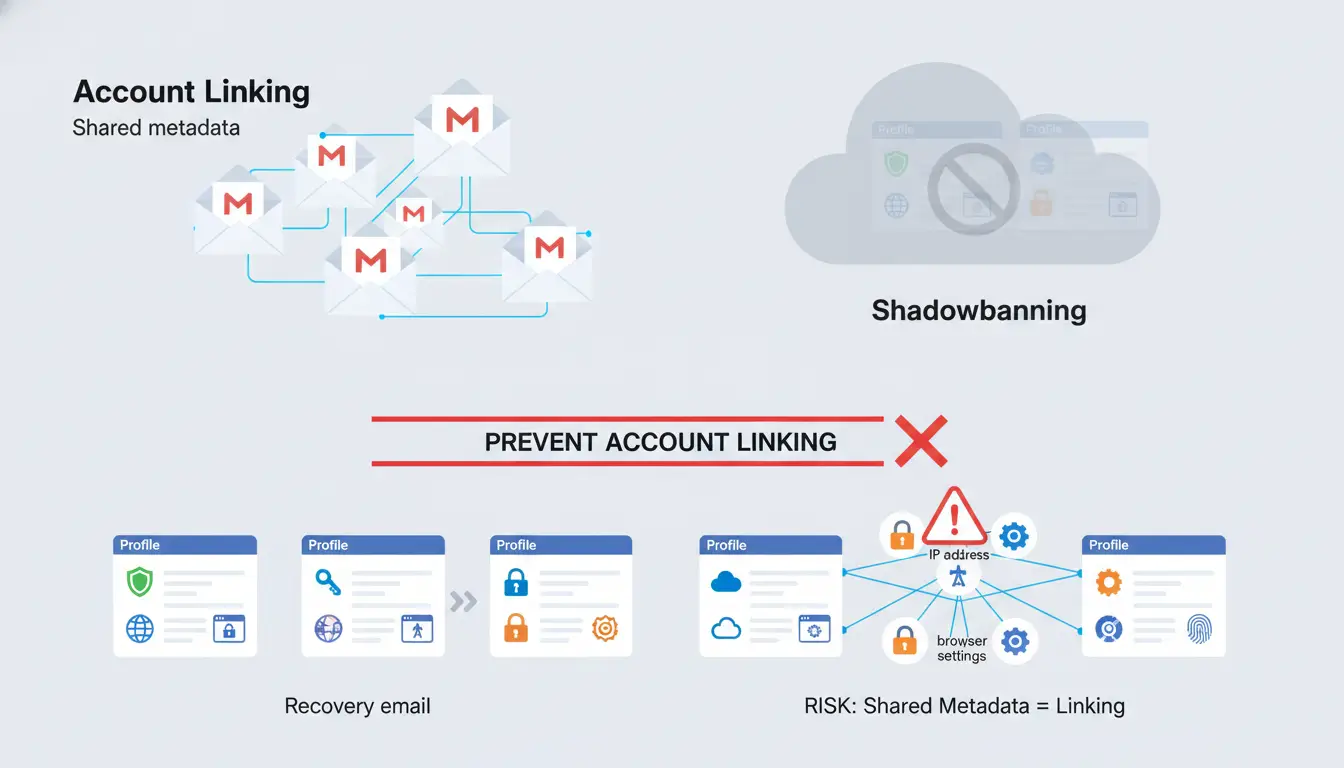
Linking occurs through shared metadata. If you use the same recovery email, the same IP range, or even similar browser settings across profiles, you create a "fingerprint." When Google detects a violation on one profile, it can trigger a domino effect. This often manifests as a "shadowban," where your emails go straight to spam or your Ads reach drops to zero without any formal notification.
Navigating Google’s Terms of Service (ToS)
Mass account creation is a direct violation of Google’s ToS. The risk isn't just a disabled email address; it’s the permanent loss of associated assets. A ban on a primary identity can result in restricted access to Google Drive, loss of YouTube channels, and the immediate termination of Google Ads accounts with no path to recovery.
Which common mistakes lead to mass account bans?
Most bans are the result of "footprinting"—leaving a trail of identical actions across multiple accounts.
The danger of reusing passwords and recovery info
Using the same password across fifty accounts is an invitation for a mass ban. Google’s crawlers identify these patterns instantly. Use a secure password manager to ensure 100% entropy across your account set.
Neglecting the "warm-up" phase
A brand-new account that immediately sends 100 emails is a bot. Period. Building a browsing history is important. Leveraging automation tools can assist in this process. An account that has "visited" news sites, retail hubs, and blogs for a week before its first login has a significantly higher trust score than a "cold" registration.
Failing to space out registration sessions
Natural users don't create 20 emails in an hour. You must space out registrations over days, not minutes. Use different times of day to mimic human variation.
How to bypass the phone verification hurdle?
Verification is the primary gatekeeper. Successful practitioners use a tiered approach to acquiring numbers based on the account's value.
Using temporary SMS and virtual number services
For disposable or short-term tasks, services like OnlineSim provide temporary numbers to receive verification codes. However, this is a "low-ground" tactic. If Google triggers a re-verification check—which they frequently do in 2026—and you cannot access that original number, the account is dead. This method is strictly for high-churn, low-value profiles.
The pros and cons of physical SIM cards
For critical "master" accounts, physical SIMs remain the gold standard. In 2026, professional operations have moved toward "SIM farms" or managed SIM services that provide long-term access to real numbers. This allows for persistent recovery paths, ensuring your infrastructure doesn't collapse during a routine security audit.
Which methods actually work for scaling Gmail accounts?
To scale without detection, you must decouple your digital identities at the network and browser levels.
Using Proxies to manage your network footprint
For effective Gmail account management, it is recommended to use Static Residential Proxies (ISP Proxies). These proxies provide an IP address that can appear to be from a legitimate home user, which can help reduce detection risks. Data center IPs are often quickly flagged. A dedicated proxy for each account helps ensure that network segments are isolated.
Should you buy aged Gmail accounts or build your own?
Aged accounts offer convenience but carry "inherited risk." Many are registered using automated scripts on suspicious IP ranges. If you buy, you are betting on the seller's technical competence. Building your own accounts takes longer but allows you to control the environment from day one, ensuring a clean history and a lower risk profile.
How to use an antidetect browser for seamless account management?
Professional multi-accounting requires more than just a proxy; it requires environmental isolation. This is where an antidetect browser becomes mandatory.
Why browser fingerprints matter more than IP addresses
Google’s tracking has evolved. They now use Canvas and WebGL fingerprinting to identify the unique way your graphics card renders images. They also look at font lists, screen resolution, and system plugins. If two accounts share the same Canvas fingerprint, they are linked, regardless of your proxy.
Implementing DICloak in your multi-accounting workflow
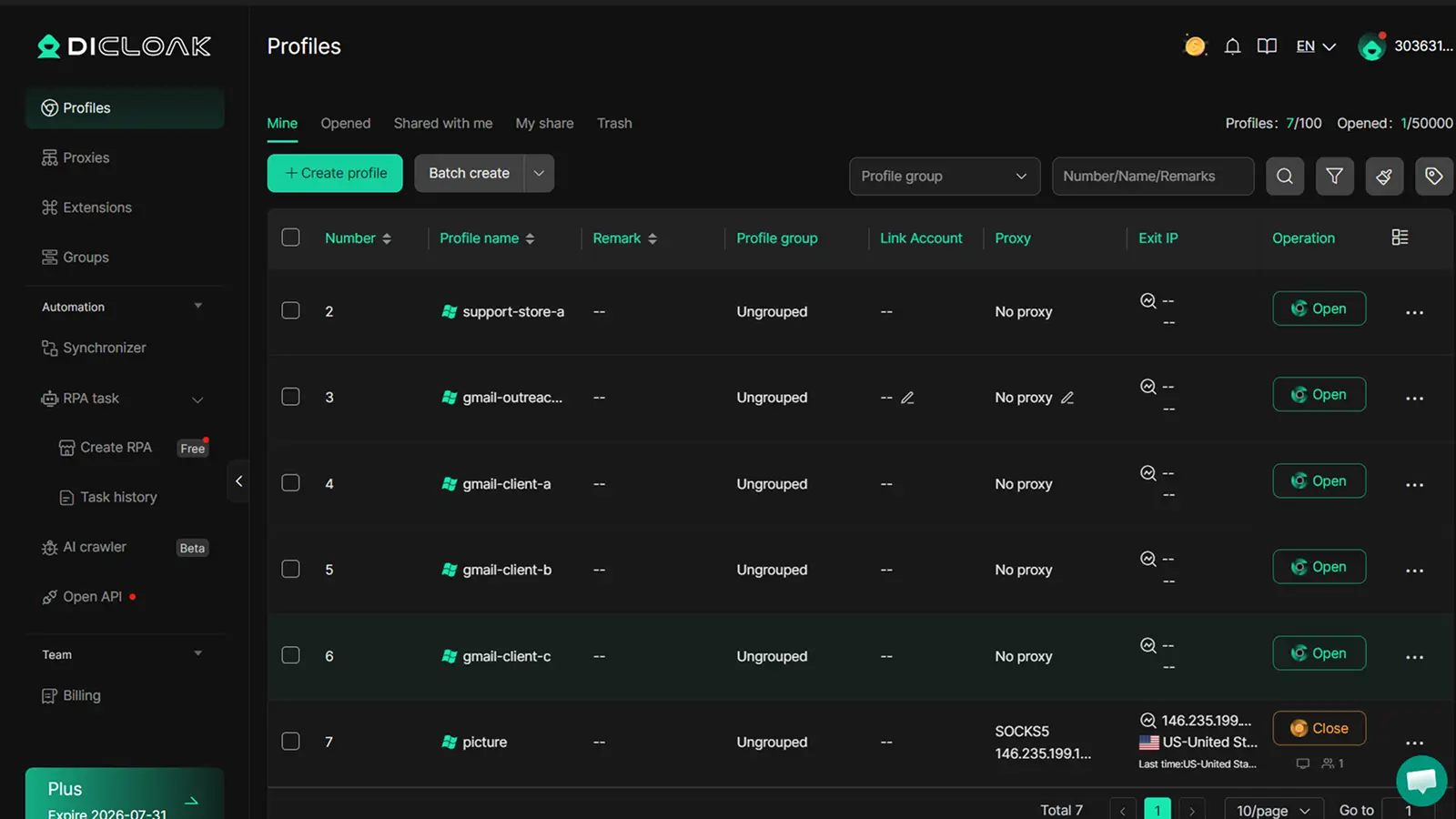
For teams managing several Gmail accounts, the main goal is to keep each account in a separate and consistent browser profile. You can use DICloak to create different browser profiles for different Gmail accounts, so cookies, local storage, sessions, and fingerprint settings do not mix.
- Unique Browser Profiles: Each Gmail account can run in a dedicated container designed to help create unique Canvas and WebGL fingerprints.
- Data Isolation: DICloak helps isolate cookies and local storage. It supports importing existing session data to reduce new login alerts.
- Custom proxy configuration: If you already have reliable proxies, you can configure a separate proxy for each profile. For long-term account use, a stable proxy setup is usually better than frequent IP changes.
- Workflow efficiency: For teams handling repeated account tasks, you can use DICloak’s profile management, bulk operations, and automation tools to keep the workflow more organized and reduce repeated manual switching.
How to maintain account health over the long term?
Once an account is live, you must maintain its "humanity."
Developing unique identities for each profile
Assign every profile a unique persona: different names, unique avatars (AI-generated or stock), and localized geographic settings that match the proxy's location. If your proxy is in London, your profile settings and time zone must reflect London.
Monitoring for suspicious activity alerts
Check your accounts regularly for security alerts. In 2026, Google often sends "soft" warnings before a hard ban. If you see a login alert from an "unknown device," your fingerprinting may be leaking. You must audit your DICloak profile settings and proxy health immediately.
Frequently Asked Questions
Can I use the same phone number for 10 Gmail accounts?
No. You will hit a hard wall at 5 accounts. Pushing beyond this risks flagging every account associated with that number.
Why did Google disable my new account immediately after creation?
This is a footprint trigger. Either your proxy is on a blacklist (Data center IP), or your browser fingerprint (Canvas/WebGL) matched a previously banned environment.
How do proxies support Gmail account management?
Static Residential Proxies are highly recommended. Network solutions with shared IPs are often quickly flagged by Google's anti-abuse systems, whereas dedicated proxies can help maintain account isolation.
Can I create Gmail accounts without a phone number in 2026?
Rarely. While a "skip" option occasionally appears for mobile registrations, Google’s 2026 AI risk-scoring makes this nearly impossible for bulk operations. Any account created without a number is on "borrowed time."
How do I transfer cookies between my different Gmail profiles?
DICloak supports importing and exporting profile data, including cookies, which can help move session data between profiles to maintain login persistence without re-verifying.
Does Google track my MAC address when I create accounts?
Not directly through the browser. However, they use advanced fingerprinting (Canvas, WebGL, and AudioContext) to achieve the same result—identifying your unique hardware profile.
Managing multiple Gmail accounts in 2026 is less about creating more accounts and more about keeping each account organized, separated, and stable over time. With a clear workflow, consistent login habits, and separate browser profiles, teams can reduce account confusion and work more efficiently. Try DICloak for free.
 Web Proxy Tools
 Free Tools
 Cookie Plugin
 UA Generator
 MAC Address Generator
 IP Generator
 IP Address List
 2FA Code Generator
 World Clock
 Anonymous Check
 WebRTC Leak Test
 UUID Generator
 Free Web Proxy Site
 Proxy Checker
 FB Ad Checker
 AI Web Scraping
 Free SMM Tools
 Twitter Shadowban Checker
 Instagram Name Checker
 UTM Generator
 Username Generator
 AI Hashtag Generator
 LinkedIn Headline Generator
 Social Media Image Resizer