Getting locked out by the maximum number of attempts reached TikTok error is more than an annoyance, it can stall your entire content schedule or cut you off from account recovery. TikTok throws this block when you input the wrong code, password, or verification too many times in a row. Most users only realize the risk after the system stops them cold, leaving them unable to reset or change anything for hours, sometimes days. The platform doesn’t clearly explain how many tries you get before this error, so you’re left guessing if another attempt will help or make things worse.
It’s easy to think you can just keep retrying or use a new device, but TikTok’s security checks can flag even routine attempts as suspicious. If you switch browsers or IPs mid-process, you might actually trigger more restrictions, not fewer. That’s why fixing the tiktok login attempts exceeded problem takes more than just waiting or trying again, it’s about knowing when to stop, what triggers the lock, and how to avoid getting flagged as a bot.
You need a clear plan for handling the tiktok too many attempts error before you end up with a locked account and no way back. This guide walks through why the lock happens, how to clear it, and what to check so you don’t get stuck again.
Start by understanding what causes the lock and what TikTok actually counts as a failed attempt.
Why Does TikTok Say 'Maximum Number of Attempts Reached'?
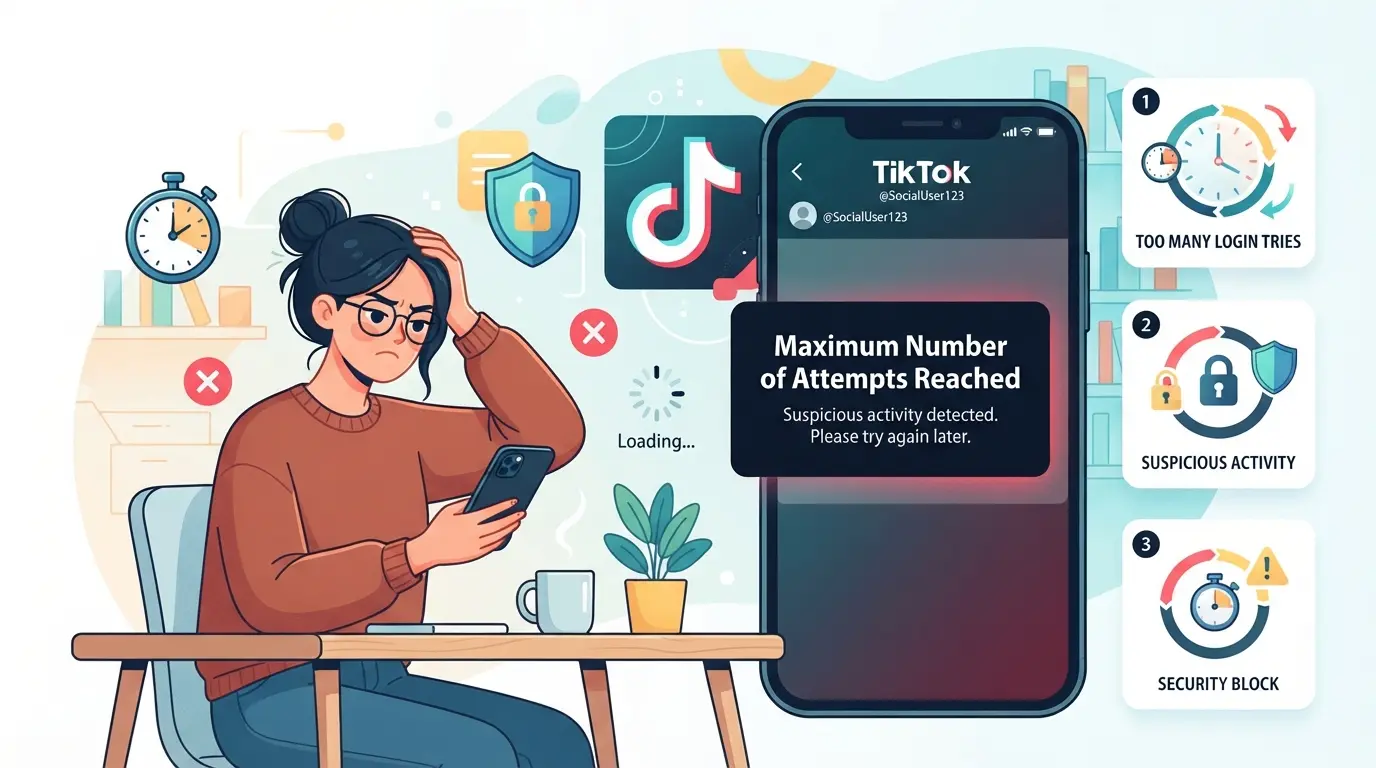
This error means TikTok’s system has blocked you from logging in after too many failed tries or suspicious activity. It’s not just about wrong passwords, TikTok tracks patterns like device changes, account switching, and irregular login attempts. If you keep retrying without fixing what triggered the block, you’ll stay locked out longer.
Repeated Wrong Passwords or Codes
TikTok usually blocks login after 5-10 failed attempts in a row. The platform limits repeated tries to stop bots and reduce the risk of brute-force attacks. If you keep guessing the password or enter bad verification codes, you’ll hit the limit fast, at that point, retrying won’t help.
Unusual Login Activity Detected
Most users get the “maximum number of attempts reached” error for reasons that aren’t obvious. TikTok counts not just wrong passwords, but also unusual activity, like signing in from a new device, jumping between locations, or using a different browser profile. If you log in from a phone, then switch to a laptop in a different city, TikTok’s backend can treat that as suspicious, even if you use the right password. The same thing happens if you swap between browsers with no consistent session: TikTok sees this as a pattern bots use. Sometimes, you’ll get locked after just three changes if the system thinks you’re trying to bypass controls. That’s why people who use shared devices or public networks run into this error more often, TikTok’s risk detection reacts to anything that looks like “login churn.” If you get flagged, the lock isn’t about the number of password entries, but about the total login behavior.
Multiple Accounts on One Device
TikTok links accounts by device and browser fingerprint. If you switch between accounts too often, you can trigger restrictions, even if both accounts are yours. Check for these warning signs:
- You logged out and back in with more than two accounts in under 10 minutes.
- The device or browser has cookies from several TikTok sessions.
- You use one device for both your main and backup accounts.
If you hit the error after juggling accounts, TikTok probably flagged your device as risky. The platform doesn’t care if the accounts are “yours”, it’s focused on stopping automation and preventing mass login attempts.
Getting locked out isn’t just about entering the wrong password, it’s about TikTok’s broader security checks. Next up: see how TikTok actually detects and blocks suspicious login attempts, so you know what triggers the lock and what to avoid.
How TikTok Detects and Blocks Suspicious Login Attempts
TikTok uses several layers of detection to spot risky login behavior, not just counting failed password entries. If you see the maximum number of attempts reached tiktok warning, it means the platform flagged your activity based on signals from device, network, and timing, not just how many times you typed the wrong code.
Device Fingerprints and Browser Environment
TikTok tracks device fingerprints, unique details like browser version, operating system, and even screen resolution. If you start login attempts on your phone, then switch to a desktop or use a browser with different plugins, TikTok sees that as a mismatch. These shifts often trigger extra security checks.
IP Address and Network Patterns
Changing IPs mid-login almost always raises a red flag. TikTok expects a stable network, using a home WiFi, then suddenly switching to mobile data or a public hotspot, can trip their filters. The problem gets worse if you’re on a shared or rotating proxy. For example, logging in from an IP that was recently used by dozens of other TikTok accounts (like common datacenter proxies) is a classic trigger. TikTok’s backend logs every login attempt with timestamps and IP history. If they see rapid switches or overlapping accounts on the same IP, they treat it as bot-like activity. That’s why retrying logins from different networks or browsers back-to-back can end up locking you out for hours. Even honest users get caught here, if you travel, use hotel WiFi, or your office has shared IPs, expect more restrictions. The risk climbs each time the environment changes, so repeated attempts from mixed locations almost guarantee a block.
Behavioral Triggers: Frequency, Timing, and Location
TikTok’s system flags more than just failed password entries. Here are three patterns that set off their alarms:
- Rapid-fire login attempts (multiple tries in under a minute)
- Trying to log in from locations hours apart or outside your usual region
- Repeating logins during odd hours, like midnight local time, then noon, then 3am
If you hit any of these, TikTok treats your account as high risk and imposes stricter cooldowns.
When your login gets blocked, TikTok rarely explains which signal caused it. Most users only see the error, not the details. That’s why guessing what triggered the tiktok login attempts exceeded problem is tricky, what feels routine to you might look like bot behavior to TikTok’s system. Next, you’ll need to know what steps actually clear the lock and what to avoid so your account doesn’t get stuck longer.
What to Do When You See 'Maximum Number of Attempts Reached' on TikTok
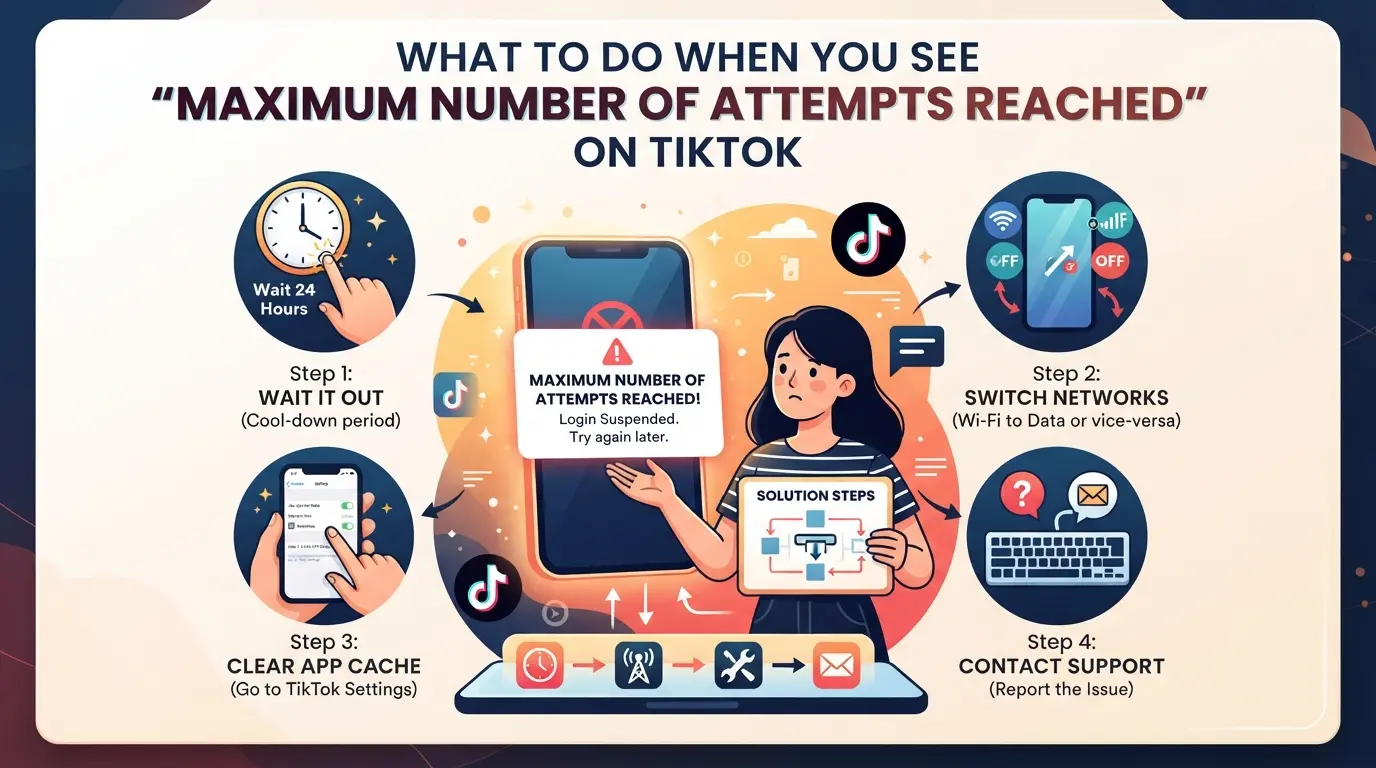
Getting locked out by TikTok’s “maximum number of attempts reached” message means you’ve hit a hard stop, retrying right away isn’t going to work. You need to break the cycle and approach recovery in a way TikTok’s system won’t flag again. Here’s what actually works when you’re facing a login block.
Wait for the Temporary Lock to Expire
Jumping back in with more attempts right after the error usually just extends the lock. TikTok’s system times out after repeated failures, so patience matters.
- Stop all login attempts for at least 30 minutes, TikTok often resets basic locks after this window.
- If you still see the error after waiting, extend your pause to 2–4 hours. Multiple lockouts in one day can force you to wait even longer.
- If locked for more than 24 hours, check if your account is flagged for suspicious activity; this usually means you need to switch tactics.
Trying to log in before the timer resets can reset the countdown and push you further out.
Reset Your TikTok Password
If you can’t log in after the timeout, a password reset is your best move. This tells TikTok you’re the account owner and breaks the failed attempt loop.
- On the login screen, tap “Forgot password?” and choose email or phone, pick whichever you have immediate access to.
- Enter the code sent by TikTok promptly. If the code doesn’t arrive, check spam folders or message delays.
- Set a new password that’s strong but easy for you to remember; don’t reuse an old one. TikTok may block reused passwords after failed attempts.
If you hit “too many attempts” during password reset, wait another hour before retrying.
Check Your Device and Network
TikTok tracks device fingerprints and network routes, logging in from random devices or unstable networks can trigger more blocks.
- Use the same phone or browser you’ve used for TikTok before. Switching devices mid-process increases the risk of a fresh lock.
- Connect to a steady, home or office Wi-Fi instead of public hotspots or mobile data. Unstable or changing IPs often cause login errors.
- If you share the device with others, clear cookies and log out of any other TikTok accounts before trying again.
If you’re still seeing the error, it’s likely TikTok is picking up on changes in your login environment.
Contact TikTok Support If Still Locked
When all else fails and you’re locked out for more than 24 hours, reaching out to TikTok is your last option.
- Go to TikTok’s support page and select “Account login issues.”
- Provide your username, registered email or phone, and describe the exact error (“maximum number of attempts reached”), include screenshots if possible.
- Mention the steps you’ve already tried, so support doesn’t just send generic advice.
Response times can vary, expect at least 2–5 days for a reply. If you don’t hear back, check your spam folder or try again during weekday mornings.
Once you get back in, focus on keeping your login routine consistent. That’s the best way to avoid another lock and sets up the next step: preventing future restrictions.
How to Prevent TikTok Login Restrictions in the Future
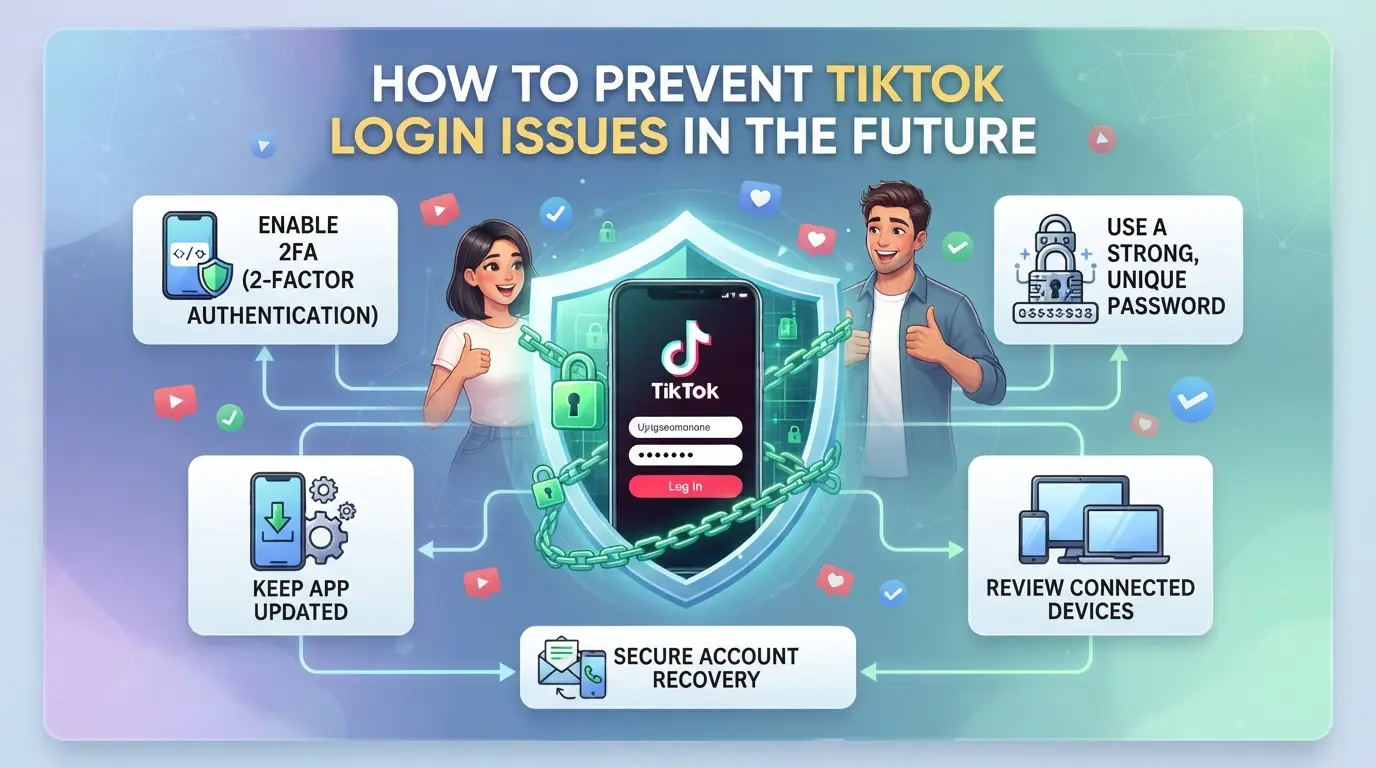
Once you clear a tiktok login attempts exceeded error, the next step is changing the habits that triggered the lock in the first place. If you keep logging in from random devices or sharing account info, TikTok’s system will flag you again, so prevention isn’t just about fixing a locked account, it’s about reducing risky moves going forward.
Keep a Consistent Device and Network
TikTok tracks device ID, browser fingerprint, and IP address every time you log in. If you jump between phones, laptops, or Wi-Fi networks, your login looks suspicious, even on accounts you own. Stick to one device and one stable network for routine logins. Only switch if you’re sure you’ve logged out everywhere else, and avoid using public networks for TikTok unless you’re locked out and need emergency access.
Enable Two-Factor Authentication
Turning on 2FA makes your account harder to lock and easier to recover.
- Open TikTok settings, find “Security,” and enable 2FA
- Link your phone number or email for code delivery
- Test a login to make sure 2FA works before logging out
Avoid Rapid Account Switching
Logging in and out of multiple TikTok accounts in minutes can trigger restriction flags. Use TikTok’s “Switch account” feature if you need to manage several profiles, but pause at least 30 seconds between logins. If you’re running more than three accounts, plan your workflow so you don’t batch login every profile at once.
Don’t Share Login Info or Devices
Sharing passwords or letting friends log into your account is a quick way to get flagged.
- Keep passwords private and rotate them every 90 days
- Use your own device for all logins, don’t borrow a friend’s phone
- For team accounts, set up official access through TikTok’s collaboration tools
Changing these habits means you’ll spend less time fighting lockouts and more time actually using your TikTok accounts. Next, it’s worth knowing how multi-account teams can avoid these traps without slowing down their daily work.
Why Shared Devices and Browsers Cause Problems
TikTok links accounts by device and browser fingerprints, so running several accounts from the same setup can trigger the "maximum number of attempts reached tiktok" lock. Teams often get blocked when they reuse browser sessions or skip IP separation.
Best Practices for Account Separation
If you manage multiple TikTok accounts, use separate browser profiles and assign a unique proxy IP to each account. This keeps TikTok from spotting patterns that suggest bot activity or account farming. Splitting environments reduces the risk of login errors and keeps accounts from getting locked after failed attempts.
When to Use a Profile Management Tool
- You run more than three TikTok accounts on one machine
- Login errors or locks happen even after separating browsers and IPs
- You need to automate account activity without tripping TikTok’s security checks
If you keep getting the tiktok login attempts exceeded error, it's time to upgrade your workflow. Next, see how to set up browser profiles and proxies for each account.
How to Set Up Isolated Browser Profiles and Proxies for TikTok Accounts in DICloak
For teams who manage multiple TikTok accounts, keeping browser profiles and network signals separate is key to avoiding repeated login errors and the "maximum number of attempts reached tiktok" lock. If you mix sessions or reuse IPs across accounts, TikTok’s system can flag your logins as suspicious, even if you’re careful. Here’s how operators can use DICloak to keep each account isolated and reduce the chance of triggering platform restrictions.
Create Separate Profiles and Configure Fingerprints for Each TikTok Account
Operators can set up a new browser profile for every TikTok account in DICloak, storing session data and browser settings separately. Each profile lets you configure signals like operating system, User Agent, language, screen resolution, and time zone, so accounts never share browser storage or fingerprint settings. This is especially useful for agencies where multiple people handle TikTok logins. The scope is limited to browser profiles; it does not change TikTok account status or platform-side detection. 
User-Provided Proxy Configuration for Assigned Profiles
When accounts share an IP address, TikTok can link them, or worse, block logins after too many failed attempts. Users can assign a custom proxy to every DICloak profile, entering host, port, and credentials as needed. Testing the proxy connection shows the exit IP, country, and time zone before you log in. This workflow keeps each account’s network footprint distinct. Operators must supply and verify their own proxies; DICloak only manages the profile-layer settings. 
If you skip profile or proxy separation, it’s easy to trip the next round of restrictions, a point covered in the following section.
Common Mistakes That Keep Triggering TikTok Login Restrictions
Repeated login errors aren’t just bad luck, most users keep making the same mistakes that TikTok flags as risky, causing the “maximum number of attempts reached tiktok” lock.
Using the Same Device or Browser for All Accounts
TikTok links accounts by device and browser fingerprint. If you log in to multiple profiles from one setup, you risk getting all your accounts flagged together. Isolate each account with a separate browser profile or device if you need to manage several at once.
Switching Networks or IPs Too Often
- Avoid logging in while changing Wi-Fi or mobile networks.
- Check your IP stays consistent during each login session.
- Don’t use public networks for sensitive accounts.
Ignoring Security Warnings and Lockouts
Trying to brute-force past warnings usually makes things worse. Stop when you see a lockout and try these:
- Wait the full cooldown before retrying.
- Use the official app, not a browser or emulator.
- Don’t reset your password while locked out.
When to Seek Help: Contacting TikTok Support and Other Options
How to Submit a Support Request
If you’re locked out after hitting the maximum number of attempts reached tiktok, use TikTok’s in-app support. Include your username, describe the error, and mention what fixes you’ve tried.
What to Expect After Contacting Support
TikTok’s team typically responds within 1-3 days, but weekend requests may take longer. You’ll get an email or app notification with next steps, most cases require identity proof or device verification before the lock is cleared.
Alternative Steps If Support Can't Help
- Create a new account with a clean device and email
- Avoid using the same phone number or IP
- Update your security habits to prevent repeat lockouts
Frequently Asked Questions About maximum number of attempts reached tiktok
How long does the 'maximum number of attempts reached' error last on TikTok?
The “maximum number of attempts reached tiktok” error is usually temporary. Most users find the lock lasts about 30 minutes to a few hours. In some cases, it may take up to 24 hours to clear. The exact wait time depends on how often and quickly you tried to log in before the error appeared.
Can I fix the TikTok login attempt error without waiting?
Sometimes you can fix the TikTok login attempts exceeded error by resetting your password or switching to another device or network. However, this does not always work. Often, you must wait until TikTok's system resets your access and lets you try again.
Will using a proxy or different device help me bypass the TikTok attempt limit?
Using a proxy or changing devices might seem like a solution, but TikTok tracks more than just your device or IP. If risky patterns are detected, TikTok can still block your access. This means using these tricks won’t reliably bypass the too many attempts error.
Is it safe to manage multiple TikTok accounts on one device?
Managing several TikTok accounts on one device can be risky. If you don’t separate accounts well, like using different browser profiles and unique proxies, TikTok may link them and trigger account locks. Always keep each account isolated to reduce the risk of getting locked out.
What should I do if TikTok support doesn’t respond to my locked account issue?
If support is slow, wait a little longer and try logging in again later. Make sure you’re not making frequent failed attempts, as this can extend your lockout. As a last resort, you may need to create a new account if you can’t regain access.
If you're faced with login restrictions or repeated verification failures, consider alternative solutions to safeguard your access and privacy. Exploring trusted tools can help you bypass unnecessary hurdles and simplify your experience. Try DICloak For Free
 Web Proxy Tools
 Free Tools
 Cookie Plugin
 UA Generator
 MAC Address Generator
 IP Generator
 IP Address List
 2FA Code Generator
 World Clock
 Anonymous Check
 WebRTC Leak Test
 UUID Generator
 Free Web Proxy Site
 Proxy Checker
 FB Ad Checker
 AI Web Scraping
 Free SMM Tools
 Twitter Shadowban Checker
 Instagram Name Checker
 UTM Generator
 Username Generator
 AI Hashtag Generator
 LinkedIn Headline Generator
 Social Media Image Resizer