Browsing Reddit anonymously has become a top priority for many users who want to safeguard their online privacy. Whether you're reading posts, engaging in discussions, or seeking advice, Reddit anonymous browsing helps you avoid unwanted attention and keep your personal information secure. In this article, we’ll explore what Reddit anonymous browsing means, why it’s crucial, and how you can use Reddit's features to browse with complete privacy.
Understanding Reddit Anonymous Browsing
What is Anonymous Browsing?
Reddit anonymous browsing means using the platform without revealing personal details like your identity or browsing history. This allows users to explore content and participate in discussions without being tracked or identified. For example, users can post or comment on Reddit without their activity being linked to their real name.
Why is Reddit Anonymous Browsing Important?
Reddit anonymous browsing is crucial for privacy. It allows users to participate in conversations without exposing their real identity. Whether discussing personal topics or exploring different interests, staying anonymous protects your privacy and reduces the risk of harassment.
Overview of Reddit's Built-in Anonymous Features
Reddit has several built-in features to help users stay anonymous. You can create multiple accounts to keep your activities separate, and Reddit’s mobile and web versions allow you to browse without saving your activity. Plus, you can post and comment without using your real name, making it easier to stay private.
How to Browse Reddit Anonymously
How to Browse Reddit Anonymously on Mobile
To browse Reddit anonymously on mobile, you can use Reddit's anonymous browsing mode. Here’s how to activate it:
- Open the Reddit mobile app and tap your avatar (profile picture) in the top-right corner.
- Click the arrow next to your username to open the menu.
- Select "Anonymous Browsing" from the pop-up options.
Fun Fact: You can use Reddit’s anonymous browsing mode even without an account. These steps work for both iOS and Android devices.

How to Browse Reddit Anonymously on Desktop
If you're using a desktop to browse Reddit anonymously, there are a few simple methods to protect your privacy. Let's take a look at the options available.
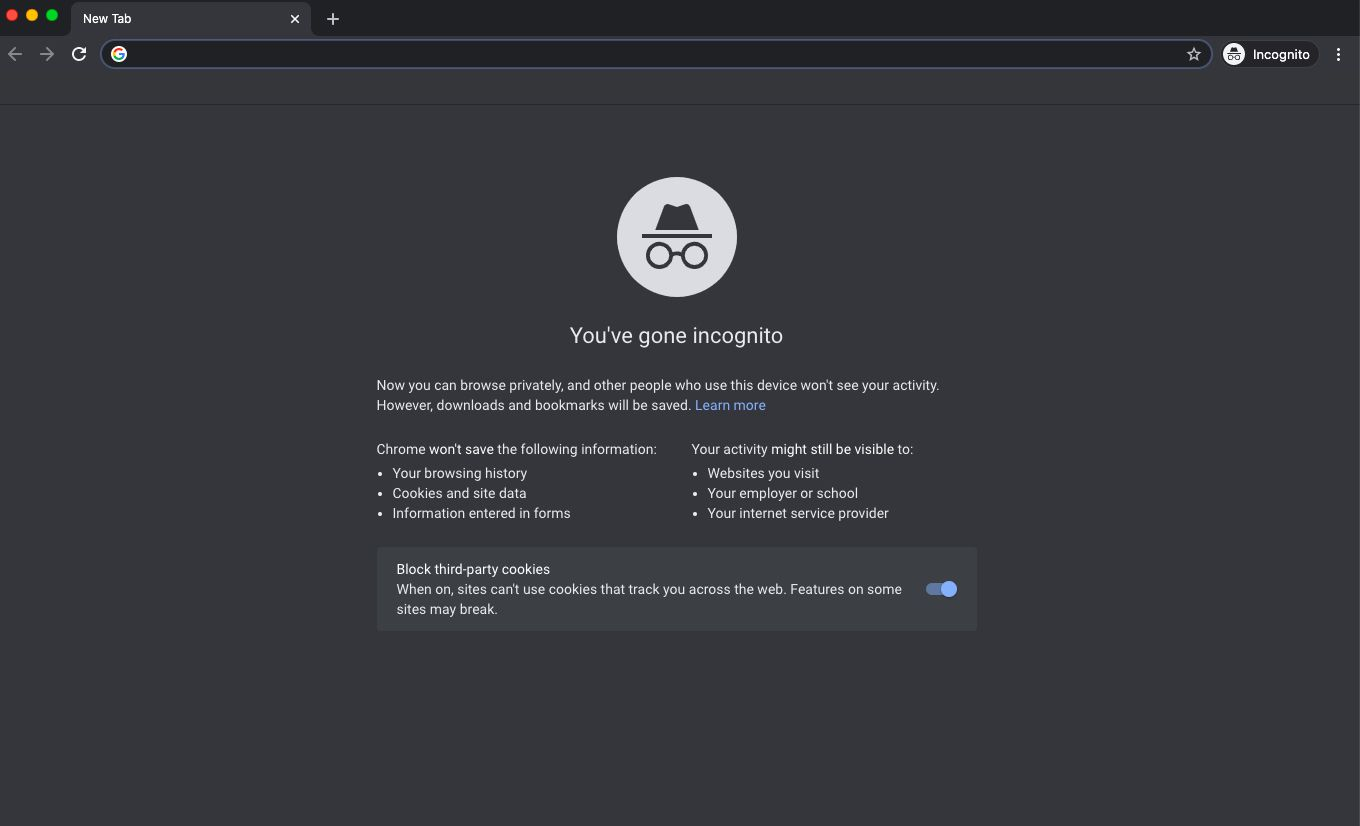
Although Reddit doesn’t have a built-in feature for Reddit anonymous browsing on desktops, you can still browse anonymously by using your browser’s incognito mode. Available in most modern web browsers, incognito mode allows you to surf Reddit without leaving traces like browsing history, cookies, or saved data. While your activity remains private during the session, be sure not to close your incognito tabs or windows, as you won’t be able to recover them once closed.
Here’s how to enable incognito mode in popular browsers for Reddit anonymous browsing:
Google Chrome:
- Press Ctrl + Shift + N (Windows) or Command + Shift + N (macOS).
- Or click the three-dot menu in the top-right corner and select "New Incognito Window".
Mozilla Firefox:
- Click the three-line menu in the top-right corner.
- Select "New Private Window".
Microsoft Edge:
- Press Ctrl + Shift + N (Windows) or Command + Shift + N (macOS).
- Or click the three-dot menu and choose "New InPrivate Window".
Apple Safari:
- Press Cmd + Shift + N (macOS).
- Or click the "File" menu and select "New Private Window".
Incognito mode for Reddit anonymous browsing provides several benefits:
- Privacy: Your browsing history isn’t saved, so your activity stays hidden.
- Separation: Keeps your Reddit activity separate from your main browsing, useful if you're sharing a computer.
- Temporary State: Cookies and login sessions are erased when you close the incognito window.
Using Anonymous Browser
While incognito mode is a simple option for Reddit anonymous browsing on desktop, it still has limitations. For example, your Internet Service Provider (ISP) and the websites you visit can still track your activity.
To fully protect your identity and online activity, you can use anonymous browsers. These specialized browsers are built to enhance privacy and minimize data collection. Unlike regular browsers, they include features like tracker blocking, data encryption, and resistance to fingerprinting.
Key Features of Anonymous Browsers:
- Data Minimization: These browsers are designed to collect as little data as possible, ensuring your browsing history and cookies are not stored.
- Tracker Blocking: They block third-party trackers that monitor your activity, helping to keep your browsing habits private.
- Encryption: Most anonymous browsers encrypt data between your device and websites, securing your online activity.
- Decentralization: Some browsers route traffic through multiple servers, masking your IP address and making it harder to trace your activity.
- Anti-Fingerprinting: They prevent tracking methods like browser fingerprinting by allowing you to spoof your browser’s unique features.
Benefits of Using Anonymous Browsers for Reddit
Anonymous browsers offer several advantages for users concerned about privacy:
- Protection from Surveillance: They encrypt data and use multiple servers to protect you from surveillance by ISPs, governments, or hackers.
- Reduced Targeted Ads: Features like tracker blocking and anti-fingerprinting help prevent targeted ads, keeping your data private.
- Secure Transactions: The encryption provided by these browsers ensures safer online transactions.
- Protection from Hacking: By minimizing data storage and using encryption, these browsers reduce the risk of hacking and data breaches.
- Freedom of Expression: In regions with internet restrictions, anonymous browsers help users access blocked content and communicate without fear of repercussions.
The Most Useful Anonymous Browsers——DICloak
⚡The DICloak Antidetect Browser has become a global favorite for its unparalleled ability to efficiently and securely manage multiple accounts. Designed for professionals in social media management, affiliate marketing, traffic arbitrage, e-commerce, account farming, airdrops, and more, DICloak offers powerful features like RPA automation, bulk operations, and a window synchronizer. Additionally, it allows you to customize fingerprints and integrate proxies for each profile, ensuring top-level security and operational efficiency. It’s the ultimate tool for seamless, secure, and scalable operations.

What Makes DICloak Stand Out?
✅ Manage 1,000+ Accounts on One Device: Stop wasting money on extra hardware! DICloak allows you to manage multiple accounts on a single device, cutting costs and boosting efficiency.
✅ Guaranteed Account Safety, No Ban Risks: Every account gets its own isolated browser profile with custom fingerprints and IPs, drastically reducing the risk of bans. Your accounts, your control!
✅ Flexible Proxy Configuration for Maximum Performance: Seamlessly integrate with all major proxy protocols (HTTP/HTTPS, SOCKS5) and manage your proxy pool with bulk operations. No more struggling with IP management—DICloak has you covered.
✅ Streamlined Team Collaboration for Better Results: Easily manage your team with advanced tools like profile sharing, permission settings, data isolation, and operation logs. Your team works smarter, not harder.
✅ Automate the Grind with RPA: DICloak's built-in RPA saves you hours of manual work. Automate repetitive tasks, streamline workflows, and focus on what really matters—growing your business.
✅ Powerful Bulk Tools to Scale Your Operations: Create, import, and launch multiple browser profiles in one click. DICloak makes scaling your business as easy as it gets.
✅ Compatible with All Major Operating Systems: Based on the Chrome core, DICloak supports simulating Windows, Mac, iOS, Android, and Linux operating systems. No matter what platform you need, DICloak has you covered.
🔗 Ready to Get Started?
Visit the DICloak website to explore more details and choose the plan that’s right for you. Start for free today and experience the power of secure, efficient, and scalable multi-account management!
FAQ
Why is Reddit Anonymous Browsing Not Working?
If Reddit anonymous browsing isn’t working, try updating the Reddit app or browser to the latest version. If the issue persists, clear your cache and cookies and re-enable anonymous mode. Also, check your app or browser settings for any restrictions that might be interfering.
Is Reddit Anonymous Browsing Safe?
Reddit’s anonymous browsing mode helps keep your activity private within Reddit, but it doesn’t fully protect you from being tracked by your Internet Service Provider (ISP) or third-party websites. To achieve complete anonymity, consider using an anonymous browser. These browsers offer enhanced security by encrypting data, blocking trackers, and anonymizing your IP address, ensuring your activity remains hidden from all parties, including ISPs and websites.
Conclusion
Ensuring Reddit anonymous browsing is key to protecting your privacy. Whether on mobile or desktop, you can use Reddit’s built-in anonymous mode or browser incognito features for basic privacy. For stronger protection, anonymous browsers are the best option, offering encryption, tracker blocking, and IP anonymization. By using these tools, you can browse Reddit securely and privately.
 Web Proxy Tools
 Free Tools
 Cookie Plugin
 UA Generator
 MAC Address Generator
 IP Generator
 IP Address List
 2FA Code Generator
 World Clock
 Anonymous Check
 WebRTC Leak Test
 UUID Generator
 Free Web Proxy Site
 Proxy Checker
 FB Ad Checker
 AI Web Scraping
 Free SMM Tools
 Twitter Shadowban Checker
 Instagram Name Checker
 UTM Generator
 Username Generator
 AI Hashtag Generator
 LinkedIn Headline Generator
 Social Media Image Resizer