Many users ask “how many Gmail accounts can I have?” because they want separate inboxes for work, personal life, side projects, online services, or business tasks. The simple answer is that Google does not publish one fixed number of Gmail accounts that every person can own.
However, that does not mean Gmail account creation is unlimited in practice. The real limits usually come from phone verification, security checks, repeated signup patterns, recovery settings, and Google’s abuse prevention systems. In other words, the issue is not only how many Gmail accounts you have, but how those accounts are created, verified, and used.
This guide explains Gmail account limits in 2026, why phone verification may stop you, when aliases or Google Workspace may be better than new accounts, and how to manage multiple Gmail accounts in a cleaner way.
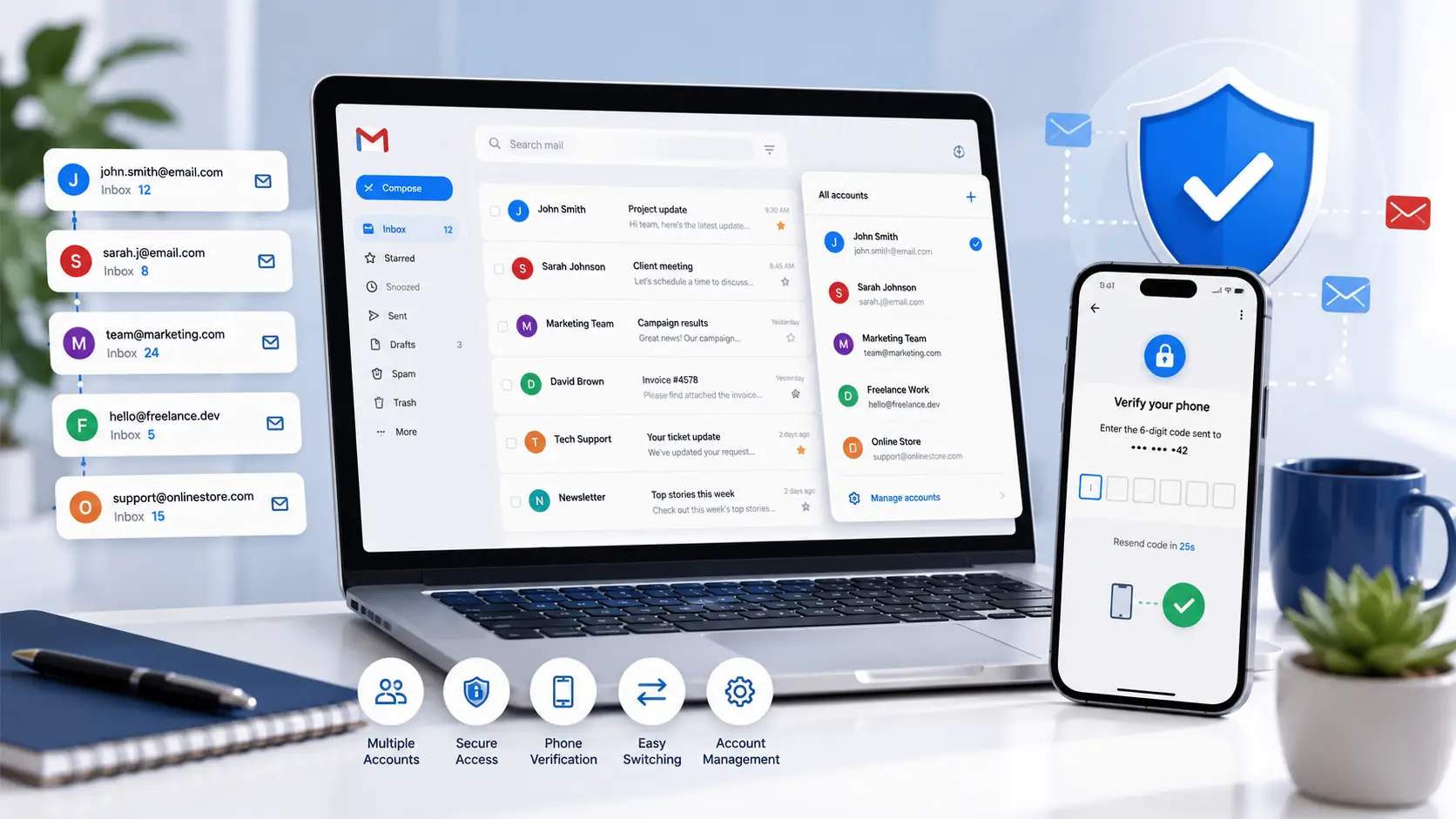
Is There a Limit on How Many Gmail Accounts You Can Have?
The direct answer is simple, but the real experience can feel confusing. Some users can create several Gmail accounts with no issue. Others may be stopped by phone verification or security checks after only a few attempts. This happens because Google focuses less on a public account number and more on how accounts are created and used.
Does Google Set a Maximum Number of Gmail Accounts?
Google does not provide a public, universal limit that says one person can only have a specific number of Gmail accounts. So the answer to how many Gmail accounts can I have is not a simple number like 2, 5, 10, or 20.
What matters more is whether each account is created and used in a normal, secure way. Google may ask for extra verification when account creation or login activity looks unusual. This can include repeated signups, failed verification attempts, frequent device changes, or patterns that look automated.
What Google Actually Limits Instead of Account Quantity
Google is more likely to limit suspicious behavior than account ownership itself. It may look at account creation behavior, verification history, device signals, browser activity, and recovery details.
Creating several accounts slowly over time for real purposes is very different from creating many accounts from the same device, browser, network, or phone number in a short period. The second pattern may look risky, even if the user has a real reason.
How Phone Verification Affects New Gmail Accounts
Gmail phone verification is one of the most common practical limits. Google may ask for a phone number to confirm that a new account is being created by a real person. Each phone number can only be used for a limited number of verification attempts.
If you see a message like “This phone number cannot be used for verification,” it usually means that number has reached a limit or cannot be used for that signup. Use a number you can access and are allowed to use. Avoid temporary or unauthorized numbers, because they may cause recovery problems later.
Can You Create 10, 20, 50, or Even 100 Gmail Accounts?
Technically, Google does not publish a strict maximum. But there is a big difference between owning multiple Gmail accounts for real purposes and creating many accounts quickly.
For example, a business owner may use separate Gmail accounts for support, billing, marketing, testing, and personal communication. That is very different from creating dozens of accounts in one session with the same recovery details.
A better question is not only “Can I have many Gmail accounts?” It is also: “Do I have a real reason for each account, and can I keep every account secure and recoverable?”
The Difference Between Technical and Practical Limits
There is no official number for how many Gmail accounts can I have. In practice, Google looks at account creation behavior, device activity, verification history, and security signals.
Creating a few accounts over time is usually different from creating many accounts in a short period. The first pattern can look normal. The second may trigger extra checks.
Why Google May Limit New Accounts
Google uses automated systems to help prevent spam, fake accounts, and abuse. If too many accounts are created from the same device, IP address, browser, or phone number in a short period, additional verification may be required.
Some users may create several accounts without problems. Then they may receive phone or email verification when they try to create more accounts on the same day. This usually happens because of security patterns, not because Google has published one fixed account number limit.
Common Reasons Account Creation Gets Blocked
Account creation may be interrupted if Google detects unusual signup behavior. Common triggers include using the same phone number repeatedly, failing verification several times, creating several accounts too quickly, or reusing the same recovery information.
To reduce problems, create accounts only when you genuinely need them. Complete verification honestly. Keep recovery details accurate. Avoid rushing through multiple registrations at once.
Why People Use Multiple Gmail Accounts
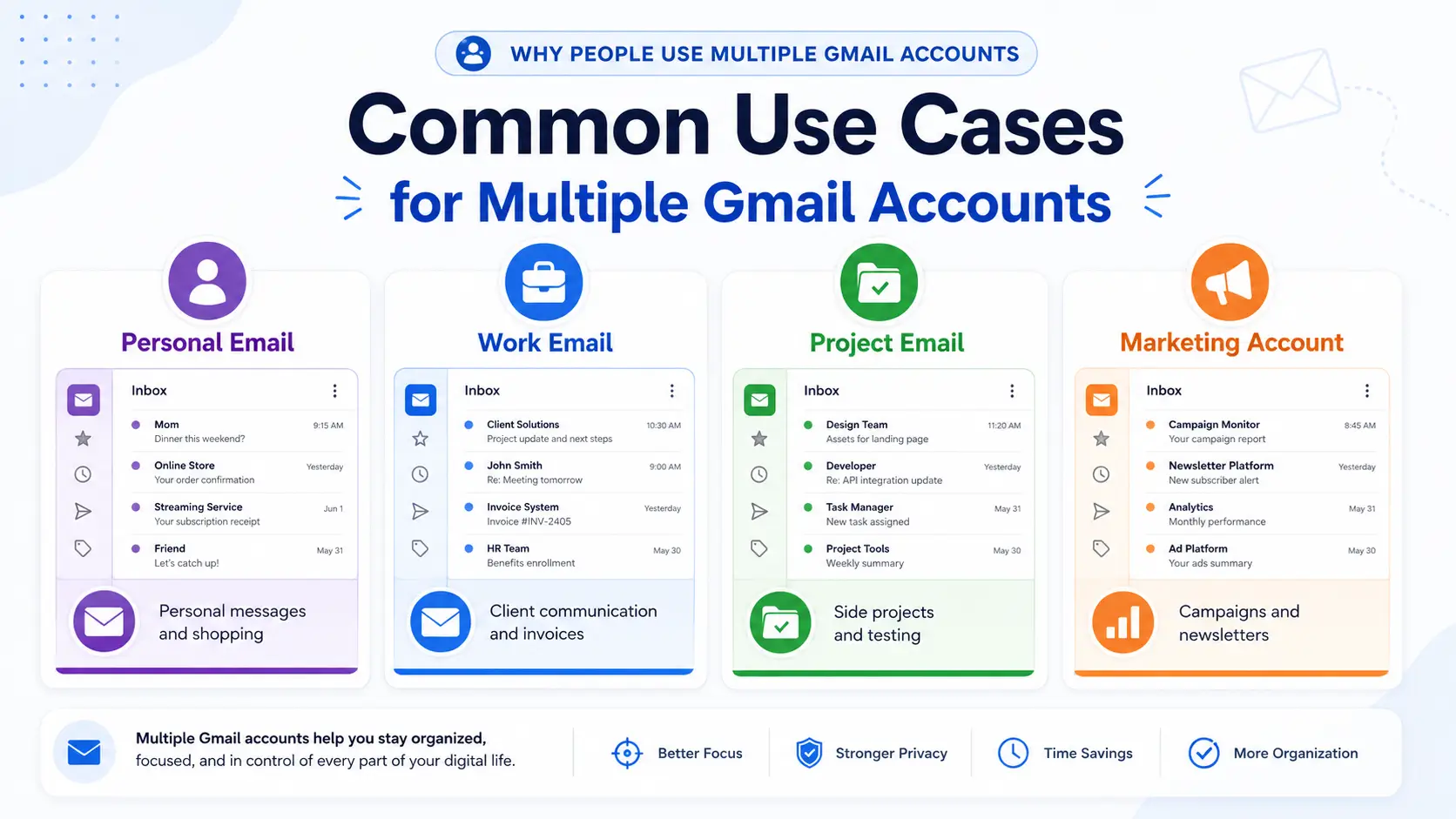
Even without a fixed limit, many users still need multiple Gmail accounts. In most cases, they are not trying to abuse the system. They simply want cleaner inboxes, better privacy, and easier account organization.
Separating Personal and Work Email
Many users create separate Gmail accounts to keep personal and work messages apart. This helps reduce mistakes, such as sending a work file from a personal address or missing an important client email in a crowded inbox.
For example, a freelancer may use one Gmail account for family and shopping, and another for client messages, invoices, and project updates. This makes daily communication easier to manage.
Managing Side Projects and Online Services
People also use separate Gmail accounts for side projects, online stores, newsletters, app testing, or social media accounts. A separate inbox keeps project emails away from personal messages.
For example, someone running a small online shop may use one Gmail account for order updates, customer questions, and supplier messages. This keeps the business inbox focused and easier to search.
Improving Privacy and Organization
Having more than one Gmail account can also improve privacy. Users may not want to use their main email for every website, trial, or online service. A separate inbox can reduce clutter and limit exposure if one email address receives too many promotional messages.
For example, instead of using a personal Gmail account for every online signup, a user may create a separate inbox for subscriptions, trials, or low-priority services.
If you need multiple Gmail accounts for work, projects, or personal organization, creating them the right way can save time later. Most account creation problems happen during verification, recovery setup, or unusual signup activity.
Setting Up a New Gmail Account
Creating another new Gmail account is straightforward. Visit Google’s account creation page, enter your basic information, choose a username, and complete any required verification steps.
Before using the account for important messages, review the recovery settings and security options. Many account issues happen later because users skip these steps during setup.
Avoiding Common Verification Issues
One common obstacle is Gmail phone verification. Google may request a phone number to help confirm that the account is being created by a real person. If too many accounts are created in a short period, additional checks may appear.
A simple way to avoid problems is to create accounts only when you genuinely need them and complete each verification step carefully. Rushing through multiple registrations can trigger extra security reviews.
Using Unique Recovery Information for Each Account
When you create multiple Gmail accounts, use recovery information that you can actually access later. Recovery emails and phone numbers help protect accounts if you forget a password or Google detects unusual activity.
For example, imagine creating a Gmail account for a project and not updating the recovery information for several years. If you later lose access to the password, recovering the account can become much harder. Keeping recovery details current makes account management easier in the long run.
Common Problems With Multiple Gmail Accounts
Even if you create multiple Gmail accounts carefully, problems can still happen later. Most issues come from login verification, unusual account activity, or weak recovery settings. The goal is not just to create more accounts, but to keep each account easy to access and safe to use.
Login Verification Requests and Security Checks
Google may ask you to verify that an account belongs to you when it notices a sensitive action or unusual sign-in pattern. This can happen when you log in from a new device, change security settings, or try to recover access.
For example, if you create a new Gmail account on your laptop and later sign in from a new phone, Google may ask for extra verification. This is meant to protect the account, not only to block access.
Suspicious Activity Warnings
A Gmail suspicious activity warning can appear when Google sees behavior that does not match normal account use. This may include sudden logins from new locations, repeated failed sign-ins, or activity that looks automated.
For example, if several new accounts are created and used from the same browser in a short time, Google may treat the pattern as risky. If that happens, slow down, check account security settings, and make sure each account has accurate recovery information.
Account Recovery Challenges
Account recovery becomes harder when users forget which phone number, recovery email, or device was tied to each Gmail account. This is common when people create many accounts and do not keep records.
For example, you may remember the password for an old Gmail account but no longer have access to the recovery phone number. In that case, recovery can take longer or fail. Keeping a simple record of account purpose, recovery email, recovery phone, and creation date can prevent future problems.
How to Manage Multiple Gmail Accounts Efficiently
After solving common login and verification problems, the next step is daily management. When you use multiple Gmail accounts, the goal is simple: switch accounts easily, avoid sending from the wrong inbox, and keep important messages easy to find.
Using Google’s Built-In Account Switcher
Google lets you sign in to more than one account at the same time. In Gmail, you can click your profile picture and choose another account without signing out. This is useful if you only manage a few inboxes.
For example, you may keep one Gmail account for personal messages, one for work, and one for a side project. The account switcher makes it easy to move between them, but you still need to check which inbox you are using before sending emails.
Organizing Accounts With Separate Browser Profiles
If you manage several Gmail accounts every day, separate browser profiles can make things cleaner. Each profile keeps its own cookies, sign-ins, bookmarks, and settings. This reduces the chance of mixing work, personal, and project accounts in the same browser window.
For example, you can create one browser profile for work email, one for client projects, and one for testing or newsletters. This makes Gmail account organization easier and lowers the chance of opening the wrong account by mistake.
When Gmail Aliases or Google Workspace Are Better Than New Accounts
Sometimes, you may not need another Gmail account at all. Gmail aliases and plus addressing can help you sort emails without creating a new inbox. For example, you can use yourname+shop@gmail.com for shopping emails and filter those messages into a label.
For teams, Google Workspace may be a better option than creating many separate personal Gmail accounts. It gives businesses more control over users, access, and company email addresses. This is often a cleaner choice when several people need to manage work email together.
How DICloak Helps Organize Multiple Gmail Workflows
As the number of Gmail accounts grows, managing them can become more complicated. Switching between inboxes, keeping login sessions separate, and coordinating access across a team can quickly create confusion. For users who regularly work with multiple Gmail accounts, DICloak helps organize different account workflows in a cleaner way.
Create Separate Browser Profiles for Different Gmail Accounts
With DICloak, you can create a separate browser profile for each Gmail account. Every profile stores its own cookies, login sessions, browser settings, and fingerprint configuration.
This helps keep different Gmail workflows separate. For example, a team may keep support email, project email, and operations email in different browser profiles instead of switching between them in one normal browser window.
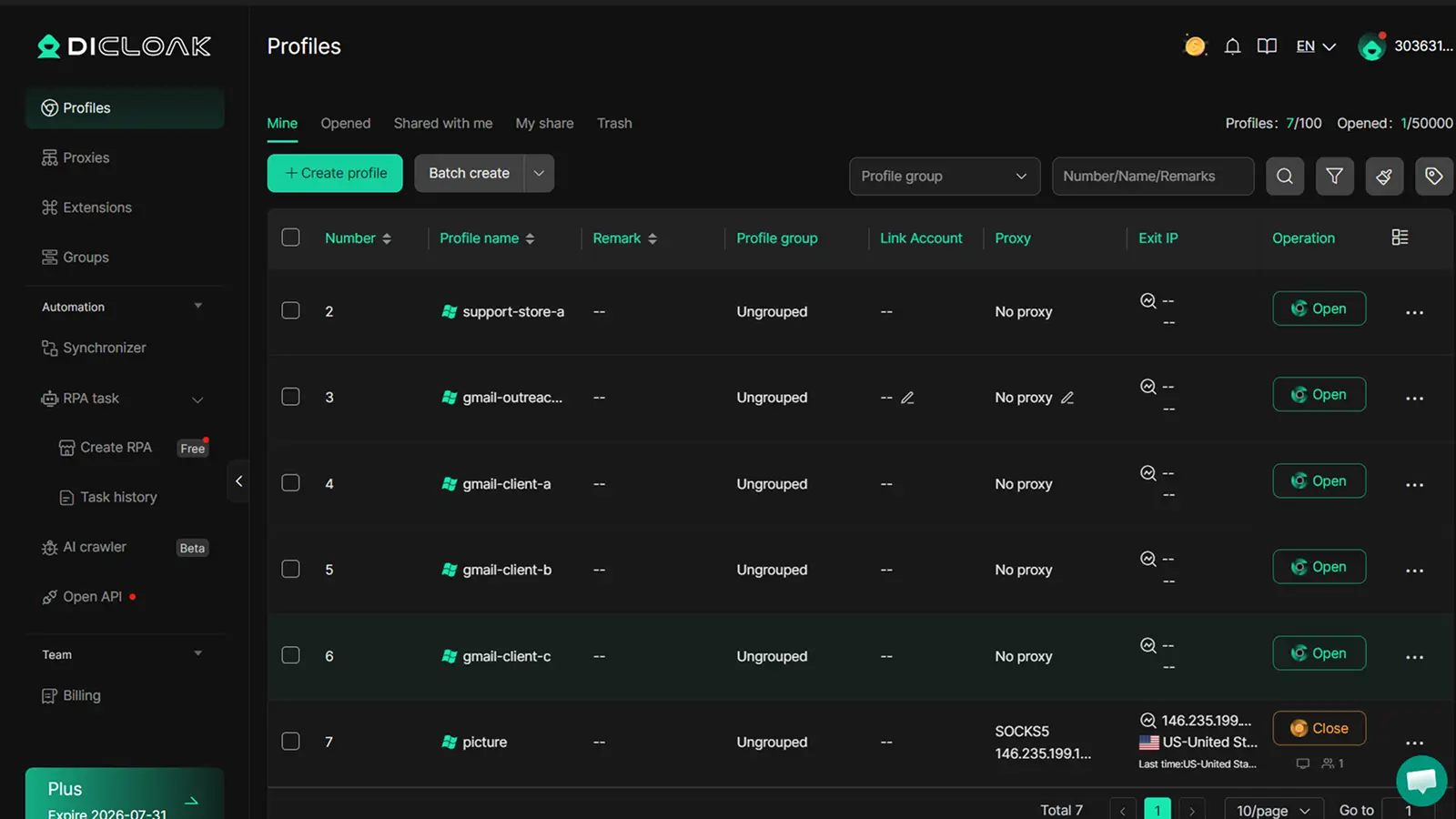
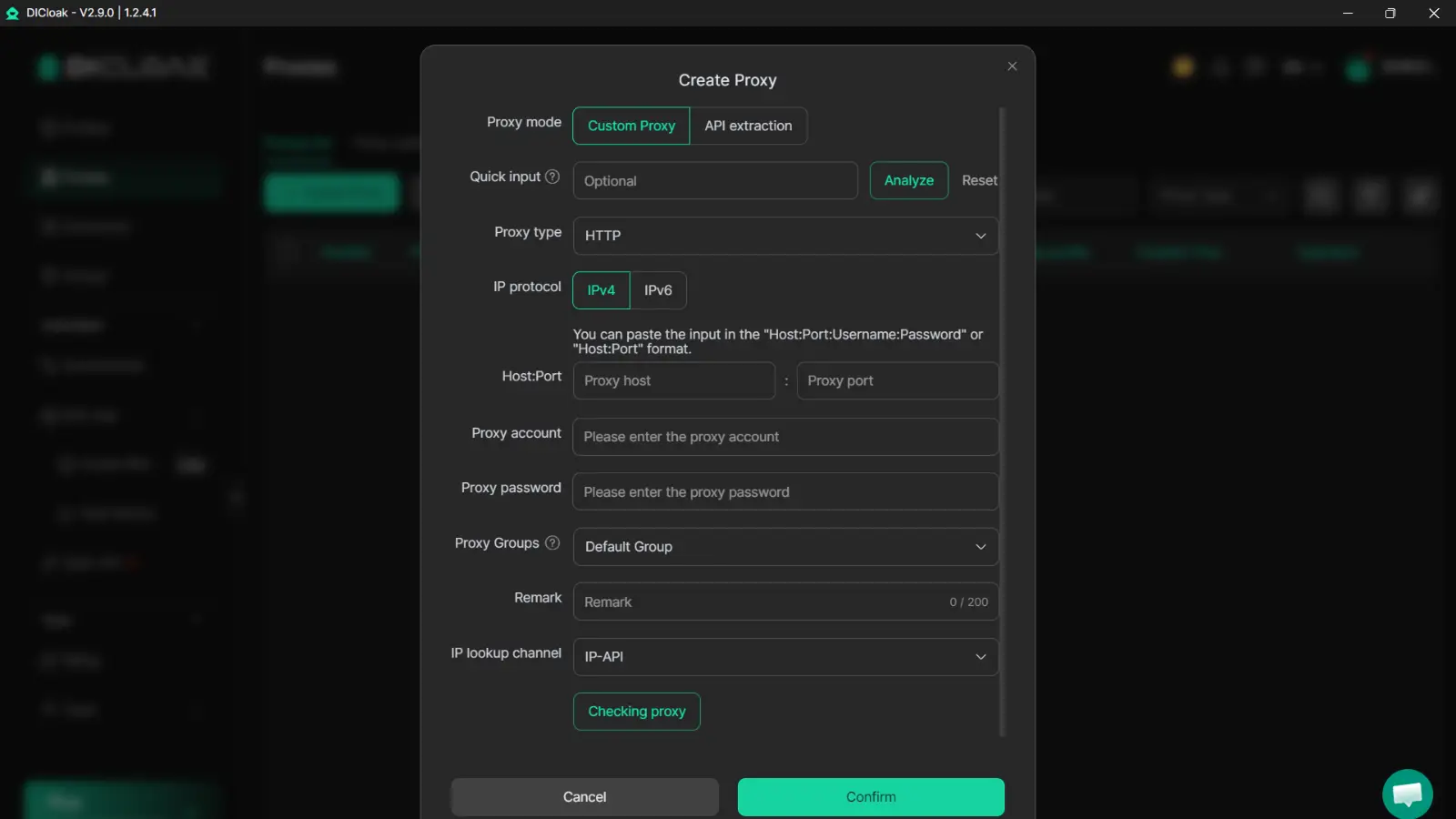
Configure Custom Proxies for Consistent Login Environments
You can also configure custom HTTP, HTTPS, or SOCKS5 proxies for each browser profile in DICloak. This can help maintain a more consistent login environment when managing Gmail accounts across different projects or teams.
For example, if different departments use separate Gmail workflows, assigning dedicated proxy settings to each profile can help keep account environments organized and easier to manage over time.
Share Gmail Workflows Securely With Team Members
For teams that manage shared inboxes or business communication, account access can become difficult to control. Sending passwords between employees creates unnecessary security risks and makes account management harder.
With DICloak, administrators can share browser profiles with team members and assign different permission levels based on job responsibilities. Team members can access the Gmail workflows they need without exposing the main account credentials. This helps teams collaborate more efficiently while keeping account access under better control.
Frequently Asked Questions
How Many Gmail Accounts Can I Have With One Phone Number?
There is no public Google rule that gives one exact number for every user. Phone verification limits can vary based on security signals and account activity. In general, a phone number can only be used to verify a limited number of Google accounts before additional verification is required.
Can I Have 10 or More Gmail Accounts at the Same Time?
Yes, many users manage multiple Gmail accounts for work, personal use, projects, or online services. However, creating and verifying many accounts in a short period may trigger Google security checks. The answer to how many Gmail accounts can I have depends more on account activity and verification than on a fixed number limit.
Is It Better to Create a New Gmail Account or Use an Alias?
It depends on your needs. Gmail aliases and plus addressing work well for organizing incoming emails without creating a separate inbox. If you need separate settings, contacts, storage, or account access, a new Gmail account is usually the better option.
Why Does Google Keep Asking Me to Verify My Gmail Account?
Google may request verification when it detects a new device, unusual login activity, security setting changes, or repeated account creation attempts. These checks are designed to protect accounts and prevent abuse.
What Is the Best Way to Manage Multiple Gmail Accounts?
Google’s built-in account switcher works well for a few accounts. For users managing many inboxes, separate browser profiles, Gmail aliases, Google Workspace, or dedicated account management tools can help keep workflows organized and reduce confusion.
 Web Proxy Tools
 Free Tools
 Cookie Plugin
 UA Generator
 MAC Address Generator
 IP Generator
 IP Address List
 2FA Code Generator
 World Clock
 Anonymous Check
 WebRTC Leak Test
 UUID Generator
 Free Web Proxy Site
 Proxy Checker
 FB Ad Checker
 AI Web Scraping
 Free SMM Tools
 Twitter Shadowban Checker
 Instagram Name Checker
 UTM Generator
 Username Generator
 AI Hashtag Generator
 LinkedIn Headline Generator
 Social Media Image Resizer