A bot can run fine for days, then fail in minutes when Discord returns 429 Too Many Requests, 401 Unauthorized, or 403 Missing Access from the same endpoint. That pattern is common in community reports and matches Discord’s official rules on rate limits, authentication, and permissions. If you are seeing a discord api error, the hard part is rarely “how to retry.” The real problem is finding the failure point fast: bad token handling, wrong intents, missing scopes, clock drift in request signing, or a route that quietly hits per-bucket limits.
This guide gives you a practical debugging path you can run during an outage: how to read response headers, separate client bugs from platform incidents using Discord Status, map common error codes to root causes, and add guardrails so the same failure does not return next week. You will leave with a repeatable checklist your team can use in logs, staging, and production. Start with the failure signals that usually appear before the API call fully breaks.
How do you read a Discord API error message and find the root cause fast?
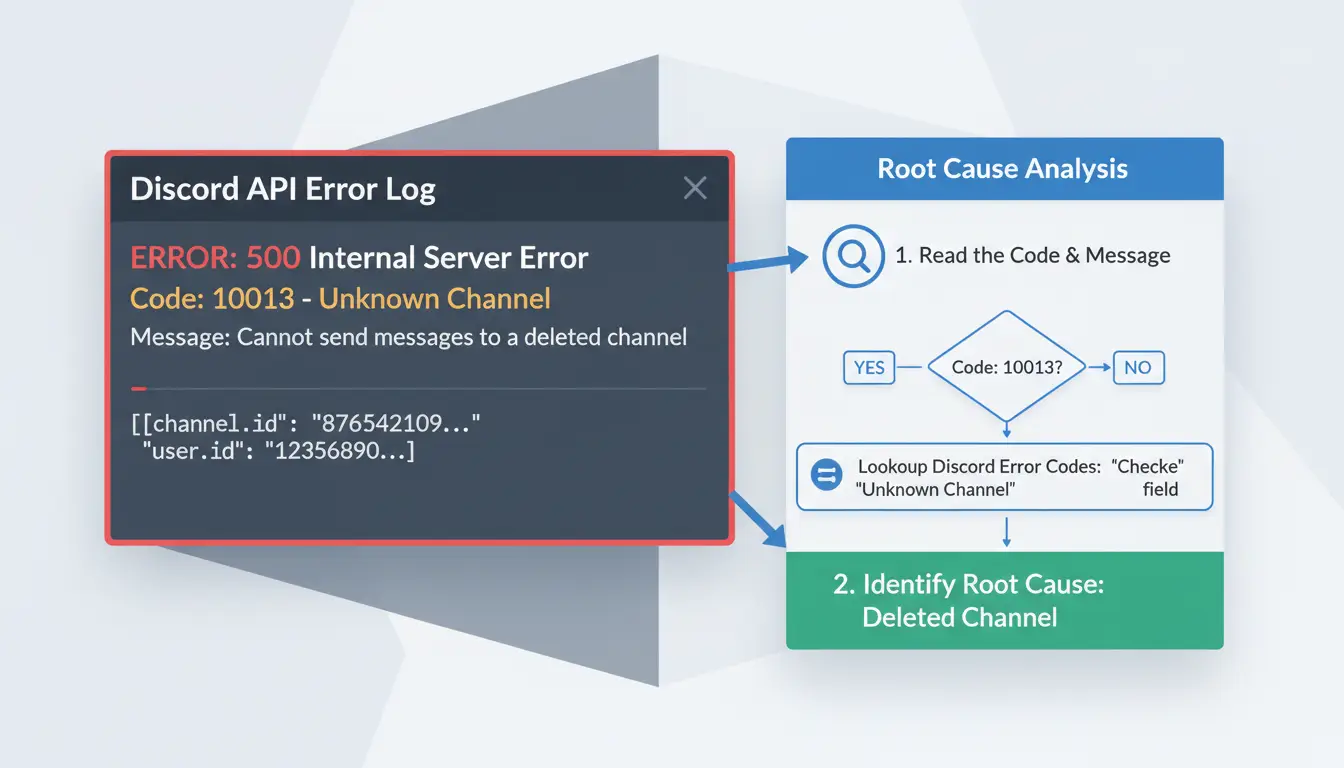
Treat each discord api error as a classification task. Read the response, tag it, then decide your next check in under a minute. If you skip tagging, you waste time changing code that is not broken.
Which fields in a Discord error response matter most?
Start with status code + Discord error code + request ID. Add method, path, and a redacted token fingerprint (last 4 chars only). Transport failures (DNS, TLS, timeout) happen before Discord replies. API failures include JSON like code and message. Keep them in separate log fields so alerts stay clean. Use the request ID when you escalate via Discord developer support docs.
How to map HTTP status codes to likely failure types
| HTTP |
Likely root cause |
Fast check |
| 400 |
Bad payload shape, missing field |
Validate schema and required keys |
| 401 |
Bad/expired token |
Rotate token, confirm header format |
| 403 |
Missing permission/scope |
Verify role perms in Discord permissions |
| 429 |
Rate limit bucket hit |
Read X-RateLimit-* and Retry-After |
| 5xx |
Discord incident |
Check Discord Status |
What logs to capture before changing any code
Log endpoint, method, status, request ID, latency, retry count, and response headers. Log payload schema, not raw secrets. Store one reproducible sample request per failure type. That turns the next discord api error into a quick diff, not a guess.
What are the most common Discord API error codes and what do they usually mean?
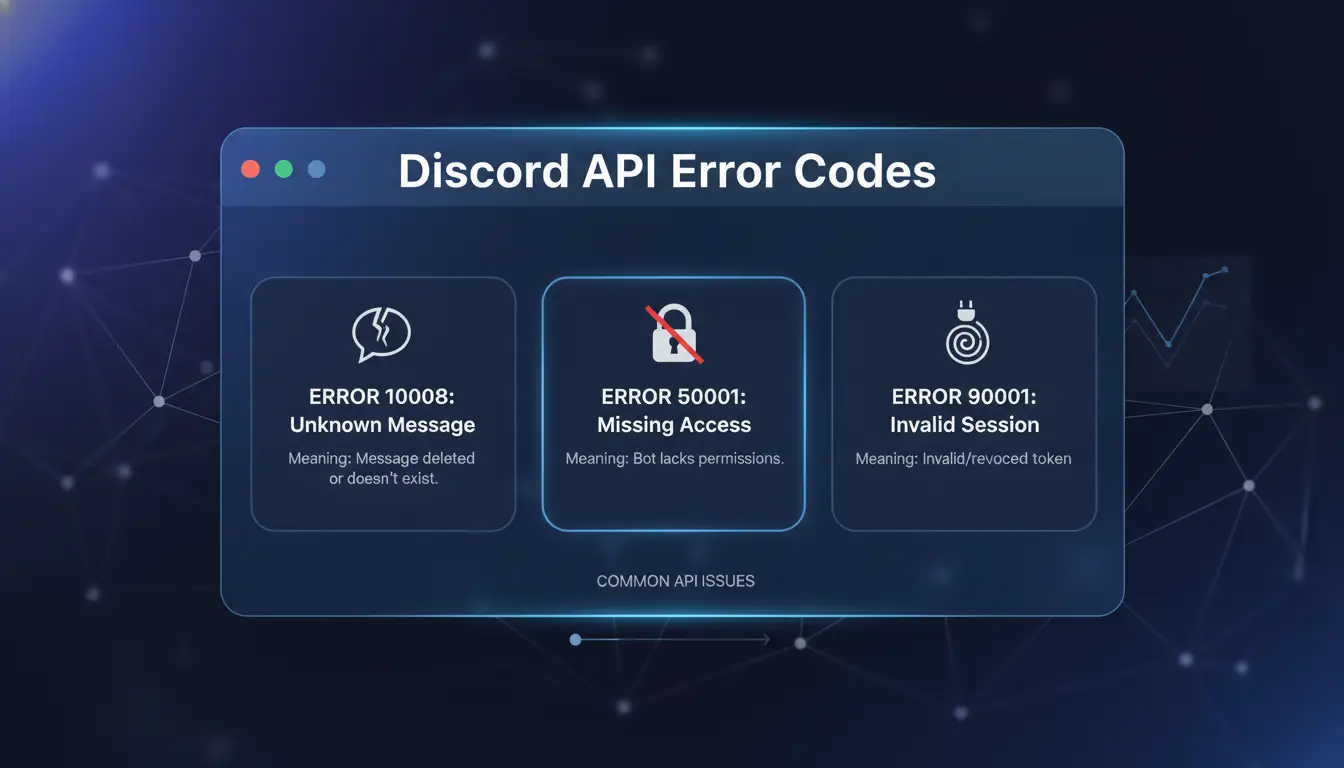
When a discord api error appears, the code usually points to one mistake class: auth, access, or payload. Check the HTTP status plus Discord’s JSON error body from the official API docs.
Authentication and token-related errors
401 Unauthorized usually means invalid or expired token, or the wrong token type on that route. 40001 Unauthorized also appears when your bot token is malformed in headers. A leaked token can trigger sudden 401s after forced rotation. Rotate in the Discord Developer Portal, redeploy secrets, and revoke old values. Never keep bot tokens in client code or logs.
Permission and access errors
403 Forbidden means the token is valid but lacks access. Common causes: missing channel permissions, missing guild scope, or endpoint restrictions. 50013 Missing Permissions often means role hierarchy blocks moderation actions, even when the bot has a permission flag. Check role order and endpoint requirements in Discord permission docs.
Validation and payload format errors
400 Bad Request and 50035 Invalid Form Body point to schema issues: embed length limits, invalid component structure, wrong field types, nulls, or empty strings where values are required. If the same discord api error repeats, log the rejected field path from the response body and validate payloads before send.
How can you fix a Discord API error step by step without guessing?
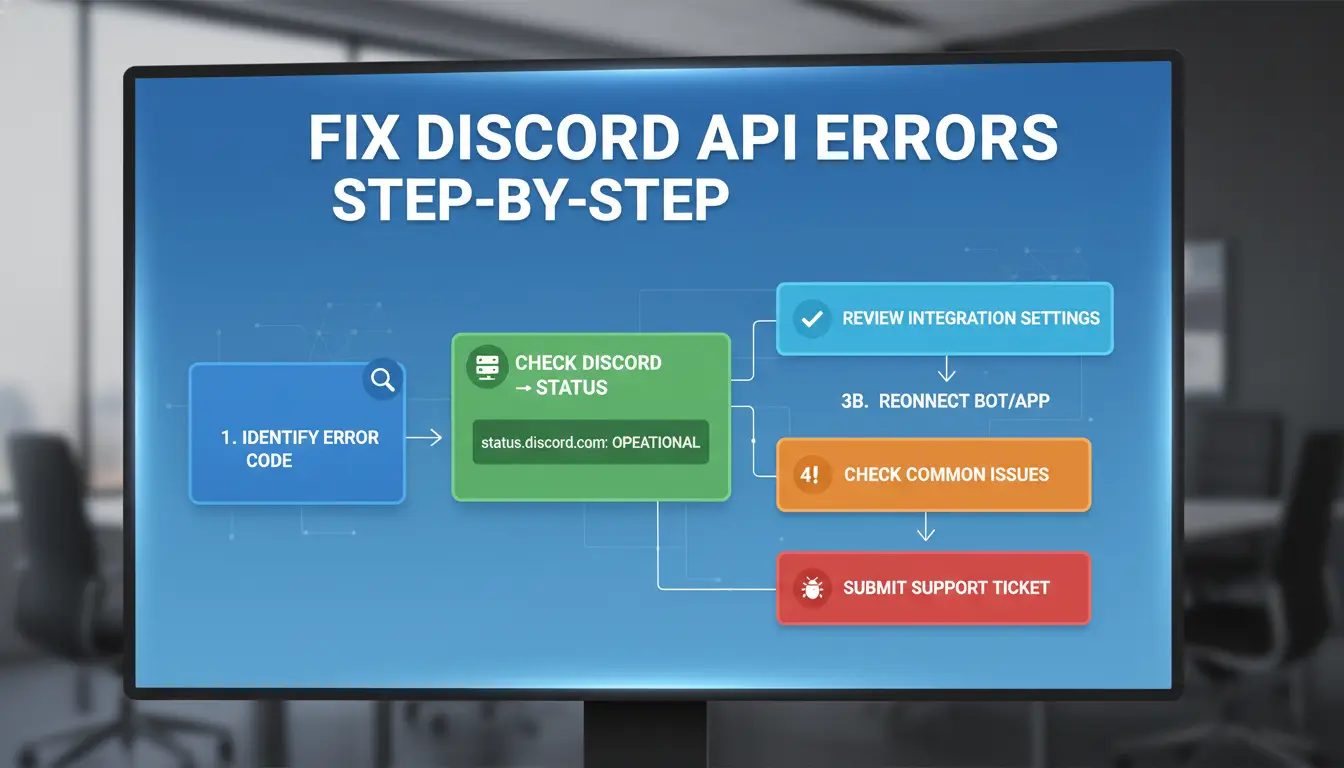
Treat each incident like a trace task, not a code rewrite task. Lock one failing request ID and follow it end to end. That cuts noise and stops random edits when a discord api error appears.
Step 1–2: Reproduce the issue and isolate one failing request
Run a minimal script with the same method, URL, headers, and JSON body as production. Keep the same token type and bot intents. Turn off retries, queues, and extra middleware for this test run. You need one clean fail signal: status code, error body, and response headers. Check Discord Status before changing code, so you do not debug a platform outage.
Step 3–4: Validate auth, permissions, and payload schema
Confirm token source and environment variable mapping in the running process, not only in .env. Verify scopes, intents, and permission bits against Discord permissions docs. Compare your payload field-by-field with the endpoint requirements in the Discord Developer Docs.
Step 5–6: Test rate limit handling and deploy a safe patch
Read retry_after, x-ratelimit-bucket, and remaining headers on each route. Back off per bucket, not with one global sleep. Ship a canary to a small traffic slice. Watch error rate and rollback fast if the same discord api error returns.
Why does Discord API rate limiting happen, and how do you handle 429 errors safely?
A 429 is a normal API control signal, not a random crash. In Discord, limits apply per route bucket and at a global level. A common discord api error starts when retry code ignores response headers and keeps sending traffic.
How Discord rate limit buckets work in practice
Discord groups endpoints into rate limit buckets. Two URLs can share one bucket, so one noisy job can throttle another worker. You also have a global cap that can block unrelated routes for a short period. Burst traffic often comes from cron jobs that start at the same minute, then flood message or role update endpoints.
What a correct backoff and retry strategy looks like
Read retry_after from the 429 body and wait that exact time. Also honor X-RateLimit-Reset-After and bucket headers from Discord’s header spec. Fixed 1-second sleeps create repeat 429 loops. Add small jitter so workers do not wake at the same millisecond. Retry only idempotent actions safely; for message sends, store a request key so your bot does not post duplicates after a timeout.
How to reduce request volume before you hit limits
Queue writes, cache reads, and coalesce repeated updates to the same channel or member.
| Pattern |
Risk |
Safer handling |
| Fixed retry |
Repeated 429 |
Header-based wait + jitter |
| Parallel sends |
Bucket spikes |
Queue by bucket key |
| Duplicate jobs |
Extra calls |
Dedup key + cache |
| One-item writes |
High call count |
Batch where endpoint allows |
How do token, gateway, and permission mistakes create recurring Discord API errors?
A repeating discord api error usually comes from config drift, not bad business logic. The same handler works in staging, then fails in production after a deploy, reconnect, or role update. Treat credentials, gateway state, and permissions as three separate checks so you can isolate the break fast.
Token lifecycle issues that silently break requests
Wrong environment variables are common: a bot token from staging, production client ID, and mixed redirect settings. Check secret names, load order, and deploy logs on every release. Store tokens in a secret manager, not in source control. If a token leaks, rotate it in the Discord Developer Portal, revoke old credentials, and invalidate active sessions tied to that app.
Gateway/session mismatches and timing-related failures
If heartbeat ACKs stall, your session can look alive while requests fail minutes later. Validate intents against your code paths using the Gateway intents docs. Reconnect logic should clear stale session data before reuse. Race conditions appear when one worker refreshes state while another sends commands with old sequence or cache data, which surfaces as random 401, 400, or unknown-entity errors.
Permission matrix checks before sending sensitive actions
403 errors often come from channel overrides, not missing global scopes. Compare bot role position, target role position, and per-channel denies using the permissions reference. Add preflight checks before delete, ban, or role-edit actions so you fail early with clear logs instead of recurring discord api error alerts.
How can teams reduce Discord API errors caused by shared devices and multi-account operations?
Why shared browser sessions and mixed identities create hidden failures
A shared laptop can trigger a discord api error even when your code is fine. Team members switch accounts, cookies mix, and old sessions stay active. Then bot tokens or OAuth flows attach to the wrong identity. Cross-account collisions are common in manual workflows, especially if people log in through one browser profile. IP drift also creates noise. If one account appears from different regions in short time windows, Discord may challenge auth or limit actions based on rate limit behavior. Check platform health in parallel on Discord Status so you do not chase a local issue during an incident.
How DICloak isolates operational environments for safer account handling
Treat operations setup as part of API reliability, not just a security add-on. You can use DICloak to isolate each account in its own browser fingerprint profile, bind a dedicated proxy per profile, and avoid session bleed across clients. You can also lock team permissions and keep operation logs, which helps trace who changed a session, token, or account setting before errors started.
A practical setup for social media marketing teams using Discord-linked workflows
Assign one profile per account or client. Limit access by role. Use bulk actions or RPA for repeated steps like login checks and status pulls. When a discord api error appears for one account, audit that profile’s activity history, token changes, and recent login events against Discord auth and OAuth docs.
What coding practices prevent Discord API errors before they reach production?
A recurring discord api error usually starts in your own code path, not at the network edge. Fail fast before request send.
Validate inputs and payloads before making requests
Validate every embed, component, and command option against the limits in the Discord API docs. Reject bad payloads in your app layer with clear internal messages like invalid_embed_length or missing_guild_permission, so on-call staff can trace root cause in one log search.
Build resilient request handling around Discord constraints
Use one shared API client with per-route rate-limit handling, short timeouts, and bounded retries. Stop retry loops on repeated 4xx errors. Tools like DICloak let you isolate each operator account with separate browser fingerprints and per-profile proxies, which cuts cross-session token mix-ups that often look like a discord api error.
Monitor, alert, and test for error regressions
Track error rate by endpoint and status code. Alert when one route spikes. Use staging smoke tests for auth scopes and permission paths, and check Discord status before rollback. You can use DICloak team permissions, operation logs, and RPA runs to audit who changed what and replay safe multi-account workflows.
When is a Discord API error actually a platform outage, and what should you do then?
A 429 on one route is often your app. The signal changes when the same discord api error appears across unrelated endpoints, regions, and clean test tokens at the same time. If failures spread fast across healthy clients, switch from code debugging to incident response.
How to confirm a Discord service-side issue
Check Discord Status and compare your error spike time to active incidents. Then verify with a control request against a low-risk endpoint from a separate host. Use Discord rate limit headers to separate local bucket exhaustion from platform trouble: if buckets differ but failures rise together, suspect service-side impact. Correlate by endpoint group (/gateway, /channels, /interactions) and region in your logs.
How to communicate and protect user experience during outages
Turn on graceful degradation: pause non-critical writes, queue background jobs, and keep read-only views live where possible. Show a short in-app notice with current impact and link users to Discord Status. Give retry guidance: “Try again in 5–10 minutes” for failed actions, and auto-retry idempotent jobs with capped backoff.
Post-incident checklist to avoid repeated confusion
Tag outage-driven errors separately from code defects in logs and alerts. Add a runbook rule: if multi-endpoint failures align with status signals, page incident owners, not feature developers. Store one incident timeline template so each discord api error event gets the same fast triage path.
Frequently Asked Questions
Can a discord api error happen even when my code worked yesterday?
Yes. A request that passed yesterday can fail today with a discord api error. Common causes are bot token rotation, role or channel permission edits, and Discord endpoint changes. Short outages on Discord’s side can also break stable calls. Check recent token updates, permission diffs, and Discord status before changing working logic.
How do I tell the difference between a discord api error and a gateway/WebSocket issue?
A discord api error comes from an HTTP request and includes a status code (like 400, 401, 403, 429, or 500) plus a JSON error body. Gateway issues show up as dropped socket connections, missed heartbeats, invalid sessions, or reconnect loops. If no REST call failed, look at your WebSocket session and heartbeat logs first.
Should I retry every discord api error automatically?
No. Retry only errors that are likely temporary: 429 rate limits and most 5xx server failures. Use exponential backoff and respect Retry-After headers. Do not blindly retry 400, 401, or 403 responses. Those usually mean bad payloads, invalid auth, or missing permissions, and retries just add noise and hit limits faster.
What logs are safe to keep when debugging a discord api error?
Log request method, endpoint path, response status, error code/message, latency, and a sanitized payload shape (field names, not values). Keep request IDs if available for tracing. Never store raw bot tokens, authorization headers, full message content, or private user data. Redacting sensitive fields keeps debugging useful without creating a security risk.
Which library updates can reduce discord api error frequency?
Use the latest stable Discord SDK for your language, because updates often fix route handling, rate-limit logic, and payload validation. Read changelogs for breaking endpoint or intent changes, then test key commands in staging before release. Regression tests catch old assumptions early and prevent new discord api error spikes after deploy.
Discord API errors are usually easier to resolve when you identify the status code first, then check authentication, rate limits, permissions, and request formatting in a structured order. Building in retry logic, clear logging, and regular token and endpoint validation helps prevent recurring failures and keeps your Discord integrations stable over time. Try DICloak For Free
 Web Proxy Tools
 Free Tools
 Cookie Plugin
 UA Generator
 MAC Address Generator
 IP Generator
 IP Address List
 2FA Code Generator
 World Clock
 Anonymous Check
 WebRTC Leak Test
 UUID Generator
 Free Web Proxy Site
 Proxy Checker
 FB Ad Checker
 AI Web Scraping
 Free SMM Tools
 Twitter Shadowban Checker
 Instagram Name Checker
 UTM Generator
 Username Generator
 AI Hashtag Generator
 LinkedIn Headline Generator
 Social Media Image Resizer