Login issues, member searching, and crowded list views are small problems, but they can slow down daily operations. DICloak V2.9.7 focuses on these everyday friction points, making login diagnosis easier and member management cleaner.
Key Takeaways
- Easier login diagnosis: Check and switch routes for certain network-related login failures.
- Faster member filtering: Filter the member list by Internal Member and External Member.
- Cleaner member list: Customize display columns to keep key information visible.
🌐 Switch Network Routes When Login Connection Fails
When login fails because of certain network conditions, the Route Check window can show available routes and their current status. Users can switch to a reachable route, or reopen route checking from the top Connection issue reminder if the problem continues.
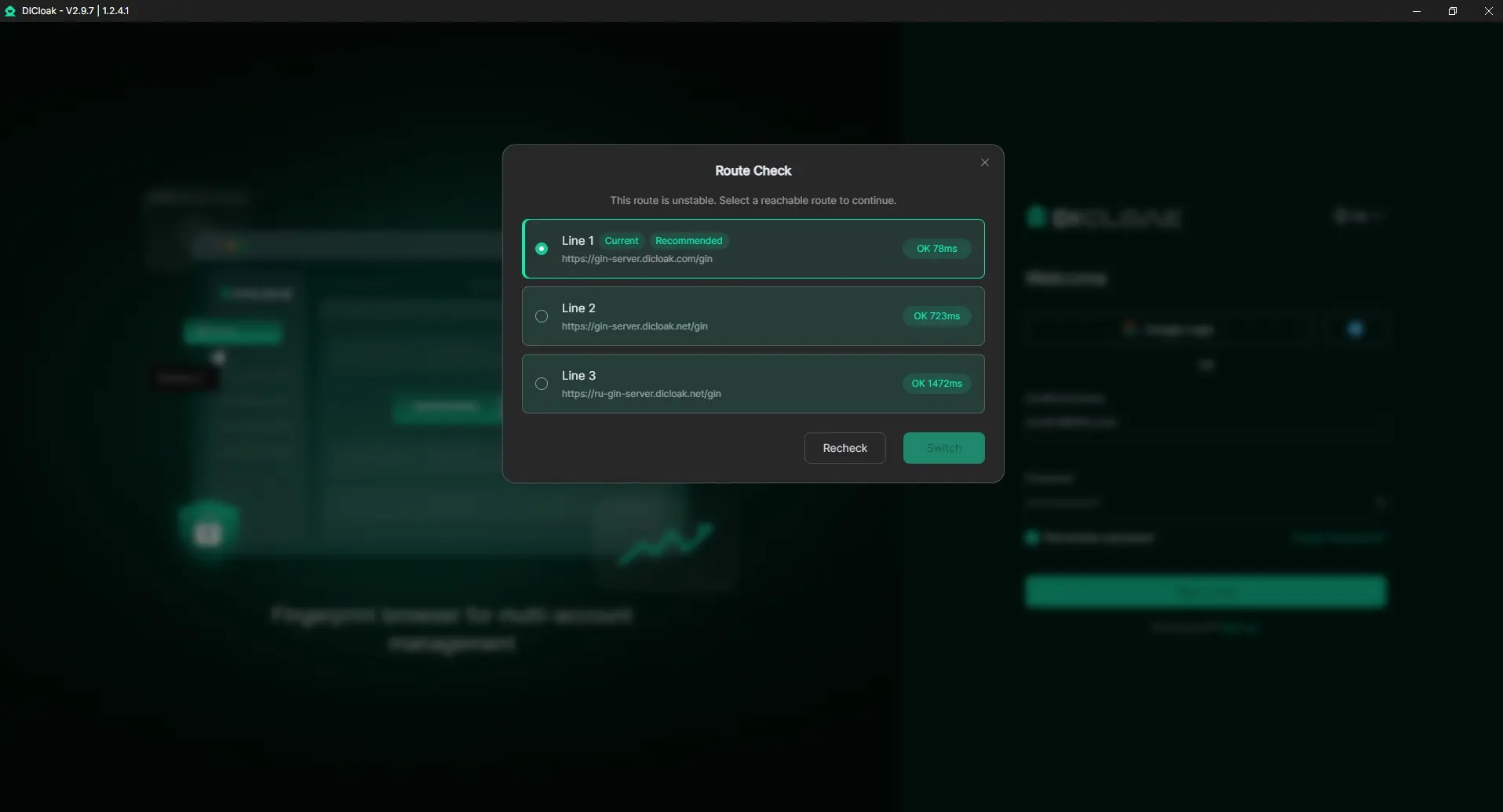
For some network-related login issues, this gives users one more option to try before changing networks or contacting support.
👥 Filter Internal and External Members Faster
When a team includes staff, clients, contractors, or outsourced operators, the member list can grow quickly. In DICloak's V2.9.7 update, admins can filter the member list by:
- Internal Member
- External Member
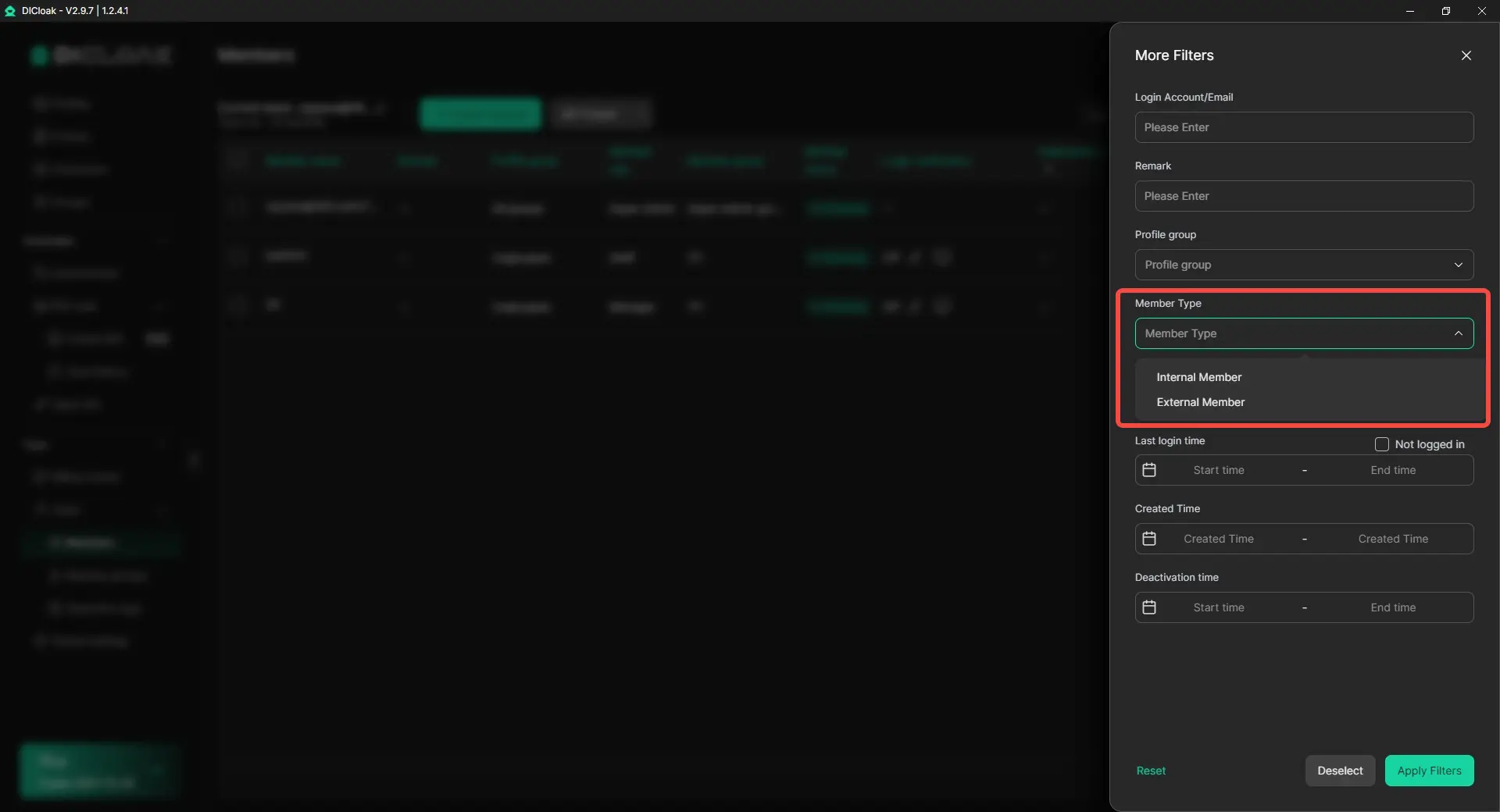
This helps admins narrow the view before access checks or member cleanup, instead of searching through the full member list every time.
📋 Customize the Member List to Show What Matters
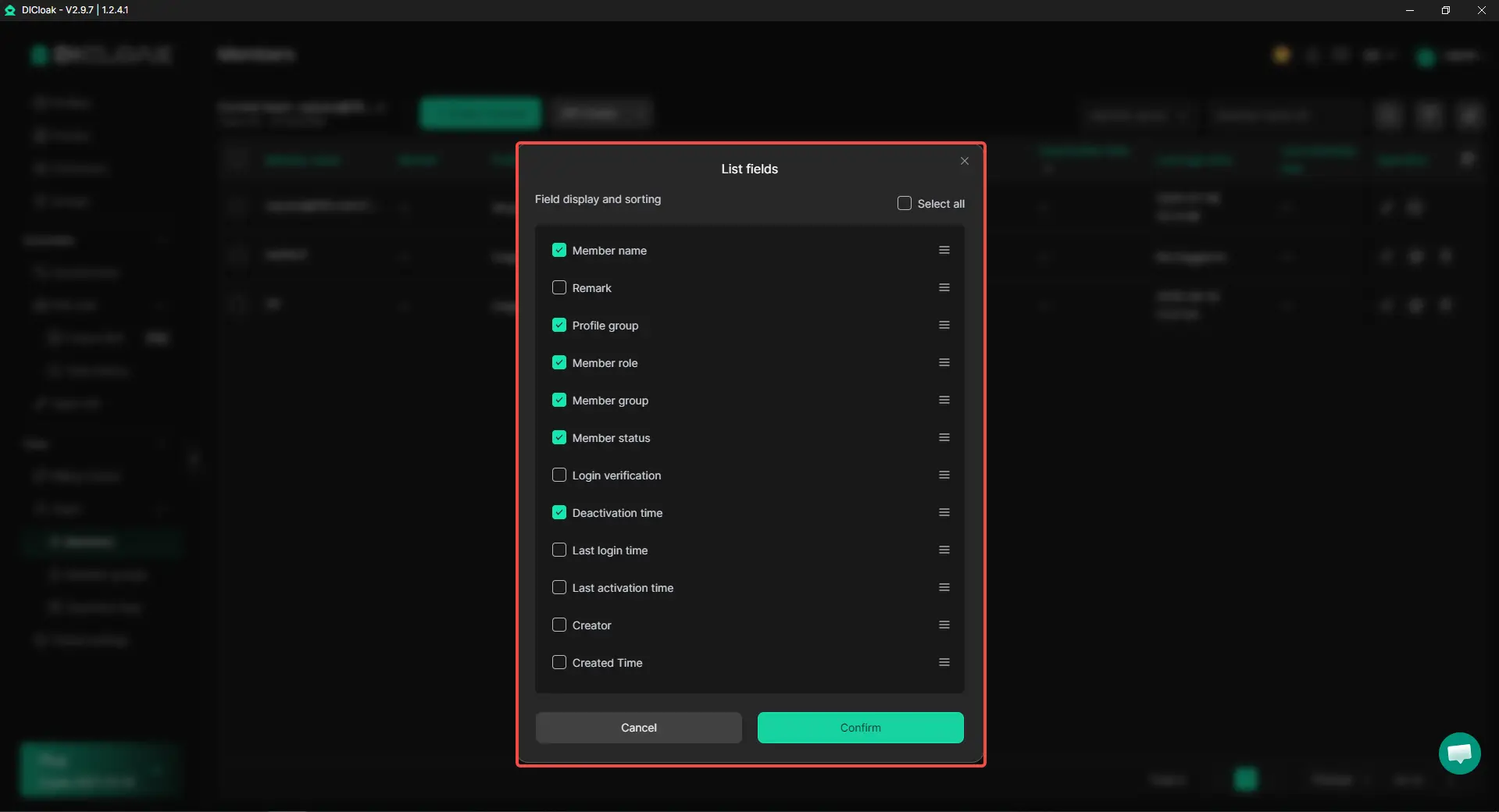
Different users pay attention to different member information. Some may check Last login time, while others focus on Member role, Status, or Profile group.
The member list now supports custom display columns, so users can choose which fields appear in the table. Instead of scrolling through columns they rarely use, they can keep key information visible and make member reviews faster.
Get Started with the New Version
Update to DICloak V2.9.7 to reduce login friction, find members faster, and keep daily member management cleaner.
 Web Proxy Tools
 Free Tools
 Cookie Plugin
 UA Generator
 MAC Address Generator
 IP Generator
 IP Address List
 2FA Code Generator
 World Clock
 Anonymous Check
 WebRTC Leak Test
 UUID Generator
 Free Web Proxy Site
 Proxy Checker
 FB Ad Checker
 AI Web Scraping
 Free SMM Tools
 Twitter Shadowban Checker
 Instagram Name Checker
 UTM Generator
 Username Generator
 AI Hashtag Generator
 LinkedIn Headline Generator
 Social Media Image Resizer