When one Ahrefs subscription starts being used by an SEO specialist, a content writer, a link builder, and maybe a freelancer, access quickly becomes a practical team problem. Some people need Ahrefs every day, while others only open it for a few searches or one short project, so giving everyone the same type of access rarely makes sense.
This guide explains how to share an Ahrefs account with a team in 2026 based on how people actually use it. You will see how Ahrefs team pricing works, when reports or separate users are enough, and when an antidetect browser like DICloak can help a team continue work from the same browser Profile without passing login details around.
Why Do Teams Want to Share an Ahrefs Account?
Ahrefs is an SEO platform used for keyword research, backlink analysis, competitor research, site audits, and rank tracking. These tools often support several roles in the same project, from SEO specialists and content writers to link builders and marketing managers.
In practice, these people do not use Ahrefs in the same way or with the same frequency. Most teams start considering shared access for one or more of the following practical reasons:
- Several roles may need Ahrefs during the same project. An SEO specialist may research competitors, a content writer may check keywords, and a link builder may review backlinks. They are working toward the same goal, but they may not need Ahrefs with the same frequency or depth.
- Some teammates only need occasional access. A content writer may need keyword data before creating an article, while a marketing manager may only check rankings or competitor activity from time to time. Teams often question whether occasional users need the same access setup as people who work in Ahrefs every day.
- Agencies often work with temporary collaborators. A freelancer may help with a two-week audit, a virtual assistant may collect prospect data, or a contractor may support one client campaign. In these cases, the access need may end long before the main Ahrefs subscription does.
- Remote teams need a smoother way to hand work between people. One teammate may finish competitor research and another may continue the task later from a different location or time zone. Repeatedly passing login details around can quickly become inconvenient as the team grows.
How Much Does Ahrefs Cost for Multiple Users in 2026?
Ahrefs does support multiple users, but extra team access is not included for free on its main paid plans. Lite, Standard, and Advanced each include one user, while additional users cost more depending on the plan. For teams, the important number is not only the base subscription price. You also need to look at how many people are included, how many extra users the plan allows, and what each additional user costs. As of 2026, Ahrefs lists the following monthly pricing:
| Ahrefs plan |
Base price |
Included users |
Additional users |
Cost per additional user |
| Lite |
$129/month |
1 |
Up to 2 |
$40/month per user |
| Standard |
$249/month |
1 |
Up to 5 |
$60/month per user |
| Advanced |
$449/month |
1 |
Up to 10 |
$80/month per user |
| Enterprise |
$1,499/month |
From 3 |
Unlimited |
$100/month per user |
Enterprise requires an annual commitment and adds features aimed at larger organizations, including access management and an audit log. Ahrefs also offers annual billing with savings of up to 17%, so the monthly figures above are most useful as a simple baseline when comparing team costs.
The cost difference matters most when several people only need Ahrefs occasionally. A small agency may have one SEO specialist working in Ahrefs every day, while a writer only checks keyword research and a manager only reviews results from time to time. Paying for additional users can make sense when those people need regular, independent access, but it may be harder to justify when their Ahrefs work is brief or limited to a few tasks.
This is also why the cheapest Ahrefs plan is not always the cheapest setup for a growing team. Lite has the lowest extra-user price, but it only allows two additional users, while Standard and Advanced support larger teams at a higher per-user cost. Ahrefs notes that additional users can also be charged automatically on a pay-as-you-go basis when they are not prepaid, so teams should check who actually needs ongoing access before adding everyone to the workspace.
What Are the Main Ways to Share an Ahrefs Account With a Team?
Once extra users start adding to the monthly cost, many teams look for a more flexible way to share Ahrefs. But the best setup depends on how each person actually uses the tool. A full-time SEO may need Ahrefs every day, while a writer or freelancer may only need access for a few tasks. That is why it helps to look at the main sharing options by use case rather than treating every teammate the same.
Add Team Members Through Ahrefs
For people who use Ahrefs regularly, adding them directly to the workspace is the most straightforward option. Each member gets their own login, which makes daily work easier than passing the same account details between several people.
This setup works well for SEO leads, analysts, and other team members who need to run keyword research, check backlinks, or work on client projects throughout the week.
Pros
- Each person gets their own Ahrefs access.
- Easier to manage when several people work in Ahrefs often.
- Different user roles can help organize team access.
Cons
- Additional users increase the monthly cost.
- It may be more than an occasional user needs.
- Larger teams can see costs rise quickly.
For someone who works in Ahrefs every day, the extra user cost is usually easier to justify. For a teammate who only needs it a few times a month, another method may be more practical.
Share Ahrefs Reports or Research Instead of the Account
Some teammates do not need to use Ahrefs themselves. They only need the information that comes from it.
A content writer may need a keyword list before starting an article. A manager may only want monthly ranking data. A client may simply need a report that shows how SEO performance is changing. In these cases, sharing the research can be simpler than giving full account access.
Teams can export keyword data, backlink lists, ranking results, or other findings and pass them into the tools they already use for content or project management.
Pros
- No extra Ahrefs access is needed for every person who reads the data.
- Works well for writers, managers, and clients.
- The team can share only the information that is relevant to the task.
- Easy to fit into an existing reporting workflow.
Cons
- The recipient cannot explore the data inside Ahrefs.
- Someone still needs to prepare the research or export.
- It becomes less convenient when the person needs to run new searches or change filters often.
This method is a good fit when someone needs the result, not the full research tool. Giving every teammate account access just to check a few metrics can add cost without adding much value.
Use an Antidetect Browser With a Teammate
A different situation comes up when a teammate needs to continue work from an existing browser Profile. The Ahrefs account may already be logged in, the right client workspace may already be open, and another teammate simply needs to continue the task from that Profile.
For example, one team member may finish the first part of a competitor review, while another person takes over later. Instead of repeatedly sending account details or setting up a new Profile from scratch, an antidetect browser like DICloak can make this handoff easier.
With Profile Sharing, a prepared browser Profile can be shared with another teammate. Team permissions help control who can open or manage the Profile, while operation logs make it easier to review Profile-level activity when several people are involved.
Pros
- Teammates can continue work from the same prepared browser Profile.
- There is less need to pass login details back and forth.
- It works well for remote teams, contractors, and shift-based workflows.
- Profile access can be managed and removed when the task ends.
Cons
- It adds another tool to the team workflow.
- Teams still need to decide who should have access to each Profile.
This option is most useful when the real need is to share an existing browser Profile with another teammate, rather than create a separate Ahrefs setup for every short-term task.
Why Use DICloak to Share an Ahrefs Account?
Sharing an Ahrefs Profile is easy when only one or two trusted teammates are involved. It gets harder when agencies start bringing in writers, link builders, VAs, or short-term contractors who should not all have the same level of access.
Using an antidetect browser like DICloak gives teams more control over how an Ahrefs Profile is shared and used. Instead of relying on a shared password alone, the team can keep the login, browser data, and member access inside one managed Profile.
- Keep the Ahrefs setup consistent between teammates. A dedicated browser Profile keeps its own cookies, login session, fingerprint settings, and proxy configuration. If one SEO specialist finishes keyword research and another later takes over backlink analysis, they can continue from the same Profile without rebuilding the setup.
- Share the Profile without exposing the Ahrefs password. With Profile Sharing and password protection, teammates can work from the prepared Profile without needing the original login details. This is useful when an agency gives a freelancer temporary access to a client project.
- Control who gets access and remove it when the work ends. With team permissions, a team can give a link builder, analyst, or contractor only the Profile access they need. When the project is finished, that access can be removed without changing the setup for everyone else.
- Protect the login session from being copied out of the Profile. Teams can block developer tools and restrict local extension installation, which helps reduce the chance of cookies or session data being taken from the shared Profile.
- Keep sensitive account details out of view. A teammate doing keyword research may not need to see billing information or account settings. URL restrictions and Web Element Hider can help limit what is visible or accessible inside the Profile.
For teams that share Ahrefs regularly, the value is not simply giving more people access. Using DICloak makes it easier to control the account credentials, browser session, and teammate permissions from one shared Profile.
How to Share an Ahrefs Account With Your Team Using DICloak
If your team needs to continue working from the same Ahrefs browser Profile, you can keep the signed-in account inside one DICloak Profile and share that Profile with selected teammates. This avoids setting up the Ahrefs login again every time the work moves from one person to another.
Step 1: Install DICloak and Choose a Team Plan
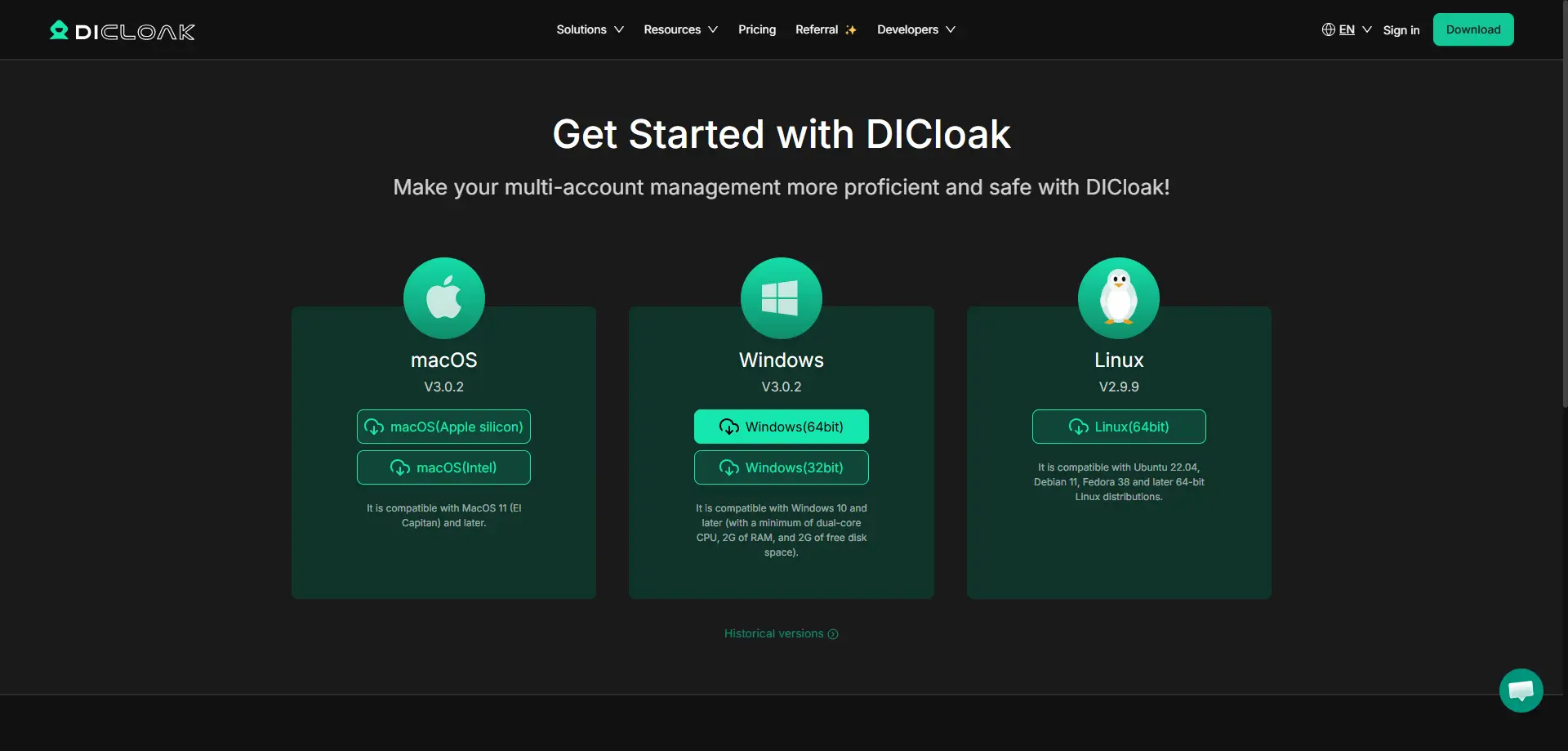
Download DICloak, create an account, and choose a plan based on your team size and the number of browser Profiles you expect to manage.
Step 2: Create a Dedicated Browser Profile for Ahrefs
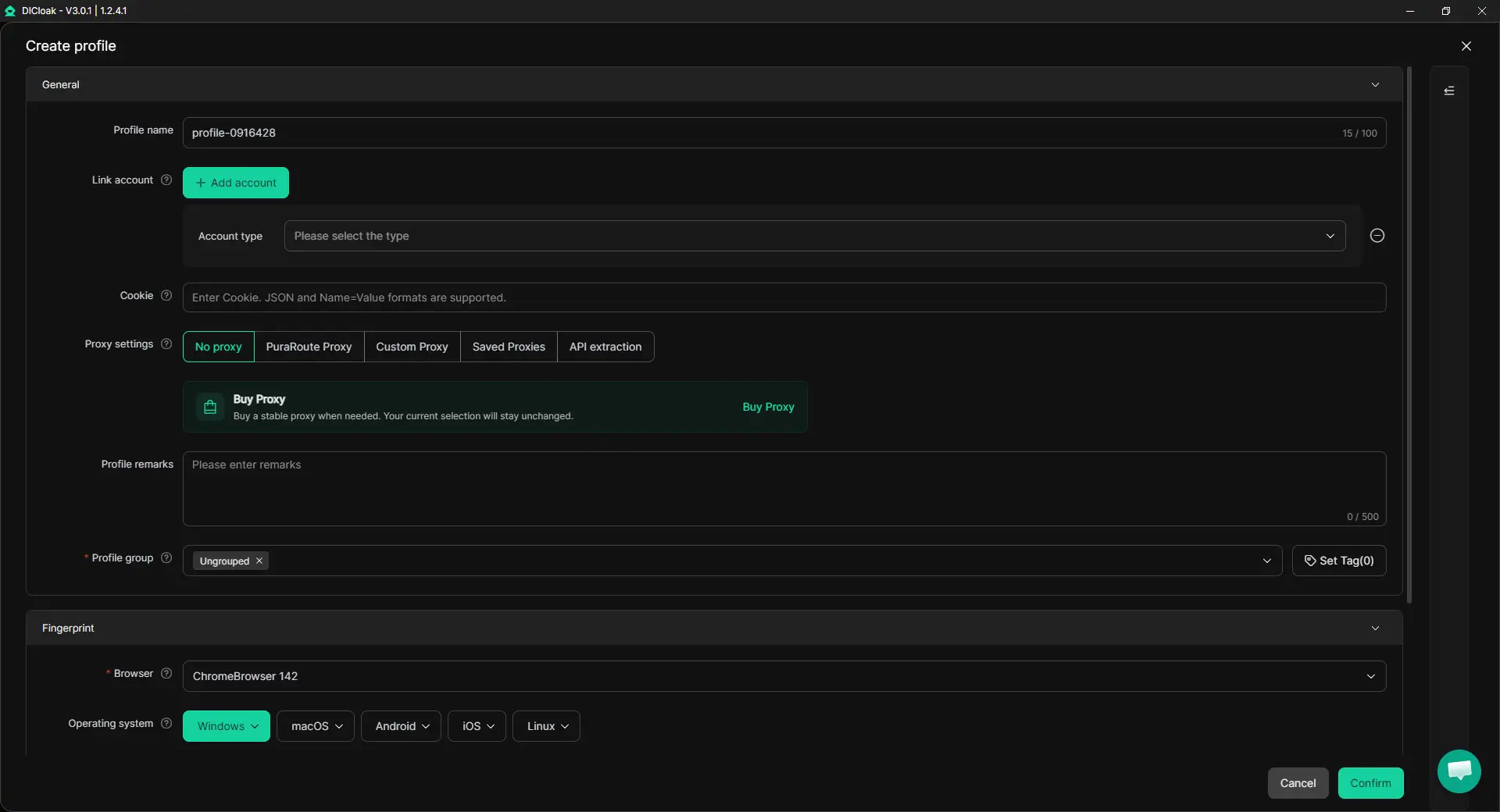
Create one browser Profile for the Ahrefs account your team needs to use. The Profile keeps its cookies, login session, browser settings, and configured proxy together, so teammates can return to the same prepared setup instead of rebuilding it on each device.
If several teammates need to use the Ahrefs Profile at the same time, enable Multiple Sessions. You can also turn on Hide Password so saved login details are not visible to other members. If the account already uses a specific proxy as part of its normal setup, configure that proxy in the Profile as well.
Step 3: Sign In to Ahrefs as the Account Owner
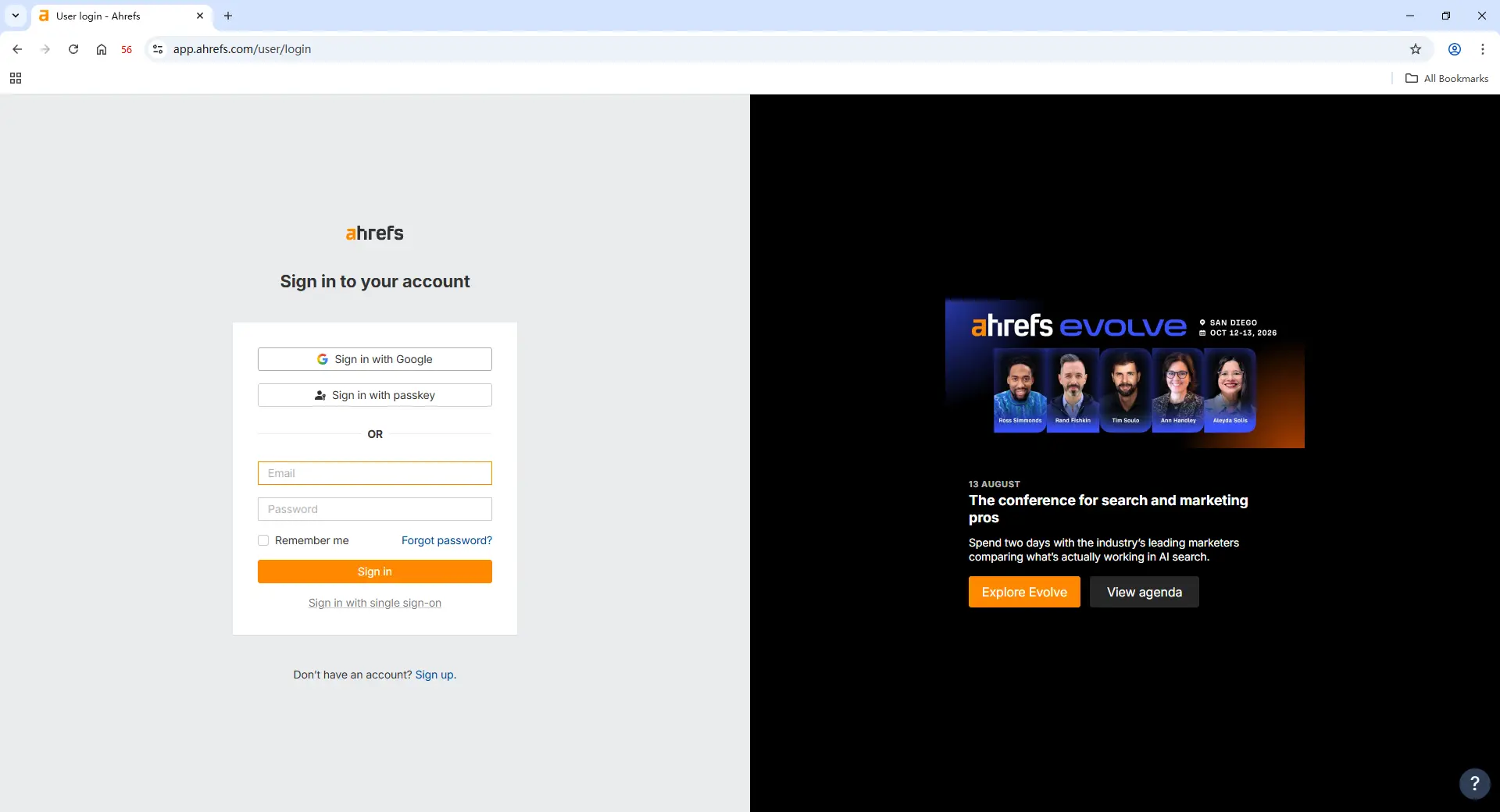
Open the new Profile and sign in to Ahrefs yourself. Complete the password, 2FA, or any other login check, then make sure the correct workspace and client project are ready before closing the Profile.
Once the login session is saved, the Profile can be reopened later with the same Ahrefs session. For example, an SEO lead can finish keyword research for a client, then another teammate can return to the same Profile later to continue backlink analysis without setting up Ahrefs again from scratch.
Step 4: Add Team Members and Share the Ahrefs Profile
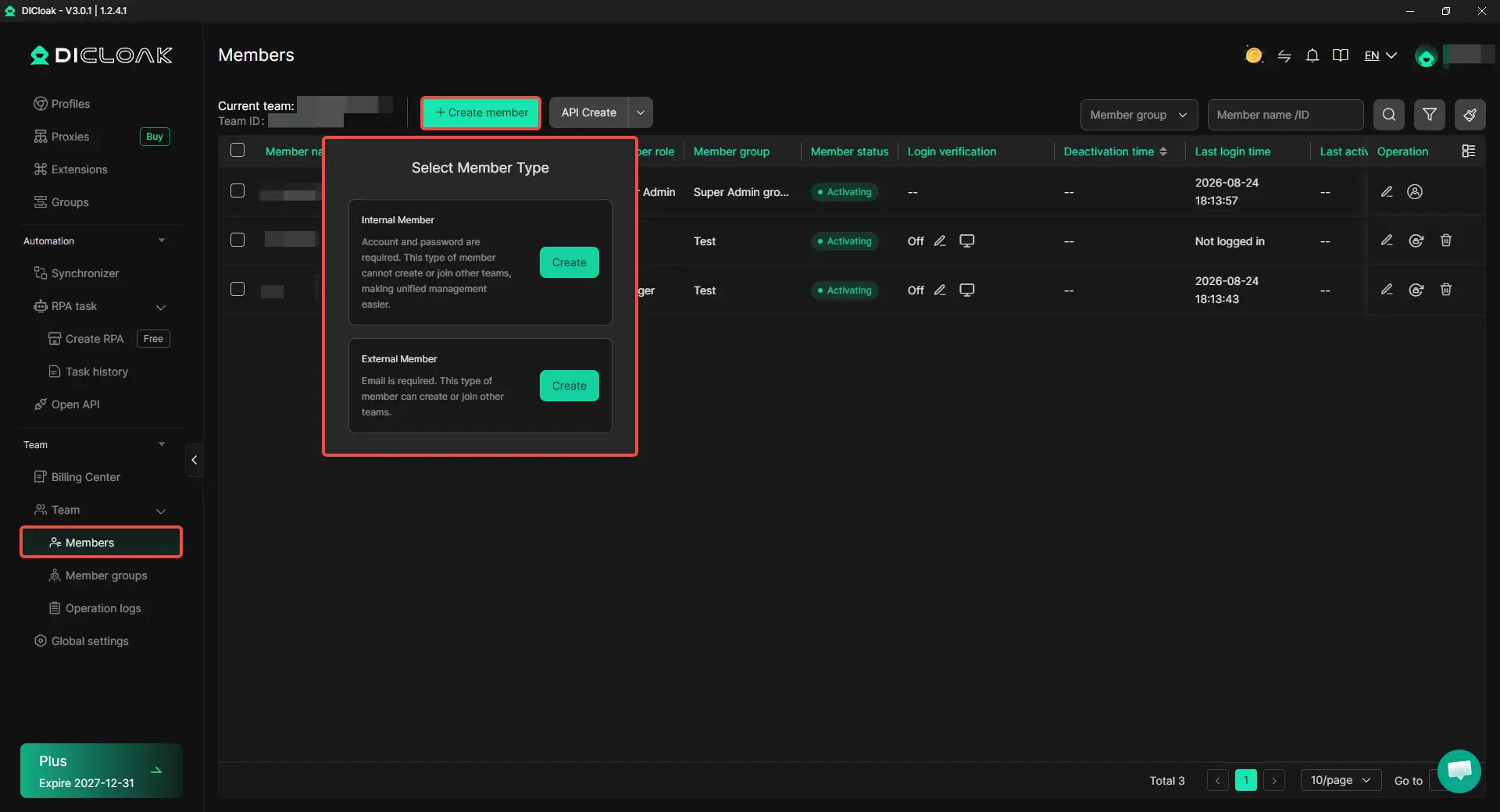
Invite the teammates who actually need the Ahrefs workflow, then share the prepared Profile with them using Profile Sharing and team permissions. Access can be limited to the people working on that project instead of making the Profile available to the whole team.
This is useful when an agency brings a link builder or SEO freelancer into one client project for a limited time. Their Profile access can be changed or removed later without changing the Ahrefs setup used by the rest of the team.
Step 5: Open the Shared Profile and Continue the Ahrefs Work
Teammates with permission can open the shared Ahrefs Profile from their own DICloak account and continue from the saved session. They do not need the Ahrefs password simply to reopen a Profile that is already signed in.

Frequently Asked Questions About Sharing an Ahrefs Account With a Team
Can you share an Ahrefs account with a team?
Yes, but the best setup depends on how your team uses Ahrefs. People who work in Ahrefs every day are usually better suited to their own user access, while writers, managers, or clients may only need reports or exported research. If your team needs to continue work from the same signed-in browser Profile, an antidetect browser like DICloak can also be used to manage that shared Profile without repeatedly passing the login details around.
Do all team members need their own Ahrefs user?
Not always. A full-time SEO analyst who runs keyword research, backlink checks, and audits regularly may need their own Ahrefs access, but a writer who only needs keyword ideas or a manager reviewing monthly results may not. Before adding another user, look at what that person actually needs to do inside Ahrefs and how often they need to do it.
Can I share Ahrefs with a freelancer or virtual assistant for a short project?
Yes, but temporary access should match the task. A freelancer doing a two-week backlink review may need direct access to the working Profile, while a VA collecting a fixed list of data may only need exported results. If the freelancer needs to work from an existing Ahrefs session, using DICloak Profile Sharing can make it easier to give access for the project and remove it when the work is finished.
Can two teammates use the same Ahrefs browser Profile?
They can share the same prepared browser Profile when the workflow requires it. With DICloak, the Profile can keep the Ahrefs login session, cookies, browser settings, and configured proxy together, while Multiple Sessions can support cases where several teammates need to use the Profile. This is most useful when the team wants to continue the same Ahrefs workflow instead of creating a fresh profile for every person.
How can I share an Ahrefs account without giving everyone the password?
One option is to keep the signed-in Ahrefs account inside a dedicated browser Profile and share that Profile instead of sending the password through email or team chat. With an antidetect browser like DICloak, Profile Sharing, Hide Password, and team permissions can help control who can use the Profile while keeping the original login details from being shown to every teammate.
Conclusion
Sharing an Ahrefs account with a team works best when the access method matches how each person actually uses the tool. Full-time SEO specialists may need their own Ahrefs access, while writers, managers, or clients may only need reports or research. For teams that need to continue work from the same signed-in browser Profile, an antidetect browser like DICloak can make the handoff easier by keeping the login session, browser settings, and team access in one managed Profile.
 Web Proxy Tools
 Free Tools
 Cookie Plugin
 UA Generator
 MAC Address Generator
 IP Generator
 IP Address List
 2FA Code Generator
 World Clock
 Anonymous Check
 WebRTC Leak Test
 UUID Generator
 Free Web Proxy Site
 Proxy Checker
 FB Ad Checker
 AI Web Scraping
 Free SMM Tools
 Twitter Shadowban Checker
 Instagram Name Checker
 UTM Generator
 Username Generator
 AI Hashtag Generator
 LinkedIn Headline Generator
 Social Media Image Resizer