You may be searching can i have multiple paypal accounts because your setup no longer feels simple. Maybe you have used a Personal account for everyday purchases, then start freelancing and need a professional way to get paid. Or perhaps you already use PayPal for a small business and are unsure whether your account arrangement is allowed as the work grows beyond one simple login.
This guide covers PayPal’s official rules . It explains how many accounts PayPal allows, how to keep personal and business payments organized, and what to do when account access or management creates problems. It also separates a payment-account question from an operations question. E-commerce sellers may run several storefronts, but that does not automatically change PayPal’s account rules. Later, you will see practical ways to organize store dashboards, email inboxes, support tasks, and team access without mixing up day-to-day business work.
Can I Have Multiple PayPal Accounts? PayPal’s Official Rules for Users
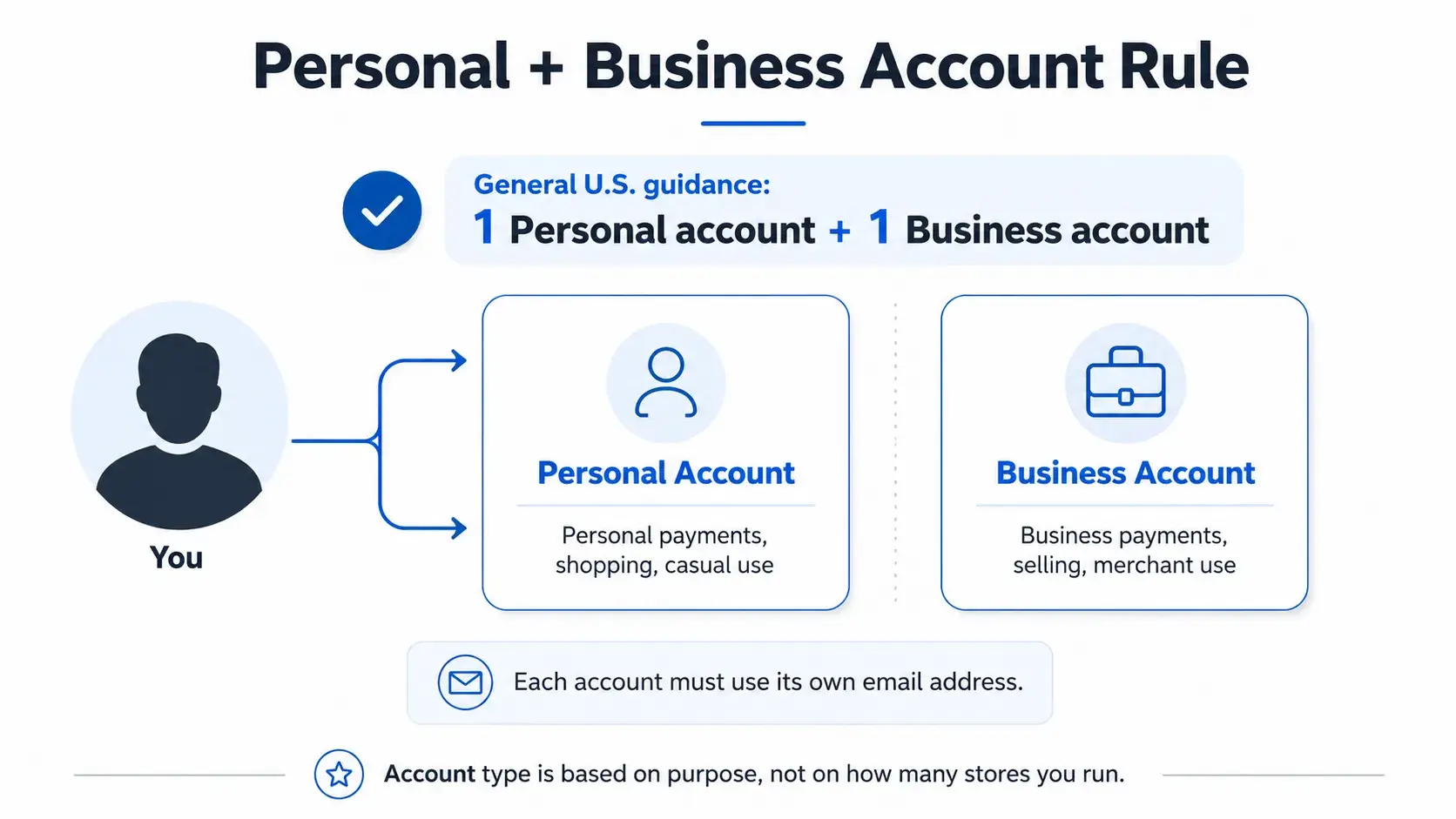
PayPal’s U.S. account rules are based on account type, not on how many stores you operate. For people asking, “how many paypal accounts can i have?”, PayPal’s general guidance is one Personal account and one Business account, each registered with a unique email address.
Can I Have One Personal and One Business PayPal Account?
Yes. If you are asking, “can i have a personal and business paypal account?”, PayPal’s general U.S. guidance is that you can hold one Personal account and one Business account, as long as each account has its own email address.
The two account types serve different purposes. A Personal account is for individual use, such as purchases and personal payments. A Business account is intended for merchants or businesses that operate under a company or group name. Keeping one of each can help you separate personal activity from business activity when you genuinely need both.
Businesses with separate legal entities or enterprise needs may have different eligibility. Confirm with PayPal directly before opening an additional account, rather than assuming the standard one-Personal-plus-one-Business guidance applies to every business structure.
How to Manage Multiple PayPal Accounts for Personal and Business Payments
If you use both a Personal account and a Business account, PayPal provides ways to move between them and manage business access without mixing up roles. These tools help organize account use, but each account still follows its own account-type rules.
How to Link Personal and Business PayPal Accounts
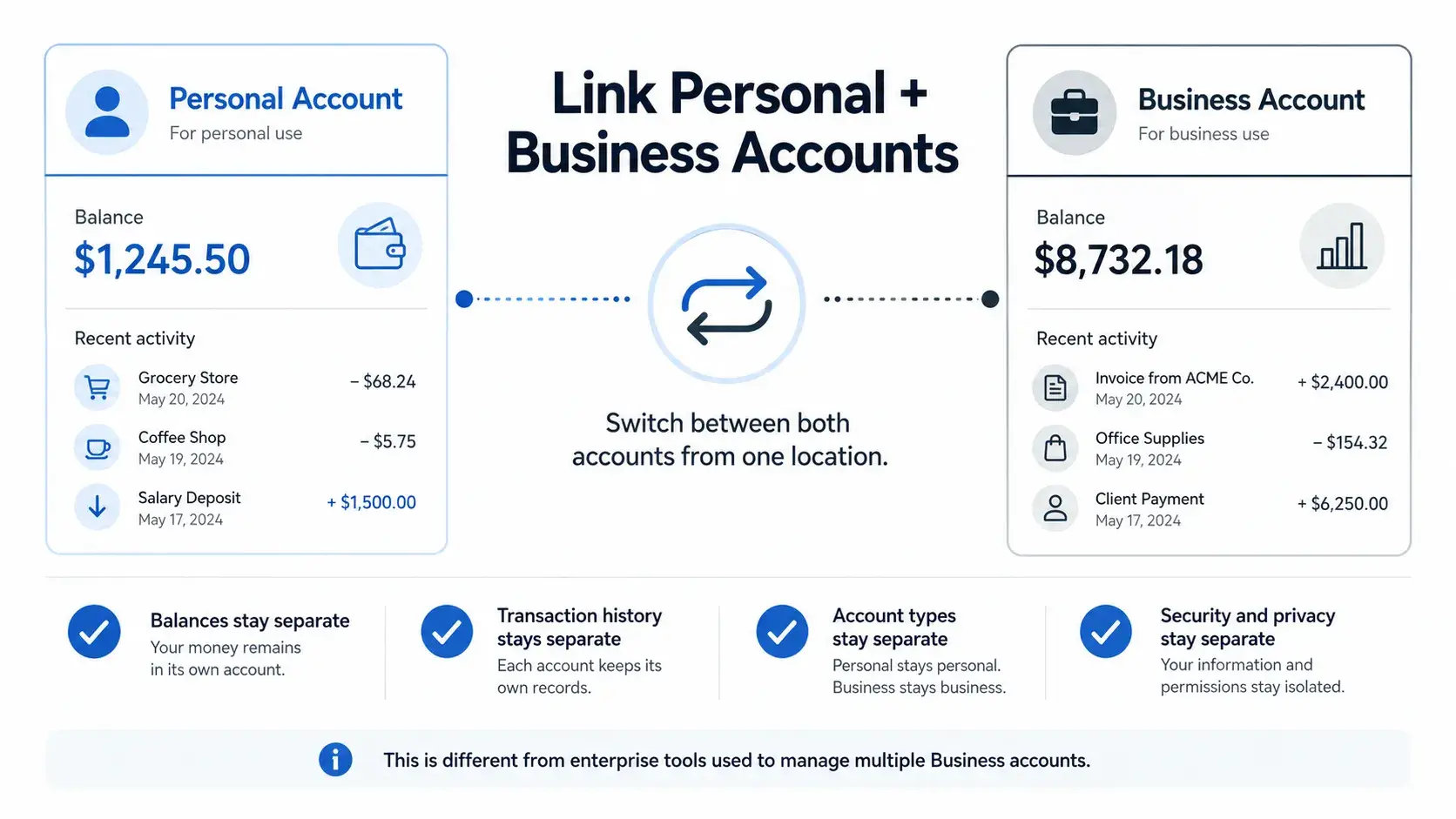
People asking how to link personal and business paypal accounts usually want an easier way to move between their own accounts during the day. PayPal lets you link your Personal and Business accounts so you can manage them from one location and switch between them without logging in and out each time.
Linking is a convenience feature, not a merger. Your Personal and Business accounts keep separate finances, security, and privacy. Your account types remain unchanged, and linking does not combine balances or transaction history into one account.
PayPal also offers a separate enterprise feature for centrally managing multiple Business accounts and their secondary users. That is different from Personal-and-Business account linking. Businesses with multiple legal entities or enterprise-level needs should confirm eligibility with PayPal directly.
can i use the same email for two paypal accounts? No. PayPal says each account must use a unique email address. If you need to move an email address, remove it from the current account first, then add and confirm it on the other account.
How to Manage Authorized Access to a PayPal Business Account
PayPal Business accounts let you add team members as secondary users instead of giving everyone access through the primary account. You can create unique login IDs and assign permission levels based on what each person needs to do.
For example, you may give a bookkeeper access to review business activity and reports without giving them the same level of control as the account owner. You can also update permissions or remove access when someone’s role changes.
This is useful when several people support the same business. It keeps responsibilities clearer and helps your team work within the access level that matches each task. Next, it is important to understand what can happen when PayPal needs to review an account or asks for more information.
What Can Happen When Multiple PayPal Accounts Have Access or Verification Issues
PayPal may review or limit an account when it needs more information or sees activity that requires attention. A limitation is not a final outcome by itself, but it can restrict what you can do until you complete the requested steps.
PayPal Account Limitations, Holds, and Review Requests
PayPal says it may take account-level or transaction-level action to protect the security and integrity of its network. Its User Agreement and Help Center describe several broad reasons this can happen. These include a violation of PayPal’s agreements or policies, unusual or potentially fraudulent activity, missing identity information, or requirements tied to law, regulation, or a government authority.
In practice, a limitation can mean that you cannot complete certain actions with your account. For example, PayPal says you may be unable to send money or withdraw money while a limitation is in place. The next step is normally shown in the Resolution Center, through a dashboard alert, or in an email from PayPal. You may be asked to confirm your identity, provide proof of address, or submit business documents. Complete the steps requested for that account and wait for PayPal’s review. The time needed depends on the details of the case.
Common Mistakes When Managing Multiple PayPal Accounts
A few basic account-management errors can create avoidable problems:
- Assuming one bank account will always work across two PayPal accounts. PayPal says you usually cannot use the same bank account on two different PayPal accounts. It also says a bank account’s name must match the PayPal account name. In some cases, PayPal may approve a second link, but you should not rely on that outcome.
- Entering tax information that does not match official records. PayPal may ask for an SSN, EIN, or ITIN to confirm U.S. taxpayer status. It checks that information with the IRS. A TIN can fail verification when it is incomplete, invalid, or does not match the name on the PayPal account or the legal business name on IRS records.
- Letting account details become outdated. PayPal’s User Agreement requires you to keep your mailing address, email address, and other contact information current. Update details through your account settings or contact PayPal when an approved change needs extra verification.
- Ignoring a verification request. PayPal may need government-issued ID, proof of address, or business documents to complete identity checks. If you do not provide the requested information, you may lose access to certain features or remain limited while the request is unresolved.
Clear account records and timely responses make it easier to manage the payment side of your business. The next issue is different: e-commerce sellers may still face operational confusion when several storefronts, dashboards, inboxes, and team tasks are active at once.
Do Multiple Storefronts Require Multiple PayPal Accounts?
Running several stores does not change PayPal’s U.S. account rules. However, it can create a much busier operating environment around your store platforms, inboxes, and team tasks.
One Business Can Still Have Multiple Storefronts, Dashboards, and Team Tasks
One business can use one PayPal Business account while operating more than one storefront. For example, you may sell through a Shopify store and an Etsy shop, or run several Shopify stores under the same business. The payment-account question stays separate from the day-to-day work needed to run each store.
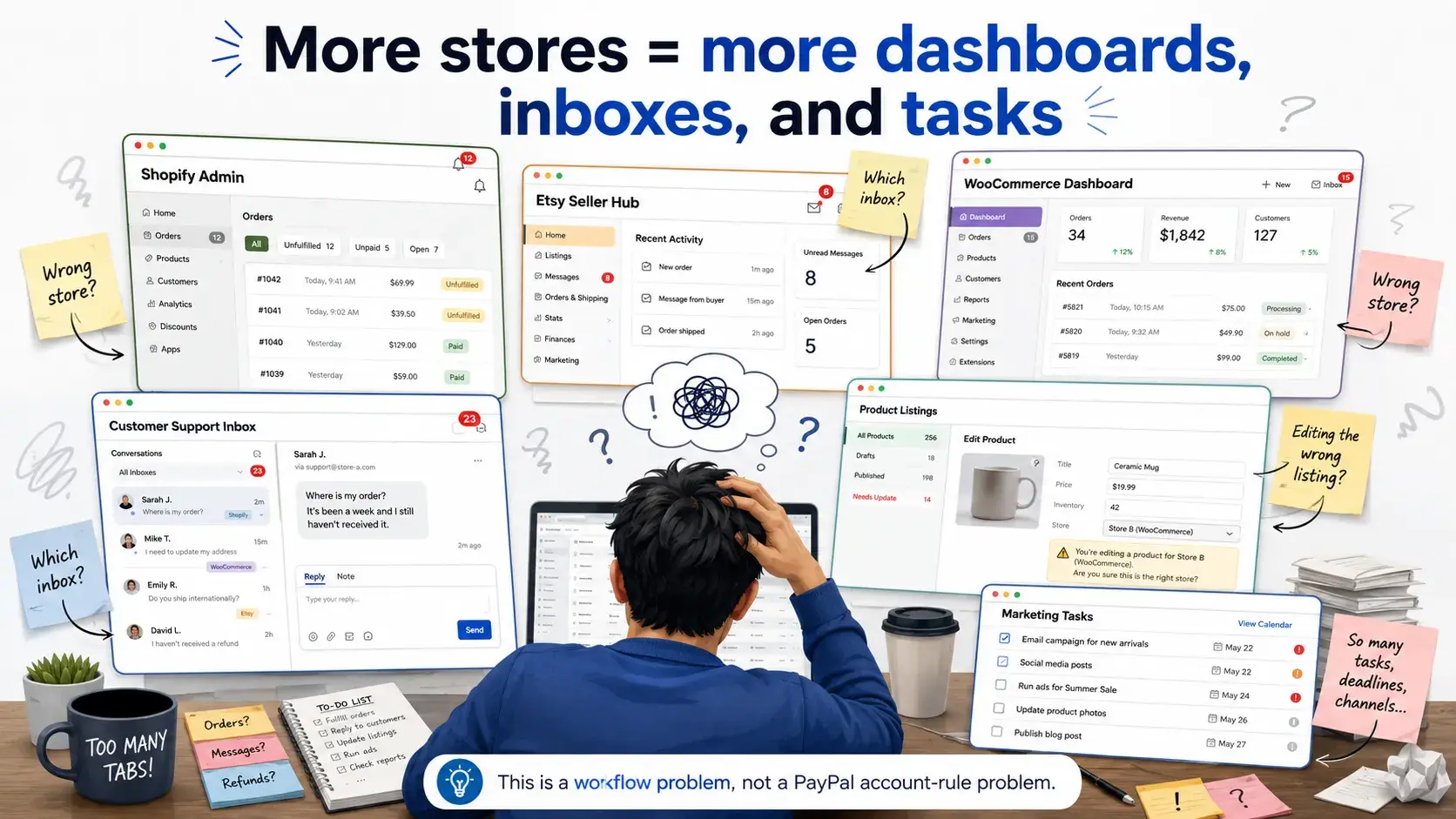
That work can add up quickly. You may need to check a Shopify admin page, an Etsy seller hub, and an eBay seller account in the same afternoon. Each store may also have its own customer support inbox, product listings, order issues, marketing tools, and ad accounts.
A common seller scenario is running a Shopify store and a WooCommerce store under one business. Both stores may be legitimate parts of the same operation, but they still have different products, customer questions, and admin tasks. The challenge is not getting more payment accounts. It is keeping each store’s work clear enough that you can move between them without mixing up details.
Where PayPal, Storefront, Email, and Support Sessions Get Mixed Up
The messy part usually shows up during a normal busy Tuesday. You open a dashboard to update a product listing, then realize you are in the wrong storefront and almost change the wrong item. You answer a customer question, but the support inbox belongs to another store.
Sessions can also become confusing. One store’s admin panel may already be open when you need to log in to another one. Bookmarks start to pile up. Tabs look almost identical. A team member may also be unsure which store workspace they should use for a refund, a listing update, or a customer reply.
These are ordinary business-operations problems. They are not a PayPal problem, but they do need a clear system for organizing store work, browser sessions, and team handoffs. The next section looks at practical ways e-commerce teams can create more structured browser workspaces.
How E-Commerce Teams Organize PayPal-Related Storefront Workspaces
When several store dashboards, inboxes, and admin sessions are open at once, small mistakes become easy. A clear browser-workspace system helps you keep each store’s daily work in the right place.
Using Separate Browser Profiles for Different Store and Dashboard Operations
The wrong dashboard, mixed-up tabs, and confusing sessions usually happen when every store is handled inside the same browser space. Instead of relying on memory, you can give each storefront its own clear workspace.
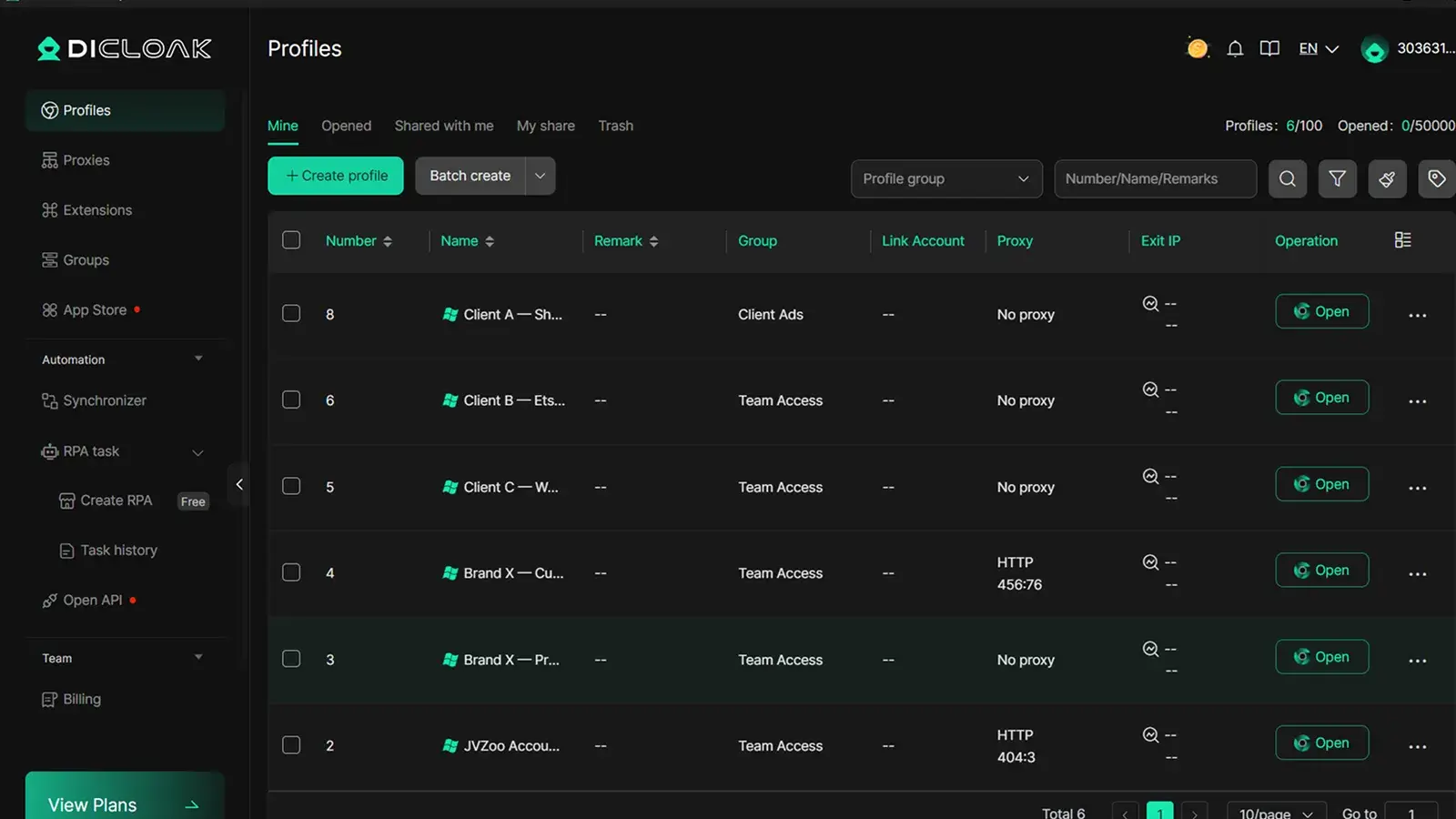
With DICloak, you can create a separate browser profile for each storefront—your Shopify store, Etsy shop, WooCommerce site, or another store operation. Each profile can keep its own cookies, saved logins, and bookmarks. When you open a profile, you go directly into that store’s workspace rather than sorting through a long list of tabs and bookmarks first.
This makes routine work easier to follow. You can label profiles by store name, market, or team function. For example, one profile can be for product updates, while another is for customer support or order checks. You spend less time asking, “Which store am I in?” and more time completing the task in front of you.
Keeping PayPal-Related Sessions, Bookmarks, and Team Access More Organized
For a small agency or freelancer managing storefronts for three to five clients, this structure becomes more important. Logging into the wrong client’s store and editing a listing, changing an order setting, or replying to a customer from the wrong inbox is not just inconvenient. It can become a real client-service incident.
With DICloak, you can give each client’s storefront a dedicated profile. Client A’s Shopify admin stays in its own workspace, separate from Client B’s store environment. Each profile keeps its own saved logins, bookmarks, and active session, so you are not sorting through similar-looking tabs and trying to remember which account belongs to which client.
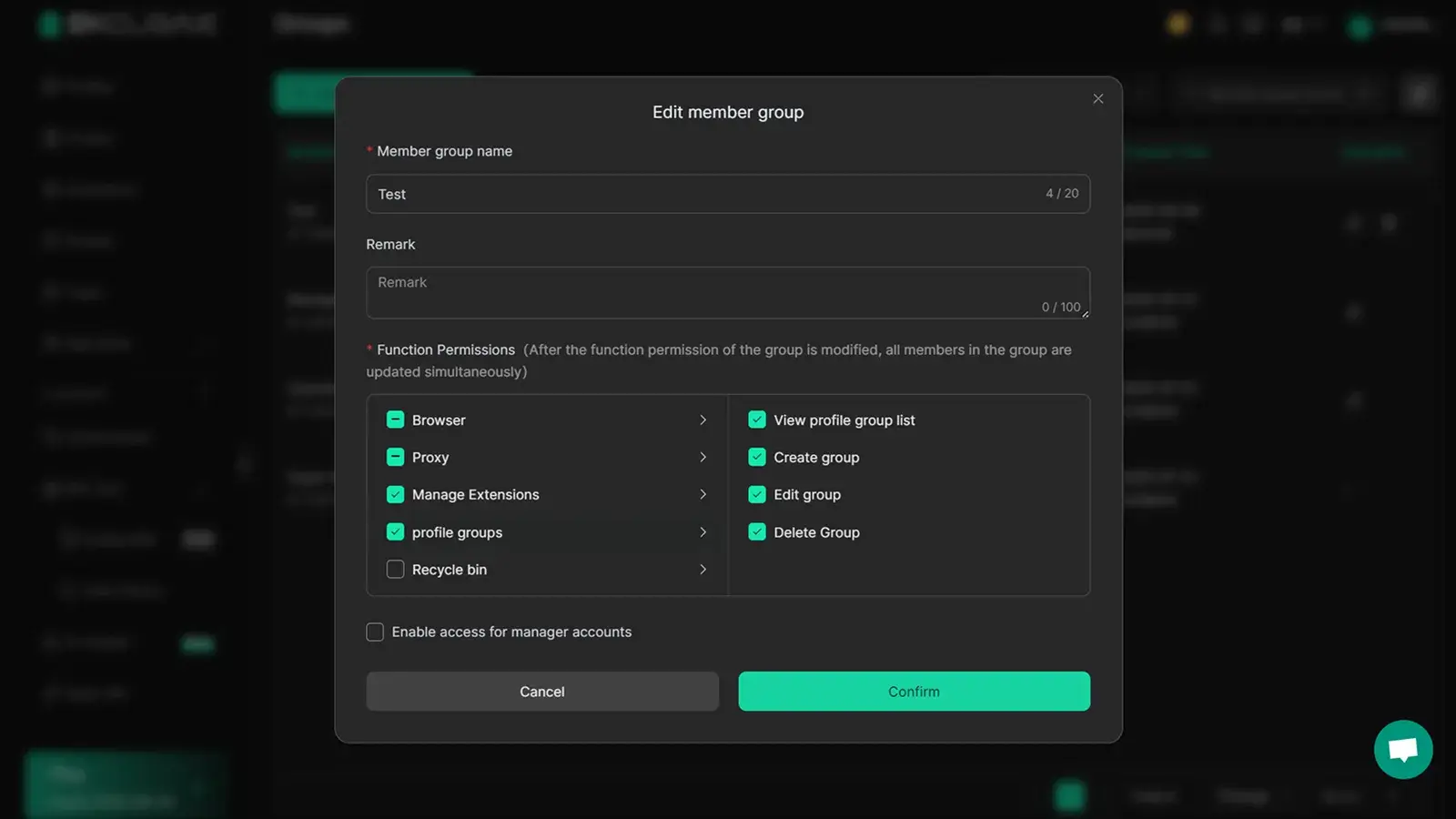
You can also assign a specific team member to a specific client profile. That gives them access to the workspace they need for that client without sharing your main login credentials or giving them visibility into other clients’ stores. When a team member leaves or a project ends, you can remove their access to that one profile without changing passwords across every other client workspace. Other team members and other client stores are not affected.
This kind of separation matters more as your client list grows. What may feel manageable with two stores can become a real operational risk when you are handling ten.
FAQs About Multiple PayPal Accounts
Can I have two PayPal accounts with the same SSN?
PayPal’s U.S. Help Center does not publish a blanket one-SSN-per-account rule. However, PayPal allows only one Personal account and one Business account. When PayPal requests tax information, the SSN, EIN, or other TIN must match the correct account holder or legal business records. Multiple paypal accounts do not remove those identity and tax requirements.
Can I have two PayPal accounts with the same phone number?
PayPal’s public U.S. Help Center does not state a general rule that one phone number must be unique across every PayPal account. PayPal does require you to keep your phone number current, because it may be used for account access and security checks. If PayPal does not accept a number, follow the instructions shown in your account or contact PayPal.
Can I set up a second PayPal account?
Yes, if your second account is a different permitted type. PayPal allows one Personal account and one Business account, and each must use a unique email address. You cannot open a second Personal account or a second Business account under the same identity. That is the official limit for multiple paypal accounts in the United States.
Can I use the same email address for two PayPal accounts?
No. PayPal says an email address can identify only one PayPal account at a time. If you need to use that email on another account, remove it from the current account first, then add and confirm it on the other account. Each permitted Personal and Business account should have its own email address.
Should I upgrade my Personal account or open a Business account?
Upgrade your Personal account if it has become your main business account and you no longer need it for personal use. Open a separate Business account if you want to keep personal and business payments separate. PayPal lets you have one of each, but most Business accounts cannot be downgraded later.
PayPal account setup is only one part of running an organized business. As you manage more stores, dashboards, inboxes, and team tasks, keeping each workspace clear becomes just as important.
With DICloak, you can create separate browser workspaces for each store or client, so your sessions, bookmarks, and team handoffs stay organized as your business grows.Try DICloak for free.
 Web Proxy Tools
 Free Tools
 Cookie Plugin
 UA Generator
 MAC Address Generator
 IP Generator
 IP Address List
 2FA Code Generator
 World Clock
 Anonymous Check
 WebRTC Leak Test
 UUID Generator
 Free Web Proxy Site
 Proxy Checker
 FB Ad Checker
 AI Web Scraping
 Free SMM Tools
 Twitter Shadowban Checker
 Instagram Name Checker
 UTM Generator
 Username Generator
 AI Hashtag Generator
 LinkedIn Headline Generator
 Social Media Image Resizer