One wallet can show three different answers in under ten minutes: eligible on one checker, missing on another, and still exposed through old token approvals. If you trust one screenshot, you can claim the wrong status or leave spend permissions open on live assets. This guide gives you a practical berachain checker workflow: verify wallet data on official Berachain resources, confirm network details in Berachain docs, and audit approvals with Revoke.cash before any transfer.
You will learn the exact order to check wallet identity, rank signals, airdrop status, and token approvals so results stay consistent across tools and sessions. You will also see how to spot fake checker pages that copy real branding but ask for risky signatures. Keep this sequence tight: verify ownership, cross-check status, close unused approvals, then move funds. The next section begins with wallet verification so you can trust every step after that point.
Which Berachain checker should you use for your exact goal?
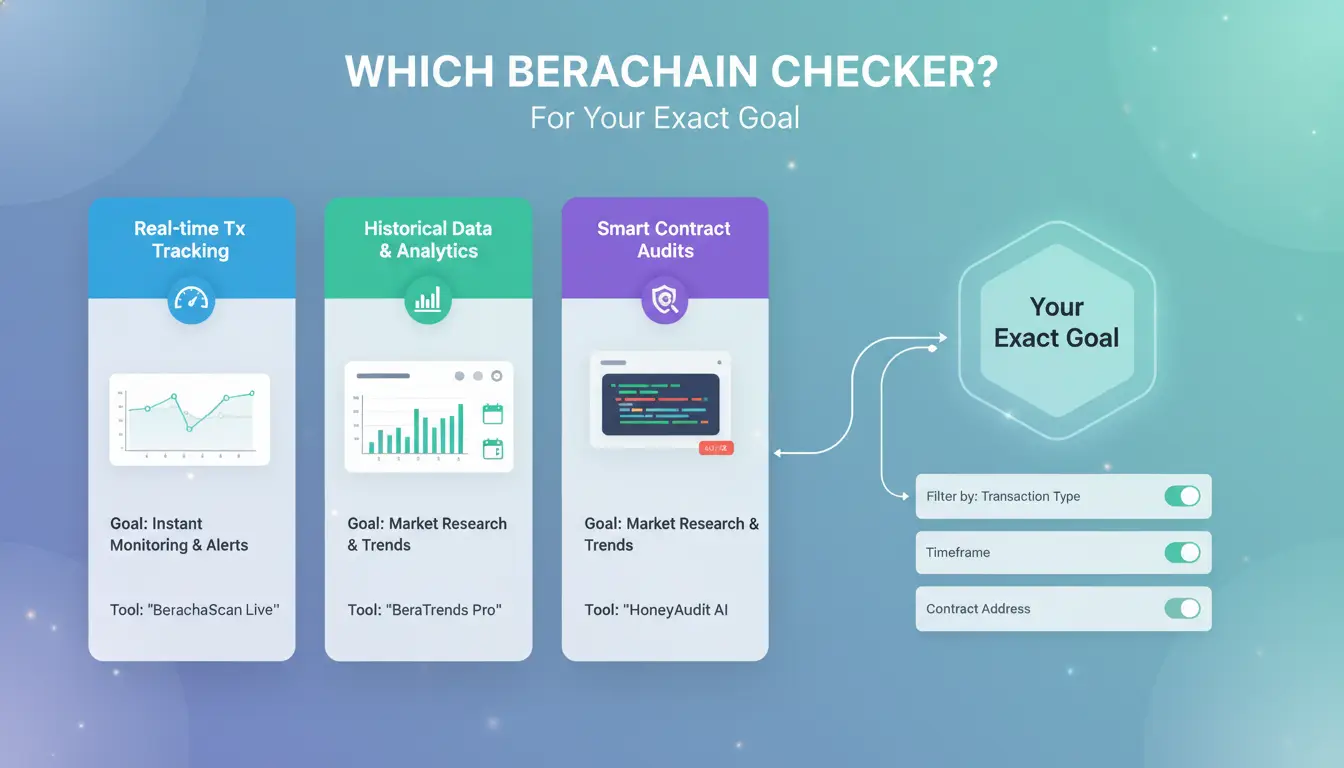
Pick the tool by the question you need answered. If your goal is unclear, you can get mixed results from one checker to the next. Match one primary check to one proof source so your decision stays clean.
Airdrop checker vs rank checker vs explorer: what each one actually confirms
| Tool type |
What it can confirm |
What it cannot confirm alone |
Best follow-up |
| Airdrop checker |
Claimed or unclaimed status tied to your wallet on that page |
Final payout timing or future rule changes |
Cross-check on official Berachain pages |
| Rank checker |
Score, points, or position shown by that ranking system |
Whether each scoring event settled on-chain |
Verify key events in an explorer |
| Explorer |
On-chain transfers, contract calls, token balances at a block |
Off-chain campaign logic or rank formulas |
Compare with Berachain docs and campaign terms |
Use checker output as a signal, not final proof, unless the data is on-chain.
When a Berachain wallet checker is enough and when you need on-chain proof
A wallet checker is enough for daily tracking: balance checks, recent activity checks, and quick status checks before routine actions. You need explorer proof for higher-risk actions: large transfers, disputed rank drops, failed claims, or contract interaction checks. If a page asks for token approval during a “view-only” check, stop and verify approvals in Revoke.cash.
A beginner decision flow: the fastest path from question to checker
Start from intent: eligibility, safety, or transaction proof. If you ask “Can I claim?”, use an airdrop checker, then confirm wallet activity on an explorer. If you ask “Did my tx land?”, go straight to explorer hash proof. If you ask “Is my wallet safe right now?”, run approval checks before any new signature. This keeps your berachain checker process fast and hard to fake.
How do you run a Berachain checker step by step for wallet, rank, and eligibility?
What to prepare before checking: correct wallet, network context, and official URLs
Open only trusted pages from Berachain and Berachain docs. If you find a checker link on social media, verify it against docs before you connect.
Use one wallet address per check session. Copy the address, then confirm the first 6 and last 6 characters after paste. This avoids checking the wrong wallet from clipboard mix-ups.
Set network context before input: testnet or mainnet. Do not switch mid-check. Bookmark the checker page, the chain explorer listed in docs, and Revoke.cash for approval review after status checks.
Five-step Berachain checker workflow from wallet input to result validation
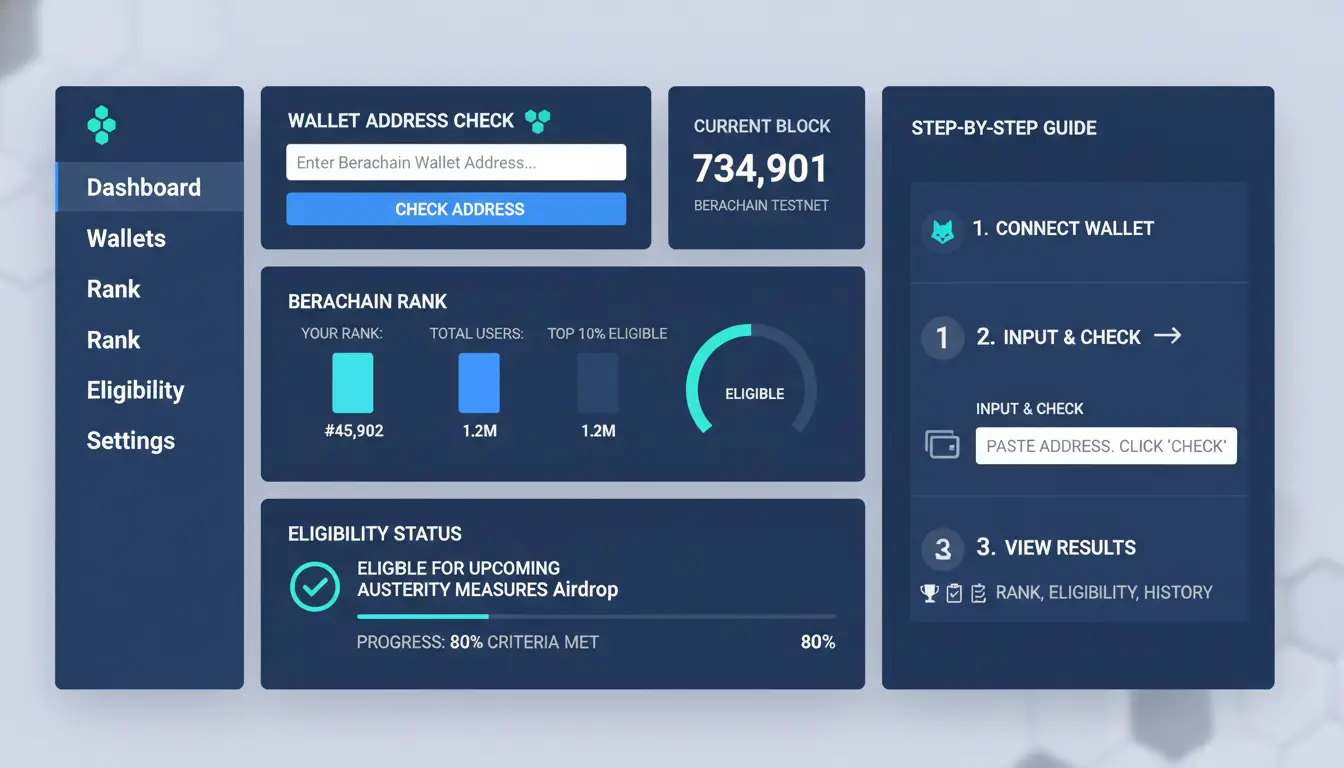
Run this berachain checker flow in the same order every time:
- Confirm wallet address and network label on screen.
- Paste address manually, then re-check start/end characters.
- Record snapshot time shown by the checker (date and timezone).
- Read outputs separately: wallet status, rank, eligibility flag.
- Cross-check recent transactions and token balances on the explorer before any action.
Do not treat one checker result as final until explorer data matches it.
Input hygiene prevents false reads. Snapshot time prevents outdated conclusions. Explorer validation prevents action on stale or fake output.
How to read rank snapshots without mixing testnet and mainnet assumptions
Rank is snapshot-based, not a live score in most tools. A wallet can move up or down even with no new transaction if scoring rules change or if other wallets shift around it.
Keep testnet rank and mainnet rank in separate notes. A high testnet position does not guarantee mainnet eligibility. Also check whether the checker labels rank as global, cohort, or campaign-specific.
How to log and compare results over time for better decisions
Use a simple sheet with these fields: check time (UTC), wallet, network, checker URL, snapshot time, rank value, eligibility result, explorer confirmation, and notes.
Repeat checks on a fixed schedule, such as every 24 hours. Trend logs help you spot real changes versus tool lag. Before moving funds, review token approvals in Revoke.cash and remove unused permissions.
Where do users get scammed when using a Berachain checker?
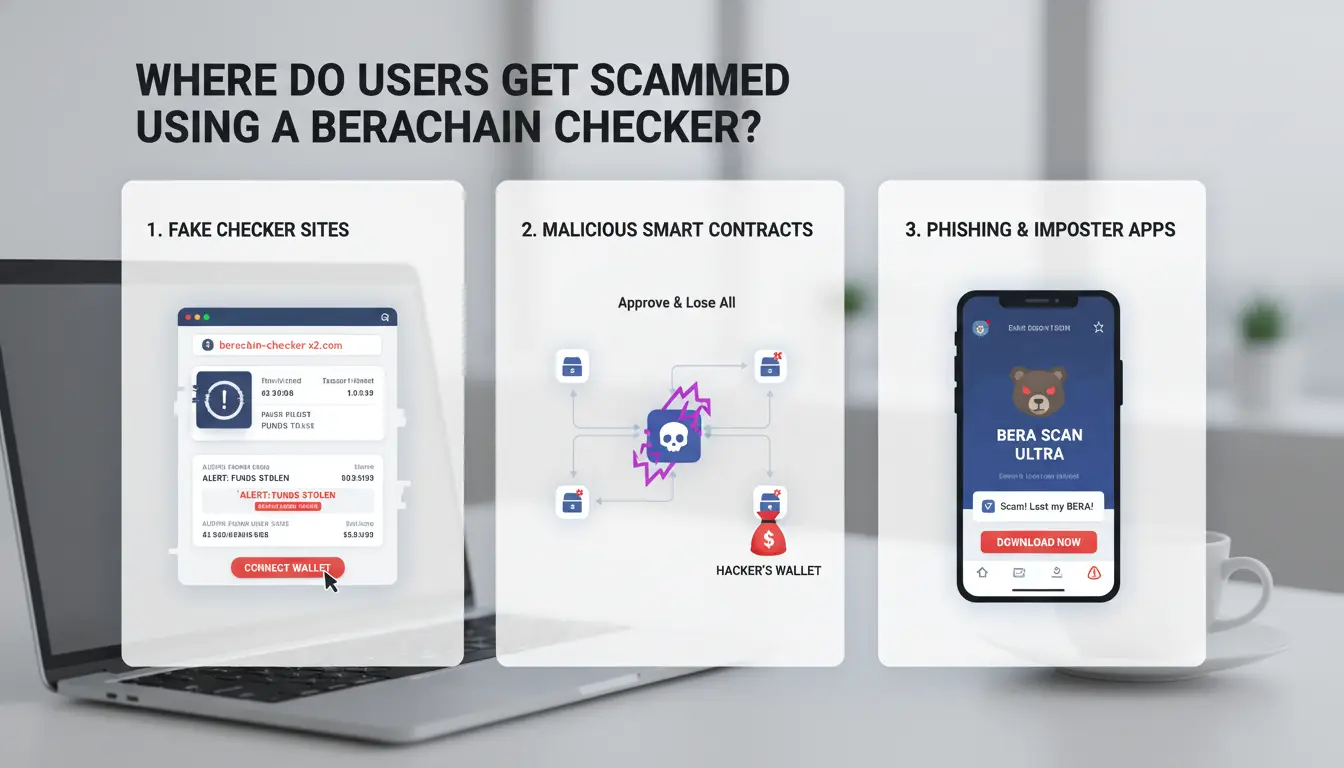
Scams usually happen before users verify what they are signing. A fake berachain checker page can look real, then push one bad click that grants token access.
Fake checker sites, clone domains, and social reply traps
Attackers copy logos, colors, and button text from real pages like Berachain. The trap is often a near-match domain, such as swapped letters or extra words like “airdrop-claim.” They also post fake support replies under X or Telegram threads, then send “urgent” links saying your wallet will lose rewards if you do not act now.
Urgency is the hook. Real status checks do not require panic actions or private chats.
Dangerous signature and approval requests you should reject immediately
A real checker flow is read-only. It may ask to connect your wallet, but it should not ask for token approvals when you only check rank, points, or eligibility.
| Request type |
Usually safe for checking? |
Red flag |
| Wallet connect (read data) |
Yes |
Page asks for extra contract permissions |
| Sign message (non-transaction) |
Sometimes |
Message text is unreadable or unrelated to checking |
| Token approval / permit |
No |
Unlimited spend request for ERC-20 tokens |
| Send transaction |
No |
“Claim” or “verify” requires gas before any result |
If you see approval prompts, stop and verify in Berachain docs. After any suspicious interaction, review allowances in Revoke.cash and remove unused approvals.
A one-minute verification routine before any wallet interaction
Open the official site from a saved bookmark, not from replies or ads. Confirm chain and links against docs. Check that the connected contract matches trusted references shown in docs or explorer links from official pages. Use a low-value wallet for first-time tool tests. Only use your main wallet after the checker result looks normal in two independent sources.
That routine blocks most wallet-drain paths tied to a fake berachain checker flow.
How can you verify Berachain checker results with the blockchain explorer?
A berachain checker can show wallet score or task status, but you should confirm each claim on-chain. Open the transaction hash in Berachain Explorer, then match hash, block, from/to, value, and status. If the hash and block do not match, do not trust the checker result.
Find transaction status, gas usage, and block details with explorer filters
Filter by wallet address and time range, then open each related transaction record. Check these fields every time:
- Status: Success, Failed, Pending, or Replaced
- Block number and timestamp
- Gas used and gas price
- Nonce, from, to, and transferred value
Pending transactions can sit during network load. Replaced means a newer transaction used the same nonce. In that case, trust the new hash linked by the explorer, not the older pending one.
Verify token contracts and holder activity before interacting
Before any token action, copy the contract address from the explorer and compare it with official links in Berachain docs. To catch contract impersonation, review:
- Contract creation date
- Holder distribution page
- Recent transfer activity
- Contract verification badge
After a test approval, you can use Revoke.cash to confirm and remove allowances you do not need.
When checker output and explorer output differ: what to trust first
Checker dashboards can lag due to indexing delay. Confirmed block data should lead your decision.
| Signal |
Trust priority |
| Confirmed tx hash + block record |
Highest |
| Explorer contract and holder pages |
High |
| berachain checker cached status |
Lower |
Use this order each time you validate a new wallet.
How do you use a Berachain token approval checker and revoke risk safely?
Why unlimited token approvals create long-term wallet risk
Unlimited approval means a spender can move tokens later, even when you stopped using that dApp. Old contracts, hacked front ends, or compromised spender keys can still drain funds if approval stays open. Treat stale approvals as open withdrawal rights. In old DeFi activity, risk rises when you see approvals tied to inactive apps, unknown spender addresses, or approvals set months ago and never reviewed. Use official network details from Berachain docs before you sign any revoke transaction.
How to read allowance values in a Berachain token approval checker
Run your wallet through a berachain checker like Revoke.cash on the Berachain network. Check three fields every time: spender address, approved amount, and token symbol. Unlimited values often show as max uint, not a normal token number.
| Approval type |
Typical signal |
Priority |
| Unlimited + inactive spender |
Old dApp, no recent use |
Revoke now |
| Unlimited + active spender |
Current tool you still use |
Reduce to needed amount |
| Limited + short-term use |
Small cap, recent use |
Review later |
Safe revoke workflow: reduce failed transactions and extra fees
Queue revokes by risk, then submit during lower-fee periods. Keep enough native gas token before starting. Revoke high-risk spenders one by one, then medium risk. After each tx confirms, verify status again in your berachain checker and cross-check on the official Berachain site. If a revoke fails, refresh nonce and retry only that item.
Why does a Berachain checker show wrong or missing data, and how do you fix it?
If your berachain checker result looks off, pause before you move funds. Trust explorer transaction status over checker badges. UI data can lag behind chain data.
Normal reasons for missing data: indexing delay, snapshot lag, or unsupported metrics
Most mismatches come from three places: indexers that update late, campaign snapshots taken at an earlier block, or metrics that a tool does not track yet. Delays can clear in minutes, but some snapshot-based fields stay stale until the project posts a new update in Berachain docs. The fields that drift most often are rank points, quest completion flags, and pending reward status. On-chain balances usually sync faster.
Practical fixes: wallet reconnect, cache reset, endpoint refresh, and network recheck
Use this quick order: disconnect wallet, reconnect the same address, hard refresh, clear site cache, then confirm you are on the right Berachain network from Berachain. If data still differs, switch RPC endpoint and reload once. Avoid opening multiple checker tabs with different wallets signed in. That creates duplicate read errors and mixed session data.
When two checker tools disagree: a confidence scoring method
Score each claim before acting:
| Evidence type |
Confidence |
| Confirmed tx and state on explorer linked from Berachain docs |
High |
| Official project post or snapshot notice |
Medium |
| Checker UI badge only |
Low |
Keep a short log with tx hash, block time, and screenshot. Then recheck approvals in Revoke.cash before wallet changes.
How can teams scale Berachain checker workflows with lower account-linking risk using DICloak?
As check volume grows, risk usually comes from operations, not chain data. A shared setup can make unrelated wallets look linked. That can corrupt your berachain checker results and create review flags you did not expect.
What goes wrong in multi-operator checking: IP drift, fingerprint overlap, and accidental cross-login
Shared browsers often reuse cookies, local storage, and device signals. Sites can read those signals through browser fingerprinting. If two operators touch different wallets in one browser profile, linkage risk rises fast.
Small mistakes break consistency: one person changes proxy location, another logs into the wrong session tab, a third exports data from stale cache. The team thinks they ran one method, but each run used a different environment.
How DICloak reduces risk: isolated browser fingerprints and independent proxy setup per profile
You can use DICloak to create one isolated profile per wallet cluster. Keep each profile bound to one stable proxy server route. This keeps IP and fingerprint context steady between checks.
One profile + one proxy + one wallet cluster is the core rule for clean separation. Do not mix clusters inside a single profile, even for quick spot checks.
How to run repeatable checks with DICloak team permissions, operation logs, and RPA/bulk actions
Set least-privilege access with role-based access control: viewers can run checks, leads can edit profile settings, admins can export. Log every action so you can trace who changed what and when.
Use bulk actions and RPA for repeat tasks in your berachain checker pipeline, such as opening checker pages, loading wallet lists, and exporting the same fields each run. This cuts manual variance and keeps outputs comparable.
What should you do after using a Berachain checker to stay secure long term?
Post-check wallet hygiene checklist you can run in 10 minutes
After each berachain checker session, run a short reset routine. Recheck token approvals in Revoke.cash, remove old spend permissions, and review recent signers in your wallet activity. Move only working funds into the active wallet. Keep the rest in a separate low-touch wallet for safety. If one safety check fails, pause transfers until you fix it.
For team workflows, tools like DICloak let you map one wallet group to one isolated browser profile, with one proxy per profile. That reduces cross-account linkage during repeated checks and claims.
Weekly and monthly monitoring cadence for rank, eligibility, and approvals
Weekly: recheck rank, eligibility, and new approvals. Monthly: review recovery settings, seed backup storage, and old connected apps. Confirm chain settings against Berachain docs before signing any new request.
You can use DICloak permission controls and operation logs so teammates can run checker tasks without full wallet-operation access. Add bulk actions and RPA for repeated checker steps to keep results consistent and cut manual mistakes.
Decision rule: when to stop optimization and prioritize wallet safety
Stop chasing rank when extra checks add tiny gains but increase signing frequency. Shift to controlled monitoring on official Berachain pages, with fewer wallets and stricter approval limits.
Frequently Asked Questions
Is berachain checker data always real-time?
No. A berachain checker usually reads from an indexer, not directly from a fresh block every second. Many tools lag by a few blocks or several minutes, and rankings may use hourly snapshots. For claims, transfers, or tax records, verify the transaction hash on the official explorer before acting.
Do I need to connect my wallet to every berachain checker tool?
Not always. Most berachain checker pages can read balances, NFTs, and activity from a pasted public address, with no wallet connection. Connect a wallet only when a tool must sign a message or submit a transaction. Extra connections increase phishing risk, so use a burner wallet for testing tools.
Why can my berachain rank checker result differ across websites?
A berachain rank checker can disagree because each site scores wallets differently. One may weight transaction count, another weights volume, staking, or contract interactions. Update cycles also vary: near real-time, hourly, or daily. Snapshot cutoffs create gaps too, so compare timestamp, metric formula, and included networks before trusting rank changes.
Are free berachain checker tools enough for most users?
Free berachain checker tools fit most users who run low to medium volume and only need quick status checks. Use paid or self-hosted tracking when you manage large balances, need strict records, or must explain every number to a team, auditor, or client. Audit trails and export logs matter more as risk rises.
How can I track multiple wallets with a berachain checker without mixing records?
Track each wallet with a fixed label format, such as fund-purpose-chain-walletname, and never reuse labels. Keep a simple log sheet with columns for date, checker name, snapshot time, wallet, key metrics, and notes. In your browser, use separate profiles or containers per account to avoid auto-fill mistakes and mixed berachain checker sessions.
A Berachain checker is most useful when it becomes part of your regular workflow, giving you a clear view of wallet activity, eligibility, and progress without guesswork. By verifying data early and often, you can avoid costly mistakes, stay aligned with campaign requirements, and make better decisions across the Berachain ecosystem. Try DICloak For Free
 Web Proxy Tools
 Free Tools
 Cookie Plugin
 UA Generator
 MAC Address Generator
 IP Generator
 IP Address List
 2FA Code Generator
 World Clock
 Anonymous Check
 WebRTC Leak Test
 UUID Generator
 Free Web Proxy Site
 Proxy Checker
 FB Ad Checker
 AI Web Scraping
 Free SMM Tools
 Twitter Shadowban Checker
 Instagram Name Checker
 UTM Generator
 Username Generator
 AI Hashtag Generator
 LinkedIn Headline Generator
 Social Media Image Resizer