Generating video with Sora 2 often results in the "uncanny valley" effect—failures in spatial anchoring, unnatural physics, and flickering textures that betray the AI’s lack of physical understanding. These errors occur when users prompt like "novelists," overwhelming the engine with flowery prose rather than technical directives. In 2026, professional-grade realism requires a shift to the Director’s Brief. To eliminate hallucinations and achieve cinematic fidelity, you must dictate the scene using the precise language of a cinematographer, breaking down every temporal and technical variable.
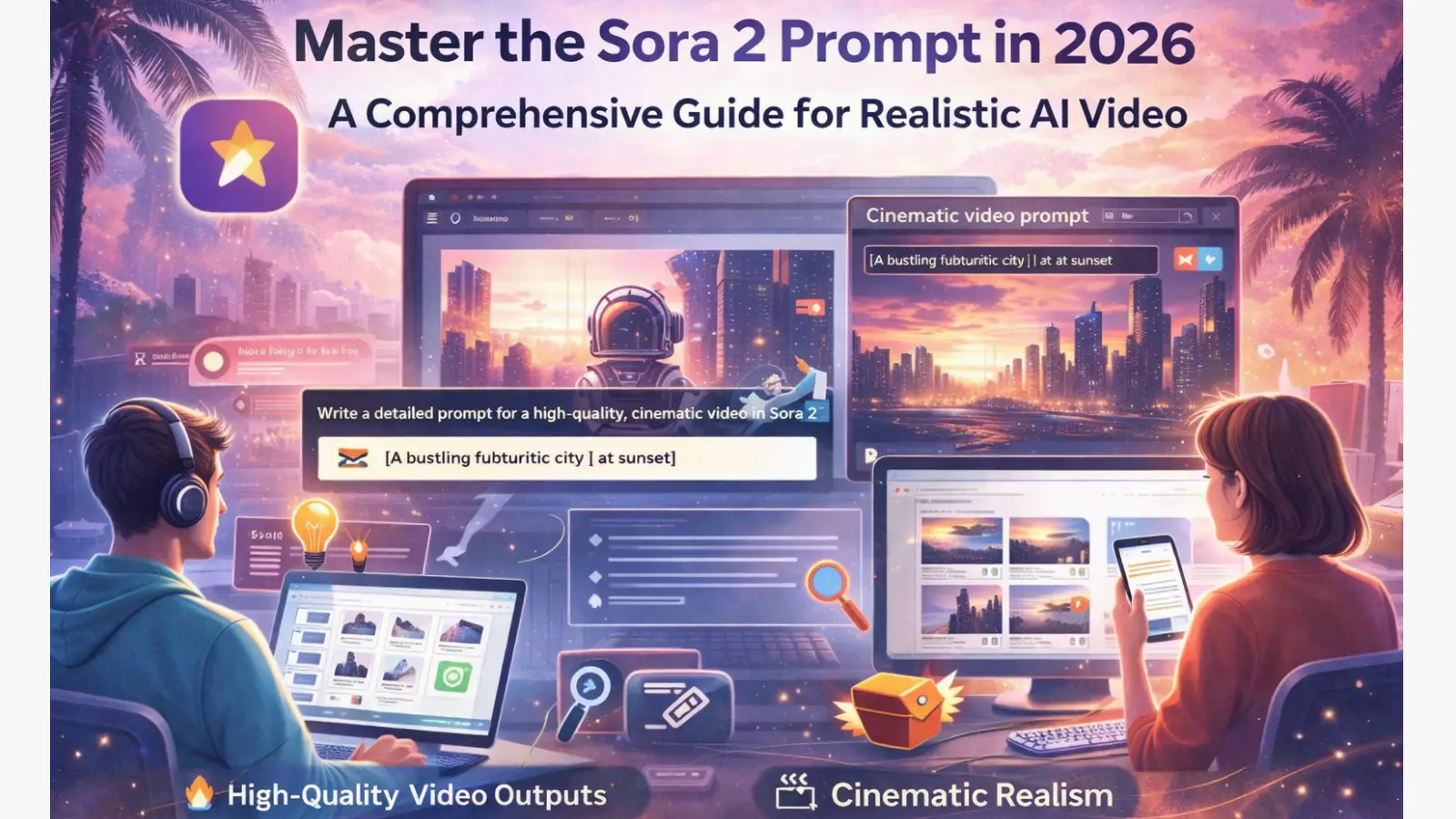
The Core Principles of the 2026 Sora 2 Director’s Brief
The fundamental shift in Sora 2 is the transition from descriptive writing to technical orchestration. Instead of telling the AI what to "see," you are instructing it on how to "film," ensuring the model’s physics engine remains grounded in reality.
- The Temporal Roadmap: Professional prompts utilize a second-by-second breakdown. By defining specific actions at exact intervals (e.g., 0–1.5s vs 1.5–3.0s), you provide the model with a rigid timeline. This reduces "chromatic noise" and prevents the AI from losing track of object permanence during long shots.
- Simplified Action for Spatial Anchoring: Complex scenes with competing movements often lead to physics breaks. The 2026 standard dictates one primary action paired with one specific camera movement. This allows Sora 2 to calculate accurate weight and resistance for that specific motion without data conflict.
- The Rule of Iterative Refinement: Realism is a product of isolation. You must modify only one parameter at a time—the focal plane, the light temperature, or the color palette—to fine-tune the output without breaking the scene’s established logic.
Controlling Cinematic Lighting and Color Palettes
Lighting and color are the primary drivers of visual weight. Sora 2 allows for granular control over environmental atmosphere, provided you use the correct terminology to shape the light.
- Selecting a Restricted Palette: Visual consistency is maintained by specifying a primary palette of 3–5 colors. For a high-end interior, prompts like "amber, cream, and slate" prevent the AI from introducing distracting, saturated tones that disrupt the mood.
- Defining Light Temperature and Source: You must explicitly contrast light sources. Successful renders often pair "warm interior key lights" with "cold morning exterior spill" to create depth.
- Using Flags for Negative Fill: To achieve high-contrast realism and accentuate texture, specify the use of "flags." In cinematography, flags block light to create negative fill. For example, a prompt using "Harsh key + flags" ensures the shadows are deep and controlled, which is essential for highlighting the specular highlights of a "hedgehog" shape or the fine pile of a velvet surface.
Professional Camera Settings and Lens Selection
The difference between a "flat" AI render and a professional shot lies in the lens choice. Sora 2 Pro supports resolutions up to 1792×1024 and dedicated aspect ratios for specific delivery formats.
Technical Lens Selection Guide
| Lens Type |
Effect |
Best Use Case |
| 28mm |
Wide field of view, medium depth |
Kids' Room/Playroom: Expands small spaces. |
| 35mm |
Natural perspective, medium depth |
Gym/Fitness/Pets: Balanced motion tracking. |
| 50mm |
Human-eye realism, shallow depth |
Coffee Shop: High-fidelity barista close-ups. |
| 85mm Macro |
High detail, shallow depth |
Science Demos: Captures mechanical textures. |
| 100mm Macro |
Extreme detail, ultra-shallow depth |
Nature/Product: Insects and splash captures. |
Mastering Technical Camera Movements
Static shots look like frozen images; specification of physical behavior is mandatory:
- Slow Push-in: Increases focus and tension through reflections.
- Micro-tracking: Essential for maintaining the focal plane on fast-moving objects, like sautéing food.
- Diagonal Slide: Adds a professional "dolly" feel to office or architecture shots across a table.
- Tripod Breathing: Introduces subtle, human-like micro-oscillations to static shots to prevent them from looking "dead."
Dialogue Structure and Synchronized Audio-Visual Layers
Sora 2 introduces advanced synchronization that pairs mouth movements with high-fidelity audio. The key is layering metadata to guide the AI’s synthesis.
- Pacing with Short Dialogue Blocks: To avoid lip-sync drift, break speech into short, separate phrases.
- Emotional Metadata: Include behavioral cues within dialogue prompts. Using "off-screen dialogue (smiling)" or "(breathless)" allows the AI to adjust the vocal texture and facial micro-expressions simultaneously.
- Layering Ambient Audio and Foleys: Realism is reinforced through "hearing" the environment. Use specific Foley prompts: "soft coffee machine hiss," "intense sizzling," or "cape rustle" to ground the visual action in a physical space.
Sora 2 Prompt Templates: The Director’s Format
The 'Product Teaser' (16:9 Cinematic)
- Lens: 100mm Macro, shallow depth of field.
- Action:
- 0–1.8s: Serum bottle crosses top third of frame.
- 1.8–3.4s: Water entry, splash crown formation with high-velocity droplets.
- 3.4–4.0s: Bottle drifts to center, logo remains legible.
- Audio: Gentle splash, soft "whoosh" sound.
The 'Macro Nature' (16:9 Cinematic)
- Lens: 100mm Macro, ultra-shallow depth of field.
- Action:
- 0–1.6s: Wings flutter, nectar collection on lavender bloom.
- 1.6–3.0s: Transition move to adjacent bloom.
- 3.0–4.0s: Short side exit, pollen sparkles in diffuse light.
- Camera: Static with micro-shake.
- Audio: Light buzzing, wind through grass.
The 'Action and Fitness' (16:9 Cinematic)
- Lens: 35mm, low angle, medium depth.
- Action:
- 0–1.2s: Preparation phase, audible inhale.
- 1.2–2.6s: Explosive kettlebell swing; camera tracks along the swing arc.
- 2.6–4.0s: Lock position, explosive exhale.
- Audio: Synchronized breathing, kettlebell thud, light gym music.
Scaling Production with DICloak: Parallel Pipeline Management
Testing high-demand AI tools like Sora 2 requires a professional workflow to manage multiple profiles and avoid account association or rate-limiting. DICloak functions as a "Production Testing Sandbox," allowing you to scale your prompt engineering efficiently:
- Unique Fingerprint Profiles: Create isolated browser profiles for each Sora 2 account. This prevents the platform from linking different testing profiles and allows you to run multiple render queues simultaneously.
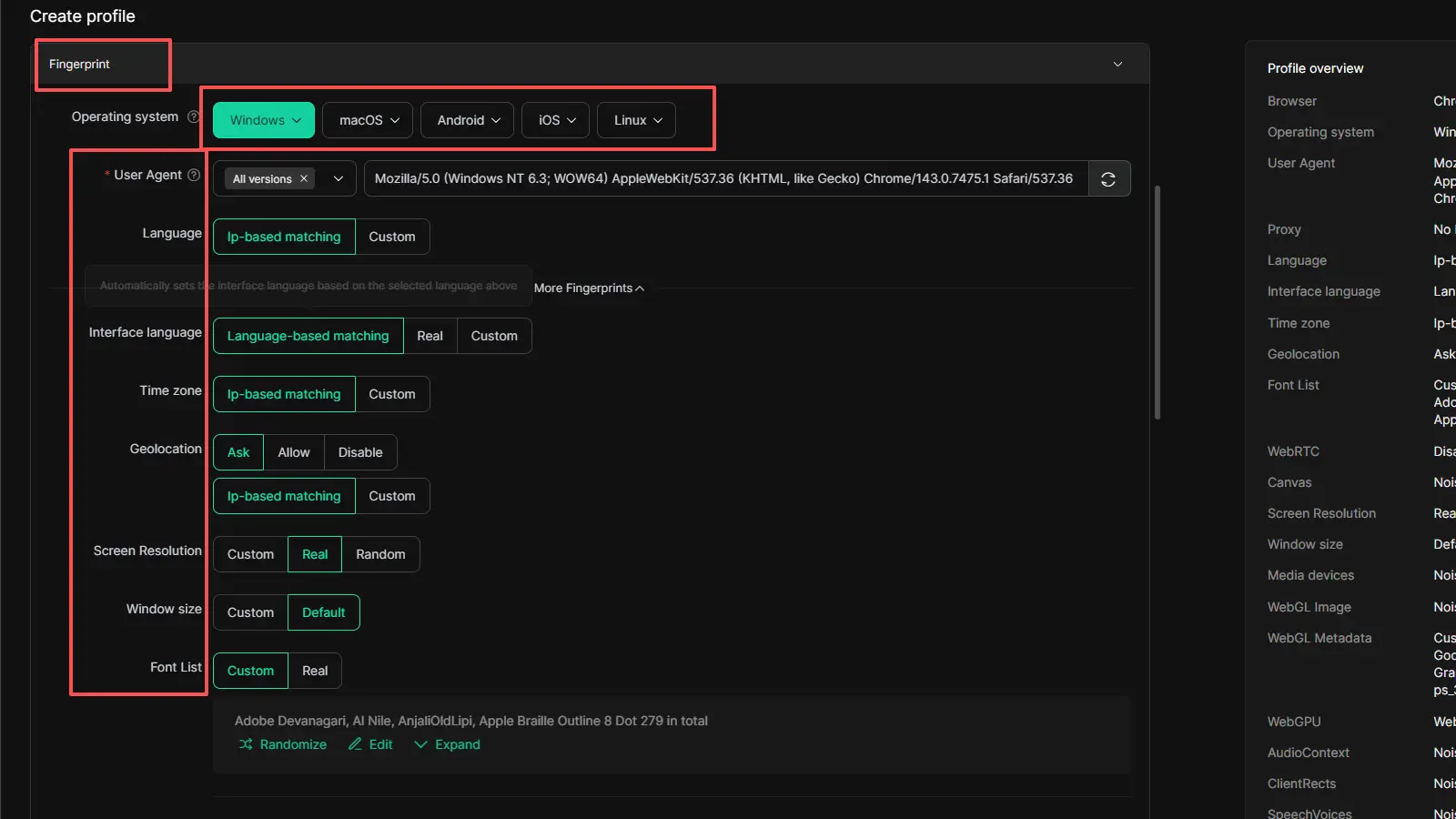
- Advanced Proxy Configuration: DICloak allows users to configure their own proxies for each browser profile, including location-specific endpoints such as the U.S. or Canada. DICloak does not provide built-in proxy services, so users need to prepare and add their own proxy resources. This makes it easier to build account environments that match different regional needs and maintain a more stable production workflow.
- Parallel Production Workflow: Scale your A/B testing by running 10 different versions of a scene—each with a different lighting rig or lens setting—across 10 isolated profiles to find the perfect "take" in a fraction of the time.
Access and Availability in 2026
The Sora 2 ecosystem is currently expanding through a tiered rollout:
- Direct Access: Available via sora.com and the official iOS app (currently invitation-only, U.S./Canada focus).
- Integrated API Partners: For those outside the direct invitation pool, Sora 2 technology is accessible via Higgsfield, VEED (waitlist), and Skywork aggregators.
- Future Rollout: Regional expansions to Europe and Asia, along with a dedicated Android version, are scheduled for the next phase of the 2026 roadmap.
FAQ: Professional Sora 2 Troubleshooting
Q1:Can I use images to guide the style of my Sora 2 video?
Yes. Use image references to set the benchmark for framing, character consistency, and color grading.
Q2:What is the maximum resolution for Sora 2 Pro?
Sora 2 Pro supports up to 1792×1024.
Q3:How do I make AI characters speak naturally?
Utilize short dialogue blocks and include emotional metadata like "(smiling)" or "(breathless)" to guide the synthesis.
Q4:Does Sora 2 support vertical video?
Yes, use the 9:16 aspect ratio setting for mobile-first content, such as the "Pet Scene" template.
Q5:What is the best way to handle complex scenes?
Simplify. Stick to one clear action and one camera movement per prompt to ensure the physics engine maintains spatial anchoring.
Q6:How do I ensure perfect audio-visual sync?
Incorporate physical sounds into your timing, such as "inhale" during a lift or "lamp click" during a light change, to force the AI to align audio and visual timestamps.
Final Professional Recommendations
Mastering Sora 2 is not an exercise in creative writing; it is a discipline of technical precision. To move beyond amateurish AI renders, you must stop "describing a story" and start "composing a frame." Focus on the physics of light, the specific geometry of your lens, and the exact timing of your audio cues. By adopting the mindset of a cinematographer rather than a novelist, you unlock the ability to produce digital cinema that is indistinguishable from reality.
 Web Proxy Tools
 Free Tools
 Cookie Plugin
 UA Generator
 MAC Address Generator
 IP Generator
 IP Address List
 2FA Code Generator
 World Clock
 Anonymous Check
 WebRTC Leak Test
 UUID Generator
 Free Web Proxy Site
 Proxy Checker
 FB Ad Checker
 AI Web Scraping
 Free SMM Tools
 Twitter Shadowban Checker
 Instagram Name Checker
 UTM Generator
 Username Generator
 AI Hashtag Generator
 LinkedIn Headline Generator
 Social Media Image Resizer