Many websites are blocked or restricted by networks, especially in places like schools, workplaces, or public Wi-Fi networks. Whether you're trying to access educational resources, social media, or streaming sites, these blocks can be frustrating. That's where unblocked browsers come in. These specialized browsers allow you to bypass restrictions safely and securely, ensuring you can access the content you need. In this article, we’ll introduce you to the top 11 unblocked browsers, explain their key features, and guide you on how to choose the best one for your needs. Let’s explore how you can take control of your online browsing experience!
What is an Unblocked Browser?
An unblocked browser is a special kind of web browser that helps you open websites that are blocked or restricted by a network or firewall. Many schools, workplaces, public Wi‑Fi, and even some countries block certain sites. This can stop you from reaching YouTube, social media, research tools, news, or other useful pages. An unblocked browser lets you get around these limits.
In simple terms, an unblocked browser works like a side road. When the main road is closed, it finds a new way to reach the same place. It can use tools like proxy servers, or privacy features to mask your connection and help you see the site you want. These tools make your computer appear as if it is in a safe place where the block does not apply.
For example, imagine you are at school and the network blocks access to a video you need for a project. A regular browser like Chrome may tell you the site is unavailable. But an unblocked browser can route your request through a proxy or encrypted connection so the school filter can’t stop it. This way, you can watch the video and finish your work.
Unblocked browsers also help protect your privacy. Many include features that stop trackers or hide your real IP address. This means your browsing stays more private than in a normal browser. That can matter when you’re on public Wi‑Fi or a network you don’t control.
In short, an unblocked browser gives you freedom to browse safely and helpfully when you face filters and blocks. It opens the web for study, work, and even everyday tasks — but it should be used responsibly and in ways that respect network rules and local laws.
How Unblocked Browsers Bypass Restrictions
After explaining what an unblocked browser is, it helps to know how these browsers let you see blocked websites. Many networks and school systems use filters to block certain sites. These filters look at web requests and stop access when a site is not allowed. An unblocked browser works in a smart way to get past these filters and let you browse normally.
One common method an unblocked browser uses is called a proxy server. A proxy acts like a middleman between your device and the website you want to visit. When you type a web address in the browser, the request first goes to the proxy server. The proxy then requests the web page and sends it back to you. The school or network only sees the proxy’s address, not the original blocked site address. This helps the unblocked browser for school or work access content that would usually be stopped by the filters.
For example, consider a student who needs to read a blocked news article for class research. The school filter might block the site because it thinks it is non‑educational. With an unblocked browser, the request goes through a proxy, and the school filter sees the proxy’s safe address. The article opens, and the student gets the information they need without trouble. This shows how an unblocked browser for school can help with real tasks that matter.
Some unblocked browsers go further by changing the way websites see your connection. They may hide things like your real IP address or other data that tells the network where you are located. This can make the blocked website think your request comes from a place where it is not blocked. In real cases, users report that this helps them load pages that are blocked by basic filters on public Wi‑Fi or strict school networks.
It is important to remember that networks use filters for safety or policy reasons. Using an unblocked browser to access information for homework or research is different from using it to break rules. Always respect the rules of the network you are on while using an unblocked browser to bypass restrictions.
Key Features of Unblocked Browsers
Unblocked browsers offer many features that make browsing safer and easier. These features help you access blocked sites, protect your privacy, and improve performance. Here are the key features to look for in a good unblocked browser.
Anonymity and Privacy Protection
Unblocked browsers protect your privacy by blocking trackers and hiding your personal data. For example, DuckDuckGo blocks third‑party trackers and keeps your browsing history private. This helps you stay anonymous, especially on school or public Wi‑Fi networks.
Security Measures and Encryption
These browsers also use strong security measures. They block unsafe content and use secure HTTPS connections, which protect your data. For example, Epic Privacy Browser stops malicious ads and clears your browsing history after every session. This keeps you safe when bypassing restrictions.
Speed and Performance Enhancements
Unblocked browsers often block ads and unnecessary scripts, which helps web pages load faster. Brave is a great example of a fast browser that loads pages quickly by blocking trackers. This helps improve browsing speed, even on slower networks.
User-Friendly Interface and Accessibility
A good unblocked browser should be easy to use. Browsers like Brave or Epic offer simple settings that anyone can use to block ads and trackers with just a click. These easy controls make browsing more accessible for all users.
These features—privacy protection, security, speed, and ease of use—make unblocked browsers a smart choice for browsing restricted content safely and efficiently.
Top 11 Recommended Unblocked Browsers
Below are the top 11 unblocked browsers to help you bypass restrictions safely and efficiently. Each of these browsers has specific features designed to enhance your browsing experience, whether you're trying to access restricted sites at school, work, or anywhere else.
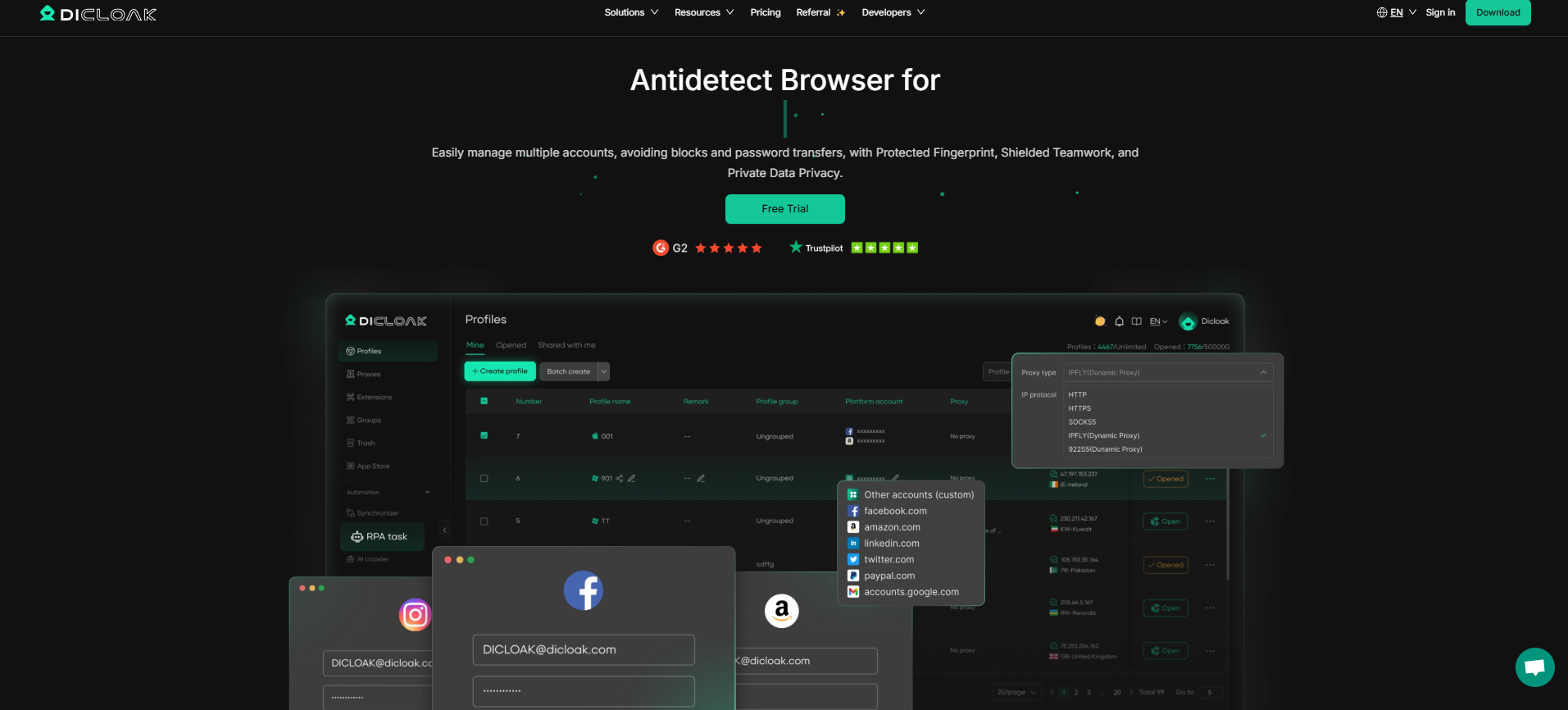
DICloack Antidetect Browser is designed for advanced privacy and digital fingerprint management. It allows you to manage multiple accounts without being detected and helps bypass restrictions with ease. Ideal for users who need high levels of anonymity and security while accessing restricted sites.
Pros:
- Allows you to manage multiple accounts without detection.
- Masks your digital fingerprint, ensuring privacy and security.
- Customizable settings for proxy and IP configurations.
Best for: Users who need high privacy and want to access restricted content without being detected. Great for managing multiple accounts on platforms like social media or e-commerce sites.
Tor Browser is a popular privacy tool that routes your internet traffic through a network of servers, providing a high level of anonymity. It’s widely used for unblocking websites and ensuring secure, anonymous browsing.
Pros:
- Strong privacy features; routes your traffic through multiple layers of encryption.
- Completely anonymous browsing.
- Free to use.
Cons:
- Slower speed due to multi-layer routing.
- Some websites might block Tor exit nodes, making it harder to access certain sites.
Best for: Users who prioritize anonymity and privacy over speed, especially when browsing sensitive or restricted content.
Brave is a fast, privacy-focused browser that blocks ads and trackers by default. It’s a popular choice for users who want a smoother, faster browsing experience with built-in privacy protection.
Pros:
- Blocks ads and trackers by default, which speeds up browsing.
- Built-in privacy features, including HTTPS Everywhere.
- User-friendly interface and fast browsing speed.
Cons:
- Limited customization options compared to other browsers.
- Some sites may not function properly with ad-blocking enabled.
Best for: Users who want a fast and secure browser for everyday use, especially on public networks or schools.
Puffin Browser uses cloud-based technology to speed up browsing. It’s great for mobile devices, as it allows users to access blocked websites while providing a faster browsing experience.
Pros:
- Extremely fast browsing due to cloud-based technology.
- Great for mobile browsing and accessing blocked websites on mobile devices.
- Simple interface.
Cons:
- Cloud-based browsing means some data is handled by external servers.
- Limited features compared to desktop browsers.
Best for: Users who need a quick, mobile-friendly solution to access restricted sites, especially on public Wi-Fi.
5. Google Chrome with Extensions
Google Chrome can be turned into an unblocked browser by adding extensions like proxy servers and privacy-focused tools. It’s a great option for users who prefer Chrome’s user-friendly interface while needing to bypass restrictions.
Pros:
- Customizable with a wide variety of extensions for unblocking sites.
- Reliable and widely used, making it familiar for most users.
- Extensions like proxy servers can be added easily.
Cons:
- Does not offer built-in privacy features like other unblocked browsers.
- Using third-party extensions may compromise security.
Best for: Users who are already familiar with Google Chrome and need a simple solution with customizable features for unblocking websites.
6. Firefox with Proxy Settings
Mozilla Firefox is an open-source browser that offers strong security and privacy features. By configuring proxy settings, you can use Firefox to bypass network restrictions while maintaining high security.
Pros:
- Offers a high degree of customization, including proxy settings for unblocking websites.
- Open-source and privacy-focused.
- Strong security features, including built-in anti-phishing tools.
Cons:
- Needs manual configuration to work as an unblocked browser.
- Slower than browsers with built-in proxy tools.
Best for: Privacy-conscious users who want a customizable, open-source browser for bypassing restrictions while maintaining security.
Epic Privacy Browser is designed for users who want maximum privacy. It blocks ads, trackers, and scripts while automatically deleting your browsing history after each session.
Pros:
- Focuses on privacy and security, blocking ads, trackers, and scripts by default.
- Automatically deletes browsing history after every session.
- Does not store data locally.
Cons:
- Limited extensions and customization options.
- Some websites may not function well without scripts enabled.
Best for: Users who want maximum privacy and security while bypassing content restrictions. Ideal for people who don’t want their browsing history saved.
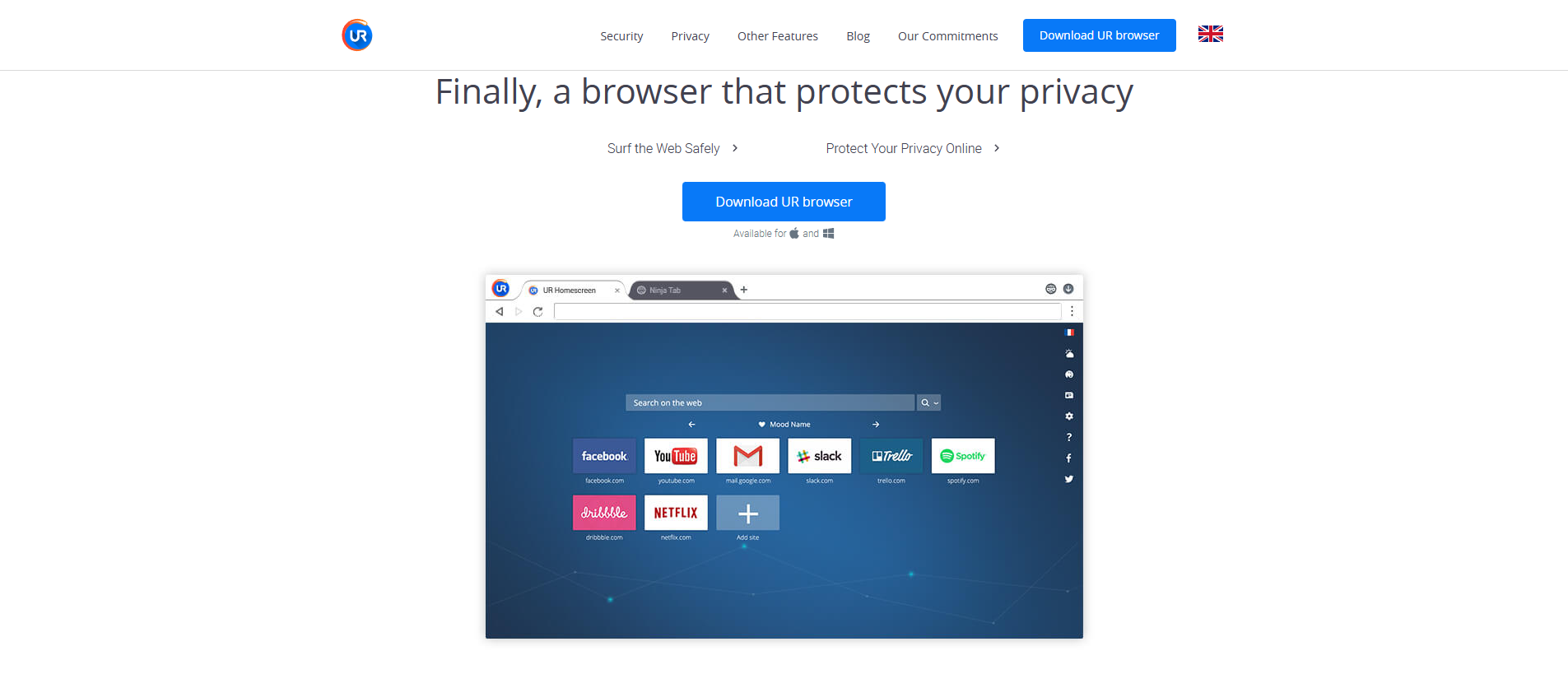
UR Browser provides a simple and fast browsing experience with built-in privacy features. It blocks ads and includes secure search, making it a solid choice for users who need privacy and quick access to restricted sites.
Pros:
- Built-in ad blocking and privacy features.
- Offers a simple, fast browsing experience.
- Includes a secure search feature that protects your data.
Cons:
- Limited in terms of advanced customization options.
- Less known, meaning fewer community resources.
Best for: Users looking for a simple, secure browser with privacy features for daily browsing.
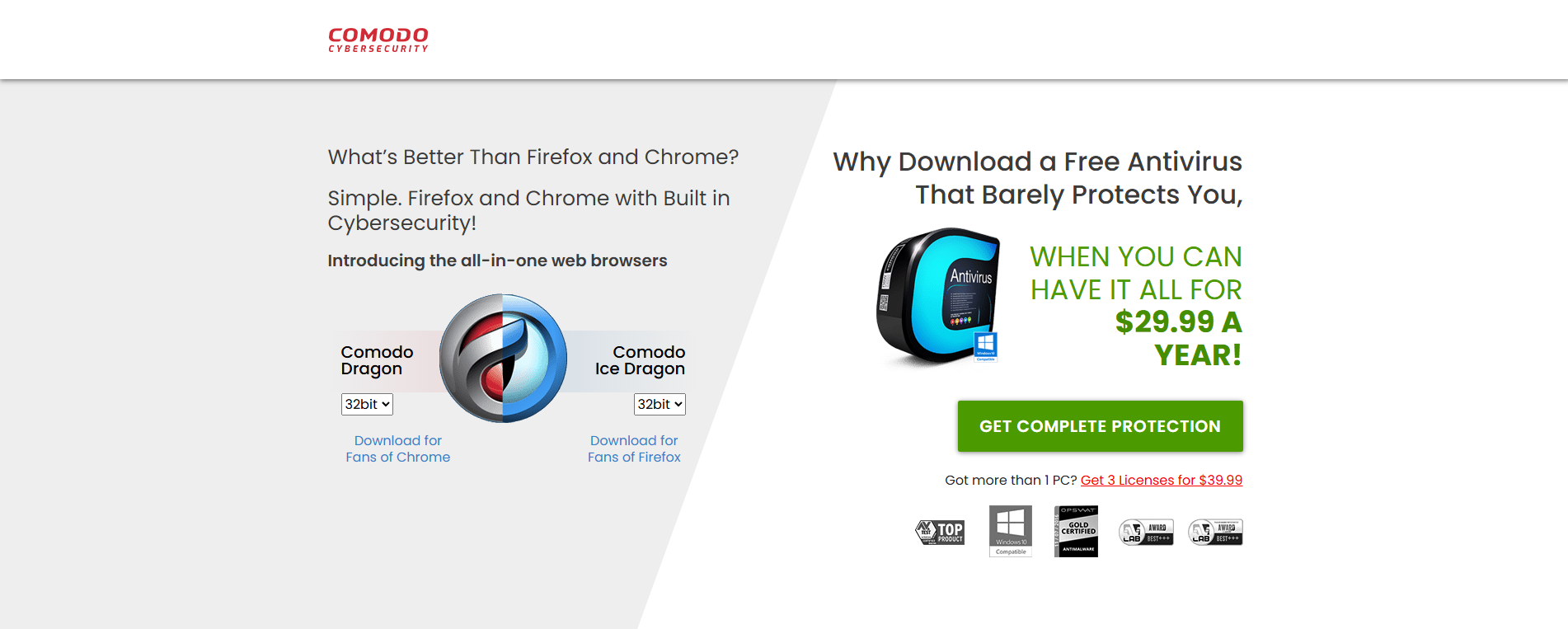
Comodo Dragon is a Chromium-based browser that comes with additional security tools. It’s perfect for users who want a browser that provides strong protection against malware and phishing while unblocking sites.
Pros:
- Based on Chromium, making it familiar for Chrome users.
- Built-in security tools like secure DNS and anti-malware protection.
- Lightweight and fast.
Cons:
- Lacks the deep customization options of more privacy-focused browsers.
- May have compatibility issues with some websites.
Best for: Users looking for a lightweight browser with added security features for unblocking restricted sites.
Maxthon Cloud Browser uses cloud services to load pages faster and offers multi-platform support. It’s designed for users who want fast browsing across devices and the ability to access blocked websites.
Pros:
- Cloud-based technology allows for fast access to websites.
- Multi-platform support, including mobile and desktop.
- Includes built-in privacy tools.
Cons:
- Cloud-based browsing means some data is handled by external servers.
- Can be slower when using cloud services for large files or media.
Best for: Users who want fast, cloud-powered browsing and multi-platform support to access restricted websites.
Opera is a well-known browser that includes built-in security tools and fast browsing speed. It’s an excellent option for users who want to quickly access blocked sites while maintaining privacy and security.
Pros:
- Built-in ad blocker and privacy features.
- Fast browsing speed with low resource usage.
- Easy-to-use interface with quick access to unblocked sites.
Cons:
- Limited in customization compared to Chrome or Firefox.
- Some sites may not work perfectly with certain privacy tools enabled.
Best for: Users who want a fast, simple browser with built-in privacy features for accessing restricted websites.
How to Choose the Right Unblocked Browser
Now that you know the top unblocked browsers, it helps to know how to choose the right one for your needs. Not all unblocked browsers are the same. Some focus on privacy, while others focus on speed or ease of use. Here are simple steps you can follow to pick the best browser for your situation.
Assessing Your Needs (Privacy, Speed, Compatibility)
First, think about what matters most to you when using an unblocked browser. Do you need strong privacy? Do you want fast loading? Or do you need the browser to work well on many devices?
For example, a student may need an unblocked browser for school research. In this case, privacy and compatibility with school Wi‑Fi matter most. A casual user may want fast browsing with few steps. In that case, a browser with ad blocking and fast performance like Brave may work well. By listing your needs first, you can narrow down the browser choices that match what you want.
Evaluating Browser Features and User Reviews
Next, look at the features of each unblocked browser and read what real users say about them. User reviews and expert opinions can tell you how well a browser works in real life.
For example, many users report that Tor Browser provides strong privacy, but it can be slow on some sites. Others say that browsers like Opera work quickly and make it easy to open blocked sites on both school and public networks. These honest user voices can help you understand what to expect from each browser in everyday use. Checking trusted review sites also improves the expertise and trustworthiness of your decision.
Testing and Comparing Performance
Finally, try a few unblocked browsers yourself. The real test is in actual use. Download two or three browsers that fit your needs and try them on the sites you want to access.
For example, open a school‑blocked page in each browser. Notice how fast each loads and how easy it is to reach the content. Also check how comfortable the interface feels and if the browser keeps your data safe. This hands‑on test helps you compare performance in real situations and shows which unblocked browser works best for you.
Choosing the right unblocked browser is about matching your goals with the browser’s features. By understanding your needs, checking real user feedback, and trying a few options, you can find a browser that helps you browse the web smoothly and safely, even on restricted networks.
Legal Considerations of Using Unblocked Browsers
Understanding the legal side of using an unblocked browser is important. While a browser can help you reach blocked content, you must respect the law and network rules. Laws vary by location and situation, so it helps to know the risks before you use one.
Understanding the Legal Landscape
The rules around using an unblocked browser depend on where you are and the network you use. In general, accessing public web content through a browser is legal for personal use, like researching blocked sites. However, certain regions have stricter internet controls, and using tools to bypass these controls may be illegal, depending on the circumstances and intent.
In a school or work setting, company or district policies are also part of the legal landscape. Even if a tool is not illegal in your location, using it to bypass rules set by your school or employer could lead to disciplinary measures, such as loss of network access or other restrictions.
Potential Risks and Consequences
There are real risks if you use an unblocked browser without understanding the rules. One risk is violating local laws regarding internet censorship. In some regions, bypassing filters can lead to fines or other legal actions, even if your purpose is innocent, like accessing educational content.
Another risk comes from violating school or workplace policies. For instance, if a student uses an unblocked browser to access entertainment or social media sites in violation of school internet rules, they might face consequences like restricted device use or formal warnings.
Additionally, bypassing restrictions to access copyrighted or protected material can lead to intellectual property issues. While accessing public sites is usually legal, downloading or distributing copyrighted content without permission is not.
Responsible Usage Guidelines
To stay safe and avoid trouble when using an unblocked browser, follow some simple guidelines:
- Know the local laws before you try to access restricted content. Understand the internet policies and any rules that may apply in your region.
- Follow network policies at your school or workplace. Even if a browser can access a blocked site, it does not mean you are allowed to bypass the rules set by that network.
- Use the browser for legitimate needs, like accessing research materials or educational resources. This helps you stay within ethical and legal boundaries.
- Avoid sharing or downloading copyrighted content without permission, as this can lead to legal issues even in areas with less restrictive internet access.
Using an unblocked browser responsibly means being aware of both legal and network policies. When you understand these considerations and follow guidelines for responsible use, you can safely access the web without crossing legal boundaries or violating rules.
Why choose DICloak Antidetect Browsers for your business?
⚡The DICloak Antidetect Browser has become a global favorite for its unparalleled ability to efficiently and securely manage multiple accounts. Designed for professionals in social media management, affiliate marketing, traffic arbitrage, e-commerce, account farming, airdrops, and more, DICloak offers powerful features like RPA automation, bulk operations, and a synchronizer. Additionally, it allows you to customize fingerprints and integrate proxies for each profile, ensuring top-level security and operational efficiency. It’s the ultimate tool for seamless, secure, and scalable operations.

What Makes DICloak Stand Out?
✅ Manage 1,000+ Accounts on One Device:
Stop wasting money on extra hardware! DICloak allows you to manage multiple accounts on a single device, cutting costs and boosting efficiency.
✅ Guaranteed Account Safety, No Ban Risks:
Every account gets its own isolated browser profile with custom fingerprints and IPs, drastically reducing the risk of bans. Your accounts, your control!
✅ Flexible Proxy Configuration for Maximum Performance:
Seamlessly integrate with all major proxy protocols (HTTP/HTTPS, SOCKS5) and manage your proxy pool with bulk operations. No more struggling with IP management—DICloak has you covered.
✅ Streamlined Team Collaboration for Better Results:
Easily manage your team with advanced tools like profile sharing, permission settings, data isolation, and operation logs. Your team works smarter, not harder.
✅ Automate the Grind with RPA:
DICloak's built-in RPA saves you hours of manual work. Automate repetitive tasks, streamline workflows, and focus on what really matters—growing your business.
✅ Powerful Bulk Tools to Scale Your Operations:
Create, import, and launch multiple browser profiles in one click. DICloak makes scaling your business as easy as it gets.
✅ Compatible with All Major Operating Systems:
Based on the Chrome core, DICloak supports simulating Windows, Mac, iOS, Android, and Linux operating systems. No matter what platform you need, DICloak has you covered.
🔗 Ready to Get Started?
Visit the DICloak website to explore more details and choose the plan that’s right for you. Start for free today and experience the power of secure, efficient, and scalable multi-account management!
Conclusion
Choosing the right unblocked browser is essential for safely accessing restricted websites while maintaining privacy and security. With various options available, it's important to assess your needs, such as privacy, speed, and compatibility. Browsers like DICloack Antidetect Browser, Tor, and Brave offer strong privacy features, while others like Puffin and Opera prioritize speed and ease of use. When using an unblocked browser, always consider the legal landscape and network rules. Responsible use means following local laws and respecting the policies of schools, workplaces, or other networks. By understanding the risks and selecting the best browser for your needs, you can ensure safe, effective browsing while avoiding potential legal consequences.
FAQ
What is an unblocked browser, and how does it work?
An unblocked browser is a web browser designed to bypass restrictions placed by networks, such as at schools or workplaces. It works by using tools like proxies or encryption to make it appear as though you're accessing the internet from a location where the site is not blocked. This allows you to access restricted websites safely and securely.
Are unblocked browsers safe to use?
Yes, unblocked browsers are generally safe to use, especially if you choose one with strong privacy and security features. Browsers like Tor and DICloack Antidetect Browser offer excellent privacy protection, ensuring your browsing activity remains anonymous. However, always be cautious of the browser you choose and ensure it is from a trusted source.
How do I choose the right unblocked browser for my needs?
When selecting an unblocked browser, consider factors like privacy protection, speed, compatibility with the devices you use, and ease of use. For example, if you prioritize privacy, Tor or DICloack Antidetect Browser may be ideal. If speed and simplicity are more important, consider Brave or Puffin Browser.
Can I use an unblocked browser on public Wi-Fi?
Yes, you can use an unblocked browser on public Wi-Fi. In fact, it's often a good idea to use one on public networks since they help protect your privacy by masking your identity and blocking malicious sites. Browsers like Epic Privacy Browser and Brave are great choices for secure browsing on public Wi-Fi.
Are there any legal risks associated with using an unblocked browser?
Using an unblocked browser can be legal, but it depends on your location and the purpose of your browsing. While accessing educational resources or public content is generally fine, bypassing filters in schools or workplaces against their policies can lead to consequences. Always be aware of the legal landscape in your area and follow responsible usage guidelines.
 Web Proxy Tools
 Free Tools
 Cookie Plugin
 UA Generator
 MAC Address Generator
 IP Generator
 IP Address List
 2FA Code Generator
 World Clock
 Anonymous Check
 WebRTC Leak Test
 UUID Generator
 Free Web Proxy Site
 Proxy Checker
 FB Ad Checker
 AI Web Scraping
 Free SMM Tools
 Twitter Shadowban Checker
 Instagram Name Checker
 UTM Generator
 Username Generator
 AI Hashtag Generator
 LinkedIn Headline Generator
 Social Media Image Resizer