Getting hit with an Amazon Account Suspended notice throws your entire operation into chaos. One day your listings are selling, the next day you’re locked out, inventory is stranded, and the appeal clock starts ticking. Most sellers scramble to figure out why, was it an invoice mismatch, product authenticity flag, late shipments, or something hidden in your account history? Amazon’s suspension emails rarely spell it out, so guessing costs you precious hours.
But jumping straight to a generic Amazon suspension appeal can backfire. Amazon’s system expects a precise Plan of Action with evidence tied to the actual reason for the ban. If you rush a template response or miss key details, your reinstatement chances drop sharply, and repeated failed appeals can make the situation worse. Sellers who try to react fast without first mapping out what triggered the Amazon seller account suspended status almost always get stuck in a loop of copy-paste rejections.
The real fix starts with digging through your account health, checking compliance sections, and cross-referencing every flagged item. You need to spot the exact violation, sometimes it’s a single late shipment, sometimes a gap in product documentation, or even a linked account issue you overlooked. Once you know what triggered it, you can prepare a tailored reinstatement plan, collect supporting documents, and avoid the mistakes that drag out the process. If you skip these steps, you risk permanent loss or months of blocked sales.
To get your Amazon account reinstatement moving, start by breaking down the suspension type and pinpointing the earliest warning signs.
What Usually Triggers an Amazon Account Suspension in 2026?
Most Amazon account suspensions in 2026 come down to three repeat issues: performance drops, policy violations, or Amazon detecting a link between multiple accounts. Each cause leads to a very different fix, so spotting which bucket you’re in is the real starting point.
Performance Metrics That Lead to Suspension
Low seller metrics get accounts flagged fast. The main triggers are:
- Order defect rate above Amazon’s threshold
- Too many late shipments
- Frequent unresolved customer complaints
Even one spike can catch up with you, Amazon rarely waits for a trend if a single week’s stats go sideways.
Policy Violations Amazon Is Cracking Down On
Policy suspensions almost always come from two areas: restricted products or intellectual property complaints. Selling an item Amazon now lists as restricted, sometimes added without alert, will take your listing and account down overnight. The more common trap in 2026, though, is IP: rights holders file complaints, and Amazon often acts before you can even respond. A single unresolved IP strike can freeze your payout for weeks, and sellers trying to relist under a new ASIN usually see those products flagged again. Missing new compliance rules or failing to track policy updates leaves you open to these fast, hard-to-reverse bans.
Account Linkage and Multiple Account Risks
Amazon’s detection of “linked accounts” is much stricter now. Here’s what gets flagged:
- Same device or browser used for multiple accounts
- Overlapping IP addresses or repeated network patterns
- Browser fingerprint or cookie similarities across accounts
If you run more than one seller account, even for different brands, Amazon’s system will connect the dots if you skip strict isolation. That means even a quick login from your phone at home can tie two accounts together.
Missing the exact trigger often means guessing wrong on your suspension appeal and getting auto-rejected. Next, you need to go step-by-step through your account health and find the root cause before making any moves.
What Should You Do First When Your Amazon Account Is Suspended?
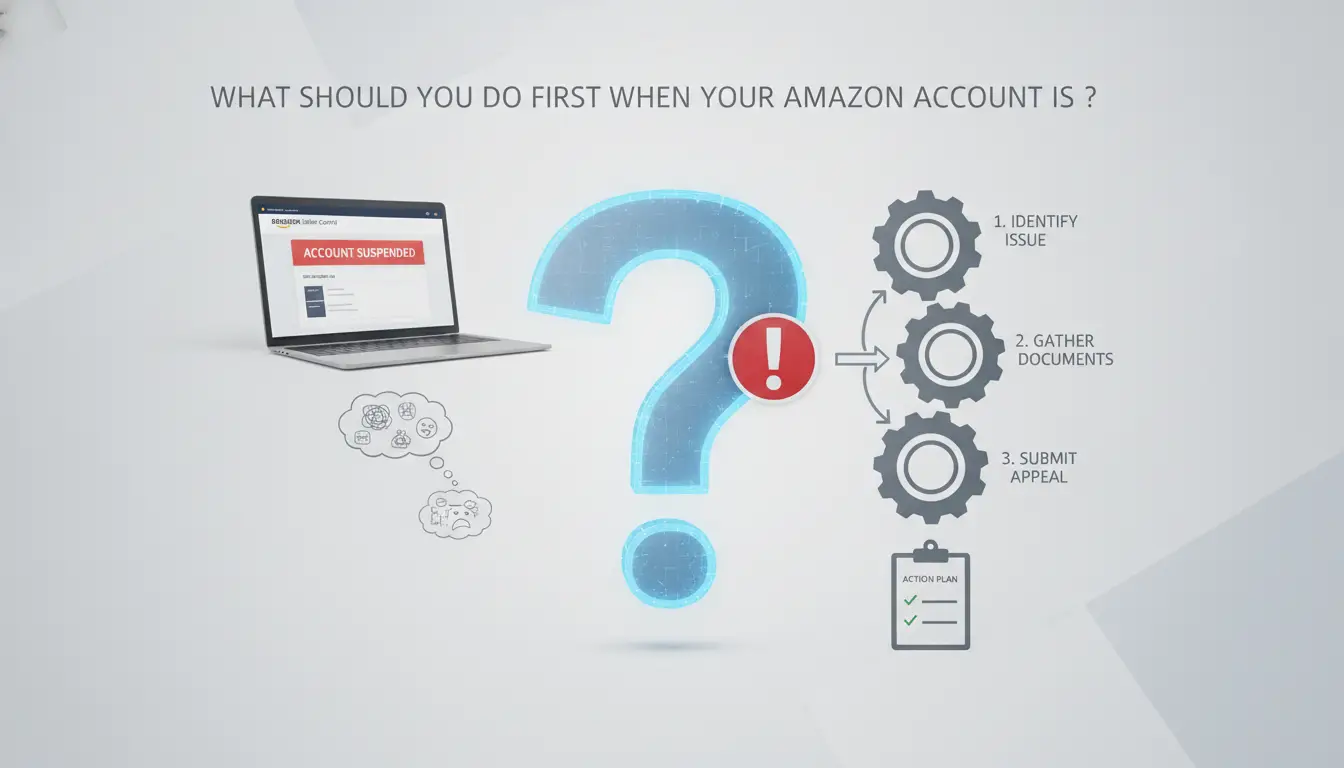
If you just got a suspension notice, what you do in the first hour can decide whether you get your selling privileges back, or end up waiting months. Acting on impulse or sending a rushed appeal often backfires. Here’s how to handle the first steps so you don’t dig yourself into a deeper hole.
Read and Analyze the Suspension Notice Carefully
- Open the email or in-dashboard message and read every line. Look for the exact reason Amazon gives, “inauthentic item,” “linked account,” or “performance”, not just the general heading.
- Check for any deadlines. Some suspensions require a response within 72 hours, while others have no clear window. Missing a stated deadline can push your case to the bottom of the queue.
- Scan for requested documents or specific next steps. If Amazon asks for invoices, receipts, or a plan of action, note every item, they expect you to follow instructions exactly.
- Search your account for matching flags (like performance notifications or compliance alerts) so you know if the listed reason matches your recent history.
Stop All Risky Activities Immediately
- Pause all active listings. Don’t try to sneak in edits or switch ASINs, any account activity after a suspension can be flagged as “evasion.”
- Log out of any related accounts or devices. If you operate multiple seller accounts, stop all cross-account activity right now. Linked accounts during suspension periods often trigger permanent bans.
- Avoid logging in from new locations or IP addresses. A sudden change can set off new security checks or worsen the review outcome.
Document Account Status and Gather Evidence
- Download your account health dashboard, performance metrics, and any flagged orders as PDFs or screenshots. If Amazon removes access later, you’ll lose this evidence.
- Take clear screenshots of every notification and flagged message, these are vital if your case escalates or you need to prove a timeline.
- Save copies of supplier invoices, shipping records, or anything else tied to the stated violation. Missing paperwork is a top reason appeals get ignored or denied.
Avoid Common Mistakes That Make Reinstatement Harder
- Don’t fire off an angry reply or admit guilt without knowing the facts. Emotional responses almost never work and can lock you out of future appeals.
- Never submit multiple appeals in a row. Each one resets your review position, making it look like you didn’t read the instructions.
- Watch the appeal window. Missing a set deadline, or sending your response too late, can leave your account in limbo for weeks.
- Avoid outside “fixers” promising fast reinstatement. Most use templates that Amazon flags as copy-paste, hurting your chances long term.
Once you have your evidence and a clear understanding of the suspension, you’re ready to start building a strong Amazon suspension appeal.
How to Prepare a Strong Amazon Suspension Appeal in 2026
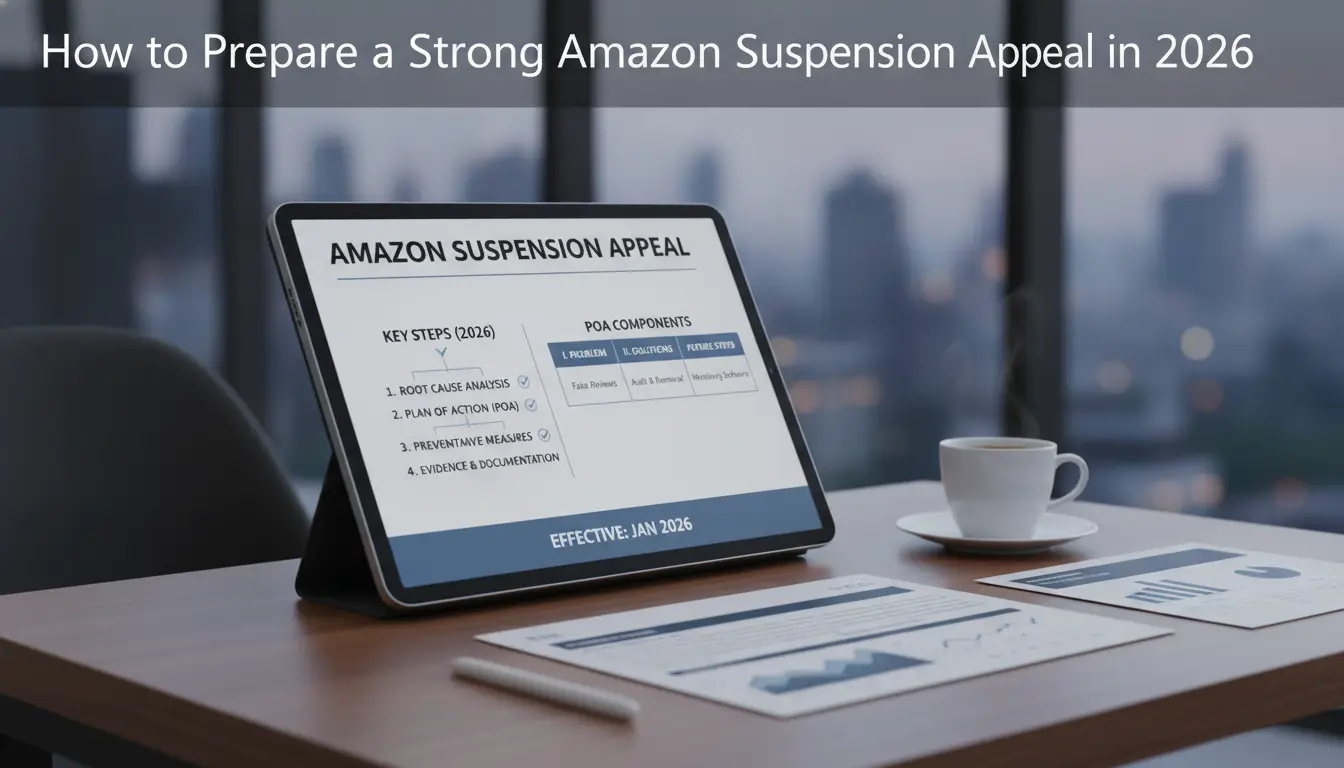
If you want your Amazon account reinstated, your appeal needs to prove you understand what went wrong and how you'll fix it. Amazon rejects generic or emotional appeals without clear evidence and a real plan. The process below covers what actually works in 2026.
Identify the Real Root Cause (Not Just What Amazon Says)
- Review your performance metrics, look for dips in late shipment rate, order defect rate, and policy compliance.
- Cross-check all recent account notifications and compliance messages for hidden issues Amazon’s notice may not mention directly.
- Dig through your product listings and account health dashboard for flagged ASINs, linked account warnings, or documentation gaps.
If you only repeat what Amazon’s email says, you’ll likely miss the real problem and get a copy-paste rejection.
Draft a Clear and Professional Plan of Action (POA)
- Admit the exact mistake, don’t deflect or blame Amazon. If the issue was late shipments, say so.
- List the actions you’ve taken since the suspension (e.g., removed flagged listings, added missing compliance documents, retrained staff).
- Describe what you’ll do to prevent it in the future, be specific with steps and timelines.
- Keep your POA short, factual, and easy to read. Amazon reviewers skim for evidence, not stories.
Submit Your Appeal the Right Way
- Go to Seller Central > Performance Notifications and find the exact suspension notice, use the “Appeal” button there, not email.
- Attach your POA as a PDF or text, plus any required documents (like invoices or compliance certificates).
- Double-check file sizes; Amazon rejects attachments over 10 MB.
- After submission, check your case log daily and be ready to answer requests for extra info within 24 hours.
What to Expect After Submitting (Timelines and Responses)
- Amazon usually replies within 2-5 business days, but complex cases can take 7+ days.
- If you get a “needs more info” response, fix only what’s requested, don’t resubmit the same POA or your case may be closed.
- Long delays (over 10 days) often mean your case is in manual review. Use Amazon’s case log to request a status update, but don’t spam new tickets.
If your appeal is rejected, pause before sending another, rushed resubmissions nearly always get ignored. The next section explains why some accounts lose access without warning and how to spot those hidden risks before it’s too late.
Why Some Amazon Accounts Get Suspended Without Warning
Silent suspensions often hit sellers who think their account is clean. The real reason, Amazon changes policies and detection rules without notice, so even accounts with no past issues can be flagged overnight.
Silent Policy Changes and Automated Detection
Amazon’s algorithms update quietly. Policy shifts aren’t always announced, so a listing that followed rules yesterday might trigger a suspension today. Most sellers only realize the change after their account is already blocked.
Linked Account Detection and Device Fingerprinting
Accounts sharing an IP address or showing similar browser fingerprints get flagged for linkage.
- If you run two stores from the same device, Amazon’s system can group them and suspend all linked accounts, even if only one violates a policy.
- The safer move is to use separate devices, unique browser profiles, and proxies for every account to avoid silent detection.
Marketplace Complaints and Competitor Reports
Competitors sometimes file fake complaints or abuse Amazon’s reporting tools. These complaints can trigger instant suspensions, even if you did nothing wrong. If you see a sudden suspension and no health warning, check for recent negative feedback or new reports, this often points to external abuse, not your own mistake.
Before you add another Amazon account, double-check your device setup and account isolation, hidden risks usually stack up when managing more than one store.
How to Reduce Suspension Risk When Managing Multiple Amazon Accounts
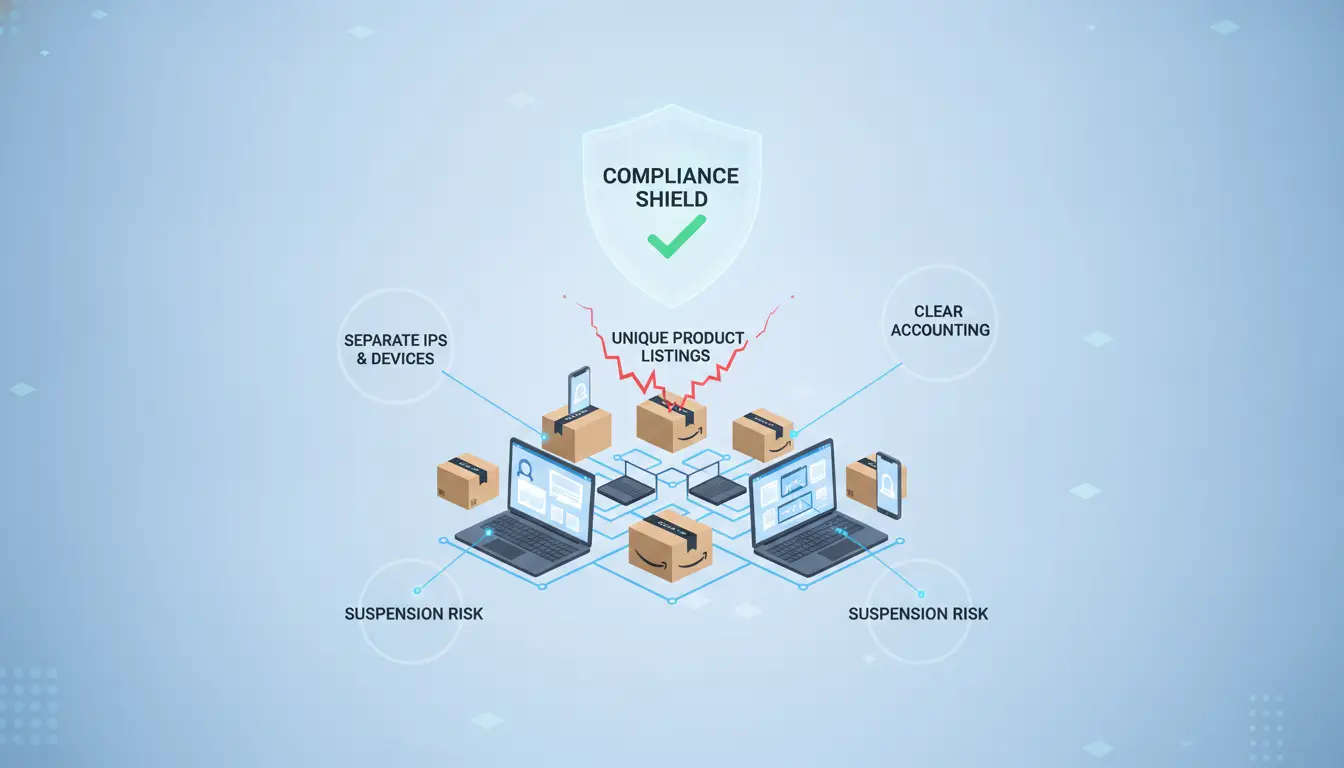
If you want to avoid the “Amazon Account Suspended” headache when running multiple seller profiles, you need to get precise about how your workflows are set up. Amazon’s system picks up cross-account signals fast, not just from obvious mistakes, but from tiny leaks in your daily process.
Why Amazon Flags Multi-Account Activity
Amazon’s policy blocks sellers from running more than one account unless they get written approval. The detection system tracks IP, device fingerprint, cookies, and access patterns. Even a single login overlap or reused network can trigger linked account reviews. Amazon’s detection is less about the number of accounts and more about subtle signs that accounts are operated from the same device, browser, or team environment.
Essential Steps to Separate Accounts
- Use a unique proxy for each seller account, never mix IPs or share proxies across stores.
- Run every account in a separate browser profile or device. No shared sessions, history, or cookies.
- Keep devices physically separate or use isolated virtual machines if you must operate from one workstation.
Common Mistakes That Link Accounts
The biggest risk comes from reusing emails, phone numbers, or device fingerprints across accounts. Accidentally sharing cookies, like using a browser’s “open tab” feature or importing bookmarks, can link profiles overnight. Team members who access two accounts from the same computer, even once, often set off the linkage flag.
When to Use Tools for Safer Multi-Account Management
Manual separation works for solo sellers, but as team size grows and account count rises, the chance of accidental linkage increases. Tools built for multi-account management help reduce these risks.
- Pick a browser fingerprinting tool that can generate truly unique profiles for each account.
- Use a proxy manager to assign and rotate proxies, each account gets its own dedicated IP.
- Set team permissions so staff only access the accounts they’re assigned, never both at once.
Skipping even one of these steps means you’re betting against Amazon’s detection system. A single slip, like logging two accounts from the same device, often leads to account suspension and months of lost revenue. This is the point where purpose-built tools become less a convenience and more a survival strategy for sellers managing multiple Amazon profiles.
Using DICloak to Safely Manage Multiple Amazon Seller Accounts
Set Up Isolated Browser Profiles for Each Amazon Account
Operators can use DICloak to spin up a unique, isolated profile for each store, cookies, fingerprints, and logins stay fully separate.
Configure Proxies and Manage Team Access
Assigning a different proxy to each profile helps keep account activity separate at the network level. Teams can set permissions so only authorized staff access specific Amazon accounts, reducing accidental linkage between stores.
Automate and Audit with RPA and Operation Logs
Admins can review operation logs to see if anyone used the wrong profile or IP, if a team member mixes up sessions, you’ll spot it before Amazon links accounts.
Limits and What DICloak Does Not Control
- Does not guarantee reinstatement or prevent every Amazon Account Suspended case
- Does not manage Amazon’s rules or appeal outcomes
- Does not fix platform-side detection errors
How Long Does Amazon Account Reinstatement Take and What If You’re Denied?
Typical Timelines for Amazon’s Response
Most Amazon suspension appeal reviews take 2-7 days for initial feedback, but follow-up cycles can stretch to 2 weeks, especially if supporting documents are missing or the violation is unclear.
What to Do If Your Appeal Is Denied
If your reinstatement request gets rejected, you can resubmit with new evidence or escalate to Amazon’s Seller Performance team. It’s rare to flip a denial without clear proof or a revised plan, so professional help is worth considering if you’ve hit two rejections. The biggest mistake is resending the same appeal, Amazon flags repeat submissions and stops reviewing identical requests.
Permanent Bans vs. Temporary Suspensions
- Temporary suspensions: Look for “can appeal” language, fix issues, then resubmit.
- Permanent bans: Notice includes “final decision”, appeals almost never work.
- If you’re unsure: Check account health and notification history; permanent bans show no appeal links.
How to Avoid Amazon Account Suspension in the Future
Amazon rarely suspends accounts twice for the same issue if you build habits to spot and fix trouble before it grows. The fastest way to stay safe is to treat every warning as a real risk, don’t just clear the alert and forget it.
Monitor Account Health and Policy Updates Regularly
Amazon’s account health dashboard isn’t just a summary, it’s where the first signs show up. Check your dashboard weekly. Subscribe to Amazon’s Seller News for policy changes; set up alerts for account health updates. Spotting issues early gives you time to fix them before they become suspensions.
Train Your Team on Compliance and Security
- Keep a written SOP for every compliance task.
- Use strong passwords and change them quarterly.
- Restrict account access to only staff who need it.
Use Tools to Separate and Protect Accounts
Browser isolation and proxy management help prevent linked account suspensions. These setups block cross-account cookie leaks and make each login appear independent. If you skip this step, Amazon can connect your accounts by device fingerprint, risking multiple suspensions.
Review and Update Your Appeal Strategy Annually
Stay current with Amazon’s appeal process, templates from last year may not work. Update your documentation checklist every quarter. Practice drafting appeals before you’re suspended.
- Review Amazon’s new appeal requirements each year.
- Refresh your documentation templates.
- Run mock appeals to test readiness.
Frequently Asked Questions About Amazon Account Suspended
Can I open a new Amazon account after being permanently suspended?
Amazon’s policy forbids creating new accounts to get around a permanent suspension. If Amazon detects you opening a second account, they can ban it too, even if you use new details. Attempting to evade a suspension risks a lifetime ban and losing all selling privileges.
What if I never received a suspension warning from Amazon?
Sometimes, Amazon suspends accounts without a clear warning. Their algorithms may flag accounts for policy violations or suspicious activity and trigger a silent suspension. Always check your email spam folder and your Amazon Performance Notifications for messages. Reviewing recent actions can help identify what caused the suspension.
Is it legal to use proxies or browser isolation for Amazon accounts?
Amazon’s terms ban users from hiding their identity or location. Using proxies or browser isolation tools to avoid detection may violate their rules. This can lead to account linkage and further suspensions. For compliance, always use real information and follow Amazon’s policies.
How many Amazon accounts can I safely manage as a team?
Amazon allows one seller account per business entity or person. Managing multiple accounts is risky unless you have Amazon’s written approval. If your team must handle several accounts, keep workflows, devices, and payment info separate to avoid accidental linkage and suspension.
Does using tools like DICloak guarantee my accounts won’t be suspended?
No tool can guarantee your Amazon accounts stay safe or avoid suspension. Tools may lower your risk by keeping accounts separated, but Amazon’s detection methods change often. Following Amazon’s policies and best practices is the only way to reduce the chance of permanent suspension.
Taking prompt action and following Amazon’s guidelines for reinstatement can help you resolve issues efficiently and regain access to your account. If you’re seeking added protection or tools to simplify your appeal process, exploring reliable solutions is a smart next step. Try DICloak For Free
 Web Proxy Tools
 Free Tools
 Cookie Plugin
 UA Generator
 MAC Address Generator
 IP Generator
 IP Address List
 2FA Code Generator
 World Clock
 Anonymous Check
 WebRTC Leak Test
 UUID Generator
 Free Web Proxy Site
 Proxy Checker
 FB Ad Checker
 AI Web Scraping
 Free SMM Tools
 Twitter Shadowban Checker
 Instagram Name Checker
 UTM Generator
 Username Generator
 AI Hashtag Generator
 LinkedIn Headline Generator
 Social Media Image Resizer