Getting hit with a Zillow account suspended message throws a wrench into any property manager’s workflow. It isn’t just about getting locked out. You lose access to your listings, messages, and the ability to respond to leads, sometimes right when you’re closing deals or updating rental information.
Many agents assume an account ban means they broke a rule, but that’s not always true. Bulk uploads, listing edits from a new device, or even using a shared office IP can trigger Zillow’s automated flags. There’s a big difference between a Zillow account banned for real policy violations and a Zillow account locked because of suspicious activity the system picked up.
What actually matters isn’t just getting back in. It’s knowing how to recover a suspended Zillow account without making things worse, and setting up your listing workflow so you don’t risk another shutdown. If you only focus on appeal forms or support tickets, you’ll keep fighting fires while missing the root causes, like fingerprint mismatches, proxy issues, or patterns in your posting history that Zillow’s system watches for.
Start by mapping out what triggered your suspension, then check which recovery steps work for your specific case. Here’s what to look for right now.
Why Did My Zillow Account Get Suspended in 2026? The Real Triggers
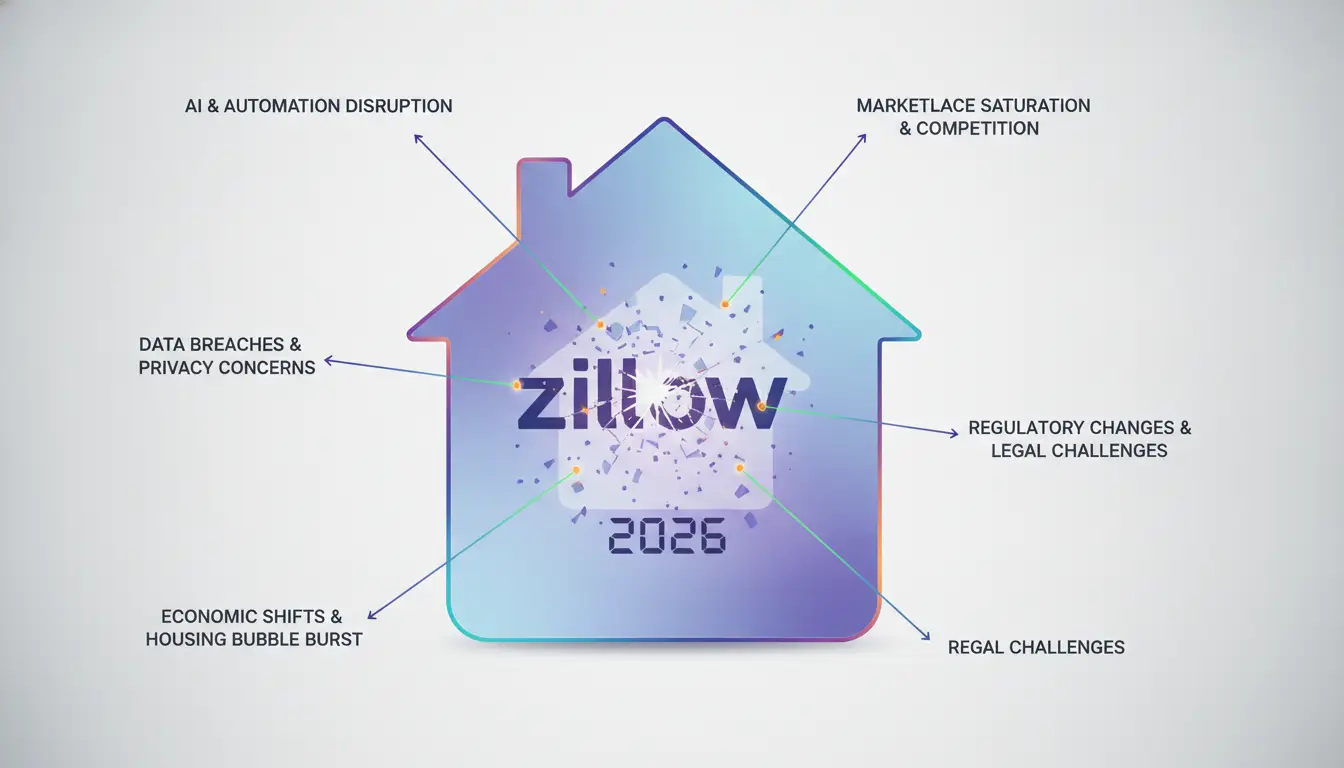
The main reason your Zillow account got suspended in 2026 usually ties back to how you handled listings, identity checks, and device setups, not just a single mistake. Missing the actual trigger means you might fix the wrong thing and risk another ban.
Automated Detection: Listing Spam, Data Extraction, and Bot Activity
Bulk uploading similar listings or using scraping tools almost always gets flagged. Zillow’s system now compares post patterns across accounts, repeated property details or copy-paste descriptions stand out fast. If your uploads look automated or match bot activity, expect a ban within hours.
Account Verification Failures and Identity Mismatches
Most people think sending any ID is enough. The real issue is mismatched information, Zillow checks name, address, and phone number against public records and previous account data. If your documents show even slight differences (like a nickname or an old address), the system marks it as a risk and locks the account, sometimes before you even finish the upload. For example, submitting a business license with a different registration address than your profile triggers a suspension that blocks both your listing and payout access. Fixing this isn’t just about resubmitting documents; you have to prove the change is legitimate, which usually means sending extra paperwork or waiting for manual review. If your account history shows prior failed verifications, the review queue gets longer, weekend requests often sit untouched until Monday, so Friday submissions can take 72 hours in practice. Some users try quick appeals with alternate emails, but that only adds another mismatch and can turn a temporary lock into a permanent ban.
Device, IP, and Browser Fingerprint Red Flags
- If you log in from a device tied to other suspended accounts, Zillow’s system links them and flags yours.
- Using shared IPs, especially office or coworking spaces, makes the system see multiple accounts as connected.
- Browser fingerprint changes (like switching from Chrome to Firefox in the same session) can trigger a lock, even if your login looks normal.
If you only fix the obvious, like resubmitting documents or switching devices, you’ll keep running into new problems. Knowing exactly which trigger applies to your case makes the next step easier. The real details are in the suspension and error messages themselves, which show what Zillow’s system actually flagged. That’s what you need to check next.
What Zillow’s Suspension and Error Messages Really Mean
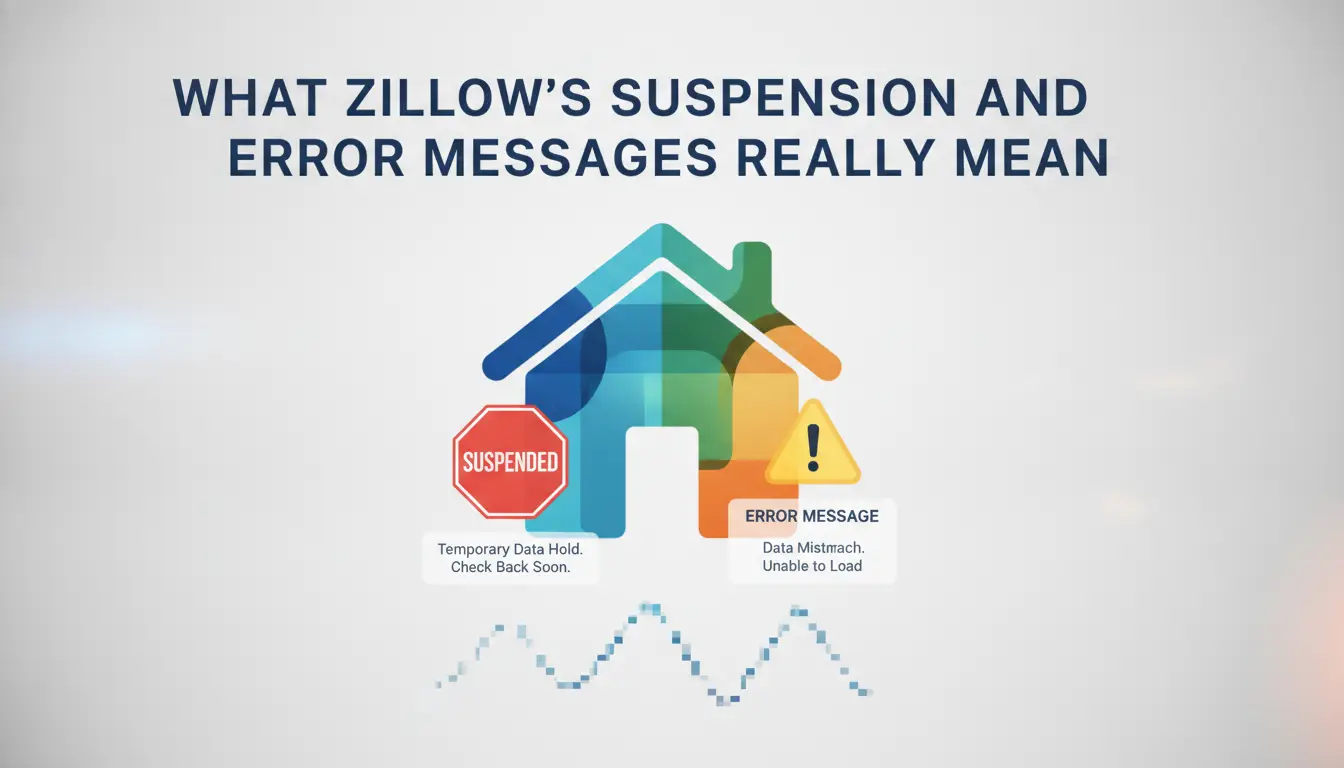
When you see a Zillow suspension or error message, the exact wording tells you whether you can fix it, need to appeal, or have to start over. Decoding the difference can save you days of wasted effort and help you avoid making your situation worse.
‘Account Disabled’ vs. ‘Locked for Security’: What’s the Difference?
‘Account Disabled’ means Zillow decided your account broke a policy, usually permanent. ‘Locked for Security’ is temporary, triggered by login from a new device, IP, or rapid session changes. If you’re only seeing a security lock, you can usually get back in after verifying your identity.
‘Verification Required’ and Documentation Requests
When Zillow asks for verification, it’s a sign the system flagged your account for unusual activity, but hasn’t banned you yet. Responding with mismatched documents or fake info almost always leads to a full suspension. For example, if you submit a utility bill that doesn’t match your account address, you’ll trigger a manual review that’s harder to pass. The safest move is to submit exactly what Zillow requests, matching your account details, and wait for their follow-up instead of trying to rush the process.
‘Access Denied’ and Error Codes (403, 1009, etc.)
Quick checks for these errors:
- If you see 403 or ‘Access Denied’ after logging in, your account is probably banned, don’t keep retrying.
- Error 1009 points to a device or IP mismatch; switching devices or clearing browser fingerprints is worth a try.
- If the site won’t load at all, check if your whole IP range is blocked, not just your account.
Understanding which error you’re facing shapes your next move. The right response depends on the message, not just what you hope will work. The next section covers how to start a recovery or appeal if you’re stuck.
How to Recover a Suspended Zillow Account: Step-by-Step Appeal Guide
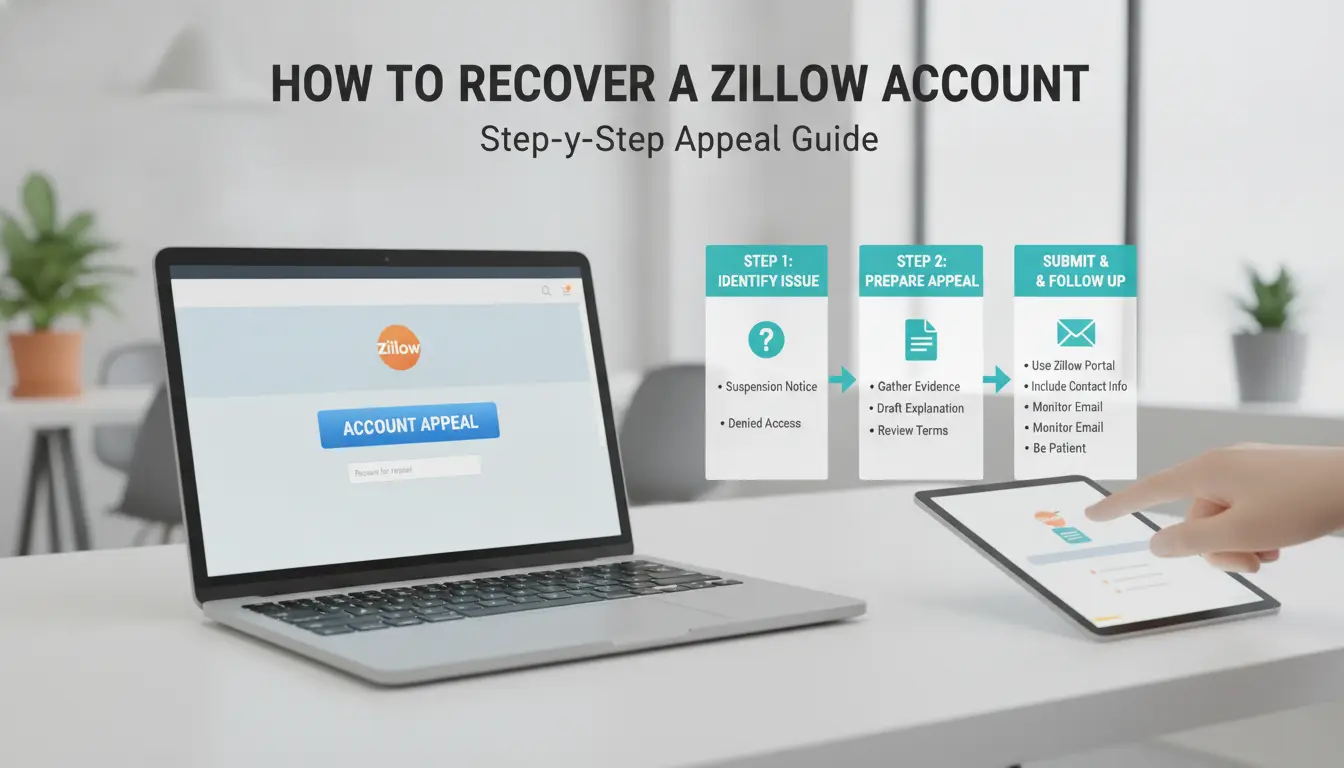
The fastest way to get a suspended Zillow account back is to line up your evidence, file a clear appeal, and follow up without raising new flags. Skip guesswork, Zillow’s review team wants specific proof, not long stories. Here’s exactly what to do.
Gathering the Right Documentation and Evidence
- Check the suspension email for clues, Zillow almost always points to a trigger (like “unusual login,” “listing policy,” or “multiple accounts”).
- Screenshot your own access attempts and error messages. Proof of what you see helps if the system’s status changes during review.
- Gather all ID and ownership links. For business accounts: articles of incorporation, utility bills, or business licenses. For personal: a government-issued ID and any email/phone verification screenshots.
- Avoid submitting extra, unrelated files. Too much “evidence” can slow your case or get it rejected as incomplete.
Filing Your Appeal: Where and How to Submit
- Use the official Zillow Help Center, not generic support email, unless the suspension notice directs you elsewhere.
- Pick the “Account Access” or “Suspended Account” topic when prompted. This routes your case to the right team and avoids long hold times.
- Write a short, direct statement: what action triggered the suspension, why you think it was a mistake or already fixed, and what proof you’re attaching. Skip emotional language, just facts and documents.
- Hit submit and keep the confirmation number. If you don’t get a confirmation within 10 minutes, double-check your spam folder and try resubmitting.
What to Expect After Submission: Timelines and Follow-ups
- Zillow’s standard review time in 2026 is 1–3 business days for basic appeals. If your case involves ID checks or multiple account issues, real response time often stretches to 7 days, especially near holidays.
- If you hear nothing after 3 days, reply to your confirmation email with “Follow-up: [Case Number]” in the subject. Don’t file a new ticket, duplicate submissions can push you to the bottom of the queue.
- Watch for a “documents needed” reply. If that arrives, respond within 24 hours, slow replies can close your case without notice.
- If you get a denial, check the exact wording. Sometimes it points to a permanent ban, but often you’ll see a “fix and reapply” option.
When you’ve worked through these steps, pause before making another move. The next section covers what not to do, like creating a new account too soon or spamming appeals, which can get you locked out for good.
What Not to Do After a Zillow Suspension: Mistakes That Make Things Worse
The wrong move after a Zillow account suspended notice can lock you out for good. Here’s what to avoid if you want any shot at recovery.
Trying to Create a New Account on the Same Device or IP
Zillow tracks device fingerprints and IP patterns. Making a new account from the same phone, laptop, or internet connection usually links you to the suspended profile. This flags both accounts and can trigger an instant ban, even before you finish signup. Even switching to a mobile hotspot is rarely enough. If you keep getting blocked, your device or IP is probably still on Zillow’s watchlist.
Submitting False or Incomplete Documentation
- Never upload edited or fake ID, Zillow will blacklist you and close any related accounts.
- Skipping required docs or leaving fields blank almost always stalls your appeal.
- Using info that doesn’t match previous records will get your recovery request denied.
Ignoring Underlying Behavior That Triggered the Ban
Repeat the same posting style or proxy setup and you’ll get flagged again, often faster. Review what led to your ban before making any move.
- Check if your listing volume, copy-paste content, or proxy usage matched the old account’s pattern.
- Audit your browser and cookie setup for leftover traces.
- Pause all new account attempts until you’ve fixed the original problem.
How to Safely Manage Multiple Zillow Accounts and Reduce Ban Risk
Running more than one Zillow account is risky, Zillow’s system is built to catch patterns that connect accounts, even if users think they’re being careful. The fastest way to lose all your accounts is to reuse devices, browsers, or proxies. Here’s what actually works in 2026.
Why Zillow Flags Linked Accounts: Device, IP, and Fingerprint Patterns
Zillow detects linked accounts by matching device fingerprints, browser details, and IP addresses. If you log into two accounts from the same browser or network, Zillow often sees them as connected, even if you clear cookies or use different logins.
Best Practices for Account Isolation: Devices, Proxies, and Browser Profiles
Separate each account by assigning it a unique browser profile, a dedicated proxy, and, if possible, a different machine or user OS profile. This means you don’t just clear cookies or swap tabs. You set up distinct browser profiles (like Chrome user profiles or portable browsers), then assign each a stable, location-appropriate proxy. A proxy that suddenly jumps locations or rotates mid-session can trigger Zillow’s security checks and get the account locked. It’s safer to use static residential proxies that match the zip code or city your account is supposed to operate from.
A common mistake is using one device in an office for multiple logins. Even if you think you’re covered, device IDs, screen size, fonts, and even hardware details can leak across sessions. What actually reduces the risk is full isolation: one browser profile, one proxy, and one set of local settings per account, anything short of that is a shortcut that usually ends in a ban.
Team Collaboration: Permission Control and Audit Trails
- Assign access only to trusted team members, and don’t share credentials across the whole group.
- Use a shared document or tool to log who accessed which account and when.
- Review actions weekly, if a listing gets taken down, check who made the last changes before contacting support.
Skipping these steps means you won’t know where a problem started if Zillow flags an account. Clear records let you fix issues quickly and avoid repeat suspensions. Mistakes here multiply fast when teams scale past two or three people.
Using DICloak to Manage Zillow Accounts: Safer Multi-Account Workflows for 2026
Setting Up Isolated Browser Profiles for Each Zillow Account
Operators can use DICloak to create a dedicated browser profile for each Zillow account and assign a separate proxy, this reduces accidental linkage and detection triggers.
Team Collaboration and Permission Management in DICloak
Teams can share profiles without exposing passwords, set access controls for each member, and track who made changes. This stops confusion and prevents risky overlap when multiple people manage listings.
Workflow Automation and Bulk Operations for Real Estate Teams
- Automate login and routine listing checks for every account.
- Bulk update profile settings to match updated policies.
- Log actions so admins can review what changed after a Zillow account suspended event.
DICloak supports workflow isolation and permission control but does not guarantee ban prevention, users must still follow Zillow’s platform rules.
How to Prevent Future Zillow Suspensions: 2026 Best Practices
Staying active after a Zillow suspension isn’t just about fixing what happened, it’s about not getting flagged again. The fastest way to avoid the same headaches is to lock down your daily habits and catch issues before they snowball. Here’s what to check right now if you want your account to last.
Keep Listing and Profile Data Consistent and Accurate
Small mistakes in listing details or profile info trip Zillow’s filters more often than people expect. If you copy-paste property descriptions between accounts, use placeholder photos, or forget to update contact details after a move, you’re asking for another review. The single change that prevents most repeat suspensions is keeping every listing’s address, name, and phone number matched to real, current information, no shortcuts, no duplicates. When you edit a listing, make sure old details are removed everywhere, not just in the visible fields.
Monitor Device, IP, and Browser Fingerprint Hygiene
- Check you’re not logging in from flagged IP ranges or public Wi-Fi.
- Review account access logs for unknown devices or odd locations.
- Rotate browser profiles if you switch devices or manage separate accounts.
Stay Updated on Zillow’s 2026 Policy Changes
Zillow’s rules shift every few months. Missing a new restriction or guideline can put your account at risk without warning. Read official updates monthly and adapt your workflow fast to avoid surprise bans.
- Subscribe to Zillow’s help center news alerts.
- Review the “Account Suspensions” section after every policy update.
- Test a single listing with any new workflow before rolling out changes to all accounts.
If you’re still not sure what triggered your last suspension, the next section covers the most common recovery questions and what actually works in 2026.
FAQ: Zillow Account Suspensions and Recovery in 2026
Getting a Zillow account suspended leaves a lot of loose ends, here’s what usually comes up after the first appeal.
Why did my appeal get denied?
Zillow often denies appeals if logs show repeated access from flagged proxies, mismatched device fingerprints, or if the same phone number was used on other restricted accounts.
Can I make a new account after a suspension?
You can try, but reusing the same device, phone, or IP almost always gets the new account flagged during signup. Change all three before even starting.
How long do Zillow suspensions last?
Most are indefinite unless you win an appeal; simple “wait it out” does not work for Zillow’s system.
Frequently Asked Questions About Zillow account suspended
Can I recover a Zillow account that was banned for data scraping?
Yes, but it’s tough. Zillow is strict about data scraping. If your account was banned for this, you may recover it by showing you had a legitimate reason and promising not to repeat the violation. Contact Zillow support, give clear details, and provide any documentation that proves your use was not harmful.
How long does Zillow take to review a suspension appeal in 2026?
In 2026, Zillow usually reviews suspension appeals within a few days to two weeks. The exact time depends on how complete your appeal is and the complexity of your case. Submitting clear information and supporting documents can help speed up the process.
Is it safe to use the same proxy for multiple Zillow accounts?
No, using the same proxy for several Zillow accounts is risky. Zillow may link these accounts together, which can lead to all of them being suspended or banned. To reduce this risk, use a unique proxy and separate browser profile for each account you manage.
What happens if my appeal is denied by Zillow?
If your appeal is denied, your Zillow account will likely stay locked or banned. You will not be able to access your account or its data. Don’t keep appealing without new evidence. Instead, review your activities to make sure you followed Zillow’s rules before trying again.
Can I use DICloak to automate Zillow account creation or listing uploads?
You can use DICloak for automation, but you must follow Zillow’s terms of service. Automating account creation or uploads in ways Zillow doesn’t allow can lead to your accounts being suspended or banned. Always check Zillow’s rules before using any automation tools.
If your access has been restricted, reviewing Zillow’s guidelines and reaching out to their support team is a practical first step. Meanwhile, exploring alternative platforms can help you maintain continuity in your real estate activities. Try DICloak For Free
 Web Proxy Tools
 Free Tools
 Cookie Plugin
 UA Generator
 MAC Address Generator
 IP Generator
 IP Address List
 2FA Code Generator
 World Clock
 Anonymous Check
 WebRTC Leak Test
 UUID Generator
 Free Web Proxy Site
 Proxy Checker
 FB Ad Checker
 AI Web Scraping
 Free SMM Tools
 Twitter Shadowban Checker
 Instagram Name Checker
 UTM Generator
 Username Generator
 AI Hashtag Generator
 LinkedIn Headline Generator
 Social Media Image Resizer