A proxy, in its most technical definition, acts as an intermediate node, a buffer between your workstation or server and the final destination on the global network. It is a critical piece for identity protection, circumvention of sophisticated regional firewalls, and large-scale data mining. However, there is a stigma that using a proxy necessarily involves performance degradation. As a senior specialist, I can say that this is a myth stemming from a misconfiguration. A well-optimized proxy doesn't have to be a drag; In fact, in certain network architectures, it can even improve the efficiency of the data path.
The key in 2026 lies in the balance between privacy and performance. We are not simply "surfing the web"; We are managing packet flows that cross multiple jurisdictions and data centers. Understanding why delays occur is the first step in diagnosing whether the problem lies with the supplier, the protocol, or the physical distance of the electrons.
The pillars of speed: Latency and Throughput
For any serious infrastructure diagnosis, we must separate perceived "velocity" into two irreducible technical metrics: latency and throughput. They are often used interchangeably, but in network engineering they represent radically different concepts that require different solutions.
Latency: The Physics Factor and Delays
Latency is the time interval that elapses from when a data packet (for example, an HTTP GET request) is sent until the first response byte is received. In technical jargon, we often refer to this as RTT (Round Trip Time). It is the "lag" we feel when an action does not have an immediate reaction.
- Propagation delay: The speed of light in optical fiber is about 30% slower than in a vacuum. If your data must travel from New York to Tokyo, there is an insurmountable physical limit imposed by distance.
- Processing Delay: The time it takes for each node (including its proxy) to inspect the packet header and decide where to send it.
- Queue delay: If the proxy server is saturated, its packets must wait in a buffer before being processed.
Imagine you're on a local word processor: latency is imperceptible. But by entering a proxy, you're intentionally adding a stop along the way. If that stop is geographically poorly located, latency skyrockets, not because of the quality of the proxy, but because of the physics of the transoceanic cables.

Throughput: The capacity of the conduit
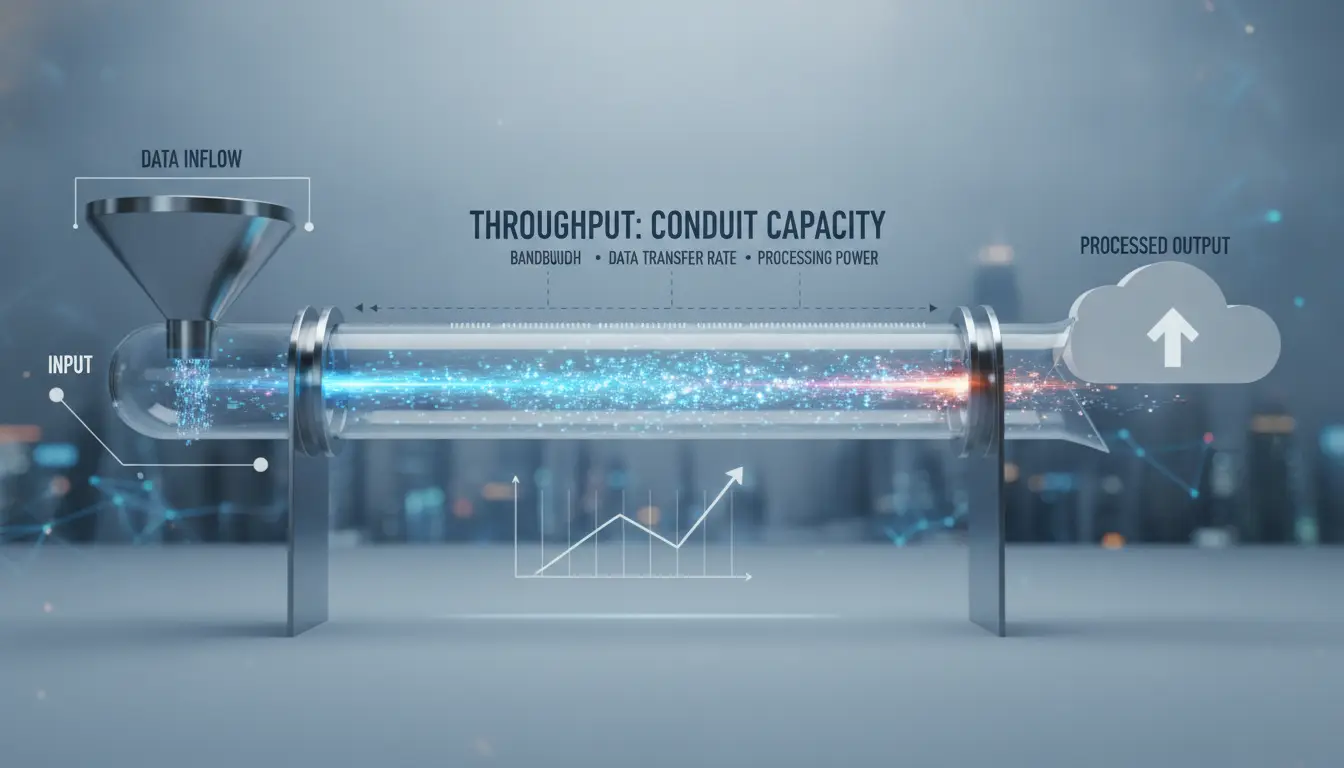
Throughput, or effective bandwidth, is the volume of data that can be transmitted over a connection in a given period. While latency is a measure of "time," throughput is a measure of "throughput."
Let's use the road infrastructure analogy we mentioned in our diagnostic protocols. Imagine an eight-lane highway: it has immense throughput potential. Thousands of vehicles can drive simultaneously without slowing down others. However, if an accident occurs and seven of those lanes are closed, throughput drops dramatically. Vehicles (their data packets) can still travel at the same top speed, but only one can pass at a time. The result is a bottleneck. In 2026, throughput is critical for web scraping tasks that download heavy elements such as video files or high-resolution images, but for a simple pricing query (JSON), throughput is secondary to latency.
Scenario Analysis: The Four Performance Combinations
As specialists, we must be able to visually identify what kind of network problem we are facing by observing how the content is rendered. By 2026, the interaction between latency and throughput defines four clear operational states.
High latency and low throughput: The critical infrastructure failure
This is the worst of all worlds. It represents a connection that takes forever to initiate and, once started, delivers the data in dribs and drabs. It's typical of free proxies or overloaded low-end data center servers.
In this scenario, the browser or automation script appears "frozen" for several seconds. When the page finally responds, it does so in a disorderly manner. It's common to experience what we call Flash of Unstyled Content (FOUC), where the text appears plain because the CSS file is still stuck in the bottleneck. The elements of the DOM are violently rearranged as styles arrive, creating an inefficient and error-prone parsing experience.
Low latency and low throughput: The trickle effect
Here, the initial response is fast, indicating that the proxy server is nearby or efficient in processing. However, the "pipe" is too narrow.
You'll notice that the skeleton of the web page appears almost instantaneously, but images, banners, and heavy JavaScript scripts take forever to "fill up." Visually, the elements appear one by one, as if they were being drawn by hand. For social account management tasks in DICloak, this can be frustrating but manageable; For massive scraping, it's a recipe for operational failure.
High latency and high throughput: The freight train effect
This is an interesting and very common scenario in long-distance residential proxies. There is a significant initial delay, but once the gate opens, information flows en masse.
It's the analogy of the train: it takes time to get to the station (high latency), but it can carry a massive number of passengers in one go (high throughput). In practice, you'll see a blank screen for 3 or 4 seconds, and suddenly, the entire page appears fully rendered all at once. This behavior is acceptable for asynchronous data collection tasks where the start time per request is not as critical as the total volume of data downloaded.
Low latency and high throughput: The state of grace
This is the goal of any professional setup in 2026. The request is processed in milliseconds and the channel has more than enough capacity to deliver all resources (HTML, CSS, JS, images) simultaneously. The pages feel instant. To achieve this, a perfect alignment between the proxy location, IP type, and the capacity of the target server is required.
The Financial Analogy: Pennies vs. Credit Cards
To explain this to customers or non-technical stakeholders, we usually use the analogy of payment at the checkout. The low-latency, low-throughput scenario is like someone paying a $10 bill with pennies. You can start paying right away (low latency), but it will take forever to finish the transaction.
On the contrary, the high-latency and high-throughput scenario is like waiting for a customer to arrive from the other end of the mall to pay with a credit card. You have to wait for it to arrive (initial latency), but once at the checkout, the payment of the $10 is instantaneous. In our industry, we will always look for the "credit card" with the shortest walking time possible.
Why does using a proxy add latency by nature?
From an engineering perspective, a proxy is, by definition, an additional hop in the network topology. On a direct connection, the packet travels from A to B. With a proxy, it travels from A to P, and from P to B.
- BGP routing: Packets must be routed through different autonomous networks (AS), which may not be the shortest route geographically.
- Packet inspection: The proxy server must receive the packet, unwrap it (in many cases to rotate the IP or add headers), re-encapsulate it, and send it. This process, although measured in microseconds, adds up to accumulated latency.
- SSL/TLS termination and renegotiation: By 2026, almost all traffic is HTTPS. The proxy often has to handle the security handshake, which adds an additional packet exchange before the actual data is sent.
If your proxy server is in Germany and you're in Mexico trying to access a website hosted on California servers, you're forcing your data to cross the Atlantic twice unnecessarily. Geo-latency is the biggest speed "killer" in 2026.
Technical Comparison: Types of Proxies and Their Impact on Speed
Not all proxies are created equal. Its internal architecture determines its baseline performance.
| Proxy Type |
Latency (Speed) |
Authority / Anonymity |
Use Case in 2026 |
| Data Center |
Very Low (Excellent) |
Medium / Low |
Massive scraping, price monitoring |
| Residential |
High (variable) |
Very High |
Bypass AI blocks, retail access |
| ISP (Static) |
Low (Stable) |
High |
Account Management, Social Media, E-commerce |
Data Center Proxies: The Sprinters
These are IPs that reside on massive data center servers. They are connected to the backbones of the internet with terabits-per-second fiber-optic links. Its latency is minimal and its throughput is virtually unlimited. However, their weakness is that they are easily identifiable. By 2026, if an anti-bot system detects a data center IP by making 1,000 requests per minute, the block is instantaneous.
Residential Proxies: The Chameleons
These are IP addresses assigned by home internet providers to real users. Their great advantage is that they are indistinguishable from a legitimate human user. However, its latency is higher because data must travel over residential connections (cable, DSL, or home fiber) that don't have the same priority as business lines. Also, if the actual user turns off their router, the connection is lost (in rotating proxies). Speed is sacrificed for the ability to "go unnoticed".
ISP Proxies: The "Holy Grail"
In 2026, ISP proxies represent the pinnacle of optimization. These are IPs registered under providers such as Verizon, Comcast or AT&T, but physically hosted on data center servers. This means that they have the legal authority of a residential IP but the speed of a data center. They are ideal for managing profiles in DICloak, where the platform (Facebook, Amazon, Google) needs to see a trusted IP, but the operator needs the interface to load without delays.
External factors slowing down your connection
Often, we blame the proxy when the problem is at the periphery of our infrastructure.
- Host Network Congestion: If you are performing an extensive log search or a heavy database query on the destination server, the time it takes for the server to "think" before sending the data is mistaken for network latency.
- Bandwidth siphoning: In a technical office, if there are multiple download or streaming processes occurring on the same local network, the throughput available to the proxy is reduced. The local "highway" is full.
- Target server overhead: Modern websites in 2026 use load balancers. If the node the proxy is connected to is under DDoS attack or overcrowded, the response will be slow regardless of the quality of your proxy.
Workflow optimization and profile management with DICloak
In professional practice, proxy handling is not done in isolation, but through controlled browsing environments. This is where DICloak becomes an essential infrastructure management tool.
The problem with using proxies directly in scripts or conventional browsers is "contamination" and lack of isolation. DICloak allows you to create separate browser profiles that completely isolate cookies, local storage, and most importantly, network sockets.
How does DICloak help in latency management?
- Fingerprinting: DICloak allows browser parameters to be configured to best match the nature of the proxy IP. If you use a Verizon (US) proxy, you can adjust time zone, language, and hardware footprint of the profile according to your needs. This can help avoid heavy security challenges (such as complex captchas) that slow down page loading.
- Granular Proxies Management: You can assign a high-speed data center proxy to a profile for rapid monitoring tasks and a residential proxy to a profile for sensitive account actions.
- Cache collision avoidance: By having caches separated by profile, DICloak helps heavy scripts from one website not interfere with the loading of another, optimizing the performance of the local processor, which is vital to avoid perceiving slowness where there is none.
- Frictionless collaboration: Profiles can be transferred between team members where the plan allows, maintaining access without the need to re-authenticate proxies, and avoiding login delays that are often mistaken for network issues.
It's crucial to understand that DICloak doesn't "speed up" the proxy (no one can defy the laws of the network), but it does optimize the workflow so that the operator wastes as little time as possible and maintains the consistency of the digital footprint according to their configurations, which can help minimize speed penalties for inconsistencies.
Advanced strategies to reduce latency
For system architects looking for peak performance in 2026, there are expert-level tactics:
Content Delivery Networks (CDNs) and Proxies
Using a CDN (such as Cloudflare or Akamai) can mitigate latency by serving static content from servers close to the proxy. If your proxy is in London, it will look up the data on the CDN node in London, eliminating the need to travel to the origin in the US. Making sure your proxy provider has good routing to major CDNs is vital.
Localized SSL Termination
Many modern proxies allow SSL termination to be performed on the proxy node. This reduces the "round trips" required to establish a secure connection between your machine and the end server. By 2026, this can save up to 200ms per request.
Infrastructure Diagnostic Protocol (Checklist)
- Baseline Test: Perform a proxy speed and latency test. If your base connection has jitter (latency variation), the proxy will only amplify it.
- Geographic Validation: Use command tools to trace the route of your package. If you see unnecessary hops (e.g., from Mexico to Spain to get to Texas), change the location of your proxy server.
- DNS Analysis: Sometimes slowness is caused by a slow DNS server on the proxy. Force the use of fast DNSs such as those from Google (8.8.8.8) or Cloudflare (1.1.1.1) if your configuration allows it.
- Load Test: Check if the slowness occurs at all hours or only during "peak hours" of the proxy's country of origin.
Frequently Asked Questions (FAQs) based on real searches
Is it normal for my residential IP to be slower than that of a datacenter?
Absolutely. A residential proxy goes through the infrastructure of an average household. The latency of a 2026 home fiber optic connection is still higher than that of a data center backbone. If you need pure speed, use Data Center; if you need confidence, use Residential.
How does geographic distance affect my scraping tasks?
Distance increases RTT. In massive scraping, if each request takes an extra 500ms because of the distance, and you make a million requests, the cumulative delay is massive. Always locate your proxies as close to the target server as possible, not to you.
Can I use proxies from different countries in the same workflow with DICloak?
Yes. In fact, it's a good practice for international operations or ad verification. DICloak allows each tab or profile to "live" in a different country simultaneously without latencies or cookies getting mixed up.
Why does my Verizon ISP proxy seem slower today?
This is usually due to congestion on transit nodes or because the destination server is applying rate limiting. If the server detects too many requests, it can intentionally "delay" responses before blocking the IP.
Conclusion and next steps
Optimizing the speed of a proxy in 2026 requires a scientific approach. It's no longer enough to buy just any list of IPs and expect optimal results. Slowness is often the cry for help of a poorly planned infrastructure.
If your workflow demands speed and the target site isn't extremely aggressive, choose Data Center Proxies. If you're managing valuable digital assets on social platforms or e-commerce, opt for ISP Proxies to get a balance between data center speed and residential authority. Finally, if access is the only thing that matters and you can tolerate the "freight train effect," Residential Proxies are your tool.
Operational success lies at the intersection of good proxy choice and efficient profile management using tools like DICloak. By isolating your environments and aligning your IPs with the geography of your targets, you not only solve the problem of slowness, but build a robust, scalable, and efficient infrastructure for the most advanced needs of the digital ecosystem of 2026.
 Web Proxy Tools
 Free Tools
 Cookie Plugin
 UA Generator
 MAC Address Generator
 IP Generator
 IP Address List
 2FA Code Generator
 World Clock
 Anonymous Check
 WebRTC Leak Test
 UUID Generator
 Free Web Proxy Site
 Proxy Checker
 FB Ad Checker
 AI Web Scraping
 Free SMM Tools
 Twitter Shadowban Checker
 Instagram Name Checker
 UTM Generator
 Username Generator
 AI Hashtag Generator
 LinkedIn Headline Generator
 Social Media Image Resizer