You post on LinkedIn, the views go up, but the numbers never seem to match what you expect. Maybe your update says “500 impressions,” but you only see 10 likes and a handful of comments. That gap leaves most people guessing whether impressions are just a vanity metric or if they actually show real reach.
It gets trickier when you try to compare your numbers to someone else’s. LinkedIn impressions explained in one place often means something different somewhere else, especially between posts, articles, and company page analytics. Relying on the wrong definition can throw off your reporting or make you chase the wrong goal. A single scroll past your post counts as an impression, but does that mean anyone actually saw your message?
The main problem is simple: if you don’t know what is an impression on linkedin, you can’t tell which posts are working or where your content is being ignored. Guessing leads to wasted time and missed opportunities. Real decisions, like which topics to double down on, how to tweak posting times, or whether to invest in sponsored updates, depend on understanding how LinkedIn counts impressions and what those numbers actually measure. Even seasoned marketers and recruiters get tripped up by the details.
Let’s break down the LinkedIn impression definition and see what those metrics really mean for your strategy.
What Does an Impression Mean on LinkedIn in 2026?
A LinkedIn impression is counted every time your content, post, comment, or profile, loads on someone’s screen, even if they don’t interact with it. One scroll past your update adds to your impression count, whether the user reads it or not.
How LinkedIn Counts an Impression
LinkedIn tracks an impression when your post, comment, or profile appears in a person’s feed or search results. The platform does not require the viewer to click, like, or even pause; the content just needs to render visibly on the screen.
Types of LinkedIn Impressions
Not every impression means someone paid attention. LinkedIn splits impressions into three main types:
- Post impressions: Each time your post is shown in feeds, notifications, or search, it gets an impression. If the same user scrolls past your post twice in one session, that’s two impressions. This can inflate numbers for content that is surfaced repeatedly by LinkedIn’s algorithm.
- Comment impressions: Replies or comments you leave under other posts also generate impressions when those threads appear in users’ feeds. These are often overlooked but can drive visibility if your comment is near the top of a trending conversation.
- Profile impressions: These count when your profile appears in search results, connection suggestions, or is directly visited. The risk here is that a large spike may come from recruiter tools or automated browsing, not genuine interest. For example, if you run a campaign and see a sudden jump in profile impressions but almost no new connection requests or messages, that often points to low engagement or bot traffic.
The main tradeoff: chasing high impression counts can distract from the real question, did anyone actually read or act on your content?* If you only track impressions, you may miss weak posts that look successful but drive no real interaction.
Impressions vs Views vs Reach vs Engagement
- Impressions: Counts each time your content loads on a screen.
- Views: Often means a video or article was played or opened, not just loaded.
- Reach: Measures unique people, not total displays (so duplicate views don’t count).
- Engagement: Tracks actions, clicks, likes, shares, or comments, not just exposure.
Getting these definitions straight lets you spot when your numbers are rising on paper but not in practice. If impressions go up but reach and engagement stay flat, your content is being seen more often by the same people or ignored after loading.
Next, you’ll see why impression numbers matter and what they actually reveal about your LinkedIn visibility.
Why Do LinkedIn Impressions Matter for Visibility and Growth?
Impressions track how often your content lands in front of people, even if they never interact. This is the baseline for visibility: without impressions, nobody sees your post, and nothing else happens. If you ignore this metric, you’re flying blind when it comes to your real reach.
Impressions as a Visibility Metric
LinkedIn impressions show how far your posts travel across networks, not just who likes or comments. They’re the first sign your message is breaking past your direct connections. If your impressions stay flat no matter what you post, your audience isn’t expanding, your content isn’t being picked up or shown to new people.
Impact on Personal Branding and Business
Impressions work like a radar: they alert you when your content is making it beyond your usual circle. For example, if a recruiter shares a hiring update and sees impressions double after adjusting the posting hour, that’s a real signal the change worked. But here’s the catch, a high impression count doesn’t mean your message landed with the right people or drove action. You could rack up thousands of views on a viral meme, but if none of those viewers match your target client or job audience, the result is just noise. So, track impressions to spot patterns, but always layer in context from clicks or inquiries to judge impact.
What Is a Good Number of Impressions in 2026?
- Check your average: Compare your post’s impressions to your connection count. Posts often reach 10-30% of direct network size, but paid content skews higher.
- Mind your industry: Tech and marketing posts usually show higher numbers than niche B2B fields.
- Look for growth: “Good” is when your average impressions trend up over 60-90 days, flat lines or drops mean your visibility is stuck, not growing.
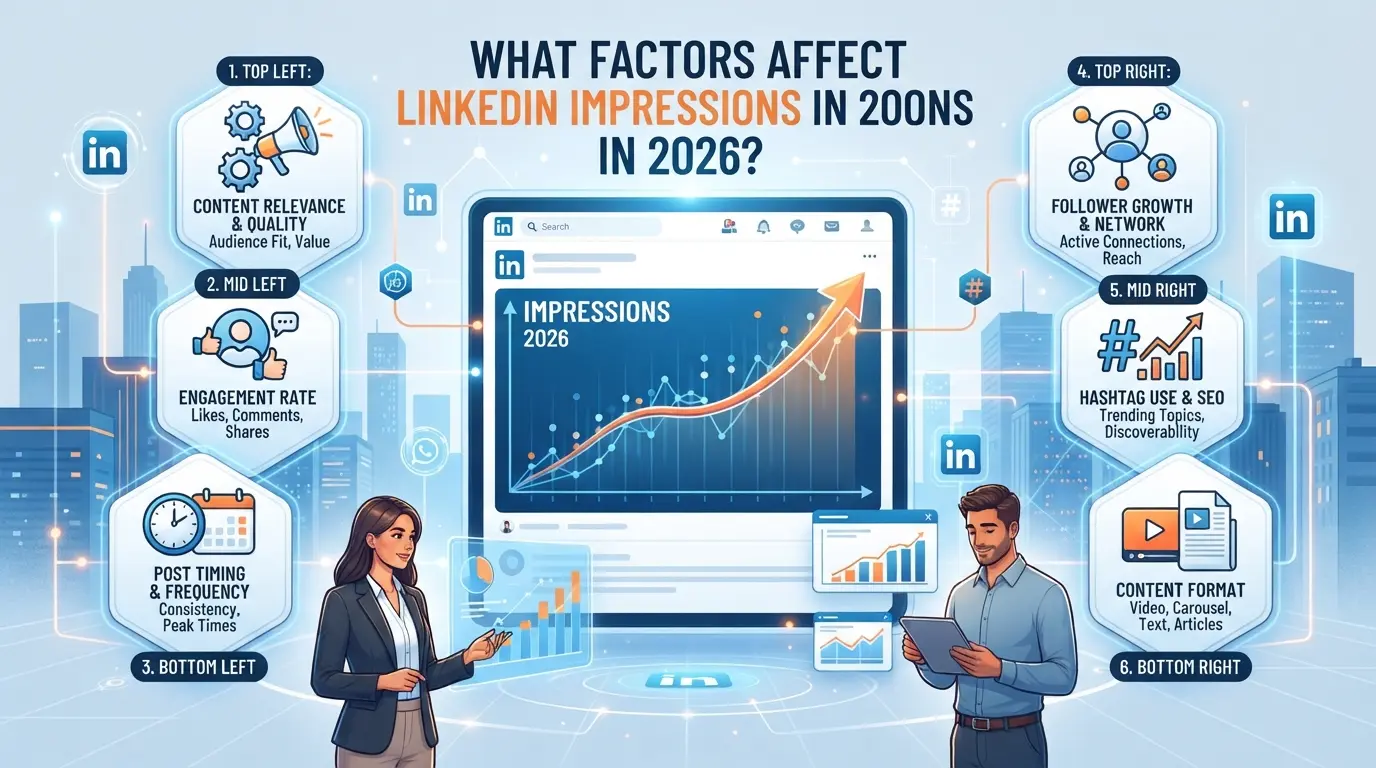
What Factors Affect LinkedIn Impressions in 2026?
Impression counts on LinkedIn are shaped by both your content and the platform’s distribution logic. If you want your posts seen by more people, you need to understand how the algorithm scores your updates and what mistakes can bury your reach. Below are the main levers you can control, and where the hidden pitfalls usually show up.
Content Quality and Format
A short, plain-text post with a clear point often gets more impressions than a long, sales-heavy update. Native images and videos get pushed further than third-party links. If you’re sharing a blurry screenshot or a YouTube URL, expect lower numbers.
Posting Frequency and Timing
Consistency matters, but flooding your feed backfires. LinkedIn’s algorithm tends to favor accounts posting two to four times a week, fewer posts can make you invisible, but daily posts can lead to audience fatigue and muted reach. The time you publish also changes outcomes: posts made during weekday mornings in your main audience’s time zone often see higher impression spikes. For example, dropping three updates at 9am, 12pm, and 5pm on a Monday will usually net better reach than posting all on Saturday night. The main risk isn’t just posting too little or too much, it’s missing your audience’s peak window and getting buried in the scroll.
Early Engagement and the 'Golden Hour'
The first hour after you hit publish is the “golden hour.” If your post gets likes, comments, or shares in that window, LinkedIn’s algorithm treats it as more valuable and shows it to a wider audience. A post that sits untouched for 60 minutes often stalls, while one that gets five comments in the first ten minutes can double its reach by noon.
LinkedIn Algorithm Changes in 2026
- Posts from personal profiles now get prioritized over company pages.
- Content that sparks replies (not just likes) is favored.
- Relevance scoring now weighs mutual connections and recent interactions more heavily.
Missing any of these means your update can disappear fast, even with strong content.
The mechanics behind impression counts are rarely obvious at a glance. To make sense of your own numbers, you’ll need to dig into the analytics and spot where posts gain traction, or where they get throttled before anyone sees them.
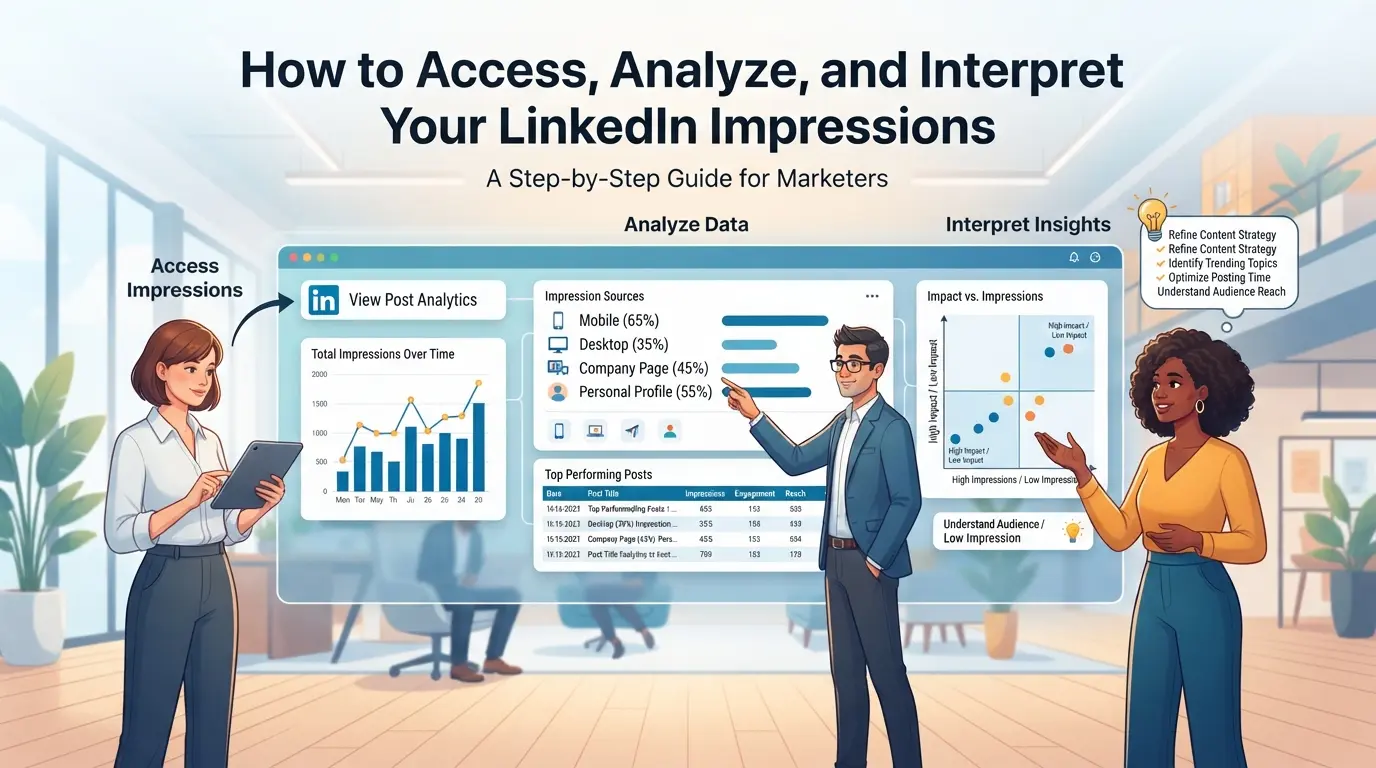
How to Access, Analyze, and Interpret Your LinkedIn Impressions
If you want to see which posts get attention, or just need to make sense of your recent numbers, the right LinkedIn analytics steps save time and frustration. Here’s how to check, break down, and actually use your impression data in practice.
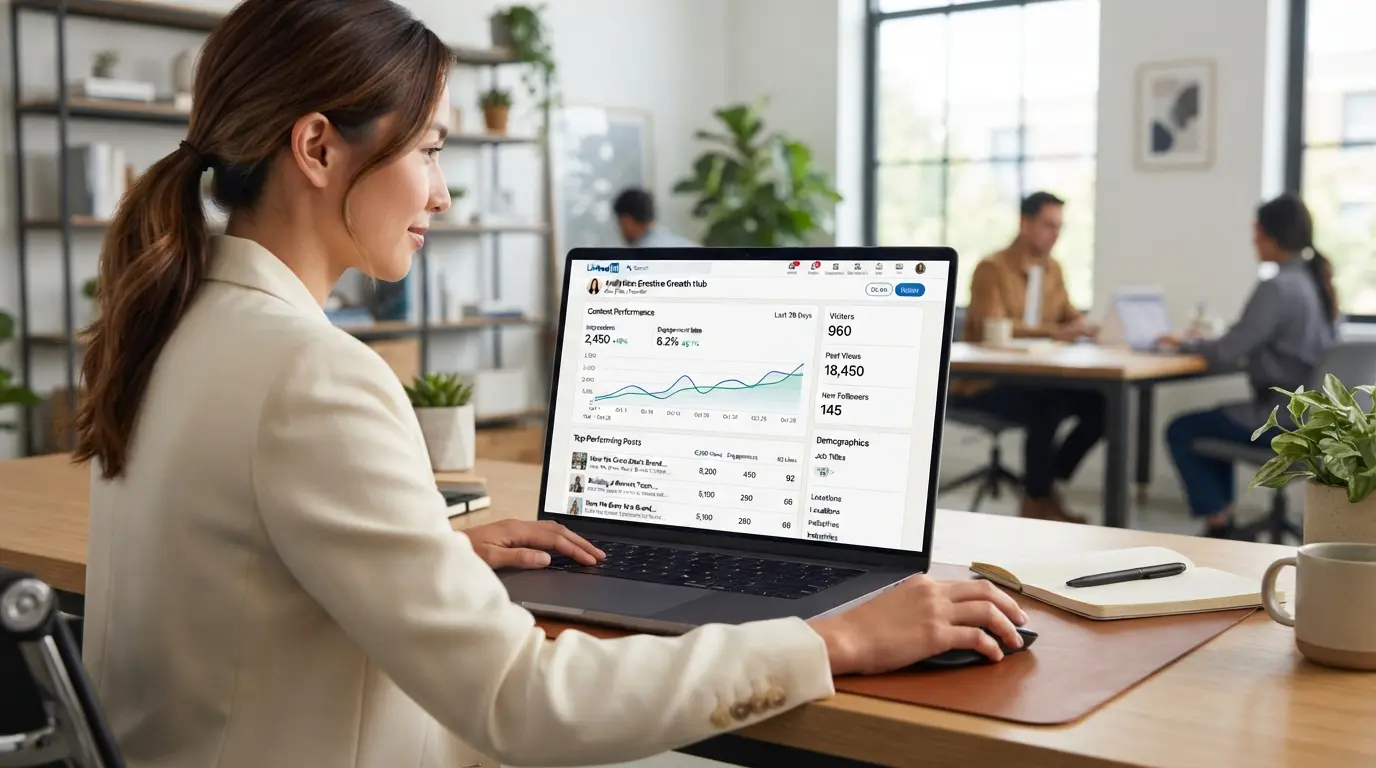
Where to Find Impression Statistics
- Go to your LinkedIn homepage and click “Me” to open your profile.
- For personal posts, scroll to a post and click “View Analytics” below it. For company pages, use the “Analytics” tab on the admin panel.
- Check post, profile, and company page analytics for impression counts, they show up as an “eye” icon or labeled “Impressions.”
- If you don’t see analytics, your account may be private or the post is too new, wait a few hours and refresh.
How to Interpret Impression Numbers
- Compare current impressions to your last few posts. A spike often means your topic or format hit a nerve.
- Low impressions after normal reach? Check if you posted at a non-peak time or missed tagging relevant people.
- If only one post tanks, it’s likely content-specific. If all drop, look for platform issues or recent account changes.
Analyzing Quality vs Quantity
- Don’t chase high numbers alone, look at comments, shares, and saves as stronger signals of real interest.
- If impressions rise but likes or replies stay flat, your post may be getting scrolled past. Focus on content that sparks action, not just reach.
- Track which posts turn impressions into actual engagement, this pattern is more valuable than a single viral outlier.
Using Third-Party Analytics Tools
- Choose tools that pull data directly from your LinkedIn account, not scraped numbers, scrapers often miscount or miss private stats.
- Check privacy policies: some tools store your login info, which can risk your account.
- If a tool’s numbers don’t match LinkedIn’s own dashboard, trust the LinkedIn count unless you confirm a reporting delay.
Teams tracking LinkedIn analytics often run into a separate challenge: handling multiple accounts without mixing up sessions or risking accidental overlap. If your agency or team manages more than one LinkedIn profile, keeping each environment separate is the only way to avoid confusion and keep workflows clean. DICloak supports this operational need with a step-by-step setup for browser profile isolation, proxy configuration, and permission controls. While LinkedIn analytics platforms answer “what is an impression on linkedin,” DICloak focuses on the technical side of account management, giving your team a safer, more organized workflow at the browser level.
Isolate Each LinkedIn Account with Separate Browser Profiles and Fingerprint Configuration
Operators can create a new browser profile in DICloak for every LinkedIn account they need to manage. Each profile runs in its own environment, storing cookies, cache, and browser settings without crossing into other accounts. Configurable fingerprint signals, including OS type, User Agent, time zone, and geolocation, help match each profile’s browser profile to the account’s operational needs. Keeping browser profiles separate reduces the chance of session mix-ups or accidental data bleed between accounts. The scope is limited to browser-profile access; it does not change anything inside LinkedIn itself.

Configure Proxies for Each LinkedIn Account Profile
Operators can assign their own proxy to each DICloak browser profile, using the supported HTTP, HTTPS, or SOCKS5 protocols. Before starting a session, you can test connectivity and confirm the detected exit IP and time zone match your operational requirements. This lets teams keep network connections distinct for each account where needed, though the choice and quality of proxies stay with the operator. Using a proxy is optional and does not guarantee any outcome inside LinkedIn.

Set Up Team Collaboration and Permissions for Account Access
Admins can organize team members in DICloak by groups, then assign LinkedIn account profiles to specific groups for access control. Regular members can get access only to the profiles or actions they need, reducing the risk of accidental changes or misuse. Permission controls work at the DICloak browser-profile level and do not replace LinkedIn’s own platform permissions.

Mismanaging these setup steps often causes the very problems that lead to LinkedIn account confusion or lost analytics. The next section breaks down the most common mistakes and myths teams run into when handling impressions and reporting.
Frequently Asked Questions About what is an impression on linkedin
What exactly counts as an impression on LinkedIn?
An impression on LinkedIn happens when your post, article, or ad appears on someone’s screen for at least 300 milliseconds. This includes showing up in the feed, in notifications, or on your profile. Scrolling past your content counts as an impression, but private messages or profile views do not.
How can I tell if my LinkedIn impressions are high or low?
High or low impressions depend on your network size and content type. For personal posts, 500–1,000 impressions is common for an average profile. Company pages or viral posts can get thousands. Your posting time, hashtags, and engagement affect impression numbers. Compare your results to similar profiles for context.
Can multiple people safely manage LinkedIn accounts without risking bans?
Multiple users can manage accounts safely if they use separate, dedicated browser profiles and unique IP addresses. Never log in from many locations at once. Avoid sharing passwords. Each manager should use their own LinkedIn login when possible, especially for company pages, to prevent security flags.
Do proxies help increase LinkedIn impressions or just protect accounts?
Proxies do not directly increase impressions. They help protect LinkedIn accounts by hiding real IP addresses and reducing the chance of blocks when managing multiple accounts. Impressions depend on content quality and audience, not on proxy use. Proxies are mostly for account safety.
Is it possible to automate LinkedIn engagement without triggering platform restrictions?
Light automation, like scheduled posts or reminders, is usually safe. Heavy automation, auto-liking, mass messaging, or rapid connection requests, can trigger LinkedIn’s anti-spam systems and result in restrictions. Stick to small, human-like actions and monitor for warning messages to avoid account issues.
Now that you understand how your content is being viewed, consider refining your posting strategy or experimenting with new formats to boost visibility. Monitoring these metrics can guide you toward more effective engagement and professional growth on the platform. Try DICloak For Free
 Web Proxy Tools
 Free Tools
 Cookie Plugin
 UA Generator
 MAC Address Generator
 IP Generator
 IP Address List
 2FA Code Generator
 World Clock
 Anonymous Check
 WebRTC Leak Test
 UUID Generator
 Free Web Proxy Site
 Proxy Checker
 FB Ad Checker
 AI Web Scraping
 Free SMM Tools
 Twitter Shadowban Checker
 Instagram Name Checker
 UTM Generator
 Username Generator
 AI Hashtag Generator
 LinkedIn Headline Generator
 Social Media Image Resizer